
The FHIR Developer Learning Path: From Zero to Production in 90 Days

CTO & Co-Founder
CTO & Co-Founder at Nirmitee.io. Architects healthcare integrations across FHIR, SMART on FHIR, ABDM and NHCX, writing from production experience taking hospital software from sandbox to go-live.
In a 2025 KLAS Research survey, 76% of healthcare IT respondents cited lack of FHIR knowledge as the number one barrier to interoperability adoption. Not budget. Not vendor resistance. Not regulatory uncertainty. The shortage of developers who understand FHIR deeply enough to build production systems is the bottleneck.
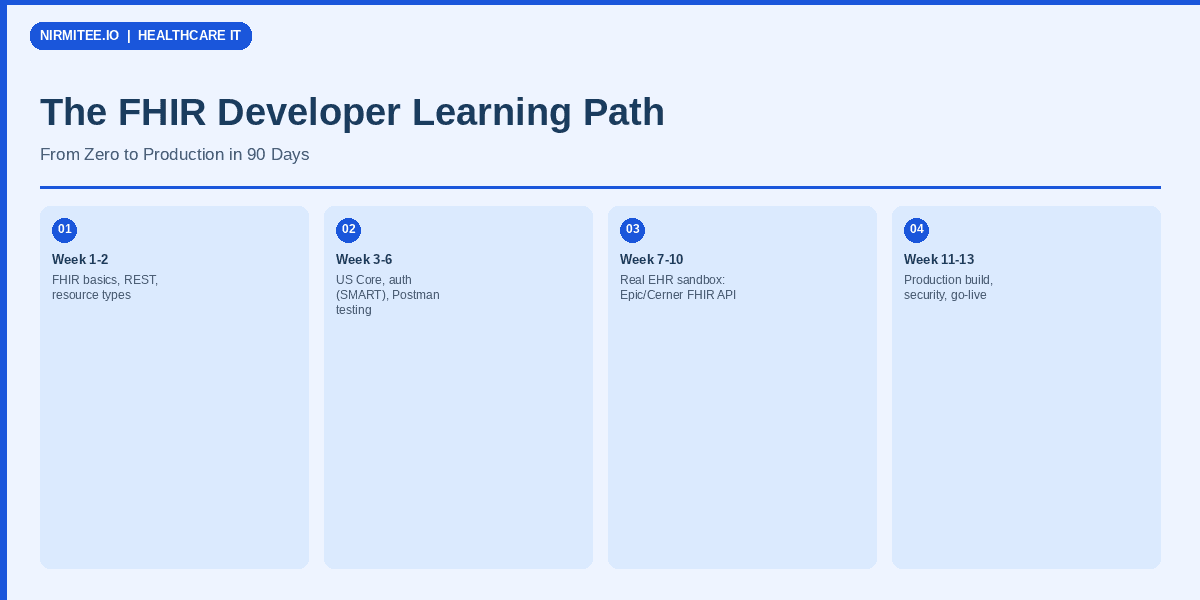
This is the definitive learning path for software developers who need to go from zero FHIR knowledge to shipping production healthcare integrations. It is structured as a 12-week curriculum with weekly goals, hands-on exercises, and the exact resources you need at each stage. Whether you are a backend developer entering healthcare or a healthcare analyst learning to code, this path will get you there.
Week 1-2: FHIR Fundamentals
The first two weeks focus on the building blocks: what FHIR resources are, how they relate to each other, and how the REST API works.
Key Concepts to Master
- Resources: FHIR models everything as resources -- Patient, Observation, Encounter, Condition, MedicationRequest. Each resource has a defined structure (schema), a unique ID, and metadata. Start by reading the Patient and Observation resource definitions on hl7.org/fhir.
- References: Resources link to each other via references. An Observation references a Patient (subject), a Practitioner (performer), and an Encounter (context). Understanding reference resolution is critical.
- Bundles: When you search for resources, the server returns a Bundle -- a collection of resources with pagination links. Bundles are also used for transactions (batch operations) and document packaging.
- REST API: FHIR uses standard HTTP verbs: GET (read/search), POST (create), PUT (update), DELETE (remove). The URL pattern is
[base]/[ResourceType]/[id]. - Data Types: FHIR uses specific data types: CodeableConcept (coded values), Reference (links), Period (time ranges), Identifier (business identifiers). Learn the top 10 data types before diving deeper.
Week 1-2 Exercises
- Set up a local HAPI FHIR server using Docker:
docker run -p 8080:8080 hapiproject/hapi:latest - Create a Patient resource using curl or Postman
- Create an Observation linked to that Patient
- Search for Observations by patient:
GET /Observation?subject=Patient/123 - Read the Bundle response and follow pagination links
# Exercise: Create a Patient and Observation
# 1. Create Patient
curl -X POST http://localhost:8080/fhir/Patient \
  -H "Content-Type: application/fhir+json" \
  -d '{
    "resourceType": "Patient",
    "name": [{"family": "Smith", "given": ["John"]}],
    "birthDate": "1990-01-15",
    "gender": "male"
  }'

# 2. Create Observation (use Patient ID from response)
curl -X POST http://localhost:8080/fhir/Observation \
  -H "Content-Type: application/fhir+json" \
  -d '{
    "resourceType": "Observation",
    "status": "final",
    "code": {"coding": [{"system": "http://loinc.org", "code": "8867-4", "display": "Heart rate"}]},
    "subject": {"reference": "Patient/1"},
    "valueQuantity": {"value": 72, "unit": "beats/min", "system": "http://unitsofmeasure.org", "code": "/min"}
  }'

# 3. Search Observations for this patient
curl "http://localhost:8080/fhir/Observation?subject=Patient/1"
Week 3-4: US Core Profiles and USCDI
The FHIR specification is intentionally broad. US Core profiles constrain FHIR resources for the US healthcare context, defining which fields are required, which coding systems to use, and what search parameters must be supported.
Key Concepts
- Profiles: A profile constrains a base FHIR resource. US Core Patient requires name, gender, and birth date. US Core Observation (Lab) requires LOINC coding and specific value formats.
- USCDI (United States Core Data for Interoperability): The ONC-defined minimum data set that certified health IT must support. USCDI v3 adds Health Insurance Information, expanded Encounter data, and Clinical Tests. Our USCDI v3 compliance guide maps every data element to FHIR profiles.
- Must Support: In US Core, "Must Support" means the system must be capable of storing, returning, and displaying the element. It does not mean the element will always be present.
- Terminology Bindings: US Core mandates specific code systems: SNOMED CT for conditions, LOINC for lab results, RxNorm for medications, CPT/HCPCS for procedures.
Week 3-4 Exercises
- Read the US Core Implementation Guide (hl7.org/fhir/us/core)
- Compare a base FHIR Patient to a US Core Patient -- identify the additional constraints
- Create a US Core-compliant Observation (lab result) with proper LOINC coding
- Validate your resources against US Core profiles using the FHIR Validator
Week 5-6: SMART on FHIR Authentication
SMART on FHIR is the authentication and authorization framework for FHIR applications. It builds on OAuth 2.0 and OpenID Connect, adding healthcare-specific concepts like launch context and clinical scopes.
Key Concepts
- EHR Launch: The EHR launches your app, passing a launch context that includes the current patient, encounter, and user. Your app exchanges this for an access token scoped to that context.
- Standalone Launch: Your app launches independently, authenticates the user, and requests access to specific patients or resources. Used for patient-facing apps and backend services. Our SMART on FHIR implementation guide covers both flows in depth.
- Scopes: FHIR scopes define what your app can access.
patient/Observation.readmeans "read Observations for the current patient."user/Patient.readmeans "read Patients the logged-in user has access to." - PKCE (Proof Key for Code Exchange): Required for public clients (browser-based and mobile apps). Prevents authorization code interception attacks.
- Backend Services: For server-to-server integration without user interaction. Uses JWT client assertions for authentication.
Week 5-6 Exercises
- Register a SMART app on the SMART Health IT sandbox
- Implement the standalone launch flow with PKCE in your preferred language
- Implement the EHR launch flow using the SMART launcher simulator
- Request different scope combinations and observe the access differences
# SMART Standalone Launch - Python example with PKCE
import hashlib
import base64
import secrets
import urllib.parse

# Step 1: Generate PKCE code verifier and challenge
code_verifier = secrets.token_urlsafe(64)[:128]
code_challenge = base64.urlsafe_b64encode(
    hashlib.sha256(code_verifier.encode()).digest()
).rstrip(b'=').decode()

# Step 2: Build authorization URL
auth_params = {
    "response_type": "code",
    "client_id": "my-smart-app",
    "redirect_uri": "http://localhost:3000/callback",
    "scope": "launch/patient patient/Patient.read patient/Observation.read openid fhirUser",
    "state": secrets.token_urlsafe(32),
    "aud": "https://launch.smarthealthit.org/v/r4/fhir",
    "code_challenge": code_challenge,
    "code_challenge_method": "S256"
}

auth_url = f"https://launch.smarthealthit.org/v/r4/auth/authorize?{urllib.parse.urlencode(auth_params)}"
print(f"Open in browser: {auth_url}")

# Step 3: Exchange code for token (after callback)
import httpx

def exchange_code(authorization_code: str) -> dict:
    token_resp = httpx.post(
        "https://launch.smarthealthit.org/v/r4/auth/token",
        data={
            "grant_type": "authorization_code",
            "code": authorization_code,
            "redirect_uri": "http://localhost:3000/callback",
            "client_id": "my-smart-app",
            "code_verifier": code_verifier
        }
    )
    return token_resp.json()  # Contains access_token, patient, id_token
Week 7-8: Search Parameters, Operations, and Subscriptions
FHIR search is powerful but complex. This phase covers advanced querying, custom operations, and event-driven patterns.
Key Concepts
- Search Parameters: Standard parameters like
_id,_lastUpdated,_tagplus resource-specific parameters. Chained parameters let you search across references:Observation?subject.name=Smith. - Search Modifiers:
:exact,:contains,:missing,:notmodify search behavior.Patient?name:exact=Smithmatches only "Smith", not "Smithson". - _include and _revinclude: Fetch related resources in a single query.
Encounter?_include=Encounter:patientreturns Encounters AND their referenced Patients. - Operations: Custom operations beyond CRUD.
$everythingreturns all data for a patient.$validatechecks resource conformance.$translatemaps between code systems. - Subscriptions (R5+): Topic-based event notifications. Define a SubscriptionTopic (e.g., "new lab result"), create a Subscription targeting that topic, and receive notifications via webhooks, websockets, or email.
Week 7-8 Exercises
- Write search queries using chained parameters, modifiers, and _include
- Implement pagination: follow Bundle.link entries to fetch all pages
- Call the $everything operation on a Patient and analyze the returned Bundle
- Set up an R5 Subscription for new Observation resources
Week 9-10: Integration Patterns
Real-world FHIR development involves integrating with existing healthcare infrastructure. This phase covers the patterns that connect FHIR to production systems.
Key Patterns
- Integration Engines: Mirth Connect, Rhapsody, and Microsoft Azure Health Data Services transform and route FHIR data between systems. Our guide on turning HL7 v2 streams into FHIR covers the Mirth approach.
- Bulk Data Export: For population-level data access, FHIR Bulk Data Export ($export) produces NDJSON files. Used for analytics, quality reporting, and data warehousing.
- CDS Hooks: Clinical Decision Support hooks trigger when clinicians perform specific actions (opening a patient chart, ordering a medication). Your service provides real-time recommendations via FHIR-based cards.
- FHIR Facade Pattern: Wrap a non-FHIR system (legacy database, HL7 v2 interface) with a FHIR API layer. This is how many organizations incrementally adopt FHIR without rewriting existing systems.
Week 9-10 Exercises
- Build a FHIR facade API over a sample relational database
- Implement a Bulk Data Export client that processes NDJSON streams
- Create a CDS Hooks service that responds to medication order events
- Set up a Mirth Connect channel that transforms HL7 v2 ADT messages to FHIR Encounter resources
Week 11-12: Production Hardening
The final two weeks focus on what separates a demo from a production system: validation, error handling, monitoring, and conformance testing.
FHIR Validation
Every resource your system produces must be validated against the target profile (usually US Core). Use the HL7 FHIR Validator or Inferno test suite. Validation catches issues like missing required fields, incorrect code systems, and invalid reference targets before they reach production.
Error Handling
FHIR servers return OperationOutcome resources for errors. Your client must parse these, categorize errors (transient vs permanent, auth vs validation vs server), and respond appropriately. Implement exponential backoff for rate limits and transient failures.
Monitoring and Observability
Track FHIR API latency, error rates, resource validation failures, and auth token lifecycle. Healthcare AI observability principles apply equally to FHIR integration monitoring. Set alerts for degraded API performance and elevated error rates.
Conformance Testing with Inferno
Inferno (inferno.healthit.gov) is the official ONC testing tool for FHIR conformance. Run the US Core test suite against your FHIR server to verify compliance. Fix all failures before going to production. Inferno tests cover resource structure, search parameter behavior, SMART on FHIR authentication, and Bulk Data Export.
Week 11-12 Exercises
- Run the HL7 FHIR Validator against all resources your system produces
- Implement comprehensive error handling with OperationOutcome parsing
- Set up monitoring dashboards for FHIR API metrics
- Run the Inferno US Core test suite and fix all failures
- Conduct a security review of your SMART on FHIR implementation
Essential Resources and Tools
| Resource | Type | URL | Best For |
|---|---|---|---|
| hl7.org/fhir | Specification | hl7.org/fhir | Definitive reference |
| US Core IG | Implementation Guide | hl7.org/fhir/us/core | US-specific profiles |
| chat.fhir.org | Community (Zulip) | chat.fhir.org | Q&A, discussions |
| SMART Health IT Sandbox | Testing | launch.smarthealthit.org | SMART on FHIR testing |
| Inferno | Conformance Testing | inferno.healthit.gov | US Core compliance |
| HAPI FHIR | Open Source Server | hapifhir.io | Java FHIR server/client |
| FSH (FHIR Shorthand) | Authoring Tool | fshschool.org | Writing profiles/IGs |
| HL7 DevDays | Conference | devdays.com | Annual FHIR conference |
Sandbox Environments for Practice
Hands-on practice is essential. These sandbox environments provide realistic FHIR data for development and testing:
- HAPI FHIR Public Server (hapi.fhir.org): Open access, no auth required. Good for basic resource CRUD and search testing.
- SMART Health IT Sandbox (launch.smarthealthit.org): Full SMART on FHIR launch simulation with realistic patient data. Essential for auth flow development.
- Epic Open Sandbox (open.epic.com): Realistic Epic-flavored FHIR data. Requires free registration. Best for testing Epic-specific behaviors.
- Logica Health Sandbox (sandbox.logicahealth.org): Multi-resource sandbox with configurable scenarios. Good for complex workflow testing.
Certification Paths
For developers seeking formal FHIR credentials:
- HL7 FHIR Proficiency Exam: The official HL7 certification. Covers resource types, search, profiles, terminology, and REST operations. Study the HL7 FHIR Foundation exam guide. Approximately 60 questions, 90 minutes, passing score 70%.
- HL7 FHIR Fundamentals Course: Self-paced eLearning course from HL7 International. Covers the same material as the exam with structured lessons and quizzes.
- FHIR Connectathons: Hands-on events where developers build and test FHIR implementations collaboratively. Held at HL7 Working Group meetings (3 times per year) and at DevDays. Not a formal certification, but excellent for practical learning.
Frequently Asked Questions
Do I need a medical background to learn FHIR?
No. FHIR is a technical standard, and the learning path above is designed for software developers. You will pick up enough clinical terminology (SNOMED CT, LOINC, ICD-10) along the way. Having a clinical colleague to ask questions about data meaning is helpful but not required for the first 8 weeks.
Which programming language is best for FHIR development?
FHIR is language-agnostic (it is a REST API with JSON/XML). The strongest ecosystem support exists for Java (HAPI FHIR), .NET (Firely SDK), Python (fhir.resources, fhirclient), and TypeScript (FHIR.js). Choose based on your existing expertise and team stack.
How long does it take to become productive with FHIR?
Developers with REST API experience can build basic FHIR integrations in 2-4 weeks. Production-quality implementations that handle search edge cases, proper error handling, and conformance validation take 8-12 weeks. Mastering the full ecosystem (profiles, IGs, terminology, CDS Hooks) is a 6-12 month journey.
Is FHIR replacing HL7 v2?
Not in the short term. HL7 v2 handles over 95% of in-hospital interface messaging and will continue to do so for years. FHIR is dominant for patient-facing APIs, app integrations, and regulatory interoperability requirements. Most healthcare integration platforms support both. Learning HL7 v2 basics alongside FHIR makes you more versatile.
What is the job market for FHIR developers?
Strong and growing. The ONC Cures Act requirement for standardized APIs has created demand across EHR vendors, health systems, startups, and consulting firms. FHIR-proficient developers command 15-25% salary premiums over general backend developers in the US healthcare market.
Can I learn FHIR without access to a real EHR?
Yes. The sandboxes listed above provide realistic FHIR environments. The SMART Health IT sandbox simulates complete EHR launch workflows. You can build and test a full SMART on FHIR application without any EHR access. EHR access becomes important only when you start building for specific vendor deployments.
Ready to scale?
Talk to our healthcare engineering team about building, integrating, and shipping faster.
Frequently Asked Questions
What is FHIR and why should developers learn it?
How long does it take to learn FHIR development?
What are US Core profiles and USCDI in FHIR?
What is SMART on FHIR authentication?
How should a beginner start practicing FHIR development?
How does Nirmitee.io approach healthcare software development?