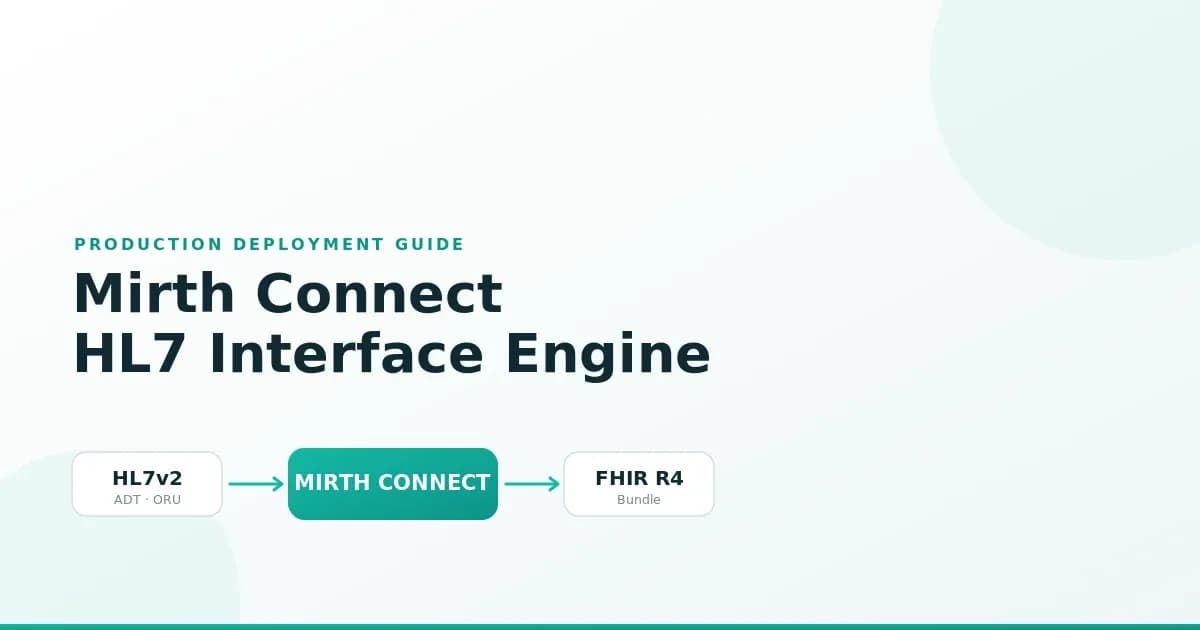
Mirth Connect (now NextGen Connect) is the most widely deployed open-source healthcare integration engine. It handles the fundamental challenge of healthcare IT: connecting systems that speak different protocols and data formats. Hospitals use it to route HL7v2 messages between EHRs, lab systems, pharmacy systems, and clinical applications.
This guide covers everything you need to deploy Mirth Connect in production: installation, channel architecture, JavaScript transformers, high availability with PostgreSQL, Docker deployment, monitoring with Prometheus, and security hardening. These are not sandbox configurations — they are the patterns we use at Nirmitee for production healthcare integrations.
Installation and Initial Configuration
System Requirements
| Component | Minimum (Dev) | Recommended (Production) | High Volume (50K+ msgs/day) |
|---|---|---|---|
| CPU | 2 cores | 8 cores | 16+ cores |
| RAM | 4 GB | 16 GB | 32 GB |
| Disk | 20 GB SSD | 100 GB SSD | 500 GB NVMe |
| JDK | OpenJDK 17 | OpenJDK 17 (Temurin) | OpenJDK 17 (Temurin) |
| Database | Derby (embedded) | PostgreSQL 15+ | PostgreSQL 16 with replication |
| OS | Any (Java) | RHEL 8+ or Ubuntu 22.04 | RHEL 8+ or Ubuntu 22.04 |
Installation Steps
# 1. Download Mirth Connect (version 4.5.x as of 2026)
wget https://github.com/nextgenhealthcare/connect/releases/download/4.5.0/mirthconnect-4.5.0-unix.tar.gz
tar xzf mirthconnect-4.5.0-unix.tar.gz
cd Mirth\ Connect/

# 2. Configure PostgreSQL database
sudo -u postgres psql << SQL
CREATE USER mirth WITH PASSWORD 'your-secure-password';
CREATE DATABASE mirthdb OWNER mirth;
GRANT ALL PRIVILEGES ON DATABASE mirthdb TO mirth;
SQL

# 3. Update mirth.properties for PostgreSQL
cat > conf/mirth.properties << EOF
database = postgres
database.url = jdbc:postgresql://localhost:5432/mirthdb
database.username = mirth
database.password = your-secure-password
database.max-connections = 50

# Admin console HTTPS
https.port = 8443
https.client.protocols = TLSv1.2,TLSv1.3

# JVM tuning
jvm.heap.size = 8g
jvm.args = -XX:+UseG1GC -XX:MaxGCPauseMillis=100
EOF

# 4. Start Mirth Connect
./mcservice start

# 5. Verify it is running
curl -sk https://localhost:8443/api/server/version
# Should return: "4.5.0"
Channel Architecture: Patterns That Scale
A well-designed channel architecture separates concerns and enables independent scaling and monitoring.
Pattern 1: Protocol-Specific Inbound Channels
Create one inbound channel per protocol and source system combination. This isolates failures — if the lab system sends malformed messages, only the lab inbound channel is affected.
- ADT-Inbound-Epic — TCP listener on port 6661, receives ADT^A01/A02/A03/A04/A08 from Epic
- Lab-Inbound-Sunquest — TCP listener on port 6662, receives ORU^R01 from Sunquest LIS
- Pharmacy-Inbound-Pyxis — TCP listener on port 6663, receives RDE^O11 from BD Pyxis
- FHIR-Inbound-API — HTTP listener on port 8080, receives FHIR R4 Bundles from modern applications
Pattern 2: Transformation Channels
Separate transformation logic from I/O. Inbound channels pass raw messages to transformation channels via the Channel Writer destination. This allows you to reuse transformers across multiple sources.
Pattern 3: Outbound Channels with Retry Logic
Outbound channels deliver transformed messages to destination systems. Each destination gets its own channel with appropriate retry and error handling.
JavaScript Transformers: Real Production Examples
Mirth's JavaScript transformer is where the integration logic lives. Here are production-tested transformer patterns.
ADT Message Parser and Router
// Source Transformer: Parse ADT and enrich with routing metadata
// Channel: ADT-Transform

// Extract key fields from the HL7v2 message
var msgType = msg['MSH']['MSH.9']['MSH.9.1'].toString();
var triggerEvent = msg['MSH']['MSH.9']['MSH.9.2'].toString();
var patientId = '';
var patientName = '';

// Defensive null checks (production messages have missing segments)
if (msg['PID'] && msg['PID']['PID.3'] && msg['PID']['PID.3']['PID.3.1']) {
    patientId = msg['PID']['PID.3']['PID.3.1'].toString();
}
if (msg['PID'] && msg['PID']['PID.5']) {
    var lastName = msg['PID']['PID.5']['PID.5.1'] ? msg['PID']['PID.5']['PID.5.1'].toString() : '';
    var firstName = msg['PID']['PID.5']['PID.5.2'] ? msg['PID']['PID.5']['PID.5.2'].toString() : '';
    patientName = lastName + ', ' + firstName;
}

// Set channel map variables for routing
channelMap.put('messageType', msgType + '^' + triggerEvent);
channelMap.put('patientId', patientId);
channelMap.put('patientName', patientName);

// Determine destination based on message type
var destinations = [];
switch (triggerEvent) {
    case 'A01': // Admission
        destinations = ['ADT-Out-Billing', 'ADT-Out-Pharmacy', 'ADT-Out-Analytics'];
        break;
    case 'A03': // Discharge
        destinations = ['ADT-Out-Billing', 'ADT-Out-Quality', 'ADT-Out-Analytics'];
        break;
    case 'A08': // Update
        destinations = ['ADT-Out-Demographics'];
        break;
    default:
        destinations = ['ADT-Out-Archive'];
}
channelMap.put('destinations', destinations.join(','));

logger.info('ADT ' + triggerEvent + ' for patient ' + patientId);
HL7v2 to FHIR Transformer
// Transformer: HL7v2 ORU^R01 -> FHIR DiagnosticReport + Observations
// Channel: Lab-FHIR-Transform

var patientRef = 'Patient/' + msg['PID']['PID.3']['PID.3.1'].toString();
var observations = [];

// Iterate over OBX segments (lab results)
for (var i = 0; i < msg['OBX'].length(); i++) {
    var obx = msg['OBX'][i];
    var observation = {
        "resourceType": "Observation",
        "status": mapObservationStatus(obx['OBX.11'].toString()),
        "code": {
            "coding": [{
                "system": "http://loinc.org",
                "code": obx['OBX.3']['OBX.3.1'].toString(),
                "display": obx['OBX.3']['OBX.3.2'].toString()
            }]
        },
        "subject": { "reference": patientRef },
        "valueQuantity": {
            "value": parseFloat(obx['OBX.5'].toString()),
            "unit": obx['OBX.6']['OBX.6.1'] ? obx['OBX.6']['OBX.6.1'].toString() : '',
            "system": "http://unitsofmeasure.org"
        },
        "referenceRange": [{
            "text": obx['OBX.7'] ? obx['OBX.7'].toString() : ''
        }],
        "interpretation": obx['OBX.8'] ? [{
            "coding": [{
                "system": "http://terminology.hl7.org/CodeSystem/v3-ObservationInterpretation",
                "code": mapInterpretation(obx['OBX.8'].toString())
            }]
        }] : undefined
    };
    observations.push(observation);
}

function mapObservationStatus(hl7Status) {
    var statusMap = {'F': 'final', 'P': 'preliminary', 'C': 'corrected', 'X': 'cancelled'};
    return statusMap[hl7Status] || 'unknown';
}

function mapInterpretation(hl7Interp) {
    var interpMap = {'H': 'H', 'L': 'L', 'HH': 'HH', 'LL': 'LL', 'N': 'N', 'A': 'A'};
    return interpMap[hl7Interp] || hl7Interp;
}

// Build FHIR Bundle
var bundle = {
    "resourceType": "Bundle",
    "type": "transaction",
    "entry": observations.map(function(obs) {
        return {
            "resource": obs,
            "request": { "method": "POST", "url": "Observation" }
        };
    })
};

channelMap.put('fhirBundle', JSON.stringify(bundle));
High Availability with PostgreSQL
Production healthcare integrations require high availability. Here is the HA architecture we deploy:
- Two Mirth Connect nodes behind an L4 load balancer (HAProxy or AWS NLB). Both nodes are active, processing different channels or sharing load for high-volume channels.
- PostgreSQL primary + synchronous replica. Both Mirth nodes write to the primary. The replica provides automatic failover through Patroni or pg_auto_failover.
- Shared configuration through the PostgreSQL database. Channel configurations, code templates, and global scripts are stored in the database and shared across nodes.
- Health checks on each node. The load balancer checks Mirth's API health endpoint. If a node fails health checks, traffic routes to the surviving node.
HAProxy Configuration
# haproxy.cfg for Mirth Connect HL7 TCP
frontend hl7_adt
    bind *:6661
    mode tcp
    default_backend mirth_adt

backend mirth_adt
    mode tcp
    balance roundrobin
    option tcp-check
    server mirth1 10.0.1.10:6661 check inter 5s fall 3 rise 2
    server mirth2 10.0.1.11:6661 check inter 5s fall 3 rise 2

frontend hl7_lab
    bind *:6662
    mode tcp
    default_backend mirth_lab

backend mirth_lab
    mode tcp
    balance roundrobin
    server mirth1 10.0.1.10:6662 check inter 5s fall 3 rise 2
    server mirth2 10.0.1.11:6662 check inter 5s fall 3 rise 2
Docker Deployment
# docker-compose.yml - Production Mirth Connect
version: "3.8"
services:
  mirth:
    image: nextgenhealthcare/connect:4.5.0
    ports:
      - "8443:8443"
      - "6661:6661"
      - "6662:6662"
      - "6663:6663"
    volumes:
      - ./mirth-config:/opt/connect/appdata
      - ./custom-lib:/opt/connect/custom-lib
      - ./ssl:/opt/connect/ssl
    environment:
      - DATABASE=postgres
      - DATABASE_URL=jdbc:postgresql://postgres:5432/mirthdb
      - DATABASE_USERNAME=mirth
      - DATABASE_PASSWORD_FILE=/run/secrets/db_password
      - VMOPTIONS=-Xmx8g -XX:+UseG1GC
    secrets:
      - db_password
    healthcheck:
      test: ["CMD", "curl", "-skf", "https://localhost:8443/api/server/version"]
      interval: 30s
      timeout: 10s
      retries: 3
    depends_on:
      postgres:
        condition: service_healthy
    restart: unless-stopped

  postgres:
    image: postgres:16
    volumes:
      - pgdata:/var/lib/postgresql/data
    environment:
      - POSTGRES_DB=mirthdb
      - POSTGRES_USER=mirth
      - POSTGRES_PASSWORD_FILE=/run/secrets/db_password
    secrets:
      - db_password
    healthcheck:
      test: ["CMD-SHELL", "pg_isready -U mirth -d mirthdb"]
      interval: 10s
      timeout: 5s
      retries: 5
    restart: unless-stopped

secrets:
  db_password:
    file: ./secrets/db_password.txt

volumes:
  pgdata:
Security Hardening for HIPAA
Healthcare integration engines handle PHI and must meet HIPAA Technical Safeguards. Here is the security hardening checklist:
Network Security
- TLS 1.2+ for all connections — Configure Mirth to use TLS for both the admin console and all channel listeners/destinations. Disable TLS 1.0 and 1.1.
- IP allowlisting — Restrict inbound connections to known source system IPs. Use firewall rules at the OS level and Mirth's source filter settings.
- Network segmentation — Place Mirth servers in a private subnet with no direct internet access. Use a jump box or VPN for administrative access.
- HL7 port protection — HL7 TCP listeners (MLLP) do not natively support TLS. Use stunnel or HAProxy TLS termination in front of MLLP ports.
Application Security
- RBAC (Role-Based Access Control) — Create separate user accounts for administrators, channel developers, and monitoring. Never share the admin account.
- Password policy — Enforce strong passwords (12+ characters, complexity requirements). Rotate service account credentials quarterly.
- Encrypted credential storage — Store database passwords and API keys in Mirth's encrypted global map or external secrets manager (HashiCorp Vault, AWS Secrets Manager).
- Audit logging — Enable Mirth's built-in audit log for all configuration changes and message access. Forward audit logs to your SIEM.
- Message content encryption — For messages at rest in the Mirth database, enable PostgreSQL Transparent Data Encryption (TDE) or full-disk encryption.
Monitoring with Prometheus
See our comprehensive guide on Mirth Connect monitoring in production for full details. The key integration: expose Mirth JMX metrics via a Prometheus exporter and build Grafana dashboards for channel throughput, error rates, queue depth, and JVM health.
Common Production Issues and Solutions
| Issue | Symptoms | Root Cause | Solution |
|---|---|---|---|
| Message queue growing | Queue depth > 500, latency increasing | The destination system is slow or down | Check destination connectivity; implement a circuit breaker |
| Out of memory crashes | JVM heap > 90%, GC thrashing | Large messages or too many channels | Increase heap, enable message attachment mode for large payloads |
| Database connection exhaustion | Channel errors, admin console slow | Connection pool too small for channel count | Increase max-connections in mirth.properties; tune PostgreSQL |
| Character encoding corruption | Garbled patient names, broken accents | Mismatch between source and Mirth encoding | Set character encoding explicitly on channel source connector |
| Duplicate messages | Same message processed twice | TCP reconnect replays the last message | Implement an idempotency check using MSH.10 (Message Control ID) |
| Channel deployment failures | The channel is stuck in the deploying state | JavaScript syntax error in transformer | Check server log; fix transformer syntax; redeploy |
Deploy Production Mirth Connect with Nirmitee
At Nirmitee, we deploy and maintain production Mirth Connect instances for healthcare organizations processing millions of messages monthly. From initial setup through high availability configuration to Kafka integration, our team handles the full lifecycle of healthcare integration infrastructure.
Related guides
This article is part of our complete guide to Mirth Connect: What Is Mirth Connect? Complete 2026 Guide for Healthcare Leaders. Related deep-dives:
- Healthcare Integration Architecture with Mirth Connect and Apache Kafka
- Managing 100+ Mirth Channels Without Losing Your Mind
- Mirth Connect Channel Design Patterns: 5 Architectures That Scale From 5 to 100+ Channels
- Mirth Connect Guide: Architecture, Channels, Deployment, and Performance Tuning
Need production-grade Mirth Connect help? See our Mirth Connect integration services.