DICOM and FHIR for Developers: A Beginner's First Guide to Radiology Integration

Founder & CEO
15+ years building healthcare technology. Led 100+ EHR integrations, FHIR implementations, and clinical AI deployments.
Part of our complete guide to the FHIR standard.
If DICOM is new territory for you, this guide starts from zero. We explain what DICOM actually is, how DICOMweb makes it API-friendly, and how FHIR ImagingStudy bridges the radiology world with your clinical data layer — with enough context to get your first integration working. This is a beginner guide, not a production architecture reference.
This guide bridges that gap. We will walk through DICOM fundamentals, explain how DICOMweb modernizes the protocol for web developers, show how FHIR ImagingStudy ties imaging into the clinical data ecosystem, and give you working code to connect all three.
What Is DICOM and Why Should You Care?
DICOM (Digital Imaging and Communications in Medicine) is the universal standard for medical imaging. Ratified in 1993 by the ACR and NEMA, it defines how imaging devices capture, store, transmit, and display medical images. Every CT scanner, MRI machine, ultrasound device, and digital X-ray system in the world speaks DICOM.
What makes DICOM unique compared to, say, a JPEG file is that a DICOM file bundles pixel data and structured metadata into a single object. A chest X-ray DICOM file does not just contain the image; it also contains the patient's name, date of birth, the study date, the referring physician, the imaging modality (CR, CT, MR, US), the body part examined, acquisition parameters, and hundreds of other standardized attributes called DICOM tags.
Each tag is identified by a group-element pair like (0010,0010) for Patient Name or (0008,0060) for Modality. This structured metadata is what makes DICOM files queryable, searchable, and interoperable across vendors, unlike consumer image formats.
The DICOM Data Hierarchy — Study, Series, Instance
DICOM organizes imaging data in a three-level hierarchy that every developer must understand:
Study
A Study represents a single imaging examination for a patient. When a doctor orders a "CT Chest with Contrast," that entire exam is one Study. It is identified by a globally unique Study Instance UID (tag 0020,000D). One patient visit can produce multiple studies, but typically each order maps to one study.
Series
Within a Study, images are grouped into Series. Each Series represents a specific acquisition sequence or reconstruction. For example, a CT Chest study might contain: an axial series, a coronal reconstruction series, a sagittal reconstruction series, and a 3D volume rendering series. Each Series has its own Series Instance UID (0020,000E) and shares a common modality, body part, and acquisition parameters.
Instance (SOP Instance)
An Instance is a single DICOM object, typically one image slice. A CT axial series might contain 200-500 instances (one per slice). Each Instance has a unique SOP Instance UID (0008,0018) and a SOP Class UID (0008,0016) that describes what kind of object it is (CT Image Storage, MR Image Storage, etc.).
A typical CT study might have 4 series with 300 instances each, totaling 1,200 individual DICOM files. An MRI brain study could have 10+ series with thousands of instances. Understanding this hierarchy is critical because every API you will use, whether DICOM, DICOMweb, or FHIR, is structured around it.
Traditional DICOM Networking — C-STORE, C-FIND, C-MOVE
Before DICOMweb, all DICOM communication happened over a custom TCP protocol called DIMSE (DICOM Message Service Element). The key operations are:
- C-STORE: Push a DICOM instance from one system to another. This is how a CT scanner sends images to the PACS.
- C-FIND: Query a remote system for studies matching criteria (patient name, date range, modality).
- C-MOVE: Request a remote system to send matching instances to a third system (or back to you). This is the most confusing one, because it requires the receiving system to also be a DICOM listener.
- C-GET: Similar to C-MOVE, but sends images directly back on the same connection. Less commonly supported.
This networking model requires configuring AE Titles (Application Entity Titles), IP addresses, and ports on both ends. Each system must "know" about every other system it communicates with. If you have managed a DICOM network, you know the pain of AE Title configuration, firewall rules for non-standard ports (104, 11112), and debugging binary DIMSE messages with tools like dcmdump.
This architecture works inside a hospital network, but it does not scale to cloud-native applications, mobile viewers, or cross-institutional image sharing. That is where DICOMweb comes in.
DICOMweb — DICOM Over HTTP
DICOMweb (formally "DICOM Web Services") is a set of RESTful APIs defined in Part 18 of the DICOM standard. It exposes DICOM operations as standard HTTP requests that any web developer can use. No AE Titles, no binary protocols, no special ports. Just HTTPS, JSON, and multipart MIME.
DICOMweb defines three core services:
QIDO-RS (Query based on ID for DICOM Objects, RESTful Services)
QIDO-RS replaces C-FIND. It lets you search for studies, series, or instances using HTTP GET with query parameters.
# Search for all CT studies for a patient
curl -X GET "https://pacs.example.com/dicomweb/studies?PatientID=PAT001&ModalitiesInStudy=CT" \
  -H "Accept: application/dicom+json" \
  -H "Authorization: Bearer eyJhbGci..."

# Search for series within a specific study
curl -X GET "https://pacs.example.com/dicomweb/studies/1.2.840.113619.2.55/series" \
  -H "Accept: application/dicom+json"

# Search for instances with pagination
curl -X GET "https://pacs.example.com/dicomweb/studies?limit=25&offset=0&StudyDate=20260101-20260316" \
  -H "Accept: application/dicom+json"
The response is a JSON array where each DICOM tag is represented by its group-element key with a "vr" (Value Representation) and "Value" field:
[
  {
    "0020000D": { "vr": "UI", "Value": ["1.2.840.113619.2.55.3.12345"] },
    "00080060": { "vr": "CS", "Value": ["CT"] },
    "00080020": { "vr": "DA", "Value": ["20260315"] },
    "00100010": { "vr": "PN", "Value": [{ "Alphabetic": "Smith^John" }] },
    "00081030": { "vr": "LO", "Value": ["CT Chest with Contrast"] },
    "00201206": { "vr": "IS", "Value": [4] },
    "00201208": { "vr": "IS", "Value": [847] }
  }
]
WADO-RS (Web Access to DICOM Objects, RESTful Services)
WADO-RS replaces C-MOVE/C-GET. It retrieves DICOM instances, metadata, or rendered frames via HTTP GET.
# Retrieve full DICOM instances for a study (multipart response)
curl -X GET "https://pacs.example.com/dicomweb/studies/1.2.840.113619.2.55/series/1.2.840.113619.2.55.1/instances/1.2.840.113619.2.55.1.1" \
  -H "Accept: multipart/related; type=application/dicom"

# Retrieve just the metadata (no pixel data)
curl -X GET "https://pacs.example.com/dicomweb/studies/1.2.840.113619.2.55/metadata" \
  -H "Accept: application/dicom+json"

# Retrieve a rendered frame as PNG (for thumbnail/preview)
curl -X GET "https://pacs.example.com/dicomweb/studies/1.2.840.113619.2.55/series/1.2.840.113619.2.55.1/instances/1.2.840.113619.2.55.1.1/rendered" \
  -H "Accept: image/png"
STOW-RS (Store Over the Web, RESTful Services)
STOW-RS replaces C-STORE. It lets you upload DICOM instances using HTTP POST with multipart content.
# Upload a DICOM file
curl -X POST "https://pacs.example.com/dicomweb/studies" \
  -H "Content-Type: multipart/related; type=application/dicom" \
  -H "Authorization: Bearer eyJhbGci..." \
  -F "file=@chest_xray.dcm;type=application/dicom"
Major PACS vendors (GE, Philips, Siemens Healthineers), open-source PACS systems (Orthanc, DCM4CHEE), and cloud platforms (Google Cloud Healthcare API, AWS HealthImaging, Azure Health Data Services) all support DICOMweb. For a developer building a web application, DICOMweb is the API you should target.
FHIR ImagingStudy — Bridging Imaging and Clinical Data
DICOMweb gives you access to imaging data. But clinical applications built on FHIR need imaging data to be part of the FHIR resource graph, linked to Patient, Encounter, ServiceRequest, and DiagnosticReport resources. That is the role of the FHIR ImagingStudy resource.
ImagingStudy is a FHIR resource (currently at Maturity Level 3 in R4/R5) that represents the metadata of a DICOM Study as a FHIR-native object. It does not contain the pixel data; instead, it references a DICOMweb endpoint where the images can be retrieved.
Here is a realistic ImagingStudy resource:
{
  "resourceType": "ImagingStudy",
  "id": "ct-chest-20260315",
  "status": "available",
  "subject": {
    "reference": "Patient/pat-john-smith"
  },
  "encounter": {
    "reference": "Encounter/enc-er-20260315"
  },
  "started": "2026-03-15T10:30:00Z",
  "basedOn": [
    { "reference": "ServiceRequest/sr-ct-chest-001" }
  ],
  "endpoint": [
    { "reference": "Endpoint/pacs-dicomweb" }
  ],
  "numberOfSeries": 4,
  "numberOfInstances": 847,
  "modality": [
    {
      "system": "http://dicom.nema.org/resources/ontology/DCM",
      "code": "CT"
    }
  ],
  "description": "CT Chest with Contrast",
  "identifier": [
    {
      "system": "urn:dicom:uid",
      "value": "urn:oid:1.2.840.113619.2.55.3.12345"
    }
  ],
  "series": [
    {
      "uid": "1.2.840.113619.2.55.3.12345.1",
      "number": 1,
      "modality": {
        "system": "http://dicom.nema.org/resources/ontology/DCM",
        "code": "CT"
      },
      "description": "CT Axial 1.25mm",
      "numberOfInstances": 312,
      "bodySite": {
        "system": "http://snomed.info/sct",
        "code": "51185008",
        "display": "Thorax"
      },
      "instance": [
        {
          "uid": "1.2.840.113619.2.55.3.12345.1.1",
          "sopClass": {
            "system": "urn:ietf:rfc:3986",
            "code": "urn:oid:1.2.840.10008.5.1.4.1.1.2"
          },
          "number": 1
        }
      ]
    }
  ]
}
Key DICOM-to-FHIR Tag Mappings
The following table shows how critical DICOM tags map to FHIR ImagingStudy fields. This mapping is defined in the FHIR specification and is essential when building a synchronization pipeline.
| DICOM Tag | Tag ID | FHIR ImagingStudy Field |
|---|---|---|
| Study Date | (0008,0020) | ImagingStudy.started |
| Modality | (0008,0060) | ImagingStudy.series.modality |
| Study Instance UID | (0020,000D) | ImagingStudy.identifier |
| Study Description | (0008,1030) | ImagingStudy.description |
| Number of Series | (0020,1206) | ImagingStudy.numberOfSeries |
| Number of Instances | (0020,1208) | ImagingStudy.numberOfInstances |
| Patient ID | (0010,0020) | ImagingStudy.subject (Patient reference) |
| Accession Number | (0008,0050) | ImagingStudy.identifier |
| Referring Physician | (0008,0090) | ImagingStudy.referrer |
| Body Part Examined | (0018,0015) | ImagingStudy.series.bodySite |
| Series Instance UID | (0020,000E) | ImagingStudy.series.uid |
| SOP Instance UID | (0008,0018) | ImagingStudy.series.instance.uid |
| SOP Class UID | (0008,0016) | ImagingStudy.series.instance.sopClass |
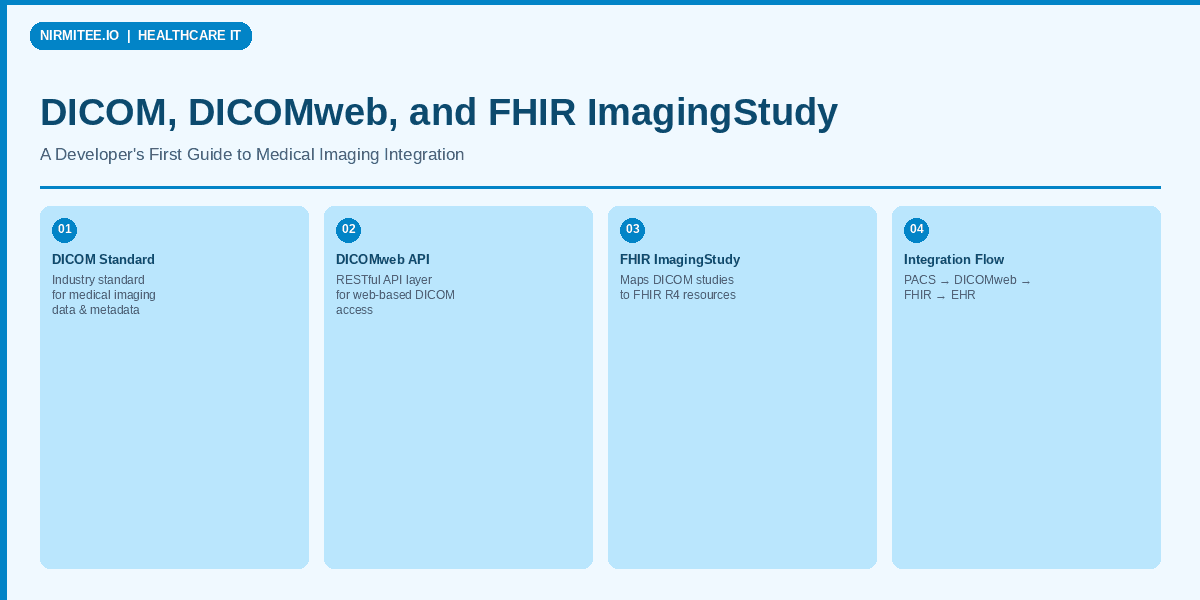
The FHIR Endpoint resource referenced by ImagingStudy.endpoint contains the DICOMweb base URL, enabling clinical apps to resolve from the FHIR reference directly to the DICOMweb retrieval URL.
Integration Architecture — PACS to Clinical App
In a production environment, the integration typically looks like this:
- PACS / VNA stores the DICOM instances (Orthanc, DCM4CHEE, or a commercial PACS like GE Centricity). This is the source of truth for pixel data.
- DICOMweb Proxy/Gateway exposes the PACS over HTTPS. Some PACS systems have native DICOMweb support; others need a proxy layer (e.g., Orthanc has a built-in DICOMweb plugin).
- FHIR Server (HAPI FHIR, Google Healthcare API, Microsoft Azure FHIR) holds ImagingStudy resources that reference the DICOMweb endpoint. A synchronization service watches for new studies in the PACS and creates/updates ImagingStudy resources.
- Clinical Application queries the FHIR server for ImagingStudy resources, extracts the DICOMweb endpoint URL, and retrieves images directly from the DICOMweb service for display in a viewer (using libraries like Cornerstone.js or OHIF Viewer).
The Endpoint resource in FHIR acts as the bridge:
{
  "resourceType": "Endpoint",
  "id": "pacs-dicomweb",
  "status": "active",
  "connectionType": {
    "system": "http://terminology.hl7.org/CodeSystem/endpoint-connection-type",
    "code": "dicom-wado-rs"
  },
  "name": "Main Hospital PACS DICOMweb",
  "address": "https://pacs.hospital.org/dicomweb",
  "payloadType": [
    {
      "coding": [
        {
          "system": "http://dicom.nema.org/resources/ontology/DCM",
          "code": "113014"
        }
      ]
    }
  ]
}
Code Example — DICOMweb to FHIR Pipeline
Here is a practical Python script that queries a DICOMweb server for new studies and creates corresponding FHIR ImagingStudy resources. That represents kind of synchronization service you would run as a cron job or event-driven worker.
import requests
import json
from datetime import datetime, timedelta

DICOMWEB_BASE = "https://pacs.example.com/dicomweb"
FHIR_BASE = "https://fhir.example.com/fhir"
FHIR_ENDPOINT_REF = "Endpoint/pacs-dicomweb"

def query_recent_studies(hours_back=24):
    """Query DICOMweb QIDO-RS for studies from the last N hours."""
    since = (datetime.now() - timedelta(hours=hours_back)).strftime("%Y%m%d")
    today = datetime.now().strftime("%Y%m%d")

    resp = requests.get(
        f"{DICOMWEB_BASE}/studies",
        params={
            "StudyDate": f"{since}-{today}",
            "limit": 100,
            "includefield": "all"
        },
        headers={"Accept": "application/dicom+json"}
    )
    resp.raise_for_status()
    return resp.json()

def dicom_value(dataset, tag, default=None):
    """Extract a value from a DICOM JSON dataset."""
    tag_key = tag.replace(",", "").replace("(", "").replace(")", "")
    entry = dataset.get(tag_key, {})
    values = entry.get("Value", [])
    if not values:
        return default
    val = values[0]
    # Handle PN (Person Name) type
    if isinstance(val, dict) and "Alphabetic" in val:
        return val["Alphabetic"]
    return val

def build_imaging_study(dicom_study):
    """Convert a DICOM JSON study result to a FHIR ImagingStudy."""
    study_uid = dicom_value(dicom_study, "0020,000D")
    study_date = dicom_value(dicom_study, "0008,0020", "")
    study_desc = dicom_value(dicom_study, "0008,1030", "")
    modality = dicom_value(dicom_study, "0008,0061", "")
    patient_id = dicom_value(dicom_study, "0010,0020", "")
    num_series = dicom_value(dicom_study, "0020,1206", 0)
    num_instances = dicom_value(dicom_study, "0020,1208", 0)
    accession = dicom_value(dicom_study, "0008,0050", "")

    # Convert DICOM date (YYYYMMDD) to FHIR date
    started = None
    if study_date and len(study_date) == 8:
        started = f"{study_date[:4]}-{study_date[4:6]}-{study_date[6:8]}"

    imaging_study = {
        "resourceType": "ImagingStudy",
        "status": "available",
        "identifier": [
            {
                "system": "urn:dicom:uid",
                "value": f"urn:oid:{study_uid}"
            }
        ],
        "subject": {
            "reference": f"Patient/{patient_id}"
        },
        "endpoint": [
            {"reference": FHIR_ENDPOINT_REF}
        ],
        "numberOfSeries": int(num_series) if num_series else 0,
        "numberOfInstances": int(num_instances) if num_instances else 0,
        "description": study_desc
    }

    if started:
        imaging_study["started"] = started

    if modality:
        modalities = modality.split("\\") if "\\" in str(modality) else [modality]
        imaging_study["modality"] = [
            {
                "system": "http://dicom.nema.org/resources/ontology/DCM",
                "code": m.strip()
            }
            for m in modalities if m.strip()
        ]

    if accession:
        imaging_study["identifier"].append({
            "type": {
                "coding": [{
                    "system": "http://terminology.hl7.org/CodeSystem/v2-0203",
                    "code": "ACSN"
                }]
            },
            "value": accession
        })

    return imaging_study

def sync_studies():
    """Main sync: query DICOMweb, create FHIR ImagingStudy resources."""
    studies = query_recent_studies(hours_back=24)
    print(f"Found {len(studies)} studies in DICOMweb")

    for dicom_study in studies:
        study_uid = dicom_value(dicom_study, "0020,000D")

        # Check if ImagingStudy already exists in FHIR
        search = requests.get(
            f"{FHIR_BASE}/ImagingStudy",
            params={"identifier": f"urn:oid:{study_uid}"}
        )
        bundle = search.json()
        if bundle.get("total", 0) > 0:
            print(f"  Skipping {study_uid} (already exists)")
            continue

        # Build and POST the ImagingStudy
        imaging_study = build_imaging_study(dicom_study)
        result = requests.post(
            f"{FHIR_BASE}/ImagingStudy",
            json=imaging_study,
            headers={"Content-Type": "application/fhir+json"}
        )
        result.raise_for_status()
        created_id = result.json().get("id")
        print(f"  Created ImagingStudy/{created_id} for {study_uid}")

if __name__ == "__main__":
    sync_studies()
Real-World Challenges You Will Face
Building a radiology-FHIR integration is not just about mapping fields. Here are the challenges that trip up teams in production:
Body Part Examined Data Quality
The DICOM tag (0018,0015) Body Part Examined is a free-text field in many implementations. You will find values like "CHEST", "Chest", "THORAX", "CHESTABDPELVIS", "chest/abd/pelvis", and "C-SPINE" all representing overlapping anatomical regions. Mapping these to SNOMED CT codes for FHIR bodySite requires a normalization layer. Budget time for building a mapping table, because no standard crosswalk exists that covers real-world PACS data quality.
ImagingStudy Maturity Level
FHIR ImagingStudy is at Maturity Level 3 (Trial Use), not Level 5 (Normative). This means the resource structure can still change between FHIR versions. The R4-to-R5 transition already introduced breaking changes: ImagingStudy.modality moved from a top-level Coding to a CodeableConcept, and the series.performer structure changed. If you are building today, target R4, but design your mapping layer to be version-aware.
Security: DICOMweb Needs More Than HTTPS
Traditional DICOM networks relied on network segmentation for security. DICOMweb over HTTPS is a start, but production deployments need OAuth 2.0 or SMART on FHIR scopes to control who can access which studies. The IHE IUA (Internet User Authorization) profile defines how to secure DICOMweb with OAuth, and the IHE MHD (Mobile Access to Health Documents) profile handles document sharing. Implementing proper authorization that spans both the FHIR server and the DICOMweb endpoint is architecturally tricky, because the access token must be valid for both systems.
Large Study Handling
A single cardiac CT can have 3,000+ instances totaling several gigabytes. FHIR ImagingStudy was not designed to enumerate every instance in the series.instance array. In practice, most implementations populate ImagingStudy with study-level and series-level metadata only, and use the DICOMweb endpoint for instance-level retrieval. Do not try to stuff thousands of instance references into a single FHIR resource.
Study Lifecycle and Updates
Studies are not static. A radiologist might add a key image series, a technologist might append additional views, or the study might be amended. Your synchronization service needs to handle updates (PUT) not just creates (POST), and it needs to decide when a study is "complete" enough to sync. Many teams use a delay of 30-60 minutes after the last instance is received before creating the ImagingStudy.
Getting Started — Your First Integration
If you are building your first radiology-FHIR integration, here is a practical starting path:
- Set up Orthanc as your development PACS. It is open-source, runs in Docker, and has a built-in DICOMweb plugin. Run it with:
docker run -p 8042:8042 -p 4242:4242 jodogne/orthanc-plugins - Load sample DICOM data from public datasets like The Cancer Imaging Archive (TCIA) or the NEMA DICOM sample files.
- Test DICOMweb calls directly against Orthanc's
/dicom-web/endpoint using curl or Postman. - Set up HAPI FHIR as your FHIR server:
docker run -p 8080:8080 hapiproject/hapi-fhir-jpaserver-starter - Build the sync service using the Python example above as a starting point.
- Use OHIF Viewer as your front-end, configured to read ImagingStudy from FHIR and retrieve images via DICOMweb.
The entire development stack can run locally in Docker, giving you a realistic integration environment without needing access to a hospital PACS.
What Comes Next
The imaging-FHIR landscape is evolving rapidly. FHIR R5 improves ImagingStudy with better support for non-DICOM imaging (pathology, ophthalmology), and the IHE Radiology Technical Framework is adding profiles for AI result integration via FHIR DiagnosticReport. The SMART Imaging Access specification (currently in draft) aims to standardize how SMART apps discover and access imaging data alongside clinical data.
For healthcare developers building the next generation of clinical applications, understanding the DICOM-DICOMweb-FHIR pipeline is no longer optional. Imaging data is the largest data type in healthcare, and the tools to integrate it into modern web architectures are finally mature enough for production use.
At Nirmitee, we build healthcare integration platforms that connect EHR systems, imaging infrastructure, and clinical applications using FHIR and modern interoperability standards. If you are tackling radiology integration or need help bridging DICOM and FHIR in your platform.
Need expert help with healthcare data integration? Explore our Healthcare Interoperability Solutions to see how we connect systems seamlessly. We also offer specialized product engineering for healthcare teams.
Ready for production-grade imaging architecture? See our complete guide for architects and senior developers: DICOM Meets FHIR
Ready to scale?
Talk to our healthcare engineering team about building, integrating, and shipping faster.
Frequently Asked Questions
What is DICOM in medical imaging?
How is DICOM imaging data organized into studies, series, and instances?
What is the difference between DICOM and DICOMweb?
What are QIDO-RS and WADO-RS in DICOMweb?
How do you connect a PACS imaging system to a FHIR-based clinical application?
How does Nirmitee.io approach healthcare software development?