Hospital Asset Management: A Practical Guide for Hospital Teams

CTO & Co-Founder
CTO & Co-Founder at Nirmitee.io. Architects healthcare integrations across FHIR, SMART on FHIR, ABDM and NHCX, writing from production experience taking hospital software from sandbox to go-live.

Hospital asset management connects an equipment register with the work that happens around each device: receiving it, assigning it to a department, maintaining it, moving it and eventually retiring it. This guide is for hospital operations leaders, biomedical engineering teams and finance teams whose equipment records disagree.
Quick answer: hospital asset management is knowing what equipment you own, where it is, its condition and when it is due for service. A hospital asset management system (software plus tags) keeps that register live instead of relying on yearly counts.
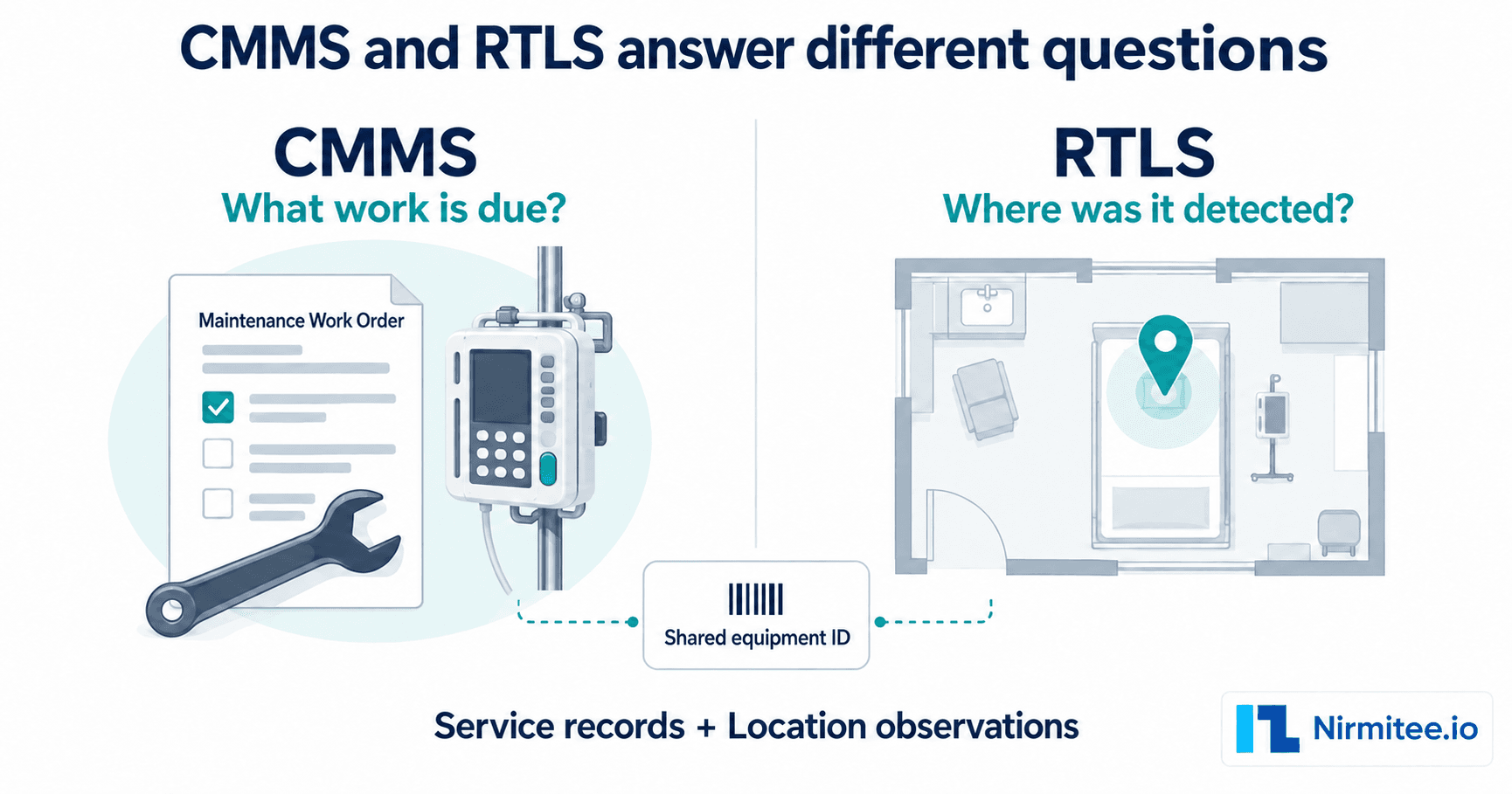
A spreadsheet can list an infusion pump. The harder questions are whether the pump is still in the ward shown, who accepted its last transfer, whether its service record is current and which contract covers a breakdown. A useful system makes those questions answerable from the same equipment record.
Start with the problem your hospital needs to solve
Consider an illustrative case: the register assigns a pump to Ward A, a technician finds it in Ward B, and finance has a second record with a slightly different serial number. Buying location tags would leave the duplicate and the ownership dispute unresolved. The first task is to establish which physical device the records describe and who can approve the correction.
Write the buying problem in operational terms. For example: “We need to verify which devices belong to this site and route differences to the right department.” That statement gives a demonstration a clear test. “We need better visibility” leaves every vendor free to show a different feature.
What belongs in a hospital asset register?
Give every managed device a stable internal asset ID. Keep the manufacturer's serial number separately. An asset label can be replaced; a ward name can change; neither event should create a new equipment identity.
| Record area | Useful fields | Decision it supports |
|---|---|---|
| Identity | Asset ID, device type, manufacturer, model, serial number | Which physical device does this record describe? |
| Responsibility | Site, department, custodian, ownership or loan status | Who must resolve an exception? |
| Observation | Observed location, observation time, method and verifier | How recently was the location checked? |
| Service | Maintenance plan, service events, calibration evidence where applicable | What work is due and what evidence supports completion? |
| Commercial history | Supplier, purchase reference, warranty, service contract | Who should respond and what does the agreement cover? |
| Lifecycle | Active, on loan, under repair, retired, disposal approval | Should the device still appear in an operational count? |
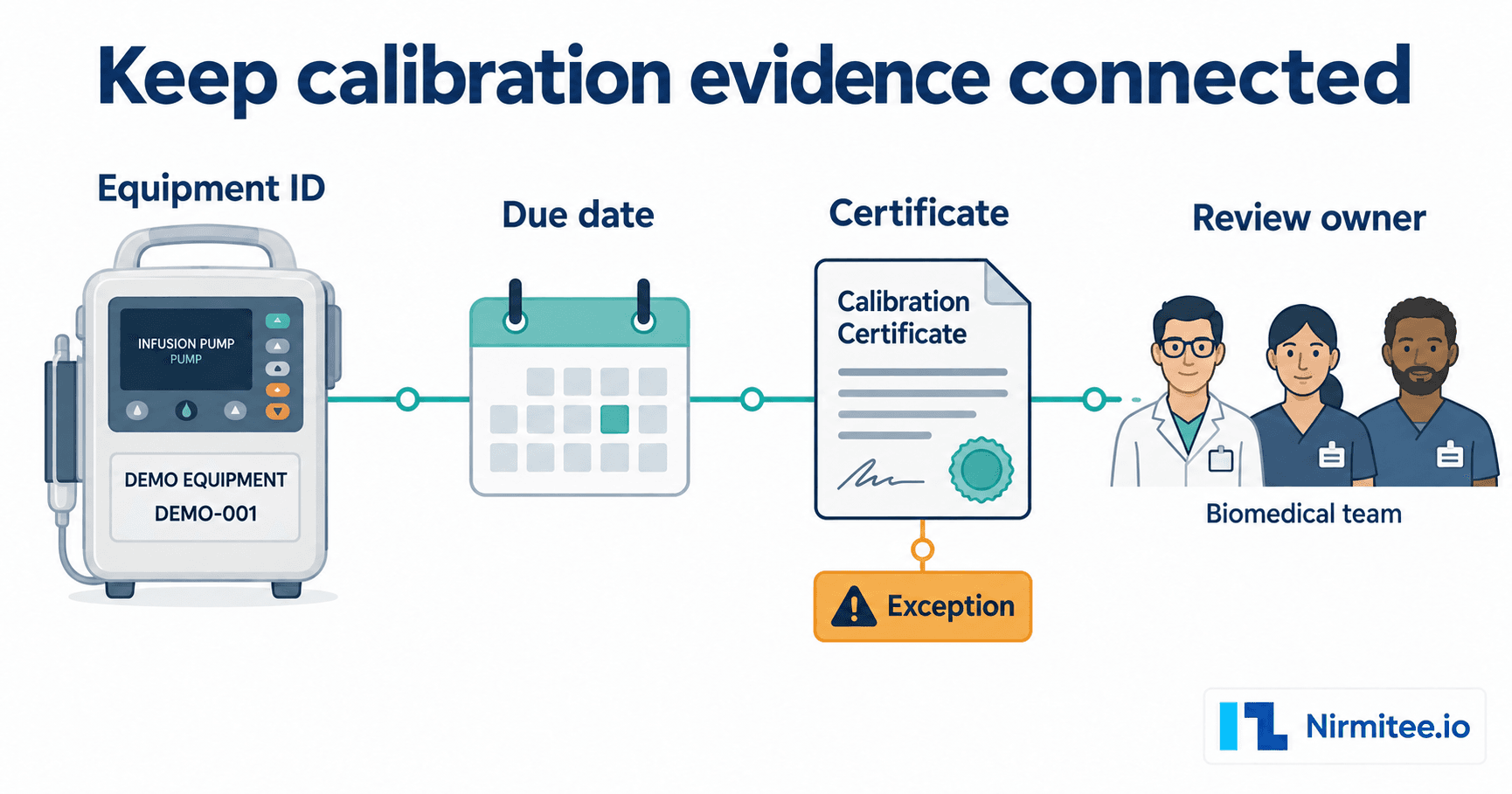
Use a separate field for equipment serviceability. Finding a device during a stocktake does not establish that it is safe to use. Biomedical and clinical owners should define the checks and approvals required for their equipment classes.
Connect five everyday workflows
1. Receive and identify equipment
Check the delivered model and serial against the receiving documents. Record owned, rented and loaned devices distinctly. Establish who assigns the asset ID and who checks for an existing record before creating another one. Decide how accessories, systems and their component devices will be represented.
2. Record transfers and custody
Make a transfer an explicit event with a sending location, receiving location, time and responsible users. A scan can support that event, but the workflow must explain whether the receiver has accepted custody. Preserve the history when a department changes its name.
3. Manage maintenance and calibration
Keep planned work, breakdown work and supporting evidence together. A reminder shows that a date is approaching. A completed service record should show the work performed, the responsible person or vendor, the evidence and the next action. Define escalation for overdue work and the authority that returns equipment to service.
4. Reconcile physical observations
Freeze the audit scope and compare expected devices with observed devices. Keep missing, unexpected, duplicate and moved equipment as different exception types. If a device moves after the scope is frozen, retain its transfer history so the team can explain the difference rather than silently editing the baseline.
5. Retire with an approval trail
Retirement should close out custody, active maintenance plans and any relevant commercial obligations. Keep historical records available under the hospital's retention policy. Finance and engineering may use different retirement dates, so agree how those decisions are reconciled.
Choose tracking hardware after choosing the workflow
QR and barcode labels support deliberate observations when someone scans a device. They can be useful for equipment identification, service access and physical verification. The last scan is a recorded observation; equipment may have moved since then.
Passive RFID can support reading tagged items through a handheld reader or a configured checkpoint. Detection depends on tags, reader placement, materials and the environment. An RTLS, or real-time location system, adds a locating infrastructure whose coverage and update behaviour must be tested on site. A detected location still does not prove clinical use.
Use the RFID versus barcode comparison to decide what evidence your workflow needs before requesting hardware quotes.
Measure the change against a defined starting point
Before a pilot, choose one scope and record its starting condition. Useful measures include unresolved register exceptions, the time taken to reconcile the chosen scope, overdue work in that scope and the completeness of service evidence. Record the denominator, observation period and exclusions with each measure.
If your goal is to avoid a purchase, document the request, the equipment redeployed and the decision to cancel or reduce the purchase. A device seen in another ward is an opportunity to investigate. It becomes financial evidence only when a purchasing decision and its value can be substantiated. Keep staff time released separate from cash savings.
Adapt the evidence to your country and organisation
In India, the quality team should map equipment records to the NABH standards applicable to its hospital programme. Software can organise evidence, but accreditation depends on the hospital's practices and assessment. In the UK, the MHRA medical-device management guidance provides a lifecycle reference for reusable devices. US buyers should have their own clinical engineering, quality, privacy and security teams specify the applicable requirements. This article is a workflow guide, not a compliance determination.
Use a demonstration to test your own equipment problem
Bring a small, de-identified equipment sample containing a transfer, a duplicate, a service event and a contract. Ask the vendor to trace each item and export the resulting evidence. Review the equipment tracking software feature checklist before the session.
Assetly brings equipment records, maintenance, calibration, vendor history, transfers and audit workflows into a hospital asset-management product. Confirm the modules, integrations and hardware required for your site in the demonstration. If your problem is a register that departments cannot agree on, ask to see the exception-resolution workflow first.
Hospital asset management software: what to check before you buy
- One record per device holding location, service history, calibration and contract.
- Phone-scan updates without a desk login.
- Works with barcode, QR, RFID and RTLS, so you can start small.
- Audit reports for NABH or Joint Commission on demand.
Compare options in best CMMS software for hospitals.
Comparing hospital asset management systems? Book an Assetly demo to see it on your own equipment list.
See your equipment workflow in Assetly
Bring your country, approximate asset scope, sites and the equipment problem you need to resolve. Ask the team to demonstrate that workflow.
Frequently Asked Questions
What is hospital asset management?
Does a QR code provide live equipment location?
Can software make a hospital NABH compliant?
How should a hospital evaluate Assetly?
Check the product against your buying brief
Review Assetly equipment records, maintenance, vendors, transfers and audits before you request a scoped demonstration.