
In modern healthcare applications, speed, reliability, and privacy are just as important as interoperability. If you're building a clinical records experience that connects with major EHRs like Epic, Cerner, Athenahealth, or Allscripts, using SMART on FHIR, the way you design your data flow can make or break user experience.
This guide explores how to implement a SMART on FHIR integration with local-first storage using Hive, creating a fast, offline-ready, and privacy-respecting mobile experience. We'll focus on principles and architecture no code so your team can apply this approach across any tech stack.
1. The Vision: Interoperability Meets User Experience
The goal is simple: achieve seamless interoperability with multiple EHR systems through the SMART on FHIR R4 standard while ensuring your app feels lightning-fast even when offline or on a weak network.
The principle of local-first design ensures that your app always prioritizes reading from local data first, syncing securely in the background. Every cached record must uphold patient privacy, and your data models should evolve easily as new FHIR resources emerge.
2. Setting Up Providers
Before your app talks to an EHR, it must be registered as a SMART app with that provider.
This registration gives you:
- A Client ID
- A Redirect URI
- The provider's Authorization URL, Token URL, and FHIR Base URL
Define these settings in configurations, rather than hardcoding logic. That flexibility allows you to switch between environments or providers without rebuilding the app.
3. SMART Discovery
Instead of manually managing endpoints, let your app discover them dynamically using:
{fhirBaseUrl}/.well-known/smart-configurationThis call returns key metadata like authorization and token endpoints. Always validate that your required scopes are supported; if not, fall back gracefully to static settings.
4. Secure Authorization with PKCE
SMART on FHIR uses OAuth2 Authorization Code Flow with PKCE to keep authentication secure.
Your app should:
- Generate a code_verifier and code_challenge
- Construct the authorization URL with scopes and redirect URIs
- Handle redirection securely and validate the state parameter
- Exchange the authorization code for tokens using the token endpoint
Each EHR might require slightly different headers or params handle those internally while maintaining a unified API surface for your app.
Tokens must always be stored securely in the device keychain or keystore, never in plain text or logs.
5. Fetching Patient Resources
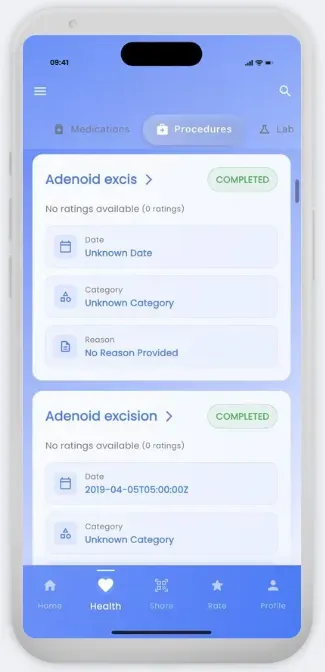
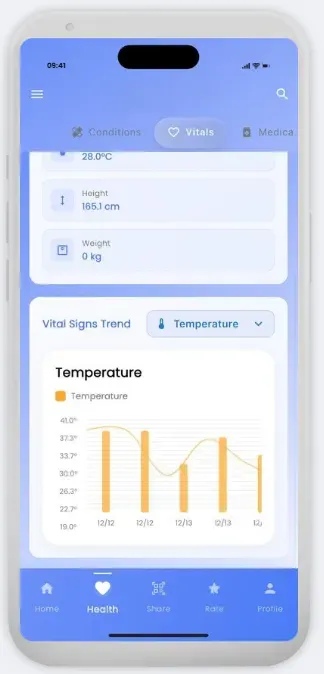
Once authorized, your app can begin fetching FHIR resources like:
- Observation
- MedicationRequest
- Procedure
- Condition
- DiagnosticReport
Fetch data using queries such as:
GET {fhirBaseUrl}/{ResourceType}?patient={patientId}&_sort=-_lastUpdated 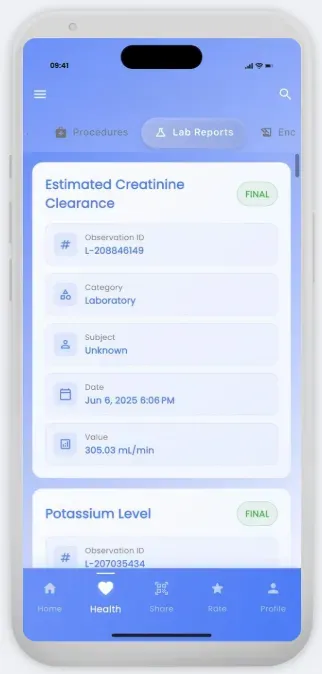
Handle failures gracefully don't stop the entire process if one resource type fails. Combine results, sort by _lastUpdated, and display the most recent first for a consistent, clinical-grade view.
6. Modeling and Normalization
FHIR's flexibility is a double-edged sword providers often represent data differently.
At Nirmitee, we recommend:
- Creating lightweight domain models for each major resource type
- Storing only UI-critical fields separately, while keeping raw JSON intact
This ensures resilience against missing fields and easy schema evolution in the future.
7. Local-First Storage with Hive
For mobile caching, Hive is an excellent choice lightweight, fast, and Flutter-friendly.
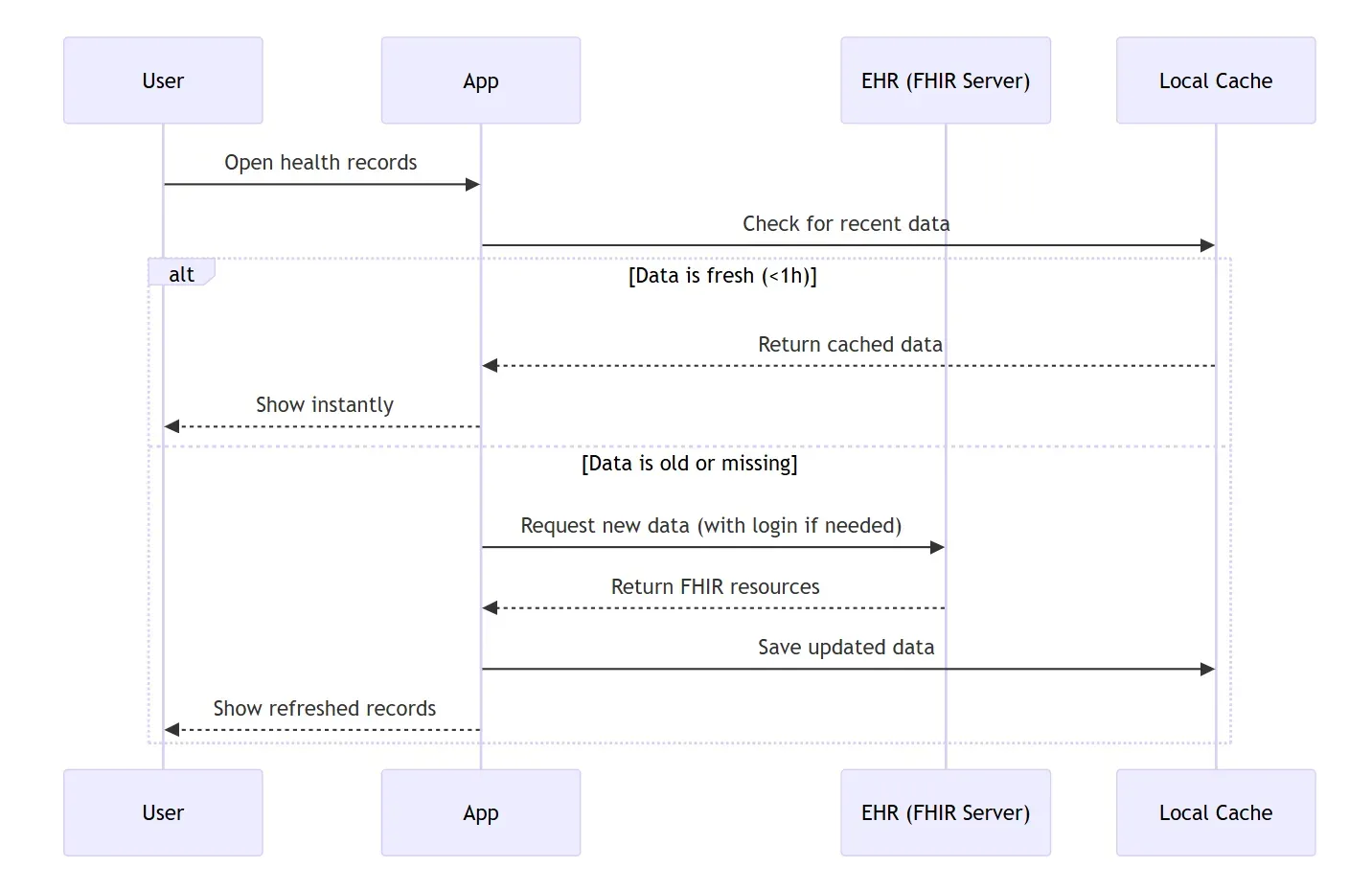
Your cache can store:
- Raw FHIR JSON objects
lastUpdatedtimestampshasClinicalRecordsflags- Error diagnostics
Establish freshness policies:
- Recent = < 1 hour old
- Stale = > 24 hours old
When launching or loading screens:
- Read from Hive first
- Render cached data instantly
- Trigger background sync for updates
You can even use separate Hive boxes per resource (vitals, medications, etc.) for faster reads and isolation across patients or sessions.
8. Designing for Offline and Sync
Your app should work even when the network doesn't.
- Render local data immediately.
- Queue background sync jobs for updates.
- Allow manual Sync actions.
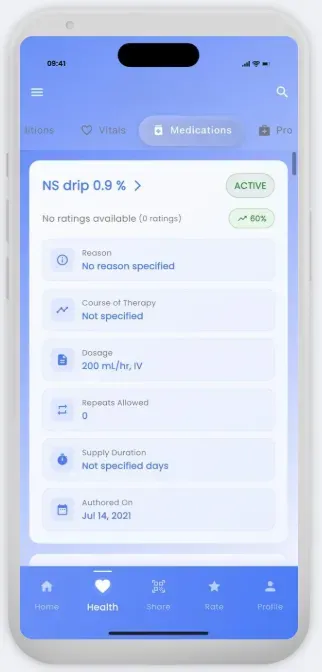
Display a Last Synced timestamp so users understand when data was last updated transparency builds trust.
9. Error Handling and Observability
Differentiate between:
- Network or token errors
- FHIR content errors (malformed bundles, missing fields)
Never log patient data.
Instead, design clear UI states:
- Loading
- Cached view
- Partial data
- Retry available
Instrumentation should capture metrics like fetch success, cache hit rate, and sync latency; these are invaluable for production stability.
10. Privacy and Security by Design
In healthcare, privacy is non-negotiable.
- Encrypt FHIR data at rest
- Store tokens in secure storage only
- Request minimal scopes
- Offer options to disconnect and delete data
And remember: no clinical data – ever – should touch third-party analytics or crash reporting tools.
11. Testing with Sandboxes
Use public FHIR sandboxes or vendor-provided test servers during development.
Test for:
- Pagination and sorting
- Empty datasets
- Partially populated resources
- Offline conditions
This ensures your caching and UI gracefully handle every edge case.
12. Operational Best Practices
In production:
- Keep provider configuration abstracted
- Implement modular resource fetchers
- Version and migrate Hive schemas carefully
- Monitor key metrics (token refresh rates, fetch times, cache hits)
These insights help your app evolve safely over time.
13. The Nirmitee Outcome
By following this architecture, your app achieves:
- Full SMART on FHIR R4 interoperability
- Lightning-fast load times through Hive caching
- Offline-first reliability
- Privacy-first trustworthiness
This is the foundation of what we at Nirmitee call Connected, Conscious Care software that respects both human time and patient privacy.
13. The Nirmitee Outcome
By following this architecture, your app achieves:
- Full SMART on FHIR R4 interoperability
- Lightning-fast load times through Hive caching
- Offline-first reliability
- Privacy-first trustworthiness
This is the foundation of what we at Nirmitee call Connected, Conscious Care software that respects both human time and patient privacy.
14. Final Launch Checklist
- Configure OAuth scopes and PKCE
- Implement SMART discovery
- Normalize FHIR resources
- Cache intelligently in Hive
- Enforce freshness policies
- Support offline + background sync
- Handle graceful errors
- Give users full data control
Once checked, your app is production-ready – a truly interoperable clinical experience built for the real world.
About Nirmitee
At Nirmitee, we design and engineer healthcare platforms that bridge interoperability with innovation – helping developers and organizations implement FHIR, HL7, and SMART standards without compromise.
Need expert help with healthcare data integration? Explore our Healthcare Interoperability Solutions to see how we connect systems seamlessly. We also offer specialized Healthcare Software Product Development services. Talk to our team to get started.