The Mandate Is Clear: Patients Must Access Their Own Health Data via FHIR
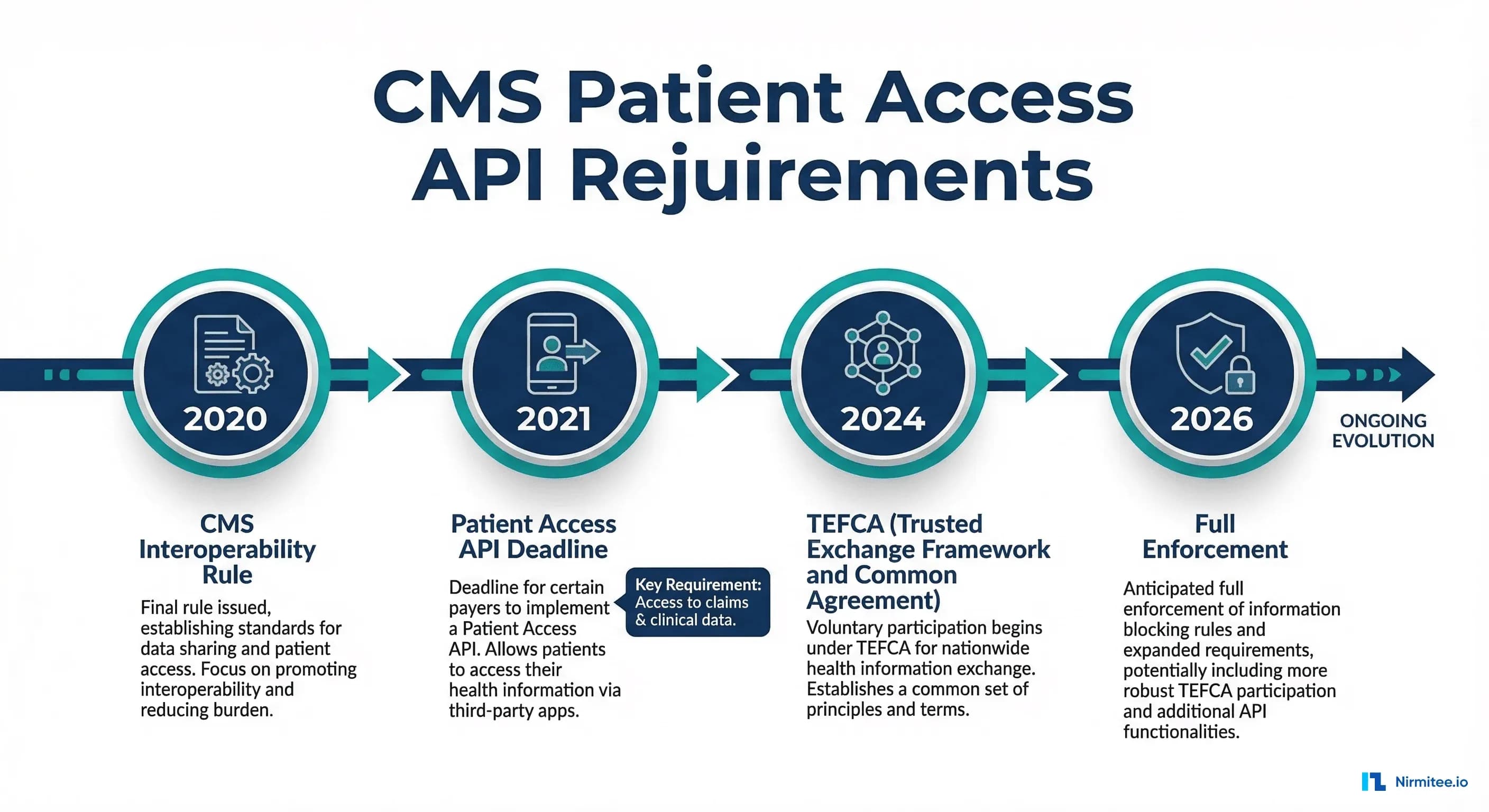
In May 2020, CMS finalized the Interoperability and Patient Access Final Rule (CMS-9115-F), requiring all CMS-regulated payers — Medicare Advantage, Medicaid, CHIP, and Qualified Health Plan issuers on the Exchanges — to implement a Patient Access API using HL7 FHIR R4. This isn't optional. Non-compliance risks enforcement action from CMS.
The rule mandates that patients can access their claims data, encounter information, clinical data, and formulary information through FHIR-based APIs using third-party applications of their choice. As of 2026, the CMS-0057-F rule extends these requirements further with Prior Authorization APIs and Provider Access APIs.
This guide walks through building the patient-facing FHIR application that CMS requires: from SMART on FHIR launch sequences to querying ExplanationOfBenefit resources, displaying claims data, and handling the privacy considerations that come with patient-directed data exchange.
What the CMS Patient Access API Requires
The Patient Access API has specific technical requirements that go beyond generic FHIR implementation:
Required Data Categories
| Data Category | FHIR Resources | Implementation Guide | CMS Requirement |
|---|---|---|---|
| Claims & Encounter Data | ExplanationOfBenefit, Claim | CARIN IG for Blue Button | Mandatory |
| Clinical Data (if maintained) | US Core resources (Condition, Observation, etc.) | US Core 3.1.1+ | Mandatory if payer has clinical data |
| Coverage Information | Coverage, Organization | CARIN IG | Mandatory |
| Drug Formulary | MedicationKnowledge, InsurancePlan | DaVinci Drug Formulary IG | Mandatory for Part D plans |
| Provider Directory | Practitioner, PractitionerRole, Organization, Location | DaVinci PDex Plan-Net IG | Mandatory |
CARIN Consumer Directed Payer Data Exchange
The CARIN Consumer Directed Payer Data Exchange (CARIN IG for Blue Button) is the primary implementation guide for the Patient Access API. It profiles the ExplanationOfBenefit resource for different claim types:
- C4BB ExplanationOfBenefit Inpatient Institutional — Hospital admissions, facility charges
- C4BB ExplanationOfBenefit Outpatient Institutional — Outpatient facility visits
- C4BB ExplanationOfBenefit Professional NonClinician — Physician and supplier claims
- C4BB ExplanationOfBenefit Pharmacy — Prescription drug claims
- C4BB ExplanationOfBenefit Oral — Dental claims
SMART on FHIR Patient-Facing Launch
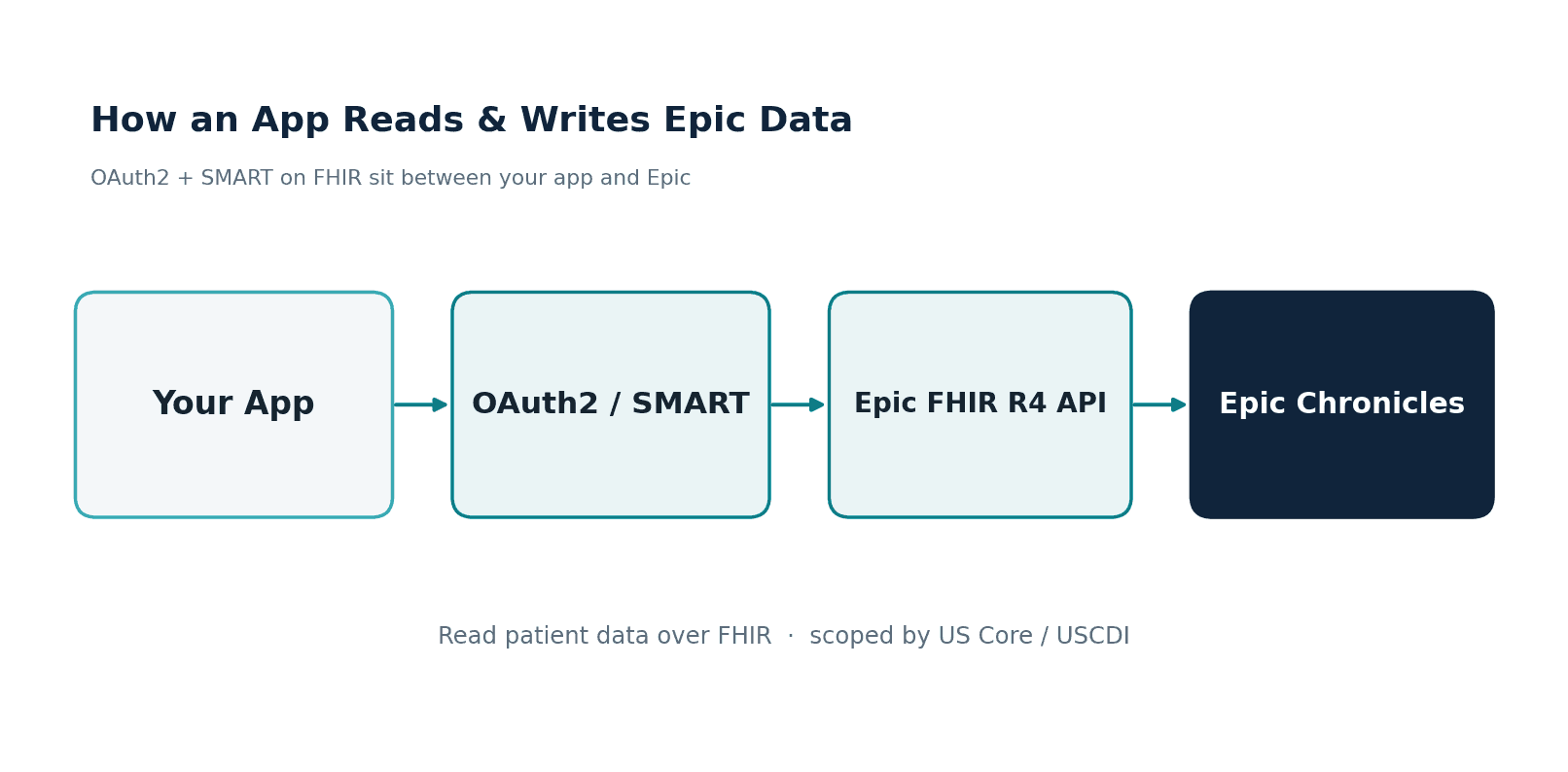
The Patient Access API requires SMART on FHIR for authentication and authorization. The patient-facing (standalone) launch flow works differently from the EHR launch flow used by clinical applications.
The Standalone Launch Sequence
# Step 1: Discover FHIR server endpoints
GET https://payer-fhir.example.com/fhir/.well-known/smart-configuration

# Response includes:
{
  "authorization_endpoint": "https://payer-fhir.example.com/auth/authorize",
  "token_endpoint": "https://payer-fhir.example.com/auth/token",
  "scopes_supported": [
    "patient/ExplanationOfBenefit.read",
    "patient/Coverage.read",
    "patient/Patient.read",
    "openid",
    "fhirUser",
    "launch/patient",
    "offline_access"
  ]
}

# Step 2: Redirect patient to authorization endpoint
https://payer-fhir.example.com/auth/authorize?
  response_type=code&
  client_id=your-app-client-id&
  redirect_uri=https://your-app.com/callback&
  scope=patient/ExplanationOfBenefit.read patient/Coverage.read patient/Patient.read openid fhirUser offline_access&
  state=random-state-value&
  aud=https://payer-fhir.example.com/fhir&
  code_challenge=E9Melhoa2OwvFrEMTJguCHaoeK1t8URWbuGJSstw-cM&
  code_challenge_method=S256

# Step 3: Patient logs in and approves access
# (handled by the payer's auth server)

# Step 4: Callback with authorization code
# Your app receives: https://your-app.com/callback?code=AUTH_CODE&state=random-state-value

# Step 5: Exchange code for access token
POST https://payer-fhir.example.com/auth/token
Content-Type: application/x-www-form-urlencoded

grant_type=authorization_code&
code=AUTH_CODE&
redirect_uri=https://your-app.com/callback&
client_id=your-app-client-id&
code_verifier=dBjftJeZ4CVP-mB92K27uhbUJU1p1r_wW1gFWFOEjXk

# Step 6: Access token response
{
  "access_token": "eyJ0eXAiOiJKV1QiLCJhbGciOiJSUzI1...",
  "token_type": "Bearer",
  "expires_in": 3600,
  "scope": "patient/ExplanationOfBenefit.read patient/Coverage.read patient/Patient.read openid fhirUser offline_access",
  "patient": "patient-12345",
  "refresh_token": "eyJ0eXAiOiJKV1QiLCJhbGciOiJSUzI1..."
}
Key Differences from EHR Launch
| Aspect | EHR Launch | Standalone (Patient) Launch |
|---|---|---|
| Initiated by | EHR system (within clinical workflow) | Patient (opens app directly) |
| Launch parameter | launch token from EHR | No launch token; app must request launch/patient scope |
| Patient context | Provided by EHR via launch context | Returned in token response as patient field |
| Typical scopes | user/*.read launch | patient/*.read launch/patient offline_access |
| PKCE | Recommended | Required (public clients) |
Building the Patient Portal: Querying Claims Data
Once you have an access token, querying the Patient Access API follows standard FHIR REST patterns. The most important resource is ExplanationOfBenefit (EOB), which contains claims data.
Python Implementation
"""Patient Access API Client - Query claims and clinical data."""
import requests
from datetime import datetime

class PatientAccessClient:
    def __init__(self, fhir_base_url, access_token, patient_id):
        self.base_url = fhir_base_url.rstrip('/')
        self.headers = {
            "Authorization": f"Bearer {access_token}",
            "Accept": "application/fhir+json"
        }
        self.patient_id = patient_id

    def get_patient(self):
        """Fetch the patient's demographic information."""
        resp = requests.get(
            f"{self.base_url}/Patient/{self.patient_id}",
            headers=self.headers
        )
        resp.raise_for_status()
        return resp.json()

    def get_claims(self, claim_type=None, date_from=None, count=20):
        """Fetch ExplanationOfBenefit resources (claims data)."""
        params = {
            "patient": self.patient_id,
            "_count": count,
            "_sort": "-created"
        }
        if claim_type:
            # CARIN types: institutional, professional, pharmacy, oral
            params["type"] = claim_type
        if date_from:
            params["created"] = f"ge{date_from}"

        resp = requests.get(
            f"{self.base_url}/ExplanationOfBenefit",
            params=params,
            headers=self.headers
        )
        resp.raise_for_status()
        return resp.json()

    def get_coverage(self):
        """Fetch the patient's insurance coverage."""
        resp = requests.get(
            f"{self.base_url}/Coverage",
            params={"patient": self.patient_id, "_sort": "-period"},
            headers=self.headers
        )
        resp.raise_for_status()
        return resp.json()

    def get_conditions(self):
        """Fetch clinical conditions (if available)."""
        resp = requests.get(
            f"{self.base_url}/Condition",
            params={
                "patient": self.patient_id,
                "clinical-status": "active",
                "_sort": "-recorded-date"
            },
            headers=self.headers
        )
        resp.raise_for_status()
        return resp.json()

    def get_medications(self):
        """Fetch active medication requests."""
        resp = requests.get(
            f"{self.base_url}/MedicationRequest",
            params={
                "patient": self.patient_id,
                "status": "active",
                "_include": "MedicationRequest:medication"
            },
            headers=self.headers
        )
        resp.raise_for_status()
        return resp.json()

    def get_all_pages(self, initial_bundle):
        """Follow pagination links to retrieve all results."""
        entries = initial_bundle.get("entry", [])
        bundle = initial_bundle

        while True:
            next_link = None
            for link in bundle.get("link", []):
                if link["relation"] == "next":
                    next_link = link["url"]
                    break
            if not next_link:
                break
            resp = requests.get(next_link, headers=self.headers)
            resp.raise_for_status()
            bundle = resp.json()
            entries.extend(bundle.get("entry", []))

        return entries


# Usage example
client = PatientAccessClient(
    fhir_base_url="https://payer-fhir.example.com/fhir",
    access_token="eyJ0eXAiOiJKV1Qi...",
    patient_id="patient-12345"
)

# Fetch all claims from the last year
claims_bundle = client.get_claims(date_from="2025-03-16")
all_claims = client.get_all_pages(claims_bundle)
print(f"Total claims: {len(all_claims)}")
Displaying ExplanationOfBenefit Data
The ExplanationOfBenefit resource is complex — a single EOB can contain dozens of line items, adjudication amounts, and provider references. Here's how to extract meaningful information for a patient-facing display:
def parse_eob_for_display(eob):
    """Parse an ExplanationOfBenefit for patient-friendly display."""
    result = {
        "claim_id": eob.get("id"),
        "type": _get_claim_type(eob),
        "date": eob.get("created", ""),
        "status": eob.get("status", ""),
        "provider": _get_provider_name(eob),
        "total_billed": 0,
        "total_allowed": 0,
        "patient_responsibility": 0,
        "line_items": []
    }

    # Extract total amounts
    for total in eob.get("total", []):
        category = total.get("category", {}).get("coding", [{}])[0].get("code", "")
        amount = total.get("amount", {}).get("value", 0)
        if category == "submitted":
            result["total_billed"] = amount
        elif category == "benefit":
            result["total_allowed"] = amount
        elif category == "memberliability":
            result["patient_responsibility"] = amount

    # Extract line items
    for item in eob.get("item", []):
        line = {
            "service": _get_service_description(item),
            "date": item.get("servicedDate", item.get("servicedPeriod", {}).get("start", "")),
            "quantity": item.get("quantity", {}).get("value", 1),
            "billed": 0,
            "allowed": 0,
            "copay": 0,
            "coinsurance": 0,
        }
        for adj in item.get("adjudication", []):
            adj_code = adj.get("category", {}).get("coding", [{}])[0].get("code", "")
            adj_amount = adj.get("amount", {}).get("value", 0)
            if adj_code == "submitted":
                line["billed"] = adj_amount
            elif adj_code == "benefit":
                line["allowed"] = adj_amount
            elif adj_code == "copay":
                line["copay"] = adj_amount
            elif adj_code == "coinsurance":
                line["coinsurance"] = adj_amount
        result["line_items"].append(line)

    return result

def _get_claim_type(eob):
    """Extract human-readable claim type."""
    for coding in eob.get("type", {}).get("coding", []):
        code = coding.get("code", "")
        type_map = {
            "institutional": "Hospital/Facility",
            "professional": "Physician/Provider",
            "pharmacy": "Prescription Drug",
            "oral": "Dental",
            "vision": "Vision"
        }
        if code in type_map:
            return type_map[code]
    return "Other"

def _get_provider_name(eob):
    """Extract provider name from EOB."""
    provider = eob.get("provider", {})
    return provider.get("display", provider.get("reference", "Unknown Provider"))

def _get_service_description(item):
    """Extract service description from line item."""
    for coding in item.get("productOrService", {}).get("coding", []):
        if coding.get("display"):
            return coding["display"]
    return "Healthcare Service"
Privacy and Patient-Directed Data Sharing
The Patient Access API puts patients in control of their data. This creates important privacy considerations that your application must handle correctly.
Scope-Based Access Control
SMART on FHIR scopes determine which data categories a patient authorizes:
# Minimum scopes for a basic patient portal
REQUIRED_SCOPES = [
    "patient/Patient.read",              # Demographics
    "patient/ExplanationOfBenefit.read",  # Claims
    "patient/Coverage.read",              # Insurance
    "openid",                             # User identity
    "fhirUser",                           # FHIR user reference
]

# Optional scopes (patient can decline)
OPTIONAL_SCOPES = [
    "patient/Condition.read",             # Diagnoses
    "patient/MedicationRequest.read",     # Medications
    "patient/AllergyIntolerance.read",    # Allergies
    "patient/Observation.read",           # Lab results, vitals
    "patient/Procedure.read",             # Procedures
    "patient/Immunization.read",          # Immunizations
    "offline_access",                     # Refresh token
]
Data Minimization Best Practices
- Request only what you need — Don't request
patient/*.readif you only need claims data. Specific scopes build patient trust. - Display scope descriptions — Before authorization, explain in plain language what each scope means and why your app needs it.
- Honor revocation — If a patient revokes access, delete cached data immediately. The HIPAA Privacy Rule applies to patient-authorized apps differently than covered entities, but trust depends on respecting patient preferences.
- Audit access — Log every FHIR query your app makes. Patients may ask what data you accessed and when.
For the detailed technical implementation of SMART authorization flows, including PKCE and token refresh, see our guide on SMART on FHIR app authorization.
Token Refresh and Long-Lived Access
Patient portal apps need long-lived access to keep data current. The offline_access scope provides refresh tokens:
def refresh_access_token(token_url, client_id, refresh_token):
    """Exchange a refresh token for a new access token."""
    resp = requests.post(token_url, data={
        "grant_type": "refresh_token",
        "refresh_token": refresh_token,
        "client_id": client_id,
    })
    resp.raise_for_status()
    token_data = resp.json()
    return {
        "access_token": token_data["access_token"],
        "refresh_token": token_data.get("refresh_token", refresh_token),
        "expires_in": token_data["expires_in"],
    }

class TokenManager:
    def __init__(self, token_url, client_id, initial_tokens):
        self.token_url = token_url
        self.client_id = client_id
        self.access_token = initial_tokens["access_token"]
        self.refresh_token = initial_tokens["refresh_token"]
        self.expires_at = datetime.utcnow().timestamp() + initial_tokens["expires_in"]

    def get_valid_token(self):
        """Return a valid access token, refreshing if needed."""
        if datetime.utcnow().timestamp() > (self.expires_at - 60):
            tokens = refresh_access_token(
                self.token_url, self.client_id, self.refresh_token
            )
            self.access_token = tokens["access_token"]
            self.refresh_token = tokens["refresh_token"]
            self.expires_at = datetime.utcnow().timestamp() + tokens["expires_in"]
        return self.access_token
Testing with Inferno
The ONC Inferno testing tool is the official conformance testing suite for Patient Access APIs. CMS requires that implementations pass Inferno tests as part of their attestation process.
Key Inferno test suites for Patient Access:
- SMART App Launch (Standalone) — Validates the OAuth 2.0 authorization flow, PKCE, token refresh
- US Core 3.1.1 — Validates clinical resource conformance if clinical data is exposed
- CARIN IG for Blue Button — Validates ExplanationOfBenefit conformance for all claim types
- Bulk Data Access — Validates $export operations for backend data access
Our team's experience with Inferno testing for the CapabilityStatement endpoint shows that thorough preparation of the metadata endpoint is critical — Inferno validates that the CapabilityStatement accurately reflects server capabilities.
Error Handling and Edge Cases
Production Patient Access APIs encounter specific edge cases that developers must handle:
class PatientAccessError(Exception):
    """Custom exception for Patient Access API errors."""
    def __init__(self, status_code, operation_outcome=None):
        self.status_code = status_code
        self.outcome = operation_outcome

def handle_fhir_response(response):
    """Handle FHIR API responses with proper error handling."""
    if response.status_code == 200:
        return response.json()

    elif response.status_code == 401:
        # Token expired - attempt refresh
        raise PatientAccessError(401, "Token expired, refresh required")

    elif response.status_code == 403:
        # Scope insufficient - patient didn't authorize this resource
        raise PatientAccessError(403, "Insufficient scope for this resource")

    elif response.status_code == 404:
        # Resource not found - patient may not have claims data yet
        return {"resourceType": "Bundle", "total": 0, "entry": []}

    elif response.status_code == 429:
        # Rate limited - respect Retry-After header
        retry_after = response.headers.get("Retry-After", "60")
        raise PatientAccessError(429, f"Rate limited. Retry after {retry_after}s")

    else:
        # Parse OperationOutcome for detailed error info
        try:
            outcome = response.json()
            if outcome.get("resourceType") == "OperationOutcome":
                issues = outcome.get("issue", [])
                details = "; ".join(
                    i.get("diagnostics", i.get("details", {}).get("text", ""))
                    for i in issues
                )
                raise PatientAccessError(response.status_code, details)
        except (ValueError, KeyError):
            pass
        raise PatientAccessError(response.status_code, response.text[:500])
Frequently Asked Questions
What is the CMS Patient Access API?
The CMS Patient Access API is a regulatory requirement from the CMS Interoperability and Patient Access Final Rule (CMS-9115-F) that mandates CMS-regulated payers (Medicare Advantage, Medicaid, CHIP, QHP issuers) to implement FHIR R4-based APIs. These APIs allow patients to access their claims data, clinical information, coverage details, and drug formulary through third-party apps of their choice. The API must use SMART on FHIR for authentication.
Which FHIR implementation guides are required for Patient Access?
The primary implementation guide is the CARIN Consumer Directed Payer Data Exchange (CARIN IG for Blue Button), which profiles ExplanationOfBenefit for claims data. Additional required IGs include US Core (for clinical data), DaVinci Drug Formulary (for medication formulary), and DaVinci PDex Plan-Net (for provider directory). Each IG defines specific profiles, search parameters, and conformance requirements.
How does SMART on FHIR work for patient-facing apps?
Patient-facing apps use the SMART Standalone Launch flow: the patient opens the app directly (not from within an EHR), the app discovers the payer's OAuth endpoints from the FHIR server's .well-known/smart-configuration, redirects the patient to login and authorize, receives an authorization code, exchanges it for an access token (with PKCE), and then queries the FHIR API using that token. The token response includes a patient field identifying which patient's data is accessible.
What data does the ExplanationOfBenefit resource contain?
ExplanationOfBenefit (EOB) contains claims adjudication data: the claim type (institutional, professional, pharmacy, oral), service dates, provider information, diagnosis codes, procedure codes, line items with billed and allowed amounts, adjudication details (copay, coinsurance, deductible), and payment information. CARIN profiles define required elements for each claim type. A single patient may have hundreds of EOBs spanning years of claims history.
Is the Patient Access API the same as Blue Button?
They are related but distinct. Blue Button 2.0 is CMS's own implementation of the Patient Access API specifically for Medicare Fee-for-Service beneficiaries, available at bluebutton.cms.gov. The Patient Access API requirement applies more broadly to all CMS-regulated payers, each implementing their own FHIR API. Both use the CARIN IG, but Blue Button 2.0 is a specific implementation while the Patient Access API is a regulatory requirement that each payer must meet individually.
How do I test my Patient Access API implementation?
Use the ONC Inferno testing tool, which is the official conformance testing suite. Run the SMART App Launch Standalone test suite, the CARIN IG for Blue Button test suite, and if applicable, the US Core and Bulk Data test suites. CMS expects implementations to pass these tests. Additionally, test against CMS's Blue Button sandbox for realistic claims data structures.