
Testing Your FHIR Implementation with Inferno: A Step-by-Step Compliance Guide

CTO & Co-Founder
CTO & Co-Founder at Nirmitee.io. Architects healthcare integrations across FHIR, SMART on FHIR, ABDM and NHCX, writing from production experience taking hospital software from sandbox to go-live.
Part of our complete guide to FHIR as the modern data exchange standard.
If you're building a FHIR-based healthcare application in the United States, there's one tool you absolutely must know: Inferno. Developed and maintained by the Office of the National Coordinator for Health IT (ONC), Inferno is the official open-source testing framework used to validate FHIR server implementations against the regulatory standards that matter — US Core, SMART App Launch, and Bulk Data Access. It's not optional. If your product needs ONC Health IT certification under the 21st Century Cures Act, Inferno is what ONC-Authorized Certification Bodies (ONC-ACBs) use to verify compliance.
Teams that want this built rather than researched can work with our FHIR integration team.
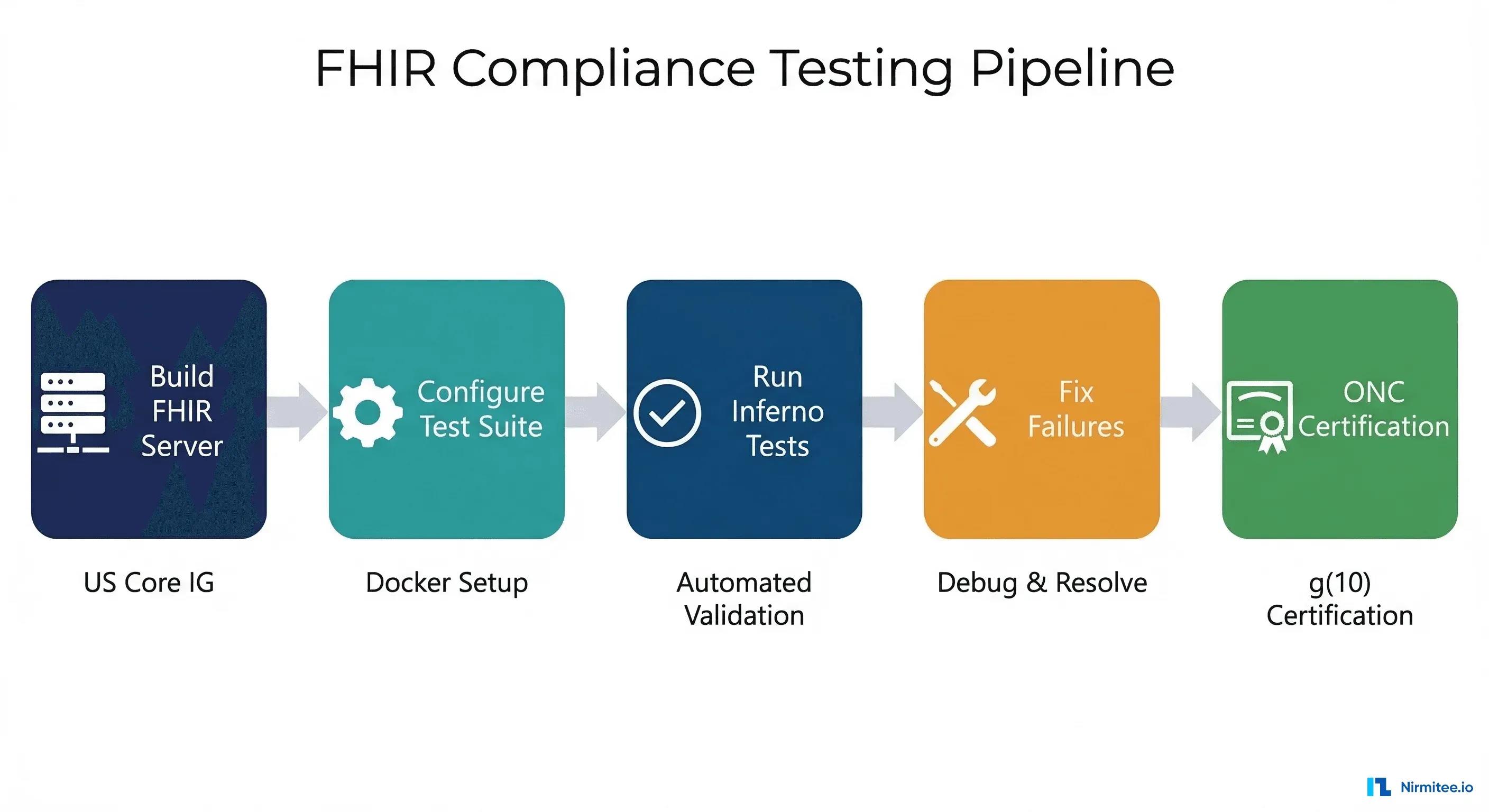
This guide walks you through the entire Inferno testing workflow: setting up a local instance, running each major test suite, understanding common failure patterns, and preparing your implementation for ONC certification. We'll include actual commands you can run today.
What Is Inferno and Why Does It Matter?
Inferno is a modular, open-source testing framework hosted on GitHub at inferno-framework/inferno. Unlike generic API testing tools like Postman or automated test suites you might write yourself, Inferno encodes specific regulatory requirements into executable test cases. Each test maps directly to a requirement from a FHIR Implementation Guide (IG), which means passing an Inferno test isn't just "my API returns 200" — it's "my API returns a valid FHIR resource with all Must Support elements populated according to US Core 3.1.1 or 6.1.0." Those two US Core versions track different USCDI releases; see which US Core version maps to each USCDI release for the full pairing.
The framework is organized into Test Kits, each targeting a specific implementation guide:
- US Core Test Kit — validates Patient, Condition, Observation, Medication, AllergyIntolerance, and other clinical resources against US Core IG profiles
- SMART App Launch Test Kit — validates OAuth 2.0 authorization flows, token scopes, PKCE, OpenID Connect, and token refresh per the SMART App Launch Framework
- Bulk Data Test Kit — validates backend-services authorization and FHIR
$exportoperations per the Bulk Data Access IG - ONC (g)(10) Standardized API Test Kit — the composite suite that combines all three for ONC certification criterion §170.315(g)(10)
Setting Up Inferno Locally with Docker
The fastest way to run Inferno is with Docker. The Inferno team maintains official Docker images, so you can have a fully functional test environment running in under five minutes.
Prerequisites
- Docker and Docker Compose installed (installation guide)
- Your FHIR server running and accessible (locally or via network)
- At minimum, a Patient resource and supporting clinical data seeded in your server
Running the ONC (g)(10) Test Kit
Clone the repository and start the containers:
git clone https://github.com/inferno-framework/g10-certification-test-kit.git
cd g10-certification-test-kit
docker-compose pull
docker-compose up -d
Once the containers are running, open http://localhost:4567 in your browser. You'll see the Inferno web interface with the available test suites listed. For the standalone US Core test kit, the equivalent is:
git clone https://github.com/inferno-framework/us-core-test-kit.git
cd us-core-test-kit
docker-compose pull
docker-compose up -d
Connecting to Your FHIR Server
If your FHIR server runs on the host machine (not in Docker), use host.docker.internal as the hostname from within Inferno's Docker container. For example, if your server runs on port 8000:
FHIR Server URL: http://host.docker.internal:8000/fhirThis is critical — localhost from inside a Docker container refers to the container itself, not your host machine. The host.docker.internal hostname resolves to the Docker host on both macOS and Windows. On Linux, you may need to add --add-host=host.docker.internal:host-gateway to your Docker run command.
Running the US Core Test Suite: A Walkthrough
The US Core test suite is typically the first suite developers tackle. It validates that your server correctly implements the US Core Implementation Guide, which defines how clinical data should be exposed via FHIR APIs in the US healthcare system. Here's what each test group validates:
1. CapabilityStatement
Inferno starts by requesting GET /fhir/metadata and examining your server's CapabilityStatement resource. The CapabilityStatement must declare every resource type your server supports, the interactions available for each (read, search-type, create), and the search parameters you support. A common mistake is to declare support for a resource type but omit required search parameters like _revinclude or _include. Inferno checks the CapabilityStatement against the US Core IG requirements and will fail immediately if required declarations are missing.
2. Patient Resource Tests
The test suite validates Patient/$read (fetching by ID) and multiple search operations: by name, birthdate, identifier, gender, and combinations thereof. Your server must return valid US Core Patient resources with all Must Support elements populated: name, identifier (with an MRN), gender, birthDate, address, telecom, and race/ethnicity extensions.
3. Clinical Resource Tests
Inferno tests Condition, Observation (multiple categories: laboratory, vital-signs, social-history), MedicationRequest, AllergyIntolerance, Procedure, Immunization, DiagnosticReport, DocumentReference, and CarePlan. Each resource must conform to its US Core profile, and your search implementations must support the required search parameters defined in the IG. For Observation, this includes searching by patient+category, patient+code, and patient+category+date.
4. Must Support Validation
This is where many implementations fail. US Core defines specific elements as "Must Support," meaning your server must be able to populate and return them when data exists. Inferno checks that across all returned resources, every Must Support element appears at least once. If your test patient data doesn't include an AllergyIntolerance.reaction.manifestation, the Must Support test will fail — even if your server technically supports it. Our guide to FHIR profiles, extensions and Must Support explains where these obligations come from and how to read them on an implementation guide page.
5. Reference Resolution
FHIR resources reference each other — a Condition references a Patient, a MedicationRequest references a Medication. Inferno validates that all references within returned resources are resolvable. If your Condition resource includes "subject": {"reference": "Patient/123"}, Inferno will attempt GET /fhir/Patient/123 and verify it returns a valid resource. Broken references are an instant failure.
SMART App Launch Testing
The SMART App Launch test kit validates your server's OAuth 2.0 implementation. This is the authorization layer that controls which applications can access which patient data. The test kit covers:
- Standalone Launch — a third-party app initiates the OAuth flow by directing the user to your authorization endpoint. Inferno acts as the client application, requesting specific scopes (e.g.,
patient/Patient.read patient/Observation.read), completing the authorization code exchange, and verifying the returned access token works against your FHIR endpoints. - EHR Launch — the EHR initiates the launch by opening the app with a
launchparameter. Inferno validates the launch context, including thepatientandencountercontext values passed during the launch. - PKCE (Proof Key for Code Exchange) — Inferno verifies your server supports
S256code challenges for public clients, per the SMART App Launch v2 specification. This is mandatory for all public clients. - OpenID Connect — Inferno requests the
openid fhirUserscopes and validates the returnedid_tokenJWT, checking claims, signature verification against your JWKS endpoint, and thefhirUserclaim format. - Token Refresh — if your server issues refresh tokens, Inferno tests the refresh flow, verifying that new access tokens are returned with correct scopes and that the original token behavior is maintained.
A typical SMART test configuration requires these inputs in Inferno:
FHIR URL:        http://host.docker.internal:8000/fhir
Client ID:       test-client
Client Secret:   test-secret  (for confidential clients)
Scopes:          launch/patient openid fhirUser patient/*.read offline_access
PKCE Support:    enabled
Code Challenge:  S256
The test flow involves a browser redirect — Inferno opens a browser window pointing to your authorization endpoint. You must complete the login and consent flow within Inferno's 5-minute timeout window, or the test run will fail with a timeout error. For automated CI/CD testing, consider implementing a test-mode authorization endpoint that auto-approves known test clients. See our guide on SMART App Launch v2 changes for details on the latest spec updates.
Bulk Data Testing
The Bulk Data test kit validates your server's implementation of the FHIR Bulk Data Access IG. This is the API that allows payers, researchers, and population health platforms to export large volumes of data asynchronously. It covers:
- Backend Services Authorization — asymmetric JWT-based client authentication using a client assertion, not client credentials. Your server must validate the client's public key registered during app registration.
$exportOperations —GET /Patient/$export,GET /Group/[id]/$export, and system-levelGET /$export. Inferno kicks off the export, polls the status URL, and validates the NDJSON output files.- NDJSON Output — every line in the output must be a valid FHIR resource, and the
Content-Typemust beapplication/fhir+ndjson.
For a deeper dive into bulk data pipelines, see our guide on FHIR Bulk Data Export with Mirth Connect.
Common Inferno Failure Patterns (And How to Fix Them)
After running Inferno against dozens of FHIR server implementations, certain failure patterns recur consistently. Here are the most common ones and their fixes:
1. Missing or Incomplete CapabilityStatement
Symptom: Tests fail at the very first step with messages like "CapabilityStatement does not declare support for [resource]."
Fix: Your /metadata endpoint must return a comprehensive CapabilityStatement that declares every resource type, interaction, and search parameter you support. Don't generate this dynamically in a minimal way — compare your output against the US Core Server CapabilityStatement and ensure every required entry is present.
2. Missing Search Parameters
Symptom: "Search by [parameter] did not return expected results" or "Server does not support [parameter] search."
Fix: US Core requires specific search parameter combinations for each resource. For example, Observation must support search by patient+category, patient+code, patient+category+date, and patient+category+status. Implement every search parameter listed in the US Core IG for each resource type. Don't forget composite parameters and _include/_revinclude support.
3. Token Scope Mapping Errors
Symptom: "Access token does not grant access to [resource]" or 403 errors during resource fetching after successful OAuth.
Fix: Your authorization server must correctly map SMART scopes to FHIR resource access. When a token is granted with scope patient/Observation.read, requests to GET /Observation?patient=[id] must succeed. Common mistakes include not parsing v2 granular scopes (e.g., patient/Observation.rs) or not enforcing patient-level compartment restrictions. See our guide on connecting to EHRs via SMART Launch for more on token-resource mapping.
4. Must Support Element Gaps
Symptom: "No resources found with [element] populated" even though your server technically supports the element.
Fix: This is a test data problem, not a server problem. Your test patient must have data that populates every Must Support element across all required resource types. Create a comprehensive seed patient with: multiple observations across all categories (laboratory, vital-signs, social-history), medications with both reference and codeable concept representations, conditions with onset and abatement dates, allergies with reaction manifestations, and complete demographics including race and ethnicity extensions.
5. SMART Configuration Endpoint Errors
Symptom: "Well-known SMART configuration not found" or "JWKS endpoint not accessible."
Fix: Your server must expose /.well-known/smart-configuration returning a JSON document with authorization_endpoint, token_endpoint, capabilities, and supported scopes. The JWKS endpoint (for OpenID Connect) must be accessible without authentication and return valid RSA public keys. Also ensure your /.well-known/openid-configuration is consistent with the SMART configuration.
6. TLS Requirement Failures
Symptom: "FHIR server is not using TLS" — tests that check for HTTPS.
Fix: In production, TLS is mandatory. For local development and testing, these failures are expected and can typically be skipped. In your ONC certification test, your server must use HTTPS with a valid certificate. Use a reverse proxy like nginx or Caddy for TLS termination in front of your FHIR server.
Running Tests via the Inferno API
For CI/CD integration, Inferno exposes a RESTful API. You can create test sessions, configure inputs, and kick off test runs programmatically:
# Create a test session
curl -s -X POST http://localhost:4567/api/test_sessions \
  -H "Content-Type: application/json" \
  -d '{"test_suite_id": "us_core_v610"}' | jq .

# Start a test run with inputs
curl -s -X POST http://localhost:4567/api/test_runs \
  -H "Content-Type: application/json" \
  -d '{
    "test_session_id": "SESSION_ID",
    "test_group_id": "us_core_v610-smart_standalone_launch",
    "inputs": [
      {"name": "url", "value": "http://host.docker.internal:8000/fhir"},
      {"name": "standalone_client_id", "value": "test-client"},
      {"name": "standalone_client_secret", "value": "test-secret"}
    ]
  }' | jq .
You can then poll the test run status and retrieve results via GET /api/test_runs/RUN_ID. This enables automated regression testing as part of your deployment pipeline — run Inferno after every server update and catch compliance regressions before they reach production.
Preparing for ONC Certification
Passing Inferno tests locally is necessary but not sufficient for ONC certification. Here's the full path from development to being listed on the Certified Health IT Product List (CHPL):
Step 1: Self-Testing (2-3 Months)
Run every test in the ONC (g)(10) test kit until you achieve 100% pass rate. Fix every failure, not just the ones that seem important. Document any tests you intentionally skip and the justification. The Inferno public instance at inferno.healthit.gov runs the same test kit — use it to verify your server works against the canonical deployment, not just your local instance.
Step 2: Engage an ONC-ACB (1 Month)
ONC-Authorized Certification Bodies — Drummond Group, SLI Compliance, and ICSA Labs — conduct the official certification testing. Contact them early. The engagement process involves paperwork, scheduling, and pre-certification reviews. They'll want to understand your architecture, deployment model, and how you handle edge cases the automated tests don't cover.
Step 3: Official Testing (2-4 Weeks)
The ONC-ACB runs the same Inferno test kit against your deployed server, plus additional manual verification steps. They verify real-world behavior: can a genuine SMART app complete the launch flow? Does bulk export actually produce usable data? Are error responses properly formatted? Expect questions about your security model, audit logging, and how you handle concurrent access.
Step 4: Certification and CHPL Listing
Once you pass, the ONC-ACB submits your certification to ONC, and your product appears on the CHPL. This certification is valid for a specific criterion (e.g., §170.315(g)(10)) and a specific version of the standards. When ONC updates the required IG versions (which they do periodically through rulemaking like the HTI-1 final rule), you'll need to re-certify against the updated requirements.
Inferno Testing Checklist
Before you consider your implementation Inferno-ready, verify these items:
- CapabilityStatement declares all US Core resource types with correct interactions and search parameters
- All Must Support elements have test data that populates them across your seed patient records
/.well-known/smart-configurationand/.well-known/openid-configurationare accessible and consistent- JWKS endpoint returns valid RSA public keys and is accessible without authentication
- OAuth flow completes end-to-end: authorization code grant, token exchange, resource access, token refresh
- PKCE with S256 is enforced for public clients
- Token scopes correctly restrict resource access per SMART v2 scope syntax
- Search parameters support all required combinations per US Core IG
- Reference resolution works for all referenced resources
- Bulk
$exportproduces valid NDJSON with correct Content-Type headers - TLS is configured for any non-local deployment
How Nirmitee Can Help
At Nirmitee, we build FHIR-native healthcare platforms and have guided multiple implementations through the Inferno testing and ONC certification process. From building compliant high-performance FHIR servers to implementing SMART App Launch v2 authorization flows, our engineering team has deep experience with every test kit in the Inferno framework. If your team needs help achieving compliance or accelerating your path to ONC certification, reach out — we've been through every failure pattern in this guide and know exactly how to fix them.
Frequently Asked Questions
How long does it take to pass all Inferno tests?
For a greenfield FHIR server implementation, expect 2-4 months of development work to pass the full ONC (g)(10) suite. If you're adding FHIR capabilities to an existing EHR, the timeline depends heavily on your current data model and how much mapping is needed. The most time-intensive parts are typically Must Support element coverage and SMART authorization implementation.
Can I run Inferno in CI/CD?
Yes. Inferno's API allows fully automated test execution. The main challenge is the SMART App Launch flow, which requires browser-based OAuth consent. For CI/CD, implement a test-mode authorization bypass that auto-approves known test client IDs, or use headless browser automation (Playwright or Selenium) to complete the consent flow programmatically.
What if my server only supports a subset of US Core resources?
Your CapabilityStatement must accurately reflect what you support. Inferno will only test resources your server declares. However, for ONC (g)(10) certification, there's a minimum set of resources you must support — you can't certify with only Patient and Observation. Review the certification criteria for the complete required resource list.
Is Inferno only for US-based implementations?
The Inferno framework itself is extensible — anyone can build custom test kits for any FHIR IG. However, the pre-built test kits (US Core, SMART, Bulk Data, g(10)) are specific to US regulatory requirements. International implementations following other IGs (AU Core, UK Core, IPS) would need custom Inferno test kits or alternative testing tools.
Ready to scale?
Talk to our healthcare engineering team about building, integrating, and shipping faster.
Frequently Asked Questions
What is Inferno in FHIR testing?
Is Inferno required for ONC Health IT certification?
How do you set up Inferno locally to test a FHIR server?
Why do FHIR implementations fail Inferno Must Support tests?
What does the Inferno US Core test suite actually validate?
How does Nirmitee.io approach healthcare software development?