Build an ABDM HIU from Scratch (M3): V3 Consent Requests, Fidelius Decryption and Data Purge (2026)

Software Development Expert
Writes about software development, scalable architecture, and practical problem-solving across modern digital products. Focuses on turning complex technical ideas into clear, real-world solutions.
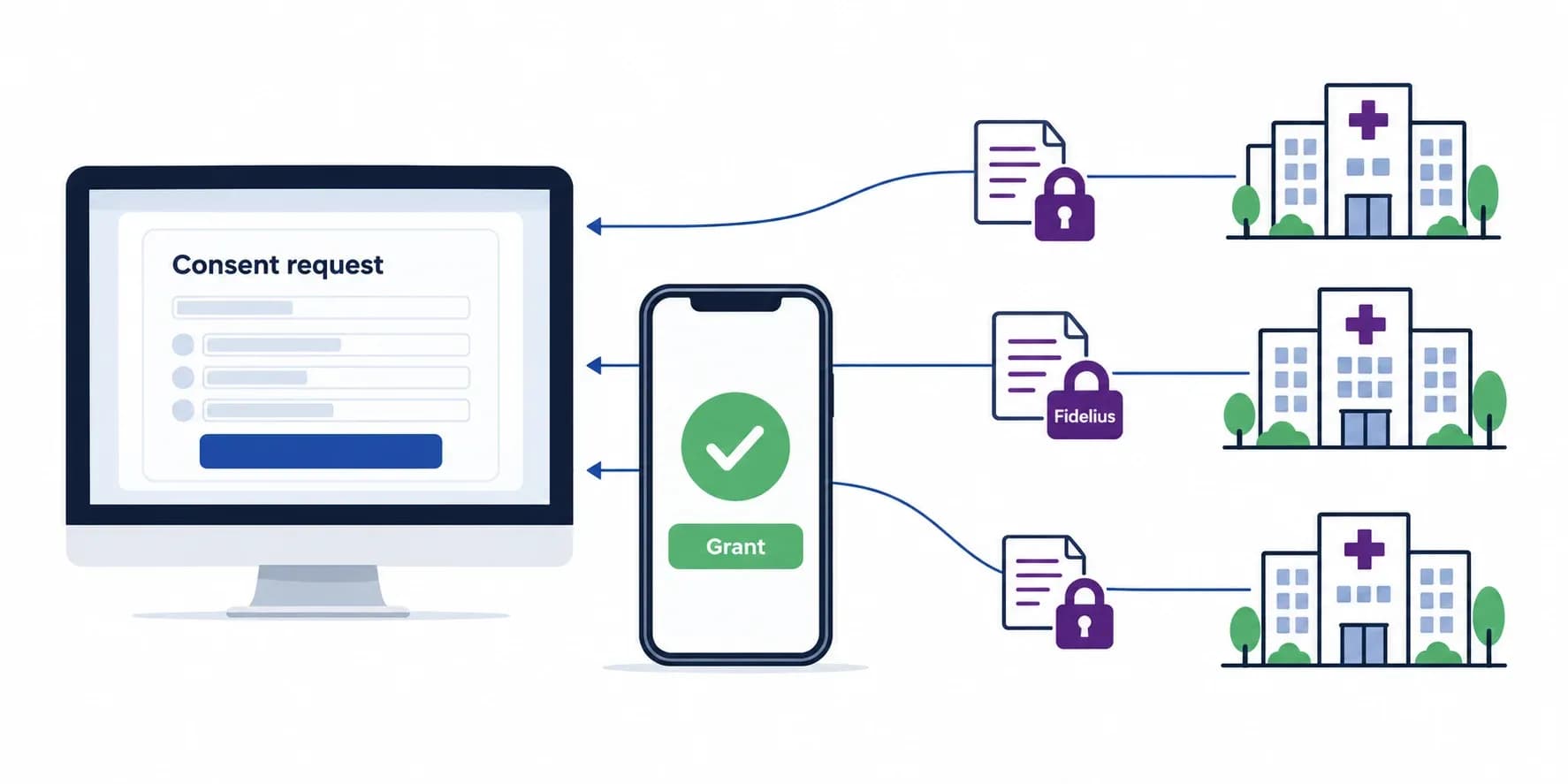
A HIU (Health Information User) in ABDM is a system that requests a patient's health records from other providers with the patient's consent, receives them encrypted, and shows them to a doctor or the patient. Building one is Milestone 3 (M3): consent request, the patient's decision, the consent artefact, the data request with a Fidelius key, decryption of the FHIR bundles that HIPs push, and deletion of the data when the consent is revoked or expires.
HIU full form: in ABDM and in medical software, HIU stands for Health Information User. Its counterpart is the HIP, the Health Information Provider that holds and shares records.
This is a stack-neutral reference architecture for building an ABDM HIU from scratch on the current V3 APIs: the flow, every gateway call and callback, Fidelius on the receiving side, how to render NRCeS bundles, a storage schema, the consent lifecycle with its mandatory purge, and the mistakes we have already paid for. The provider side is in our HIP reference architecture. Updated September 2026.
HIP and HIU in ABDM: who holds records and who uses them
ABDM connects three kinds of participants: HIPs that hold records, HIUs that use them, and the consent manager that sits between them on the patient's behalf. The end users of ABDM are patients (through PHR apps), doctors and hospital staff (through HIU and HIP software), and the facilities themselves.
| HIU (Milestone 3) | HIP (Milestone 2) | |
|---|---|---|
| Full form | Health Information User | Health Information Provider |
| Main job | Request consent, receive and decrypt records, purge on revoke or expiry | Link care contexts, answer discovery and consent, push encrypted records |
| Header on gateway calls | X-HIU-ID | X-HIP-ID |
| Encryption role | Generates the key pair, decrypts | Encrypts with the HIU's public key |
| Typical owners | Hospitals and doctors, PHR apps, care programs | Hospitals, clinics, labs, pharmacies |
A hospital HIU portal is usually part of the same HMIS that acts as HIP, and leaving the ABDM sandbox needs any two milestones, so M3 is normally built after M1 and M2. If you want it built or reviewed, our ABDM integration services team takes hospital software through all three milestones.
The ABDM M3 flow on V3, lane by lane
M3 has four stages: ask for consent, receive the decision, request and receive the data, and purge on revoke or expiry. Every step after the first request is asynchronous: your call returns 202 and the result arrives on a callback.
Five ideas carry the design:
- Consent request and consent artefact are different things. You create a request; when the patient grants it, ABDM issues one or more artefacts that say exactly which care contexts, HI types and dates you may fetch.
- The HIU owns the encryption key. For each data request you generate a Fidelius key pair and send the public half. HIPs encrypt with it; only you can decrypt. The artefact does not carry a key.
- Records arrive from HIPs directly at your data push URL, not through ABDM, and can arrive in several pages.
- HI types are the eight record categories: OPConsultation, Prescription, DiagnosticReport, DischargeSummary, ImmunizationRecord, WellnessRecord, HealthDocumentRecord and Invoice.
- dataEraseAt and revocation are obligations. Data must be deleted when the patient revokes the consent and when
dataEraseAtpasses.
The six operator screens of a HIU portal
An HIU portal is an operator product: a doctor or desk user raises the request and reads the result. Six screens cover it.
- A. Consent request: ABHA address, purpose, HI types, date range (ending today, never in the future), and how long the data may be kept (
dataEraseAt). - B. Requests dashboard: every consent with its state: requested, granted, denied, revoked, expired.
- C. Data fetch progress: artefact fetched, data requested, waiting for HIP push, decrypted, stored. A step that never completes stays visible, so a lost callback is noticed.
- D. Records viewer: care contexts grouped by visit, one layout per HI type, with a raw FHIR view for support staff.
- E. Consent detail: the timeline, care contexts received, the artefact and a revoke action.
- F. Settings and health: HIU ID, environment, data push URL, and a probe that checks the gateway token and callback reachability.
Gateway APIs your HIU calls on V3
All HIU calls go to the ABDM gateway (https://dev.abdm.gov.in/api/hiecm in the sandbox; https://apis.abdm.gov.in/api/hiecm in production) with these headers:
Authorization: Bearer {gateway session token}
REQUEST-ID:    {new UUID per call}
TIMESTAMP:     {ISO 8601 UTC}
X-CM-ID:       sbx
X-HIU-ID:      {your HIU id}
Content-Type:  application/json
The session token comes from POST /gateway/v0.5/sessions with your client ID and secret. M3 calls use the gateway token only; an X-token belongs to ABHA profile calls and causes errors here.
1. Request consent
POST /consent/v3/request/init
{
  "consent": {
    "purpose": { "text": "Care Management", "code": "CAREMGT",
                 "refUri": "http://terminology.hl7.org/CodeSystem/v3-ActReason" },
    "patient": { "id": "patient@sbx" },
    "hiu": { "id": "YOUR_HIU_ID" },
    "requester": { "name": "Dr. Example",
                   "identifier": { "type": "REGNO", "value": "REG-000000",
                                   "system": "https://doctor.ndhm.gov.in" } },
    "hiTypes": ["OPConsultation", "Prescription", "DiagnosticReport"],
    "permission": {
      "accessMode": "VIEW",
      "dateRange": { "from": "2025-10-01T00:00:00.000Z", "to": "2026-09-28T00:00:00.000Z" },
      "dataEraseAt": "2027-09-30T00:00:00.000Z",
      "frequency": { "unit": "HOUR", "value": 1, "repeats": 0 }
    }
  }
}- To ask one facility, add
"hip": {"id": "..."}. To ask all facilities, leave the field out entirely; sending"hip": nullfails. dateRange.tomust not be in the future.- Purpose codes include CAREMGT (care management), BTG (break the glass), PUBHLTH, HPAYMT, DSRCH and PATRQT (patient requested).
2. Check status
POST /consent/v3/request/status with the consent request ID returns the current state. Use it to recover when a callback was missed; do not poll it in a tight loop.
3. Fetch the consent artefact
POST /consent/v3/fetch with the artefact ID from the GRANTED notification returns the care contexts, HI types and date range the patient approved.
4. Request the health data
POST /data-flow/v3/health-information/request
{
  "hiRequest": {
    "consent": { "id": "{consent artefact id}" },
    "dateRange": { "from": "{granted from}", "to": "{granted to}" },
    "dataPushUrl": "https://your-hiu.example/health-information/push",
    "keyMaterial": {
      "cryptoAlg": "ECDH",
      "curve": "Curve25519",
      "dhPublicKey": {
        "expiry": "{ISO 8601}",
        "parameters": "Curve25519/32byte random key",
        "keyValue": "{your X.509 encoded public key}"
      },
      "nonce": "{your 32-byte nonce, base64}"
    }
  }
}
Send the granted date range exactly as the artefact returned it; a range that differs even slightly is rejected (we hit ABDM-1063 this way). Store the private key and nonce before the call, keyed by consent ID, request ID and later the transaction ID.
Callbacks your HIU must expose on V3
Every callback must answer HTTP 202 at once; decryption and storage happen afterwards in a worker.
| Callback | When it arrives | What to do |
|---|---|---|
/hiu/consent/request/on-init | Your consent request was accepted | Store the consent request ID; status REQUESTED |
/hiu/consent/request/on-notify | Patient granted, denied, revoked, or the consent expired | GRANTED: fetch artefact and request data. DENIED: block. REVOKED: delete data and keys. EXPIRED: stop access and purge by dataEraseAt |
/hiu/health-information/on-request | Your data request was accepted | Record the transaction ID; the error field may be JSON null, so check its type before reading it |
| Your data push URL | A HIP pushes encrypted bundles | Find the key by transaction ID, decrypt each entry, verify the checksum, store; wait for the last page |
Fidelius decryption on the HIU side
Every record is encrypted end to end with Fidelius: ECDH key agreement on Curve25519, HKDF-SHA256 and AES-256-GCM. The HIU generates the key pair; the HIP encrypts with it.
- Before the data request, generate a key pair on Curve25519 and a 32-byte random nonce. Send the X.509 encoded public key and nonce in
keyMaterial; store the private key and nonce encrypted at rest. - When a push arrives, read the HIP's public key and nonce from its
keyMaterial. - Compute the shared secret with ECDH (your private key, the HIP's public key).
- XOR the two nonces: the first 20 bytes are the HKDF salt, the last 12 bytes are the AES-GCM IV.
- Derive the 32-byte AES key with HKDF-SHA256, then AES-256-GCM decrypt each base64 entry into FHIR JSON.
Two mistakes cause most decryption failures. First, ABDM's Curve25519 is used in short Weierstrass form with X.509 encoded public keys, not the raw 32-byte Montgomery keys that standard X25519 libraries produce; BouncyCastle (or equivalent) with the right curve parameters is needed. Second, looking up the wrong private key: store keys by consent, request and transaction ID. Test a full round trip against the open-source Fidelius CLI, and see our ABDM Fidelius encryption guide for code.
NRCeS FHIR profiles: how each HI type renders on the HIU side
The decrypted bundles follow the NRCeS FHIR profiles for India. Each HI type has a different Composition.section slicing rule. Get this wrong on the renderer side and PDFs will silently fail to appear.
Two profile rules surprise everyone:
- PrescriptionRecord has a closed slice that allows MedicationRequest and Binary only. DocumentReference is rejected by validators. The auto-generated prescription PDF must go in as a
Binaryresource, not wrapped in DocumentReference. - ImmunizationRecord has the opposite rule: closed slice with Immunization, ImmunizationRecommendation, and DocumentReference. Binary is not allowed here. The vaccination certificate PDF must be a DocumentReference.
Most other HI types (OPConsultation, DischargeSummary, WellnessRecord, Invoice) accept DocumentReference for the auto-generated PDF. DiagnosticReportRecord has a closed slice of at most two entries: DiagnosticReport (0..1) plus DocumentReference (0..1).
On the renderer, build one helper that walks both groups.DocumentReference AND groups.Binary looking for application/pdf attachments, and call it from every per-HI-type render function. The same code surfaces every kind of attached document regardless of which profile rule applies.
Patient resources carry both identifiers: the 14-digit ABHA Number under system https://healthid.abdm.gov.in AND the @cm-style ABHA Address under https://healthid.ndhm.gov.in. The PHR app reads Patient.identifier to render the document header; emit both or the patient banner shows only the number.
HIU storage schema: five tables, and a purge job from day one
The minimum storage footprint is five tables. SQL Server, PostgreSQL and MySQL all work. Schema below is portable SQL with light type aliases.
CREATE TABLE consent_requests (
  id              BIGINT PRIMARY KEY AUTO_INCREMENT,
  request_id      VARCHAR(64) UNIQUE NOT NULL,
  consent_id      VARCHAR(64),
  abha_address    VARCHAR(255) NOT NULL,
  purpose_code    VARCHAR(32),
  hi_types        TEXT,
  date_from       DATETIME,
  date_to         DATETIME,
  data_erase_at   DATETIME,
  status          VARCHAR(32),
  hiu_keypair_id  BIGINT,
  requested_at    DATETIME DEFAULT CURRENT_TIMESTAMP,
  granted_at      DATETIME,
  revoked_at      DATETIME,
  raw_artifact    LONGTEXT
);

CREATE TABLE hiu_keys (
  id              BIGINT PRIMARY KEY AUTO_INCREMENT,
  consent_id      VARCHAR(64),
  private_key     VARBINARY(64),
  public_key      VARBINARY(256),
  nonce           VARBINARY(64),
  created_at      DATETIME DEFAULT CURRENT_TIMESTAMP,
  expires_at      DATETIME
);

CREATE TABLE data_flow_requests (
  id                BIGINT PRIMARY KEY AUTO_INCREMENT,
  consent_id        VARCHAR(64) NOT NULL,
  transaction_id    VARCHAR(64) UNIQUE,
  status            VARCHAR(32),
  requested_at      DATETIME DEFAULT CURRENT_TIMESTAMP,
  completed_at      DATETIME,
  expected_cc_count INT,
  received_cc_count INT DEFAULT 0,
  error_message     TEXT
);

CREATE TABLE clinical_bundles (
  id                     BIGINT PRIMARY KEY AUTO_INCREMENT,
  consent_id             VARCHAR(64) NOT NULL,
  transaction_id         VARCHAR(64),
  care_context_reference VARCHAR(128) NOT NULL,
  hi_type                VARCHAR(64),
  bundle_json            LONGTEXT,
  received_at            DATETIME DEFAULT CURRENT_TIMESTAMP,
  checksum_match         BIT,
  decode_status          VARCHAR(32),
  UNIQUE KEY uniq_cc (consent_id, care_context_reference)
);

CREATE TABLE consent_audit (
  id           BIGINT PRIMARY KEY AUTO_INCREMENT,
  request_id   VARCHAR(64),
  consent_id   VARCHAR(64),
  event_type   VARCHAR(64),
  event_source VARCHAR(32),
  payload_json LONGTEXT,
  at           DATETIME DEFAULT CURRENT_TIMESTAMP
);
Add a daily job that scans consent_requests for rows where data_erase_at < NOW() and either NULLs the corresponding clinical_bundles.bundle_json or deletes the rows entirely, per your organisation's compliance policy. This job is not optional. Schedule it on day one; retrofitting compliance is painful. Revocation is stricter still: when a REVOKED notification arrives, delete that consent's bundles and its Fidelius keys immediately, not at the next daily run.
The consent lifecycle, including the mandatory purge
Every consent moves through a small set of states, and two of them carry legal obligations. Each transition should be written to an audit table, and every handler must be idempotent because ABDM occasionally delivers the same notification twice.
- REQUESTED after
on-init; GRANTED, DENIED, REVOKED or EXPIRED fromon-notify. - On REVOKED: delete the received FHIR data and the Fidelius keys for that consent straight away. Keeping data after revocation is one of the most common M3 certification failures.
- On EXPIRED or when
dataEraseAtpasses: stop access and delete the data. Run a daily job for this and test it with a synthetic past-dated row.
Whether to fetch data automatically on GRANTED is a product choice. An automatic fetch is simpler for the NHA test flow; a "Fetch now" button gives operators a chance to stop a request for the wrong patient. Either way, show the state on the dashboard.
Fourteen HIU gotchas we have already paid for
- Omit
hipfor all facilities;"hip": nullis rejected. dateRange.toin the future is rejected. Use the current time.- Use the granted date range verbatim in the data request, or ABDM rejects it.
- The key is yours, not the artefact's. Generate a fresh Fidelius key pair per data request.
- Weierstrass Curve25519 and X.509 keys, not plain X25519.
- Key lookup by transaction ID: pushes reference the transaction, so map it back to the stored key.
- Pages: a HIP may split data across several pushes; mark the transfer complete only after the last page.
- Check the checksum of each entry and record mismatches; do not show a record that failed verification.
- Null error objects: in acknowledgements
errorcan be JSON null; check its type before reading fields. - X-CM-ID is mandatory (
sbxin the sandbox); omitting it gives unhelpful 4xx errors. - A new REQUEST-ID per call; reusing one is treated as a duplicate.
- Clock skew breaks authentication. Keep NTP running on every host that calls ABDM.
- The data push URL must be public HTTPS with a valid certificate. A tunnel is fine for development, but probe it before test runs: a lost callback is not resent.
- Purge on revoke immediately and on
dataEraseAtdaily. Both are checked in NHA's M3 tests.
Callbacks and operator screens: keeping the doctor informed
The doctor wants an answer now; ABDM answers later. Short polling of a status endpoint, server-sent events or long polling all work. Show every state change on the screen that started it, time out a data fetch with a clear retry, and keep the inbox pattern on the server: persist the callback, answer 202, process in a worker.
ABDM HIU onboarding checklist
- Get sandbox access and credentials on the ABDM sandbox, with the HIU role.
- Register your bridge URL and a public data push URL, and confirm callbacks arrive.
- Implement Fidelius and pass a round trip before building the data request.
- Build the six operator screens and the consent state machine with an audit table.
- Run the full flow in the sandbox: request, grant in a PHR app, artefact, data request, decryption, display.
- Implement and test the revoke purge and the daily
dataEraseAtpurge. - Run NHA's M3 test cases, then functional testing, the security audit and the demo. Our ABDM certification process guide covers these stages.
- Apply for production credentials once you have two milestones. The full path is in our ABDM integration step-by-step guide.
What we have learned shipping ABDM HIUs
We have built the HIU side for hospital software, and in a live M3 test against the ABDM sandbox in September 2026 every value in every test record arrived intact: 526 of 526 values and 30 of 30 attachments. Three lessons stood out:
- Encryption decides the schedule. Once Fidelius round-trips against a reference implementation, the rest is state handling and rendering.
- Render what the profiles allow, not what you expect. PDFs live in Binary for prescriptions and in DocumentReference elsewhere; one helper that checks both avoids blank documents.
- Operator effort drives adoption. The same integration gets used or ignored depending on how many clicks it takes a doctor to see outside records. Invest in the request, dashboard and viewer screens.
Building an ABDM HIU or preparing for M3 testing? Our ABDM integration team can review your consent and decryption flows against NHA's test cases or build them with you. Talk to our team to scope it.
Ready to scale?
Talk to our healthcare engineering team about building, integrating, and shipping faster.
Frequently Asked Questions
What is the full form of HIU in ABDM?
What is the difference between HIP and HIU in ABDM?
What is ABDM M3?
What is a HIU portal in a hospital?
Who are the end users of ABDM?
What happens to HIU data when a patient revokes consent?
What are HI types in ABDM?
What is hiecm in ABDM APIs?