If you Google ".NET FHIR tutorial" right now, you will find almost nothing useful. Go ahead, try it. The first page of results is a graveyard of outdated Stack Overflow answers from 2018, a couple of Firely SDK docs pages that assume you already know what you are doing, and a handful of Java-centric HAPI FHIR guides that mention C# as an afterthought. Meanwhile, Java developers have HAPI FHIR with its encyclopedic documentation. Python developers have fhir.resources with clean Pydantic models and dozens of tutorials. .NET developers — the ones actually building the hospital systems that run the world's healthcare — get table scraps.
This is absurd. Epic, the largest EHR vendor in the United States, runs on .NET and C#. A significant portion of India's hospital information systems are built on ASP.NET. The healthcare backend ecosystem is dominated by .NET, yet the FHIR tutorial ecosystem pretends these developers do not exist.
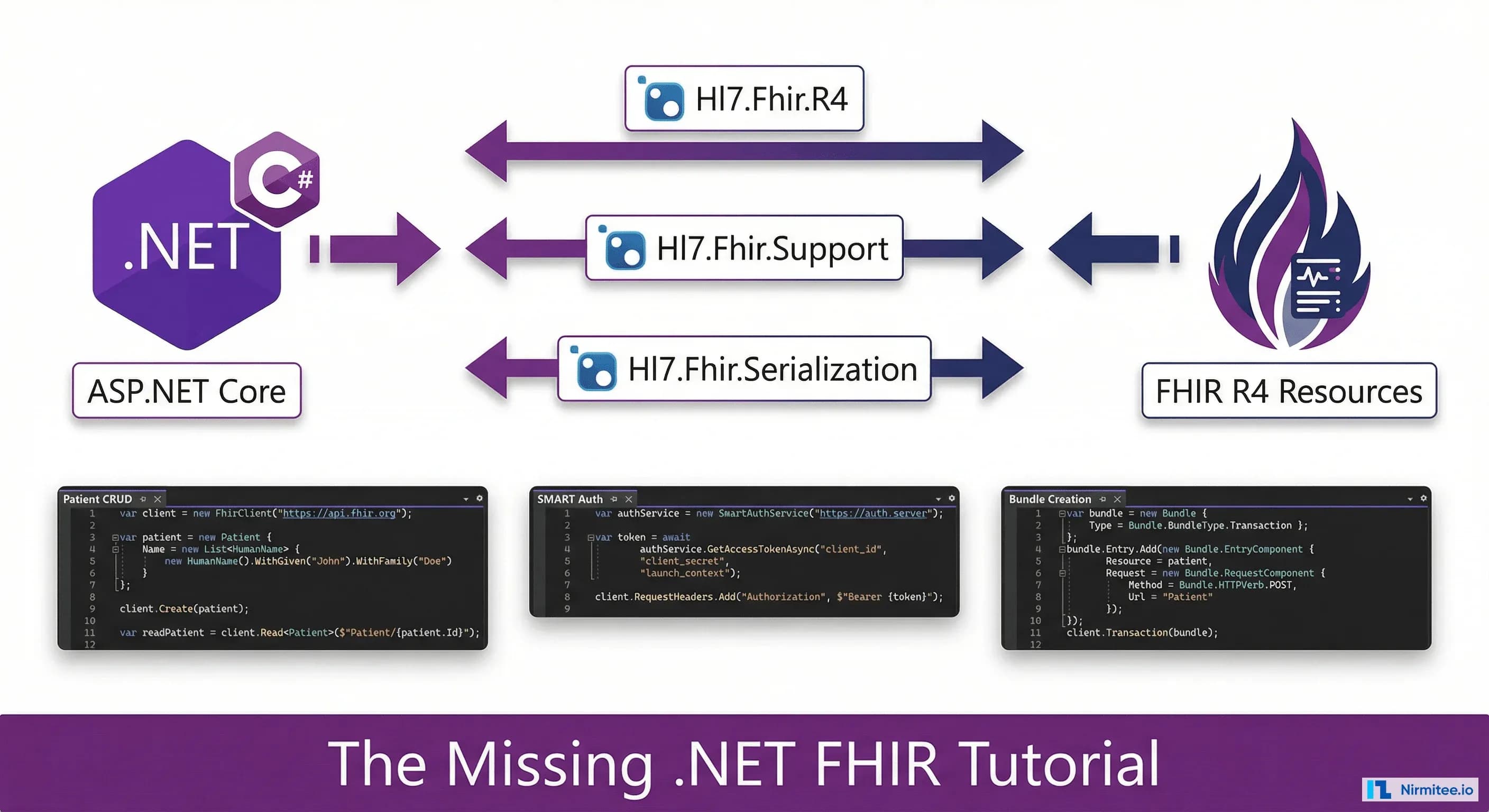
This guide fixes that. By the end, you will have a production-grade .NET FHIR integration: environment setup, CRUD operations, a reusable client service with retry logic, SMART on FHIR authentication, FHIR Bundle creation (including bundles compliant with India's ABDM requirements), serialization handling, HL7 v2 migration patterns, and a complete testing strategy. Every code example uses the Firely .NET SDK and is syntactically valid C# that you can copy into your project today.
Why .NET Developers Are Underserved in Healthcare Interoperability
The gap between .NET's dominance in healthcare backends and its representation in FHIR tutorial content is not a minor discrepancy. It is a canyon.
Consider the ecosystem each language enjoys:
- Java: HAPI FHIR provides a complete FHIR server, client, validation engine, and hundreds of pages of documentation. The library has 3,000+ GitHub stars, active community forums, and entire books written about it. If you search "FHIR tutorial," HAPI FHIR dominates the results.
- Python: The
fhir.resourceslibrary provides Pydantic-based FHIR models with type validation. Combined with Python's data science ecosystem, it is the go-to for FHIR analytics and research. Tutorials are plentiful. - .NET: The Firely .NET SDK (formerly
Hl7.Fhir.*) is technically excellent — mature, well-maintained, and feature-complete. But tutorials? Community guides? Practical examples beyond "here is how to create a Patient resource"? Nearly nonexistent.
This matters because the developers who need FHIR integration most urgently are .NET developers. They are the ones maintaining ASP.NET hospital systems that need to expose FHIR APIs for regulatory compliance. They are the ones migrating HL7 v2 interfaces to FHIR. And they are the ones building the connectors between legacy systems and modern health information exchanges.
The Firely SDK is powerful. What has been missing is the practical, code-heavy guide that shows .NET developers how to use it in real production scenarios. That is what follows.
Setting Up Your .NET FHIR Development Environment
Start with a clean ASP.NET Core Web API project. We will use .NET 8 (LTS) and the Firely SDK v5.x series, which targets FHIR R4.
dotnet new webapi -n FhirIntegration --framework net8.0
cd FhirIntegration
Install the core NuGet packages:
# Core FHIR R4 models and client
dotnet add package Hl7.Fhir.R4 --version 5.8.1

# Serialization (JSON and XML)
dotnet add package Hl7.Fhir.Serialization --version 5.8.1

# For HL7 v2 parsing (if migrating from v2)
dotnet add package NHapi.Base --version 3.2.0
dotnet add package NHapi.Model.V251 --version 3.2.0

# Polly for retry policies
dotnet add package Microsoft.Extensions.Http.Polly --version 8.0.8
Here is what each package provides:
- Hl7.Fhir.R4 (5.8.1): All FHIR R4 resource models (
Patient,Observation,Bundle, etc.), theFhirClientfor REST operations, search parameter builders, and validation.
- Hl7.Fhir.Serialization (5.8.1):
FhirJsonSerializer,FhirJsonParser,FhirXmlSerializer,FhirXmlParserfor converting between FHIR objects and wire formats.
- NHapi (3.2.0): The .NET port of HAPI for parsing HL7 v2 messages. Essential if you are migrating from HL7 v2 to FHIR.
- Polly (via Microsoft.Extensions.Http.Polly): Resilience and transient-fault-handling for HTTP calls to FHIR servers.
Now configure the FHIR client in your dependency injection container. Add this to Program.cs:
using Hl7.Fhir.Rest;
using Hl7.Fhir.Serialization;

var builder = WebApplication.CreateBuilder(args);

// Register FHIR client settings
builder.Services.AddSingleton(new FhirClientSettings
{
    PreferredFormat = ResourceFormat.Json,
    PreferredReturn = Prefer.ReturnRepresentation,
    Timeout = 30000 // 30 seconds
});

// Register FHIR client as scoped (one per request)
builder.Services.AddScoped<FhirClient>(sp =>
{
    var settings = sp.GetRequiredService<FhirClientSettings>();
    var fhirServerUrl = builder.Configuration["Fhir:ServerUrl"]
        ?? "https://hapi.fhir.org/baseR4";
    return new FhirClient(fhirServerUrl, settings);
});

// Register serializers
builder.Services.AddSingleton(new FhirJsonSerializer(
    new SerializerSettings { Pretty = true }));
builder.Services.AddSingleton(new FhirJsonParser(
    new ParserSettings { PermissiveParsing = true }));

builder.Services.AddControllers();
var app = builder.Build();
app.MapControllers();
app.Run();
Add the FHIR server URL to your appsettings.json:
{
  "Fhir": {
    "ServerUrl": "https://hapi.fhir.org/baseR4",
    "Timeout": 30000
  }
}
The HAPI FHIR public server is ideal for development and testing. For production, you will point this at your own FHIR server or a cloud-hosted option like Google Cloud Healthcare API, AWS HealthLake, or Azure Health Data Services.
FHIR Resource CRUD Operations in C#
Every FHIR integration starts with the four basic operations: Create, Read, Search, Update, and Delete. Here is each one with the Firely SDK, including the exact FHIR JSON that gets produced.
Creating a Patient Resource
using Hl7.Fhir.Model;
using Hl7.Fhir.Rest;

public async Task<Patient> CreatePatient(FhirClient client)
{
    var patient = new Patient
    {
        Name = new List<HumanName>
        {
            new HumanName
            {
                Use = HumanName.NameUse.Official,
                Family = "Patel",
                Given = new[] { "Ramesh", "Kumar" }
            }
        },
        Gender = AdministrativeGender.Male,
        BirthDate = "1985-03-15",
        Identifier = new List<Identifier>
        {
            new Identifier
            {
                System = "https://ndhm.gov.in/patients",
                Value = "ABHA-1234-5678-9012"
            }
        },
        Telecom = new List<ContactPoint>
        {
            new ContactPoint
            {
                System = ContactPoint.ContactPointSystem.Phone,
                Value = "+91-9876543210",
                Use = ContactPoint.ContactPointUse.Mobile
            },
            new ContactPoint
            {
                System = ContactPoint.ContactPointSystem.Email,
                Value = "ramesh.patel@example.com"
            }
        },
        Address = new List<Address>
        {
            new Address
            {
                Use = Address.AddressUse.Home,
                Line = new[] { "42 MG Road" },
                City = "Pune",
                State = "Maharashtra",
                PostalCode = "411001",
                Country = "IN"
            }
        }
    };

    // POST to [base]/Patient
    Patient created = await client.CreateAsync(patient);
    Console.WriteLine($"Created Patient/{created.Id}");
    return created;
}
The resulting FHIR JSON on the server:
{
  "resourceType": "Patient",
  "id": "ce3e242f-7b56-4b8a-b0f3-d1a86c6e9b14",
  "meta": {
    "versionId": "1",
    "lastUpdated": "2026-04-02T10:30:00.000+00:00"
  },
  "identifier": [
    {
      "system": "https://ndhm.gov.in/patients",
      "value": "ABHA-1234-5678-9012"
    }
  ],
  "name": [
    {
      "use": "official",
      "family": "Patel",
      "given": ["Ramesh", "Kumar"]
    }
  ],
  "telecom": [
    {
      "system": "phone",
      "value": "+91-9876543210",
      "use": "mobile"
    },
    {
      "system": "email",
      "value": "ramesh.patel@example.com"
    }
  ],
  "gender": "male",
  "birthDate": "1985-03-15",
  "address": [
    {
      "use": "home",
      "line": ["42 MG Road"],
      "city": "Pune",
      "state": "Maharashtra",
      "postalCode": "411001",
      "country": "IN"
    }
  ]
}
Reading and Searching
// Read by ID: GET [base]/Patient/[id]
Patient patient = await client.ReadAsync<Patient>("Patient/ce3e242f");

// Search by name: GET [base]/Patient?family=Patel
Bundle results = await client.SearchAsync<Patient>(new[]
{
    "family=Patel"
});

// Iterate results
foreach (var entry in results.Entry)
{
    if (entry.Resource is Patient p)
    {
        Console.WriteLine($"{p.Id}: {p.Name.FirstOrDefault()?.Family}");
    }
}

// Search with multiple parameters
Bundle filtered = await client.SearchAsync<Patient>(new[]
{
    "gender=male",
    "birthdate=ge1980-01-01",
    "address-city=Pune"
});

// Paging through results
while (results != null)
{
    foreach (var entry in results.Entry)
    {
        ProcessPatient(entry.Resource as Patient);
    }
    results = await client.ContinueAsync(results);
}
Updating and Deleting
// Update: PUT [base]/Patient/[id]
patient.Telecom.Add(new ContactPoint
{
    System = ContactPoint.ContactPointSystem.Phone,
    Value = "+91-9123456789",
    Use = ContactPoint.ContactPointUse.Work
});
Patient updated = await client.UpdateAsync(patient);
Console.WriteLine($"Updated to version {updated.Meta.VersionId}");

// Conditional update: PUT [base]/Patient?identifier=ABHA-1234-5678-9012
Patient conditionalUpdate = await client.UpdateAsync(
    patient,
    new SearchParams().Where("identifier=ABHA-1234-5678-9012"));

// Delete: DELETE [base]/Patient/[id]
await client.DeleteAsync("Patient/ce3e242f");
Building a Production-Grade FHIR Client Service
The raw FhirClient examples above work for prototyping. For production, you need retry logic, structured error handling, token management, and logging. Here is a service class that wraps the Firely SDK for real-world use.
using Hl7.Fhir.Model;
using Hl7.Fhir.Rest;
using Hl7.Fhir.Serialization;
using Microsoft.Extensions.Logging;
using Polly;
using Polly.Retry;

public class FhirService : IDisposable
{
    private readonly FhirClient _client;
    private readonly FhirJsonSerializer _serializer;
    private readonly ILogger<FhirService> _logger;
    private readonly AsyncRetryPolicy _retryPolicy;

    public FhirService(
        string fhirServerUrl,
        FhirJsonSerializer serializer,
        ILogger<FhirService> logger,
        string? bearerToken = null)
    {
        _serializer = serializer;
        _logger = logger;

        var settings = new FhirClientSettings
        {
            PreferredFormat = ResourceFormat.Json,
            PreferredReturn = Prefer.ReturnRepresentation,
            Timeout = 30000
        };

        _client = new FhirClient(fhirServerUrl, settings);

        // Add bearer token if provided (SMART on FHIR)
        if (!string.IsNullOrEmpty(bearerToken))
        {
            _client.RequestHeaders.Add("Authorization",
                $"Bearer {bearerToken}");
        }

        // Retry policy: 3 attempts with exponential backoff
        // Retries on timeout and 429 (rate limit) responses
        _retryPolicy = Policy
            .Handle<FhirOperationException>(ex =>
                ex.Status == System.Net.HttpStatusCode.TooManyRequests ||
                ex.Status == System.Net.HttpStatusCode.ServiceUnavailable)
            .Or<TimeoutException>()
            .WaitAndRetryAsync(
                retryCount: 3,
                sleepDurationProvider: attempt =>
                    TimeSpan.FromSeconds(Math.Pow(2, attempt)),
                onRetry: (exception, timespan, attempt, _) =>
                {
                    _logger.LogWarning(
                        "FHIR request retry {Attempt} after {Delay}s: {Error}",
                        attempt, timespan.TotalSeconds, exception.Message);
                });
    }

    public async Task<T> CreateResourceAsync<T>(T resource)
        where T : Resource
    {
        return await _retryPolicy.ExecuteAsync(async () =>
        {
            try
            {
                var result = await _client.CreateAsync(resource);
                _logger.LogInformation(
                    "Created {ResourceType}/{Id}",
                    result.TypeName, result.Id);
                return (T)result;
            }
            catch (FhirOperationException ex)
            {
                _logger.LogError(
                    "FHIR create failed: {Status} - {Message}",
                    ex.Status, ex.Message);

                // Extract OperationOutcome for detailed error info
                if (ex.Outcome != null)
                {
                    foreach (var issue in ex.Outcome.Issue)
                    {
                        _logger.LogError(
                            "  Issue [{Severity}]: {Diagnostics}",
                            issue.Severity, issue.Diagnostics);
                    }
                }
                throw;
            }
        });
    }

    public async Task<T?> ReadResourceAsync<T>(string id)
        where T : Resource
    {
        return await _retryPolicy.ExecuteAsync(async () =>
        {
            try
            {
                var resourceUrl = $"{typeof(T).Name}/{id}";
                return await _client.ReadAsync<T>(resourceUrl);
            }
            catch (FhirOperationException ex)
                when (ex.Status == System.Net.HttpStatusCode.NotFound)
            {
                _logger.LogWarning("{Type}/{Id} not found", typeof(T).Name, id);
                return null;
            }
        });
    }

    public async Task<List<T>> SearchResourcesAsync<T>(
        params string[] searchParams) where T : Resource, new()
    {
        var results = new List<T>();

        return await _retryPolicy.ExecuteAsync(async () =>
        {
            Bundle? bundle = await _client.SearchAsync<T>(searchParams);

            while (bundle != null)
            {
                foreach (var entry in bundle.Entry)
                {
                    if (entry.Resource is T typed)
                        results.Add(typed);
                }

                // Follow pagination links
                bundle = await _client.ContinueAsync(bundle);
            }

            _logger.LogInformation(
                "Search {Type} returned {Count} results",
                typeof(T).Name, results.Count);
            return results;
        });
    }

    public string SerializeToJson(Resource resource)
    {
        return _serializer.SerializeToString(resource);
    }

    public void Dispose()
    {
        _client?.Dispose();
    }
}
Register this service in your DI container:
builder.Services.AddScoped<FhirService>(sp =>
{
    var serializer = sp.GetRequiredService<FhirJsonSerializer>();
    var logger = sp.GetRequiredService<ILogger<FhirService>>();
    var config = sp.GetRequiredService<IConfiguration>();

    return new FhirService(
        fhirServerUrl: config["Fhir:ServerUrl"]!,
        serializer: serializer,
        logger: logger,
        bearerToken: null // Set from SMART on FHIR flow
    );
});
SMART on FHIR Authentication in ASP.NET
SMART on FHIR is the standard authorization framework for FHIR applications. If your app will connect to Epic, Cerner, or any ONC-certified EHR, you need SMART. Here is the complete OAuth 2.0 flow implemented in ASP.NET Core.
For a deeper dive into healthcare API security patterns, see our comprehensive guide to OAuth, SMART on FHIR, and HIPAA-compliant API security.
First, create a configuration model and a service for the SMART discovery and token flow:
public class SmartConfiguration
{
    public string AuthorizationEndpoint { get; set; } = "";
    public string TokenEndpoint { get; set; } = "";
    public string[] ScopesSupported { get; set; } = Array.Empty<string>();
    public string[] ResponseTypesSupported { get; set; } = Array.Empty<string>();
}

public class SmartAuthService
{
    private readonly HttpClient _httpClient;
    private readonly IConfiguration _config;
    private readonly ILogger<SmartAuthService> _logger;

    public SmartAuthService(
        HttpClient httpClient,
        IConfiguration config,
        ILogger<SmartAuthService> logger)
    {
        _httpClient = httpClient;
        _config = config;
        _logger = logger;
    }

    /// <summary>
    /// Discover SMART endpoints from the FHIR server's
    /// .well-known/smart-configuration
    /// </summary>
    public async Task<SmartConfiguration> DiscoverEndpointsAsync(
        string fhirServerUrl)
    {
        var discoveryUrl =
            $"{fhirServerUrl.TrimEnd('/')}/.well-known/smart-configuration";

        var response = await _httpClient.GetAsync(discoveryUrl);
        response.EnsureSuccessStatusCode();

        var json = await response.Content.ReadAsStringAsync();
        var config = System.Text.Json.JsonSerializer
            .Deserialize<SmartConfiguration>(json,
                new System.Text.Json.JsonSerializerOptions
                {
                    PropertyNamingPolicy =
                        System.Text.Json.JsonNamingPolicy.SnakeCaseLower
                });

        _logger.LogInformation(
            "Discovered SMART endpoints: auth={Auth}, token={Token}",
            config!.AuthorizationEndpoint,
            config.TokenEndpoint);

        return config;
    }

    /// <summary>
    /// Build the authorization URL for the EHR launch
    /// </summary>
    public string BuildAuthorizationUrl(
        SmartConfiguration smart,
        string clientId,
        string redirectUri,
        string scope,
        string state,
        string? aud = null)
    {
        var parameters = new Dictionary<string, string>
        {
            ["response_type"] = "code",
            ["client_id"] = clientId,
            ["redirect_uri"] = redirectUri,
            ["scope"] = scope,
            ["state"] = state,
            ["aud"] = aud ?? _config["Fhir:ServerUrl"]!
        };

        var queryString = string.Join("&",
            parameters.Select(p =>
                $"{p.Key}={Uri.EscapeDataString(p.Value)}"));

        return $"{smart.AuthorizationEndpoint}?{queryString}";
    }

    /// <summary>
    /// Exchange authorization code for access token
    /// </summary>
    public async Task<TokenResponse> ExchangeCodeAsync(
        SmartConfiguration smart,
        string code,
        string redirectUri,
        string clientId,
        string clientSecret)
    {
        var tokenRequest = new FormUrlEncodedContent(new[]
        {
            new KeyValuePair<string, string>("grant_type",
                "authorization_code"),
            new KeyValuePair<string, string>("code", code),
            new KeyValuePair<string, string>("redirect_uri", redirectUri),
            new KeyValuePair<string, string>("client_id", clientId),
            new KeyValuePair<string, string>("client_secret", clientSecret)
        });

        var response = await _httpClient.PostAsync(
            smart.TokenEndpoint, tokenRequest);
        response.EnsureSuccessStatusCode();

        var json = await response.Content.ReadAsStringAsync();
        return System.Text.Json.JsonSerializer
            .Deserialize<TokenResponse>(json,
                new System.Text.Json.JsonSerializerOptions
                {
                    PropertyNamingPolicy =
                        System.Text.Json.JsonNamingPolicy.SnakeCaseLower
                })!;
    }

    /// <summary>
    /// Refresh an expired access token
    /// </summary>
    public async Task<TokenResponse> RefreshTokenAsync(
        SmartConfiguration smart,
        string refreshToken,
        string clientId,
        string clientSecret)
    {
        var refreshRequest = new FormUrlEncodedContent(new[]
        {
            new KeyValuePair<string, string>("grant_type", "refresh_token"),
            new KeyValuePair<string, string>("refresh_token", refreshToken),
            new KeyValuePair<string, string>("client_id", clientId),
            new KeyValuePair<string, string>("client_secret", clientSecret)
        });

        var response = await _httpClient.PostAsync(
            smart.TokenEndpoint, refreshRequest);
        response.EnsureSuccessStatusCode();

        var json = await response.Content.ReadAsStringAsync();
        return System.Text.Json.JsonSerializer
            .Deserialize<TokenResponse>(json,
                new System.Text.Json.JsonSerializerOptions
                {
                    PropertyNamingPolicy =
                        System.Text.Json.JsonNamingPolicy.SnakeCaseLower
                })!;
    }
}

public class TokenResponse
{
    public string AccessToken { get; set; } = "";
    public string TokenType { get; set; } = "";
    public int ExpiresIn { get; set; }
    public string Scope { get; set; } = "";
    public string? RefreshToken { get; set; }
    public string? Patient { get; set; } // Patient context from launch
    public string? IdToken { get; set; }
}
Wire up the callback controller that handles the OAuth redirect:
using Microsoft.AspNetCore.Mvc;

[ApiController]
[Route("api/smart")]
public class SmartCallbackController : ControllerBase
{
    private readonly SmartAuthService _authService;
    private readonly IConfiguration _config;

    public SmartCallbackController(
        SmartAuthService authService,
        IConfiguration config)
    {
        _authService = authService;
        _config = config;
    }

    [HttpGet("launch")]
    public async Task<IActionResult> Launch()
    {
        var fhirUrl = _config["Fhir:ServerUrl"]!;
        var smart = await _authService.DiscoverEndpointsAsync(fhirUrl);

        var state = Guid.NewGuid().ToString();
        // Store state in session/cache for CSRF validation

        var authUrl = _authService.BuildAuthorizationUrl(
            smart,
            clientId: _config["Smart:ClientId"]!,
            redirectUri: _config["Smart:RedirectUri"]!,
            scope: "launch/patient openid fhirUser patient/*.read",
            state: state);

        return Redirect(authUrl);
    }

    [HttpGet("callback")]
    public async Task<IActionResult> Callback(
        [FromQuery] string code,
        [FromQuery] string state)
    {
        // Validate state parameter against stored value
        var fhirUrl = _config["Fhir:ServerUrl"]!;
        var smart = await _authService.DiscoverEndpointsAsync(fhirUrl);

        var token = await _authService.ExchangeCodeAsync(
            smart,
            code,
            redirectUri: _config["Smart:RedirectUri"]!,
            clientId: _config["Smart:ClientId"]!,
            clientSecret: _config["Smart:ClientSecret"]!);

        // token.Patient contains the selected patient ID
        // token.AccessToken is your FHIR API bearer token
        return Ok(new
        {
            patient = token.Patient,
            expiresIn = token.ExpiresIn,
            scope = token.Scope
        });
    }
}
Creating FHIR Bundles in .NET
FHIR Bundles are containers that hold multiple resources. Two types dominate real-world use: transaction bundles (for atomic multi-resource writes) and document bundles (for clinical documents, required by standards like India's ABDM).
Transaction Bundle
A transaction bundle sends multiple operations to the server as a single atomic unit. Either all succeed or all fail.
public Bundle CreateTransactionBundle(
    Patient patient,
    Encounter encounter,
    Observation observation)
{
    var bundle = new Bundle
    {
        Type = Bundle.BundleType.Transaction,
        Entry = new List<Bundle.EntryComponent>()
    };

    // Create Patient
    bundle.Entry.Add(new Bundle.EntryComponent
    {
        FullUrl = "urn:uuid:" + Guid.NewGuid(),
        Resource = patient,
        Request = new Bundle.RequestComponent
        {
            Method = Bundle.HTTPVerb.POST,
            Url = "Patient"
        }
    });

    // Create Encounter linked to Patient
    var patientRef = bundle.Entry[0].FullUrl;
    encounter.Subject = new ResourceReference(patientRef);

    bundle.Entry.Add(new Bundle.EntryComponent
    {
        FullUrl = "urn:uuid:" + Guid.NewGuid(),
        Resource = encounter,
        Request = new Bundle.RequestComponent
        {
            Method = Bundle.HTTPVerb.POST,
            Url = "Encounter"
        }
    });

    // Create Observation linked to Patient and Encounter
    observation.Subject = new ResourceReference(patientRef);
    observation.Encounter = new ResourceReference(bundle.Entry[1].FullUrl);

    bundle.Entry.Add(new Bundle.EntryComponent
    {
        FullUrl = "urn:uuid:" + Guid.NewGuid(),
        Resource = observation,
        Request = new Bundle.RequestComponent
        {
            Method = Bundle.HTTPVerb.POST,
            Url = "Observation"
        }
    });

    return bundle;
}

// Submit the transaction
Bundle transactionResult = await client.TransactionAsync(bundle);
Document Bundle (ABDM-Compliant DiagnosticReport)
For India's Ayushman Bharat Digital Mission (ABDM), clinical records must be shared as FHIR document bundles following NRCES (National Resource Centre for EHR Standards) profiles. Below is a DiagnosticReport document bundle:
public Bundle CreateDiagnosticReportDocumentBundle(
    Patient patient,
    Practitioner practitioner,
    Organization lab)
{
    var patientId = "urn:uuid:" + Guid.NewGuid();
    var practitionerId = "urn:uuid:" + Guid.NewGuid();
    var orgId = "urn:uuid:" + Guid.NewGuid();
    var reportId = "urn:uuid:" + Guid.NewGuid();
    var observationId = "urn:uuid:" + Guid.NewGuid();
    var compositionId = "urn:uuid:" + Guid.NewGuid();

    // CBC Observation
    var observation = new Observation
    {
        Status = ObservationStatus.Final,
        Category = new List<CodeableConcept>
        {
            new CodeableConcept(
                "http://terminology.hl7.org/CodeSystem/observation-category",
                "laboratory",
                "Laboratory")
        },
        Code = new CodeableConcept(
            "http://loinc.org", "6690-2", "Leukocytes in Blood"),
        Subject = new ResourceReference(patientId),
        Value = new Quantity
        {
            Value = 7.5m,
            Unit = "10*3/uL",
            System = "http://unitsofmeasure.org",
            Code = "10*3/uL"
        },
        ReferenceRange = new List<Observation.ReferenceRangeComponent>
        {
            new Observation.ReferenceRangeComponent
            {
                Low = new Quantity(4.5m, "10*3/uL"),
                High = new Quantity(11.0m, "10*3/uL")
            }
        }
    };

    // DiagnosticReport
    var report = new DiagnosticReport
    {
        Status = DiagnosticReport.DiagnosticReportStatus.Final,
        Category = new List<CodeableConcept>
        {
            new CodeableConcept(
                "http://terminology.hl7.org/CodeSystem/v2-0074",
                "HM", "Hematology")
        },
        Code = new CodeableConcept(
            "http://loinc.org", "58410-2",
            "Complete blood count (hemogram) panel"),
        Subject = new ResourceReference(patientId),
        Performer = new List<ResourceReference>
        {
            new ResourceReference(orgId)
        },
        Result = new List<ResourceReference>
        {
            new ResourceReference(observationId)
        },
        Conclusion = "CBC within normal limits"
    };

    // Composition (required as first entry in document bundle)
    var composition = new Composition
    {
        Status = CompositionStatus.Final,
        Type = new CodeableConcept(
            "http://snomed.info/sct", "721981007",
            "Diagnostic studies report"),
        Subject = new ResourceReference(patientId),
        Date = DateTime.UtcNow.ToString("yyyy-MM-ddTHH:mm:ssZ"),
        Author = new List<ResourceReference>
        {
            new ResourceReference(practitionerId)
        },
        Title = "Diagnostic Report - CBC",
        Section = new List<Composition.SectionComponent>
        {
            new Composition.SectionComponent
            {
                Title = "Hematology Report",
                Code = new CodeableConcept(
                    "http://loinc.org", "58410-2", "CBC panel"),
                Entry = new List<ResourceReference>
                {
                    new ResourceReference(reportId)
                }
            }
        }
    };

    // Assemble the document bundle
    var bundle = new Bundle
    {
        Identifier = new Identifier(
            "https://ndhm.in/bundle", Guid.NewGuid().ToString()),
        Type = Bundle.BundleType.Document,
        Timestamp = DateTimeOffset.UtcNow,
        Meta = new Meta
        {
            Profile = new[]
            {
                "https://nrces.in/ndhm/fhir/r4/StructureDefinition/DocumentBundle"
            },
            Security = new List<Coding>
            {
                new Coding(
                    "http://terminology.hl7.org/CodeSystem/v3-Confidentiality",
                    "V", "very restricted")
            }
        },
        Entry = new List<Bundle.EntryComponent>
        {
            new Bundle.EntryComponent { FullUrl = compositionId,
                Resource = composition },
            new Bundle.EntryComponent { FullUrl = practitionerId,
                Resource = practitioner },
            new Bundle.EntryComponent { FullUrl = patientId,
                Resource = patient },
            new Bundle.EntryComponent { FullUrl = orgId,
                Resource = lab },
            new Bundle.EntryComponent { FullUrl = reportId,
                Resource = report },
            new Bundle.EntryComponent { FullUrl = observationId,
                Resource = observation }
        }
    };

    return bundle;
}
Note that the Composition resource must always be the first entry in a document bundle. The Meta.Profile references NRCES structure definitions, which ABDM validators check during health record linking.
Serialization Deep-Dive: JSON vs XML in .NET
FHIR supports both JSON and XML wire formats. Most modern implementations use JSON, but XML is still required in some contexts (CDA documents, certain European regulations, legacy system integrations). Firely handles both.
using Hl7.Fhir.Serialization;
using Hl7.Fhir.Model;

// --- Serialization ---

var jsonSerializer = new FhirJsonSerializer(
    new SerializerSettings { Pretty = true });
var xmlSerializer = new FhirXmlSerializer(
    new SerializerSettings { Pretty = true });

Patient patient = await client.ReadAsync<Patient>("Patient/example");

// Serialize to JSON
string json = jsonSerializer.SerializeToString(patient);

// Serialize to XML
string xml = xmlSerializer.SerializeToString(patient);

// --- Parsing ---

var jsonParser = new FhirJsonParser(
    new ParserSettings
    {
        // Accept resources with unknown elements
        // (useful for forward compatibility)
        PermissiveParsing = true,
        // Accept enum values not in the defined set
        AllowUnrecognizedEnums = true
    });

var xmlParser = new FhirXmlParser(
    new ParserSettings { PermissiveParsing = true });

// Parse from JSON string
Patient fromJson = jsonParser.Parse<Patient>(json);

// Parse from XML string
Patient fromXml = xmlParser.Parse<Patient>(xml);

// Parse unknown resource type
Resource genericResource = jsonParser.Parse(json);
if (genericResource is Patient p)
{
    Console.WriteLine($"Parsed Patient: {p.Id}");
}
Working with Extensions
FHIR extensions are how you add data elements not in the base specification. They are critical in real-world integrations — US Core profiles use them extensively, and ABDM adds India-specific extensions.
// Adding an extension to a Patient
var patient = new Patient();

// US Core Race extension
patient.Extension.Add(new Extension
{
    Url = "http://hl7.org/fhir/us/core/StructureDefinition/us-core-race",
    Extension = new List<Extension>
    {
        new Extension
        {
            Url = "ombCategory",
            Value = new Coding(
                "urn:oid:2.16.840.1.113883.6.238",
                "2106-3",
                "White")
        },
        new Extension
        {
            Url = "text",
            Value = new FhirString("White")
        }
    }
});

// Reading an extension
var raceExtension = patient.GetExtension(
    "http://hl7.org/fhir/us/core/StructureDefinition/us-core-race");
if (raceExtension != null)
{
    var category = raceExtension.GetExtension("ombCategory");
    var coding = category?.Value as Coding;
    Console.WriteLine($"Race: {coding?.Display}");
}
Contained Resources
Contained resources are embedded inside another resource. They are useful when a referenced resource has no independent identity (for example, a Medication that only exists in the context of a MedicationRequest).
var medication = new Medication
{
    Id = "med-amoxicillin",
    Code = new CodeableConcept(
        "http://www.nlm.nih.gov/research/umls/rxnorm",
        "308182",
        "Amoxicillin 500 MG Oral Capsule")
};

var request = new MedicationRequest
{
    Status = MedicationRequest.medicationrequestStatus.Active,
    Intent = MedicationRequest.medicationRequestIntent.Order,
    Contained = new List<Resource> { medication },
    Medication = new ResourceReference("#med-amoxicillin"),
    Subject = new ResourceReference("Patient/example")
};

// Serialization handles contained resources automatically
string json = jsonSerializer.SerializeToString(request);
The serialized JSON will include the medication inside a contained array, with the reference using the # prefix to indicate a local reference.
HL7 v2 to FHIR Mapping in .NET
Most hospital systems still send HL7 v2 messages for ADT (Admit, Discharge, Transfer) events, lab results, and orders. Integrating a legacy .NET system with FHIR means you will need to parse HL7 v2 and map it to FHIR resources. For a complete migration strategy, see our HL7 v2 to FHIR migration guide.
The NHapi library parses HL7 v2 messages. Here is a practical example that converts an ADT_A01 (admission) message into FHIR resources:
using NHapi.Base.Parser;
using NHapi.Model.V251.Message;
using NHapi.Model.V251.Segment;
using Hl7.Fhir.Model;

public class Hl7v2ToFhirMapper
{
    private readonly PipeParser _parser = new PipeParser();

    public (Patient Patient, Encounter Encounter) MapAdtA01(
        string hl7Message)
    {
        // Parse the HL7 v2 message
        var message = _parser.Parse(hl7Message);

        if (message is not ADT_A01 adt)
            throw new ArgumentException(
                "Message is not ADT_A01");

        // Extract segments
        PID pid = adt.PID;
        PV1 pv1 = adt.PV1;

        // Map PID segment to FHIR Patient
        var patient = MapPidToPatient(pid);

        // Map PV1 segment to FHIR Encounter
        var encounter = MapPv1ToEncounter(pv1);

        return (patient, encounter);
    }

    private Patient MapPidToPatient(PID pid)
    {
        var patient = new Patient();

        // PID-3: Patient Identifier
        for (int i = 0; i < pid.PatientIdentifierListRepetitionsUsed; i++)
        {
            var cx = pid.GetPatientIdentifierList(i);
            patient.Identifier.Add(new Identifier
            {
                System = MapIdentifierAuthority(
                    cx.AssigningAuthority.NamespaceID.Value),
                Value = cx.IDNumber.Value
            });
        }

        // PID-5: Patient Name
        for (int i = 0; i < pid.PatientNameRepetitionsUsed; i++)
        {
            var xpn = pid.GetPatientName(i);
            patient.Name.Add(new HumanName
            {
                Family = xpn.FamilyName.Surname.Value,
                Given = new[] { xpn.GivenName.Value },
                Use = HumanName.NameUse.Official
            });
        }

        // PID-7: Date of Birth
        if (!string.IsNullOrEmpty(pid.DateTimeOfBirth.Time.Value))
        {
            patient.BirthDate = ConvertHl7Date(
                pid.DateTimeOfBirth.Time.Value);
        }

        // PID-8: Gender
        patient.Gender = pid.AdministrativeSex.Value switch
        {
            "M" => AdministrativeGender.Male,
            "F" => AdministrativeGender.Female,
            "O" => AdministrativeGender.Other,
            _ => AdministrativeGender.Unknown
        };

        // PID-11: Address
        for (int i = 0; i < pid.PatientAddressRepetitionsUsed; i++)
        {
            var xad = pid.GetPatientAddress(i);
            patient.Address.Add(new Address
            {
                Line = new[] { xad.StreetAddress.StreetOrMailingAddress.Value },
                City = xad.City.Value,
                State = xad.StateOrProvince.Value,
                PostalCode = xad.ZipOrPostalCode.Value,
                Country = xad.Country.Value
            });
        }

        // PID-13: Phone
        for (int i = 0; i < pid.PhoneNumberHomeRepetitionsUsed; i++)
        {
            var xtn = pid.GetPhoneNumberHome(i);
            if (!string.IsNullOrEmpty(xtn.TelephoneNumber.Value))
            {
                patient.Telecom.Add(new ContactPoint
                {
                    System = ContactPoint.ContactPointSystem.Phone,
                    Value = xtn.TelephoneNumber.Value,
                    Use = ContactPoint.ContactPointUse.Home
                });
            }
        }

        return patient;
    }

    private Encounter MapPv1ToEncounter(PV1 pv1)
    {
        var encounter = new Encounter
        {
            Status = Encounter.EncounterStatus.InProgress,
            Class = new Coding
            {
                System = "http://terminology.hl7.org/CodeSystem/v3-ActCode",
                Code = pv1.PatientClass.Value switch
                {
                    "I" => "IMP",  // Inpatient
                    "O" => "AMB",  // Outpatient / Ambulatory
                    "E" => "EMER", // Emergency
                    _ => "AMB"
                }
            }
        };

        // PV1-19: Visit Number
        if (!string.IsNullOrEmpty(pv1.VisitNumber.IDNumber.Value))
        {
            encounter.Identifier.Add(new Identifier
            {
                System = "urn:oid:1.2.36.146.595.217.0.1",
                Value = pv1.VisitNumber.IDNumber.Value
            });
        }

        return encounter;
    }

    private string MapIdentifierAuthority(string? authority) =>
        authority switch
        {
            "MRN" => "http://hospital.example.com/mrn",
            "SSN" => "http://hl7.org/fhir/sid/us-ssn",
            _ => $"http://hospital.example.com/id/{authority}"
        };

    private string ConvertHl7Date(string hl7Date) =>
        hl7Date.Length >= 8
            ? $"{hl7Date[..4]}-{hl7Date[4..6]}-{hl7Date[6..8]}"
            : hl7Date;
}
Usage with a raw HL7 v2 message:
var mapper = new Hl7v2ToFhirMapper();

string hl7Message = @"MSH|^~\&|HIS|Hospital|FHIR|Server|20260402||ADT^A01|MSG001|P|2.5.1
PID|||MRN-12345^^^MRN||Patel^Ramesh^Kumar||19850315|M|||42 MG Road^^Pune^MH^411001^IN||9876543210
PV1||I|ICU^101^A|E|||DOC001^Shah^Priya|||MED||||||||VN-67890|||||||||||||||||||||||||20260402";

var (patient, encounter) = mapper.MapAdtA01(hl7Message);

// Now create these as FHIR resources
var createdPatient = await fhirService.CreateResourceAsync(patient);
var createdEncounter = await fhirService.CreateResourceAsync(encounter);
Testing Your FHIR Integration
A FHIR integration without tests is a liability. Use a three-tier testing strategy: unit tests with mocked responses, integration tests against a real FHIR server, and validation tests against FHIR profiles.
Unit Testing with Mocked FHIR Responses
using Hl7.Fhir.Model;
using Hl7.Fhir.Rest;
using Hl7.Fhir.Serialization;
using Microsoft.Extensions.Logging;
using Moq;
using Xunit;

public class FhirServiceTests
{
    private readonly FhirJsonSerializer _serializer = new(
        new SerializerSettings { Pretty = true });
    private readonly FhirJsonParser _parser = new(
        new ParserSettings { PermissiveParsing = true });

    [Fact]
    public void CreatePatient_SetsRequiredFields()
    {
        // Arrange
        var patient = new Patient
        {
            Name = new List<HumanName>
            {
                new HumanName
                {
                    Family = "Patel",
                    Given = new[] { "Ramesh" }
                }
            },
            Gender = AdministrativeGender.Male,
            BirthDate = "1985-03-15"
        };

        // Act
        string json = _serializer.SerializeToString(patient);
        Patient roundTripped = _parser.Parse<Patient>(json);

        // Assert
        Assert.Equal("Patel", roundTripped.Name[0].Family);
        Assert.Equal("Ramesh", roundTripped.Name[0].Given.First());
        Assert.Equal(AdministrativeGender.Male, roundTripped.Gender);
        Assert.Equal("1985-03-15", roundTripped.BirthDate);
    }

    [Fact]
    public void TransactionBundle_HasCorrectStructure()
    {
        // Arrange
        var patient = new Patient
        {
            Name = new List<HumanName>
            {
                new HumanName { Family = "Test" }
            }
        };

        // Act
        var bundle = new Bundle
        {
            Type = Bundle.BundleType.Transaction,
            Entry = new List<Bundle.EntryComponent>
            {
                new Bundle.EntryComponent
                {
                    FullUrl = "urn:uuid:" + Guid.NewGuid(),
                    Resource = patient,
                    Request = new Bundle.RequestComponent
                    {
                        Method = Bundle.HTTPVerb.POST,
                        Url = "Patient"
                    }
                }
            }
        };

        // Assert
        Assert.Equal(Bundle.BundleType.Transaction, bundle.Type);
        Assert.Single(bundle.Entry);
        Assert.Equal(Bundle.HTTPVerb.POST,
            bundle.Entry[0].Request.Method);
        Assert.IsType<Patient>(bundle.Entry[0].Resource);
    }

    [Fact]
    public void DocumentBundle_CompositionIsFirstEntry()
    {
        // Arrange & Act
        var composition = new Composition
        {
            Status = CompositionStatus.Final,
            Type = new CodeableConcept("http://loinc.org", "11488-4"),
            Title = "Test Report"
        };

        var patient = new Patient();

        var bundle = new Bundle
        {
            Type = Bundle.BundleType.Document,
            Entry = new List<Bundle.EntryComponent>
            {
                new Bundle.EntryComponent
                {
                    Resource = composition
                },
                new Bundle.EntryComponent
                {
                    Resource = patient
                }
            }
        };

        // Assert
        Assert.Equal(Bundle.BundleType.Document, bundle.Type);
        Assert.IsType<Composition>(bundle.Entry[0].Resource);
    }

    [Fact]
    public void Hl7v2Mapping_ParsesPatientCorrectly()
    {
        // Arrange
        var mapper = new Hl7v2ToFhirMapper();
        string hl7 = @"MSH|^~\&|HIS|Hosp|FHIR|Srv|20260402||ADT^A01|1|P|2.5.1
PID|||MRN-001^^^MRN||Doe^Jane||19900101|F|||123 Main St^^Boston^MA^02101^US";

        // Act
        var (patient, encounter) = mapper.MapAdtA01(hl7);

        // Assert
        Assert.Equal("Doe", patient.Name[0].Family);
        Assert.Equal("Jane", patient.Name[0].Given.First());
        Assert.Equal(AdministrativeGender.Female, patient.Gender);
        Assert.Equal("1990-01-01", patient.BirthDate);
        Assert.Equal("Boston", patient.Address[0].City);
    }
}
Integration Testing Against a FHIR Server
using Hl7.Fhir.Model;
using Hl7.Fhir.Rest;
using Xunit;

// These tests require a running FHIR server.
// Use HAPI FHIR public test server or a local Docker instance.
// docker run -p 8080:8080 hapiproject/hapi:latest

[Collection("FhirIntegration")]
public class FhirIntegrationTests : IDisposable
{
    private readonly FhirClient _client;
    private readonly List<string> _createdResources = new();

    public FhirIntegrationTests()
    {
        _client = new FhirClient(
            "https://hapi.fhir.org/baseR4",
            new FhirClientSettings
            {
                PreferredFormat = ResourceFormat.Json,
                Timeout = 30000
            });
    }

    [Fact]
    public async Task CreateAndRead_Patient_RoundTrips()
    {
        // Create
        var patient = new Patient
        {
            Name = new List<HumanName>
            {
                new HumanName
                {
                    Family = $"IntegrationTest-{Guid.NewGuid():N}",
                    Given = new[] { "Test" }
                }
            },
            Gender = AdministrativeGender.Other
        };

        Patient created = await _client.CreateAsync(patient);
        _createdResources.Add($"Patient/{created.Id}");

        Assert.NotNull(created.Id);
        Assert.Equal("1", created.Meta.VersionId);

        // Read back
        Patient fetched = await _client.ReadAsync<Patient>(
            $"Patient/{created.Id}");

        Assert.Equal(created.Id, fetched.Id);
        Assert.Equal(patient.Name[0].Family, fetched.Name[0].Family);
    }

    [Fact]
    public async Task Search_Patient_ReturnsBundleResults()
    {
        Bundle results = await _client.SearchAsync<Patient>(new[]
        {
            "family=Smith",
            "_count=5"
        });

        Assert.NotNull(results);
        Assert.Equal(Bundle.BundleType.Searchset, results.Type);
        Assert.True(results.Entry.Count <= 5);
    }

    [Fact]
    public async Task Transaction_Bundle_CreatesMultipleResources()
    {
        var bundle = new Bundle
        {
            Type = Bundle.BundleType.Transaction,
            Entry = new List<Bundle.EntryComponent>
            {
                new Bundle.EntryComponent
                {
                    Resource = new Patient
                    {
                        Name = new List<HumanName>
                        {
                            new HumanName { Family = "TxnTest" }
                        }
                    },
                    Request = new Bundle.RequestComponent
                    {
                        Method = Bundle.HTTPVerb.POST,
                        Url = "Patient"
                    }
                }
            }
        };

        Bundle result = await _client.TransactionAsync(bundle);
        Assert.NotNull(result);
        Assert.NotEmpty(result.Entry);
    }

    public void Dispose()
    {
        // Clean up created resources
        foreach (var resourceUrl in _createdResources)
        {
            try { _client.Delete(resourceUrl); }
            catch { /* Best effort cleanup */ }
        }
        _client.Dispose();
    }
}
This guide covers the foundation: environment setup, CRUD operations, a production-ready service class, SMART on FHIR auth, bundle creation, serialization, HL7 v2 migration, and testing. That is enough to build a working FHIR integration in .NET.
But production healthcare systems have more moving parts. Deciding where your FHIR data lives is next — we have compared HAPI FHIR, Google Cloud Healthcare API, AWS HealthLake, and Azure Health Data Services to help with that decision. You will need to secure your APIs beyond SMART — our healthcare API security guide covers the full picture. And if you are working in India's ABDM ecosystem, building compliant FHIR bundles is just one piece of a larger puzzle that includes HIP/HIU registration, consent management, and health record linking.
Nirmitee has built production FHIR integrations in both .NET and TypeScript, including India's first native TypeScript ABDM V3 SDK and a .NET SDK at feature parity. Building a FHIR integration and need to move faster? If tutorials allow, reach out to our engineering team. We have done this at scale across US and Indian healthcare systems.