Part of our complete guide to ABDM Integration Milestones: Complete M1 to M4 Implementation Guide for Hospital Software (2026).
If you are integrating with India's Ayushman Bharat Digital Mission (ABDM), you have probably stared at a cryptic error response at 2 AM, wondering what went wrong. We have been there — hundreds of times across multiple ABDM milestone integrations.
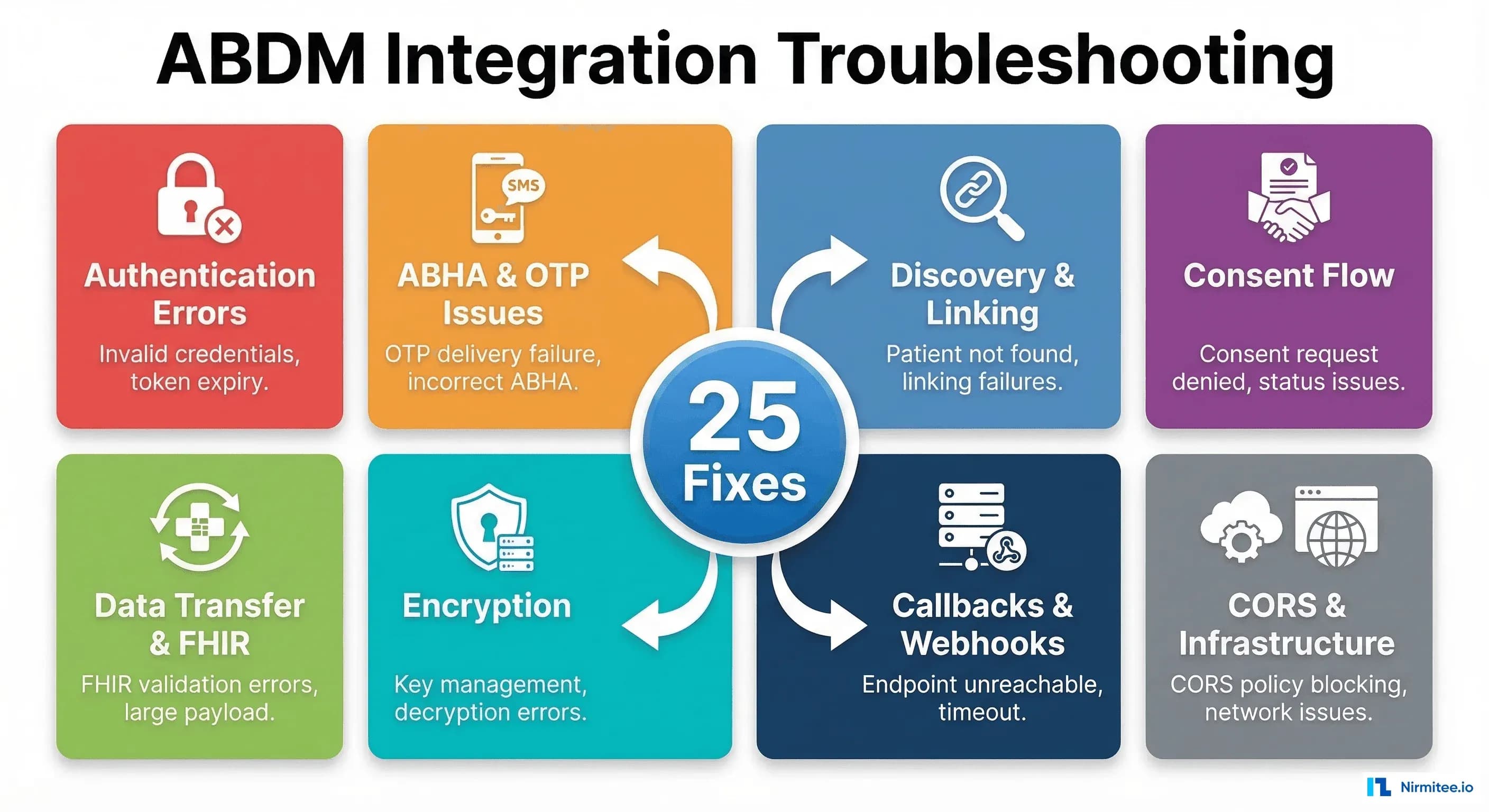
This guide documents the 25 most common ABDM integration errors we have encountered across M1, M2, M3, and M4 milestones — along with their root causes and tested fixes. Every error here is something we or the developer community has actually hit. No theoretical problems, no vague advice.
1. Authentication and Token Errors
Authentication is where every ABDM integration begins — and where many stall out. The gateway uses short-lived tokens with strict validation rules. Here are the errors you will hit first.
Error 1: 401 Unauthorized — Access Token Expired
What happens: Your API calls return 401 Unauthorized after working fine moments ago. The response body may say "Invalid or expired token".
Why it happens: ABDM access tokens have a TTL of only 5 minutes (300 seconds). If your application caches a token and reuses it beyond this window, every subsequent call fails. This catches developers off guard because most OAuth systems issue tokens valid for 30-60 minutes.
How to fix it: Implement a token manager that tracks expiry and refreshes proactively — not reactively.
class ABDMTokenManager:
    def __init__(self, client_id, client_secret, base_url):
        self.client_id = client_id
        self.client_secret = client_secret
        self.base_url = base_url
        self.token = None
        self.expires_at = 0

    def get_token(self):
        import time, requests
        # Refresh 30 seconds before expiry to avoid race conditions
        if self.token and time.time() < (self.expires_at - 30):
            return self.token

        response = requests.post(
            f"{self.base_url}/gateway/v0.5/sessions",
            json={
                "clientId": self.client_id,
                "clientSecret": self.client_secret
            }
        )
        data = response.json()
        self.token = data["accessToken"]
        self.expires_at = time.time() + data["expiresIn"]
        return self.token
Key detail: refresh 30 seconds before expiry, not after. This eliminates the race condition where a token expires mid-request.
Error 2: 401 — Sandbox vs Production URL Mismatch
What happens: You get a " 401 Unauthorized despite having a valid token. Credentials are correct, token is fresh, but every call fails.
Why it happens: Sandbox and production use different base URLs and different credential sets. Mixing them — sandbox credentials against the production gateway, or vice versa — produces a 401 because the token was issued by a different authority.
How to fix it: Use environment-specific configuration and validate at startup.
# Environment configuration — keep these separate
ABDM_ENVIRONMENTS = {
    "sandbox": {
        "gateway_url": "https://dev.abdm.gov.in",
        "auth_url": "https://dev.abdm.gov.in/gateway/v0.5/sessions",
        "cm_id": "sbx"
    },
    "production": {
        "gateway_url": "https://live.abdm.gov.in",
        "auth_url": "https://live.abdm.gov.in/gateway/v0.5/sessions",
        "cm_id": "abdm"
    }
}

# Validate at startup
def validate_config(env, client_id, client_secret):
    config = ABDM_ENVIRONMENTS[env]
    resp = requests.post(config["auth_url"], json={
        "clientId": client_id,
        "clientSecret": client_secret
    })
    if resp.status_code != 200:
        raise ValueError(
            f"Auth failed for {env}. Verify credentials match the {env} environment."
        )
    print(f"Validated: connected to ABDM {env}")
Error 3: Invalid Client ID or Secret Format
What happens: The /sessions endpoint returns 401 or 400 with a message like "Invalid clientId/clientSecret" even though you copied them from the portal.
Why it happens: When copying credentials from the ABDM sandbox portal, it is common to accidentally include trailing whitespace, newlines, or invisible Unicode characters. Some developers also confuse the sandbox login password with the API client secret — they are different credentials.
How to fix it: Strip whitespace from credentials and verify the format.
# Always strip credentials
client_id = os.environ.get("ABDM_CLIENT_ID", "").strip()
client_secret = os.environ.get("ABDM_CLIENT_SECRET", "").strip()

# Validate format before calling
assert len(client_id) > 0, "ABDM_CLIENT_ID is empty"
assert len(client_secret) > 0, "ABDM_CLIENT_SECRET is empty"
assert "\n" not in client_secret, "Client secret contains newline"
assert " " not in client_id, "Client ID contains spaces"
Error 4: Timestamp Format Rejection — Request Timestamp Validation Failed
What happens: Your API requests are rejected with errors related to timestamp validation, even though the payload is otherwise correct.
Why it happens: ABDM requires ISO 8601 timestamps in a specific format with timezone information. The gateway validates that the request timestamp is within an acceptable drift window (usually 10 minutes). Using a local timezone without an offset, or a timestamp that drifts due to server clock skew, causes rejections.
How to fix it: Always use UTC with the exact format the gateway expects.
from datetime import datetime, timezone

# Correct: ISO 8601 with UTC timezone
timestamp = datetime.now(timezone.utc).strftime("%Y-%m-%dT%H:%M:%S.%f")[:-3] + "Z"
# Result: "2026-03-18T14:30:45.123Z"

# Wrong: No timezone info
# datetime.now().isoformat()  # "2026-03-18T20:00:45.123" — REJECTED

# Wrong: Local timezone offset
# "2026-03-18T20:00:45+05:30" — May be rejected by some endpoints
Also, ensure your server's system clock is synchronized via NTP. A clock drift of more than a few minutes will cause persistent timestamp rejections.
Error 5: 403 Forbidden — API Module Not Subscribed
What happens: Your authenticated requests return 403 Forbidden. Token is valid, URL is correct, but specific API modules refuse access.
Why it happens: ABDM uses WSO2 API Manager for gateway routing. Your application must be subscribed to each API module (consent, data-flow, hip-linking, etc.) separately. A valid token does not automatically grant access to all modules — each requires explicit subscription in the API Management portal.
How to fix it: Log into the ABDM sandbox API portal and verify your application is subscribed to all required API products. For V3 APIs, the subscription model has changed — some modules that worked in v0.5 need separate V3 subscriptions. Check the following modules:
- Gateway V3 APIs
- Health Information Provider (HIP) APIs
- Health Information User (HIU) APIs
- Consent Manager APIs
- Patient Discovery APIs
If you continue getting 403s even after subscription, check with the NHA support team — some V3 modules may still be in limited rollout.
2. ABHA Creation and OTP Verification Errors
ABHA (Ayushman Bharat Health Account) creation is the M1 starting point for most integrations. OTP verification is notoriously tricky because it involves third-party SMS delivery and strict validation rules.
Error 6: OTP Not Received for Mobile Verification
What happens: You call the generate OTP endpoint, get a 200 response with a transaction ID, but the user never receives the OTP on their mobile phone.
Why it happens: Several causes: (1) In sandbox mode, OTPs are not sent to real phone numbers — they are returned in the API response or fixed to a default value like 123456. (2) In production, the mobile number must be linked to the Aadhaar card. If the user's Aadhaar-linked mobile number differs from the number they provide, the OTP goes to the Aadhaar-linked number instead. (3) Telecom-level SMS delays or DND settings can block delivery.
How to fix it:
# In sandbox: OTP is typically fixed
SANDBOX_DEFAULT_OTP = "123456"

# In production: always verify Aadhaar-linked mobile first
def generate_abha_otp(aadhaar_number, token):
    response = requests.post(
        f"{BASE_URL}/v3/enrollment/request/otp",
        headers={"Authorization": f"Bearer {token}"},
        json={
            "scope": ["abha-enrol"],
            "loginHint": "aadhaar",
            "loginId": encrypt_aadhaar(aadhaar_number)  # Must be encrypted
        }
    )
    data = response.json()
    if "txnId" in data:
        print(f"OTP sent to Aadhaar-linked mobile. TxnId: {data['txnId']}")
        return data["txnId"]
    else:
        print(f"OTP generation failed: {data}")
        return None
Important: In V3, the OTP value must be encrypted using RSA before sending it for verification. This is a change from older API versions, where OTPs were sent in plain text.
Error 7: Aadhaar-Mobile Number Mismatch
What happens: The ABHA creation flow fails during OTP verification with an error like "Mobile number does not match" or "Invalid OTP" even when the user enters the correct OTP.
Why it happens: The mobile number provided in the ABHA creation request does not match the mobile number linked to the user's Aadhaar card. ABDM validates this match as a security measure. The OTP is sent to the Aadhaar-linked number, so if the user is checking a different phone, they will never see it.
How to fix it: Before initiating ABHA creation, inform the user that the OTP will be sent to their Aadhaar-linked mobile number. Add a pre-check step in your UI.
// Frontend guidance before OTP flow
const startAbhaCreation = () => {
  showModal({
    title: "Verify Your Mobile Number",
    message: "The OTP will be sent to the mobile number linked to your Aadhaar card. " +
             "Please ensure you have access to that phone. " +
             "If your Aadhaar-linked number has changed, please update it at your nearest Aadhaar center first.",
    onConfirm: () => initiateOtpGeneration()
  });
};
Error 8: Driving License Image Format Rejection
What happens: When using a Driving License (DL) as an identity document for ABHA creation, the document upload fails with format or validation errors.
Why it happens: ABDM has strict requirements for document uploads: specific image formats (JPEG/PNG), file size limits, and minimum resolution requirements. Scanned PDFs are not accepted. Photos taken at odd angles or with poor lighting may fail automated verification.
How to fix it: Preprocess the image before uploading.
from PIL import Image
import io

def prepare_dl_image(image_path, max_size_kb=500):
    """Prepare DL image for ABDM upload."""
    img = Image.open(image_path)

    # Convert to RGB (removes alpha channel from PNGs)
    if img.mode != "RGB":
        img = img.convert("RGB")

    # Resize if too large (ABDM typically wants under 1MB)
    max_dimension = 2048
    if max(img.size) > max_dimension:
        img.thumbnail((max_dimension, max_dimension), Image.LANCZOS)

    # Compress to meet size requirement
    quality = 95
    while quality > 20:
        buffer = io.BytesIO()
        img.save(buffer, format="JPEG", quality=quality)
        if buffer.tell() <= max_size_kb * 1024:
            return buffer.getvalue()
        quality -= 5

    raise ValueError("Cannot compress image to required size")
Error 9: Demographic Field Mismatches in ABHA Verification
What happens: ABHA verification or profile update fails with "Demographic verification failed". The name, date of birth, or gender does not match.
Why it happens: The demographic details (name, DOB, gender) sent in the API must exactly match what is recorded in the Aadhaar database. Common mismatches include: name spelling variations ("Rajesh" vs "RAJESH" vs "Rajesh Kumar"), date format differences, and gender field using different encodings ("M" vs "Male" vs "male").
How to fix it: Normalize all demographic fields before sending.
def normalize_demographics(name, dob, gender):
    """Normalize demographic fields to match Aadhaar records."""
    # Name: uppercase, remove extra spaces
    normalized_name = " ".join(name.upper().split())

    # DOB: ensure DD-MM-YYYY format as per Aadhaar
    from datetime import datetime
    if isinstance(dob, str):
        for fmt in ["%Y-%m-%d", "%d/%m/%Y", "%d-%m-%Y", "%m/%d/%Y"]:
            try:
                parsed = datetime.strptime(dob, fmt)
                dob = parsed.strftime("%d-%m-%Y")
                break
            except ValueError:
                continue

    # Gender: single character uppercase
    gender_map = {
        "male": "M", "m": "M",
        "female": "F", "f": "F",
        "other": "O", "o": "O",
        "transgender": "T", "t": "T"
    }
    normalized_gender = gender_map.get(gender.lower(), gender.upper()[0])

    return normalized_name, dob, normalized_gender
3. Discovery and Linking Issues
Patient discovery and care context linking are critical M1 operations. In V3, discovery became synchronous — a major architectural change that breaks many existing implementations. For a complete walkthrough of these milestones, see our ABDM milestone integration guide.
Error 10: V3 Discovery — Expecting Callback, but Response Is Now Synchronous
What happens: Your discovery implementation sits waiting for a callback that never arrives. The /v3/hip/patient/discover endpoint returns a 200 response, but your callback handler is never triggered.
Why it happens: In ABDM V3, patient discovery changed from asynchronous (callback-based) to synchronous. You must return the matched patient records directly in your HTTP response body. If you built your integration against v0.5, where you received a discovery request and later sent a callback via /v0.5/care-contexts/on-discover, that pattern no longer works in V3.
How to fix it: Restructure your discovery handler to return results synchronously.
# V3 synchronous discovery handler
@app.post("/v3/hip/patient/discover")
async def handle_discovery(request: Request):
    body = await request.json()
    patient_query = body.get("patient", {})

    # Extract identifiers
    name = patient_query.get("name", "")
    gender = patient_query.get("gender", "")
    year_of_birth = patient_query.get("yearOfBirth")
    verified_identifiers = patient_query.get("verifiedIdentifiers", [])

    # Search your database
    matched_patient = search_patients(
        name=name,
        gender=gender,
        yob=year_of_birth,
        identifiers=verified_identifiers
    )

    if matched_patient:
        return {
            "patient": {
                "referenceNumber": matched_patient.id,
                "display": matched_patient.name,
                "careContexts": [
                    {
                        "referenceNumber": ctx.id,
                        "display": ctx.description
                    }
                    for ctx in matched_patient.care_contexts
                ],
                "matchedBy": ["MOBILE"]
            }
        }
    else:
        return {"error": {"code": 1000, "message": "No patient found"}}
Error 11: Single Bridge URL Routing to Multiple Facilities
What happens: You have registered one bridge URL for your software, but requests intended for different facilities all arrive at the same endpoint. You cannot distinguish which HIP/HIU the request is targeting.
Why it happens: ABDM V3 uses a single bridge URL per registered software application. If your application serves multiple facilities (hospitals, labs, clinics), all discovery and linking requests come through the same URL. The facility distinction is carried in the X-HIP-ID or X-HIU-ID HTTP headers.
How to fix it: Implement header-based routing in your bridge server.
@app.middleware("http")
async def route_by_facility(request: Request, call_next):
    hip_id = request.headers.get("X-HIP-ID")
    hiu_id = request.headers.get("X-HIU-ID")
    facility_id = hip_id or hiu_id

    if facility_id:
        # Attach facility context to request state
        request.state.facility_id = facility_id
        request.state.facility_config = get_facility_config(facility_id)
    else:
        # Log warning — missing facility header
        logger.warning(f"No X-HIP-ID or X-HIU-ID header in request to {request.url.path}")

    return await call_next(request)

def get_facility_config(facility_id):
    """Return database connection and configuration for a specific facility."""
    facilities = {
        "IN2710004770": {"name": "City Hospital", "db": "city_hospital_db"},
        "IN2710004771": {"name": "Metro Lab", "db": "metro_lab_db"},
    }
    return facilities.get(facility_id, {})
Error 12: HIP-Initiated Linking — Idempotency and Duplicate Requests
What happens: Your HIP-initiated linking creates duplicate care contexts, or fails on retry because the same linking request was already processed.
Why it happens: Network timeouts and retries can cause the same linking request to arrive multiple times. If your system does not check for existing links before creating new ones, you end up with duplicate care contexts. Conversely, if your system throws an error on duplicate attempts, legitimate retries after a network failure will break.
How to fix it: Implement idempotent linking with a deduplication check.
async def handle_hip_initiated_linking(patient_id, care_contexts, link_token):
    # Generate idempotency key from the request parameters
    import hashlib
    idempotency_key = hashlib.sha256(
        f"{patient_id}:{link_token}:{sorted([c['referenceNumber'] for c in care_contexts])}".encode()
    ).hexdigest()

    # Check if this exact request was already processed
    existing = await db.fetch_one(
        "SELECT id, status FROM link_requests WHERE idempotency_key = :key",
        {"key": idempotency_key}
    )

    if existing:
        if existing["status"] == "SUCCESS":
            return {"status": "SUCCESS", "message": "Already linked"}
        elif existing["status"] == "PROCESSING":
            return {"status": "PROCESSING", "message": "Link in progress"}
        # If previous attempt failed, allow retry

    # Record this attempt
    await db.execute(
        "INSERT INTO link_requests (idempotency_key, patient_id, status) VALUES (:key, :pid, 'PROCESSING')",
        {"key": idempotency_key, "pid": patient_id}
    )

    try:
        result = await create_care_context_links(patient_id, care_contexts)
        await db.execute(
            "UPDATE link_requests SET status = 'SUCCESS' WHERE idempotency_key = :key",
            {"key": idempotency_key}
        )
        return result
    except Exception as e:
        await db.execute(
            "UPDATE link_requests SET status = 'FAILED' WHERE idempotency_key = :key",
            {"key": idempotency_key}
        )
        raise
4. Consent Flow Problems
Consent management is the backbone of ABDM's data sharing model. When consent flows break, the entire downstream data transfer pipeline stalls. These errors are often the hardest to debug because they involve multiple parties communicating asynchronously.
Error 13: Consent Status Mismatch Between HIP and HIU
What happens: The HIU shows consent as "GRANTED," but the HIP never receives the consent notification, or shows it as "REQUESTED". Data transfer cannot proceed because the HIP does not acknowledge the consent.
Why it happens: Consent notifications are delivered asynchronously via callbacks. If the HIP's callback endpoint was down, unreachable, or returned an error when the notification arrived, the consent state becomes inconsistent between the two parties. ABDM does not have infinite retries — if the callback fails, the notification may be lost.
How to fix it: Implement a consent status polling mechanism as a fallback, and add a consent reconciliation job.
async def verify_consent_status(consent_id, token):
    """Poll consent status directly from the Consent Manager."""
    response = requests.post(
        f"{BASE_URL}/v0.5/consents/fetch",
        headers={
            "Authorization": f"Bearer {token}",
            "X-CM-ID": CM_ID
        },
        json={
            "consentId": consent_id,
            "requestId": str(uuid.uuid4()),
            "timestamp": get_timestamp()
        }
    )
    return response.json()

# Reconciliation cron job — runs every 15 minutes
async def reconcile_pending_consents():
    pending = await db.fetch_all(
        "SELECT * FROM consents WHERE status = 'REQUESTED' AND created_at < NOW() - INTERVAL '10 minutes'"
    )
    for consent in pending:
        status = await verify_consent_status(consent["consent_id"], get_token())
        if status.get("status") == "GRANTED":
            await db.execute(
                "UPDATE consents SET status = 'GRANTED' WHERE id = :id",
                {"id": consent["id"]}
            )
            await initiate_data_transfer(consent)
Error 14: 202 Accepted but the status shows "Errored"
What happens: You make a consent request or data transfer request, receive a 202 Accepted response (which should mean the request is being processed), but when you check the status later, it shows "Errored" with no useful error message.
Why it happens: A 202 response from ABDM means the gateway accepted the request for processing — it does not mean the request succeeded. The actual processing happens asynchronously. The "Errored" status usually means: (1) the downstream service (Consent Manager or HIP) rejected the request, (2) the callback URL was unreachable, or (3) there was an internal processing error. The generic "Errored" status often lacks specific error details.
How to fix it: Implement structured error tracking and callback logging.
import logging

logger = logging.getLogger("abdm")

# Log every outgoing request with its requestId
async def make_abdm_request(endpoint, payload):
    request_id = str(uuid.uuid4())
    payload["requestId"] = request_id
    payload["timestamp"] = get_timestamp()

    logger.info(f"ABDM Request: {endpoint} | requestId: {request_id} | payload: {json.dumps(payload)}")

    response = requests.post(
        f"{BASE_URL}{endpoint}",
        headers={"Authorization": f"Bearer {get_token()}"},
        json=payload
    )

    logger.info(f"ABDM Response: {endpoint} | status: {response.status_code} | requestId: {request_id}")

    # Store for correlation with callback
    await db.execute(
        "INSERT INTO abdm_requests (request_id, endpoint, payload, status_code, created_at) "
        "VALUES (:rid, :ep, :pl, :sc, NOW())",
        {"rid": request_id, "ep": endpoint, "pl": json.dumps(payload), "sc": response.status_code}
    )

    return request_id, response

# In your callback handler — correlate with original request
@app.post("/v0.5/consents/hip/on-notify")
async def handle_consent_notify(request: Request):
    body = await request.json()
    request_id = body.get("resp", {}).get("requestId")
    error = body.get("error")

    if error:
        logger.error(f"Consent notify error | requestId: {request_id} | error: {json.dumps(error)}")
    else:
        logger.info(f"Consent notify success | requestId: {request_id}")

    return {"status": "OK"}
Error 15: Expired Consent Artifacts Not Purged
What happens: Your system accumulates expired consent artifacts that clutter the database and cause confusion. Data transfer attempts against expired consents fail silently, and your system does not distinguish between active and expired consents.
Why it happens: ABDM consent artifacts have an expiry date, but the system does not automatically notify you when a consent expires. You receive notifications for GRANTED and REVOKED states, but EXPIRED is a time-based state your system must track independently. This is documented as an open issue in the ABDM Wrapper repository (Issue #94).
How to fix it: Implement a consent lifecycle manager with automatic expiry handling.
# Consent purge scheduler
async def purge_expired_consents():
    """Run hourly to mark expired consents and clean up."""
    expired = await db.fetch_all(
        "UPDATE consents SET status = 'EXPIRED' "
        "WHERE status = 'GRANTED' AND consent_expiry < NOW() "
        "RETURNING id, consent_id"
    )

    for consent in expired:
        logger.info(f"Consent expired: {consent['consent_id']}")
        # Clean up associated data transfer artifacts
        await db.execute(
            "UPDATE data_requests SET status = 'CANCELLED' "
            "WHERE consent_id = :cid AND status = 'PENDING'",
            {"cid": consent["consent_id"]}
        )

    return len(expired)

# Also handle revocation notifications
@app.post("/v0.5/consents/hip/on-notify")
async def handle_consent_notification(request: Request):
    body = await request.json()
    notification = body.get("notification", {})
    status = notification.get("status")
    consent_id = notification.get("consentId")

    if status == "REVOKED":
        await db.execute(
            "UPDATE consents SET status = 'REVOKED', revoked_at = NOW() WHERE consent_id = :cid",
            {"cid": consent_id}
        )
        # Immediately stop any in-flight data transfers
        await cancel_pending_transfers(consent_id)

    return {"status": "OK"}
Error 16: Consent Notification Not Reaching HIP After Patient Grants Consent
What happens: The patient grants consent on the PHR app. The HIU can see that the consent is granted. But the HIP never receives the consent notification callback and never begins data transfer.
Why it happens: The consent notification is sent to the HIP's callback URL as registered in the bridge URL configuration. If the bridge URL is incorrect, the endpoint path is wrong, or the HIP server was temporarily down when the notification arrived, the notification is lost. Unlike email, there is no "retry until delivered" guarantee.
How to fix it: Ensure your callback endpoints are always available and implement redundancy.
# Health check endpoint — ABDM may check this before sending callbacks
@app.get("/v0.5/heartbeat")
async def heartbeat():
    return {
        "timestamp": get_timestamp(),
        "status": "UP",
        "error": None
    }

# Ensure callback endpoints return 200 quickly
@app.post("/v0.5/consents/hip/on-notify")
async def handle_consent_notify(request: Request):
    body = await request.json()

    # Acknowledge immediately — process asynchronously
    import asyncio
    asyncio.create_task(process_consent_notification(body))

    return {"status": "OK"}  # Return 200 within 1 second

# Fallback: poll for consents you might have missed
async def poll_missed_consents():
    """Run every 5 minutes to catch missed notifications."""
    # Check with Consent Manager for any consents in GRANTED state
    # that your system does not know about
    pass
5. Data Transfer and FHIR Errors
Data transfer (M2 milestone) is where the most complex errors occur. You are converting your internal data format into FHIR R4 bundles, encrypting them, and sending them through the ABDM gateway. A lot can go wrong at each step.
Error 17: FHIR Bundle Not Displaying in PHR App
What happens: You successfully transfer a FHIR bundle (get a 200 response from the data push endpoint), but the patient's PHR app shows no records, or shows them in a garbled format.
Why it happens: PHR apps parse FHIR bundles strictly. Common issues include: (1) Missing required fields like Bundle.identifier, (2) Resources referenced in the Bundle not being included (broken references), (3) Date formats not matching FHIR R4 specifications, (4) Narrative text missing from resources, which some PHR apps use for display. This is one of the most reported issues in the ABDM Wrapper community (Issue #134).
How to fix it: Validate your FHIR bundle structure before sending it.
def validate_fhir_bundle(bundle):
    """Validate FHIR bundle structure for ABDM compliance."""
    errors = []

    # Check bundle type
    if bundle.get("resourceType") != "Bundle":
        errors.append("resourceType must be 'Bundle'")

    if bundle.get("type") not in ["collection", "document"]:
        errors.append("Bundle.type must be 'collection' or 'document'")

    # Check identifier uniqueness
    identifier = bundle.get("identifier", {})
    if not identifier.get("value"):
        errors.append("Bundle.identifier.value is required and must be unique")

    # Check all references resolve
    entries = bundle.get("entry", [])
    resource_ids = set()
    for entry in entries:
        resource = entry.get("resource", {})
        rid = resource.get("id")
        if rid:
            resource_ids.add(f"{resource['resourceType']}/{rid}")

    for entry in entries:
        resource = entry.get("resource", {})
        # Check common reference fields
        for ref_field in ["subject", "encounter", "performer", "author"]:
            ref = resource.get(ref_field, {})
            if isinstance(ref, dict) and "reference" in ref:
                ref_target = ref["reference"]
                if ref_target not in resource_ids and not ref_target.startswith("urn:"):
                    errors.append(f"Broken reference: {ref_target} in {resource.get('resourceType')}")

    # Check Composition resource exists (required for document bundles)
    resource_types = [e.get("resource", {}).get("resourceType") for e in entries]
    if bundle.get("type") == "document" and "Composition" not in resource_types:
        errors.append("Document bundles must have a Composition resource as first entry")

    return errors
Error 18: Bundle Identifier Not Unique — Duplicate Rejection
What happens: Your data transfer succeeds the first time but fails on subsequent transfers for the same patient, with errors about duplicate bundle identifiers.
Why it happens: Each FHIR bundle must have a globally unique Bundle.identifier.value. If you are using a static identifier or one derived from the patient ID alone (without including the care context or timestamp), subsequent bundles for the same patient will have the same identifier and be rejected as duplicates.
How to fix it: Generate unique identifiers for every bundle.
import uuid
from datetime import datetime

def create_bundle_identifier(hip_id, care_context_ref):
    """Generate a unique bundle identifier."""
    return {
        "system": f"https://{hip_id}.abdm.gov.in",
        "value": f"{hip_id}-{care_context_ref}-{uuid.uuid4()}"
    }

# Usage in bundle creation
bundle = {
    "resourceType": "Bundle",
    "id": str(uuid.uuid4()),
    "type": "collection",
    "identifier": create_bundle_identifier("IN2710004770", "visit-2026-03-18-001"),
    "timestamp": datetime.utcnow().strftime("%Y-%m-%dT%H:%M:%S.000Z"),
    "entry": []
}
Error 19: Missing Medications Block in OP Consultation Bundle
What happens: Your OP Consultation FHIR bundle passes validation, but the PHR app shows "No medications found" or displays an incomplete consultation record.
Why it happens: The OP Consultation FHIR profile requires specific sections, including Medications, even if no medications were prescribed. The ABDM FHIR profile for OP Consultation expects a MedicationRequest or MedicationStatement resource in the bundle, and some PHR apps will not render the consultation without it. This is tracked as ABDM-Wrapper Issue #154.
How to fix it: Always include a Medications section, even when empty.
def create_op_consultation_bundle(patient, encounter, conditions, medications=None):
    entries = [
        create_patient_entry(patient),
        create_encounter_entry(encounter),
    ]

    # Add conditions
    for condition in conditions:
        entries.append(create_condition_entry(condition))

    # Always include medications — even if empty
    if medications:
        for med in medications:
            entries.append(create_medication_request_entry(med))
    else:
        # Include a "no medications prescribed" entry
        entries.append({
            "fullUrl": f"urn:uuid:{uuid.uuid4()}",
            "resource": {
                "resourceType": "MedicationStatement",
                "id": str(uuid.uuid4()),
                "status": "not-taken",
                "medicationCodeableConcept": {
                    "coding": [{
                        "system": "http://terminology.hl7.org/CodeSystem/data-absent-reason",
                        "code": "not-applicable",
                        "display": "No medications prescribed"
                    }]
                },
                "subject": {"reference": f"Patient/{patient['id']}"}
            }
        })

    return {"resourceType": "Bundle", "type": "collection", "entry": entries}
Error 20: No Pagination Support for Bulk Data Transfers
What happens: When transferring a large volume of health records (e.g., a patient with years of visit history), the data transfer times out or fails with payload size errors.
Why it happens: ABDM data transfer endpoints have payload size limits. If a patient has 50+ care contexts, each with full FHIR bundles, sending everything in a single request will exceed limits. The ABDM wrapper does not natively support pagination for data transfers.
How to fix it: Implement chunked data transfer with sequential processing.
async def transfer_patient_data(consent_id, care_contexts, token):
    """Transfer data in manageable chunks."""
    CHUNK_SIZE = 5  # Care contexts per transfer
    results = []

    for i in range(0, len(care_contexts), CHUNK_SIZE):
        chunk = care_contexts[i:i + CHUNK_SIZE]

        for care_context in chunk:
            bundle = build_fhir_bundle(care_context)
            encrypted_data = encrypt_fhir_data(bundle)

            response = await push_data(
                consent_id=consent_id,
                care_context_reference=care_context["referenceNumber"],
                encrypted_data=encrypted_data,
                token=token
            )
            results.append({
                "care_context": care_context["referenceNumber"],
                "status": "success" if response.status_code == 200 else "failed",
                "status_code": response.status_code
            })

        # Brief pause between chunks to avoid rate limiting
        await asyncio.sleep(1)

    return results
Error 21: FHIR Date Format Inconsistencies
What happens: Your FHIR bundle fails validation or is accepted but rendered incorrectly in the PHR app. Dates show as "Invalid Date" or are completely missing.
Why it happens: FHIR R4 has strict date and dateTime formats. The common mistakes: using DD-MM-YYYY instead of YYYY-MM-DD, omitting the timezone for dateTime fields, or using JavaScript's Date.toISOString() which includes milliseconds that some parsers choke on.
How to fix it: Use consistent date formatting throughout your FHIR resources.
from datetime import datetime, timezone, date

def format_fhir_date(d):
    """Format a date for FHIR (date type — no time component)."""
    if isinstance(d, str):
        # Try common input formats
        for fmt in ["%d-%m-%Y", "%d/%m/%Y", "%Y-%m-%d", "%m/%d/%Y"]:
            try:
                d = datetime.strptime(d, fmt).date()
                break
            except ValueError:
                continue
    if isinstance(d, (date, datetime)):
        return d.strftime("%Y-%m-%d")  # FHIR date format
    raise ValueError(f"Cannot parse date: {d}")

def format_fhir_datetime(dt):
    """Format a datetime for FHIR (dateTime type — includes time + timezone)."""
    if isinstance(dt, str):
        dt = datetime.fromisoformat(dt.replace("Z", "+00:00"))
    if isinstance(dt, datetime):
        if dt.tzinfo is None:
            dt = dt.replace(tzinfo=timezone.utc)
        return dt.strftime("%Y-%m-%dT%H:%M:%S%z")
    raise ValueError(f"Cannot parse datetime: {dt}")

# Examples:
# format_fhir_date("18-03-2026")       => "2026-03-18"
# format_fhir_datetime(datetime.now())  => "2026-03-18T14:30:00+0000"
6. Encryption and Security Errors
ABDM uses Fidelius-based encryption (ECDH + AES-GCM) for all health data transfers. Encryption errors are among the most frustrating because they produce opaque error messages and are hard to debug without understanding the full key exchange protocol.
Error 22: ECDH Key Exchange Failure — Wrong Curve or Key Format
What happens: Data encryption fails with errors like "Invalid key", "Unsupported curve", or the encrypted data is rejected by the receiver with a decryption error.
Why it happens: ABDM specifies the NIST P-256 (secp256r1) curve for ECDH key exchange. Using a different curve (like secp384r1 or Curve25519), providing the public key in the wrong format (raw bytes vs. JWK vs. PEM), or not generating a fresh ephemeral key pair per transaction all cause failures.
How to fix it: Use the correct curve and key format as specified by Fidelius.
from cryptography.hazmat.primitives.asymmetric import ec
from cryptography.hazmat.primitives import serialization
import base64

def generate_ecdh_keypair():
    """Generate ephemeral ECDH key pair using P-256 curve."""
    private_key = ec.generate_private_key(ec.SECP256R1())
    public_key = private_key.public_key()

    # Export public key in uncompressed point format
    public_bytes = public_key.public_bytes(
        serialization.Encoding.X962,
        serialization.PublicFormat.UncompressedPoint
    )
    public_key_b64 = base64.b64encode(public_bytes).decode()

    return private_key, public_key_b64

def perform_key_agreement(private_key, receiver_public_key_b64):
    """Derive shared secret using ECDH."""
    from cryptography.hazmat.primitives.kdf.hkdf import HKDF
    from cryptography.hazmat.primitives import hashes

    receiver_public_bytes = base64.b64decode(receiver_public_key_b64)
    receiver_public_key = ec.EllipticCurvePublicKey.from_encoded_point(
        ec.SECP256R1(), receiver_public_bytes
    )

    shared_secret = private_key.exchange(ec.ECDH(), receiver_public_key)

    # Derive encryption key using HKDF
    derived_key = HKDF(
        algorithm=hashes.SHA256(),
        length=32,
        salt=None,
        info=b"ABDM-Encryption",
    ).derive(shared_secret)

    return derived_key
Error 23: Incorrect JSON Serialization Before Encryption
What happens: Encryption succeeds, the encrypted payload is accepted, but the receiver cannot decrypt or parse the data. The decrypted output is garbled or throws a JSON parse error.
Why it happens: The FHIR bundle must be serialized to a specific JSON string format before encryption. Common mistakes: (1) Using pretty-printed JSON with indentation instead of compact JSON, (2) Including BOM (Byte Order Mark) characters, (3) Using a different character encoding (Latin-1 instead of UTF-8), (4) Adding trailing newlines or whitespace that become part of the encrypted payload.
How to fix it: Ensure consistent JSON serialization before encryption.
import json

def serialize_for_encryption(fhir_bundle):
    """Serialize FHIR bundle to the exact format required before encryption."""
    # Compact JSON — no extra whitespace
    serialized = json.dumps(
        fhir_bundle,
        separators=(",", ":"),  # No spaces after separators
        ensure_ascii=False,       # Allow Unicode characters
        sort_keys=False           # Preserve original key order
    )

    # Encode to UTF-8 bytes — no BOM, no trailing newline
    data_bytes = serialized.encode("utf-8")

    # Verify roundtrip
    assert json.loads(data_bytes.decode("utf-8")) == fhir_bundle, "Serialization roundtrip failed"

    return data_bytes
Error 24: V3 OTP Encryption Changes — RSA Encryption Required
What happens: OTP verification that worked with v0.5 fails with V3 APIs. The OTP value is rejected even though the user enters the correct code.
Why it happens: V3 APIs require the OTP value to be encrypted using RSA before sending it to the verification endpoint. In older API versions, the OTP was sent as plain text. Developers migrating from v0.5 to V3 often miss this change because the endpoint structure looks similar.
How to fix it: Encrypt the OTP using the RSA public key provided by ABDM.
from cryptography.hazmat.primitives.asymmetric import padding
from cryptography.hazmat.primitives import hashes, serialization
import base64
import requests

def get_abdm_public_key(base_url):
    """Fetch ABDM's RSA public key for OTP encryption."""
    response = requests.get(f"{base_url}/v3/auth/cert")
    public_key_pem = response.text
    public_key = serialization.load_pem_public_key(public_key_pem.encode())
    return public_key

def encrypt_otp(otp_value, public_key):
    """Encrypt OTP value using RSA-OAEP."""
    encrypted = public_key.encrypt(
        otp_value.encode("utf-8"),
        padding.OAEP(
            mgf=padding.MGF1(algorithm=hashes.SHA1()),
            algorithm=hashes.SHA1(),
            label=None
        )
    )
    return base64.b64encode(encrypted).decode("utf-8")

# Usage
public_key = get_abdm_public_key(BASE_URL)
encrypted_otp = encrypt_otp("123456", public_key)

verify_response = requests.post(
    f"{BASE_URL}/v3/enrollment/auth/byAadhaar",
    headers={"Authorization": f"Bearer {token}"},
    json={
        "authData": {
            "authMethods": ["otp"],
            "otp": {"txnId": txn_id, "otpValue": encrypted_otp}
        }
    }
)
7. Callback and Webhook Issues
ABDM's asynchronous architecture relies heavily on callbacks. You send a request, get a 202, and wait for the gateway to call your server back with the result. When callbacks fail, you are left in the dark.
Error 25: Callback URL Not Receiving Responses
What happens: You make API calls, receive 202 responses, but your callback endpoints are never called. The requests seem to disappear into a void.
Why it happens: The most common causes: (1) Your server is behind a NAT/firewall and not publicly accessible. The ABDM gateway cannot reach localhost:3000. (2) Your bridge URL in the ABDM portal is stale — you changed servers or IPs but did not update the registration. (3) SSL certificate issues — the gateway may reject self-signed certificates. (4) Your callback endpoint returns an error or times out, and you never logged it.
How to fix it: For development, use a tunnel service. For production, ensure robust public endpoint availability.
# Development: Use Cloudflare Tunnel
# Terminal 1: Start your server
# $ python app.py  (running on port 3200)

# Terminal 2: Create tunnel
# $ cloudflared tunnel --url http://localhost:3200
# Output: https://random-name.trycloudflare.com

# Register this URL as your bridge URL in ABDM portal

# Production checklist:
# 1. Public HTTPS endpoint with valid SSL certificate
# 2. Health check endpoint responding at /v0.5/heartbeat
# 3. All callback paths registered and returning 200
# 4. Monitoring + alerting on callback failures

# Callback URL verification script
import requests

def verify_callback_endpoints(bridge_url):
    """Verify all required callback endpoints are accessible."""
    endpoints = [
        "/v0.5/consents/hip/on-notify",
        "/v0.5/health-information/hip/on-request",
        "/v0.5/links/link/on-init",
        "/v0.5/links/link/on-confirm",
        "/v0.5/patients/on-find",
        "/v0.5/heartbeat",
    ]

    for endpoint in endpoints:
        url = f"{bridge_url}{endpoint}"
        try:
            # Send a test POST (gateway sends POST callbacks)
            resp = requests.post(url, json={"test": True}, timeout=5)
            status = "OK" if resp.status_code < 500 else "FAIL"
            print(f"  {status}: {endpoint} => {resp.status_code}")
        except requests.exceptions.ConnectionError:
            print(f"  FAIL: {endpoint} => Connection refused")
        except requests.exceptions.Timeout:
            print(f"  FAIL: {endpoint} => Timeout")
8. CORS and Infrastructure Issues
These errors hit when your architecture does not match ABDM's expectations — usually because you are trying to call ABDM APIs directly from a web browser frontend.
Error 26 (Bonus): CORS Errors When Calling ABDM APIs from Browser
What happens: Your web application's API calls to ABDM fail with "Access-Control-Allow-Origin" errors in the browser console. The requests work fine from Postman or curl, but fail from your React/Angular frontend.
Why it happens: ABDM gateway does not set CORS headers to allow browser-based cross-origin requests. This is by design — ABDM APIs are meant to be called server-to-server, not directly from a browser. Your client secret would also be exposed in the frontend code, which is a security violation.
How to fix it: Route all ABDM API calls through your backend server.
# Your backend acts as a proxy — frontend never talks to ABDM directly

# Frontend (React example)
const discoverPatient = async (patientData) => {
  // Call YOUR backend, not ABDM directly
  const response = await fetch("/api/abdm/discover", {
    method: "POST",
    headers: { "Content-Type": "application/json" },
    body: JSON.stringify(patientData)
  });
  return response.json();
};

# Backend proxy endpoint
@app.post("/api/abdm/discover")
async def proxy_discover(request: Request):
    body = await request.json()
    token = token_manager.get_token()  # Server-side token management

    response = requests.post(
        f"{ABDM_BASE_URL}/v3/hip/patient/discover",
        headers={
            "Authorization": f"Bearer {token}",
            "X-HIP-ID": get_facility_id(request)
        },
        json=body
    )
    return response.json()
Error 27 (Bonus): Bridge URL Update Blocked by WAF
What happens: You try to update your bridge URL via the ABDM API, but the request is blocked by a Web Application Firewall (WAF) with a 403 or timeout.
Why it happens: In the sandbox environment, bridge URL updates via API may be blocked by CloudFront WAF rules. This is a known infrastructure issue that intermittently affects developers.
How to fix it: Update your bridge URL through the ABDM sandbox portal UI instead of the API.
- Log in to sandbox.abdm.gov.in
- Navigate to your registered application settings
- Update the Bridge URL field directly
- Save and wait 5 minutes for propagation
For a detailed walkthrough of the ABDM setup process, including bridge URL registration, see our step-by-step ABDM integration guide.
Quick Reference: All 27 Errors at a Glance
Here is a summary table for quick lookup:
| # | Error | Root Cause | Quick Fix |
|---|---|---|---|
| 1 | 401 Token Expired | 5-minute TTL | Auto-refresh 30s before expiry |
| 2 | 401 URL Mismatch | Sandbox vs prod URLs | Environment-specific config |
| 3 | Invalid Credentials | Whitespace in secrets | Strip and validate at startup |
| 4 | Timestamp Rejected | Wrong format or drift | UTC ISO 8601 + NTP sync |
| 5 | 403 Not Subscribed | Missing WSO2 subscription | Subscribe to all API modules |
| 6 | OTP Not Received | Sandbox mode or wrong number | Use the default OTP in the sandbox |
| 7 | Aadhaar-Mobile Mismatch | Different linked numbers | Verify the Aadhaar-linked mobile |
| 8 | DL Image Rejected | Wrong format or size | Preprocess to JPEG under 1MB |
| 9 | Demographic Mismatch | Name/DOB/gender format | Normalize to Aadhaar format |
| 10 | V3 Discovery No Callback | Now synchronous | Return response in HTTP body |
| 11 | Multi-Facility Routing | Single bridge URL | Route by X-HIP-ID header |
| 12 | Duplicate Linking | Missing idempotency | Dedup by request hash |
| 13 | Consent Status Mismatch | Missed callback | Poll consent status as fallback |
| 14 | 202 then Errored | Async processing failed | Log requestId, track callbacks |
| 15 | Expired Consents | No auto-purge | Scheduled expiry checker |
| 16 | No Consent Notification | Callback URL unreachable | Health checks + polling fallback |
| 17 | FHIR Not in PHR | Invalid bundle structure | Validate before sending |
| 18 | Duplicate Bundle ID | Non-unique identifier | UUID per bundle |
| 19 | Missing Medications | Omitted required block | Include even when empty |
| 20 | Bulk Transfer Timeout | Payload too large | Chunked transfer |
| 21 | Date Format Error | Non-FHIR date format | YYYY-MM-DD with timezone |
| 22 | ECDH Key Failure | Wrong curve or format | P-256 + correct encoding |
| 23 | Encryption Garbled | Bad JSON serialization | Compact UTF-8 JSON |
| 24 | V3 OTP Rejected | Plain text in V3 | RSA-encrypt OTP value |
| 25 | No Callbacks | Server not reachable | Tunnel + verify endpoints |
| 26 | CORS Blocked | Browser direct calls | Backend proxy |
| 27 | Bridge URL WAF Block | CloudFront WAF | Update via portal UI |
Debugging Best Practices
After working through hundreds of ABDM integrations, here are the patterns that save the most time:
1. Log Every Request-Response Pair
ABDM's async model means you need to correlate requests with their callbacks. Always log the requestId you send and match it with the resp.requestId in callbacks.
2. Use the Sandbox Liberally
The sandbox exists for a reason. Test every flow end-to-end in the sandbox before touching production. The sandbox PHR app (available on the ABDM portal) lets you simulate patient actions like granting consent.
3. Validate FHIR Bundles Independently
Do not rely on ABDM's acceptance as validation. Use the Inferno test suite or the official FHIR validator to check your bundles before sending them. A bundle accepted by the gateway can still fail to render in the PHR app.
4. Monitor Callback Health
Set up monitoring on your callback endpoints. If your server returns a 500 to an ABDM callback, you will not get a retry. Track uptime, response times, and error rates on all /v0.5/ and /v3/ callback paths.
5. Keep Your Bridge URL Current
Bridge URL changes are the single most common cause of "everything was working, and now nothing works." Document your bridge URL alongside your DNS records, and set up alerts if it becomes unreachable.
For guidance on navigating the ABDM certification process from sandbox to production, including WASA testing, refer to our ABDM certification guide.
Conclusion
ABDM integration is not trivial — but it is tractable. The 25 errors documented here represent the vast majority of issues we have seen across real-world integrations. With the fixes outlined above, you should be able to get through M1, M2, and M3 milestones without the multi-week debugging sessions that plague most teams.
The key themes: keep tokens fresh, validate FHIR bundles independently, handle the async callback model defensively, and always test in the sandbox first.
This guide will be updated as ABDM's V3 APIs evolve and new error patterns emerge.
Stuck on an ABDM integration issue that is not listed here? Our team has debugged hundreds of these. Talk to us →