ABDM Integration Step by Step (2026): Sandbox Login to Go-Live with M1, M2 and M3 on V3 APIs

Digital Growth Lead
Writes about healthcare technology, interoperability, and AI-driven transformation across modern care systems.
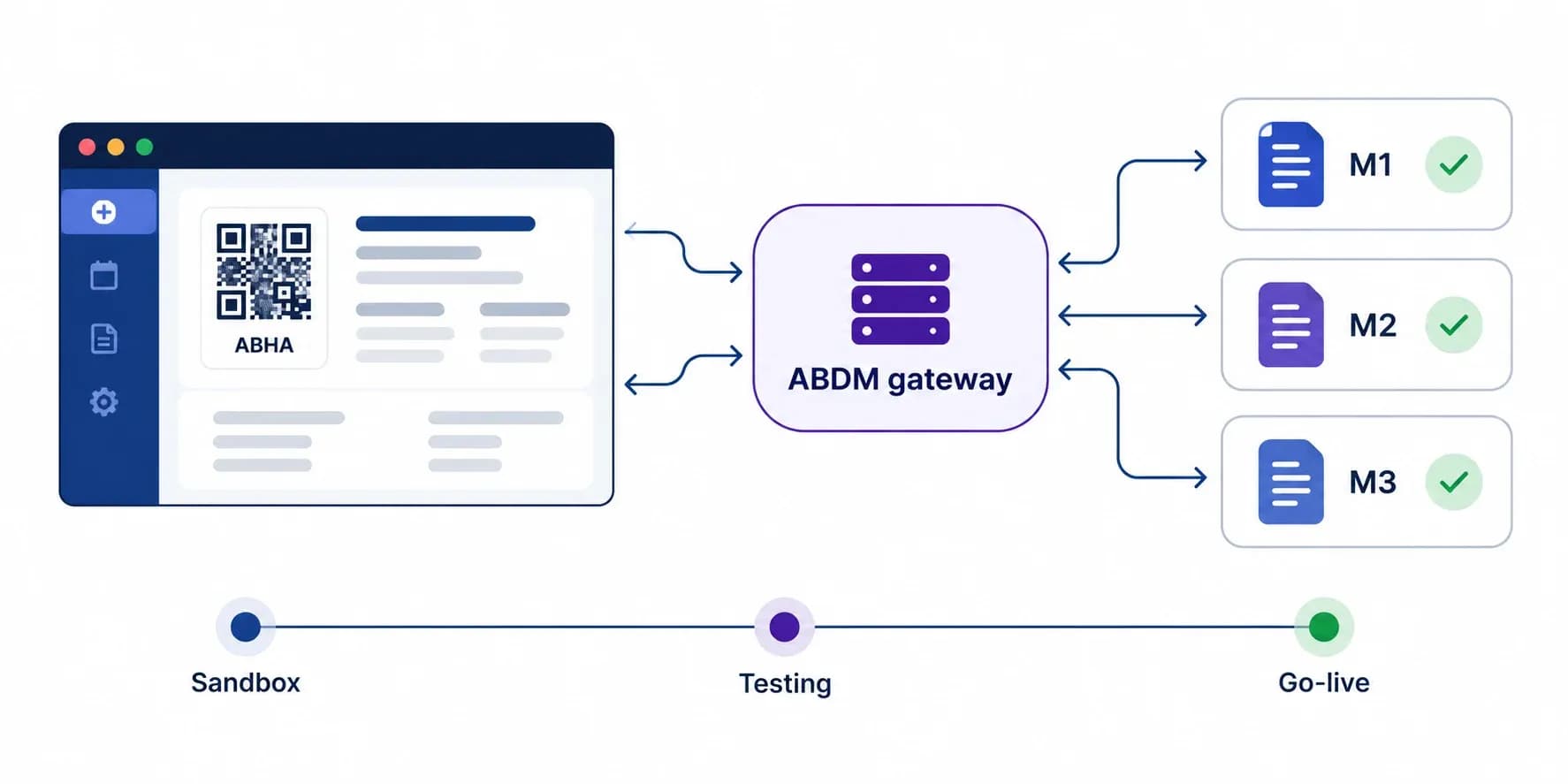
ABDM integration means connecting your hospital software, EMR or health app to the Ayushman Bharat Digital Mission gateway so it can create and verify ABHA numbers (Milestone 1), share the health records you hold as a Health Information Provider (Milestone 2), and fetch records with the patient's consent as a Health Information User (Milestone 3). You build and test all three on the ABDM sandbox, pass NHA's test cases, clear the sandbox exit process with at least two milestones, and then receive production credentials.
This step-by-step guide follows that path in the order an engineering team actually works: sandbox login and client credentials, the gateway token and bridge URL, M1, M2 and M3 on the current V3 APIs, NHA testing, sandbox exit and go-live. It is written from our own delivery work taking hospital software through all three milestones, and it points out the places where teams lose weeks. Updated September 2026.
ABDM integration in short: M1, M2 and M3
ABDM has three integration milestones. Most hospital systems need M1 and M2; apps that read records from other providers also need M3.
| Milestone | What your software does | Who needs it | Main V3 APIs |
|---|---|---|---|
| M1: ABHA | Create an ABHA number with Aadhaar or mobile OTP, verify an existing ABHA, show the ABHA card and QR, receive Scan and Share at the registration desk | Every HMIS, clinic system, lab or app that registers patients | /v3/enrollment/*, /v3/profile/* |
| M2: HIP | Link each visit (care context) to the ABHA, answer discovery and consent callbacks, push encrypted FHIR records when a consent is granted | Anyone who holds patient records: hospitals, clinics, labs, diagnostic centres | /api/hiecm/hip/v3/*, consent/v3, data-flow/v3 |
| M3: HIU | Raise a consent request, fetch the consent artefact, request and decrypt records from other providers, purge them when consent is revoked or expires | Hospitals, doctors and apps that want to see records held elsewhere | consent/v3/request/*, data-flow/v3/health-information/request |
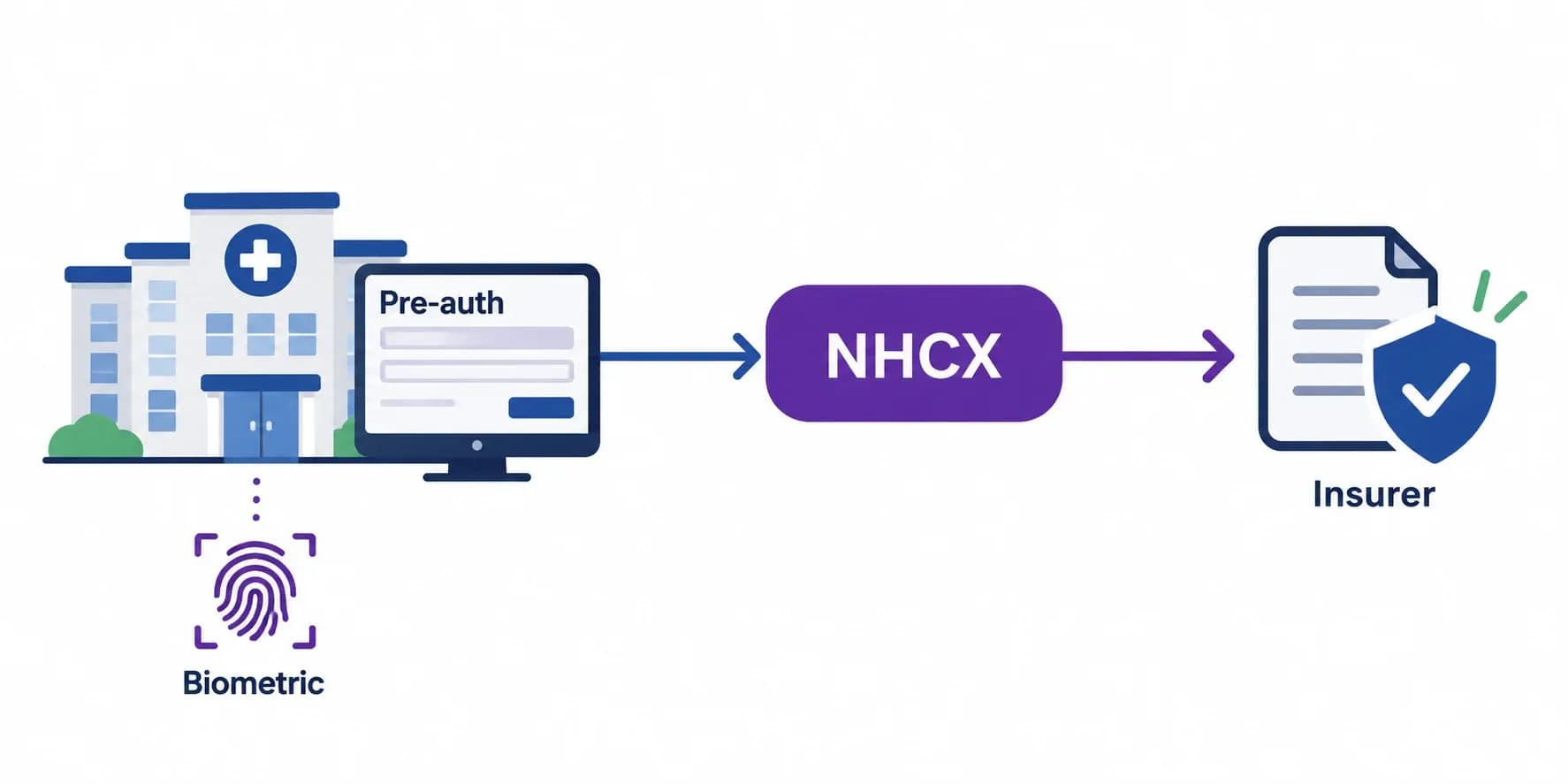
You may also see "ABDM M4" in vendor material. There is no fourth milestone in the ABDM sandbox; the label is usually used for NHCX insurance claims, which is a separate track with its own onboarding. We explain the difference in our ABDM milestones M1 to M4 guide, which goes deeper into each milestone than this walkthrough.
If you would rather have the integration built or reviewed for you, our ABDM integration services team takes HMIS and health-tech products through all three milestones and sandbox exit.
The whole ABDM integration process as a flowchart
This is the full path from sandbox registration to go-live, with the decisions and loops where teams usually get stuck: callbacks that never arrive, NHA test cases that fail, and the rule that one milestone is not enough to exit the sandbox.
Who can integrate with ABDM through the sandbox?
Any organisation that builds or runs health software can integrate with ABDM through the sandbox: hospital and clinic software vendors (HMIS, EMR, practice management), laboratories and diagnostic systems, pharmacies, telemedicine platforms, personal health record apps, insurers and health-tech startups. Hospitals that build their own software can apply directly; hospitals that buy software rely on their vendor's integration.
What you need before you start:
- A registered entity that will own the sandbox account and, later, the production credentials.
- Facility and professional registrations for go-live: an HFR (Health Facility Registry) ID for each facility and HPR (Healthcare Professionals Registry) IDs for doctors. These are registry entries, not milestones.
- A public HTTPS endpoint for callbacks (the bridge URL). In development a tunnel works; in production it must be a stable URL.
- A team that can handle asynchronous APIs. Most ABDM calls return 202 and deliver the real answer later to your callback.
If your platform only needs part of this, read does your platform need ABDM certification before you commit to all three milestones.
Step 1: ABDM sandbox login and client credentials
Register on the ABDM sandbox portal (sandbox.abdm.gov.in), which is also the ABDM developer portal where the API documentation lives. After approval you receive a client ID and client secret for the sandbox, and the roles your integration needs (for example HIP and HIU). Use the sandbox login to manage your integration details and to reach the documentation for each milestone.
Two practical points save time here. Keep the client secret in a secrets store from day one, because the same pattern carries into production. And raise technical issues through ABDM sandbox support with the request ID from the failing call; tickets without it take longer.
Step 2: Gateway token and bridge URL
Every ABDM call carries a gateway session token. Get it with your client credentials, then register the bridge URL where ABDM will send callbacks.
# 1. Gateway session token (sandbox). Production uses apis.abdm.gov.in
curl -s -X POST https://dev.abdm.gov.in/gateway/v0.5/sessions \
  -H 'Content-Type: application/json' \
  -d '{"clientId":"<your client id>","clientSecret":"<your client secret>"}'

# 2. Register or update your bridge URL (callbacks go here)
curl -s -X PATCH https://dev.abdm.gov.in/api/hiecm/gateway/v3/bridge/url \
  -H "Authorization: Bearer $TOKEN" \
  -H 'Content-Type: application/json' \
  -d '{"url":"https://your-domain.example/abdm"}'
What catches teams out:
- The bridge URL is global per client ID. If two environments share one client ID, only one of them receives callbacks.
- Changes take time to apply. In our testing a bridge URL update took 5 to 15 minutes before callbacks moved.
- Tunnels drop callbacks. A tunnel that looks alive can silently lose requests, and ABDM does not resend a lost consent notification. Probe the tunnel with a real-size request before any test run.
- Answer every callback with HTTP 202 immediately and do the work in the background. A slow or failing handler is one of the most common reasons NHA test cases fail.
More failure patterns are in our bridge URL and callback debugging guide.
Step 3: Milestone 1, create and verify ABHA
M1 is the registration-desk milestone: create an ABHA for a patient who has none, verify one who has, and show the ABHA card. The V3 APIs changed the flow from V1 and V2; the details are in our ABDM V3 API migration guide.
Create ABHA
- Capture the patient's consent to create an ABHA with Aadhaar.
- Request an Aadhaar OTP and verify it (
/v3/enrollment/request/otp,/v3/enrollment/enrol/byAadhaar). Aadhaar and OTP values are RSA-encrypted with ABDM's public key before sending. - If the communication mobile differs from the Aadhaar-linked mobile, verify it with a second OTP.
- Offer ABHA address suggestions and let the patient choose or type one.
- Show and let the patient download the ABHA card.
Verify an existing ABHA
Verification supports ABHA number, ABHA address, mobile and Aadhaar. Login is two steps, and this is where many teams go wrong:
/v3/profile/login/verifyreturns a short-lived T-token and the list of accounts on that mobile or Aadhaar./v3/profile/login/verify/user, called with the T-token and the chosen ABHA number, returns the X-token. Profile, card and QR calls need the X-token, not the T-token.- Do not send an
Acceptheader when downloading the ABHA card; the sandbox answers 406. The QR path is camelCase:/v3/profile/account/qrCode. - The scope in the verify call must match the scope used when requesting the OTP exactly, or the API reports the OTP as expired.
Scan and Share
Patients scan the facility's QR at the desk and share their profile. Your bridge URL receives the profile, your system registers or matches the patient and replies with a token number. It is a small feature with a large effect on queues, and it is one of the M1 test cases.
Step 4: Milestone 2, share records as a HIP
M2 turns your system into a Health Information Provider: records created in your software can be found, linked and shared with the patient's consent. It is the milestone with the most callbacks and the most test failures.
- Link care contexts. Generate a link token for the patient (it arrives on your callback), then link each visit or record with
/api/hiecm/hip/v3/link/carecontext. Link one care context per call; in production we saw batched links lose records. - Answer patient-initiated discovery. When a patient searches for records in a PHR app, ABDM calls your
discoverendpoint. Match the patient and reply throughon-discoverwith their care contexts. Match on your own patient ID where you can, to avoid duplicate discovery errors. - Handle link init and confirm. Send the patient an OTP, verify it and confirm the link through
on-initandon-confirm. The OTP goes by SMS, so production needs an approved SMS provider. - Store consents. On a consent notification, store the consent and acknowledge through
consent/v3/request/hip/on-notify. - Share on request. On a health information request, acknowledge it, build the FHIR bundles for the consented care contexts, encrypt them with Fidelius encryption, push them to the requester's data push URL and notify ABDM that the transfer is complete.
The records themselves are FHIR bundles built to NRCeS profiles: OP consultation, prescription, discharge summary, diagnostic report and others. Our ABDM FHIR bundles guide covers each one, and our public FHIR bundle examples give working samples. For a full reference design, see building an ABDM HIP from scratch.
Step 5: Milestone 3, fetch records as a HIU
M3 is the other side of M2: your system asks for records held elsewhere. The consent rules are also what M3 compliance is judged on.
- Request consent with
consent/v3/request/init, sending your HIU ID, the patient's ABHA address, the purpose, the record types and the date range. - Wait for the decision on your
on-notifycallback: granted, denied, revoked or expired. - Fetch the consent artefact and request the data with
data-flow/v3/health-information/request, including your Fidelius public key and data push URL. Use the granted date range exactly as returned. - Decrypt and show the FHIR bundles that arrive at your data push URL.
- Purge on revoke or expiry. When a consent is revoked or expires, delete the records and the keys used to decrypt them. Keeping data after revocation is one of the most common certification failures.
Our HIU reference architecture walks through storage, key handling and the viewer.
Step 6: NHA test cases and sandbox exit
When a milestone works, you test it against NHA's test cases. Each milestone has its own sheet, and the expected behaviour is specific: inline validation messages rather than alert boxes, masked mobile numbers in OTP messages, exact screen texts, callbacks acknowledged in time, and data purged on revocation.
To leave the sandbox you need at least two milestones. NHA Integration Support stated on the ABDM sandbox forum that "the exit process criteria currently require any 2 milestones to be completed to exit sandbox and get the credentials for production environment." M1 alone is not enough. We cover this rule and its workarounds in why an M1-only certificate is not possible.
The exit itself usually runs in this order:
- Functional testing of your milestones with NHA's testing team.
- A security audit of the application (WASA).
- A demo to NHA's team.
- The sandbox exit form, after which production credentials are issued.
Our ABDM certification process guide explains each stage and the documents it needs, and why M2 certification breaks dev teams covers the M2 test cases that fail most often.
Step 7: Production go-live
Production uses the production gateway apis.abdm.gov.in in place of dev.abdm.gov.in, and abha.abdm.gov.in in place of abhasbx.abdm.gov.in for ABHA calls, new credentials, and your production bridge URL. Before switching:
- Map each facility to its HFR ID and each doctor to their HPR ID.
- Set up monitoring for callbacks: a missing consent notification or health information request is a lost record for the patient.
- Log the request ID of every call and callback. In V3 the request ID in the body of an
on-*callback must match the header, and it is the first thing sandbox support asks for. - Keep a runbook for the errors you saw in the sandbox. Our 25 common ABDM errors and fixes and the public ABDM V3 error catalog are a starting point.
ABDM API and documentation reference
| You need | Where to find it |
|---|---|
| ABDM sandbox login, developer portal and M1, M2, M3 documentation | sandbox.abdm.gov.in |
| Technical support tickets | sandboxsupport.abdm.gov.in |
| Every V3 endpoint ready to call | ABDM V3 Postman collection (public) |
| V3 error codes, causes and fixes | ABDM V3 error catalog (public) |
| FHIR bundle samples for M2 and M3 | ABDM FHIR bundle examples (public) |
| A Node.js starting point | abdm-sdk-node (public) |
What we learned taking hospital software through ABDM
We have taken hospital software through all three milestones in the ABDM sandbox, including an HMIS that has cleared sandbox exit and runs ABDM in production. In a live M3 test against the sandbox in September 2026, every value in every test record arrived intact at the requesting side: 526 of 526 values and 30 of 30 attachments. The lessons that decided the schedule were rarely about the APIs themselves:
- Follow a certified reference, click by click. Where our behaviour differed from a system NHA had already certified, following the certified behaviour was faster than arguing the test case.
- Treat callbacks as the product. Lost callbacks, slow acknowledgements and tunnels that sleep with a laptop caused more failed test runs than any API change.
- Plan the SMS provider early. Patient-initiated linking sends OTPs by SMS; without an approved SMS template in production, linking stops.
- Do not batch what the test sheet expects one at a time. One care context per link call avoided lost records.
Planning an ABDM integration for your product? Our ABDM integration team can take your software through M1, M2 and M3 and the sandbox exit, or review what you have built against NHA's test cases. Talk to our team for a scoped plan.
Ready to scale?
Talk to our healthcare engineering team about building, integrating, and shipping faster.
Frequently Asked Questions
What is ABDM integration?
What are ABDM M1, M2 and M3?
Who can integrate with ABDM through the sandbox?
How do I log in to the ABDM sandbox?
Can I get production credentials with only M1?
Is there an ABDM M4?
How long does ABDM integration take?
Where is the ABDM API documentation?