eClinicalWorks Telehealth Integration for Third-Party Apps: One Visit, End to End

CTO & Co-Founder
CTO & Co-Founder at Nirmitee.io. Architects healthcare integrations across FHIR, SMART on FHIR, ABDM and NHCX, writing from production experience taking hospital software from sandbox to go-live.
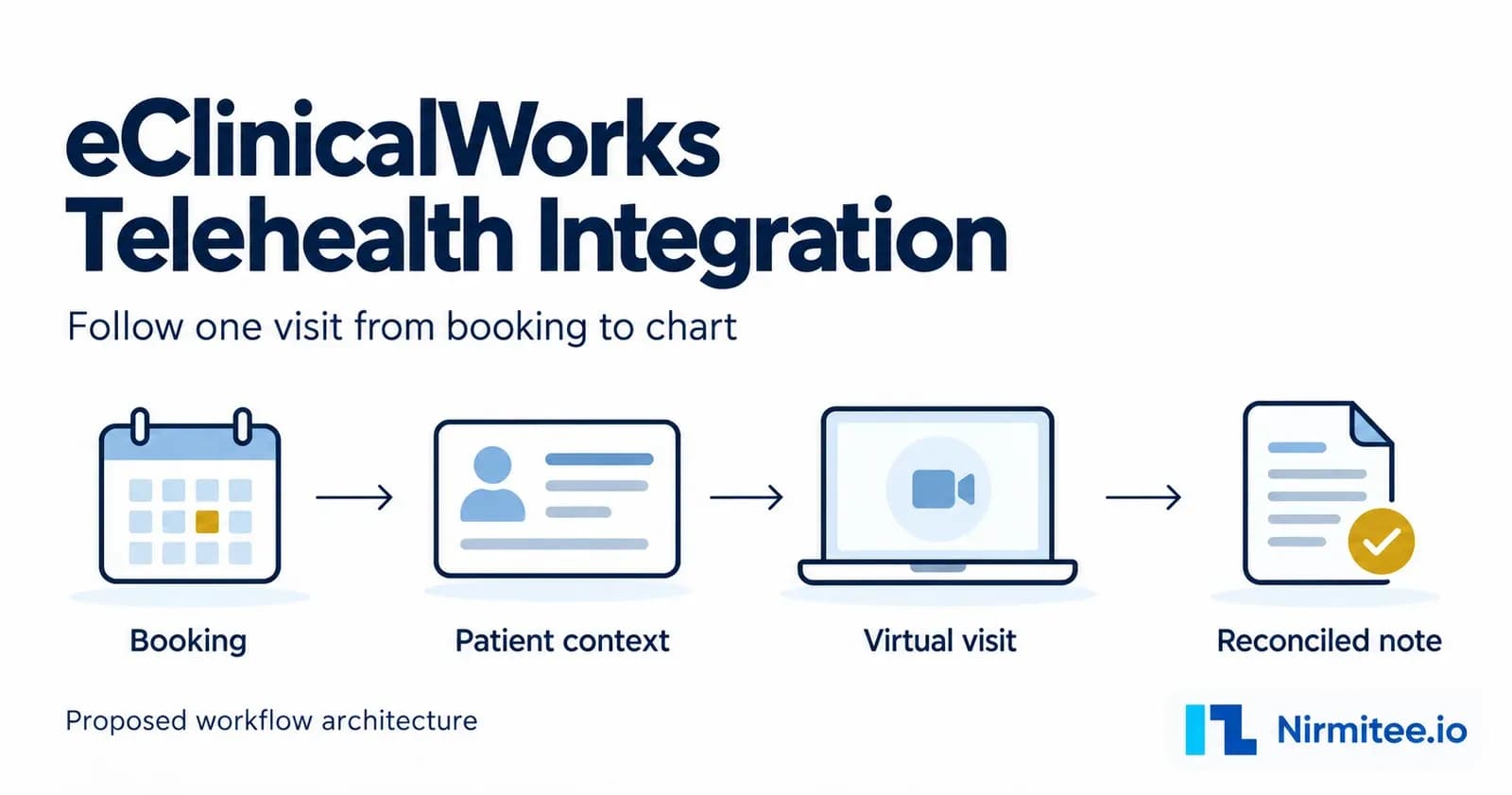
An eClinicalWorks telehealth integration for a third-party app needs a consistent link between the patient, the booking, the consultation, and the clinical record. Define that link before building the video experience. Decide which system confirms the appointment, how the clinician sees current patient context, and what evidence proves that the final note reached the intended chart.
eCW already offers its own scheduled TeleVisits and healowNOW on-demand care. Its official product page describes connected intake and documentation.[1] A third-party product needs its own approved integration paths. A capability in the native product does not establish that the same capability is exposed to your app.
This guide follows that third-party workflow, including rescheduling, missing chart data, and an uncertain note submission. It is for engineering leads and practice operations teams evaluating a specific eCW connection. For portal registration, authentication examples, and the API catalog, use our eClinicalWorks API and FHIR integration guide.
Evidence labels used here: Documented means an official source describes a capability. Proposed design means an engineering pattern to evaluate for your product. Practice acceptance means the behavior still needs verification in the intended environment. The diagrams are proposed designs. They do not show a Nirmitee production deployment or a tested end-to-end eCW implementation.
Define the integration around the visit
Start with a visit that the practice actually performs, such as a scheduled follow-up in an existing patient's chart. Write down the provider, facility, visit type, patient identity, consultation destination, and documentation destination. Ask the practice to show how staff complete the same visit today. The integration should preserve the decisions that staff make, including the point at which a booking becomes confirmed and the person who can resolve a patient mismatch.
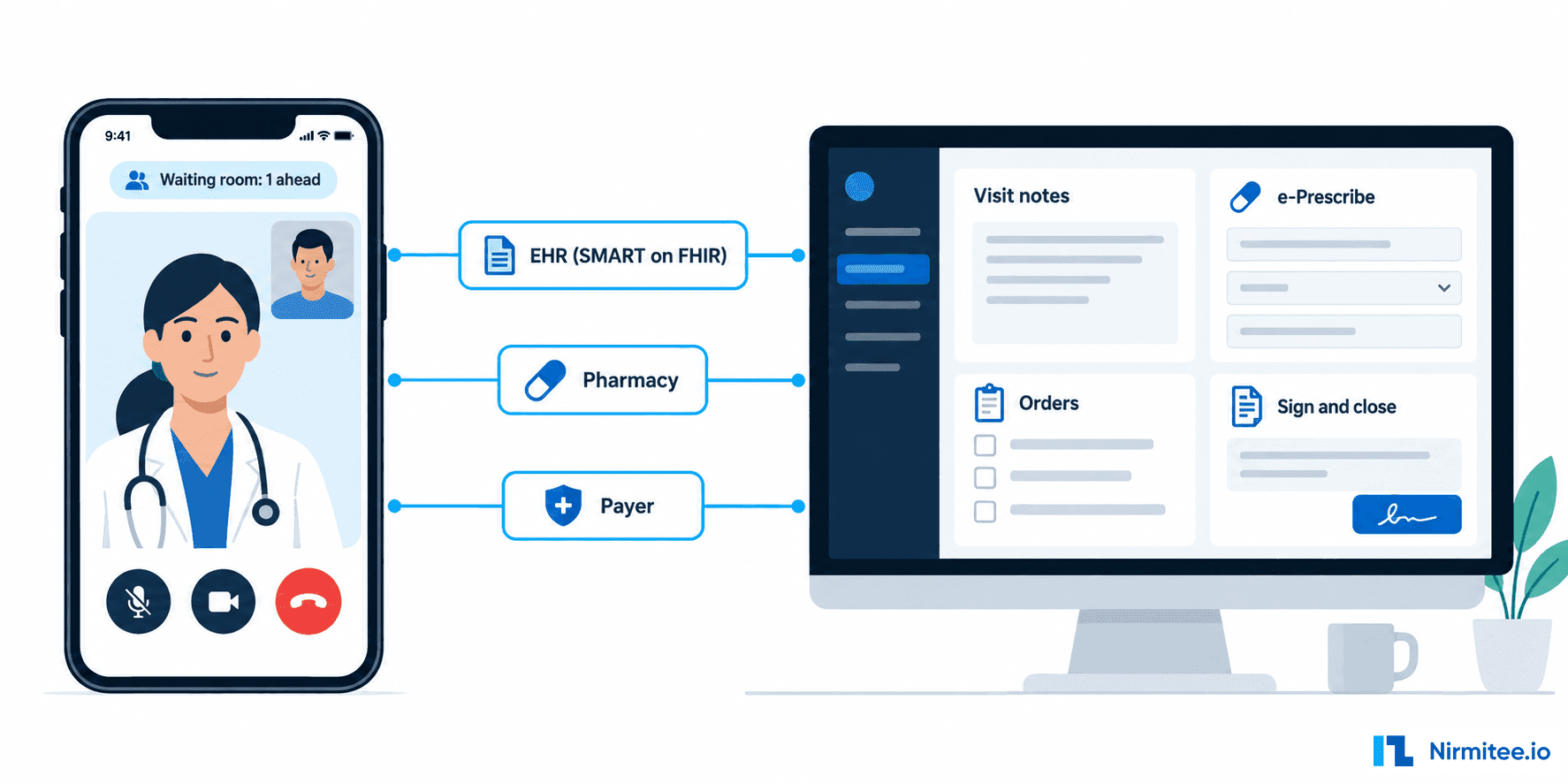
Choose the consultation destination explicitly. If patients join a native healow TeleVisit, appointment-link retrieval is relevant. If they join your own video experience, your app owns that session and its access rules. Retrieving a healow visit URL does not provision a third-party video session, establish single sign-on into it, or grant access to the chart.
Maintain separate states for the appointment, the video session, and note delivery. A patient can finish a call while the note remains unresolved. Staff can cancel an appointment while an old reminder remains in another system. A single completed flag hides these differences and makes recovery difficult.
| Workflow action | Access path to assess | Evidence boundary | Acceptance owner |
|---|---|---|---|
| Discover availability and book | healow scheduling | Documented; production onboarding required | Practice scheduling lead |
| Cancel or change a booking | healow appointment operations | Documented; status and version conditions apply | Practice scheduling lead |
| Read clinician context | Provider-facing eCW integration route | Official eCW portal direction; scopes and practice access need confirmation | Clinical lead and administrator |
| Read a patient's own record | Patient-facing healow route | Separate patient-authorized access model | Privacy and product owners |
| Run background backfill | Backend/bulk route through eCW | Separate access and freshness assessment | Practice data owner |
| Deliver the final note | Approved chart-write interface | Exact entitlement, document semantics, and destination remain practice-specific | Clinical lead and eCW interface owner |
| Start the third-party video visit | Your telehealth platform | Proposed product workflow; eCW access does not provide the room | Product and clinical operations |
eClinicalWorks directs provider and backend applications to its FHIR developer portal and patient-facing applications, including scheduling platforms, to healow.[2] Treat these as separate access workstreams. EHR integration scope should describe the actor and permitted action for each one.
Open the access-route map at full size
Proposed scoping map. Blue routes are described in official healow documentation; amber routes need practice and vendor confirmation.
For a project-specific review, bring the workflow and available interface documentation to our eClinicalWorks integration team. A useful scoping output is an action-by-action responsibility map, including operations that need vendor confirmation before development can be committed.
Keep patient and visit identifiers linked across systems
Use an integration ledger: a record of the identifiers and state transitions belonging to one visit. The ledger is your application model, not an eCW API resource. It lets the booking worker, chart reader, video service, and note-delivery worker refer to the same business event without assuming that their identifiers are interchangeable.
| Ledger field | What it identifies | Rule to enforce |
|---|---|---|
| Practice and source endpoint | The eCW customer and interface namespace | Scope every external reference to its source |
| Patient reference | The confirmed chart identity | Retain verification status and who resolved ambiguity |
| Booking reference | The scheduling transaction | Preserve the exact returned identifier and its type |
| Encounter reference | The chart destination for the consultation | Confirm it through the approved clinical workflow |
| Local session ID | The third-party consultation | Bind it to the verified visit; authorize every join |
| Note ID and revision | The document approved for delivery | Keep delivered revisions immutable |
| Submission attempt and receipt | One delivery attempt and its outcome | Distinguish pending, uncertain, rejected, and reconciled |
Open the visit ledger at full size
Proposed design. The ledger is your application record, not an eCW API resource.
In FHIR, a resource's logical ID and its business identifiers serve different purposes.[3] Preserve the namespace as well as the value. Do not transform an opaque scheduling identifier into a clinical FHIR ID by trimming a prefix, parsing apparent internal structure, or joining it to another practice's record.
This distinction matters with healow booking responses. healow's portal says a returned Appointment ID or Encounter ID confirms the booking, but the Markdown reference does not say which response field carries it.[4] Retain the response and store the exact identifier accepted by the enabled Retrieve, Update, and Cancel operations.[5][6][11] Independently establish which encounter should receive the note. An Encounter ID returned by scheduling still needs confirmation through the clinical workflow before it becomes the note destination. A value that addresses scheduling is not proof that it can address a clinical-document write.
Match the patient before exposing the chart
Patient account authentication, clinical record matching, and authorization are separate decisions. Logging in to your app proves access to that account. It does not, by itself, prove which eCW chart the user may access or whether a caregiver may act for that patient.
For an established patient, prefer the already verified practice-specific patient link. When a link is absent or disputed, apply the practice's approved verification process. Keep a possible match separate from a confirmed match. Send multiple candidates or conflicting identifiers to an authorized reviewer before exposing clinical data or attaching a note.
healow documents demographic inputs for booking, including names, date of birth, gender, phone, and email, with additional practice-specific requirements.[4] A verified local chart link alone does not prove that a booking selected the expected patient. Check the available confirmation or retrieval evidence before correlating the appointment with that chart; send unresolved identity to staff. Test duplicate names, changed contact details, and incomplete records with synthetic data. A shared family email or phone number must not automatically become a unique chart identity.
Persist the matching outcome without copying unnecessary demographics into general logs. Record a restricted reference to the review evidence, the decision, and the responsible actor. If staff correct a link after booking, pause downstream chart writes and reconcile the affected visit before continuing.
Scheduled care should preserve the confirmed booking
In the proposed scheduled workflow, the patient selects a permitted visit type and time. Your app reads availability through the enabled scheduling connection, submits the booking, and stores the returned identifier. Display a confirmed appointment only when the authoritative system provides the agreed success evidence.
An availability read is a snapshot. Another user may take the slot before submission. Handle that rejection by offering the patient current options or a staff-assisted path. Do not reserve the same time in your local database and assume the practice's schedule now contains it.
Before the consultation, retrieve the minimum chart context approved for this visit. Present where it came from and when it was retrieved. The clinician should be able to distinguish the patient's intake answers from EHR-sourced medications or allergies. Decide whether each item remains patient-reported, becomes a proposed chart update, or requires clinical reconciliation.
For your own video session, bind the join authorization to the local session and verified visit. Keep credentials and patient information out of reminder URLs and analytics events. On a booking change, revoke or supersede obsolete join access according to your session policy. The practice also needs a way to identify reminders already sent and decide how to communicate the change.
After the call, the clinician reviews and approves the note. Submit only the approved revision through the confirmed chart-write route. Preserve the local approved document while delivery is pending. The workflow ends when staff can establish the correct patient, encounter, document revision, and destination visibility, or can see a specific unresolved exception with an owner.
Open the scheduled sequence at full size
Proposed design. The chart-write step requires an approved interface. An unresolved outcome goes to the named staff workflow.
Rescheduling and cancellation need their own recovery rules
healow's current Update and Cancel references describe rejection when the appointment is missing, is not in pending status, is locked, has an associated payment, or the EMR does not support the operation.[5][6] Check the authoritative state, the practice's EMR version and the api_version assigned during onboarding before offering a change.[4][5] The Update reference also says a /slot patch returns before later patch elements are processed.[5] Treat that slot-based reschedule as its own operation and verify the result before requesting other changes.
When a supported update succeeds, record the revised provider, facility, time, or visit type in the ledger and update the session and reminders. If the approved method instead requires cancellation followed by a new booking, model two operations. Decide what staff should do if the cancellation succeeds and the replacement fails. Do not silently present the patient with a new visit that the practice has not confirmed.
Avoid two uncoordinated writers. If staff can edit bookings directly in eCW, define how your app discovers those changes. Use the interface and reconciliation mechanism actually enabled for the practice. A product requirement for instant synchronization does not establish that a change feed or webhook is available.
On-demand care needs a practice-approved encounter path
An on-demand request starts without a pre-existing time slot. Your app receives the request, gathers the approved intake, and asks clinical operations to determine eligibility and assign an appropriate clinician. Capture the location and other information required by that care model, then apply the practice's approved routing and escalation policies.
Native healowNOW availability does not establish a third-party on-demand orchestration API.[1] Design your own queue only after agreeing how the consultation becomes an eCW visit. Possible designs include booking an enabled near-term slot or asking staff to create the required visit. The correct choice depends on the practice's supported interface and workflow.
Keep the queue entry, booking, and encounter separate. A queue position does not prove the patient has an appointment, and allocating a video room does not prove an encounter exists. Store the confirmed destination before permitting an automated note write. If the practice approves a consultation before that destination is available, keep documentation pending under an explicit staff procedure.
The queue also needs an exit path. A patient may abandon the request, reconnect from another device, or return after the clinician has changed. Reconcile those actions against the existing request before creating another visit. Show clinical operations the unresolved state and its age so that a technical delay does not look like a patient who simply has not checked in.
Open the on-demand sequence at full size
Proposed design. The booking step is conditional on practice support. Clinical operations owns the decision to proceed, defer, or escalate.
For the broader product architecture, including video infrastructure and prescribing boundaries, see our telemedicine app development guide. The eCW-specific decision here is how each consultation becomes an identifiable, reviewable event in the practice's record.
Use background backfill and interactive reads for different jobs
Bulk export can prepare longitudinal context, but a completed export should not be presented as a continuously current chart. HL7's Bulk Data specification describes asynchronous export and explicitly excludes real-time exchange and group management from its scope.[7] eCW-specific group membership behavior and job constraints need their own confirmation.
For the consultation, request the permitted patient-specific data needed by the clinician. Budget those reads separately from background ingestion. Save the retrieval time and the source metadata available for each dataset. A cache can reduce repeat calls, but it needs a visible freshness policy and a defined response to unavailable data.
| Data use | Proposed retrieval strategy | What the clinician or operator should see |
|---|---|---|
| Initial patient history | Approved background backfill | Export period, coverage, and unresolved import errors |
| Pre-visit context | Authorized interactive reads | Source, retrieval time, and completeness limitations |
| Patient intake changes | Separate patient-reported record | Review status before any chart update |
| Booking status | Scheduling read or enabled change mechanism | Last confirmed state and reconciliation time |
| Missing clinical information | Targeted re-read where supported | Missing or unavailable; never an empty clinical finding |
| Delivered note | Agreed read-back or staff confirmation | Destination, revision, and verification evidence |
Open the freshness model at full size
Background history, visit-time context, and destination verification each have their own clock. A recent fetch can still return an incomplete record.
Have the clinical lead define which information is required for this visit type and how old a result may be before review is required. Do not invent a universal freshness threshold. A failed allergy request should appear as unavailable, with an owner and a next action, rather than as “no allergies.”
Confirm how patients enter and leave an authorized group, how membership refreshes, which resources an export contains, and whether updates or deletions require additional reconciliation. Do not interpret a patient missing from an incremental export as deleted or no longer authorized. Your retention and access policy should govern those decisions.
The healow FHIR documentation states that, since October 7, 2025, /fhir/r4/{practice_code}/*, /authorize, and /token requests are limited to 250 per minute per base URL, which healow defines as each practice code. Exceeding the limit returns HTTP 429 and blocks the application's requests for the remainder of that minute; the counter resets at the beginning of the next minute.[8] healow documents its scheduling APIs as FHIR DSTU2 on separate paths, with a server-specific JSON Patch contract for updates.[4][5] Do not apply that figure to scheduling, video, or bulk-job concurrency without separate confirmation. Use a practice-aware request budget and give consultation reads priority over background work.
Treat note delivery as a clinical workflow
Agree on the exact chart destination before building the writer. The practice should identify the document type, encounter linkage, author mapping, content format, and review/signature behavior expected in eCW. Ask what success means to the clinician: a document visible in the correct chart, a filed note on the encounter, or another specific workflow state.
A clinical-note read API is not a note-write agreement. Similarly, receiving a successful transport response does not prove the final note has the intended author, encounter association, or visible status. Record the interface's documented acceptance result and reconcile it with the agreed downstream evidence.
Keep these local note-delivery states distinct:
- Approved for delivery: the clinician has approved a specific revision, with its destination confirmed.
- Submitted: a request was sent and its attempt recorded.
- Outcome uncertain: the request may have reached the destination, but the app cannot establish the result.
- Rejected: a definite error needs a correction or a different approved workflow.
- Reconciled: the destination evidence matches the intended patient, encounter, and revision.
Those are proposed application states, not vendor-defined eCW status values. Add them to the staff interface as actionable work, with the responsible role and the next investigation step. An operator should be able to explain why delivery remains pending without opening raw clinical payloads in a general-purpose log viewer.
Open the note delivery states at full size
Proposed design. An uncertain outcome is resolved with evidence or an operator decision, never by an automatic second write.
Resolve uncertain outcomes before another write
A timeout after submission is different from a definite validation rejection. The server may have accepted the document before the connection failed. Hold the approved revision, mark delivery uncertain, and inspect the receipt or destination using an operation the interface actually supports.
Use a local deduplication key scoped to the practice, verified patient, destination encounter, document type, and note revision. It prevents your workers from launching duplicate local jobs. It does not force the remote system to reject duplicates. Confirm whether the destination supports an idempotency key, conditional create, searchable business identifier, or another reliable reconciliation method. FHIR defines conditional interactions, but their availability must be established for the specific implementation.[9]
If there is no supported way to establish the destination outcome, route the item to an authorized operator. Record the evidence and approval for any subsequent write. Do not promise exactly-once delivery from a local queue alone. Treat a corrected note as a controlled revision or addendum under the practice's policy; do not silently overwrite a document already filed in the chart.
If the practice uses an agreed HL7 interface for documents or scheduling, retain its acknowledgement and business identifiers as part of the same ledger. For channel mapping and operational interface details, use our Mirth Connect eClinicalWorks integration guide. The acceptance test still needs to prove what the clinician sees.
Follow one synthetic visit through an uncertain write
Use the local reference synthetic-visit-001 for a proposed acceptance scenario. Keep its verified patient link, opaque booking reference, and independently confirmed encounter destination in the ledger. If staff reschedule the follow-up, the supported reconciliation path should record the authoritative change and retire obsolete session access before the patient joins.
After the consultation, suppose the clinician approves note revision 1 and submission times out. The app marks that revision as outcome uncertain and assigns investigation; it does not launch a second write. Staff check the agreed receipt or chart destination. If they establish that revision 1 reached the correct patient and encounter, record that evidence and mark it reconciled. If they cannot establish the outcome, keep the item visible for an authorized decision before another submission.
This is a synthetic acceptance scenario, not a completed eCW integration test.
Give each failure a specific next action
Retries should depend on both the operation and the meaning of the response. The healow Appointment reference warns that neither HTTP 200 nor created=true alone proves a booking.[4] Inspect confirmation data and any OperationOutcome.issue entries, and preserve a safe reference to diagnostic evidence.
| Failure | Automated action to consider | Human escalation and release condition |
|---|---|---|
| Slot taken during booking | Refresh availability; offer permitted alternatives | Staff handles unresolved options; only confirmed bookings are displayed |
| Booking submission response is lost | Mark uncertain; inspect supported confirmation before retry | Scheduling staff reconciles a possible booking before another create |
| Patient match is ambiguous | Hold chart exposure and downstream writes | Authorized identity reviewer confirms or corrects the link |
| Appointment is locked or no longer editable | Stop repeated update attempts | Scheduling staff decides the supported change path |
| Required context is unavailable | Bounded supported read retry; show missing data | Clinician decides whether to defer or use an approved alternative |
| Authorization fails | Follow the approved credential recovery procedure | Administrator investigates revoked access or missing entitlement |
| Rate limit or transient read outage | Pause until the documented reset; honor Retry-After only if present; use bounded backoff | Operations reviews sustained delays and practice-wide impact |
| Note-write response is lost | Mark uncertain; reconcile before another submission | Operator approves the next action if remote outcome cannot be established |
| Note payload is rejected | Retain the revision and error category | Interface owner corrects mapping; clinician reviews changed clinical content |
| Patient reconnects or cancels late | Reconcile against the existing visit and session | Clinical operations resolves workflow conflicts |
Set retry limits and escalation timing with the practice's operating model. A technical queue should not retry indefinitely while the clinician believes the note is filed. Show the age of unresolved booking and documentation work, and name the team responsible during clinic hours and outside them.
Limit operational telemetry to the information needed to investigate. Useful fields include practice namespace, restricted visit reference, operation, safe error category, attempt time, and outcome. Keep access tokens, visit join links, and note bodies out of general logs. Link to clinical evidence through controlled tools when an authorized investigation needs it.
Onboard one practice with explicit acceptance evidence
Before the first pilot, obtain the current specifications and an approved test environment. healow's Getting Started guide describes scheduling tests using test-practice details and a time-limited token, and says production follows completed testing and an agreement in place.[10] Complete the separate eCW clinical-access and chart-write workstreams as applicable. An enabled booking connection does not establish the rest of the visit.
Use this checklist with a named reviewer for each item:
- Identify every practice endpoint, facility, provider schedule, and visit type in scope. Record the EHR version and relevant interface configuration.
- Confirm the consultation destination and whether native visit-link retrieval is needed. Define who owns session access after a reschedule or cancellation.
- Map the permitted actor and access path for each read, background job, and write. Record the current vendor specification and agreement that authorizes it.
- Approve patient matching, proxy access, and correction procedures with the practice. Define who may resolve ambiguity.
- Agree on the encounter and note destination, author mapping, review/signature semantics, and reconciliation evidence.
- Define required chart context, freshness policy, and the clinician's response to missing data.
- Confirm group membership, backfill coverage, refresh behavior, job limits, and retention rules before enabling background exports.
- Define safe logging, access controls, applicable contracts, and incident responsibilities through the organization's security and privacy review.
- Assign booking and documentation exception owners, escalation routes, and the authority to retry an uncertain write.
- Run the accepted synthetic scenarios in the intended configuration and retain the results before authorizing a controlled pilot.
| Practice acceptance scenario | Evidence to retain | Decision it supports |
|---|---|---|
| Existing patient books a scheduled visit | Verified patient link, returned booking reference, correct schedule entry | The booking and patient remain correlated |
| Similar demographics identify two patients | Access blocked; reviewed matching decision | Ambiguity cannot expose the wrong chart |
| Staff reschedules or cancels directly in eCW | Authoritative change, app state, obsolete session handling | External edits are reconciled |
| Replacement booking fails after cancellation | Visible unresolved state and assigned staff action | The patient is not shown a false confirmation |
| On-demand request has no supported visit path | Queue state and approved defer/staff procedure | The app does not invent an encounter |
| Required chart read fails | Missing-data display and clinician decision | Unavailable data cannot become a false clinical finding |
| Note submission times out after possible acceptance | Attempt, reconciliation evidence, duplicate check | Another write is deliberate and reviewable |
| Clinician corrects a delivered note | Controlled revision/addendum and destination evidence | Corrections preserve the clinical record |
| Practice access is revoked | Read/write denial and approved access/retention response | Old credentials or caches do not bypass access policy |
These are acceptance requirements, not completed test results. Expand them for the practice's care model and the exact interface selected. The pilot decision should rest on demonstrated behavior in that configuration, with unresolved exceptions visible to the people who own them.
Scope the eCW connection before committing to automation
A useful discovery conversation starts with one visit and ends with its confirmed identifiers, access paths, and recovery owners. Bring the practice version, enabled interfaces, workflow diagrams, and synthetic examples. State whether scheduling access, interactive chart reads, and note delivery have each been approved and tested.
Nirmitee's healthcare interoperability work can support that mapping and the implementation scope it produces. To request an eCW telehealth workflow review, talk to our team. Share the intended workflow and access status; keep patient records and credentials out of the enquiry. This guide describes a proposed design; Nirmitee has not published an eCW telehealth production case study. Assess the scope and practice acceptance evidence before treating an end-to-end integration as proven.
Sources
Official references checked October 2, 2026. Implementation guidance and acceptance tests above are proposed designs; source documentation does not establish their production delivery.
- eClinicalWorks telehealth product overview: native scheduled TeleVisits and healowNOW.
- eClinicalWorks interoperability overview: provider/backend and patient-facing developer-program direction.
- HL7 FHIR R4 Patient and identifier guidance: clinical identity and identifiers.
- healow Appointment Request and official Appointment Markdown reference: matching inputs, booking response, and confirmation handling.
- healow official Update Appointment reference: update conditions and operation-specific errors; the public portal also notes that supported update operations can vary by EMR version.
- healow official Cancel Appointment reference: cancellation conditions.
- HL7 Bulk Data Access STU1 export specification: asynchronous export scope and implementation boundaries; this reference is not an eCW capability assertion.
- healow API documentation: FHIR rate-limit scope and error references.
- HL7 FHIR R4 RESTful API: conditional interaction semantics; implementation support must be confirmed.
- healow Getting Started: scheduling test-practice access, token duration, and production agreement prerequisites.
- healow official Retrieve Appointment reference: TeleVisit/check-in link retrieval and error conditions.
Ready to scale?
Talk to our healthcare engineering team about building, integrating, and shipping faster.
Frequently Asked Questions
Can a third-party app use the native healow TeleVisit workflow?
Does clinical FHIR read access allow appointment booking?
Can an on-demand telehealth app create the encounter automatically?
How should the app handle a note-write timeout?
Is bulk export enough for context at the start of a visit?