eClinicalWorks API and FHIR Integration Guide (2026): Access, Limits, Write-Back

CTO & Co-Founder
CTO & Co-Founder at Nirmitee.io. Architects healthcare integrations across FHIR, SMART on FHIR, ABDM and NHCX, writing from production experience taking hospital software from sandbox to go-live.
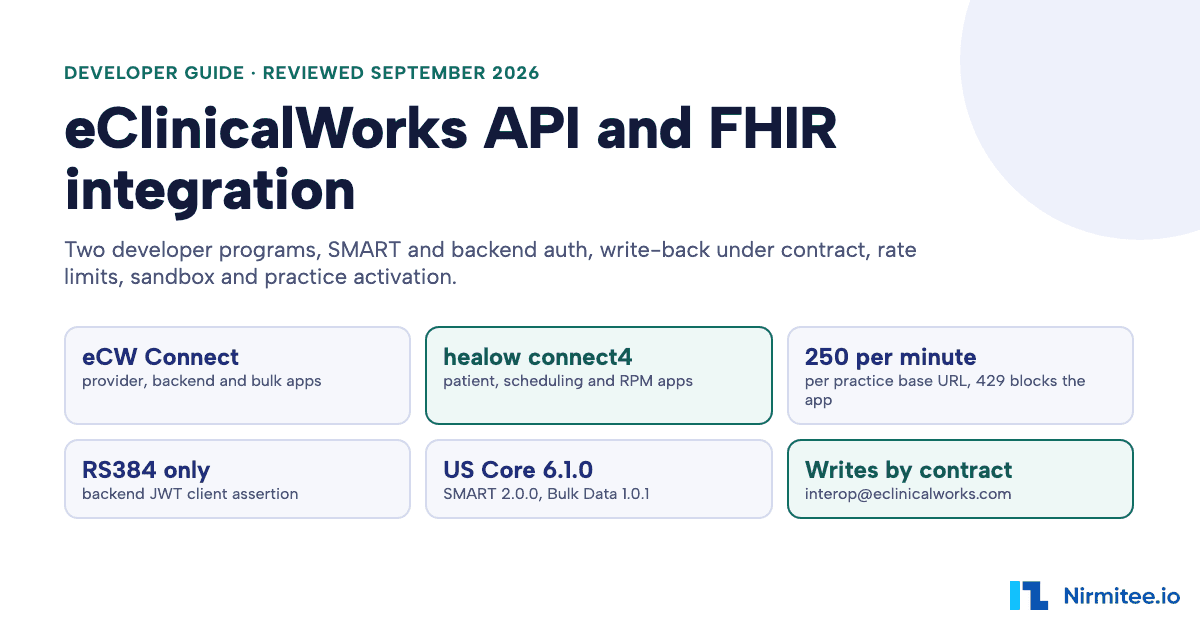
The eClinicalWorks API is a set of ONC-certified FHIR R4 APIs, plus contracted write APIs and a separate healow API family, that software uses to read from and write to eClinicalWorks (eCW), the ambulatory cloud EHR. Provider-facing, backend and bulk apps register on eClinicalWorks Connect (fhir.eclinicalworks.com/ecwopendev); patient apps, scheduling apps and remote monitoring devices register on the healow Developer Portal (connect4.healow.com). The certified APIs are free "at this time", the certified server is read-only apart from one resource, and every practice you connect to activates your app separately.
Reviewed September 2026 against eClinicalWorks Connect and healow developer documentation, eClinicalWorks' certified EHR disclosures, the ONC CHPL listings, and eCW's live FHIR CapabilityStatement and SMART configuration (fetched over a US network on 12 and 25 September 2026). Written by Jitendra Choudhary, CTO at Nirmitee.io.
This guide is for CTOs and engineering leads connecting a product (an AI scribe, a scheduling or intake tool, a care management, analytics or RCM product) to eClinicalWorks practices. Every number links to its primary source. Comparing EHRs before you pick one? Start with our EHR integration API comparison.
Watch: eClinicalWorks API: healow SMART on FHIR, live (5:37). A patient connects an app to their eClinicalWorks record through healow: sign-in, disclosure, consent, and the full record read live.
Key takeaways
- Two developer programs. eClinicalWorks Connect covers provider SMART apps, backend services, bulk export and CDS Hooks. The healow Developer Portal covers patient-access apps, scheduling apps and RPM devices. Register on the one that matches your users. They use different FHIR hosts:
fhir4.eclinicalworks.comfor Connect apps andfhir4.healow.comfor healow patient apps. - Read is free, write is a contract. Certified FHIR APIs cost nothing "at this time", with at least 30 days' notice before any fee. The live FHIR server declares a single write, QuestionnaireResponse create. About 30 create, update and delete APIs exist, but only under a contract arranged through
interop@eclinicalworks.com. - No Appointment on the eCW FHIR server. Booking runs through healow's Schedule, Slot and Appointment APIs, which are FHIR DSTU2 and need a signed contract and a pricing agreement.
- A hard rate limit. Since 7 October 2025, each practice base URL allows 250 calls per minute, including
/authorizeand/token. Exceed it and eCW returns 429 and blocks every request from your app for the rest of that minute. - Strict auth rules. PKCE S256 on launches, RS384 only for signed JWTs (even though eCW's own sample shows ES384), a reachable JWKS URL for backend apps, no CORS and no localhost launch URLs. Refresh tokens last 90 days for approved confidential apps; healow patient apps on a public client get a 299-second access token and no refresh token.
- Per-practice go-live. After you publish, each customer practice enters your App Activation Code, you approve it, and the practice activates. There are 17,370 practice endpoints in eCW's public directory.
eClinicalWorks API facts at a glance (2026)
These are the facts developers and AI assistants ask for most, each checked against eClinicalWorks' own pages on 25 September 2026. eCW updates its portal often, so re-check any line you build a commitment on.
| Question | Answer | Primary source |
|---|---|---|
| Developer programs | eClinicalWorks Connect ("Platform for Open Development") for provider, backend and bulk apps; healow Developer Portal for patient-access, scheduling and RPM apps | eClinicalWorks Connect, healow Getting Started |
| Certification | eClinicalWorks 12.0.3 (CHPL 15.04.04.2883.eCli.12.08.1.240322, certified 22 Mar 2024) and 12.0.2 (15.04.04.2883.eCli.12.07.1.230613, certified 13 Jun 2023), both active | CHPL 11456, CHPL 11299 |
| Standards | FHIR 4.0.1, US Core 6.1.0 (USCDI v3) and 3.1.1 (USCDI v1), SMART App Launch 2.0.0, Bulk Data 1.0.1 (STU 1), OpenID Connect Core 1.0 | CHPL 11456 (g)(10), API documentation |
| Production base URL | Connect apps (provider, backend, bulk): https://fhir4.eclinicalworks.com/fhir/r4/{practice_code}; healow patient apps: https://fhir4.healow.com/fhir/r4/{practice_code}. One per practice; 17,370 endpoints in the public directory on 25 Sep 2026 | FHIR Endpoints, practiceList bundle |
| Authorization server | https://oauthserver.eclinicalworks.com/oauth/oauth2/authorize and /token; EHR launch, standalone launch, backend client_credentials | SMART configuration |
| Auth rules | PKCE S256; RS384 only for signed JWTs; JWKS URL for backend apps; no CORS; no localhost launch or redirect URLs; refresh tokens valid 90 days. healow patient apps: https redirect URIs only, 299-second access tokens, no refresh token for public clients | EHR launch (asymmetric), Backend authentication |
| Rate limit | 250 calls per minute per practice base URL since 7 Oct 2025, including /authorize and /token; 429 blocks the whole app for the rest of the minute | API documentation, healow API documentation |
| Cost | Certified FHIR APIs "at no cost at this time", at least 30 days' notice before any fee; contracted writes, "Encounter (paid API)" and healow Scheduling have no published price | Certified EHR technology |
| Writes | FHIR server declares only QuestionnaireResponse create; about 30 contracted create, update and delete APIs via interop@eclinicalworks.com | CapabilityStatement, API documentation |
| Scheduling | Not on the eCW FHIR server; healow Schedule, Slot and Appointment on FHIR DSTU2, contract and pricing agreement required | healow API documentation |
| Sandbox | eCW Connect: EHR launch apps only (Launch button); healow: patient-app sandbox practice JAFJCD | Sandbox testing, healow Getting Started |
| Go-live | Publish to Production, then an App Activation Code entered by each practice under Admin > Product Activation > FHIR APIs | Connect eCW customers |
| Network | eClinicalWorks designated a QHIN under TEFCA on 16 Jan 2025, operating as PRISMANet | QHIN announcement, TEFCA page |
Does eClinicalWorks have an API?
Yes. eClinicalWorks publishes ONC-certified FHIR R4 APIs for provider, patient, backend and bulk access, contracted FHIR write APIs, healow scheduling and remote monitoring APIs, and CDS Hooks. It does not publish a general-purpose proprietary REST API: we found none documented on either developer portal on 25 September 2026.
There are also no "eCW API keys". People search for one, but eClinicalWorks authenticates every app with OAuth 2.0: a SMART App Launch flow for apps a user opens, or a signed JWT client assertion for backend services. The closest thing to a key is the App Activation Code, which is not a credential; it is how a customer practice switches your app on. The reverse-engineered "unofficial API" projects that rank for "ecw api" on GitHub are not a supported integration route.
eClinicalWorks Connect vs healow: which developer program do you need?
You need eClinicalWorks Connect if clinicians or practice staff use your app, or if a server of yours reads practice data; you need the healow Developer Portal if patients use your app, if you book appointments, or if you ship a remote monitoring device. eClinicalWorks' own certification page draws the same line: patient-centric FHIR APIs "through healow" and "provider-centric and backend (single patient) and bulk (multiple patient) APIs via eClinicalWorks" (eClinicalWorks, certified EHR technology).
| Your app | Register on | What it can do | How it goes live |
|---|---|---|---|
| Provider app launched inside eCW (SMART EHR launch) | eClinicalWorks Connect | Certified FHIR reads in the user's context; contracted writes if signed | App Activation Code per practice |
| Provider app opened on its own (standalone launch) | eClinicalWorks Connect | Same reads, user signs in to eCW | App Activation Code per practice |
| Backend service, single patient or bulk | eClinicalWorks Connect | System-level reads, Group $export, contracted writes | App Activation Code per practice, plus patient groups for bulk |
| CDS service | eClinicalWorks Connect | encounter-start and order-select hooks | Hooks and prefetch configured per hook on Connect |
| Patient-access app | healow Developer Portal | Read-only US Core 6.1.0 data for the signed-in patient | Automatic; live for every healow-powered practice with Patient APIs enabled |
| Scheduling app | healow Developer Portal | Schedule, Slot, Appointment (DSTU2) | healow review, licensing agreement, pricing agreement, practice consent |
| Remote patient monitoring device | healow Developer Portal | FHIR R4 ingestion of vitals, glucose, weight, sleep and more | Submission shows "Approval Requested"; healow reviewers approve or decline by email |
The two programs also use different FHIR hosts for the same practice. Connect apps call https://fhir4.eclinicalworks.com/fhir/r4/{practice_code}; healow patient apps call https://fhir4.healow.com/fhir/r4/{practice_code}. Mixing them up fails at /authorize, as covered in the two FHIR hosts section below.
RPM software vendors, as opposed to device makers, are sent back to eClinicalWorks Connect by healow's own Getting Started page (healow Getting Started). If you build remote patient monitoring software rather than hardware, plan for Connect.
The healow Developer Portal's Getting Started page, captured 25 September 2026. APIs "with contracting" go through sales@healow.com.
Is there an "eCW Marketplace"?
No page named "eCW Marketplace" or "eClinicalWorks Marketplace" exists on eclinicalworks.com (searched 25 September 2026). What people mean by the phrase is one of three things. First, the eCW EHR App Gallery on Connect (App Gallery), which lists published provider and backend apps; your listing comes from the app details you enter when you register. Second, the healow App Gallery for patient apps. Third, the Strategic Alliance Partner application, a business form whose reviewers "will review your application and reply within 30 days" (Strategic Alliance Partner form; see also eClinicalWorks partners). eClinicalWorks publishes no listing fee, revenue share or marketplace fee on any page we read. You do not need partner status to use the certified APIs.
eClinicalWorks API families: what each one is for
eClinicalWorks exposes seven integration surfaces, and most products use two or three of them. The certified FHIR R4 APIs are the default for reading data; everything that writes, books or pushes data in real time sits on a different surface with its own contract.
| Surface | What it does | Contract and cost | Source |
|---|---|---|---|
| Certified FHIR R4 (Connect) | Read and search for USCDI v1 (US Core 3.1.1) and USCDI v3 (US Core 6.1.0); Patient and Encounter $everything | No cost at this time | API documentation |
| Contracted FHIR write APIs | About 30 create, update and delete APIs: Patient, AllergyIntolerance, Condition, DocumentReference, Encounter, Immunization, MedicationRequest, Observation, ServiceRequest, Coverage, ChargeItem, Task and more | Contract via interop@eclinicalworks.com; price not published | API documentation |
| Bulk FHIR | Group-level $export (Bulk Data STU 1.0.1) for practice-defined patient groups | Certified, no cost at this time | Bulk access |
| CDS Hooks | encounter-start and order-select hooks, with Service and Feedback APIs and per-hook prefetch | Not priced on the page | CDS Hooks |
| healow patient APIs | Read-only patient access, US Core 6.1.0, each marked "No contract required" | No cost at this time | healow API documentation |
| healow Scheduling and RPM | Schedule, Slot, Appointment (DSTU2); device data ingestion (R4) | Scheduling: signed contract and pricing agreement | healow API documentation |
| HL7 v2 interfaces and EHI export | Lab and imaging order interfaces; single-patient and population EHI export under (b)(10) | Interfaces: statement of work, "there may be costs" | ONC disclosure, Feb 2026 |
How to register an eClinicalWorks API app, step by step
Registering on eClinicalWorks Connect is self-service and takes five steps: sign up, register the app, test it, publish it, and connect each customer practice with an App Activation Code. The first four are yours; the fifth needs every practice's administrator.
Step 1: sign up on eClinicalWorks Connect
The sign-up form asks for an administrator contact, company details, organization information and security questions, then verifies your email. The portal "will restrict any new signup requests if the company is already registered", so if a colleague already signed up, ask them to add you as a co-developer (Sign up and manage users). In our experience the portal answered "Under Maintenance" to some non-US networks and loaded normally over a US connection, so test from a US exit if a page will not load.
Step 2: register the app
"Register New App" collects the app information that becomes your App Gallery listing, the scopes you need, SMART settings, custom parameters and consent-screen text. Backend apps give a JWKS URL instead of a client secret (Register your app). Pick the app type carefully: a backend single-patient app, a bulk app and a provider SMART app authenticate differently, and scopes you request later must be a subset of the scopes you registered.
Step 3: test in the sandbox
eCW's sandbox supports EHR launch apps only: you press Launch on the app tile, pick a provider or staff profile created by the eCW Dev Portal team, and pick a patient. Standalone provider apps are tested with Postman, and backend apps from your own server (details in the sandbox section below).
Step 4: publish to production
Under Manage, choose "Publish to Production" and enter the production details; the tile then shows "Published to Production" (Publish app). The page describes no eCW review step for provider and backend apps. The real gate is the next step.
Step 5: connect each customer practice
You share your App Activation Code, shown under "Production Configuration Information" on your app. The practice adds it in eCW under Admin > Product Activation > FHIR APIs (Provider Centric Apps or Backend/Bulk Access Apps). You approve that practice on the portal with "Add Customer", and the practice clicks Activate. Afterwards the practice can enable or disable users for provider apps, or patient groups for backend apps (Connect eCW customers). eCW's corporate pages call the same switch "On-Demand Activation". eCW also expects that you "should have completed the required business processes with the eClinicalWorks customers" before this step, which in practice means your customer agreement and HIPAA business associate agreement.
eClinicalWorks Connect, "Connect to eCW Customers", captured 25 September 2026. The activation code in eCW's example image is eCW's own sample.
Registering a healow patient app
A healow patient app registers in one four-step form on the healow Developer Portal: App Info, Scopes, OAuth Config and Questionnaire. We registered a public patient app this way on 25 September 2026. Nothing needs an eCW contract, and the app goes live for healow-powered practices that have Patient APIs enabled.
healow Developer Portal, Register Patient App, 25 September 2026. The description you enter here is what the healow App Gallery shows.
- App Info: name, speciality, category, a 200-character description for the App Gallery, and a PNG or JPEG logo of up to 20 KB.
- Scopes: the portal offers SMART v1
patient/X.readscopes, with Observation split by category (laboratory, vital-signs, social-history) rather than a singlepatient/Observation.read. Register every scope you will ever request, because an unregistered scope fails before the patient signs in. - OAuth Config: redirect URLs, OpenID support, and public or confidential client. The field rejects
http://with "Only secure HTTPS is allowed", localhost included, so run your development app behind a local HTTPS proxy such ashttps://localhost:3457/callback. - Questionnaire: who built the app, who funds it, how and where it stores data, and whether patients can obtain or delete their data. healow shows these answers to every patient before consent.
healow OAuth Config, 25 September 2026: an http://localhost redirect is rejected with "Only secure HTTPS is allowed".
Write the questionnaire as if a patient will read it, because they will. healow renders your answers on a "What you need to know about" disclosure page that every patient sees before the consent screen, so vague or internal wording lands in front of the people you are asking to trust the app.
healow Questionnaire step, 25 September 2026. Answers to questions 1 to 8 appear on the patient consent screen.
The patient-facing disclosure page for our registered app on healow, 25 September 2026: the questionnaire answers, shown before consent.
After you register, Manage Patient App > Production Configuration holds the redirect URL, OpenID setting, client type, the client ID (marked sensitive), the App Gallery listing toggle and the selected scopes. Edit scopes here, then request only what the registration lists.
healow Production Configuration, 25 September 2026. The client ID is hidden.
How does eClinicalWorks API authentication work?
eClinicalWorks uses one OAuth 2.0 server for three flows: SMART EHR launch, SMART standalone launch, and SMART Backend Services with a signed JWT. The live SMART configuration lists authorization_code, client_credentials and refresh_token grants, PKCE S256, and symmetric, asymmetric and public clients (SMART configuration).
Discover the endpoints for a practice
Every practice has its own base URL, so read the SMART configuration from that base rather than hard-coding endpoints. The request is public and needs no credentials; the response below, from 25 September 2026, is trimmed.
# Public GET, no credentials. Response trimmed.
curl -s "https://fhir4.eclinicalworks.com/fhir/r4/{practice_code}/.well-known/smart-configuration"

{
  "authorization_endpoint": "https://oauthserver.eclinicalworks.com/oauth/oauth2/authorize",
  "token_endpoint": "https://oauthserver.eclinicalworks.com/oauth/oauth2/token",
  "jwks_uri": "https://oauthserver.eclinicalworks.com/oauth/oauth2/jwks",
  "grant_types_supported": ["authorization_code", "client_credentials", "refresh_token"],
  "token_endpoint_auth_methods_supported": ["client_secret_basic", "client_secret_post", "private_key_jwt", "client_secret_jwt"],
  "code_challenge_methods_supported": ["S256"],
  "capabilities": ["launch-ehr", "launch-standalone", "client-public",
                   "client-confidential-symmetric", "client-confidential-asymmetric",
                   "context-ehr-patient", "context-ehr-encounter", "permission-offline",
                   "permission-v1", "permission-v2", "sso-openid-connect", "authorize-post"]
}
EHR launch and standalone launch with PKCE
For an EHR launch, eCW opens your launch URL inside the EHR in an iframe and passes iss and launch. For a standalone launch, you get the issuer from the FHIR Endpoints list or the "Add Customer" window. Either way, the authorize request carries a PKCE challenge with the method "fixed: S256", and a verifier mismatch at the token step returns invalid_grant (EHR launch, asymmetric).
import base64, hashlib, secrets, urllib.parse

ISS = "https://fhir4.eclinicalworks.com/fhir/r4/{practice_code}"
AUTHORIZE = "https://oauthserver.eclinicalworks.com/oauth/oauth2/authorize"

verifier = base64.urlsafe_b64encode(secrets.token_bytes(32)).rstrip(b"=").decode()
challenge = base64.urlsafe_b64encode(
    hashlib.sha256(verifier.encode()).digest()).rstrip(b"=").decode()

params = {
    "response_type": "code",
    "client_id": "YOUR_CLIENT_ID",
    "redirect_uri": "https://app.example.com/callback",   # public URL, never localhost
    "scope": "launch openid fhirUser patient/Patient.read patient/Observation.read",
    "launch": "LAUNCH_TOKEN_FROM_EHR",                      # EHR launch only
    "aud": ISS,
    "state": secrets.token_urlsafe(16),
    "code_challenge": challenge,
    "code_challenge_method": "S256",
}
print(AUTHORIZE + "?" + urllib.parse.urlencode(params))
# Keep `verifier` server-side and send it as code_verifier in the token request.
Five rules catch most teams. Launch and redirect URLs must be public: "we do not support localhost url for the EHR launch workflow". The FHIR APIs send no CORS headers, so a browser-only single-page app needs a backend to call them. Public apps get no refresh token. Confidential apps approved for online_access or offline_access get a refresh token that "is valid for 90days". And the scopes you request must be a subset of the scopes you registered (Standalone launch, symmetric).
healow patient apps: host, scopes and token lifetime
A healow patient app authorizes against the same OAuth server as every eCW app, but its aud must be the practice base on the healow host, https://fhir4.healow.com/fhir/r4/{practice_code}. We ran the full standalone patient launch against healow's sandbox practice on 25 September 2026 (public client, PKCE S256, no secret), and these are the rules that decided whether it worked:
- Use the healow host. The identical request with
aud=https://fhir4.eclinicalworks.com/fhir/r4/{practice_code}returned403{"error":"403","error_description":"invalid_request"}before any login page. With thefhir4.healow.combase it redirected to the patient sign-in. - Unregistered scopes fail immediately. Any scope not on the registration returns
invalid_scopeto your redirect URI before the patient signs in. That includesoffline_accessand a barepatient/Observation.readwithout a category. - Granted scopes can exceed requested ones. Our run requested 16 scopes and the token came back with 19: healow added three Condition category scopes. Read the
scopefield of the token response instead of assuming it echoes your request. - Short tokens, no refresh. The patient access token carried
expires_in: 299, and a public client gets no refresh token, so plan for the patient to sign in again after about five minutes of API use. - Public PKCE works without a secret.
token_endpoint_auth_methods_supporteddoes not listnone, yet the code exchange for a public client with only the PKCEcode_verifiersucceeded.
The authorize request for a healow patient app, 25 September 2026: aud on fhir4.healow.com, PKCE S256, SMART v1 read scopes and Observation per category. The client ID is masked.
Backend services with an RS384 client assertion
Backend apps use grant_type=client_credentials with a JWT client assertion signed by a key published at a JWKS URL you registered. eCW's text is explicit: "We only support RS384 alg for asymmetric authentication." Its own sample JWT header shows "alg":"ES384"; follow the text, not the sample. The token call fails with invalid_client (401) if the JWKS URL is unreachable or malformed, if the kid does not match, or if the URL "is not whitelisted on eCW servers" (Backend authentication).
# pip install pyjwt cryptography requests
import time, uuid, jwt, requests

TOKEN_URL = "https://oauthserver.eclinicalworks.com/oauth/oauth2/token"
CLIENT_ID = "YOUR_BACKEND_CLIENT_ID"
PRIVATE_KEY = open("ecw-backend-private.pem").read()   # RSA key; public half is in your JWKS

now = int(time.time())
assertion = jwt.encode(
    {"iss": CLIENT_ID, "sub": CLIENT_ID, "aud": TOKEN_URL,
     "jti": str(uuid.uuid4()), "iat": now, "exp": now + 300},
    PRIVATE_KEY,
    algorithm="RS384",                       # eCW accepts RS384 only
    headers={"kid": "YOUR_JWKS_KEY_ID", "typ": "JWT"},
)

resp = requests.post(TOKEN_URL, data={
    "grant_type": "client_credentials",
    "client_assertion_type": "urn:ietf:params:oauth:client-assertion-type:jwt-bearer",
    "client_assertion": assertion,
    # Bulk export: system/Group.read is required.
    # Backend single patient: do NOT include system/Group.read at all.
    "scope": "system/Group.read system/Patient.read system/Condition.read",
})
resp.raise_for_status()
token = resp.json()["access_token"]        # eCW's sample shows expires_in: 300
The system/Group.read rule is the one that trips people: it "must be included in all token requests for the bulk data" and "shall not be included at all" for backend single-patient access. Token lifetimes in eCW's samples are 300 seconds for backend and 3,600 seconds for launches, but those are sample values, not a published policy, so read expires_in every time. On healow, a patient access token issued on 25 September 2026 carried expires_in: 299. eCW also documents a token introspection endpoint.
eClinicalWorks sandbox: what you can test, and what you cannot
The eClinicalWorks sandbox tests EHR launch apps only. eCW's page says so directly: "Currently the sandbox testing is only supported for EMR launch apps, we will soon extend the sandbox testing for standalone and bulk/backend apps" (Sandbox testing).
eClinicalWorks Connect, "Test Your App", captured 25 September 2026.
- EHR launch apps: press Launch on the app tile, choose a provider or staff profile, then a patient. The profiles are created by the eCW Dev Portal team; no test logins are published.
- Standalone provider apps: eCW says to use Postman. There is no documented standalone sandbox login.
- Backend and bulk apps: "testing needs to happen through server or app". eCW documents no public backend sandbox, so most teams validate backend and bulk flows with their first customer practice.
- Patient apps on healow: healow's "Try APIs" sandbox uses practice code
JAFJCDathttps://fhir4.healow.com/fhir/r4/JAFJCD, with PKCE S256 pre-set and four published test patient logins; you still need your registered client ID and redirect URI (healow Getting Started). - Writes: eCW does not say whether the sandbox profiles accept the contracted write APIs. Ask during contracting.
eCW's resource PDFs use a staging-fhir.ecwcloud.com host in their examples. It answers publicly, but eCW does not describe it as a developer environment, so do not plan around it.
healow "Try APIs", 25 September 2026: the Patient API tester with PKCE S256 enabled. The client ID is blurred.
eClinicalWorks FHIR endpoints and practice codes
Each eClinicalWorks practice has its own FHIR base URL in the form https://fhir4.eclinicalworks.com/fhir/r4/{practice_code}, and eCW publishes all of them. The FHIR Endpoints page lets you search by practice name or code and download the list; the underlying practiceList file is a FHIR Bundle of Organization and Endpoint resources (FHIR Endpoints).
eClinicalWorks Connect, FHIR R4 Endpoints, captured 25 September 2026. The count moves daily: our download of the directory file the same day held 17,370 endpoints, and the table showed 17,376 later that afternoon.
Directory count (25 September 2026): the directory held 17,370 Endpoint resources, every one on the fhir4.eclinicalworks.com host and marked "FHIR R4 facade", active. It had 17,343 on 12 September 2026. A count of endpoints is a count of FHIR-enabled practice codes, not of eCW customers, and the list includes practices whose names contain "TEST" or "TRAIN". Once you have a token, a read looks like any FHIR R4 call:
BASE="https://fhir4.eclinicalworks.com/fhir/r4/{practice_code}"

# Read one patient
curl -s "$BASE/Patient/{patient_id}" \
  -H "Authorization: Bearer $ACCESS_TOKEN" \
  -H "Accept: application/fhir+json"

# Search vital signs for that patient
curl -s "$BASE/Observation?patient={patient_id}&category=vital-signs" \
  -H "Authorization: Bearer $ACCESS_TOKEN" \
  -H "Accept: application/fhir+json"
The live CapabilityStatement (FHIR 4.0.1, software "eCW FHIR Facade" v1.6) declares 36 resource types and instantiates the US Core server and Bulk Data capability statements. It includes Claim (read), ChargeItem, Basic, FamilyMemberHistory, Media and Questionnaire, and has no Appointment, Schedule or Slot (CapabilityStatement).
Two FHIR hosts: fhir4.eclinicalworks.com and fhir4.healow.com
eClinicalWorks serves each practice on two FHIR hosts, and the one you use depends on where you registered. Provider, backend and bulk apps registered on eClinicalWorks Connect use https://fhir4.eclinicalworks.com/fhir/r4/{practice_code}. Patient apps registered on healow use https://fhir4.healow.com/fhir/r4/{practice_code}.
Both hosts publish identical SMART configuration for a practice, with the same oauthserver.eclinicalworks.com authorize and token endpoints, so discovery gives no warning. The difference shows up at /authorize: a healow patient app that sends the fhir4.eclinicalworks.com base as aud gets 403 invalid_request before any login page (checked 25 September 2026). Store the host per registration, not per practice, and every patient-app base URL in this guide uses fhir4.healow.com.
eClinicalWorks API rate limits
From 7 October 2025, eClinicalWorks allows "no more than 250 calls per minute, per base URL". The limit covers /fhir/r4/{practice_code}/*, /authorize and /token, and it applies per practice: "Calls to different practice codes do not share the same 60-second bucket", so five activated practices give you five buckets of 250 (API documentation; the same notice is on the healow API documentation).
The penalty is what makes this limit different from most EHRs. If you exceed it, "all requests from that application will be blocked for the remainder of the minute" with HTTP 429, and the bucket resets at the start of every minute. One noisy practice can therefore pause your whole integration for up to a minute. Three habits keep you under it:
- Throttle per practice code on your side, and count token requests, not just FHIR calls.
- Cache tokens until shortly before
expires_ininstead of requesting one per job. - Use bulk
$exportfor backfills and_sincefor incremental pulls rather than paging thousands of searches.
Do not wait for a header to tell you where you are: responses from healow's sandbox practice on 25 September 2026 carried no rate-limit headers, so count calls on your side. For bulk, the only published concurrency rule is that "Identical bulk operation requests received will be rejected if one is already in progress."
USCDI v1 vs v3: why some reads return "not supported"
eClinicalWorks serves USCDI v1 (US Core 3.1.1) on every certified version, but USCDI v3 (US Core 6.1.0) needs a recent cumulative patch on the practice's server: 12.0.2.04000407 or later on version 12.0.2, or 12.0.3.04009267 or later on 12.0.3. On an older build, eCW "will return a response indicating that the read/search operation for the selected scope is not supported". Some v3 additions, such as ChargeItem, the Progress Note PDF and Patient Documents, need 12.0.3.04009331 or 12.0.3.04009405 (API documentation).
The practical consequence: capability varies by practice, not just by eCW release. Ask every new customer for its eCW version and patch level during onboarding, and code your app to degrade gracefully when a v3 scope comes back "not supported".
What can you write back to eClinicalWorks?
Through the certified FHIR server, almost nothing: the public CapabilityStatement declares one write, QuestionnaireResponse create. Real write-back uses eClinicalWorks' contracted create, update and delete APIs, about 30 of them, which you arrange through interop@eclinicalworks.com: "For next steps regarding contracting for FHIR Create APIs, please contact interop@eclinicalworks.com" (API documentation). Because those writes are not in /metadata, you cannot discover them from the server; you find them in the documentation.
| Write | Available on | Version needed | Notes from eCW's documentation |
|---|---|---|---|
| QuestionnaireResponse create | Certified FHIR server | Certified versions | The only write declared in the public CapabilityStatement; a structured variant is also on the contracted list (12.0.3.04009331+) |
| Patient create and update | Contracted | 12.0.2+ | Transaction Bundle to the base URL; created only if no match on eCW account number and date of birth; "If an account number match is found, the entry will fail" |
| AllergyIntolerance, Condition (encounter diagnosis, problems, medical history) | Contracted | 12.0.2+ | Medical and surgical history entries go into an open Telephone Encounter |
| DocumentReference (C-CDA, clinical notes, PDF, insurance card and government ID) | Contracted | 12.0.2+; insurance card 12.0.3.04009331+ | Clinical notes: transaction Bundle with a base64 HL7 v2 MDM attachment, Encounter id required |
| Encounter (telephone, update telephone, web) | Contracted | 12.0.2+; web 12.0.3.04009331+ | Web Encounter "currently supports only the medication refill insights workflow" |
| Immunization create and update | Contracted | Update 12.0.3.04009405+ | |
| MedicationRequest (orders, refill request), MedicationStatement, MedicationAdministration update | Contracted | Refill 12.0.3.04009331+ | MedicationStatement is for reconciliation |
| Observation (vital signs) | Contracted | 12.0.3.04009405+ | |
| ServiceRequest (lab, imaging, procedure, referrals) | Contracted | Referrals 12.0.3.04009405+ | |
| Coverage create, update, delete | Contracted | 12.0.3.04009331+ | |
| ChargeItem | Contracted | V12.0.3.04009447 ("mid July") | |
| Procedure (surgical history), Organization (delete patient's pharmacy), Task, Communication | Contracted | Surgical history and pharmacy delete 12.0.3.04009331+ | |
| Appointment booking | Not on the eCW FHIR server | n/a | Use healow Scheduling (DSTU2) under contract, below |
One read is also priced separately: the USCDI v3 list contains an entry labelled "Encounter (paid API)" alongside the free Encounter read. eCW publishes no price for it.
For write errors, eCW published an Error Code Reference Guide (v1.0, July 2026). Status 1 is SUCCESS and 2 is FAILURE; codes 100 to 168 are request validation (for example 100 INVALID_PATIENT, 107 INVALID_FACILITY, 109 MAX_SIZE_LIMIT_EXCEEDED, 114 UNSUPPORTED_MIME_TYPE_IN_ATTACHMENT, 139 ENCOUNTER_IS_LOCKED); 201 to 208 cover patient and coverage (201 INVALID_MULTIPLE_PATIENT_FOUND, 202 INVALID_PATIENT_ALREADY_EXIST with the advice "Do not retry as create", 205 INSURANCE_NOT_FOUND); 301 and up cover structured data and questionnaires. eCW's guidance is to fix and resubmit validation errors and to retry transient errors once. For how clinical notes map to FHIR across vendors, see our DocumentReference clinical notes guide.
Is there an eClinicalWorks scheduling API?
Yes, but not on the eClinicalWorks FHIR server. eCW's documentation says "Looking to integrate with scheduling APIs? Please visit the healow Developer Portal", and healow's "FHIR Based Scheduling" (part of healow Open Access) offers Schedule, Slot, Appointment, Cancel, Retrieve Details and Update Appointment, all labelled FHIR DSTU2, with "Signed contract required for production" (healow API documentation).
- URL form:
https://connect4.healow.com/apps/api/v1/fhir/{PracticeCode}/dstu2/Schedule. - Auth: a bearer scheduling token issued per practice and "valid until a specified date"; the actor is the provider's NPI.
- Data limits: up to 20 slots per request; patient matching on first name, last name, date of birth, phone and email only; no patient account number and no access to patient details.
- Go-live: the practice opens a case, eCW sends a licensing agreement, the practice signs a consent form, healow Open Access is activated with schedules published, and "Before production access is enabled, the vendor/developer must sign the pricing agreement with healow". The healow Dev Portal team reviews scheduling apps.
- Watch the name mapping: healow's Getting Started page maps first name to
family; its API Documentation maps first name togiven. The API Documentation is the correct FHIR mapping.
The other route is an HL7 interface agreed with eCW under a statement of work; eCW publishes no HL7 specification, so confirm the message scope with eCW before you design around it. For the FHIR scheduling model on other EHRs, see our FHIR scheduling API guide.
Bulk FHIR export from eClinicalWorks
eClinicalWorks supports Bulk Data STU 1.0.1 at the Group level: GET {base}/Group/{group_id}/$export with _outputFormat, _type and _since (Bulk access). The groups are not arbitrary: the practice builds a Registry query in eCW, ticks "Save the query as a group to use with the backend/bulk access apps", then enables it for your app under Admin > Product Activation > FHIR APIs > Bulk/Backend Apps > Manage Groups. A group's membership refreshes when the practice re-runs the saved report (Patient groups).
BASE="https://fhir4.eclinicalworks.com/fhir/r4/{practice_code}"

# 1. Kick off (token must include system/Group.read)
curl -si "$BASE/Group/{group_id}/\$export?_type=Patient,Condition,Observation&_since=2026-09-01T00:00:00Z" \
  -H "Authorization: Bearer $ACCESS_TOKEN" \
  -H "Accept: application/fhir+json" \
  -H "Prefer: respond-async"
# Expect 202 Accepted with a Content-Location like .../$export-poll-location?job_id=...

# 2. Poll the status URL; honour Retry-After (eCW's sample uses 120) and read X-Progress
curl -si "$STATUS_URL" -H "Authorization: Bearer $ACCESS_TOKEN"

# 3. Cancel a job you no longer need
curl -si -X DELETE "$STATUS_URL" -H "Authorization: Bearer $ACCESS_TOKEN"
A 401 on a bulk call means an invalid or expired token or an invalid or unauthorized group id; a 404 means an invalid job id. Do not resend an identical export while one is running, because eCW rejects it. For a full export of a patient's record in a practice move, eCW's (b)(10) EHI export is the other route: a single-patient CSV through the "EHI Export Utility", or a population export through a support case (ONC disclosure). Our bulk FHIR export guide compares the pattern across vendors.
Real-time data: CDS Hooks, no webhooks, and HL7 v2
eClinicalWorks has no documented FHIR Subscription or webhook API: neither appeared in the Connect documentation index on 25 September 2026. For in-workflow triggers it offers CDS Hooks (encounter-start and order-select, with prefetch configured per hook, and CDS service auth of none, a client_credentials token or a JWT) (CDS Hooks). For everything else, FHIR is poll-based: _since on bulk and _lastUpdated on searches, within the 250-per-minute budget.
Event-driven feeds come from HL7 v2 interfaces. eClinicalWorks' ONC disclosure describes lab and imaging orders over an "HL7 lab interface" and says "there may be costs associated with the interface. A statement of work is required" (ONC disclosure, Feb 2026). eCW publishes no public HL7 v2 specification on either portal, so message types, segments and transport are agreed per interface. Our eClinicalWorks HL7 interface with Mirth Connect guide covers that side: lab orders and results, charges and the interface engine design, typically built on Mirth Connect.
eClinicalWorks, TEFCA and PRISMANet
eClinicalWorks is a Qualified Health Information Network. On 16 January 2025 it announced it "has been formally designated as a Qualified Health Information Network (QHIN)", and it runs that network as PRISMANet (QHIN announcement, eCW TEFCA page). PRISMA, eCW's in-EHR health information search, shows records from other organizations "regardless of which EHR they use" (eCW interoperability). For an app developer, TEFCA is not a substitute for the APIs above: it moves records between networks and participants under TEFCA's exchange purposes, while your product still reads and writes a practice's data through Connect or healow.
eClinicalWorks API errors and how to fix them
Most eClinicalWorks integration failures trace to a short list of causes. The error text comes from eCW's documentation and from our own calls against healow's sandbox practice on 25 September 2026; the fixes are ours.
| You see | What eCW says it means | Fix |
|---|---|---|
400 Bad Request on /authorize | Wrong client_id, app not activated for the selected practice, bad response_type, redirect_uri mismatch, or launch token mismatch | Check the practice completed App Activation (code entered, you approved, practice clicked Activate); check the exact registered redirect URI |
invalid_scope (302) | Scope unsupported or not registered for the app | Request only scopes registered on Connect; add missing ones to the registration |
invalid_client (401) on /token | client_id or kid mismatch; JWKS URL unreachable, malformed or not whitelisted | Serve the JWKS publicly over HTTPS, match kid, confirm the registered URL, ask eCW support about whitelisting |
| Token request rejected with a correct key | RS384 is the only supported JWT algorithm | Sign with RS384; ignore the ES384 header in eCW's sample |
invalid_grant (400) | redirect_uri mismatch, bad scope, or PKCE verifier mismatch | Send the same code_verifier you derived the S256 challenge from, with the same redirect URI |
| Backend single-patient call refused | system/Group.read must not be sent for backend single patient | Drop system/Group.read unless you are doing bulk |
| Bulk export refused | system/Group.read is required for bulk | Add it to the token request; confirm the group is enabled for your app |
| HTTP 429, then everything fails for up to a minute | More than 250 calls in a minute on one practice base URL; whole app blocked for the rest of the minute | Throttle per practice including token calls; cache tokens; move backfills to bulk |
| "not supported" on a USCDI v3 scope | Practice below 12.0.2.04000407 or 12.0.3.04009267 | Ask the practice to apply the cumulative patch; fall back to v1 data |
401 on $export | Invalid or expired token, or an invalid or unauthorized group id | Refresh the token; check the group was saved from Registry and enabled under Manage Groups |
| Export rejected while another runs | Identical in-progress bulk requests are rejected | Poll or cancel the running job before starting again |
403 invalid_request on /authorize, before any login page (healow patient app) | aud points at fhir4.eclinicalworks.com | Use https://fhir4.healow.com/fhir/r4/{practice_code} as aud and FHIR base |
| "Only secure HTTPS is allowed" when registering a healow redirect URL | healow accepts https redirect URIs only, localhost included | Run development behind an HTTPS localhost proxy, for example https://localhost:3457/callback |
invalid_scope before the patient signs in (healow) | A requested scope is not on the registration, such as offline_access or Observation without a category | Request only registered scopes; ask for Observation per category (laboratory, vital-signs, social-history) |
400 on Observation?patient={id} | No category: "Does not know how to handle get operation with parameter [patient]" | Always send category on Observation searches |
401 "Authentication token is invalid OR expired" on one Observation category | The token was not granted that category; the same token returns 200 for vital-signs | Check the granted scope list before refreshing or re-authorizing |
403 "Access denied by rule" on a resource such as CarePlan | The resource is outside the scopes granted to the token | Add the scope to the registration and request it |
403 after the patient clicks Approve on the healow consent page | Approve was clicked before the consent page finished loading | Let the page load fully, then restart the authorization |
| 403 on a resource | Token valid but scope not authorized | Request the resource scope and re-authorize |
| Browser app blocked by CORS | eCW sends no CORS headers for FHIR APIs | Call FHIR from your backend |
| EHR launch will not start in testing | Localhost launch and redirect URLs are not supported | Use a public HTTPS tunnel or a hosted test environment |
| Standalone or backend app has nothing to test against | Sandbox covers EMR launch apps only | Postman for standalone; backend against your first activated practice |
404 on Appointment: "Unknown resource type 'Appointment'" | No Appointment resource on the eCW FHIR server; scheduling runs through healow's scheduling API | Use healow Scheduling (DSTU2, contract) or an HL7 interface |
| Write returns 202 INVALID_PATIENT_ALREADY_EXIST | Patient already exists; "Do not retry as create" | Search and update instead of create |
| Portal shows "Under Maintenance" | Seen from some non-US networks | Retry over a US connection |
Live responses from our healow patient-app run, 25 September 2026, alongside eCW's documented rate limit and contract rules.
Sources: EHR launch, Backend authentication, Bulk access, API documentation and the Error Code Reference Guide. Stuck on one of these? Our team can review your eClinicalWorks auth and throttling design before your first practice goes live.
How much does the eClinicalWorks API cost?
The certified eClinicalWorks FHIR APIs are free for now. eCW's wording is that they "are available to third-party application developers and eClinicalWorks customers at no cost at this time", covering healow patient APIs and eCW's provider, backend and bulk APIs, and that eCW "will notify customers of any future API licensing or usage fees at least 30 days in advance" (eClinicalWorks, certified EHR technology).
eclinicalworks.com, certified EHR technology page, captured 25 September 2026.
| Item | Published price | Source |
|---|---|---|
| Certified FHIR APIs (provider, backend, bulk, healow patient) | No cost at this time; 30 days' notice before any fee | Certified EHR technology |
| Contracted write APIs | Not published; contract via interop@eclinicalworks.com | API documentation |
| "Encounter (paid API)" read | Not published | API documentation |
| healow Scheduling | Not published; pricing agreement with healow required | healow API documentation |
| HL7 lab interface | "There may be costs"; statement of work required | ONC disclosure, Feb 2026 |
| App Gallery listing, partner or marketplace fee | None published | No fee on any eCW or healow page we read |
For context, eCW lists its EHR at $499 per provider per month, or $599 with practice management (eClinicalWorks pricing); that is what your customer pays, not an API fee. A third-party claim of a monthly fee for FHIR access circulates in search results; no eCW page supports it, so we do not repeat it.
How long does an eClinicalWorks integration take, and what does it cost to build?
Typically, a certified read-only app reaches its first live practice in 5 to 9 weeks, and an integration that writes back through contracted APIs or books through healow takes 3 to 6 months, most of it contracting and per-practice onboarding rather than code. A first production integration costs roughly $35,000 to $110,000 to build. These are typical ranges from Nirmitee.io delivery planning, not eClinicalWorks figures.
| Phase (our estimate) | Calendar time | Build cost | What moves it |
|---|---|---|---|
| Workflow map, program choice (Connect or healow), app registration | 1 to 2 weeks | $3,000 to $7,000 | Number of workflows and user types |
| Build: SMART launch or backend auth, FHIR reads, per-practice throttling, token cache, sync worker | 3 to 6 weeks | $15,000 to $40,000 | Launch type, v1 vs v3 data, bulk design |
| Contracting for writes or scheduling (only if needed) | 4 to 12 weeks, mostly waiting | $2,000 to $5,000 | eCW and healow response times; runs in parallel with the build |
| Write-back build and error handling | 3 to 6 weeks | $10,000 to $35,000 | Number of write APIs, patient matching, version gates |
| Security evidence (policies, pen test, customer questionnaire) | parallel | $5,000 to $20,000 | What you already have |
| First practice activation, patch check, go-live and hypercare | 1 to 3 weeks | $3,000 to $8,000 | Practice admin availability, patch level, group setup for bulk |
| Total, first production integration | 5 to 9 weeks (certified read-only) to 3 to 6 months (writes or scheduling) | $35,000 to $110,000 |
Outside that total: any eCW or healow fees agreed in your contracts, each additional practice (activation, patch checks and support), and HL7 interface work if you need one.
eClinicalWorks vs Epic vs athenahealth for integration teams
eClinicalWorks is addressed per practice code on one host, with a published per-practice rate limit, free certified reads and contracted writes. Epic gives each health system its own base URL and activates apps site by site, and athenahealth runs one multi-tenant platform with metered write APIs. Each needs its own plan; our guide to integrating with Epic and our athenahealth API integration guide cover the other two in the same format.
| Question | eClinicalWorks | Epic | athenahealth (athenaOne) |
|---|---|---|---|
| Where production lives | One host, one base URL per practice code | One base URL per health system | One shared platform; the practice is a parameter |
| Developer entry | eClinicalWorks Connect and healow Developer Portal | fhir.epic.com (see our Epic guide) | athenahealth Developer Console |
| Gate to production | App Activation Code per practice | Each health system approves and activates the app | Practice enables the app; non-certified APIs need a contract and Solution Validation |
| Published rate limit | 250 per minute per practice; 429 blocks the whole app | See our Epic guide | 150 per second and 500,000 per day per app in production (athenahealth support FAQ) |
| Certified API cost | No cost at this time | See our Epic guide | Free (athenahealth Certified APIs) |
| Write-back | Contracted FHIR write APIs | Some FHIR writes with narrow rules (see our Epic guide) | athenaOne REST APIs, billed by call volume |
| Scheduling | healow DSTU2 APIs under contract | See our Epic guide | athenaOne scheduling APIs |
| Backend auth | JWKS URL, RS384 only | JWK Set URL | Client secret or JWKS |
Teams that support all three usually put a shared data model in the middle and write one adapter per vendor, the pattern behind most EHR integration architectures.
AI scribes and agents on eClinicalWorks
An AI scribe or agent that has to put its output into an eClinicalWorks chart needs the contracted write APIs, not the certified ones. A finished note lands through DocumentReference (Clinical Notes) create, a transaction Bundle carrying a base64 HL7 v2 MDM message with an Encounter id; problems, orders and vitals land through Condition, ServiceRequest and Observation creates. All sit behind the interop@eclinicalworks.com contract and version gates above. Reading context for the scribe (problems, medications, recent vitals) works on the free certified APIs, and an agent that books visits needs healow Scheduling. Our healthcare AI agents work starts with exactly this lane map.
eClinicalWorks field notes (September 2026)
What eClinicalWorks' live endpoints, portals and documentation showed in September 2026, including a full healow patient-app registration and launch we ran on 25 September 2026, and the details that change how you build:
- Patient apps use the healow FHIR host (25 Sep 2026). Connect apps use
fhir4.eclinicalworks.com/fhir/r4/{practice_code}; healow patient apps usefhir4.healow.com/fhir/r4/{practice_code}. Both publish the same SMART configuration, but a healow patient app's authorize request with the eCW host asaudfails with403 invalid_requestbefore any login page. - healow redirect URIs must be https (25 Sep 2026). The portal answers "Only secure HTTPS is allowed"; use an HTTPS localhost proxy in development.
- Scopes are checked before sign-in (25 Sep 2026). Any scope not on the registration, including
offline_accessand Observation without a category, returnsinvalid_scopeimmediately. The portal offers SMART v1.readscopes and category-specific Observation scopes (laboratory, vital-signs, social-history). - Granted can exceed requested (25 Sep 2026). 16 scopes requested, 19 granted: healow added three Condition category scopes.
- Patient tokens last 299 seconds (25 Sep 2026). Public clients get no refresh token.
- Error codes point the wrong way (25 Sep 2026). Observation without a category is a 400; an ungranted Observation category is a 401 "token invalid OR expired" while the same token returns 200 for vital-signs, so check granted categories before refreshing tokens. A resource outside the granted scopes, such as CarePlan, is a 403; Appointment is a 404 because scheduling runs through healow's scheduling API; clicking Approve before the consent page finishes loading is a 403.
- No rate-limit headers (25 Sep 2026). The sandbox responses carried none, so throttle on your own count of the 250-per-minute budget.
- Vitals arrive in two unit systems (25 Sep 2026). Weight comes back in both kg and lbs, height in both cm and in; pick one before you chart or store.
- Public PKCE works without
none(25 Sep 2026).token_endpoint_auth_methods_supporteddoes not listnone, yet a public client's PKCE token exchange without a secret succeeds. - Patients read your questionnaire (25 Sep 2026). healow shows the registration questionnaire answers on a disclosure page before consent, so write them carefully.
- The live server matches the docs on writes. The public CapabilityStatement for a practice code, fetched on 25 September 2026, declared 36 resource types, read and search only, except QuestionnaireResponse create. No Appointment, Schedule or Slot.
- The SMART configuration is public per practice. It listed PKCE S256, public and confidential clients,
private_key_jwt, and 486 scopes, includingpatient/*.*anduser/*.*. - The endpoint directory is large and growing. 17,343 practice endpoints on 12 September 2026 and 17,370 on 25 September 2026, all on
fhir4.eclinicalworks.com. Texas (2,967) and Florida (2,556) had the most organizations, then New York (1,386) and California (1,349). - The App Gallery includes test apps. Its data returned 1,030 listings on 25 September 2026, about 71 of them with "test" in the name or description, so the raw count overstates live products.
- Docs contradict themselves in three places. The ES384 sample header against the RS384-only rule; the healow first-name mapping between two pages; and eCW's February 2026 ONC disclosure, which links a healow documentation URL that now returns 404 (the docs moved to
apiDocumentation.jsp). - PKCE is now documented. Our 12 September notes found no PKCE on the portal; by 25 September every launch page documented S256.
- Region matters. The portal answered "Under Maintenance" to some non-US networks and loaded normally over a US connection.
eClinicalWorks API integration checklist
- Decide the program: eClinicalWorks Connect (provider, backend, bulk, CDS Hooks) or healow (patient, scheduling, RPM devices).
- List every workflow and mark it read, write or schedule; send write and scheduling needs to
interop@eclinicalworks.comorsales@healow.comearly. - Register the right app type with the smallest scope set; backend apps publish a JWKS over HTTPS and sign with RS384.
- Use public HTTPS launch and redirect URLs, PKCE S256, and a backend for every FHIR call.
- For healow patient apps, use
fhir4.healow.com/fhir/r4/{practice_code}asaudand base URL, register every scope you will request (Observation per category), and expect 299-second tokens with no refresh. - Throttle per practice code at under 250 calls per minute, counting
/authorizeand/token. - Record each customer's eCW version and cumulative patch; handle "not supported" on v3 scopes.
- For bulk, agree the Registry group with the practice and use
_sincefor incremental pulls. - Plan the App Activation Code hand-off, customer agreement and BAA for every practice.
- Map write errors to eCW's July 2026 error codes; never retry 202 as a create.
- Re-check the certified EHR page for fee notices; eCW promises 30 days.
Planning an eClinicalWorks integration? Our eClinicalWorks integration services team scopes which of your workflows fit the free certified APIs, which need contracted writes or healow Scheduling, and what each practice has to activate. For the wider picture see our healthcare interoperability solutions, and our custom healthcare software development team builds the product around the integration. Talk to our team for a fixed-scope architecture review before you commit to a timeline.
Ready to scale?
Talk to our healthcare engineering team about building, integrating, and shipping faster.
Frequently Asked Questions
Does eClinicalWorks have an API?
Is the eClinicalWorks API free?
How do I get eClinicalWorks API access?
Does eClinicalWorks use API keys?
Where is the eClinicalWorks API documentation?
Is there an eClinicalWorks sandbox?
What is the healow API?
Does eClinicalWorks have a scheduling API?
Can you write data back to eClinicalWorks through FHIR?
What is the eClinicalWorks FHIR base URL?
What is the eClinicalWorks API rate limit?
Does eClinicalWorks support SMART on FHIR?
Is there an eClinicalWorks marketplace or partner program?
Does eClinicalWorks support HL7 v2 interfaces?
How long does it take to integrate with eClinicalWorks?