How to Integrate with Epic EHR (2026): Steps, APIs, Cost & Timeline

CTO & Co-Founder
CTO & Co-Founder at Nirmitee.io. Architects healthcare integrations across FHIR, SMART on FHIR, ABDM and NHCX, writing from production experience taking hospital software from sandbox to go-live.
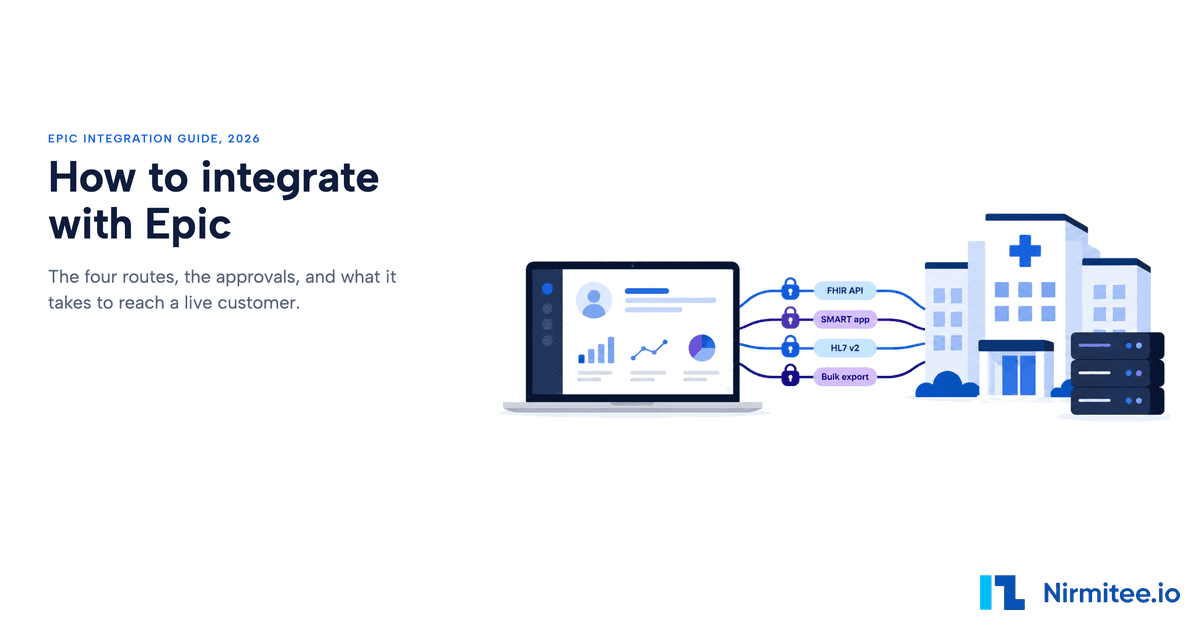
To integrate with Epic, pick the route that matches who is present when your code runs (a clinician, a patient, or no user at all), register your app on Epic on FHIR, build against the free sandbox, then go live through a health system that signs Epic's API agreement and switches your app on. The code is the short part. Access to a real customer is the long part.
Reviewed September 2026 against Epic's developer documentation, Epic's 9 September 2026 cost disclosure and our own sandbox testing. Written by Jitendra Choudhary, CTO at Nirmitee.io.
This guide is for product and engineering leads at health tech companies scoping their first or next Epic integration, whether you build it yourself or bring in a team offering Epic integration services. It covers the ways software connects to Epic, Epic's full API fee table, the 2026 developer program map, Backend Services under Epic's new key rules, what you can and cannot write back, the OAuth errors that eat days, cost and timeline models that add up, and the code we ran against Epic's sandbox. Epic reports that more than 325 million patients have a current electronic record in Epic, so for most US health tech products this is not an optional integration. Every program name, fee and rule below links to its primary source and was checked on 25 September 2026.
Key takeaways
- There are four core routes into Epic: the FHIR R4 API, a SMART app inside the chart, an HL7 v2 interface, and Backend Services with Bulk Data. CDS Hooks and TEFCA are two more for specific jobs. Most products use two routes.
- Developers pay Epic nothing for public and standards-based APIs. The health system pays an annual USCDI API subscription of $4,500 to $47,000 per production instance, in five tiers, or from $300 for a single API.
- Registration and the sandbox are free and self-service. Vendor Services (from $1,900 a year, with a 3-month refundable trial) and a Connection Hub listing ($500 per product per year, after one live customer) are optional.
- Only three kinds of read-only, patient-facing app go live without a per-site approval. Every clinician app, backend app and app that writes is approved by each health system.
- From the May 2026 Epic version, backend apps must use a JWK Set URL instead of a static public key.
- Writing back is narrow: vitals need an open encounter, notes are plain text, problems and allergies land in a reconcile queue, and orders arrive only as unsigned suggestions.
- Plan 6 to 18 months to a first live customer. In our phase model a first production integration costs $60,000 to $172,400.
How to integrate with Epic: the short answer
To integrate with Epic, match the job your product does to one of Epic's connection methods, then plan for the health system that has to approve it. There is no single Epic integration: there are four core routes plus two specialist ones, and most products that sell to health systems use two of them.
| If your product needs to... | Use this route | Standard and auth | What gates live data |
|---|---|---|---|
| Read a patient's record (problems, medications, labs, vitals, notes) | FHIR R4 API | FHIR R4, US Core; SMART on FHIR (OAuth 2.0) | A customer downloads your client ID |
| Open inside the clinician's chart with the patient already selected | SMART app (EHR launch) | SMART App Launch; authorization code with a launch token | Customer build and security review |
| Receive results, admissions or schedules in real time, or send orders and charges | HL7 v2 interface | HL7 v2 through the customer's interface team | Interface build in the customer's queue |
| Sync data server to server or export a population, with no user present | Backend Services and Bulk Data | SMART Backend Services; signed JWT | Customer defines the patient group and loads your keys |
| Show an alert or suggest an order while the clinician is ordering | CDS Hooks | CDS Hooks: patient-view, order-select, order-sign | Customer configures the hook |
| Let a patient pull their records from many organizations at once | TEFCA Individual Access Services | FHIR client registered with Epic Nexus | Registration and testing with Epic Nexus |
If you only remember one thing: decide the route before you write code, and start looking for your first sponsoring health system at the same time. Everything after the sandbox waits on that customer.
What are the four ways software connects to Epic?
Software connects to Epic through standards-based FHIR APIs, SMART apps launched inside Epic, HL7 v2 interfaces, and Backend Services for system-to-system and bulk access. Epic also publishes web services on open.epic for specific transactions the standards do not cover cleanly: its public API catalog lists 714 items, 636 of them FHIR.
A vendor product usually combines two routes: a SMART app or FHIR reads for the clinician-facing part, and an HL7 v2 feed or backend sync for the data that has to arrive without anyone clicking.
1. FHIR R4 API
FHIR is the modern default for reading structured clinical data. Epic's certified API is FHIR R4, listed against the US Core 6.1.0 implementation guide in Epic's certification details, and it covers the USCDI data set every certified EHR must expose: demographics, encounters, problems, medications, allergies, labs, vitals, immunizations, procedures and clinical notes. The sandbox base URL is https://fhir.epic.com/interconnect-fhir-oauth/api/FHIR/R4/. In production, every health system runs its own Epic instance with its own base URL; Epic's public R4 endpoint list held 479 endpoints on 25 September 2026.
For scopes, paging and resource-by-resource detail, see our Epic FHIR API walkthrough.
2. SMART app inside the chart
A SMART app is a web app that Epic opens inside Hyperspace or Hyperdrive, passing the patient and encounter the clinician is working on. To the clinician it looks like part of Epic. Underneath it is the same FHIR API, reached through the SMART EHR launch flow. This route suits decision support, documentation helpers, specialty viewers and anything a clinician should not have to open in a second window.
Epic's guidelines for embedded apps set a performance bar: an average initial load of 1.5 seconds or less (or a branded loader and 3 seconds or less, never consistently over 5 seconds), and less than 1% downtime. Plan for that from the first sprint.
3. HL7 v2 interface
Epic supports many standards-based interfaces (HL7 v2, X12, NCPDP and more), and HL7 v2 remains the most widely used. Admissions and transfers (ADT), results (ORU), orders (ORM), scheduling (SIU), documents (MDM) and charges (DFT) usually move this way, through the health system's interface team and Epic's interface layer, Bridges. Epic licenses these interfaces to the health system per interface. If your product needs orders or charges, expect an HL7 v2 interface even if everything else is FHIR.
HL7 v2 interfaces need network connectivity to the customer (often a VPN and an IP allowlist), a mapping specification, and a slot in the interface team's queue. An integration engine such as Mirth Connect usually sits on your side to receive, map and acknowledge messages.
4. Backend Services and Bulk Data
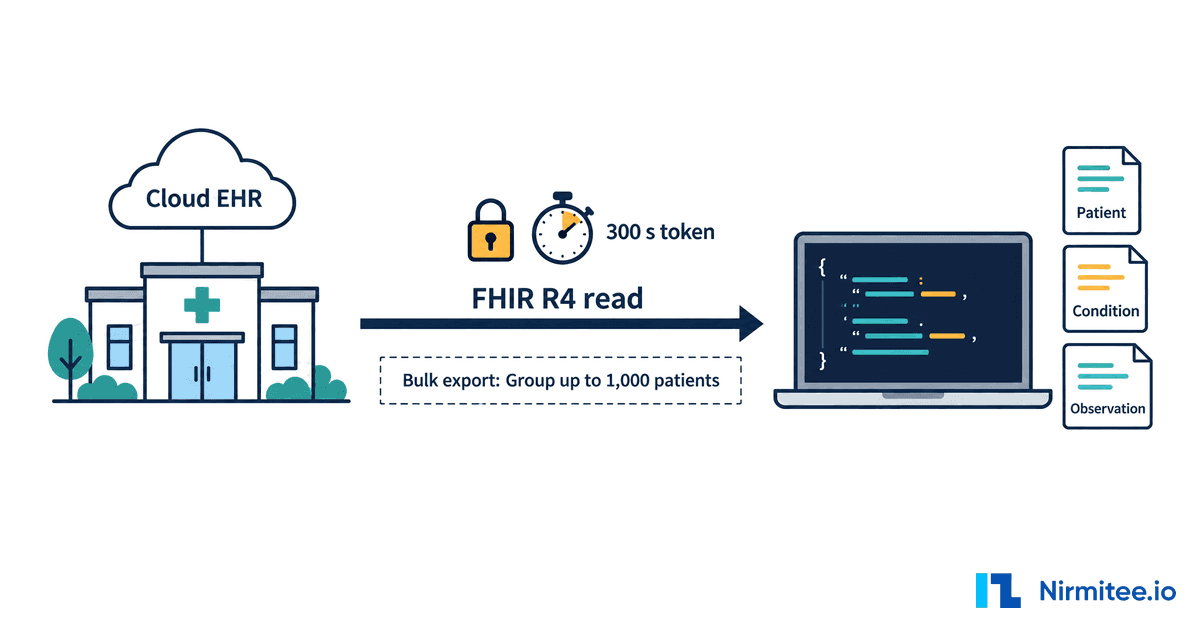
When no user is present (a nightly sync, a population export, a care management platform refreshing its roster), you authenticate with SMART Backend Services: your server signs a JWT and exchanges it for a token with system/ scopes. Bulk export (Group/[id]/$export) runs on the same flow. The customer defines the patient group inside Epic and sends you the group ID. The Backend Services section below covers Epic's 2026 key rules, and the limits section covers what Bulk Data will and will not do.
What changed for Epic integrations in 2026?
Five changes in 2026 affect anyone integrating with Epic: backend apps must now publish their keys at a JWK Set URL, the certified API baseline moved to SMART App Launch 2.0 and USCDI v3, Epic published its full API fee table, payer APIs for CMS-0057-F became a build priority, and Workshop dropped out of Epic's list of Showroom tiers. Older guides miss most of these.
- JWK Set URL for backend apps. Epic's OAuth 2.0 documentation says that starting with the May 2026 version of Epic, all backend OAuth 2.0 apps must use a JWK Set URL (JKU) instead of a static public key. From the August 2026 version, customers may alternatively upload a static .pem file.
- SMART v2 and USCDI v3 are the baseline. Under 45 CFR 170.215, adoption of SMART App Launch 1.0.0 and US Core 3.1.1 expired on 1 January 2026, and under 170.213 USCDI v1 expired the same day. Epic versions from August 2024 carry the USCDI v3 APIs; on each app you choose SMART v1 or v2 scopes.
- A published fee table. Epic's certification cost disclosure dated 9 September 2026 lists five tiers for the USCDI API subscription health systems pay. The fee section below reproduces it.
- Payer APIs for CMS-0057-F. The CMS Interoperability and Prior Authorization final rule requires impacted payers to stand up Provider Access, Payer-to-Payer and prior authorization APIs by 1 January 2027. open.epic reported in February 2026 that Epic had published 50+ APIs and integration playbooks in support of the rule.
- Showroom tiers. Epic's Vendor Services FAQ now lists Cornerstone Partners, Toolbox, Toolbox Under Construction and Connection Hub. Workshop is not on the list.
Epic's developer programs in 2026: what is free, what is paid, what is gone
Epic's developer programs are open.epic and Epic on FHIR (both free), Vendor Services (optional, from $1,900 a year), and the Showroom marketplace, where a Connection Hub listing costs $500 per product per year. App Orchard no longer exists: apporchard.epic.com and appmarket.epic.com both redirect to Vendor Services.
| Program | What it is for | Cost | Source |
|---|---|---|---|
| open.epic | Public specs for FHIR, HL7 v2, X12, NCPDP and Epic APIs; the developer guide; the API Subscription Agreement a health system signs | Free | open.epic Developer Resources |
| Epic on FHIR (fhir.epic.com) | App registration, production and non-production client IDs, FHIR sandbox, tutorials | Free | App request process |
| Vendor Services | Support tickets, testing sandboxes and harnesses (Hyperspace Simulator, Hyperdrive), private API catalog, Kit access, design consultation, optional app readiness reviews | From $1,900 per year; 3-month trial with a refund of the annual fee, less support used, if you cancel within 3 months | Vendor Services FAQ |
| Showroom: Connection Hub | Listing that shows your product is live with at least one Epic customer using mature, repeatable technology | $500 per product per year, non-refundable; optional and not required to connect | Connection Hub listing doc |
| Showroom: Toolbox | Designation for products in about 50 categories that follow an Epic Blueprint | At Epic's discretion; requires Vendor Services and Toolbox Readiness | Connection Hub listing doc |
| Showroom: Cornerstone Partners | Products integral to Epic's own software | By Epic | Vendor Services FAQ |
The timeline, for anyone reading an older guide: Epic announced Connection Hub on 9 December 2022, opened it with Vendor Services on 9 January 2023, and moved vendors from App Market (the renamed App Orchard) into Vendor Services. Showroom launched as the umbrella marketplace in January 2024, as reported at the time. Epic states that no special relationship is required to develop or deploy an app.
None of these programs replaces a sponsoring customer. A listing helps a buyer find you; it does not switch your app on. Our guide to the Epic Showroom approval process covers the listing path in detail.
How much does Epic charge for API access?
Epic charges app developers nothing for its public and standards-based APIs. The health system pays instead: an annual open.epic API subscription per production instance, from $4,500 to $47,000 for the full USCDI FHIR set depending on its size, or from $300 a year for a single API.
| Tier | Providers: concurrent users | Payers, ACOs, CINs: members | Full USCDI FHIR set, per production instance per year |
|---|---|---|---|
| Tier 0 | 500 or fewer | 50,000 or fewer | $4,500 |
| Tier 1 | 501 to 1,500 | 50,001 to 200,000 | $8,500 |
| Tier 2 | 1,501 to 4,000 | 200,001 to 500,000 | $16,000 |
| Tier 3 | 4,001 to 10,000 | 500,001 to 2,000,000 | $29,000 |
| Tier 4 | More than 10,000 | More than 2,000,000 | $47,000 |
The a la carte option matters for narrow products. Per Epic's 9 September 2026 disclosure, a single Level 1 API costs $300 to $2,750 depending on tier, a Level 1 group $600 to $5,500, a single Level 2 API $600 to $5,500 and a Level 2 group $1,200 to $11,000, with the total capped at the tier price. Other, non-USCDI FHIR APIs are available to organizations for an annual subscription that Epic does not price publicly.
On the developer side, Epic's FAQ says public and standards-based APIs on open.epic are available to app developers at no additional cost. In practice, a small clinic customer that wants your one-API product may face a $300 line item, and a large academic system licensing the full set may already pay $47,000. Ask which tier your customer is on during discovery; it changes how hard the procurement conversation is.
Step by step: from sandbox to a live customer
Going live with Epic takes six steps: register the app, build in the sandbox, mark it ready for production, have a customer sign and download your client, pass the customer's security review and build, then go live. You control the first three. The last three run on the customer's calendar.
- Register the app on fhir.epic.com. Choose the audience (clinicians or administrative users, patients, or backend systems), the FHIR version, SMART v1 or v2 scopes, and only the APIs you will use in production. Epic asks for that last point so each customer can assess security, privacy and licensing. Epic issues a non-production and a production client ID.
- Build and test in the sandbox. Draft changes can take up to an hour to sync to the sandbox. Test data is synthetic and well behaved; production data is not.
- Mark the app ready for production. Epic's request-process documentation is explicit: neither you nor Epic can update an app once it is marked Ready for Production, except its redirect URIs and JWK Set URLs. Any other technical change means a new app. Finish your API list first.
- The customer signs and downloads. The health system signs the open.epic API Subscription Agreement once, then staff with the "Purchase Apps" security point search your client ID on the Downloads page. Either the production or non-production client ID works for the search. You must activate for non-production before you can activate for production.
- Security review, customer build and testing. The customer's security team runs its vendor review while its Epic analysts configure your app and test it in a non-production environment. Backend and confidential-client apps also need you to provide keys or secrets for that customer.
- Go live, then repeat. Production cutover goes through the customer's change control, followed by a period of heightened support. Once your app is deployed in any production environment, you cannot deactivate it yourself; the customer must. Each new health system runs steps 4 to 6 again.
The gate nobody warns you about
Your production client ID does nothing until a customer's Epic team downloads it and finishes their setup. That is the gate most engineering plans leave out, and it creates a chicken-and-egg problem: you need a sponsoring health system to go live, and health systems are reluctant to be first with an app they cannot see running anywhere.
You see it in developer forums as a team that pulled tokens happily in the sandbox and then got invalid_client on its first production attempt, because the client had not been downloaded into that health system's environment. The practical answer is to line up the first sponsor early and treat that relationship as part of the build. There is no "integrate once, sell everywhere" with Epic: each new customer re-approves and re-provisions you.
Which Epic apps go live without a per-site approval?
Only three kinds of app are distributed to Epic customers automatically, and all three are patient-facing and read-only. Every clinician app, every backend app and every app that writes goes through each customer's own request and approval process.
Per Epic's patient-facing app documentation, the automatic lanes are:
- USCDI apps: patient-facing, read-only, using only USCDI v3 APIs (Epic August 2024 and later) or USCDI v1 APIs, with "Enable Auto-download" selected, marked Ready for Production after 3 September 2020, at customers licensed for the USCDI APIs that have not disabled auto-download.
- CMS payer apps: patient-facing, read-only, using ExplanationOfBenefit and the listed APIs, with "CMS Patient Access API" selected.
- TEFCA Individual Access Services apps: registered and tested with Epic Nexus and active in the production RCE Directory; these reach customers live on TEFCA IAS via FHIR.
The consequence for product design is sharp. Add a single API outside the USCDI set, or any write, and your app leaves the automatic lane: every customer now runs its request process, and usually its security review and contract, before switching you on. Customers receive app licenses on a rolling 12-hour cycle, and auto-synced apps that use refresh tokens sync only after a client credential is provisioned for that customer.
What do you need before you start?
Before any Epic build, you need a clear use case, a named route, a plan to land a sponsoring health system, and the security evidence that health system will ask for. Code without these tends to finish in the sandbox and stay there.
- A sponsoring customer, or a plan to get one. A production client ID does nothing until a health system downloads it. This is the longest pole in almost every project.
- A defined data contract. Which resources, read or write, for which users, at what volume.
- Security evidence. Health systems run a vendor risk review before enabling any app. Commonly requested items include a SOC 2 Type II report or HITRUST certification, a recent penetration test, a signed Business Associate Agreement, a list of subprocessors that touch PHI, audit logging and access controls. Our guide to passing Epic's vendor security review lists what reviewers check and where reviews stall.
- HIPAA controls that actually run. Encryption, least-privilege access, audit trails of every PHI read, and a tested incident process.
- A decision on who touches production data. Some health systems restrict who may access production PHI, including by location. Confirm the customer's rules before you staff the project.
What hospital customers will require of you
Epic customers bring expectations beyond the technology, and they catch generalist teams off guard. They expect a Showroom listing or a clear plan for one, a security review backed by evidence, early involvement of their interface team, and operational discipline once you are live: monitored connections, clean error handling, a named support contact, and a vendor that understands Epic's quarterly release cycle. Underestimating any of these is what turns a six-month plan into an eighteen-month one.
Which authentication flow do you need?
Use SMART App Launch when a clinician or patient is present, and SMART Backend Services when no user is present. The question to ask is who is sitting in front of the screen when your code calls the API.
- Clinician inside Epic: SMART EHR launch. Epic opens your launch URL with a one-time
launchvalue and the customer's FHIR base URL iniss. Your app reads.well-known/smart-configurationfrom that base URL, runs the authorization code flow, and receives a token that carries the patient and encounter context. Our Epic SMART on FHIR development page covers in-chart app design. - Patient on their own device: SMART standalone launch. A public client with PKCE (supported since Epic August 2019 and recommended for native mobile apps), patient scopes, and
offline_accessif you need refresh tokens. See Epic mobile app integration for the mobile specifics. - No user: Backend Services. Covered in its own section below, because Epic's key rules changed in 2026.
The code below is adapted from the app we ran against Epic's sandbox in August 2026 (Node 20+, no libraries). Values in capitals are placeholders; nothing here is a real client ID or secret.
Step 1: discover the endpoints
Never hardcode an authorize or token URL. Every Epic customer publishes its own at the SMART configuration endpoint of its FHIR base URL.
async function discover(iss) {
  const res = await fetch(`${iss}/.well-known/smart-configuration`, {
    headers: { Accept: 'application/json' },
  });
  if (!res.ok) throw new Error(`SMART discovery failed: ${res.status}`);
  return res.json(); // authorization_endpoint, token_endpoint, capabilities
}
Step 2: send the authorize request with PKCE and aud
Epic requires aud set to the FHIR base URL; Epic's OAuth documentation made it mandatory from May 2023 when launch context is in scope, and our requests without it were rejected.
import crypto from 'node:crypto';
const b64url = (buf) => buf.toString('base64url');

const cfg = await discover(ISS);
const state = b64url(crypto.randomBytes(24));
const verifier = b64url(crypto.randomBytes(32));
const challenge = b64url(crypto.createHash('sha256').update(verifier).digest());
// store { state, verifier } in the server-side session

const url = new URL(cfg.authorization_endpoint);
url.searchParams.set('response_type', 'code');
url.searchParams.set('client_id', CLIENT_ID);
url.searchParams.set('redirect_uri', REDIRECT_URI); // must match the registration exactly
url.searchParams.set('scope', 'openid fhirUser');     // Epic grants from the app registration
url.searchParams.set('state', state);
url.searchParams.set('aud', ISS);                     // Epic rejects the request without it
url.searchParams.set('code_challenge', challenge);
url.searchParams.set('code_challenge_method', 'S256');
res.redirect(url.toString());
Step 3: exchange the code for a token
A confidential client sends HTTP Basic credentials; a public client relies on the PKCE verifier alone.
if (req.query.state !== session.state) throw new Error('State mismatch');

const body = new URLSearchParams({
  grant_type: 'authorization_code',
  code: req.query.code,
  redirect_uri: REDIRECT_URI,
  client_id: CLIENT_ID,
  code_verifier: session.verifier,
});
const headers = { 'Content-Type': 'application/x-www-form-urlencoded', Accept: 'application/json' };
if (CLIENT_SECRET) {
  headers.Authorization = 'Basic ' + Buffer.from(`${CLIENT_ID}:${CLIENT_SECRET}`).toString('base64');
}
const tokenRes = await fetch(cfg.token_endpoint, { method: 'POST', headers, body });
const token = await tokenRes.json(); // access_token, id_token, scope, expires_in
// A user/ standalone launch returns no token.patient: the app must select a patient itself
Epic's documentation examples show expires_in values of 3,240 to 3,600 seconds. Read the value you receive rather than assuming an hour, treat tokens as opaque, and refresh before expiry rather than waiting for a 401.
How do Backend Services work with Epic in 2026?
Backend Services let your server call Epic with no user present by signing a short-lived JWT with your private key and exchanging it for an access token. Since the May 2026 Epic version, the matching public key must be published at a JWK Set URL, with a different URL for non-production and production.
The rules from Epic's OAuth 2.0 documentation, checked 25 September 2026:
- Claims:
issandsubare your client ID,audis the token endpoint URL,jtiis unique, andexpis no more than 5 minutes in the future. - Algorithms: RS256, RS384 and RS512 for all confidential clients; ES256 and ES384 only with a JWK Set URL. Manual upload of EC keys is not supported.
- JWK Set URL (JKU): mandatory for backend apps from May 2026. Customers configure a "local JKU" for your app; from August 2026 they may upload a static .pem instead. Epic requires at least different URLs for non-production and production.
- Key sync: after you re-upload or rotate a key, allow up to 60 minutes for the sandbox and up to 12 hours for an Epic organization.
- Per-customer setup: backend apps are never auto-distributed. Each customer downloads the app, you provide keys for that customer, and the customer defines what the app may reach, including any Bulk Data group.
The snippet below builds the client assertion. It follows the same client-assertion rules that our own Da Vinci token endpoints enforce and that pass Inferno's SMART Backend Services tests (see the proof section below).
import crypto from 'node:crypto';
const enc = (o) => Buffer.from(JSON.stringify(o)).toString('base64url');

function clientAssertion({ clientId, tokenUrl, privateKeyPem, kid }) {
  const now = Math.floor(Date.now() / 1000);
  const header = { alg: 'RS384', typ: 'JWT', kid };      // kid must match a key in your JWK Set
  const claims = {
    iss: clientId, sub: clientId,                         // both equal the client ID
    aud: tokenUrl,                                        // the token endpoint, exactly
    jti: crypto.randomUUID(),                             // single use
    iat: now, exp: now + 300,                             // at most 5 minutes
  };
  const input = `${enc(header)}.${enc(claims)}`;
  const sig = crypto.sign('sha384', Buffer.from(input), privateKeyPem).toString('base64url');
  return `${input}.${sig}`;
}

const res = await fetch(tokenUrl, {
  method: 'POST',
  headers: { 'Content-Type': 'application/x-www-form-urlencoded' },
  body: new URLSearchParams({
    grant_type: 'client_credentials',
    client_assertion_type: 'urn:ietf:params:oauth:client-assertion-type:jwt-bearer',
    client_assertion: clientAssertion({ clientId, tokenUrl, privateKeyPem, kid }),
  }),
});
Host the JWK Set on infrastructure you control, keep old keys in the set until every customer has picked up the new one, and track which kid each customer and environment uses. Key rotation is the most common way a backend integration breaks quietly months after go-live.
What can you read, and what can you write back?
You can read the full USCDI data set through Epic's standard FHIR APIs, and you can write a much narrower set that each customer must approve. In Epic's public catalog, none of the 255 USCDI-flagged APIs is a create or update, so every write is a governed, per-customer feature.
| You want to write | Epic API (R4) | What actually happens |
|---|---|---|
| Vital signs | Observation.Create (Vital Signs) | Files to flowsheet rows. Must reference an existing encounter; cannot write to closed encounters or future appointments; one reading per call; fails if a reading exists at the same timestamp. |
| Clinical note | DocumentReference.Create (Clinical Notes) | Files a plain-text note to an open or closed encounter. Rich text needs an HL7 v2 MDM interface. |
| Problem | Condition.Create (Problems) | Goes to a holding area; a clinician must reconcile it into the chart. |
| Allergy | AllergyIntolerance.Create | Held until a clinician reconciles it. HL7 v2 can file directly. |
| New patient | Patient.Create (Demographics) | Match-or-create logic; backend and clinician apps only. |
| Orders | CDS Hooks unsigned MedicationRequest or ServiceRequest | Arrive as unsigned suggestions a clinician signs. Signed orders from outside systems usually come over HL7 v2. |
Sources: Epic's R4 API specifications, and for CDS Hooks, Epic's CDS Hooks documentation, which lists three standard hooks: patient-view, order-select and order-sign. For remote patient monitoring, patient-facing vitals writes also need an order that creates patient-entered flowsheets.
The same vitals write, three vendors
We ran one provider-facing SMART app against Epic's sandbox, Oracle Health's sandbox and the SMART Health IT reference server in the same session. Results from August 2026. Each customer's flowsheet build will differ.
| Vital | SMART reference server | Epic sandbox | Oracle Health sandbox |
|---|---|---|---|
| Heart rate | Accepted, generic LOINC | Rejected: LOINC maps to two flowsheet rows ("Multiple Flowsheet rows found") | Rejected (422) |
| Weight | Accepted, 29463-7 | Accepted, 29463-7 (201) | Needs 3141-9 (measured) |
| Also filed | Anything valid | Height 8302-2, SpO2 59408-5 | Oral temperature 8331-1, height 3137-7 |
| Not filed | None | Heart rate 8867-4, temperature 8310-5, respiratory rate 9279-1 | Generic vital codes |
| Extra fields required | None | encounter | encounter, performer, issued |
This is the Epic-shaped write that filed in the sandbox. fhir() is a small GET helper that adds the bearer token.
// Epic files vitals into flowsheets: include an encounter, and use a LOINC
// that maps to exactly one flowsheet row (weight 29463-7 filed in the sandbox).
const enc = await fhir(`/Encounter?patient=${patientId}&_count=1`);
const encounterId = enc.entry?.[0]?.resource?.id;

const observation = {
  resourceType: 'Observation',
  status: 'final',
  category: [{ coding: [{
    system: 'http://terminology.hl7.org/CodeSystem/observation-category',
    code: 'vital-signs' }] }],
  code: { coding: [{ system: 'http://loinc.org', code: '29463-7' }], text: 'Body weight' },
  subject: { reference: `Patient/${patientId}` },
  encounter: { reference: `Encounter/${encounterId}` },
  effectiveDateTime: new Date().toISOString(),
  valueQuantity: { value: 70, unit: 'kg', system: 'http://unitsofmeasure.org', code: 'kg' },
};

const res = await fetch(`${ISS}/Observation`, {
  method: 'POST',
  headers: {
    Authorization: `Bearer ${accessToken}`,
    'Content-Type': 'application/fhir+json',
    Accept: 'application/fhir+json',
  },
  body: JSON.stringify(observation),
});
// 201 + Location header on success; read OperationOutcome.issue[].diagnostics on failure
Confirm every write with the customer's Epic analysts before you commit it to a date: which flowsheet rows, which note types, and who reconciles what lands in the queue.
How do you fix common Epic OAuth and API errors?
Most Epic integration errors come from four causes: a registration change that has not synced yet, a client ID used in the wrong environment or not yet downloaded by the customer, a missing or wrong parameter such as aud, and a query the customer's FHIR server does not support. The table maps each symptom to its fix; rows marked "observed" are from our own sandbox run.
| Symptom | Likely cause | Fix |
|---|---|---|
| "OAuth2 Error: Something went wrong trying to authorize the client" right after creating or editing an app (observed) | The change has not synced to the sandbox. Epic allows up to an hour; we waited about 17 minutes | Wait, then retest. Do not keep editing: each edit restarts the delay |
invalid_client at a customer, while the sandbox works | Client not downloaded or not active at that organization, or the wrong environment's client ID. Customers sync on a rolling 12-hour cycle | Confirm the download with the customer's Epic team; use the non-production ID for non-production and the production ID for production |
invalid_client from a backend token call | JWT problem: exp more than 5 minutes out, aud not the exact token URL, iss or sub not the client ID, kid not in your JWK Set, or a new key not yet synced (up to 60 minutes in the sandbox, 12 hours at an organization) | Decode your JWT and check each claim; wait out the key sync; publish keys at a JWK Set URL |
| Authorize request rejected (observed) | Missing aud, or aud not equal to the FHIR base URL | Send aud set to the iss value |
| Redirect error after login (observed) | Redirect URI differs from the registration by port, path or case; http:// is accepted only for localhost | Make them identical. Redirect URIs stay editable after Ready for Production |
| 403 on an API call (observed) | Scope not granted: the API is not on the registration, or was added recently and has not synced (up to 12 hours at a customer) | Fix the registration, then wait for sync |
| 400 on a search (observed) | Unsupported parameter, for example Specimen?patient= returned "Unknown parameter" | Read the search parameters in the customer's /metadata before writing queries |
| 404 or 403 on a resource (observed) | Support for the resource changed or the registration does not cover it: MedicationStatement returned 404 on Epic's R4 sandbox in August 2026; by September 2026 it was listed in the CapabilityStatement but returned 403 even with the scope in the token | Check /metadata and the app's registered APIs, and test every resource the app depends on before each Epic upgrade |
| Empty Bundle on a patient search (observed) | Guessed demographics; a wrong birthdate silently returns nothing | Search on a documented identifier |
Token response has no patient (observed) | A user/ standalone launch carries no patient context | Add a patient picker, or use the EHR launch |
| "Another process already logged in" at Epic's login (observed) | A stale Hyperspace session in the browser, not an app bug | Retry in a private window |
| Client secret no longer works (observed) | The sandbox shows a secret once and stores only its hash; regenerating invalidates the old one | Store it in a secrets manager at creation; rotate deliberately |
One command would have prevented three of our rows. The CapabilityStatement is unauthenticated and lists every resource and search parameter the server supports:
curl -s "$ISS/metadata" -H 'Accept: application/fhir+json' \
  | jq '.rest[0].resource[] | {type, searchParam: [.searchParam[]?.name]}'
What limits apply once you are live?
Epic publishes no per-second rate limit; instead it asks apps to stay under 1% of the customer's database resources at peak and 5% off-peak, and to be able to throttle themselves. Bulk Data, the sandbox and Epic's release cycle each bring limits of their own that shape your architecture.
- Load: per Epic's app developer guidelines, no more than 1% of Epic database resources at peak (typically 7 a.m. to 7 p.m. local time) and 5% off-peak. Build throttling, backoff and monitoring from day one.
- Bulk FHIR: per Epic's Bulk Data documentation, Epic supports Group export only, with no
_sinceparameter. By default a client can request the same group once per 24 hours (the customer can change this), results are kept for 14 days, and you poll every 10 minutes for fewer than 100 patients or every 30 minutes above that. It suits one-time and periodic targeted loads, not data warehouse sync or incremental feeds; Epic's guidance points to cohorts of around 1,000 patients or fewer. Our Bulk FHIR export guide compares Epic with Oracle Health and athenahealth. - No
_lastUpdated: Epic does not support_lastUpdatedin DSTU2, STU3 or R4, so "give me what changed" needs HL7 v2 events or your own diffing. - Sandbox reset: per Epic's testing guide, the sandbox is refreshed every Sunday at about 8:00 p.m. Central Time and data written that week is erased. Seed your test data from a script.
- Releases and upgrade lag: Epic ships major versions quarterly (February, May, August and November). Customers set their own upgrade timelines, often 3 to 12 months after Epic's release, so your customers will run different versions at the same time. Feature-detect from
/metadatainstead of assuming a version.
Why does every Epic site behave a little differently?
Every health system configures its own Epic build, so code sets, flowsheet rows, enabled APIs, search behaviour and security rules differ from one customer to the next. An integration that passes in the sandbox still needs testing in each customer's non-production environment.
In practice this shows up as a search parameter one customer supports and another rejects; must-support fields that are empty in production; local codes that need mapping; different base URLs, keys and client secrets per customer and per environment; and customer-specific throttling expectations. Build a per-customer configuration layer from the start, and pull /metadata from every customer base URL before you go live there.
Sandbox is not production
The sandbox is small, clean and well behaved, which is exactly why it misleads. It gives teams just enough success to feel ready before their first customer installation shows them otherwise. Production brings duplicate demographics, merged records, allergies stored as free text, empty panels, per-customer endpoints and real load expectations. Validate against the messiest data you can get before you commit a go-live date.
Direct, Redox, TEFCA via Epic Nexus or Vim: which path fits?
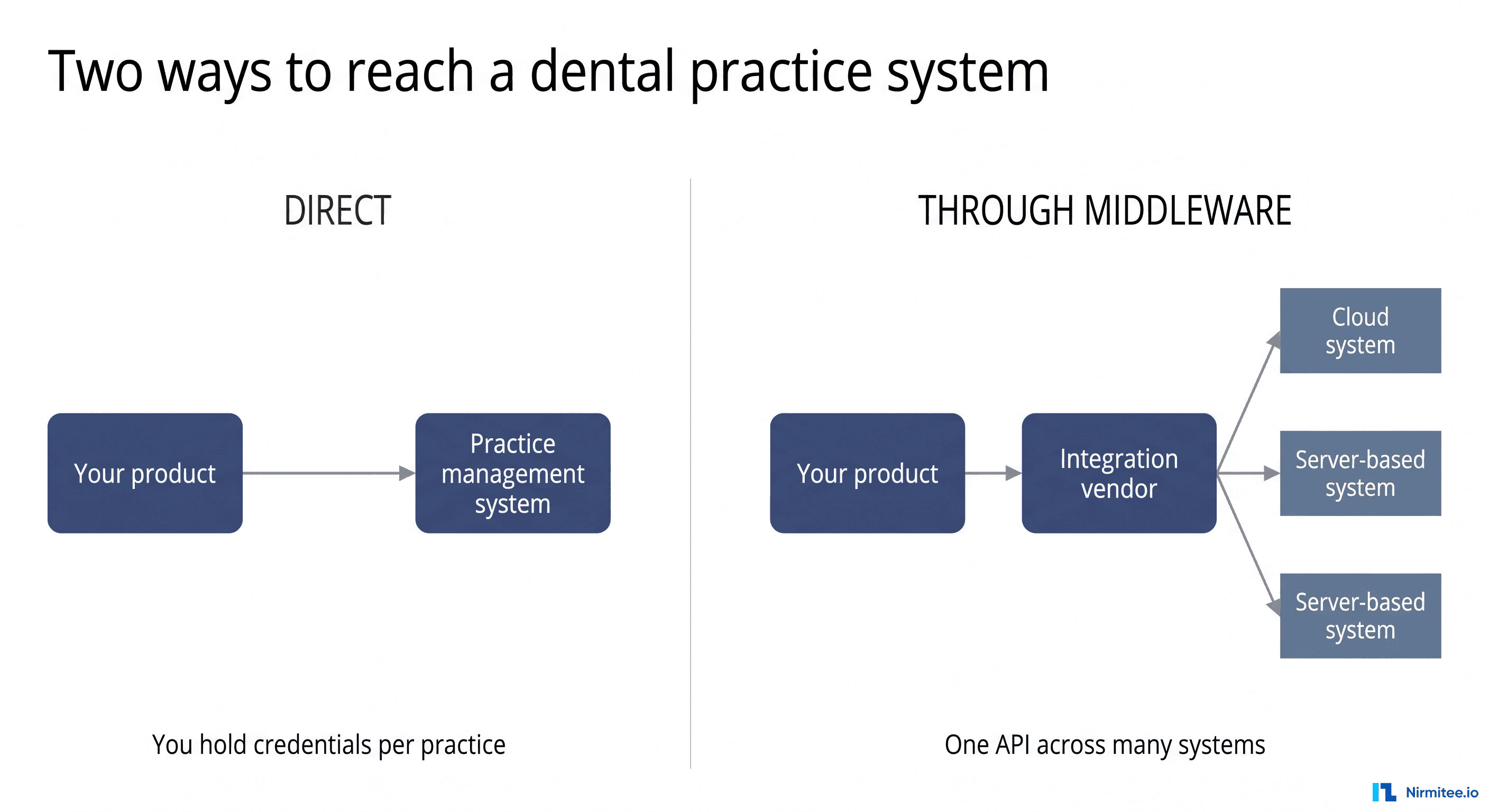
Connect directly to Epic when a few Epic health systems are core customers or you need write-back and in-chart workflows. Use an aggregator such as Redox for data exchange across many EHRs, TEFCA through Epic Nexus for patient-directed record retrieval, and an overlay such as Vim when you only need to show content in the clinician's screen.
| Direct to Epic | Aggregator (Redox) | TEFCA via Epic Nexus | Overlay (Vim) | |
|---|---|---|---|---|
| Best for | SMART apps, write-back, CDS Hooks, HL7 v2 feeds with a few key customers | One API across many EHRs and sites | Patient-directed record retrieval across networks | Showing content inside the clinician's EHR screen |
| Who approves | Each health system | Each health system still approves the connection | Auto-distributed to Epic sites live on TEFCA IAS | The organization running the overlay |
| Main limit | Per-site review, keys and configuration | Recurring subscription and a dependency on the aggregator's site relationships | Individual Access Services is the only purpose supported for FHIR clients | Vim's public pages do not name Epic; confirm support per site |
| Source | open.epic | Redox public site | open.epic TEFCA page | getvim.com |
On TEFCA, Epic Nexus is the Epic community's QHIN, one of 11 designated QHINs on the RCE list, and Epic reports 2,166 hospitals live on TEFCA. Nexus participants act only as FHIR responding nodes, so TEFCA is a retrieval channel, not a way into clinical workflow.
When a hospital's flows are ADT feeds, results or charges over HL7 v2, an integration engine sits alongside any of these paths. Our comparison of Particle Health, Health Gorilla, Redox and direct EHR integration goes deeper on the aggregators. The decision is rarely permanent: a common path is an aggregator for early pilots, then direct integration for the customers that need deeper workflows.
Does X integrate with Epic? How to check any vendor
To check whether a product really integrates with Epic, look for evidence of a live connection: a Showroom listing, a named Epic customer running it in production, and a clear answer about which Epic route it uses. A client ID on fhir.epic.com or a sandbox demo only proves that the vendor registered an app.
Searches like "does Abridge integrate with Epic" or "does PointClickCare integrate with Epic" are common. We do not answer for other vendors here; this is how to check any of them yourself:
- Search Epic Showroom. A Connection Hub listing means the product is in production use with at least one Epic customer. A Toolbox designation means Epic reviewed it against a category Blueprint. No listing does not prove no integration: listing is optional.
- Ask for a named reference. An Epic health system that runs the product in production, which Epic version it is on, and how long it has been live.
- Ask which route. FHIR read, SMART in-chart launch, HL7 v2 through Bridges, CDS Hooks or Backend Services, and whether data flows in, out or both.
- Ask how it reaches your organization. Auto-distributed apps are patient-facing and read-only; anything else needs your Epic team to download and approve it, and any write needs your clinical owners to agree.
- Ask who does the work on your side. Epic analysts, the interface team, security review, the BAA, and who supports it after go-live.
- Treat "Epic certified" as a warning sign. Epic does not certify third-party apps, and a Connection Hub listing is not a certification.
Epic vs Oracle Health vs athenahealth: how integration differs
Epic, Oracle Health (Cerner) and athenahealth all expose certified FHIR R4 APIs with SMART on FHIR and Bulk Data. They differ in how you reach production, how scopes are granted, how much of the API accepts writes, and which proprietary APIs fill the gaps. For the athenahealth side in depth, see our athenahealth API integration guide.
| Question | Epic | Oracle Health (Cerner) | athenahealth |
|---|---|---|---|
| Developer entry point | fhir.epic.com; optional Vendor Services | code Console | athenahealth Developer Portal |
| Production base URL | One per health system | One per client tenant | Shared platform URL, practice-scoped |
| Gate to production | Customer downloads your client ID | Oracle validates provider apps; each client enables per domain | Practice enables certified apps; athenaOne APIs need a partner contract and solution validation |
| Scope behaviour we observed | Token reflected the APIs registered on the client | Token is the intersection of requested and registered scopes; request every scope explicitly | Request exactly the registered scopes; the grant can add category scopes |
| FHIR write in sandbox metadata | 13 resource types | 21 resource types | QuestionnaireResponse create only by default |
| Beyond FHIR | HL7 v2 interfaces, web services | Separate EHR REST APIs | 800+ proprietary API endpoints, HL7 and C-CDA interfaces |
If Epic is one of several EHRs on your roadmap, our EHR integration API comparison goes through the same questions for eClinicalWorks as well. Teams connecting to many EHRs usually put a shared data model in the middle and write a thin adapter per vendor, the pattern behind most EHR integration architectures that scale past the first few customers.
How long does an Epic integration take?
Plan for 6 to 18 months from start to a first live customer, most of it spent landing a sponsor and waiting in the customer's queue rather than writing code. Each additional customer then takes weeks, not months, if you built for repeatability.
| Phase | Typical duration | Who controls it |
|---|---|---|
| Register the app and scope APIs | 1 to 2 weeks | You |
| Build and test in the sandbox | 2 to 8 weeks | You |
| Land a sponsoring customer | 6 to 18+ months (often runs in parallel) | Sales and the customer |
| Customer security review | 4 to 12 weeks | Customer |
| Customer provisioning and build | 4 to 12 weeks | Customer |
| Validation in the customer's environment | 3 to 8 weeks | Both |
| Go-live and hypercare | 3 to 8 weeks | Both |
| Each additional customer | 2 to 6 weeks each | Customer |
These are typical durations from our delivery planning. Third-party ranges are similar: Arkenea puts a read-only FHIR integration at 4 to 6 months to a first production site and a SMART app with writes and HL7 v2 at 9 to 18 months, and Epic's own Aura page cites point-to-point lab interfaces averaging about 6.5 months to deploy. For what stalls each phase, see our Epic timeline guide.
How much does an Epic integration cost?
A first production Epic integration costs $60,000 to $172,400 in our phase model, for a SMART on FHIR app with limited write-back and one live customer. Epic's own fees are a small part of that: developers pay nothing for public APIs, and Vendor Services and a Connection Hub listing together start at $2,400 a year, both optional.
| Phase (estimate, not a quote) | Low | High | What drives the range |
|---|---|---|---|
| Discovery, data contract and app registration | $5,000 | $10,000 | Number of user types and APIs |
| SMART on FHIR build and sandbox testing | $35,000 | $80,000 | Read only vs write-back, EHR launch vs standalone, UI depth |
| HL7 v2 interface (only if you need orders, results or charges) | $0 | $30,000 | Message types and mapping complexity |
| Security evidence (penetration test, policies, questionnaire) | $10,000 | $25,000 | What you already have; excludes a first SOC 2 audit |
| First customer validation, go-live and hypercare | $10,000 | $25,000 | Customer data quality and build differences |
| Epic program fees, year one (Vendor Services from $1,900, Connection Hub $500) | $0 | $2,400 | Both optional |
| Total, first production integration | $60,000 | $172,400 |
Outside that total: each additional site, which we estimate at $10,000 to $25,000 of validation and support work; ongoing maintenance, which Invene estimates at 20% to 30% of the build per year; and the health system's own USCDI API subscription, which the customer pays. For comparison, published third-party ranges run from $20,000 for a basic API integration to $250,000 or more for enterprise work (DashTech), $65,000 to $150,000 for read-only FHIR and $150,000 to $300,000 or more with writes and HL7 v2 (Arkenea), and about $300,000 of labor over 8 months in one CTO's account (Invene). All of these are estimates, not Epic figures. Our Epic integration cost page breaks down what moves the number for your scope.
Can offshore teams build Epic integrations?
Yes. App registration, sandbox development, FHIR, SMART, Backend Services and HL7 v2 engineering can all be done by a capable team anywhere, because open.epic and fhir.epic.com are free and self-service and Epic says no special relationship is required to build an app.
What is gated is access to production PHI, not geography. That access depends on the Business Associate Agreement, scoped and revocable access, audit logging, and each health system's own rules, and some health systems restrict production access by location. The pattern that works: offshore engineers build and test against the sandbox and synthetic data, production access is granted only where the customer's agreement allows it and through the customer's own controlled channel, and every PHI touch is logged. Ask each customer for its policy before you staff the project, not after.
Mistakes that stall Epic integrations
Most stalled Epic projects share a handful of causes, and almost none of them are code. They are scoping, access and ownership problems that show up late because nobody put them on the plan.
- Treating the sandbox as proof. A clean sandbox run says little about a customer's build, codes and data quality. Budget real testing time in each customer's non-production environment.
- Locking the registration too early. Marking an app ready for production freezes it apart from redirect URIs and JWK Set URLs. Teams that add an API later register a second app and re-run customer downloads.
- Adding one API too many. A single non-USCDI API takes a patient app out of automatic distribution and into every customer's approval queue.
- Promising write-back before the customer agrees. Writes need clinical sign-off and a flowsheet or document mapping in that customer's build.
- Starting the security review after the build. The review runs on the customer's calendar and asks for evidence that takes weeks to produce. Run it in parallel.
- Static keys on a backend app. From the May 2026 Epic version, backend apps need a JWK Set URL. Plan key hosting and rotation up front.
- Forgetting the second customer. Each new health system repeats the agreement, download, review, build and testing. A configuration layer and a repeatable onboarding checklist make customer five faster than customer one.
- No owner after go-live. Quarterly Epic upgrades, key rotation, new sites and changed customer configuration break integrations quietly. Someone has to watch failed calls and message queues every day.
Epic integration readiness checklist
Run this checklist before you commit a date to your board or a customer. Every item you cannot tick is a place the project is likely to stall. A downloadable version is in our Epic integration checklist.
| # | Check | Why it matters |
|---|---|---|
| 1 | A named sponsoring health system, or a dated plan to get one | No customer, no production |
| 2 | Route chosen: FHIR, SMART app, HL7 v2, backend, CDS Hooks, TEFCA, or a named combination | Each is a different project |
| 3 | Resource list with read or write for each, confirmed against the customer's /metadata | Registration locks after Ready for Production |
| 4 | Auth flow chosen per user type; JWK Set URL hosting for backend apps | Wrong flow means re-registration |
| 5 | Per-customer configuration for base URL, keys, client secrets and codes | Every site differs |
| 6 | Write-back approved by the customer's clinical owners | Writes are governed, not toggled |
| 7 | HL7 v2 needs listed (orders, results, charges, ADT) with an engine in place | FHIR will not carry every flow |
| 8 | Security evidence ready: BAA, subprocessor list, audit logs, penetration test, attestation | The review is the most under-planned phase |
| 9 | Test plan against messy data: merged records, free-text allergies, empty fields | The sandbox is cleaner than production |
| 10 | Throttling under 1% of peak load, retries and monitoring built in | Epic's guideline, and customers expect it |
| 11 | Embedded app load time measured (target 1.5 seconds or less) | Epic's guideline for in-workflow apps |
| 12 | An owner for post-go-live changes: Epic upgrades, key rotation, new sites | Integrations break quietly without one |
What we learned running an app against Epic's sandbox
We built a provider-facing SMART on FHIR app and ran it against Epic's and Oracle Health's developer sandboxes in the same session in August 2026. The vitals table and the error table above come from the same run.
- Sync delays look like configuration errors. After editing the app, authorization returned a generic OAuth2 error until the change reached the sandbox (about 17 minutes for us; Epic allows up to an hour).
- Epic granted what the app was registered for. Requesting only
openid fhirUserstill produced a token covering the APIs registered on the client. Oracle Health behaved the other way: the token held only the scopes we both requested and registered. - Writing vitals needed Epic-specific context. Observation create required an encounter reference, and the LOINC code had to map to exactly one flowsheet row. Pinning a row through the flowsheet-row code system did not work either.
- Check the CapabilityStatement before writing queries. Support changes between Epic versions: MedicationStatement returned 404 on Epic's R4 sandbox in August 2026, then in September 2026 it appeared in the CapabilityStatement and returned 403 instead.
Specimen?patient=returned 400 both times. - A 20-panel chart had 8 empty panels. Once OperationOutcome entries were filtered out, 12 panels had data and 8 were genuinely empty for the test patient. Real patients will have more gaps, not fewer.
- Sorting is not portable. The reference server honoured
_sort=-date; Epic and Oracle Health did not reliably, so we sort client-side. - Oracle Health tokens were short. Tokens expired after roughly 570 seconds, and a category-filtered Condition search timed out where the plain search worked.
What we have built and tested in public
Our proof is public code with published test results: four open-source repositories built to the same standards Epic uses (SMART App Launch, Backend Services, US Core and the Da Vinci prior authorization guides), each with its Inferno results in the README.
| Repository | What it is | Inferno result |
|---|---|---|
| headless-ehr-fhir | Headless FHIR R4 EHR in Go with a built-in SMART server | ONC (g)(10) SMART App Launch STU2 Standalone Patient App: 47 of 47 passing, 0 skips (11 June 2026), over HTTPS with private_key_jwt RS384 |
| davinci-crd-server | Da Vinci Coverage Requirements Discovery payer server, Go and .NET | CRD v2.2.1: 136 pass, 0 fail, 7 optional skips; v2.0.1: 86 pass, 0 fail on inferno.healthit.gov |
| davinci-dtr-server | Da Vinci Documentation Templates and Rules payer server, Go and .NET | DTR v2.2.0: 43 pass, 2 fail, both open upstream test kit issues; passes the SMART Backend Services authorization group |
| davinci-pas-server | Da Vinci Prior Authorization Support payer server, Go and .NET | PAS v2.2.1: 84 of 84; v2.0.1: 68 of 68 |
Why this matters for an Epic project: the hard parts of SMART and Backend Services (discovery, PKCE, signed client assertions, scope handling) are the same whichever server you call, and these repositories let you read our code before you hire us.
Going deeper on specific Epic modules
Most Epic integrations eventually touch a specific Epic module, and each module has its own interfaces and data model. These guides cover the ones we are asked about most:
- Epic Bridges: HL7 interfaces for labs, billing and radiology.
- Epic Resolute: hospital and professional billing.
- Epic Cupid: cardiology, ECG and echo data.
- Epic Radiant: radiology orders, images and results.
- Epic Beacon: oncology workflows and treatment plans.
- Epic Clarity: reporting and analytics extracts.
Scope your Epic integration
If you are planning an Epic integration and want a second opinion on the route, the approvals and a realistic timeline before you commit, our team can map it with you. We build the FHIR, HL7 v2 and X12 connection layer so your engineers stay on your product. Nirmitee is ISO 27001:2022 certified and signs BAAs, and the public repositories above show how we build and test. Explore our healthcare interoperability services and our healthcare software product development practice, or talk to our team.
Glossary of Epic integration terms
- open.epic: Epic's public site for API and interface specifications, developer guides and the API Subscription Agreement.
- Epic on FHIR: fhir.epic.com, where apps are registered, client IDs are issued and the FHIR sandbox lives.
- open.epic API Subscription Agreement: the agreement a health system signs before it can download third-party apps; the USCDI API fee is paid under it.
- Client ID: your app's identity in Epic. You receive a non-production ID and a production ID.
- Vendor Services: Epic's optional paid program for developers, from $1,900 a year: support, testing tools, private APIs and guidance.
- Showroom: Epic's marketplace. Its current tiers are Cornerstone Partners, Toolbox, Toolbox Under Construction and Connection Hub.
- Connection Hub: the Showroom listing for products live with at least one Epic customer; $500 per product per year.
- JWK Set URL (JKU): a URL where your backend app publishes its public keys; mandatory for Epic backend apps from May 2026.
- Epic Nexus: the Epic community's QHIN under TEFCA.
- Hyperspace and Hyperdrive: the Epic clinician applications where SMART apps launch.
- Bridges: Epic's interface layer for HL7 v2 and other standards-based interfaces.
- USCDI: the United States Core Data for Interoperability, the minimum data set certified EHRs must expose through standard APIs.
- SMART on FHIR: the OAuth 2.0 based framework for launching apps and authorizing access to FHIR data.
- Backend Services: the SMART profile for system-to-system access using a signed JWT and no user.
- Flowsheet: Epic's structure for charted measurements such as vitals. Written readings must map to a flowsheet row.
Scope your Epic integration before you commit a date.
Tell us what your product needs from Epic, who uses it and which health systems you are selling to. We will map the route, the approvals and a realistic timeline.
Frequently Asked Questions
Is the Epic API free?
How much does Epic integration cost?
How long does it take to integrate with Epic?
Can third-party apps write data back to Epic?
Do I need Epic's permission to integrate with a hospital's Epic system?
What replaced Epic App Orchard?
What is Epic Connection Hub?
What is Epic Backend Services?
Can offshore teams build Epic integrations?
How do I check if a product integrates with Epic?
What is TEFCA and how does it relate to Epic?
Does Epic have an API rate limit?
Should I use FHIR or HL7 v2 to integrate with Epic?
Do I need Epic Vendor Services?