EHR Integration APIs Compared (2026): Epic vs Oracle Health vs athenahealth vs eClinicalWorks

CTO & Co-Founder
CTO & Co-Founder at Nirmitee.io. Architects healthcare integrations across FHIR, SMART on FHIR, ABDM and NHCX, writing from production experience taking hospital software from sandbox to go-live.
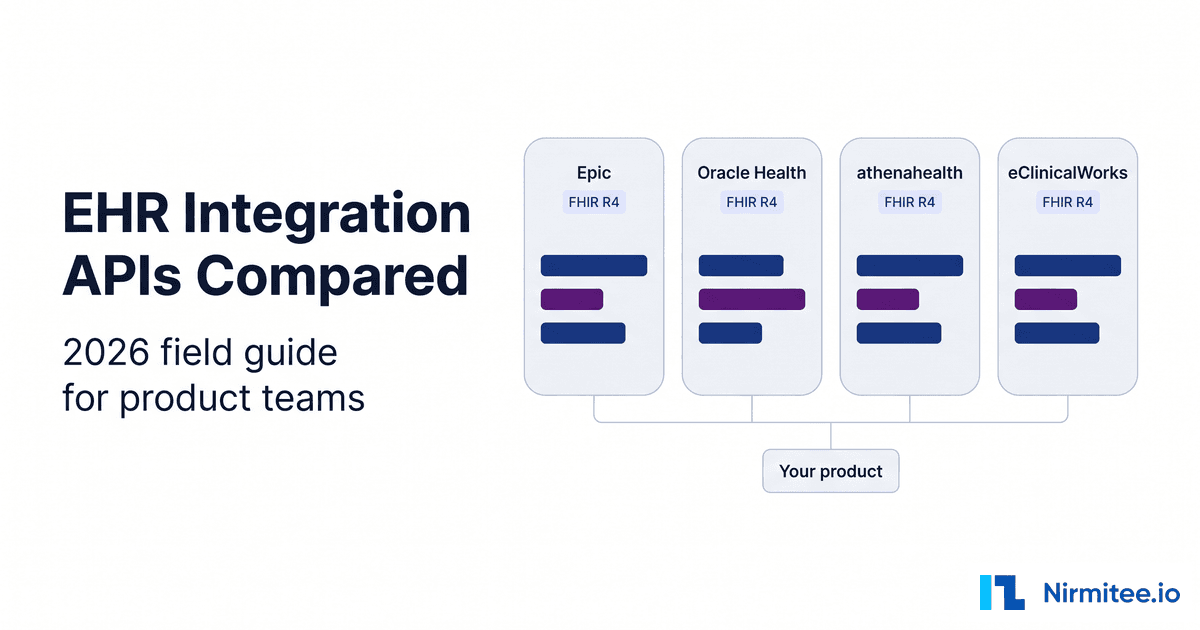
An EHR integration API is the interface your product calls to read from and write to an electronic health record, and in the US in 2026 that means a certified FHIR R4 API secured with SMART on FHIR, plus whatever proprietary APIs the vendor exposes beside it. Epic, Oracle Health, athenahealth and eClinicalWorks all clear the same certification floor, then diverge on the things a product roadmap depends on: backend access, write-back, bulk export and the path to a live customer.
This comparison is built from each vendor's live discovery documents (pulled September 12, 2026) and official developer documentation. For the broader overview of EHR integration methods (HL7 interfaces, aggregators, direct APIs), start with our EHR integration guide and come back here for the vendor-by-vendor detail.
Key takeaways
- All four vendors publish FHIR R4 APIs certified to ONC criterion 170.315(g)(10), so single-patient reads with user or patient authorization and population export via Bulk Data exist everywhere.
- Using a backend (system) token for ordinary single-patient queries is beyond that floor. Epic, Oracle Health and eClinicalWorks document it; its reach varies by vendor and resource.
- FHIR write-back is the widest gap: Oracle Health's secured sandbox lists writes on 21 resource types, Epic's on 13, athenahealth's on one, and eClinicalWorks documents create, update and delete APIs that it contracts separately.
- Proprietary APIs still matter: athenahealth advertises 700 to 800+ proprietary API endpoints (figures differ across its pages; checked September 12, 2026), Epic offers web services and HL7v2 interfaces, and Oracle Health documents separate EHR APIs.
- The schedule is set by production access, not code. Every vendor puts the customer between your finished build and live data.
Watch: Epic vs Cerner (Oracle Health), live side by side (7:00). Oracle Health and Epic connected in one workspace over SMART on FHIR: a live chart read, a write-back, and the scope, token and write rules compared.
What does every certified EHR integration API have to support?
Every certified EHR API must return a single patient's US Core data to an app authorized by a user or patient through SMART App Launch, and must export data for a group of patients through FHIR Bulk Data using SMART Backend Services. That is the regulatory floor. Anything beyond it, including backend tokens for everyday single-patient calls, is a vendor choice.
The rule lives in 45 CFR 170.315(g)(10). Paragraph (i)(A) requires responding to requests for a single patient's data using US Core; (i)(B) requires responding to requests for multiple patients' data as a group using Bulk Data. Paragraph (iv) splits the secure connection the same way: patient and user scopes follow SMART App Launch, system scopes follow Backend Services.
ONC's (g)(10) test method page adds details product teams feel: refresh tokens valid for at least three months for confidential apps, revocation within one hour of a patient's request, and public documentation with no preconditions. Baseline standards are US Core 6.1.0, SMART App Launch 2.0.0 and Bulk Data 1.0.0, with newer versions approved under SVAP.
Here is the nuance that trips up roadmaps. The SMART Backend Services specification says the profile is "not restricted to use for retrieving bulk data." The certification criterion, however, only ties system scopes to multi-patient access. So a scheduling agent that calls Appointment?patient=123 with no user present relies on something each vendor may or may not offer for that resource.
How do you read an EHR API's capabilities before you build?
Read two public documents per environment before writing integration code: the CapabilityStatement at [base]/metadata, which lists resources, interactions, search parameters and operations, and [base]/.well-known/smart-configuration, which lists launch types, grant types and client authentication methods. Both are unauthenticated on every sandbox covered here.
Epic's public R4 sandbox is a good first target. This is a real response, trimmed to what matters for planning:
curl -s -H "Accept: application/fhir+json" \
  https://fhir.epic.com/interconnect-fhir-oauth/api/FHIR/R4/metadata
{
"resourceType": "CapabilityStatement",
"status": "active",
"kind": "instance",
"instantiates": [
"http://hl7.org/fhir/uv/bulkdata/CapabilityStatement/bulk-data",
"http://hl7.org/fhir/us/core/CapabilityStatement/us-core-server|6.1.0"
],
"software": { "name": "Epic", "version": "August 2026", "releaseDate": "2026-08-10" },
"fhirVersion": "4.0.1",
"rest": [{
"mode": "server",
"resource": [{
"type": "Patient",
"interaction": [{ "code": "create" }, { "code": "read" }, { "code": "search-type" }],
"operation": [
{ "name": "match", "definition": "http://hl7.org/fhir/OperationDefinition/Patient-match" },
{ "name": "summary", "definition": "http://hl7.org/fhir/uv/ips/OperationDefinition/summary" }
]
}]
}]
}The server declares US Core 6.1.0 and Bulk Data, software.version names the Epic release under test, and Patient supports $match, which is how a backend system finds a patient without a user session. The same sandbox's SMART configuration advertises launch-ehr, launch-standalone, the client_credentials grant, private_key_jwt and PKCE with S256.
To see write-back at a glance, filter for write interactions. Against Oracle Health's secured sandbox:
curl -s -H "Accept: application/fhir+json" \
  https://fhir-ehr-code.cerner.com/r4/ec2458f2-1e24-41c8-b71b-0e701af7583d/metadata \
| jq -r '.rest[0].resource[]
  | select([.interaction[]?.code] | any(. == "create" or . == "update" or . == "patch"))
  | "\(.type): \([.interaction[].code] | join(", "))"'

# Trimmed output, September 12, 2026 (21 lines in total)
Appointment: read, search-type, create, patch
DocumentReference: read, search-type, create, update
MedicationRequest: read, search-type, create, patch
Observation: read, search-type, create, update
Slot: read, search-type, patch
The same filter against athenahealth returns one line: QuestionnaireResponse: create, search-type, read. Our athenahealth API integration guide shows which athenaOne APIs cover the writes its FHIR API does not. One warning: a sandbox CapabilityStatement describes the vendor's reference build, not your customer's production. Pull /metadata from every customer base URL you go live on. Our CapabilityStatement guide covers parsing and diffing them in code.
EHR integration API comparison: Epic vs Oracle Health vs athenahealth vs eClinicalWorks
At the certified layer the four vendors look alike: R4, US Core, SMART on FHIR and Bulk Data. The differences sit in backend access, how much of the API accepts writes, which proprietary APIs fill the gaps, and who must approve your app before it touches production data.
| Capability | Epic | Oracle Health | athenahealth | eClinicalWorks |
|---|---|---|---|---|
| FHIR version | R4 (4.0.1), US Core 6.1.0 declared | R4 (4.0.1), US Core server | R4 (4.0.1), US Core 3.1.1 and 6.1.0 declared | R4; USCDI v1 reads on US Core 3.1.1, USCDI v3 reads on US Core 6.1.0 |
| Sandbox base URL | https://fhir.epic.com/interconnect-fhir-oauth/api/FHIR/R4 | Open: https://fhir-open.cerner.com/r4/{tenant}; secured: https://fhir-ehr-code.cerner.com/r4/{tenant} | https://api.preview.platform.athenahealth.com/fhir/r4 | Developer portal sandbox launched from your registered app (EHR launch apps only for now); healow patient-app sandbox with published test logins |
| Production base URL | One per health system | One per client tenant ID | https://api.platform.athenahealth.com/fhir/r4 | One per practice: https://fhir4.eclinicalworks.com/fhir/r4/{practice_code} |
| Developer entry point | fhir.epic.com; optional Vendor Services | code Console | athenahealth Developer Portal | fhir.eclinicalworks.com (provider, backend, bulk, CDS Hooks); connect4.healow.com (patient) |
| SMART EHR launch | Yes | Yes | Yes | Yes, with symmetric or asymmetric client authentication |
| Patient standalone launch | Yes, PKCE S256 | Yes, PKCE S256 | Yes, PKCE S256 | Yes, PKCE S256 (provider apps on the eCW portal, patient apps via healow) |
| SMART Backend Services | Yes, private_key_jwt (RS384 preferred) | Yes, system account with secret or JWKS | Yes, 2-legged OAuth with a client secret, JWKS or JWKS URL (private_key_jwt) | Yes, JWKS URL; RS384 only |
| Backend token for single-patient queries | Yes, via Backend Systems apps | Yes, on resources documented for System authorization | Yes, with system scopes on certified resources (ah-practice required on searches without _id) and on approved athenaOne APIs | Yes, "backend (single patient)" APIs |
| Bulk $export (sandbox only) | Group/[id]/$export; roster built by the health system | Group and Patient export (ID list required); separate Bulk Data app | Group/a-1.c-{practiceid}/$export, whole practice; not in the public sandbox | Group/[id]/$export (Bulk Data 1.0.1); groups saved from the practice's Registry |
| FHIR write-back in sandbox metadata (sandbox only) | 13 resource types | 21 resource types | QuestionnaireResponse create; FHIR write scopes not permitted by default | Create, update and delete APIs documented; contracted separately |
| CDS Hooks | patient-view, order-select, order-sign | Oracle Health CDS Hooks infrastructure named in the authorization framework; hooks not listed publicly | CDS Hooks 2.0, with an order-select hook guide | encounter-start, order-select |
| Non-FHIR options | HL7v2 interfaces, web services | EHR APIs (9 REST APIs) | 700+ proprietary athenaOne endpoints (athena pages cite 700 to 800+), HL7 and C-CDA interfaces, Data View, Event Notifications webhooks | Clinical, practice management and financial integrations; EHI Export |
| Gate to production | Customer downloads your client ID | Oracle validates provider apps; each client enables per domain | Certified-only apps: practice enables the app. athenaOne APIs: Platform Services contract or Marketplace Partner Program, then Solution Validation and customer consent | You share an App Activation Code, approve the practice, and the practice activates the app |
| Evidence basis | Sandbox /metadata pulled September 12, 2026; production varies by site | Sandbox /metadata pulled September 12, 2026; production varies by site | Sandbox /metadata pulled September 12, 2026; production varies by site | Sandbox /metadata pulled September 12, 2026; production varies by site |
Checked September 12, 2026. Rows marked "sandbox only" come from sandbox discovery documents; a production site can enable more or less. Recheck date: March 12, 2027.
Which auth flow does each EHR API support?
Pick the flow by asking who is present when your code calls the API. A clinician inside the EHR means SMART EHR launch with user scopes. A patient on their own device means standalone launch with PKCE and patient scopes. No user means SMART Backend Services with system scopes and a signed JWT. Standalone launch is documented by all four; backend reach is where they differ most.
Epic, Oracle Health and athenahealth all advertise EHR launch, standalone launch, client_credentials and private_key_jwt in their live SMART configuration; Oracle Health's also declares RS384 and ES384 signing. eClinicalWorks documents EHR launch and standalone launch for provider apps, each with symmetric or asymmetric client authentication, on its FHIR developer portal, and patient-facing standalone launch in its healow API documentation. Its launch pages now document PKCE with S256, and asymmetric client assertions must be signed with RS384; eCW accepts no other algorithm.
The real backend question is narrower than "is client_credentials supported": can a system token read or write the exact resource your feature uses, for one patient, synchronously? Epic says yes through Backend Systems apps and recommends backend OAuth 2.0 for $match and the IPS $summary operation. Its API specifications list Backend Systems as a supported user type on single-patient APIs such as Patient.Search, and its OAuth 2.0 specification says the backend flow follows SMART Backend Services, "though it currently differs from that profile in some respects." Oracle Health answers per resource: system scopes work only where each API page lists System authorization. eClinicalWorks offers backend (single patient) and bulk (multiple patient) APIs, and its backend authentication guide draws the line in the token request: include system/Group.read for bulk, and leave it out for single-patient calls. athenahealth documents it directly: its authorization overview auto-approves system/ read scopes on the certified FHIR resources for 2-legged apps, its Patient reference requires ah-practice on system-scoped searches that do not use _id, and its portal filtering workflow says 2-legged tokens see every document, including those hidden from patients. The same 2-legged app type calls the athenaOne APIs, limited to the endpoints approved in Solution Validation. For failure modes, see six things that break in SMART on FHIR authentication.
Epic API: what fhir.epic.com gives you
Epic's certified API is FHIR R4 at https://fhir.epic.com/interconnect-fhir-oauth/api/FHIR/R4 in the sandbox and at each health system's own base URL in production. App registration on fhir.epic.com is self-service and produces non-production and production client IDs. Production data only flows after a customer downloads your client ID.
The Epic on FHIR documentation covers the details that shape a plan:
- Distribution. You can facilitate downloads "at no cost" by giving customers your client IDs. Backend and confidential apps must upload public keys, JWK Set URLs or client secrets when a download is requested.
- Sync windows. API selection changes can take up to one hour to reach the sandbox and 12 hours to reach an Epic organization's instance.
- App lock. Once an app is marked Ready for Production, only redirect URIs and JWK Set URLs can change. Other technical changes mean a new app.
- Programs. Vendor Services is an optional sign-up for support, an expanded sandbox and technology guidance. A Connection Hub listing on Showroom requires a live connection with at least one Epic customer and carries a listing fee. App Orchard is retired.
- Bulk. The sandbox declares
Group/[id]/$export, and the health system must define a patient roster inside Epic first. - CDS Hooks and beyond FHIR. Epic supports
patient-view,order-selectandorder-signfor real-time clinician decision support, and documents HL7v2 interfaces and web services across open.epic.
Epic's R4 sandbox lists create and update on DocumentReference, Observation, Procedure, ServiceRequest and BodyStructure, create on Condition, AllergyIntolerance, Patient, Communication, QuestionnaireResponse and ConceptMap, and update on DiagnosticReport and Task. Context matters: Epic's remote monitoring guidance puts Observation.Create for patient-entered readings on a patient-facing app, with active MyChart accounts, and routes backend device readings through HL7v2. Clinician and backend apps can still call Observation.Create (Vitals), but it files one reading per call and only to an existing, open encounter. For the commercial path, read how to get your app into Epic.
Oracle Health FHIR API: Millennium R4 and code Console
Oracle Health exposes FHIR R4 on the Millennium platform with tenant-scoped base URLs: an open, unauthenticated sandbox at fhir-open.cerner.com/r4/{tenant} and a secured one at fhir-ehr-code.cerner.com/r4/{tenant}. Developers register SMART apps in code Console. Provider-facing apps must be validated by Oracle and then enabled by each client.
The R4 API overview and authorization framework spell out access:
- Personas and system accounts. Provider and patient personas use different authorization URLs. System access uses client credentials with
system/scopes only, never combined with user or patient contexts, authenticated by a secret or a registered JWKS. - Per-resource system access. Each resource page lists its authorization types. The Patient search page lists Provider, Patient and System, and returns 422 when more than 1,000 patients match.
- Validation. Per the SMART developer overview, Oracle validates every provider-facing app's READ and WRITE usage, and each customer decides domain by domain whether to allow it and for which users and roles.
- Bulk. The Bulk Data Access API supports Group export and Patient export (which needs a list of patient IDs), requires a separate Millennium Bulk Data SMART app, and is not available on open endpoints.
- Beyond FHIR. Nine EHR APIs (allergies, chief complaints, code system, conditions, locations, messages, nomenclatures, personnel, recipients) live under
api.cernermillennium.com. DSTU 2 FHIR is at end of support. The authorization framework also lists CDS Hooks services that receive calls from Oracle Health CDS Hooks infrastructure as developer-operated endpoints, but the public docs do not list which hooks fire.
Oracle Health's secured sandbox has the broadest FHIR write surface of the four, including Appointment, Encounter, MedicationRequest and Coverage. We have run SMART on FHIR launches against both the Oracle Health and Epic sandboxes, and the lesson is consistent: read Oracle's per-resource authorization table before the resource list. Need Oracle Health integration delivered? See Oracle Health integration services.
athenahealth API: FHIR R4 beside 700+ athenaOne endpoints
athenahealth runs one multi-tenant FHIR R4 base URL, https://api.platform.athenahealth.com/fhir/r4 (preview on api.preview.platform.athenahealth.com). Its CapabilityStatement lists one standard write, and its authorization overview does not permit FHIR write scopes by default, so products that need to write should evaluate athenahealth's proprietary APIs, which the company describes as over 800 endpoints on its Developer Portal. Those athenaOne APIs sit behind a Platform Services contract (or the Marketplace Partner Program) and Solution Validation, per its contracting page.
The live production CapabilityStatement instantiates US Core 3.1.1 and 6.1.0 and Bulk Data 1.0.1 and 2.0.0, lists 32 resource types and Group/$export, and adds athenahealth-specific operations such as an appointment self check-in link and a FamilyMemberHistory batch write, defined in the Athena Core Implementation Guide.
athenahealth's developer resources page lists the other routes: API endpoints for provider, patient and biller workflows, HL7 and C-CDA interfaces, and Data View for analytics and bulk extraction, with distribution through the Marketplace Partners Program. Our athenahealth API developer guide goes deeper, and our athenahealth integration team builds against both API families.
For change events, athenahealth offers polling changed data subscriptions and Event Notifications: FHIR Subscription webhooks (R5 Backport based, rest-hook, id-only) on topics such as Patient.update, Appointment.schedule and ClinicalDocument.create. They are not part of the certified API, work only for 2-legged apps and need an updated API Solutions contract. For Bulk, its Bulk Export workflow recommends Group/$export for initial loads and monthly syncs and points daily sync at Data View. For delivery help, see athenahealth integration services.
eClinicalWorks FHIR API: provider, backend and bulk access
eClinicalWorks splits its certified FHIR APIs across two portals: patient-centric APIs through healow at connect4.healow.com, and provider-centric, backend (single patient) and bulk (multiple patient) APIs on the eClinicalWorks FHIR developer portal. Base URLs are scoped per practice as https://fhir4.eclinicalworks.com/fhir/r4/{practice_code}, and the portal's FHIR Endpoints page lists every enabled practice.
Its certified health IT page says the certified FHIR APIs are available at no cost at this time, with at least 30 days' notice before any future fees. The interoperability page routes SMART on FHIR and bulk/backend apps to the eClinicalWorks FHIR Developer Portal, and patient-facing apps to healow.
The portal documents the path to a live practice. Register the app (its listing feeds the eClinicalWorks EHR app gallery), pick scopes, and add a JWKS URL for backend apps. Sandbox testing currently covers EHR launch apps only, using provider and patient profiles eCW creates; standalone provider flows can be tested with Postman and backend apps from your own server. After Publish to Production, you give the practice an App Activation Code, the practice adds it under Product Activation, you approve that practice in the portal, and the practice clicks Activate, per the customer enablement guide.
Operational constraints: the healow developer portal publishes a patient-app sandbox (practice code JAFJCD) with test patient logins, and since October 7, 2025 FHIR, authorize and token requests are limited to 250 calls per minute per practice base URL, with HTTP 429 for the rest of that minute once an app exceeds it. Per the API documentation, USCDI v3 scopes need a certified 12.0.2 or 12.0.3 cumulative patch; otherwise the server answers that the scope is not supported. Create, update and delete APIs cover resources including Patient, AllergyIntolerance, Condition, Immunization, MedicationRequest, ServiceRequest, Coverage and DocumentReference, and contracting for them goes through interop@eclinicalworks.com. Those write APIs do not appear in the public /metadata, which declares only QuestionnaireResponse create. The DocumentReference (Clinical Notes) create carries a base64 HL7 v2 MDM message (text/hl7v2) in a transaction Bundle and is rejected without a matching Encounter ID. The portal lists no FHIR Appointment API and points scheduling integrations to healow, whose scheduling API is FHIR DSTU2 and needs a signed contract for production. Bulk export follows Bulk Data 1.0.1 with _type and _since, on groups the practice saves from its Registry and enables per app. For decision support, the portal documents CDS Hooks calls on encounter-start and order-select. Our eClinicalWorks integration guide covers the interface options, and our eClinicalWorks integration services cover delivery.
Which EHRs support FHIR write-back?
Oracle Health's sandbox CapabilityStatement shows the most FHIR write interactions, Epic's shows a targeted set around documentation, observations and orders, athenahealth's shows one standard write, and eClinicalWorks documents create, update and delete APIs that it contracts separately. A listed interaction is a capability, not a guarantee it is enabled for your app at a given site.
Three rules keep write-back honest. Verify the interaction in the customer's production /metadata. Confirm your registration requests the write API (on Epic, the specific API; on Oracle Health, validated WRITE usage). And design the fallback: a queue to a proprietary API, an interface message, or a clinician task. See the FHIR write problem for AI agents and DocumentReference write-back across Epic, Oracle and athenahealth.
Planning write-back across more than one EHR? We build and run these integrations for product teams. Talk to our team and we will map what each of your target EHRs actually exposes for your workflow, site by site.
Which EHR API fits your product?
Match the product's core loop to an auth pattern and a small set of resources, then check each vendor's write and backend support for exactly those resources.
| Product | Auth pattern | Core resources | Vendor reality check |
|---|---|---|---|
| AI scribe or ambient documentation | EHR launch for context; backend for async note filing | Patient, Encounter, Condition; write DocumentReference | Epic and Oracle Health list DocumentReference create and update. eClinicalWorks documents a contracted DocumentReference create that wraps an HL7 v2 MDM message. athenahealth's FHIR does not, so plan a non-FHIR note path there. |
| Scheduling or voice agent | SMART Backend Services | Patient ($match on Epic), Practitioner, Appointment, Slot | Oracle Health lists Appointment create and patch plus Slot patch. Epic and athenahealth list Appointment as read in R4, and Epic books through STU3 $find and $book once the health system builds Cadence rules; eClinicalWorks has no FHIR Appointment API and points scheduling to healow. See our FHIR scheduling API guide. |
| RCM and claims | SMART Backend Services | Coverage, Encounter, Account, ChargeItem | Oracle Health lists Coverage create, patch and delete plus ChargeItem operations. Claims still move over X12. |
| Remote patient monitoring | Patient standalone launch or backend | Patient, Device; write Observation | Epic: patient-facing Observation.Create needs MyChart accounts; backend readings go over HL7v2. Oracle Health lists Observation create and update. |
| Analytics and population health | Backend Services with Bulk Data | Group $export | Epic needs a health-system roster; Oracle Health Patient export needs an ID list; athenahealth also offers Data View. See our Bulk FHIR export guide. |
For revenue cycle products, eligibility and claim status still run on X12 transactions. For remote patient monitoring, the write path decides the architecture. If you are weighing an aggregator instead, compare Particle Health, Health Gorilla, Redox and direct EHR integration.
athenahealth and Epic integration: building for both
An athenahealth and Epic integration usually means one product that has to work in both EHRs, with athenaOne practices on one side and Epic health systems on the other. Build it as one internal data model with two adapters, because the two vendors differ on tenancy, go-live, limits and writes.
- Tenancy: Epic gives each health system its own FHIR base URL. athenahealth runs one shared platform URL and scopes every call to a practice:
/v1/{practiceid}/...on athenaOne APIs and theah-practiceparameter on FHIR searches. - Go-live: each Epic customer downloads your client ID. Each athenahealth practice enables your app in its own settings, per athenahealth's onboarding overview, and athenaOne APIs also need a Platform Services contract and Solution Validation.
- Limits: athenahealth publishes 150 calls per second and 500,000 per day in production in its support FAQ. Epic publishes no fixed rate limit; its developer guidelines ask apps to use no more than 1% of database resources at peak and 5% off-peak.
- Writes: Epic's sandbox metadata lists FHIR writes on 13 resource types and athenahealth's on one, so athenahealth write-back such as booking and clinical documents runs through athenaOne APIs.
If the goal is record exchange between an athenahealth practice and an Epic hospital rather than your own product, check the existing health information exchange connections first: Epic reports that Care Everywhere exchanges over 30 million patient records a day, about half with organizations on a different EHR. The Epic and athenahealth sections above cover each side in more depth.
eClinicalWorks and Epic integration: what changes between them
An eClinicalWorks and Epic integration usually means one product serving eCW ambulatory practices and Epic health systems at the same time. Build one internal data model with two adapters, because the two vendors differ on tenancy, go-live, limits, writes and scheduling.
- Tenancy: Epic gives each health system its own FHIR base URL. eClinicalWorks gives each practice its own base URL,
https://fhir4.eclinicalworks.com/fhir/r4/{practice_code}, so a product with 50 eCW customers manages 50 base URLs. - Go-live: each Epic customer downloads your client ID. Each eCW practice enters your App Activation Code, you approve the practice on the portal, and the practice activates the app.
- Limits: eClinicalWorks allows 250 calls per minute per practice base URL, counting FHIR, authorize and token calls, and blocks the whole app for the rest of the minute with HTTP 429 once it goes over. Epic publishes no fixed rate limit and asks apps to stay within a share of database resources.
- Writes: Epic's sandbox metadata lists FHIR writes on 13 resource types. eClinicalWorks write APIs are documented but sit under a separate contract, and they do not show up in its public metadata.
- Scheduling: Epic books through
$findand$bookonce the health system builds its scheduling rules. eClinicalWorks has no FHIR Appointment on its FHIR server; booking goes through the healow scheduling API (FHIR DSTU2), which needs a signed contract and pricing agreement for production. - Backend auth: both use signed JWT client assertions against a registered JWKS; Epic prefers RS384 and eClinicalWorks accepts only RS384, so standardise on RS384 keys for both.
Where teams get stuck with EHR integration APIs
Multi-EHR projects rarely stall on FHIR parsing. They stall on production access, per-site configuration, scopes, silent search behavior and upgrades. Each failure below is documented by a vendor or the spec, and each costs calendar time engineers cannot compress.
- No sponsoring customer. Epic needs a customer to download your client ID, Oracle Health needs each client to enable your app per domain, and eClinicalWorks practices activate your app with an App Activation Code after you approve them. Line up the first site before the build is done.
- Per-site configuration. Epic API changes take up to 12 hours to reach an organization, Bulk FHIR depends on a roster the health system builds, and Oracle Health clients choose which users and roles can run your app.
- Scopes and locked registrations. A Ready for Production Epic app cannot add a forgotten write API; that means a new app and a new customer download. On Oracle Health, a system scope on a resource not documented for System authorization will not work.
- Search parameters ignored silently. The FHIR R4 search specification says servers SHOULD ignore unknown or unsupported parameters, so an unsupported filter returns more data, not an error. Compare your query with the Bundle's
selflink, which must show the parameters actually used, and sendPrefer: handling=strictin testing. - Upgrade drift. Epic's CapabilityStatement reports its release, Oracle Health has ended DSTU 2 support, and extensions and search parameters move between releases. Snapshot
/metadataper site and diff it on a schedule; see FHIR-compliant is not interoperable. - Limits you meet at scale. eClinicalWorks caps calls at 250 per minute per practice base URL and blocks the rest of that minute with HTTP 429, and Oracle Health rejects Patient searches matching more than 1,000 records. Design batching and backoff from the first sprint.
Health systems also run their own security assessments covering HIPAA controls, key management and hosting; our Epic vendor security review guide lists what gets asked.
How to roll out a multi-EHR integration in phases
Build one canonical integration layer and add vendors as adapters, in five phases: map use cases to resources, build against the first EHR's sandbox, go live at one sponsoring site, extend to the next vendor with contract tests, and operate with per-site monitoring.
The layer holds an auth broker for SMART launches and backend JWTs per tenant, tenant configuration, a capability registry fed by each site's /metadata, a canonical FHIR model, a write-back queue with fallbacks, and monitoring. The code-level design is in building a multi-EHR integration layer.
- Map. Write each feature as resource plus interaction plus auth pattern (for example, "DocumentReference create, backend"). Pull every sandbox's
/metadataand SMART configuration and mark each feature as FHIR, proprietary API, interface, or not possible. - Build. Choose the first EHR by customer demand. Build the canonical model and first adapter against its sandbox, with contract tests per feature that include empty and partial data.
- Go live. Clear the vendor gate (Epic client ID download, Oracle Health validation and domain enablement, athenahealth practice enablement, eClinicalWorks activation) with one sponsoring site, then rerun the contract tests against production.
- Extend. Add the second vendor as a new adapter behind the same interface and run the same tests; each failure is a mapping to fix or a gap to route through a fallback.
- Operate. Diff each site's CapabilityStatement on a schedule, alert per tenant, separate token failures from data errors, and review each EHR release before it reaches your sites.
Our open-source FHIR server passed 47 of 47 tests in the ONC (g)(10) Inferno SMART App Launch Standalone Patient App suite on 11 June 2026 (our own test run, not ONC certification), and we run Mirth Connect interface engines in production: a standards-correct FHIR core for the canonical layer and an engine for the HL7 paths FHIR does not cover. See our wider interoperability practice.
Going deeper on one vendor? Our eClinicalWorks API guide covers healow SMART on FHIR, the sandbox and write-back limits, and our guide to Mirth Connect and eClinicalWorks HL7 interfaces covers the HL7 side. For delivery help, see our eClinicalWorks integration services.
What drives the cost and timeline of an EHR API integration?
Cost is driven less by the number of FHIR resources than by vendors times sites, how much you need to write, and how many approval gates sit between your build and production data.
- Vendors times sites. Each EHR is an adapter; each site is configuration, a security review and a production validation pass.
- Write scope. Every write path outside certified FHIR (athenahealth proprietary APIs, Epic HL7v2, eCW interfaces) adds mapping, testing and ownership.
- Vendor programs. Epic lets you distribute client IDs at no cost, while Connection Hub listings carry a fee and optional Epic technical support through Vendor Services is billed hourly. eClinicalWorks says its certified APIs are free at this time; its create APIs are contracted separately.
- Customer queues. Client ID downloads, domain enablement, activation and security questionnaires run on the customer's calendar. Start them in parallel with the build.
- Ongoing operation. Upgrades, rate limits and per-site drift are recurring work. Budget for monitoring from day one.
If your roadmap has a second and third EHR on it, the cheapest decision is the one you make before the first adapter ships: keep vendor logic out of product code. Explore our Healthcare Interoperability Solutions for EHR API integration across Epic, Oracle Health, athenahealth, eClinicalWorks and NextGen, and our Healthcare Software Product Development services for the integration layer itself. Talk to our team to map your multi-EHR roadmap. If those EHRs include practice-focused systems, see our Tebra SOAP and FHIR integration and ModMed EMA and PM integration guides.
Ready to scale?
Talk to our healthcare engineering team about building, integrating, and shipping faster.
Frequently Asked Questions
What is an EHR integration API?
Which EHRs support SMART Backend Services for single-patient queries?
Which EHR has the most FHIR write-back support?
Is the Epic FHIR API free to use?
Do I need a separate app registration for every EHR customer?
What is the difference between the athenahealth FHIR API and its other APIs?
How long does it take to integrate with multiple EHRs?