
Mirth Connect NCPDP SCRIPT Integration: Building the e-Prescribing Pipeline from EHR to Pharmacy

CTO & Co-Founder
CTO & Co-Founder at Nirmitee.io. Architects healthcare integrations across FHIR, SMART on FHIR, ABDM and NHCX, writing from production experience taking hospital software from sandbox to go-live.
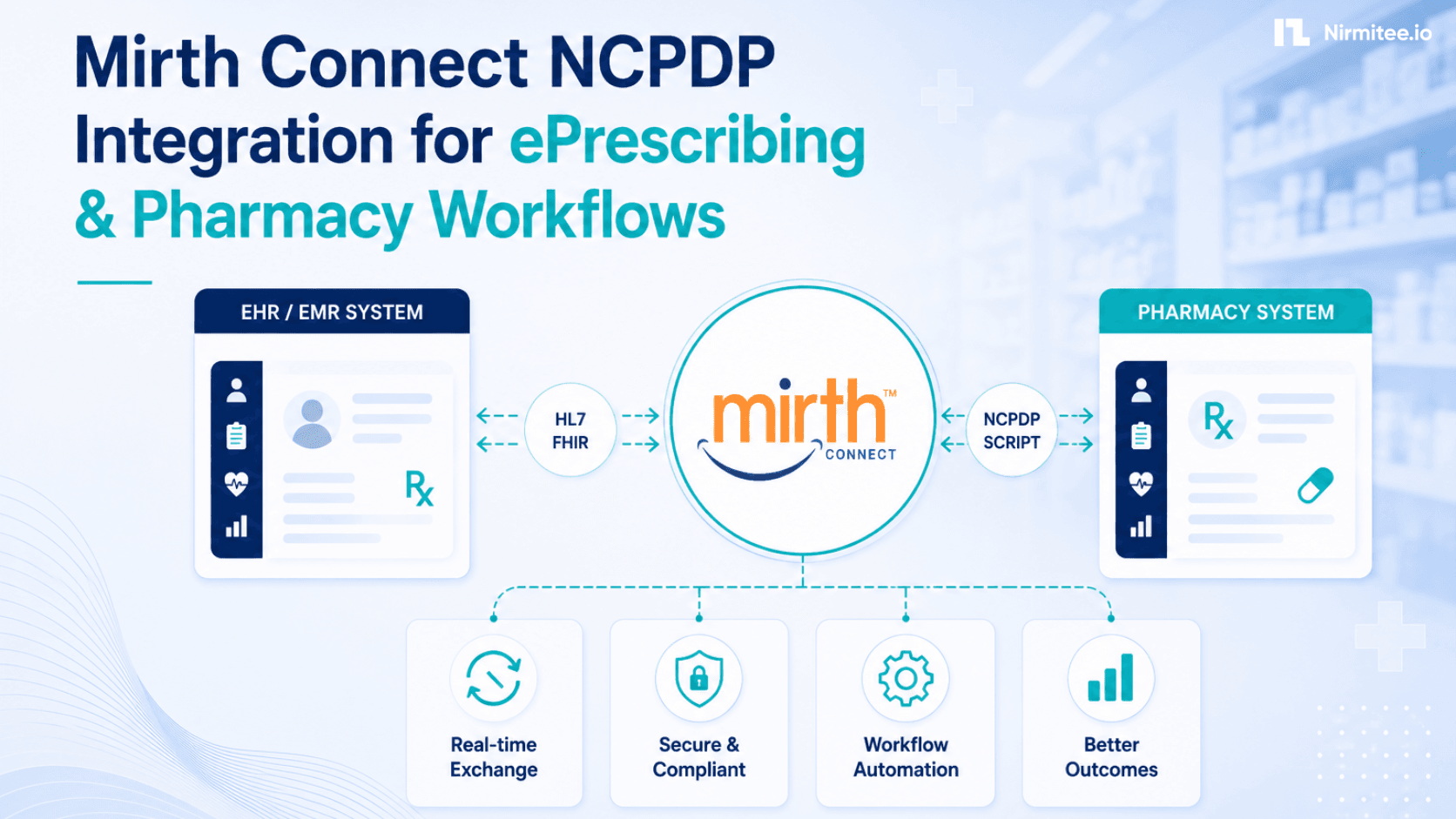
If you're building an e-prescribing integration using Mirth Connect, the NCPDP SCRIPT standard is what connects your EHR to the pharmacy network. This guide covers the full Mirth Connect pipeline — parsing SCRIPT messages, Surescripts routing, error handling, and the production deployment patterns that keep prescriptions flowing reliably.
New to Mirth? Start with our Mirth Connect guide: what it is, how it works, and when it fits.
This is a Mirth Connect implementation guide, not an architectural decision guide. If you need background on when NCPDP SCRIPT applies versus FHIR MedicationRequest, see the NCPDP to FHIR gap analysis.
If you are planning this for production, our Mirth Connect integration team can build it with you.
NCPDP SCRIPT vs HL7 v2: What Changes in Mirth
NCPDP SCRIPT is XML-based, not the pipe-delimited HL7 v2 most Mirth engineers know. In Mirth, NCPDP channels use the XML data type, not HL7 v2. There is no built-in NCPDP parser — you navigate the message with E4X XPath using the NCPDP namespace http://www.ncpdp.org/schema/SCRIPT.
The namespace declaration is mandatory, just like C-CDA. Without it, every XPath returns an empty string and the message processes silently without extracting a single field — one of the most common first-day mistakes on NCPDP channels.
The current production standard is NCPDP SCRIPT 2017071, required for Medicare Part D as of 2026. SCRIPT v2023011 is the next version — Surescripts has it available for early adopters, and ONC has mandated it by January 1, 2028. Build your namespace handling to be version-aware if you're starting a new implementation today. For JavaScript transformer patterns used throughout this guide, see the Mirth JavaScript transformer deep dive.
NewRx Message Parsing
NewRx is the most common NCPDP SCRIPT transaction — a new prescription going from prescriber to pharmacy. The message body carries patient demographics, prescriber identity (NPI and DEA for controlled substances), medication details including NDC, quantity, days supply, refills, and the target pharmacy's NCPDP ID.
// NCPDP namespace — required at top of every transformer
var ns = new Namespace('http://www.ncpdp.org/schema/SCRIPT');
default xml namespace = ns;

// Detect message type
var hasNewRx = msg['Body'][ns::('NewRx')].length() > 0;
var msgType  = hasNewRx ? 'NewRx' : 'Other';

if (hasNewRx) {
    var newRx = msg['Body'][ns::('NewRx')];

    // Patient
    var patFN  = newRx[ns::('Patient')][ns::('Name')][ns::('FirstName')].toString();
    var patLN  = newRx[ns::('Patient')][ns::('Name')][ns::('LastName')].toString();
    var patDOB = newRx[ns::('Patient')][ns::('DateOfBirth')].toString();

    // Prescriber
    var prescriberNPI = newRx[ns::('Prescriber')][ns::('Identification')][ns::('NPI')].toString();
    var prescriberDEA = newRx[ns::('Prescriber')][ns::('Identification')][ns::('DEANumber')].toString();

    // Medication
    var drugName   = newRx[ns::('MedicationPrescribed')][ns::('DrugDescription')].toString();
    var ndc        = newRx[ns::('MedicationPrescribed')][ns::('DrugCoded')][ns::('ProductCode')].toString();
    var quantity   = newRx[ns::('MedicationPrescribed')][ns::('Quantity')][ns::('Value')].toString();
    var daysSupply = newRx[ns::('MedicationPrescribed')][ns::('DaysSupply')].toString();
    var refills    = newRx[ns::('MedicationPrescribed')][ns::('NumberOfRefills')].toString();

    // Target pharmacy
    var pharmacyNCPDP = newRx[ns::('Pharmacy')][ns::('Identification')][ns::('NCPDPID')].toString();
    channelMap.put('pharmacy_id', pharmacyNCPDP);
    channelMap.put('prescriber_npi', prescriberNPI);
    channelMap.put('ndc', ndc);
}
Always extract pharmacy_id and prescriber_npi into channelMap early. Every downstream destination — routing decisions, audit records, FHIR MedicationRequest creation — needs them, and re-parsing the XML in multiple transformer steps adds unnecessary overhead.
Surescripts Connectivity: Four Requirements
Surescripts is the dominant US e-prescribing network, processing over 30 billion transactions in 2025. Connecting Mirth to Surescripts requires four specific configurations that differ from standard HTTP integrations.
Mutual TLS (mTLS)
Both client (Mirth) and server (Surescripts) present certificates. Configure Mirth's keystore with your Surescripts-issued client certificate. The Surescripts CA bundle goes in the Mirth truststore. Standard one-way TLS (Mirth verifying Surescripts only) will be rejected at connection.
SOAP 1.2 Envelope
NCPDP SCRIPT XML must be wrapped in a SOAP 1.2 envelope before sending. Set the HTTP Sender Content-Type to application/soap+xml and build the SOAP wrapper in the destination transformer:
// Build SOAP 1.2 wrapper around NCPDP payload
var soapEnvelope = '<soap:Envelope xmlns:soap="http://www.w3.org/2003/05/soap-envelope">' +
    '<soap:Header/>' +
    '<soap:Body>' +
    msg.toString() +
    '</soap:Body>' +
    '</soap:Envelope>';
return soapEnvelope;
18-Second Timeout
Surescripts requires an HTTP 200 ACK within 20 seconds of receiving a message. Set Mirth's HTTP Sender timeout to 18 seconds — two seconds of buffer. Any downstream processing that takes longer must be offloaded to a queued downstream channel. Do not block the Surescripts-facing channel on EHR writes or database lookups.
Synchronous Mode Only
The Surescripts-facing channel must use synchronous HTTP response mode. Async patterns break the 20-second SLA. Design the channel so the Surescripts response is captured synchronously, then hand off to downstream queued channels for anything that doesn't need to complete within the SLA window.
For the full Surescripts credentialing process and certificate management setup, see the Mirth Connect security hardening guide. Surescripts certification itself typically takes 8–16 weeks and requires conformance testing across NewRx, CancelRx, and RTPB before production access is granted.
RxChangeRequest: Pharmacy-Initiated Changes
RxChangeRequest is the transaction pharmacies use when they need to substitute a medication — generic for brand, formulary alternative, prior authorization required. It's bidirectional: pharmacy sends the request, prescriber responds with approval, denial, or a new prescription.
// RxChangeRequest — pharmacy requests substitution or PA
if (msg['Body'][ns::('RxChangeRequest')].length() > 0) {
    var chg = msg['Body'][ns::('RxChangeRequest')];
    var origRxId       = chg[ns::('RxReferenceNumber')].toString();
    var changeReason   = chg[ns::('ChangeRequestType')].toString();
    // Reason codes: G=Generic, F=Formulary, P=Prior Auth, T=Therapeutic
    var altDrugNDC     = chg[ns::('MedicationRequested')][ns::('DrugCoded')][ns::('ProductCode')].toString();
    var prescriberNPI  = chg[ns::('Prescriber')][ns::('Identification')][ns::('NPI')].toString();

    channelMap.put('change_reason', changeReason);
    channelMap.put('orig_rx_id', origRxId);
    channelMap.put('alt_ndc', altDrugNDC);
    // Route to prescriber EHR inbox for decision
}
The ChangeRequestType code determines how the EHR should present the request to the prescriber. Generic substitution (G) is often auto-approved based on EHR formulary rules. Prior authorization requests (P) require manual prescriber review and are the most time-sensitive — the pharmacy is waiting before dispensing.
RxRenewal Bidirectional Workflow
When a patient's prescription expires, the pharmacy sends an RxRenewalRequest to the prescriber via Surescripts. Mirth receives this inbound, routes it to the prescribing physician's EHR inbox, collects the response, and sends it back through Surescripts to the pharmacy.
// RxRenewalRequest — pharmacy requests refill approval
if (msg['Body'][ns::('RxRenewalRequest')].length() > 0) {
    var renewal = msg['Body'][ns::('RxRenewalRequest')];
    var origRxId      = renewal[ns::('RxReferenceNumber')].toString();
    var prescriberNPI = renewal[ns::('Prescriber')][ns::('Identification')][ns::('NPI')].toString();
    var pharmNCPDP    = renewal[ns::('Pharmacy')][ns::('Identification')][ns::('NCPDPID')].toString();
    var suresMsgId    = msg['Header'][ns::('MessageID')].toString();

    channelMap.put('original_rx_id', origRxId);
    channelMap.put('prescriber_npi', prescriberNPI);
    channelMap.put('surescripts_msg_id', suresMsgId);
    // Store suresMsgId — needed to correlate the RxRenewalResponse
}
Track the Surescripts MessageID from the header. When the prescriber's RxRenewalResponse comes back through the EHR, Mirth needs to correlate it to the original request for the bidirectional audit trail. Store it in your channel database table keyed by original_rx_id.
CancelRx Handling
CancelRx is sent when a prescriber needs to cancel a prescription before the pharmacy dispenses it. The pharmacy responds with CancelRxResponse — either confirming cancellation or indicating the medication was already dispensed. In 2025 alone, CancelRx transactions hit 277.8 million requests across the Surescripts network, making reliable handling non-negotiable.
// CancelRx — prescriber cancels before dispensing
if (msg['Body'][ns::('CancelRx')].length() > 0) {
    var cancel = msg['Body'][ns::('CancelRx')];
    var rxToCancel    = cancel[ns::('RxReferenceNumber')].toString();
    var cancelReason  = cancel[ns::('CancelReasonText')].toString();
    var prescriberNPI = cancel[ns::('Prescriber')][ns::('Identification')][ns::('NPI')].toString();

    channelMap.put('cancel_rx_id', rxToCancel);
    channelMap.put('cancel_reason', cancelReason);
    logger.info('CancelRx for RxID: ' + rxToCancel + ' reason: ' + cancelReason);
}
The CancelRxResponse you receive back indicates whether cancellation succeeded. If the pharmacy responds with a "too late to cancel" status, your channel needs to flag this for prescriber review — the patient may need a new prescription sent to a different pharmacy.
RxFill: Closing the Care Loop
RxFill is the pharmacy's fill-status notification back to the prescriber — introduced in NCPDP SCRIPT 2017071 specifically to close the care loop. It tells the prescribing system whether the patient picked up the medication, partially filled it, or never collected it.
// RxFill — pharmacy fill status notification
if (msg['Body'][ns::('RxFill')].length() > 0) {
    var fill = msg['Body'][ns::('RxFill')];
    var origRxId    = fill[ns::('RxReferenceNumber')].toString();
    var fillStatus  = fill[ns::('FillStatus')].toString();
    // Status values: Dispensed, PartiallyFilled, NotFilled, TransferredOut
    var dispenseDate = fill[ns::('LastFillDate')].toString();
    var quantityDisp = fill[ns::('QuantityDispensed')][ns::('Value')].toString();

    channelMap.put('fill_status', fillStatus);
    channelMap.put('orig_rx_id', origRxId);
    // Write to EHR — update MedicationRequest status to 'completed' or 'active'
    // Create FHIR MedicationDispense resource if FHIR store is downstream
}
RxFill data is increasingly used for medication adherence workflows. A "NotFilled" status on a critical medication (cardiac, diabetes) should trigger a follow-up task in the EHR. If your downstream system is FHIR-based, map each RxFill to a MedicationDispense resource — that's the FHIR equivalent of a fill event.
EPCS: Electronic Prescribing of Controlled Substances
EPCS is mandated in 36+ US states and required under Medicare Part D. It uses the same NCPDP SCRIPT message format but adds DEA-mandated security requirements under 21 CFR Part 1311.
In Mirth, EPCS channels require:
- DEA number validation — extract and validate
DEANumberfrom TXA-9 equivalent (Prescriber Identification) before routing controlled substance prescriptions - Audit trail logging — every EPCS transaction must be logged with prescriber identity, timestamp, and message ID. Ship these to a tamper-evident log store (not just Mirth's message log) — DEA requires 2-year retention
- Two-factor authentication verification — Mirth doesn't perform 2FA itself, but the upstream EHR must confirm it occurred. Check for the EPCS identity proof element in the SCRIPT header before forwarding to Surescripts
- Schedule detection — route Schedule II–V prescriptions to an EPCS-specific Mirth channel with stricter logging, separate from non-controlled substance channels
NCPDP Message Types Reference
| Message Type | Direction | Purpose |
|---|---|---|
| NewRx | Prescriber → Pharmacy | New prescription |
| RxRenewalRequest | Pharmacy → Prescriber | Refill authorization request |
| RxRenewalResponse | Prescriber → Pharmacy | Approve or deny renewal |
| RxChangeRequest | Pharmacy → Prescriber | Substitution or PA needed |
| RxChangeResponse | Prescriber → Pharmacy | Approve, deny, or new Rx |
| CancelRx | Prescriber → Pharmacy | Cancel before dispensing |
| CancelRxResponse | Pharmacy → Prescriber | Confirm or deny cancellation |
| RxFill | Pharmacy → Prescriber | Fill status notification |
| DrugUtilizationReview | Pharmacy → Prescriber | Drug interaction check |
| RxHistoryRequest | Prescriber → Network | Patient medication history lookup |
Further Reading
- NCPDP to FHIR MedicationRequest: Gap Analysis
- Electronic Case Reporting (eCR) with Mirth Connect
- Mirth Connect REST API: 7 Undocumented Gotchas
- Mirth Connect Athenahealth Integration Guide
- Mirth Connect Security Hardening 2026
Ready to scale?
Talk to our healthcare engineering team about building, integrating, and shipping faster.
Frequently Asked Questions
What credentials are required to connect Mirth Connect to Surescripts?
Why does Surescripts require a synchronous response within 20 seconds?
How is NCPDP SCRIPT different from HL7 v2 in Mirth channel configuration?
What is the RxChangeRequest workflow in Mirth Connect?
How does Mirth handle RxFill fill status notifications?
What does EPCS require in a Mirth Connect NCPDP channel?


