Mirth Connect Security 2026 : Complete Guide

Founder & CEO
15+ years building healthcare technology. Founder & CEO of Nirmitee.io, whose teams deliver EHR integrations, FHIR and HL7 platforms, ABDM and NHCX connectivity, and clinical AI for health systems and healthtech companies.
In October 2023, security researchers disclosed CVE-2023-43208: an unauthenticated remote code execution vulnerability in Mirth Connect that allowed attackers to take complete control of any Mirth instance accessible from the network. No credentials required. No user interaction needed. Just a crafted request to the Mirth API endpoint, and an attacker had full system access to the server processing your hospital's patient data.
Log4Shell was not the last supply-chain fire drill for healthcare stacks — the React2Shell critical RCE exploit put frontend dependencies in the crosshairs the same way.
This was not the first critical vulnerability. Two years earlier, the Log4Shell vulnerability (CVE-2021-44228) sent shockwaves through the Java ecosystem, and Mirth Connect, built on Java, was directly affected. The Log4j issue on Mirth Connect's GitHub repository (#4892) accumulated over 100 comments and 18 votes, making it the most-engaged security discussion in the project's history. Healthcare organizations scrambled to patch their integration engines while simultaneously maintaining 24/7 data flows that clinical operations depended on.
These incidents exposed an uncomfortable truth: most Mirth Connect installations are running with minimal security hardening. Default credentials, no TLS, open API access, and unpatched software are the norm, not the exception. In an industry governed by HIPAA's strict requirements for protecting patient health information, this gap between regulation and reality creates both compliance risk and genuine patient safety risk.
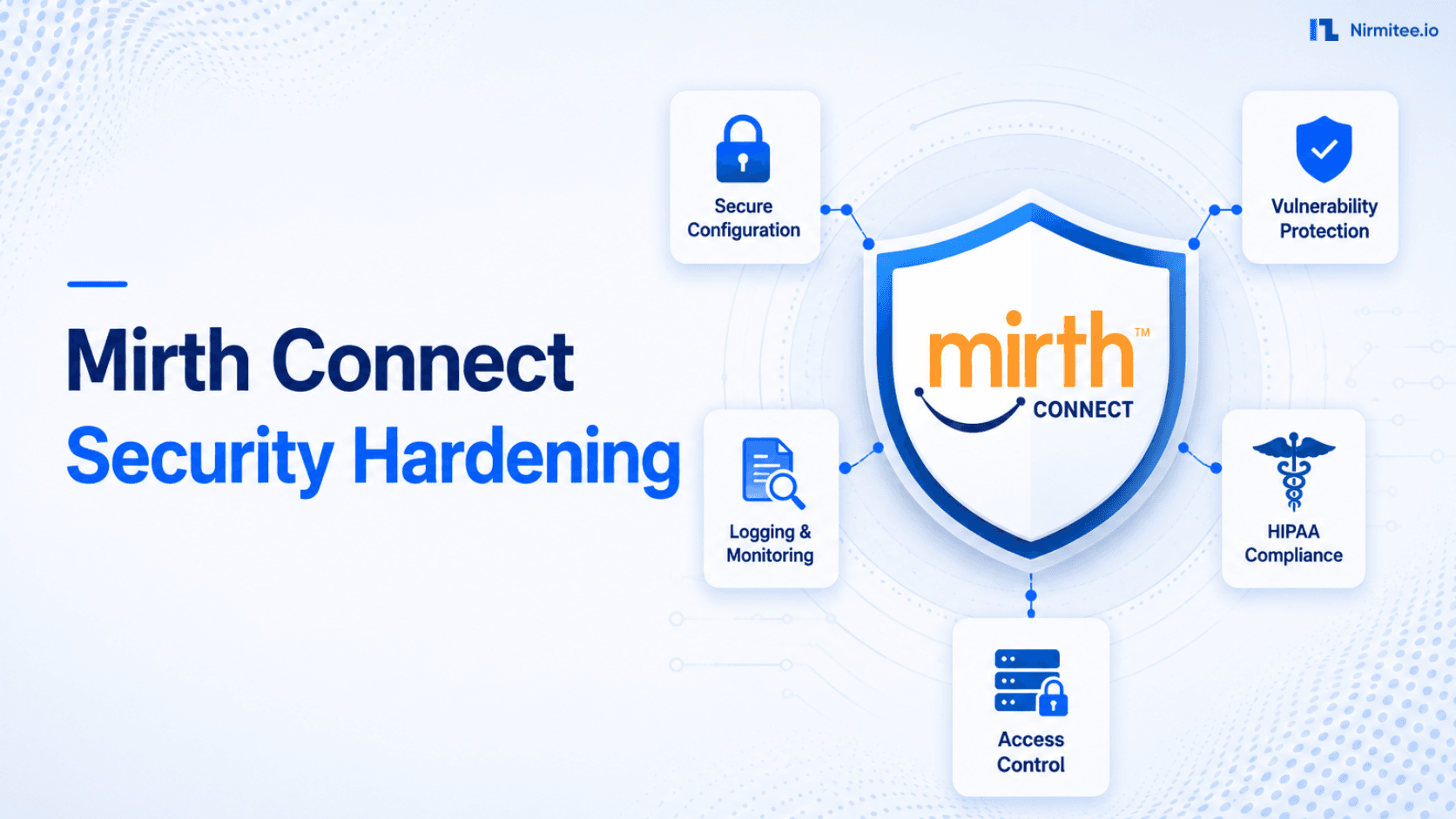
This guide provides a systematic approach to securing Mirth Connect, from the immediate actions needed to close critical vulnerabilities to the comprehensive hardening required for HIPAA compliance. Whether you are responding to a security audit finding or proactively building a secure integration platform, this is the guide that bridges the gap between Mirth Connect's default configuration and production-grade security.
Watch: Running Mirth Connect in Production: Daily Checks, Backups and Runbooks (1:52).
Default Mirth Connect Is Insecure
A fresh Mirth Connect installation has several security weaknesses that must be addressed before production use:
- Default admin credentials: Username
admin, passwordadmin. The number of production Mirth instances still running with default credentials would alarm any security professional. - No TLS on the admin API: The Mirth Connect Administrator and REST API on port 8443 use a self-signed certificate by default. Many administrators disable certificate verification rather than configure proper TLS, leaving traffic vulnerable to interception.
- Open API access: The admin API on port 8443 accepts connections from any IP address. There are no network-level restrictions by default.
- No audit logging: Default logging captures application errors but not security events like failed login attempts, configuration changes, or API access patterns.
- MLLP without encryption: HL7 messages containing PHI are sent in cleartext over MLLP connections by default. This violates HIPAA transmission security requirements.
Understanding these defaults is the starting point for hardening. Every item in the checklist below addresses one or more of these weaknesses.
The Security Hardening Checklist
This 15-item checklist is organized by priority. Critical items should be completed immediately. High-priority items within the first week. Medium-priority items within the first month.
CRITICAL Priority (Complete Immediately)
1. Change Default Credentials
Change the admin password on first login. Create individual user accounts for each administrator. Disable or rename the default admin account. Use strong passwords (16+ characters, mixed case, numbers, symbols) or integrate with LDAP/Active Directory for centralized authentication.
# Change admin password via Mirth API:
curl -ks -X PUT https://localhost:8443/api/users/1 \
  -H "Content-Type: application/xml" \
  -u admin:admin \
  -d '<user>
    <username>admin</username>
    <password>NEW_STRONG_PASSWORD_HERE</password>
  </user>'

# IMPORTANT: Also create individual user accounts
# Do not share the admin account across team members
2. Enable TLS 1.2+ Everywhere
Replace the default self-signed certificate with a certificate from a trusted Certificate Authority. Configure Mirth to require TLS 1.2 or higher. Disable older protocol versions (SSLv3, TLS 1.0, TLS 1.1) which have known vulnerabilities.
# Generate or import a proper TLS certificate:
keytool -importkeystore \
  -srckeystore your-certificate.p12 \
  -srcstoretype PKCS12 \
  -destkeystore /opt/connect/appdata/keystore.jks \
  -deststoretype JKS \
  -deststorepass your_keystore_password

# In mirth.properties, enforce TLS 1.2+:
https.client.protocols = TLSv1.2,TLSv1.3
https.server.protocols = TLSv1.2,TLSv1.3
https.ciphersuites = TLS_AES_256_GCM_SHA384,TLS_AES_128_GCM_SHA256,\
  TLS_ECDHE_RSA_WITH_AES_256_GCM_SHA384,TLS_ECDHE_RSA_WITH_AES_128_GCM_SHA256
3. Restrict API Access by IP
The Mirth admin API should only be accessible from authorized networks. Use firewall rules (iptables, Windows Firewall, or cloud security groups) to restrict port 8443 to specific IP ranges: your admin workstations, monitoring systems, and deployment servers. Block all other access.
# Linux iptables example:
# Allow admin API only from admin network (10.1.0.0/24)
iptables -A INPUT -p tcp --dport 8443 -s 10.1.0.0/24 -j ACCEPT
iptables -A INPUT -p tcp --dport 8443 -j DROP

# AWS Security Group example:
# sg-mirth-admin: Inbound TCP 8443 from 10.1.0.0/24 only
4. Patch CVE-2023-43208 and All Known Vulnerabilities
If running Mirth Connect version 4.4.0 or earlier, upgrade immediately. CVE-2023-43208 allows unauthenticated remote code execution. This is not a theoretical risk; proof-of-concept exploits are publicly available. Upgrade to the latest stable version and establish a regular patching schedule.
HIGH Priority (Complete Within First Week)
5. Configure LDAP/Active Directory Integration
Integrate Mirth authentication with your organization's directory service. This provides centralized user management, password policy enforcement, and automatic deprovisioning when employees leave. Configure LDAP over TLS (LDAPS, port 636) to protect credentials in transit.
6. Implement Firewall Rules for MLLP Ports
Every MLLP listener port should have firewall rules restricting access to the specific IP addresses of the sending systems. A Mirth instance with 10 MLLP channels should have 10 specific firewall rules, each allowing traffic only from the authorized source.
# Example: MLLP port firewall rules
# Channel: ADT from Epic (source: 10.2.1.50)
iptables -A INPUT -p tcp --dport 6661 -s 10.2.1.50 -j ACCEPT
iptables -A INPUT -p tcp --dport 6661 -j DROP

# Channel: ORM from Lab (source: 10.3.2.100)
iptables -A INPUT -p tcp --dport 6662 -s 10.3.2.100 -j ACCEPT
iptables -A INPUT -p tcp --dport 6662 -j DROP

# Channel: ORU to Pharmacy (source: 10.4.1.25)
iptables -A INPUT -p tcp --dport 6663 -s 10.4.1.25 -j ACCEPT
iptables -A INPUT -p tcp --dport 6663 -j DROP
7. Enable Comprehensive Audit Logging
Configure Mirth Connect to log all security-relevant events: user logins (successful and failed), configuration changes (channel edits, deployments, undeployments), API access, and message-level operations. Send logs to a centralized logging system or SIEM for retention and analysis.
8. Update Log4j Libraries
Verify that your Mirth Connect installation uses Log4j 2.17.1 or later, which includes all fixes for the Log4Shell vulnerability chain (CVE-2021-44228, CVE-2021-45046, CVE-2021-45105). Check the Mirth Connect release notes and verify the actual JAR files in the installation directory. If running a version affected by Log4j vulnerabilities, upgrading Mirth Connect to the latest version is the most reliable remediation.
MEDIUM Priority (Complete Within First Month)
9. SIEM Integration
Forward Mirth logs to your Security Information and Event Management (SIEM) system. Create correlation rules for: multiple failed login attempts (brute force detection), off-hours administrative access, bulk channel modifications, and unusual API call patterns.
10. Role-Based Access Control
Create granular user roles in Mirth Connect: Viewer (read-only access to channel status and messages), Developer (channel editing in non-production), Deployer (deploy channels to production), Administrator (full system configuration). Apply the principle of least privilege: most users need Viewer access, not Administrator.
11. API Key Management
If external systems access the Mirth API (deployment scripts, monitoring tools, reporting dashboards), use API keys or service accounts with restricted permissions rather than sharing the admin credentials. Rotate API keys quarterly and immediately when team members leave.
12. Database Encryption at Rest
Enable encryption for the Mirth database. For PostgreSQL, use Transparent Data Encryption (TDE) or filesystem-level encryption. For cloud databases (AWS RDS, Azure Database), enable storage encryption. The Mirth database contains message content, which may include PHI, making encryption at rest a HIPAA requirement.
13. VPN for Remote Access
All remote access to Mirth Connect should traverse a VPN. This includes administrator access to the Mirth GUI, API access from deployment tools, and any MLLP connections from external partners. Direct internet access to any Mirth port should be blocked at the firewall level.
14. Penetration Testing Scope
Include Mirth Connect in your organization's penetration testing program. Common findings include: exposed admin API, default credentials, outdated TLS versions, missing patches, and overly permissive firewall rules. Address findings within the remediation timeline defined in your security policy.
15. Incident Response Plan
Document an incident response procedure specific to integration infrastructure. Define: who is notified when a security event is detected on Mirth, how to isolate a compromised Mirth instance without disrupting all data flows, how to conduct forensic analysis on Mirth logs and message content, and how to restore service from clean backups.
Network Security Architecture
Defense in Depth
A properly secured Mirth deployment uses multiple layers of network security:
- Perimeter firewall: Blocks all traffic except VPN connections and authorized MLLP traffic from partner organizations.
- Network segmentation: Place Mirth in a dedicated VLAN or subnet, separate from end-user networks, web servers, and other application tiers.
- Host-based firewall: Configure iptables or Windows Firewall on the Mirth server itself as a second layer of port restriction.
- Application-level security: Mirth's built-in authentication, role-based access, and TLS configuration.
- Database security: Network access to the Mirth database should only be allowed from the Mirth server itself. Block all other database connections.
No Public-Facing Mirth API
This bears repeating because it is the single most common security misconfiguration: the Mirth Connect admin API (port 8443) must never be accessible from the public internet. The consequences of an exposed admin API include complete system compromise, data exfiltration of all messages (including PHI), and the ability for attackers to modify channel logic to redirect or intercept patient data.
HIPAA Requirements Mapped to Mirth Connect
HIPAA's Security Rule defines Technical Safeguards in 45 CFR 164.312. Here is how each requirement maps to Mirth Connect configuration:
Access Controls (164.312(a)(1))
Required: Implement technical policies and procedures that allow only authorized persons to access electronic PHI.
Mirth Implementation:
- Individual user accounts with unique credentials (no shared admin accounts)
- Role-based access control with least-privilege assignments
- LDAP/AD integration for centralized authentication
- Automatic session timeout after 15 minutes of inactivity
- Account lockout after 5 failed login attempts
Audit Controls (164.312(b))
Required: Implement mechanisms to record and examine activity in systems that contain or use electronic PHI.
Mirth Implementation:
- Enable Mirth's built-in audit logging for all user actions
- Log message processing events (received, filtered, transformed, sent, errored)
- Forward logs to a SIEM with a minimum 6-year retention policy
- Regular review of audit logs (weekly for security events, monthly for access patterns)
- Immutable log storage (write-once, prevent tampering)
Integrity Controls (164.312(c)(1))
Required: Implement policies and procedures to protect electronic PHI from improper alteration or destruction.
Mirth Implementation:
- Database integrity checks on Mirth message store
- Message checksums for verifying content integrity across transformations
- Database backups with integrity verification
- Version control for channel configurations (using MirthSync and CI/CD pipelines)
- Change management process for channel modifications
Transmission Security (164.312(e)(1))
Required: Implement technical security measures to guard against unauthorized access to electronic PHI being transmitted over a network.
Mirth Implementation:
- TLS 1.2+ on the admin API (port 8443)
- TLS for MLLP connections (Secure MLLP / MLLP over TLS)
- TLS for HTTP/FHIR channels
- TLS for database connections (PostgreSQL
sslmode=require) - VPN for all external connectivity
- Certificate validation (do not disable certificate verification in production)
The Vulnerability Timeline
Log4Shell (December 2021)
The Log4j vulnerability (CVE-2021-44228) was a zero-day remote code execution flaw in the widely used Apache Log4j 2 library. Because Mirth Connect is a Java application that uses Log4j for logging, it was directly affected. The impact was severe: any Mirth instance that logged user-controllable data (which includes HL7 message content) could be exploited by sending a crafted HL7 message containing a JNDI lookup string.
The GitHub issue #4892 became the most-discussed thread in Mirth Connect's history, with healthcare organizations sharing mitigation strategies while waiting for official patches. The incident highlighted the importance of dependency management and rapid patching capability in healthcare integration infrastructure.
CVE-2023-37679 (August 2023)
A deserialization vulnerability in Mirth Connect could allow remote code execution. While requiring some level of authentication, it demonstrated that Mirth's Java serialization handling needed hardening.
CVE-2023-43208 (October 2023)
The most critical Mirth vulnerability to date: an unauthenticated remote code execution flaw. Attackers could execute arbitrary code on the Mirth server without any credentials. This vulnerability was a bypass of the fix for CVE-2023-37679, meaning organizations that patched for the earlier CVE were still vulnerable. CISA added it to the Known Exploited Vulnerabilities catalog, indicating active exploitation in the wild.
Lessons from the Timeline
Three patterns emerge from Mirth Connect's vulnerability history:
- Third-party dependencies are attack vectors. Log4j was not a Mirth bug; it was a library vulnerability. Monitor all dependencies, not just the core application.
- Patches can be incomplete. CVE-2023-43208 was a bypass of the CVE-2023-37679 fix. Do not assume one patch closes all related attack paths. Stay current with the latest versions.
- Network-level controls are essential. If the Mirth API had been network-restricted (as recommended in this guide), CVE-2023-43208 would have been exploitable only by attackers already inside the network, dramatically reducing the attack surface.
PHI Protection in Mirth Connect
Minimize PHI in Logs
Mirth Connect can log full message content for troubleshooting, but this creates a second copy of PHI outside the primary message store. Configure logging to:
- Log message metadata (message ID, timestamp, status) without message content in production
- Enable content logging only for specific channels under active troubleshooting, and disable it when complete
- Apply log rotation and retention policies that align with HIPAA requirements
- Encrypt log storage at rest
Message Content Storage
Configure Mirth's message pruning to remove message content after the required retention period. Many organizations retain message metadata indefinitely (for audit purposes) but prune message content after 30-90 days to minimize PHI exposure. Configure pruning per channel based on the interface's compliance requirements.
De-identification for Non-Production
Development and testing environments should not use real patient data. Implement de-identification transformers that replace PHI fields (patient name, MRN, date of birth, address) with synthetic data when messages are copied from production to non-production environments.
Compliance Frameworks Mapping
HITRUST CSF
HITRUST Common Security Framework (CSF) maps directly to HIPAA requirements with additional specificity. For Mirth Connect, key HITRUST controls include:
- 01.d Password Management: Strong password policy, regular rotation, no default credentials
- 01.j Access Control Policy: Role-based access, least privilege, regular access reviews
- 06.d Network Controls: Firewall rules, network segmentation, VPN for remote access
- 09.ab Monitoring System Use: Audit logging, SIEM integration, security event alerting
- 10.m Control of Technical Vulnerabilities: Patch management, vulnerability scanning, CVE tracking
SOC 2 Type II
For organizations pursuing SOC 2 certification, Mirth Connect security controls map to the Trust Services Criteria:
- CC6.1 (Logical Access): Authentication, authorization, access reviews
- CC6.6 (System Boundaries): Firewall rules, network segmentation, encrypted transmission
- CC7.2 (Security Monitoring): Log management, alerting, incident detection
- CC8.1 (Change Management): Channel version control, deployment approvals, rollback capability
Security Monitoring
Detection Rules
Configure your SIEM or monitoring system with these detection rules for Mirth Connect:
# CRITICAL Alerts (Page on-call immediately):
- Failed login: 5+ attempts from same IP in 5 minutes (brute force)
- Successful login from unknown IP address
- Admin API access from non-admin network
- Channel deployment outside maintenance window
- Database connection failure (potential data breach indicator)

# WARNING Alerts (Investigate within 4 hours):
- TLS certificate expiring within 30 days
- Single failed login from unknown IP
- Unusual API call pattern (bulk channel export)
- New user account created
- Permission elevation (user role changed)

# INFO Alerts (Review daily):
- Successful logins (audit trail)
- Channel configuration changes
- Channel deploy/undeploy events
- Scheduled maintenance activities
- Backup completion/failure
Failed Login Detection
Brute force attacks against the Mirth admin API are a common threat, especially for internet-exposed instances. Configure account lockout after 5 failed attempts and alert on failed login patterns. Better yet, restrict API access by IP so brute force attacks cannot reach the login endpoint.
Unusual Traffic Patterns
Establish baselines for normal MLLP and API traffic patterns. Alert on deviations: sudden spikes in message volume (potential injection), traffic from unauthorized IPs, or connections at unusual hours. These anomalies may indicate unauthorized access or data exfiltration attempts.
Penetration Testing Considerations
Scoping Mirth in Pen Tests
When engaging penetration testers, explicitly include Mirth Connect in scope. Provide the testers with:
- Mirth admin API endpoints (IP and port)
- MLLP listener ports and their authorized source IPs
- HTTP channel endpoints
- Database connection details (for testing database security)
- Network architecture diagram showing Mirth's placement
Common Pen Test Findings
Based on industry experience, the most common penetration test findings for Mirth Connect installations include:
- Default or weak admin credentials (found in over 40% of assessments)
- Admin API accessible from unauthorized networks
- Outdated Mirth version with known CVEs
- TLS 1.0/1.1 still enabled
- Weak cipher suites in TLS configuration
- MLLP ports accessible from broader network than necessary
- Database credentials stored in plaintext in Mirth configuration files
- Missing audit logging for administrative actions
Incident Response for Integration Infrastructure
Containment Without Full Outage
Integration infrastructure presents a unique incident response challenge: shutting down a compromised Mirth instance can disrupt clinical data flows across the organization. The incident response plan must balance security containment with operational continuity:
- Isolate, do not terminate: Block external network access to the compromised instance while maintaining internal connectivity for critical data flows if the attack vector was external.
- Redirect traffic: If you maintain high-availability Mirth infrastructure, redirect traffic to a clean standby instance.
- Preserve evidence: Take a snapshot of the compromised system before any remediation. Capture Mirth logs, database state, and network flow data.
- Assess PHI exposure: Determine whether the attacker accessed message content containing PHI. This assessment drives HIPAA breach notification requirements (60-day notification window for breaches affecting 500+ individuals).
Recovery Procedure
- Deploy a clean Mirth instance from a known-good image or backup
- Apply all security patches and hardening measures before restoring service
- Import channel configurations from version control (not from the compromised instance)
- Reset all credentials (Mirth admin, database, API keys, keystore passwords)
- Verify firewall rules and network restrictions
- Monitor closely for 30 days post-incident for signs of persistent access
Patch Management Strategy
Why Staying Current Matters
Healthcare organizations are notoriously slow to patch systems, often citing "stability" concerns. But unpatched Mirth Connect instances are the most common attack vector. The Mirth Connect release cadence is approximately quarterly, with security patches released as needed between major versions. Establish a patching policy that balances stability with security:
# Recommended Patch Policy:

Critical CVEs (CVSS 9.0+):
  Patch within 72 hours
  Emergency change management process
  Test on staging, deploy to production same day

High CVEs (CVSS 7.0-8.9):
  Patch within 2 weeks
  Standard change management process
  Test on staging for 3 days, deploy to production

Regular updates (minor versions):
  Apply within 30 days of release
  Standard change management process
  Test on staging for 1 week, deploy to production

Major version upgrades:
  Plan within 90 days of release
  Extended testing on staging (2-4 weeks)
  Rollback plan documented and tested
CVE Tracking
Subscribe to security advisories for Mirth Connect and its dependencies. Monitor the NextGen Healthcare GitHub security advisories, the NVD database for Mirth-related CVEs, and dependency vulnerability databases for Java libraries used by Mirth.
The Bottom Line
Mirth Connect security is not a one-time project; it is an ongoing practice. The vulnerability timeline shows that new threats emerge regularly, from third-party dependency vulnerabilities like Log4j to application-specific flaws like CVE-2023-43208. A hardened Mirth installation with proper network controls, authentication, logging, and patching is resilient against these threats. A default installation is a breach waiting to happen.
Start with the critical items: change default credentials, enable TLS, restrict API access, and patch known vulnerabilities. Then work through the high and medium priority items systematically. Map your implementation to HIPAA Technical Safeguards to ensure compliance. And establish the monitoring and incident response capabilities that let you detect and respond to threats before they become breaches.
Healthcare integration infrastructure handles the most sensitive data in any organization: patient health information. The engineers and systems that process this data deserve the same security rigor applied to EHR systems, patient portals, and other clinical applications. Treating Mirth Connect as "just an integration tool" rather than a critical component of healthcare interoperability is the mindset that leads to default credentials, open APIs, and preventable breaches.
Related guides
This article is part of our complete guide to Mirth Connect: Mirth Connect explained. Related deep-dives:
- Mirth Connect high availability
- monitoring Mirth Connect channels
Ready to scale?
Talk to our healthcare engineering team about building, integrating, and shipping faster.
Frequently Asked Questions
We passed a HIPAA audit without hardening Mirth. Why should we change anything?
How do we handle TLS for MLLP connections when the sending system does not support TLS?
What is the impact of enabling comprehensive logging on Mirth performance?
Should we use a Web Application Firewall (WAF) in front of Mirth?
How often should we rotate credentials and certificates?