Building a Patient Intake Agent: From Insurance Card Photo to Verified Eligibility in 60 Seconds

CTO & Co-Founder
CTO & Co-Founder at Nirmitee.io. Architects healthcare integrations across FHIR, SMART on FHIR, ABDM and NHCX, writing from production experience taking hospital software from sandbox to go-live.

Patient intake is broken. Every day, millions of patients hand their insurance card to a front desk staffer who manually types the payer name, member ID, group number, and plan details into an EHR. It takes 15+ minutes per patient. According to Experian Health's 2025 State of Claims Report, 50% of healthcare providers report that missing or inaccurate claim data is the top factor driving rising denial rates. And Aptarro's 2026 analysis shows initial claim denials have climbed to 11.8% nationally, with registration errors accounting for nearly a third of those denials.
The fix isn't more staff. It's an intake agent that does in 60 seconds what manual workflows do in 15 minutes: snap a photo of the insurance card, extract every field with vision AI, verify demographics against the patient record, run a real-time eligibility check, and write structured data back to your EHR.
This guide walks you through building exactly that. Working Python code included.
The Architecture: End-to-End Pipeline
Before diving into each step, here's the full system view. Every component is replaceable; the architecture is what matters.
Mobile App (camera) → Cloud Function (AWS Lambda / GCP Cloud Function) → Vision API (GPT-4V or Claude Vision) extracts text → Parsing Agent structures fields → FHIR Patient Match verifies demographics → Clearinghouse (X12 270/271) checks eligibility → FHIR Write (Coverage + CoverageEligibilityResponse) → EHR Updated
Total elapsed time: 47-60 seconds, depending on clearinghouse latency. Let's build each step.
Step 1: Insurance Card OCR with Vision AI
The patient opens your app and snaps a photo of their insurance card. The image hits your cloud function, which sends it to a vision model for field extraction.
What We Extract
Every US insurance card contains these fields, though layouts vary wildly across 900+ payers:
- Payer Name — Blue Cross Blue Shield, Aetna, UnitedHealthcare, Cigna, etc.
- Member ID — the unique subscriber identifier (alphanumeric, 8-20 characters)
- Group Number — employer group identifier
- Plan Type — PPO, HMO, EPO, POS, HDHP
- Copay Amounts — PCP visit, specialist, ER, urgent care
- RxBin / RxPCN — pharmacy benefit routing codes
- Effective Date — coverage start date
Approach A: Vision LLM (Recommended for Production)
GPT-4V and Claude Vision handle the card layout variance problem natively. They've seen thousands of card formats and can extract fields regardless of position, font, or background color. Here's the core extraction function:
import anthropic
import base64
import json

def extract_insurance_card(image_path: str) -> dict:
    client = anthropic.Anthropic()

    with open(image_path, "rb") as f:
        image_data = base64.standard_b64encode(f.read()).decode("utf-8")

    message = client.messages.create(
        model="claude-sonnet-4-20250514",
        max_tokens=1024,
        messages=[{
            "role": "user",
            "content": [
                {
                    "type": "image",
                    "source": {
                        "type": "base64",
                        "media_type": "image/jpeg",
                        "data": image_data,
                    },
                },
                {
                    "type": "text",
                    "text": "Extract all fields from this insurance card. "
                            "Return JSON with keys: payer_name, member_id, "
                            "group_number, plan_type, copay_pcp, "
                            "copay_specialist, copay_er, rx_bin, rx_pcn, "
                            "rx_group, effective_date, "
                            "customer_service_phone. "
                            "Set null for fields not visible. "
                            "Return ONLY valid JSON."
                }
            ],
        }],
    )
    return json.loads(message.content[0].text)
Why Vision LLMs over traditional OCR: Traditional OCR (Tesseract, Google Vision OCR) gives you raw text with bounding boxes. You then need a parsing layer to identify which text block is the member ID versus the group number versus a phone number. For insurance cards, where every payer uses a different layout, this heuristic parsing breaks constantly. Vision LLMs handle layout understanding natively — they see the card the way a human does.
Approach B: Tesseract + Heuristic Parsing (Budget/Air-Gapped)
If you can't send PHI to an external API, or you need to minimize per-transaction costs, Tesseract with regex-based parsing works for the most common card formats:
import pytesseract
import re
from PIL import Image

def extract_card_tesseract(image_path: str) -> dict:
    img = Image.open(image_path)
    raw_text = pytesseract.image_to_string(img)

    fields = {
        "payer_name": None, "member_id": None,
        "group_number": None, "plan_type": None,
        "copay_pcp": None, "rx_bin": None,
    }

    # Known payer patterns
    payers = [
        "blue cross", "bcbs", "aetna",
        "unitedhealthcare", "uhc", "cigna",
        "humana", "anthem", "kaiser", "molina"
    ]
    text_lower = raw_text.lower()
    for payer in payers:
        if payer in text_lower:
            fields["payer_name"] = payer.title()
            break

    # Member ID pattern
    member_match = re.search(
        r"(?:member|subscriber|id)[:\s#]*([A-Z0-9]{8,20})",
        raw_text, re.IGNORECASE
    )
    if member_match:
        fields["member_id"] = member_match.group(1)

    # Group number
    group_match = re.search(
        r"(?:group|grp)[:\s#]*([A-Z0-9-]{4,15})",
        raw_text, re.IGNORECASE
    )
    if group_match:
        fields["group_number"] = group_match.group(1)

    # Plan type
    plan_match = re.search(r"(PPO|HMO|EPO|POS|HDHP)", raw_text)
    if plan_match:
        fields["plan_type"] = plan_match.group(1)

    # Copay amount
    copay_match = re.search(
        r"(?:copay|office visit|pcp)[:\s]*\$?(\d{1,3})",
        raw_text, re.IGNORECASE
    )
    if copay_match:
        fields["copay_pcp"] = int(copay_match.group(1))

    # RxBin
    rxbin_match = re.search(
        r"(?:rxbin|rx bin)[:\s]*(\d{6})",
        raw_text, re.IGNORECASE
    )
    if rxbin_match:
        fields["rx_bin"] = rxbin_match.group(1)

    return fields
Trade-off: Tesseract achieves roughly 75-85% field accuracy across diverse card formats, compared to 94-98% with vision LLMs. For high-volume practices processing 200+ patients/day, the 15-20% error rate on Tesseract means 30-40 manual corrections daily. Vision LLMs cost ~$0.01-0.03 per card but eliminate most manual rework.
Step 2: Demographics Verification via FHIR Patient Match
The extracted card data includes the patient's name and date of birth (printed on most cards). Before running eligibility, we cross-reference this against the existing FHIR Patient resource in the EHR to catch discrepancies.
import requests
from fuzzywuzzy import fuzz

def verify_demographics(extracted: dict, fhir_base: str, patient_id: str) -> dict:
    resp = requests.get(
        f"{fhir_base}/Patient/{patient_id}",
        headers={"Accept": "application/fhir+json"}
    )
    patient = resp.json()

    # Extract FHIR patient details
    fhir_name = ""
    if patient.get("name"):
        n = patient["name"][0]
        fhir_name = f"{' '.join(n.get('given', []))} {n.get('family', '')}"

    fhir_dob = patient.get("birthDate", "")

    # Fuzzy match on name
    name_score = fuzz.token_sort_ratio(
        extracted.get("patient_name", "").lower(),
        fhir_name.lower()
    )

    # Exact match on DOB
    dob_match = extracted.get("date_of_birth") == fhir_dob

    flags = []
    if name_score < 85:
        flags.append(
            f"Name mismatch: card='{extracted.get('patient_name')}' "
            f"vs EHR='{fhir_name}' (score={name_score})"
        )
    if not dob_match:
        flags.append(
            f"DOB mismatch: card='{extracted.get('date_of_birth')}' "
            f"vs EHR='{fhir_dob}'"
        )

    return {
        "verified": len(flags) == 0,
        "name_match_score": name_score,
        "dob_match": dob_match,
        "flags": flags,
        "fhir_patient_id": patient_id
    }
Why fuzzy matching matters: Insurance cards frequently print names differently than the EHR — "ROBERT JAMES SMITH" on the card versus "Robert Smith" in the EHR, or "Garcia-Lopez" versus "Garcia Lopez." A strict string comparison would flag these as mismatches and create unnecessary manual work. Fuzzy matching with a threshold of 85 catches genuine discrepancies (wrong patient) while allowing formatting differences through.
Step 3: Real-Time Eligibility Check (X12 270/271)
This is where most intake automation projects stall. The X12 270 eligibility inquiry is the HIPAA-mandated standard for checking patient coverage in real time. You send a 270 through a clearinghouse (Availity, Change Healthcare, Trizetto), the payer responds with a 271 containing coverage details.
Building the 270 Request
from datetime import datetime

def build_270_request(
    payer_id: str, member_id: str,
    patient_name: dict, patient_dob: str,
    provider_npi: str, trace_id: str
) -> str:
    now = datetime.now()
    date_str = now.strftime("%Y%m%d")
    time_str = now.strftime("%H%M")

    segments = [
        f"ISA*00*          *00*          *ZZ*SENDER_ID      "
        f"*ZZ*{payer_id:<15}*{now.strftime('%y%m%d')}*{time_str}"
        f"*^*00501*000000001*0*P*:~",
        f"GS*HS*SENDER_ID*{payer_id}*{date_str}*{time_str}"
        f"*1*X*005010X279A1~",
        "ST*270*0001*005010X279A1~",
        f"BHT*0022*13*{trace_id}*{date_str}*{time_str}~",
        "HL*1**20*1~",
        f"NM1*PR*2*{payer_id}*****PI*{payer_id}~",
        "HL*2*1*21*1~",
        f"NM1*1P*1*******XX*{provider_npi}~",
        "HL*3*2*22*0~",
        f"TRN*1*{trace_id}*SENDER_ID~",
        f"NM1*IL*1*{patient_name['family']}"
        f"*{patient_name['given']}****MI*{member_id}~",
        f"DMG*D8*{patient_dob.replace('-', '')}~",
        f"DTP*291*D8*{date_str}~",
        "EQ*30~",
        "SE*14*0001~",
        "GE*1*1~",
        "IEA*1*000000001~"
    ]
    return "\n".join(segments)
Parsing the 271 Response
def parse_271_response(raw_271: str) -> dict:
    segments = raw_271.replace("\n", "").split("~")
    result = {
        "active_coverage": False,
        "plan_type": None,
        "copay_pcp": None,
        "copay_specialist": None,
        "deductible_remaining": None,
        "deductible_total": None,
        "oop_remaining": None,
        "in_network": None,
        "effective_date": None,
        "term_date": None,
        "payer_name": None,
        "raw_messages": []
    }

    for seg in segments:
        elements = seg.strip().split("*")
        seg_id = elements[0] if elements else ""

        if seg_id == "EB":
            eb01 = elements[1] if len(elements) > 1 else ""
            eb03 = elements[3] if len(elements) > 3 else ""
            eb06 = elements[6] if len(elements) > 6 else ""

            if eb01 == "1":
                result["active_coverage"] = True
            elif eb01 == "6":
                result["active_coverage"] = False

            if eb01 == "B" and eb06:
                try:
                    amount = float(eb06)
                    if eb03 == "98":
                        result["copay_pcp"] = amount
                    elif eb03 == "AJ":
                        result["copay_specialist"] = amount
                except ValueError:
                    pass

            if eb01 == "C" and eb06:
                try:
                    result["deductible_total"] = float(eb06)
                except ValueError:
                    pass

        elif seg_id == "DTP":
            dtp01 = elements[1] if len(elements) > 1 else ""
            dtp03 = elements[3] if len(elements) > 3 else ""
            if dtp01 == "346":
                result["effective_date"] = dtp03
            elif dtp01 == "347":
                result["term_date"] = dtp03

        elif seg_id == "NM1":
            nm101 = elements[1] if len(elements) > 1 else ""
            nm103 = elements[3] if len(elements) > 3 else ""
            if nm101 == "PR" and nm103:
                result["payer_name"] = nm103

        elif seg_id == "MSG":
            msg01 = elements[1] if len(elements) > 1 else ""
            if msg01:
                result["raw_messages"].append(msg01)

    return result
Clearinghouse integration note: You don't send 270s directly to payers. You route them through a clearinghouse like Availity, Change Healthcare, or Trizetto, which handles payer routing, connectivity, and format translation. Most clearinghouses offer REST APIs that accept JSON and return JSON, abstracting away the raw X12. The code above shows the underlying format so you understand what's happening beneath the abstraction.
Step 4: Structured Output and FHIR Write-Back
The agent assembles all results into a structured JSON payload and writes two FHIR resources: Coverage (insurance information) and CoverageEligibilityResponse (eligibility verification results).
def build_agent_output(
    extracted: dict, demographics: dict,
    eligibility: dict, confidence_scores: dict
) -> dict:
    return {
        "patient_demographics": {
            "fhir_patient_id": demographics["fhir_patient_id"],
            "verified": demographics["verified"],
            "name_match_score": demographics["name_match_score"],
        },
        "insurance_details": {
            "payer_name": extracted.get("payer_name"),
            "member_id": extracted.get("member_id"),
            "group_number": extracted.get("group_number"),
            "plan_type": extracted.get("plan_type"),
            "rx_bin": extracted.get("rx_bin"),
        },
        "eligibility_status": {
            "active": eligibility["active_coverage"],
            "effective_date": eligibility.get("effective_date"),
            "term_date": eligibility.get("term_date"),
            "in_network": eligibility.get("in_network"),
        },
        "copay_amount": {
            "pcp": eligibility.get("copay_pcp"),
            "specialist": eligibility.get("copay_specialist"),
        },
        "deductible": {
            "remaining": eligibility.get("deductible_remaining"),
            "total": eligibility.get("deductible_total"),
        },
        "confidence_scores": confidence_scores,
        "flags_for_review": demographics.get("flags", [])
            + eligibility.get("raw_messages", []),
    }
Writing FHIR Coverage Resource
def write_fhir_coverage(fhir_base: str, output: dict, token: str) -> str:
    coverage = {
        "resourceType": "Coverage",
        "status": "active" if output["eligibility_status"]["active"]
                  else "cancelled",
        "beneficiary": {
            "reference": f"Patient/{output['patient_demographics']['fhir_patient_id']}"
        },
        "payor": [{
            "display": output["insurance_details"]["payer_name"]
        }],
        "class": [
            {
                "type": {"coding": [{"system": "http://terminology.hl7.org/CodeSystem/coverage-class", "code": "group"}]},
                "value": output["insurance_details"]["group_number"],
            },
            {
                "type": {"coding": [{"system": "http://terminology.hl7.org/CodeSystem/coverage-class", "code": "plan"}]},
                "value": output["insurance_details"]["plan_type"],
            }
        ],
        "subscriberId": output["insurance_details"]["member_id"],
        "period": {
            "start": output["eligibility_status"].get("effective_date"),
            "end": output["eligibility_status"].get("term_date"),
        }
    }

    resp = requests.post(
        f"{fhir_base}/Coverage",
        json=coverage,
        headers={
            "Authorization": f"Bearer {token}",
            "Content-Type": "application/fhir+json"
        }
    )
    return resp.json().get("id")
Handling Edge Cases: Card Types and Processing Paths
The 80/20 path handles commercial insurance cards. Production systems need to handle every card type that walks through the door.
Medicare
Medicare cards use a Medicare Beneficiary Identifier (MBI) instead of a traditional member ID. The MBI format is specific: 11 characters, alphanumeric with a defined pattern (e.g., 1EG4-TE5-MK72). Your OCR extraction must recognize this format. Eligibility checks route to CMS directly via the HETS, not through a standard commercial clearinghouse.
Medicaid
Medicaid cards vary by state — 56 different formats across states and territories. Many state Medicaid programs now issue managed care cards that look like commercial insurance. Your extraction pipeline needs to recognize both traditional Medicaid cards (often with a state-issued ID) and Medicaid managed care cards. Eligibility must be checked against the state's Medicaid portal, and many states have their own eligibility APIs separate from commercial clearinghouses.
Tricare (Military)
Tricare uses a Department of Defense Benefits Number (DBN) or the sponsor's SSN-based ID. Cards come in several flavors: Tricare Prime, Tricare Select, Tricare For Life (dual with Medicare). Eligibility verification routes through the Defense Manpower Data Center (DMDC). Your agent needs to detect military insurance and route appropriately — sending a Tricare 270 to a commercial clearinghouse will fail.
Dual Coverage
When a patient has two insurance plans (e.g., employer + spouse's employer, or Medicare + Medigap), your agent must determine coordination of benefits: which is primary, which is secondary. The patient's card may only show one plan. Your workflow should prompt for the second card and run eligibility checks against both payers, marking primary/secondary in the FHIR Coverage resources.
Self-Pay
If no insurance card is presented, the agent should skip eligibility entirely and flag the encounter for financial counseling. Write a FHIR Coverage resource with status draft and type pay (self-pay), and trigger a notification to the billing team to discuss payment plans or charity care programs.
Expired Cards
Vision extraction may pull dates showing the card is expired. Your agent should cross-reference the extracted effective/term dates against today's date. If the card appears expired, still run the 270 eligibility check — coverage often continues beyond the card's printed dates (the payer's system is the source of truth, not the card).
Production Considerations
Confidence Scoring
Not all OCR extractions are equal. A clearly printed member ID on a white background yields 98%+ confidence. A bent, shadowed card photographed under fluorescent lighting might yield 70%. Your agent should assign confidence scores to each extracted field and flag low-confidence results for manual verification. Set thresholds: green (>0.95), amber (0.80-0.95), red (<0.80).
HIPAA Compliance
Insurance card images contain PHI. Your pipeline must encrypt data in transit (TLS 1.2+) and at rest (AES-256). If using cloud vision APIs, ensure your BAA (Business Associate Agreement) covers the vision API provider. Both Anthropic and OpenAI offer BAAs for enterprise customers. Consider processing images in-memory and never persisting the raw card image — only the extracted structured data.
Latency Budget
Your 60-second budget breaks down roughly as: image upload (2-3s), vision extraction (3-5s), demographics match (1-2s), 270/271 round-trip (10-30s depending on payer), FHIR writes (2-3s), with buffer for retries. The clearinghouse round-trip is the bottleneck. Some payers respond in 5 seconds; others take 25+. Build your UI to show progressive status: "Card scanned... Insurance verified... Checking eligibility... Coverage confirmed."
Error Recovery
Build retry logic for each step independently. If the 270 times out, retry once with the same trace ID (clearinghouses handle deduplication). If vision extraction returns low-confidence results, fall back to manual entry for that specific field rather than failing the entire workflow. The six-layer production architecture we recommend includes circuit breakers and fallback paths at every integration point.
ROI: The Business Case
| Metric | Manual Intake | AI Agent Intake | Improvement |
|---|---|---|---|
| Time per patient | 15 minutes | 60 seconds | 15x faster |
| Registration error rate | 12-30% | <2% | 6-15x fewer errors |
| Eligibility verification | Next day (batch) | Real-time | Same-day coverage confirmation |
| Claim denial rate (registration) | 12% | 3% | 4x fewer denials |
| Staff time per day (200 patients) | 50 hours | 3.3 hours | 46.7 hours saved |
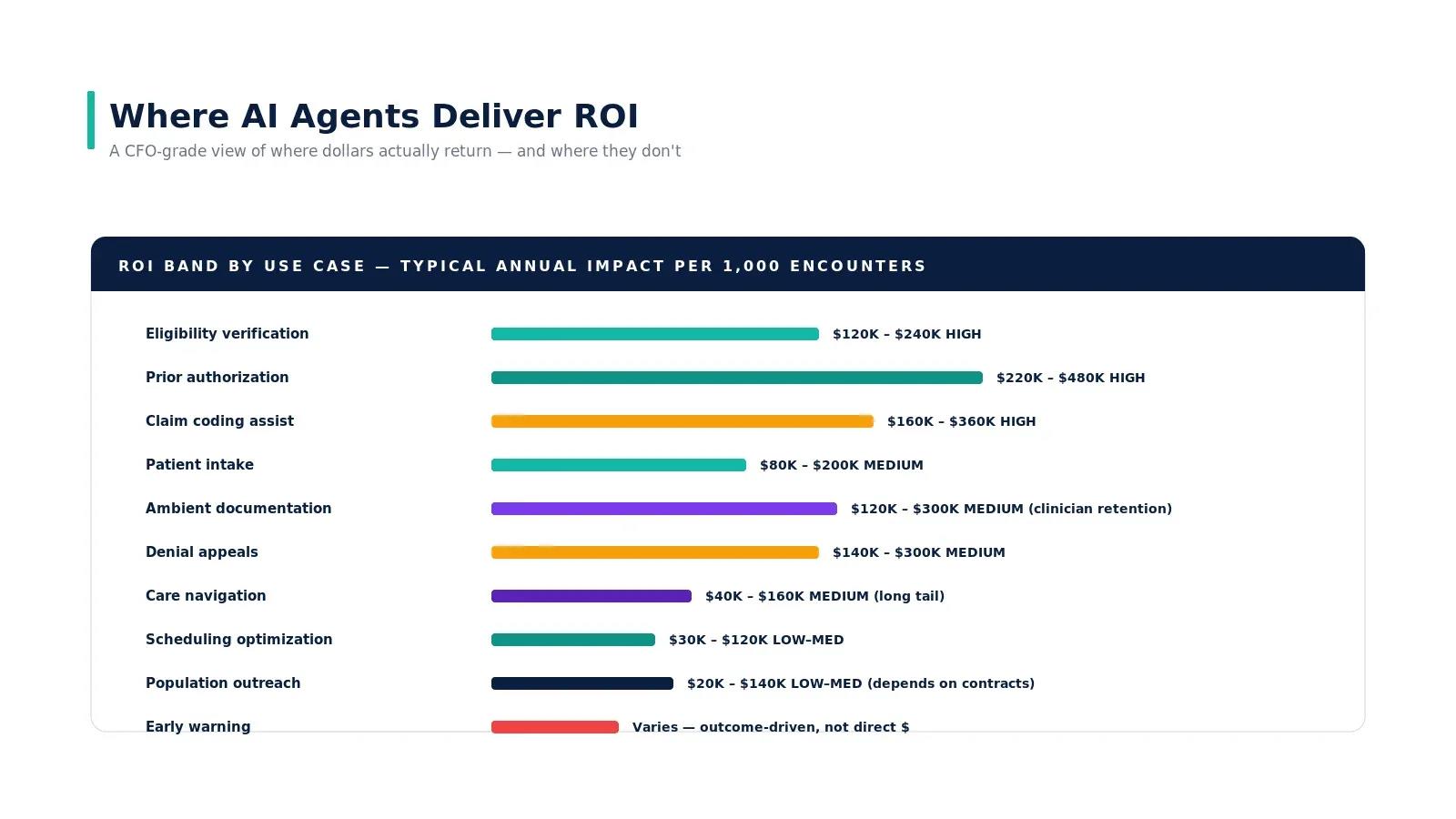
| Annual cost savings (mid-size practice) | — | — | $180K-$350K |
For a practice seeing 200 patients/day, eliminating 46+ hours of daily manual intake work translates to $180K-$350K in annual savings from reduced staff time, fewer rework cycles, and dramatically lower denial rates. The cost of engineering math gets even more favorable at scale: vision API costs run ~$0.02/card, clearinghouse fees are $0.10-0.25/transaction, and cloud compute is negligible.
FAQ
Can I use this with any EHR?
Yes, as long as your EHR exposes FHIR R4 APIs. Epic, Cerner (Oracle Health), and athenahealth all support FHIR R4 Coverage and CoverageEligibilityResponse resources. For EHRs without FHIR support, you'll need to adapt the write-back layer to use the EHR's proprietary API or HL7v2 messaging.
What about the front and back of the card?
Most critical fields (member ID, group, payer) are on the front. The back typically contains claims mailing addresses, PBM details (RxBin/RxPCN), and customer service numbers. Best practice: capture both sides. Your vision extraction prompt should specify "front" or "back" of card to optimize extraction accuracy.
How do I handle patients who don't have a physical card?
Most payers now offer digital insurance cards via their mobile app. Your intake flow should accept both camera capture (physical card) and screenshot upload (digital card). Additionally, if the patient provides just their member ID and date of birth verbally, you can skip the OCR step entirely and go straight to the 270 eligibility check.
What clearinghouse should I use?
The three largest are Availity (free for basic eligibility), Change Healthcare (now part of Optum/UHG), and Trizetto (Cognizant). Availity is the most common starting point because basic 270/271 transactions are free. For higher volumes or additional transaction types, evaluate based on your payer mix — some clearinghouses have better connectivity to specific regional payers.
Is 60 seconds realistic or marketing?
It's realistic for the common case. Image capture takes 2-3 seconds, vision extraction 3-5 seconds, demographics matching 1-2 seconds, and the 270/271 round-trip 10-30 seconds, depending on the payer. Total: 16-40 seconds for most encounters. The "60 seconds" figure includes buffer for retries and slower payer responses. Some payers (particularly smaller regional plans) may take longer.
At Nirmitee, we build healthcare AI agents (see building an AI agent step by step) that integrate vision AI, FHIR, and real-time payer connectivity into production-grade intake pipelines. If you're building patient-facing automation and want to skip the 6-month learning curve on X12, clearinghouse integration, and edge case handling, let's talk.
See how this plays out in a real project: Pharmacy Marketplace Case Study: E-Prescribing AI.
Ready to deploy AI agents in your healthcare workflows? Explore our Agentic AI for Healthcare services to see what autonomous automation can do. We also offer specialized healthcare product engineering services. Talk to our team to get started.
Related reading
For more insights, explore our guides on AI agents in healthcare: an overview and FHIR in Modern Healthcare.
You may also find value in EHR Software Development Guide and Building a Healthtech App.
Ready to scale?
Talk to our healthcare engineering team about building, integrating, and shipping faster.
Frequently Asked Questions
What is a patient intake agent?
How do patient registration errors affect claim denials?
Are vision LLMs better than traditional OCR for reading insurance cards?
How does real-time insurance eligibility verification work in the intake pipeline?
How can a practice start building an automated patient intake workflow?
How does Nirmitee.io approach healthcare software development?