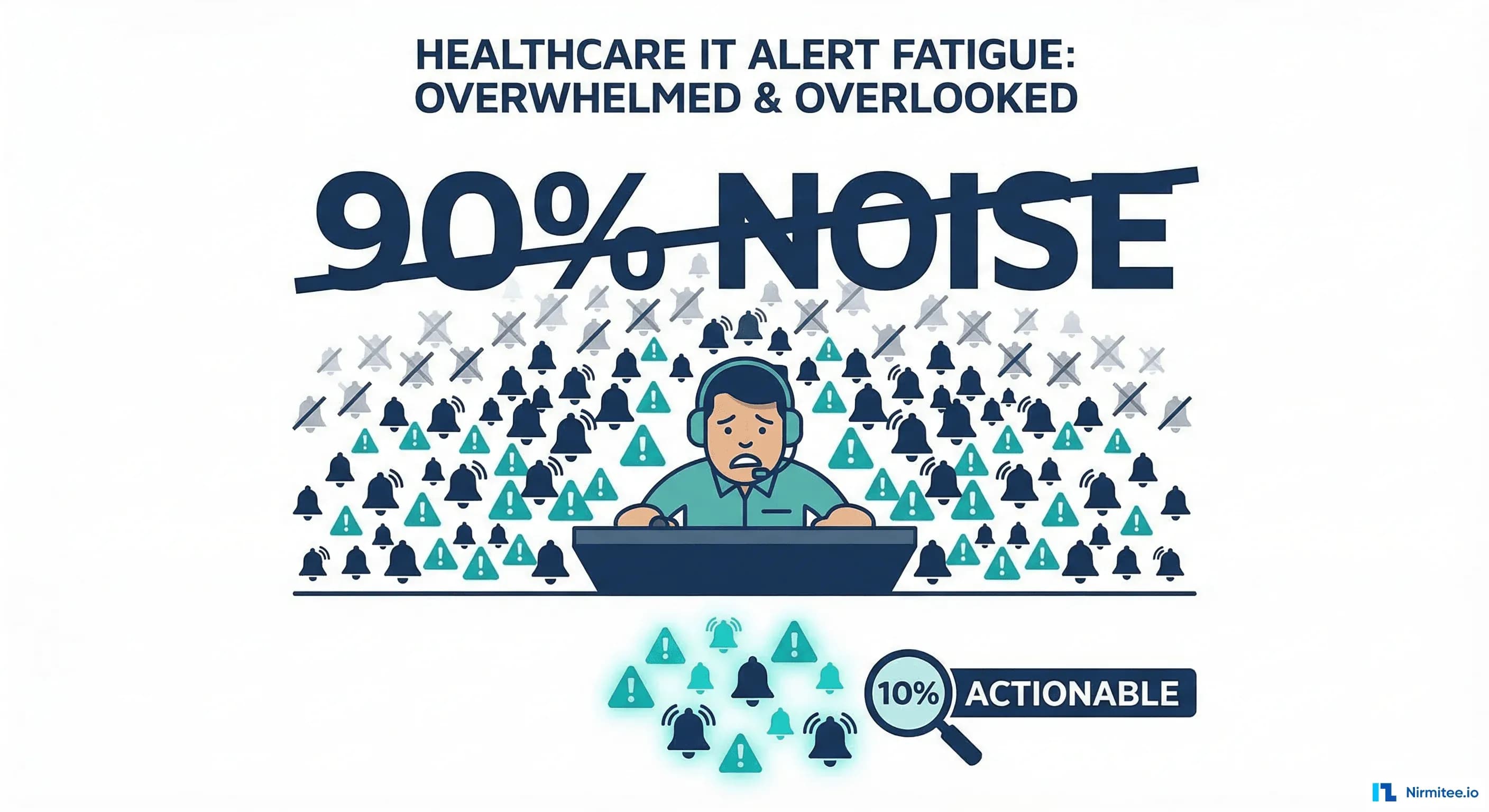
Your on-call engineer's phone buzzes 47 times between midnight and 6 AM. They acknowledge 3 alerts, investigate 1, and sleep through the rest. By week's end, they've received 2,400 notifications. Fewer than 50 required action. The other 2,350 trained them to ignore their pager.
This isn't a discipline problem. It's a systems problem. Alert fatigue — the desensitization that occurs when teams are bombarded with excessive, low-value notifications — is the single biggest threat to incident response effectiveness in healthcare IT. The same phenomenon devastates clinical settings: a 2024 ECRI Institute report found that alarm fatigue in hospitals contributes to an estimated 200 deaths annually. In IT operations, alert fatigue doesn't kill patients directly, but it delays the response to incidents that do impact patient care.
This guide covers six proven strategies to reduce alert noise by 80-90% while ensuring critical alerts always reach the right person within minutes.
The Alert Fatigue Problem in Healthcare IT
Healthcare IT teams face unique alert fatigue challenges because they operate at the intersection of two 24/7 domains: hospital operations and technology infrastructure. Consider a typical mid-size health system running 200 servers, 50 Mirth Connect channels, a FHIR server, multiple databases, and dozens of integration interfaces:
| Alert Source | Weekly Volume (Typical) | Actionable % | Problem |
|---|---|---|---|
| Infrastructure (CPU, memory, disk) | 800-1,200 | 5-8% | Static thresholds trigger on normal load spikes |
| Mirth Connect channels | 300-500 | 10-15% | Every message retry generates an alert |
| Application errors (FHIR, EHR) | 400-700 | 8-12% | Transient errors and expected failures flood the stream |
| Security/audit | 200-400 | 2-5% | False positive rate on SIEM rules is extremely high |
| Certificate/compliance | 50-100 | 30-40% | Good signal-to-noise, but buried under other noise |
| Total | 1,750-2,900 | ~7% | Less than 200 alerts per week actually need action |
The math is devastating: at 7% actionability, your team learns that 93% of alerts are false alarms. Human psychology responds predictably — they stop paying attention. The critical P1 alert at 3 AM looks identical to the 46 noise alerts that preceded it.
Strategy 1: Alert Deduplication
When a database goes slow, you don't need 47 alerts telling you about it. You need one. Alert deduplication groups related alerts into a single incident, dramatically reducing notification volume.
How Deduplication Works
Modern alerting platforms use three deduplication strategies:
- Key-based deduplication: Alerts with the same dedup key (e.g.,
fhir-server-high-error-rate) are merged. Subsequent alerts update the existing incident rather than creating new ones. - Time-window grouping: Alerts firing within a configurable window (e.g., 5 minutes) on the same service are grouped into a single incident.
- Dependency-based grouping: If the database is down, suppress all application alerts that depend on it. The database alert is the root cause; the application alerts are symptoms.
PagerDuty Alert Grouping Configuration
# PagerDuty service configuration (Terraform)
resource "pagerduty_service" "fhir_server" {
  name        = "FHIR Server"
  description = "FHIR R4 API Server"

  escalation_policy  = pagerduty_escalation_policy.clinical_integration.id
  alert_creation     = "create_alerts_and_incidents"

  # Intelligent alert grouping
  alert_grouping_parameters {
    type = "intelligent"
    config {
      # Group alerts that fire within 5 minutes of each other
      time_window = 300
      # Use recommended_fields for ML-based grouping
      recommended_fields = true
    }
  }

  # Auto-resolve after 4 hours if no new alerts
  auto_resolve_timeout    = 14400
  acknowledgement_timeout = 600
}

# Event rule for deduplication
resource "pagerduty_event_orchestration_service" "fhir_dedup" {
  service = pagerduty_service.fhir_server.id

  set {
    id = "start"
    rule {
      label = "Deduplicate FHIR errors by endpoint"
      condition {
        expression = "event.custom_details.service matches 'fhir-server'"
      }
      actions {
        # Use endpoint + error_type as dedup key
        extraction {
          target   = "event.custom_details.dedup_key"
          template = "fhir-{{event.custom_details.endpoint}}-{{event.custom_details.error_type}}"
        }
      }
    }
  }
}
This configuration reduces a cascade of 50 FHIR endpoint errors into a single incident per unique endpoint-error combination.
Strategy 2: Intelligent Routing
The wrong person getting an alert is worse than no one getting it, because it creates the illusion that someone is handling the problem.
Route by Domain Knowledge, Not Availability
Healthcare IT teams typically span three domains that require different expertise:
| Alert Domain | Route To | Rationale |
|---|---|---|
| FHIR server errors, API latency | Integration/Platform Team | Requires FHIR spec knowledge and API debugging skills |
| Mirth Connect channels | Interface Team | Requires HL7v2/FHIR mapping knowledge and Mirth configuration expertise |
| Database performance, replication | Database/Platform Team | Requires PostgreSQL tuning and query optimization skills |
| Kubernetes, infrastructure | Infrastructure/SRE Team | Requires K8s operations and cloud platform knowledge |
| Security, access violations | Security Team | Requires HIPAA compliance and security incident response training |
# OpsGenie routing rules (YAML configuration)
routing_rules:
  - name: "FHIR Server Alerts"
    criteria:
      type: "match-all"
      conditions:
        - field: "tags"
          operation: "contains"
          expectedValue: "fhir-server"
    notify:
      type: "team"
      name: "Clinical Integration Team"
    time_restriction:
      type: "time-of-day"
      restrictions:
        - start_hour: 0
          end_hour: 24  # 24/7 routing

  - name: "Mirth Channel Alerts"
    criteria:
      type: "match-all"
      conditions:
        - field: "tags"
          operation: "contains"
          expectedValue: "mirth-connect"
    notify:
      type: "team"
      name: "Interface Team"

  - name: "Database Critical"
    criteria:
      type: "match-all"
      conditions:
        - field: "tags"
          operation: "contains"
          expectedValue: "database"
        - field: "priority"
          operation: "equals"
          expectedValue: "P1"
    notify:
      type: "escalation"
      name: "Database Critical Escalation"
Strategy 3: Dynamic Thresholds
Static thresholds are the number one cause of alert noise. Setting CPU alert at 80% means you get paged every time a batch job runs, even though 85% CPU at 2 AM during the nightly HL7 batch is perfectly normal.
From Static Lines to Learned Baselines
Dynamic thresholds learn the normal behavior of your systems and alert only on anomalies. Tools that support this:
- Datadog Anomaly Detection: Uses AGILE, ROBUST, and ADAPTIVE algorithms to detect deviations from historical patterns. AGILE for quick changes, ROBUST for stable metrics with seasonal patterns.
- Prometheus with Thanos/Cortex: Use
predict_linear()for trend-based alerting oravg_over_time()with offset for comparing current behavior to the same time last week. - New Relic AI: Automatically baselines metrics and alerts on deviations, reducing false positives by up to 80% according to their published benchmarks.
# Prometheus: Dynamic threshold using weekly comparison
groups:
  - name: dynamic-thresholds
    rules:
      # Alert if FHIR response time is 3x higher than same hour last week
      - alert: FHIRResponseTimeAnomaly
        expr: |
          histogram_quantile(0.95, rate(fhir_request_duration_seconds_bucket[5m]))
          >
          3 * histogram_quantile(0.95, rate(fhir_request_duration_seconds_bucket[5m] offset 1w))
        for: 10m
        labels:
          severity: warning
          team: integration
        annotations:
          summary: "FHIR p95 response time 3x higher than same time last week"
          current: "{{ $value }}s"

      # Alert if database connections are 2 standard deviations above 1-hour average
      - alert: DatabaseConnectionAnomaly
        expr: |
          pg_stat_activity_count
          >
          avg_over_time(pg_stat_activity_count[1h]) + 2 * stddev_over_time(pg_stat_activity_count[1h])
        for: 5m
        labels:
          severity: warning
          team: database
Strategy 4: Alert Scoring
Not all alerts are equal, even within the same severity level. An alert scoring algorithm ranks alerts by actual urgency, ensuring the most impactful issues get attention first.
The Alert Scoring Formula
# Alert Scoring Algorithm for Healthcare IT
# Priority Score = Severity * Impact * Confidence * Time_Decay

import math
from datetime import datetime, timezone

def calculate_alert_score(alert: dict) -> float:
    """
    Calculate priority score for a healthcare IT alert.

    Args:
        alert: dict with keys:
            - severity: 1-4 (1=critical, 4=low)
            - clinical_impact: 0-10 (0=no patient impact, 10=direct safety risk)
            - confidence: 0.0-1.0 (probability this alert is a real issue)
            - systems_affected: int (number of downstream systems)
            - fired_at: datetime (when the alert first fired)
    """
    # Invert severity so P1=4 points, P4=1 point
    severity_score = 5 - alert['severity']

    # Clinical impact is the healthcare-specific multiplier
    # 0 = no patient impact, 10 = direct patient safety risk
    impact_score = 1 + (alert['clinical_impact'] / 10) * 4  # Range: 1-5

    # Confidence reduces score for flaky/noisy alerts
    confidence = alert.get('confidence', 0.8)

    # Blast radius: more systems affected = higher priority
    blast_radius = 1 + math.log2(1 + alert.get('systems_affected', 1))

    # Time decay: alerts that have been firing longer get boosted
    # (prevents stale alerts from being deprioritized)
    minutes_active = (datetime.now(timezone.utc) - alert['fired_at']).total_seconds() / 60
    time_factor = 1 + math.log10(1 + minutes_active / 10)

    score = severity_score * impact_score * confidence * blast_radius * time_factor
    return round(score, 2)


# Example: FHIR server returning 500s (P2, moderate clinical impact)
fhir_alert = {
    'severity': 2,
    'clinical_impact': 6,  # Clinical apps can't load patient data
    'confidence': 0.95,
    'systems_affected': 8,  # Patient portal, clinical apps, mobile
    'fired_at': datetime(2026, 3, 16, 2, 30, tzinfo=timezone.utc)
}
print(f"FHIR Server Alert Score: {calculate_alert_score(fhir_alert)}")
# Output: ~35.2 (HIGH PRIORITY)

# Example: Dev environment disk space warning (P4, no clinical impact)
dev_alert = {
    'severity': 4,
    'clinical_impact': 0,
    'confidence': 1.0,
    'systems_affected': 1,
    'fired_at': datetime(2026, 3, 16, 2, 30, tzinfo=timezone.utc)
}
print(f"Dev Disk Alert Score: {calculate_alert_score(dev_alert)}")
# Output: ~1.4 (LOW PRIORITY)
The scoring formula makes the implicit explicit. A P2 alert on a production FHIR server affecting 8 downstream systems scores 25x higher than a P4 alert on a dev environment. Your team sees the ranked list and immediately knows what to work on first.
Strategy 5: Quiet Hours with Smart Escalation
Healthcare IT is 24/7, but not every alert needs a 3 AM page. The key is distinguishing between "must wake someone up" and "must be seen first thing in the morning."
Implementing Quiet Hours
# PagerDuty service event rules for quiet hours (Terraform)
resource "pagerduty_event_orchestration_service" "quiet_hours" {
  service = pagerduty_service.clinical_platform.id

  set {
    id = "start"

    # Rule 1: P1/P2 always page immediately
    rule {
      label = "Critical alerts always page"
      condition {
        expression = "event.severity matches part 'critical' or event.severity matches part 'error'"
      }
      actions {
        severity = "critical"
        # No suppression — these always page
      }
    }

    # Rule 2: P3/P4 suppressed during quiet hours (10 PM - 7 AM)
    rule {
      label = "Suppress non-critical during quiet hours"
      condition {
        expression = "event.severity matches part 'warning' or event.severity matches part 'info'"
      }
      actions {
        suppress = true
        # These will appear in the dashboard but won't page
        # Auto-creates a morning digest
      }
    }
  }
}
The critical safeguard: P1 and P2 alerts always page regardless of time. Quiet hours only apply to P3 and P4 alerts. A morning digest at 7 AM summarizes everything that fired overnight, giving the day team full context without disrupting the night team's sleep for non-critical issues.
Strategy 6: Monthly Alert Review
The most effective long-term strategy is also the simplest: sit down monthly, review every alert that fired, and delete the ones nobody acted on.
The Alert Review Framework
For each alert rule, ask three questions:
- Did anyone take action because of this alert in the last 30 days? If no, delete it or demote to logging-only.
- When someone did take action, was the alert the first signal? If they always heard about it from a user first, the alert detection is too slow or too noisy to be useful.
- Is the action well-defined? If the response is "look at it and probably dismiss it," the threshold is wrong or the alert is measuring the wrong thing.
# Alert review tracking spreadsheet structure
# Export from PagerDuty/OpsGenie, enrich with team input

import csv
from collections import Counter

def generate_alert_review_report(alerts: list[dict]) -> dict:
    """
    Generate monthly alert review report.

    Each alert dict should have:
      - rule_name: str
      - acknowledged: bool
      - action_taken: bool  (did someone actually do something?)
      - resolved_automatically: bool
      - time_to_ack_minutes: float
      - clinical_impact: str  (none/low/medium/high)
    """
    total = len(alerts)
    acknowledged = sum(1 for a in alerts if a['acknowledged'])
    actioned = sum(1 for a in alerts if a['action_taken'])
    auto_resolved = sum(1 for a in alerts if a['resolved_automatically'])

    # Group by rule to find noisiest rules
    by_rule = Counter(a['rule_name'] for a in alerts)
    actioned_by_rule = Counter(
        a['rule_name'] for a in alerts if a['action_taken']
    )

    noise_rules = []
    for rule, count in by_rule.most_common():
        action_count = actioned_by_rule.get(rule, 0)
        action_rate = action_count / count if count > 0 else 0
        if action_rate < 0.1:  # Less than 10% action rate
            noise_rules.append({
                'rule': rule,
                'total_fires': count,
                'actions_taken': action_count,
                'action_rate': f"{action_rate:.1%}",
                'recommendation': 'DELETE' if action_rate == 0 else 'TUNE'
            })

    return {
        'summary': {
            'total_alerts': total,
            'acknowledged': acknowledged,
            'ack_rate': f"{acknowledged/total:.1%}",
            'actioned': actioned,
            'action_rate': f"{actioned/total:.1%}",
            'auto_resolved': auto_resolved,
        },
        'noise_rules': noise_rules,
        'recommendation': f"Delete/tune {len(noise_rules)} rules to reduce volume by ~{sum(r['total_fires'] for r in noise_rules)} alerts/month"
    }
Before and After: Real-World Metrics
Here's what these six strategies produce when applied together to a typical healthcare IT team:
| Metric | Before | After | Improvement |
|---|---|---|---|
| Alerts per week | 2,400 | 180 | 92% reduction |
| Actionable alert rate | 7% | 65% | 9x improvement |
| MTTA (Mean Time to Acknowledge) | 28 min | 4 min | 7x faster |
| MTTR (Mean Time to Resolve) | 95 min | 32 min | 3x faster |
| Pages per on-call night | 8-12 | 0-2 | 80% reduction |
| On-call satisfaction (NPS) | -15 | +42 | Night and day |
| P1 incidents missed | 2-3/quarter | 0/quarter | Eliminated |
The most important metric: P1 incidents missed dropped to zero. When your team trusts that every page is worth investigating, they investigate every page. When they're drowning in noise, they miss the signal that matters.
Frequently Asked Questions
How is alert fatigue in healthcare IT different from clinical alarm fatigue?
The root cause is identical: too many low-value notifications desensitize the recipient. Clinical alarm fatigue (from cardiac monitors, IV pumps, ventilators) has been studied extensively because it directly causes patient harm. Healthcare IT alert fatigue is the infrastructure equivalent: when your team ignores a FHIR server alert because they've seen 46 false alarms that night, the resulting outage delays clinicians accessing patient data. The Joint Commission has made clinical alarm management a National Patient Safety Goal; IT teams should apply the same rigor to their alert pipelines. Our Healthcare Incident Management guide covers the full incident lifecycle these alerts feed into.
What percentage of alerts should be actionable?
Target 60-80% actionability. Below 50%, your team will develop fatigue. Above 90%, you're likely missing alerts that should exist. The sweet spot is when engineers trust that most pages require investigation, but you're not so aggressive with thresholds that you miss emerging issues. Track this metric monthly and use it as a quality indicator for your monitoring practice.
Should we use PagerDuty or OpsGenie for healthcare?
Both work. PagerDuty has deeper healthcare adoption and offers BAA (Business Associate Agreement) for HIPAA compliance. OpsGenie (Atlassian) integrates tightly with Jira and Confluence, which many healthcare IT teams already use. If you're already in the Atlassian ecosystem, OpsGenie is the path of least resistance. If you need enterprise-grade alerting with proven healthcare compliance, PagerDuty is the safer bet. Both support the deduplication, routing, and quiet hours strategies described in this guide.
How do we convince leadership to invest in alert tuning?
Frame it as a patient safety initiative, not a developer comfort initiative. Present the data: "Our team receives 2,400 alerts per week. 93% are false alarms. We've missed 3 P1 incidents this quarter because engineers have learned to ignore their pagers. Each P1 incident costs $750K and impacts patient care for an average of 95 minutes." That's a $2.25M quarterly risk from alert fatigue. The investment in tuning is a fraction of that. For teams building the monitoring stack, our Streaming Healthcare Data with Kafka guide covers building real-time pipelines that feed intelligent alerting.
How long does it take to see results from alert fatigue reduction?
Deduplication and routing improvements show results within a week. Dynamic thresholds need 2-4 weeks to learn baselines. Monthly alert reviews produce compounding improvements over 3-6 months. Most teams see 50% alert volume reduction in the first month and 80-90% within a quarter. The critical success factor is executive sponsorship: someone with authority must protect the time for monthly alert reviews against competing priorities.
Conclusion
Alert fatigue isn't inevitable. It's the predictable result of monitoring systems that were configured once and never tuned. Every alert rule should earn its right to page a human by demonstrating that someone takes meaningful action when it fires. If nobody acts on it, delete it. If the wrong person receives it, re-route it. If it fires during normal operations, make the threshold dynamic.
Start with Strategy 6 (monthly alert review) because it requires zero tooling investment and produces immediate results. Then layer in deduplication, routing, and scoring as your practice matures. Within 90 days, your on-call engineers will answer pages with curiosity instead of dread, and your P1 response time will drop because every alert is credible. For teams ready to build the on-call practice that these alerts feed into, see our companion guide on On-Call for Healthcare IT.