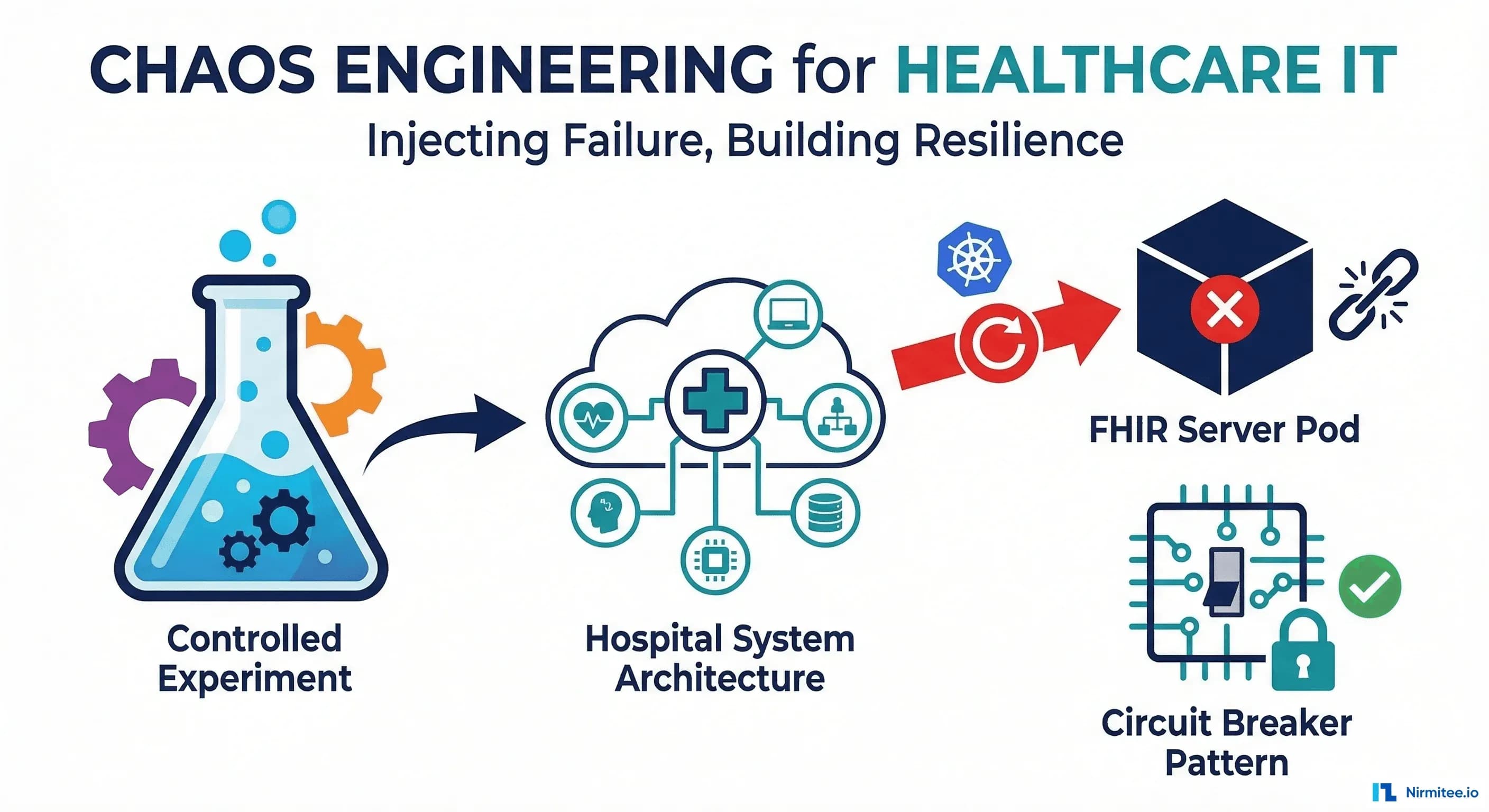
Your FHIR server has three replicas, a PostgreSQL failover, and Kubernetes autoscaling. You've told leadership "we have high availability." But have you ever actually killed one of those replicas during business hours? Have you watched what happens when the database primary crashes mid-transaction? Have you verified that Mirth Connect queues messages correctly when a downstream EHR goes offline?
If the answer is no, you don't have high availability. You have a high-availability design. Chaos engineering is how you verify that the design works.
Gartner's 2026 Infrastructure & Operations survey found that 67% of organizations with 500+ employees now practice some form of chaos engineering, up from 40% in 2023. But healthcare adoption lags at approximately 25%, primarily because teams fear introducing failures into systems that serve patient care. This guide shows you how to practice chaos engineering safely in healthcare, starting in staging and graduating to production with proper safety controls.
Why Healthcare Needs Chaos Engineering
Healthcare systems fail in ways that standard testing doesn't cover. Unit tests verify code logic. Integration tests verify API contracts. Load tests verify capacity. But none of these answers the operational resilience questions that matter most:
- When a Kubernetes node dies, do FHIR API requests fail or fail over transparently?
- When network latency spikes between Mirth Connect and the downstream EHR, do messages queue properly or get dropped?
- When PostgreSQL primary crashes, does the replica promote within your RTO? Do in-flight transactions survive?
- When a certificate expires at 2 AM, does the system fail gracefully with clear alerts or silently drop connections?
- When the connection pool is exhausted, does the FHIR server return 503 with retry headers or hang indefinitely?
These questions can only be answered by intentionally injecting failures and observing the system's actual behavior. Theory says your system should handle these scenarios. Chaos engineering tells you whether it actually does.
Experiment 1: Kill FHIR Server Pod
Hypothesis: If one FHIR server pod is terminated, Kubernetes will restart it within 30 seconds, and the load balancer will route traffic to healthy pods with zero failed requests during the failover.
Litmus Chaos Experiment: Pod Kill
# litmus-fhir-pod-kill.yaml
apiVersion: litmuschaos.io/v1alpha1
kind: ChaosEngine
metadata:
  name: fhir-server-pod-kill
  namespace: fhir-staging
spec:
  appinfo:
    appns: fhir-staging
    applabel: "app=fhir-server"
    appkind: deployment
  engineState: active
  chaosServiceAccount: litmus-admin
  experiments:
    - name: pod-delete
      spec:
        components:
          env:
            # Kill one pod
            - name: TOTAL_CHAOS_DURATION
              value: "30"
            - name: CHAOS_INTERVAL
              value: "10"
            # Force kill (no graceful shutdown)
            - name: FORCE
              value: "true"
            # Number of pods to kill
            - name: PODS_AFFECTED_PERC
              value: "33"  # Kill 1 of 3 replicas
        probe:
          - name: fhir-health-check
            type: httpProbe
            httpProbe/inputs:
              url: "http://fhir-server.fhir-staging.svc:8080/fhir/metadata"
              method:
                get:
                  criteria: "=="
                  responseCode: "200"
            mode: Continuous
            runProperties:
              probeTimeout: 5
              interval: 2
              retry: 3
          - name: fhir-patient-search
            type: httpProbe
            httpProbe/inputs:
              url: "http://fhir-server.fhir-staging.svc:8080/fhir/Patient?_count=1"
              method:
                get:
                  criteria: "=="
                  responseCode: "200"
            mode: Continuous
            runProperties:
              probeTimeout: 10
              interval: 5
              retry: 2
What to Measure
| Metric | Expected | Failure Indicator |
|---|---|---|
| Failed HTTP requests | 0 | Any 5xx during pod restart window |
| Pod restart time | < 30s | Restart takes > 60s |
| p95 response time during chaos | < 2x normal | Response time spikes > 5x normal |
| Kubernetes events | Pod terminated + rescheduled | Pod stuck in CrashLoopBackOff |
Common Findings
When teams first run this experiment, they typically discover:
- Readiness probes are misconfigured. The FHIR server starts accepting traffic before the database connection pool is warm, causing the first 5-10 requests after restart to fail.
- No PodDisruptionBudget. Without a PDB, Kubernetes can evict all FHIR pods simultaneously during node maintenance.
- In-memory caches are cold. Terminology lookups and ValueSet expansions that were cached in the killed pod now hit the database, causing a latency spike.
Experiment 2: Inject Latency on Mirth Destination
Hypothesis: If 5 seconds of latency is added to Mirth Connect's outbound connection to the downstream EHR, messages will queue in Mirth's internal queue without data loss, and the queue will drain automatically when latency returns to normal.
# Gremlin latency injection for Mirth destination
# Using Gremlin CLI
gremlin attack network latency \
  --length 300 \           # 5-minute experiment
  --delay 5000 \           # 5 seconds of added latency
  --target-hosts "ehr-downstream.hospital.internal" \
  --source-hosts "mirth-connect.integration.internal" \
  --port 443

# Alternative: tc (traffic control) on Linux
# On the Mirth Connect host:
sudo tc qdisc add dev eth0 root netem delay 5000ms
# Run experiment...
sudo tc qdisc del dev eth0 root  # Remove when done
What to Measure
| Metric | Expected | Failure Indicator |
|---|---|---|
| Messages in Mirth queue | Grows steadily, drains after latency removed | Queue grows but never drains (stuck messages) |
| Mirth timeout errors | Minimal (timeout > 5s injection) | Timeout set below injection latency causes message failures |
| Message delivery after chaos | All queued messages delivered in order | Messages dropped or delivered out of order |
| Mirth memory usage | Increases proportionally to queue depth | OOM kill when queue exceeds heap allocation |
Experiment 3: Database Failover
Hypothesis: If the PostgreSQL primary is terminated, the streaming replica will promote to primary within 60 seconds, and the FHIR server will reconnect without manual intervention.
# Chaos Mesh: PostgreSQL pod failure experiment
apiVersion: chaos-mesh.org/v1alpha1
kind: PodChaos
metadata:
  name: postgres-primary-kill
  namespace: database-staging
spec:
  action: pod-kill
  mode: one
  selector:
    namespaces:
      - database-staging
    labelSelectors:
      app: postgresql
      role: primary
  duration: "60s"
  scheduler:
    cron: "@every 24h"  # Run daily in staging

---
# Verification script to run during experiment
apiVersion: chaos-mesh.org/v1alpha1
kind: Workflow
metadata:
  name: postgres-failover-verification
  namespace: database-staging
spec:
  entry: verify-failover
  templates:
    - name: verify-failover
      templateType: Serial
      children:
        - kill-primary
        - wait-promotion
        - verify-writes
    - name: kill-primary
      templateType: Chaos
      chaos:
        apiVersion: chaos-mesh.org/v1alpha1
        kind: PodChaos
        spec:
          action: pod-kill
          mode: one
          selector:
            labelSelectors:
              app: postgresql
              role: primary
    - name: wait-promotion
      templateType: Suspend
      duration: "90s"
    - name: verify-writes
      templateType: Task
      task:
        container:
          name: verify
          image: postgres:16
          command:
            - psql
            - "-h"
            - "postgresql-staging"
            - "-U"
            - "fhir_app"
            - "-c"
            - "INSERT INTO chaos_test (tested_at) VALUES (now()) RETURNING id;"
Critical Check: In-Flight Transactions
# Script to verify in-flight transaction behavior during failover
import psycopg2
import threading
import time
from datetime import datetime

def simulate_fhir_write(conn_string: str, results: list):
    """Simulate a FHIR resource write during failover."""
    try:
        conn = psycopg2.connect(conn_string)
        conn.autocommit = False
        cur = conn.cursor()

        # Start a transaction (simulating Patient create)
        cur.execute("""
            INSERT INTO fhir_resources (resource_type, resource_id, data)
            VALUES ('Patient', gen_random_uuid()::text, '{"resourceType": "Patient"}')
            RETURNING resource_id
        """)
        resource_id = cur.fetchone()[0]

        # Simulate some processing time (during which failover may occur)
        time.sleep(2)

        # Try to commit
        conn.commit()
        results.append(('SUCCESS', resource_id, datetime.now()))

    except Exception as e:
        results.append(('FAILED', str(e), datetime.now()))
    finally:
        if conn:
            conn.close()

# Launch 10 concurrent writes, then trigger failover
results = []
threads = []
for i in range(10):
    t = threading.Thread(target=simulate_fhir_write, args=(CONN_STRING, results))
    threads.append(t)
    t.start()
    time.sleep(0.5)  # Stagger writes

# Wait for all to complete
for t in threads:
    t.join(timeout=30)

# Report results
successes = sum(1 for r in results if r[0] == 'SUCCESS')
failures = sum(1 for r in results if r[0] == 'FAILED')
print(f"Results: {successes} succeeded, {failures} failed")
for r in results:
    print(f"  {r[0]}: {r[1]} at {r[2]}")
Experiment 4: Network Partition Between Mirth and EHR
Hypothesis: If network between Mirth Connect and the downstream EHR is completely severed, messages will be routed to a dead letter queue (DLQ) with proper error metadata, and the interface team will be alerted within 5 minutes.
# Chaos Mesh: Network partition
apiVersion: chaos-mesh.org/v1alpha1
kind: NetworkChaos
metadata:
  name: mirth-ehr-partition
  namespace: integration-staging
spec:
  action: partition
  mode: all
  selector:
    namespaces:
      - integration-staging
    labelSelectors:
      app: mirth-connect
  direction: to
  target:
    selector:
      namespaces:
        - ehr-staging
      labelSelectors:
        app: ehr-server
  duration: "300s"  # 5-minute partition
Experiment 5: Connection Pool Exhaustion
Hypothesis: If all database connections in the FHIR server's pool are consumed, the server will return HTTP 503 (Service Unavailable) with a Retry-After header rather than hanging indefinitely.
# Simulate connection pool exhaustion
import psycopg2
import time

# Hold connections open to exhaust the pool
held_connections = []
try:
    for i in range(150):  # Exceed typical pool size of 100
        conn = psycopg2.connect(
            host="fhir-db-staging",
            dbname="fhir",
            user="fhir_app",
            password="staging-password",
            connect_timeout=5
        )
        held_connections.append(conn)
        print(f"Connection {i+1} acquired")

        # After each connection, test if FHIR server still responds
        import requests
        try:
            resp = requests.get(
                "http://fhir-server-staging:8080/fhir/Patient?_count=1",
                timeout=10
            )
            print(f"  FHIR response: {resp.status_code}")
            if resp.status_code == 503:
                print(f"  Retry-After: {resp.headers.get('Retry-After', 'MISSING')}")
                print("  PASS: Server returned 503 gracefully")
                break
        except requests.exceptions.Timeout:
            print("  FAIL: FHIR server hung (no response in 10s)")
            break
finally:
    for conn in held_connections:
        conn.close()
    print(f"Released {len(held_connections)} connections")
Safety Controls: The Non-Negotiables
Chaos engineering in healthcare requires safety controls that go beyond what typical tech companies implement. These are non-negotiable:
| Control | Implementation | Why It Matters |
|---|---|---|
| Staging first, always | Run every experiment in staging for 30+ days before production | Discover surprises where they can't impact patients |
| Kill switch | Single command or button to abort any experiment immediately | If anything unexpected happens, stop instantly |
| Blast radius limits | Affect max 1 pod/node/channel per experiment | Limit the scope of potential impact |
| Clinical IT notification | Notify clinical IT lead 24 hours before production experiments | Clinical teams can prepare workarounds if needed |
| Off-peak scheduling | Production experiments only 2-4 AM on weekdays | Minimize patient impact window |
| Automated rollback | Experiments auto-terminate if SLO is violated | Machine reaction time beats human reaction time |
| Observation period | Monitor for 1 hour after experiment ends | Catch delayed cascading failures |
Tools Compared: Gremlin vs Litmus Chaos vs Chaos Mesh
| Feature | Gremlin | Litmus Chaos | Chaos Mesh |
|---|---|---|---|
| Type | Commercial SaaS | Open source (CNCF) | Open source (CNCF) |
| Kubernetes Native | Agent-based (works on K8s + bare metal) | Kubernetes-native CRDs | Kubernetes-native CRDs |
| Experiment Types | Network, resource, state, process | Pod, network, node, DNS, stress | Pod, network, IO, time, DNS, JVM |
| Safety Controls | Built-in halt conditions, RBAC, audit log | Probes (health checks during chaos) | Abort mechanism, namespace scoping |
| Healthcare Suitability | Excellent (SOC 2, audit logs, enterprise support) | Good (self-hosted, full control, no data leaves your cluster) | Good (self-hosted, lightweight, Kubernetes-only) |
| Learning Curve | Low (GUI + CLI) | Medium (YAML-based, ChaosHub for templates) | Medium (YAML-based, Dashboard UI available) |
| Pricing | $10K-50K+/year | Free | Free |
| Best For | Teams wanting managed chaos with enterprise compliance | Teams wanting open-source chaos with probe-based validation | Teams wanting lightweight K8s-native chaos |
For healthcare teams starting, Litmus Chaos is the recommendation. Its probe system (HTTP probes, command probes, Prometheus probes) lets you define success criteria that must hold during the experiment. If the FHIR health check fails during a pod kill, the experiment is automatically aborted. This safety-first approach aligns with healthcare's risk tolerance.
Building a Chaos Engineering Practice: The Maturity Path
Stage 1: Manual Experiments in Staging (Days 1-30)
- Set up Litmus Chaos or Chaos Mesh in your staging Kubernetes cluster.
- Run three experiments: pod kill, network latency, DNS failure.
- Document findings in post-experiment reports.
- Fix the issues discovered (readiness probes, PDBs, timeouts).
Stage 2: Automated Experiments in Staging (Days 31-60)
- Schedule experiments to run daily in staging via CronWorkflows.
- Add probe-based success criteria to every experiment.
- Integrate chaos results into your CI/CD pipeline (fail the build if chaos experiments fail).
- Expand experiment coverage: database failover, certificate rotation, connection pool exhaustion.
Stage 3: Production Experiments (Days 61-90)
- Get clinical IT leadership sign-off on production chaos policy.
- Start with the smallest blast radius: kill 1 pod of a 5-replica deployment during off-peak hours.
- Implement all safety controls from the table above.
- Run the first production experiment with the entire team observing.
Stage 4: Game Days (Ongoing)
- Quarterly game days with clinical staff participation.
- Simulate multi-system failures: "EHR + lab interface down during ED surge."
- Practice incident response procedures during controlled chaos.
- Use findings to update runbooks and on-call procedures. See our Healthcare Incident Management guide for runbook templates.
Conclusion
Every healthcare IT leader says their systems are "highly available." Chaos engineering is how you prove it — or discover that it's an aspiration rather than a reality. The experiments in this guide are a starting point, not an exhaustive list. Your system has unique failure modes that only targeted experimentation will reveal.
The next real-world failure won't wait until you're ready. By running controlled experiments today, you ensure that when the uncontrolled failure happens at 3 AM during a patient care crisis, your systems behave exactly as designed — because you've already verified that they do. For building the incident response procedures that activate when chaos experiments (or real failures) discover issues, see our complete On-Call for Healthcare IT framework.
Chaos experiments assume a baseline to break: failover that exists (Mirth high availability setup), monitoring that sees the failure (reliable Mirth monitoring), and a recovery plan to validate (disaster recovery for Mirth Connect). If any of those are missing, build them first — then break them on purpose.