Epic Ambulatory Workflows: Modules, FHIR, MyChart & ROI

Digital Growth Lead
Writes about healthcare technology, interoperability, and AI-driven transformation across modern care systems.
Part of our complete guide to How Custom RPM Software is Redefining Chronic Care.
Most digital health products do not live in the hospital. They live in the clinic, in the patient's pocket, and on a connected device at home. That makes Epic Ambulatory, the outpatient side of Epic, the module most healthtech apps actually need to integrate with. If your product touches a clinic visit, a patient portal, a telehealth session, or remote monitoring, this is the part of Epic you are connecting to.
All Epic modules in one place: see our Epic modules list for what each module does and where apps integrate.
TL;DR: Epic Ambulatory (EpicCare Ambulatory) runs outpatient care: clinic visits, documentation, orders, results, referrals, in-basket work, and the MyChart workflows around them. For a digital health team, the hard part is not reaching Epic data, it is picking the pattern that matches where your product sits: SMART on FHIR for apps embedded in the visit, patient-access FHIR for patient-facing tools, backend FHIR for data sync, and HL7 v2 where real-time operational feeds are needed. This guide covers the workflows, the modules around Ambulatory, the integration patterns, a build roadmap, and the KPIs that tell you the integration actually helped.
This guide is written for the people building outpatient and patient-facing products. For the full module-by-module view, our Epic integration services page is the hub this guide links back to.
What is Epic Ambulatory?
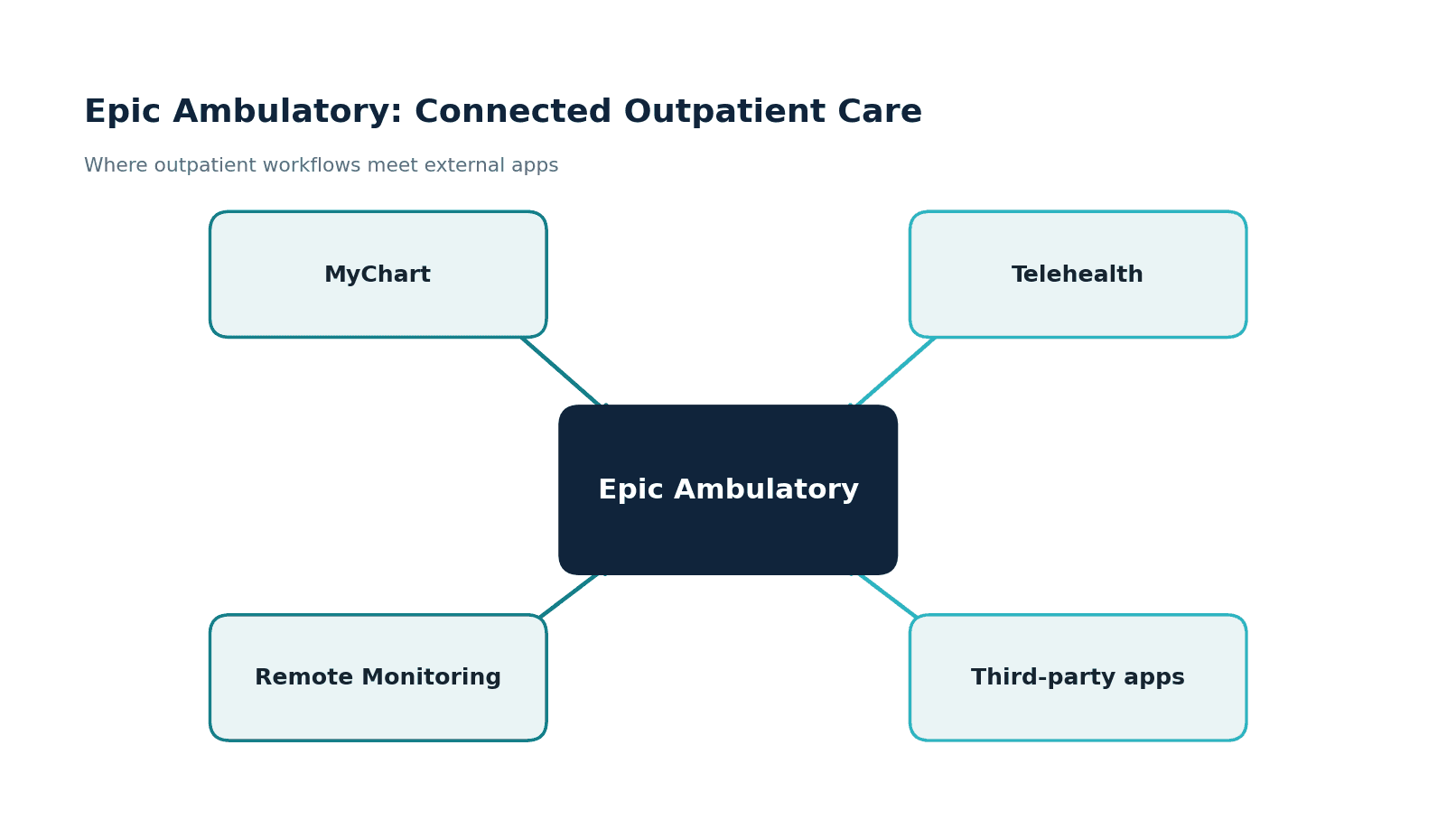
Epic Ambulatory, often called EpicCare Ambulatory, is the module clinicians use for outpatient care: clinic visits, documentation, orders, results, and the in-basket workflows that run a practice. It is paired with MyChart, Epic's patient portal, and it is the surface where outpatient care meets the patient's own tools, the portal, telehealth, and connected devices. It sits alongside EpicCare Inpatient, which runs admitted care; if your product touches a clinic rather than a ward, Ambulatory is your side of the fence.
For a healthtech team, Ambulatory matters because it is where the highest-volume, most patient-facing workflows live. A remote monitoring program, a telehealth add-on, a patient engagement app, a chronic-care tool, almost all of them touch the ambulatory record rather than the inpatient one. Understanding this module is the difference between an integration that fits the clinic's day and one that fights it.
Epic Ambulatory workflows in outpatient care
The module's scope is broad, but it clusters into a few areas.
Clinic visits are the core: visit documentation, orders and results, and the in-basket workflows clinicians live in.
MyChart is the patient's window, covering scheduling, messaging, results, records, bill pay, and forms.
Telehealth covers video visits, e-visits, and remote follow-up, increasingly a standard part of outpatient care rather than an add-on. Each of these is a place where an external product can extend what the clinic offers.
Zoom in one level and the ambulatory day is a loop that repeats for every patient: check-in, documentation, orders, results, in-basket work, portal traffic, follow-up. Each stage is a place an external product can either remove work or add it, so it is worth being precise about what happens where.
| Workflow | What happens in Epic Ambulatory | Where an app can plug in |
|---|---|---|
| Check-in & registration | Front desk confirms demographics, insurance, and visit context | Patient intake, digital front door, eligibility tools |
| Visit documentation | Notes, templates, SmartTools, diagnosis capture | AI documentation, specialty-specific forms |
| Orders | Labs, imaging, medications, and referrals leave the room as orders | Order-workflow and decision-support tools |
| Results | Lab and imaging results return and file to the chart | Result notifications, patient-facing result views |
| In-basket | Messages, tasks, refill requests, and follow-ups queue for the care team | Triage, automation, care coordination |
| MyChart | Patients schedule, message, complete forms, and view results | Engagement apps, RPM enrollment, self-service |
| Follow-up care | Care plans, reminders, and outreach between visits | Chronic-care programs, population health outreach |
The reason to map this early is blunt: your product will be judged by the stage it touches. A documentation tool lives or dies in the exam room. An RPM program lives or dies in the in-basket and follow-up stages, where its alerts either help the care team or pile up on them.
The Epic modules around Ambulatory
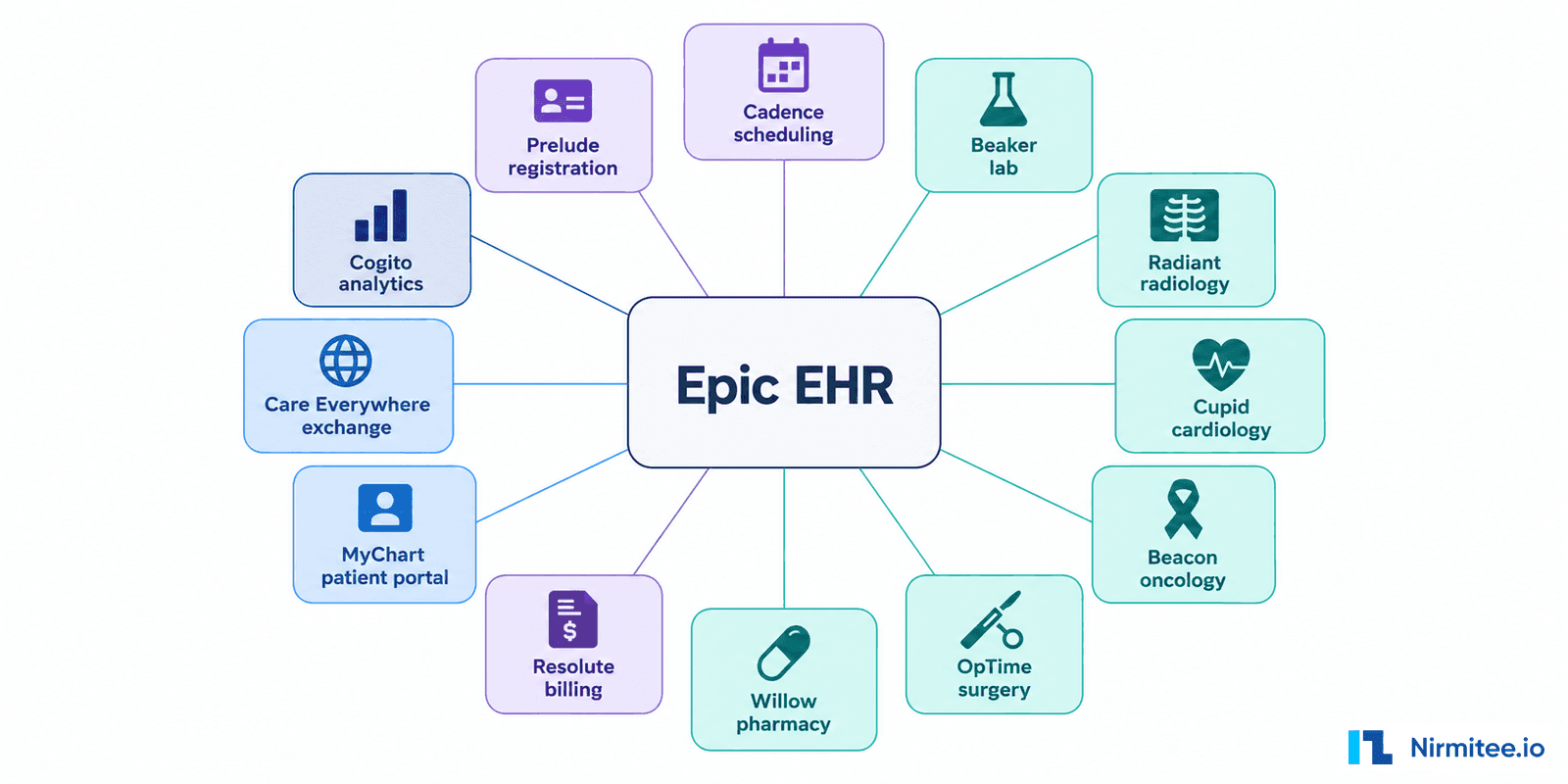
Ambulatory rarely works alone. Scheduling lives in Cadence, registration in Prelude, labs in Beaker, and the reporting story runs through Clarity and Caboodle. When a clinic asks whether your app can show lab trends or book the follow-up visit, they are really asking about these neighbours, so it pays to know which module owns which job.
| Epic module | Role in outpatient care | Why it matters to your integration |
|---|---|---|
| EpicCare Ambulatory | Core outpatient charting and workflow | The main clinical record outpatient apps read and write |
| Cadence | Scheduling and provider calendars | Appointments, telehealth slots, and access workflows start here |
| Prelude | Registration and demographics | Identity, eligibility, and patient matching depend on it |
| MyChart | Patient portal | Patient-facing apps have to complement it, not fight it |
| Beaker | Laboratory | Lab orders and results integration |
| Radiant | Imaging | Imaging orders and diagnostic results |
| Willow Ambulatory | Outpatient pharmacy | Medication workflows and e-prescribing |
| Healthy Planet | Population health | Care gaps, cohorts, and risk programs |
| Haiku & Canto | Mobile apps for clinicians | Review and actions away from the desktop |
| Clarity & Caboodle | Reporting and analytics | Historical and population-level outpatient data |
You do not need to integrate with all of them. You do need to know which two or three your product's workflow crosses, because that determines the data you request, the interfaces the health system has to enable, and the teams that show up to your kickoff call.
Bringing remote monitoring into Epic
Remote patient monitoring is one of the most common ambulatory integrations, and one of the easiest to get wrong.
The data path is straightforward in shape: a patient device, a blood pressure cuff, glucose meter, or scale, sends readings to a gateway or app that aggregates them, the data is standardized into FHIR or HL7, and it is filed into the Epic Ambulatory chart. The hard part is not the plumbing. It is deciding what reaches the clinician. A feed that dumps every reading into the chart buries the care team; a well-designed RPM integration surfaces the readings that matter and the trends worth acting on, and leaves the rest in the background. We have built remote monitoring solutions, so this signal-versus-noise problem is one we have worked through before.
Connecting apps to Epic Ambulatory
There are three durable patterns for connecting an outpatient app to Epic.
The embedded app runs inside the visit, launched from the chart with SMART on FHIR, so the clinician sees it in context with the patient already loaded. Patient apps work between visits, using FHIR patient access and MyChart linkage for engagement, RPM, and self-service.
Data sync runs behind the scenes, pulling data through backend FHIR services for population analytics and care coordination. Our Epic FHIR integration guide covers the launch and authentication details, and our guide on how to integrate with Epic maps how each pattern reaches production.
SMART on FHIR, backend FHIR, or HL7 v2: choosing the pattern
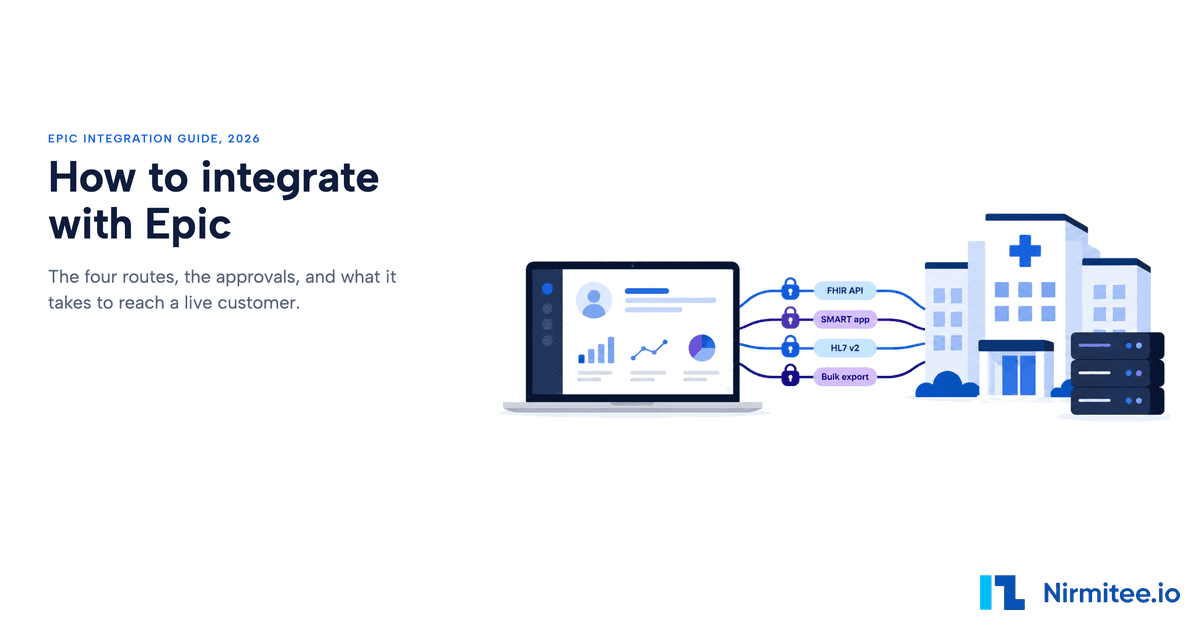
Those three app patterns map onto a slightly longer menu of transport choices, and picking between them early saves rework later. Epic publishes the full catalog on its developer resources site, including the FHIR interface listing. The short version for outpatient products looks like this.
| Integration pattern | Best for | Typical data |
|---|---|---|
| SMART on FHIR embedded app | A clinician-facing app launched inside the visit, patient already in context | Patient, Encounter, Condition, MedicationRequest, Observation |
| Patient-access FHIR | Patient-facing tools: chronic care, RPM, engagement | Patient, Observation, DiagnosticReport, DocumentReference |
| Backend FHIR (system-to-system) | Data sync for population health, analytics, care coordination | Patient rosters, Encounter, Observation, CarePlan |
| HL7 v2 interfaces | Real-time operational feeds: scheduling, orders, results | SIU, ORM, ORU, ADT messages |
| Clarity & Caboodle reporting | Dashboards and historical analytics, not real-time workflows | Longitudinal outpatient data |
Two cautions from experience. First, HL7 v2 is not legacy in the dismissive sense; it is still the workhorse for real-time feeds, and plenty of ambulatory products need an SIU or ORU interface running alongside their FHIR work. Second, one detail shapes every rollout plan: each Epic customer runs its own instance, so your app is approved and enabled health system by health system, with its own base URL each time. Build that into your sales and onboarding motion from day one, not after the first stalled deployment.
Telehealth and the outpatient experience
Telehealth integration is less about video and more about workflow. The video call is the easy part; the value is in scheduling the visit, documenting it in the ambulatory record, capturing orders during the call, and making sure the encounter is billable and complete. An outpatient telehealth integration that handles the call but not the surrounding workflow leaves the clinic doing double entry, which is exactly what they were trying to avoid. The same logic applies to patient-facing tools generally: the integration earns its keep by removing clicks from the clinician's day, not adding them.
MyChart and the patient relationship
For patient-facing products, MyChart is both an ally and a constraint. It is where patients already go to schedule, message, view results, and pay bills, so a new app has to decide whether it complements MyChart or competes with it. The integrations that work tend to complement: they use FHIR patient access and MyChart linkage to extend what the portal does rather than asking patients to adopt a parallel system they will forget about. Understanding what MyChart already covers keeps a product focused on the gap it genuinely fills, which is usually a specific condition, program, or moment in the patient journey rather than general portal functionality.
Population health from ambulatory data
Outpatient care is where most chronic disease is managed, which makes ambulatory data the foundation of population health. Care gaps, screening compliance, and chronic-condition cohorts are built largely from outpatient encounters, orders, and results. A backend data-sync integration that pulls this data, through FHIR or the reporting layers covered in our Clarity and Caboodle guides, lets a population-health tool see the panel clearly. The same care about definitions applies: a program that miscounts who is overdue for a screening loses the trust of the clinicians it is meant to help.
Why ambulatory integrations fail
Ambulatory integrations have their own failure modes, and most of them are visible in the first week of discovery if you know what to look for.
| What goes wrong | What it looks like | How to avoid it |
|---|---|---|
| Poor workflow fit | The app adds clicks during a 15-minute visit | Shadow the clinic's workflow before you build |
| Wrong integration pattern | Backend sync where the clinician needed an in-visit launch | Map the use case to SMART, FHIR, or HL7 early |
| RPM data overload | Every reading files to the chart and buries the care team | Send trends, thresholds, and exceptions |
| Weak MyChart strategy | The app competes with the portal patients already use | Complement MyChart and fill a specific gap |
| Enablement left to the end | Works in sandbox, stalls at the health system | Plan per-customer approval and endpoints early |
| No consent model | A patient-facing flow blocked in compliance review | Define consent, access rules, and audit trails upfront |
| Nothing measured | The integration is live but nobody can say whether it helped | Pick workflow KPIs before go-live |
An integration roadmap for healthtech teams
Sequenced properly, the work looks like this.
- Place the product. Decide whether it works inside the visit, between visits, or behind the scenes. This one decision points to the right pattern.
- Map the workflow. Scheduling, documentation, orders, results, messages, follow-up: name the stage you touch and the clicks you remove.
- Pick the pattern. SMART app, patient-access FHIR, backend FHIR, HL7 v2, or the reporting layer.
- Scope the data. List the FHIR resources and Epic endpoints the product actually needs, and nothing more.
- Plan per-customer enablement. Every health system approves and configures your app in its own environment, so treat enablement as part of the sales motion.
- Design security and consent. PHI access rules, audit logs, patient identity and linkage, and the consent flow a compliance team will ask about.
- Test, then validate. Prove it in the sandbox first, then again in the customer's environment, which is never quite the same.
- Measure what changed. Go-live is judged by workflow KPIs, not by a successful connection.
The first three steps decide most of the cost and the timeline, and they happen before any code is written. Teams that rush them usually meet them again later, at rework prices.
KPIs that prove the integration worked
A live connection is not the goal; a lighter clinic day is. Before go-live, pick a handful of measures and baseline them, because "the integration works" and "the integration helped" are different claims, and only one of them renews contracts.
| KPI | What it tells you |
|---|---|
| Documentation time per visit | Whether the tool reduces clinician burden or adds to it |
| Clicks removed per workflow | The most honest measure of workflow fit |
| Order-to-result turnaround | Whether the operational loop got faster |
| RPM alert-to-action time | Whether device data is actionable or just archived |
| MyChart linkage and activation rate | Whether patients actually adopt the patient-facing flow |
| Duplicate data entry eliminated | Whether the clinic stopped doing the same work twice |
| No-show rate | Relevant for scheduling and access products |
| Time to customer go-live | For vendors, the number that compounds across every sale |
Designing for the clinic's day
The hardest constraint in ambulatory integration is not technical; it is time. An outpatient clinician sees patients on a tight schedule, and every extra click compounds across a day. The most successful ambulatory integrations are the ones that disappear into the workflow: an embedded app that loads with the patient already in context, a result that files itself, a remote-monitoring alert that appears only when it matters. We design ambulatory products with that economy of attention in mind, because a tool that respects the clinician's time gets used, and one that does not gets quietly turned off no matter how strong its underlying capability.
How we approach Epic Ambulatory work
Healthcare is the only industry we work in, and we have built AI-enabled healthcare products, including remote patient monitoring and telehealth platforms, plus EHR integrations for healthtech startups. We have shipped the kind of patient-facing, outpatient products that connect to the ambulatory record, so the workflow-fit problem is one we design for rather than discover late.
We build to HIPAA requirements, sign BAAs and are ISO 27001:2022 certified, which is what a health system's review expects before a patient-facing app goes live. The pattern we see is that ambulatory integrations succeed when the clinician's workflow and the patient's experience are designed together, not treated as separate problems.
Per-customer reality and going live
However elegant the design, an ambulatory integration still has to clear the same path as any Epic integration: each health system enables your app in its own environment, with its own base URL, after its own review. A patient-facing app also has to think about how patients are identified and linked to the right record, and how consent is captured and respected.
None of this is a reason to slow down, but it is a reason to plan for the partnership and security work alongside the build rather than after it. The teams that ship ambulatory products smoothly treat the technical integration and the go-live process, security review, customer enablement, and patient onboarding, as one project, so the launch is a formality rather than a scramble. Our guide to third-party Epic integration walks through that path in detail.
Where to start
Define where your product sits: inside the visit, between visits, or behind the scenes. That single decision points you to the right pattern, embedded SMART app, patient-facing FHIR access, or backend data sync, and shapes the whole integration. With the pattern chosen, map the specific clinic or patient workflow your product changes, name the clicks you are removing, and design the integration around that.
The outpatient tools that succeed are the ones that make a clinician's day lighter and a patient's care simpler, and that outcome is decided in scoping, long before the first line of code.
If you want help scoping or building an outpatient or patient-facing Epic integration, see our Epic integration services, or reach out to talk through your product, the workflow it changes, and the fastest path to a working integration that fits the clinic and the patient alike without adding to anyone's workload.
Reviewed by Jitendra Choudhary, Co-Founder & CTO at Nirmitee.io, who leads our healthcare interoperability work across FHIR, HL7, and Epic integrations.
Related guides
- Epic FHIR Integration Guide for Healthcare Apps
- Epic Third-Party & API Integration: How Apps Connect to Epic
- Epic Integration Services (pillar guide)
- open.epic Developer Resources (official)
- open.epic FHIR Interface Catalog (official)
Ready to scale?
Talk to our healthcare engineering team about building, integrating, and shipping faster.
Frequently Asked Questions
What is Epic Ambulatory?
What is the difference between Epic Ambulatory and EpicCare Inpatient?
Which Epic modules connect with Ambulatory workflows?
How does remote patient monitoring integrate with Epic Ambulatory?
What is the best way to connect an outpatient app to Epic?
Should an outpatient app use SMART on FHIR or backend FHIR?
Which FHIR resources are commonly used in Epic Ambulatory integrations?
What role does HL7 v2 play in Epic Ambulatory integration?
Does Epic Ambulatory support telehealth?
What does a health system need to enable before an Epic Ambulatory integration goes live?
How long does an Epic Ambulatory integration take?
Why do outpatient Epic integrations fail?
What KPIs show an Epic Ambulatory integration is working?