Mirth Connect - Complete Guide for Healthcare Leaders

Founder & CEO
15+ years building healthcare technology. Founder & CEO of Nirmitee.io, whose teams deliver EHR integrations, FHIR and HL7 platforms, ABDM and NHCX connectivity, and clinical AI for health systems and healthtech companies.
If you work in healthcare IT and you have not heard of Mirth Connect, you will. If you have heard of it but are not sure what it actually does, you are in the majority. Integration engines are the plumbing of modern healthcare: invisible when they work, catastrophic when they fail, and poorly understood by the executives who approve the budgets for them.
This guide explains Mirth Connect in plain English for healthcare IT leaders who need to understand what it is, why it matters, and whether it belongs in their technology stack. No code dumps, no vendor marketing. Just a clear, honest overview of the most widely deployed healthcare integration engine in the United States.
Watch: Mirth Connect Live Demo: Your First HL7 Channel and the Trap in the Defaults (5:37). Recorded live on Mirth Connect 4.5.2 with synthetic patients.
What Is an Integration Engine and Why Do Hospitals Need One?
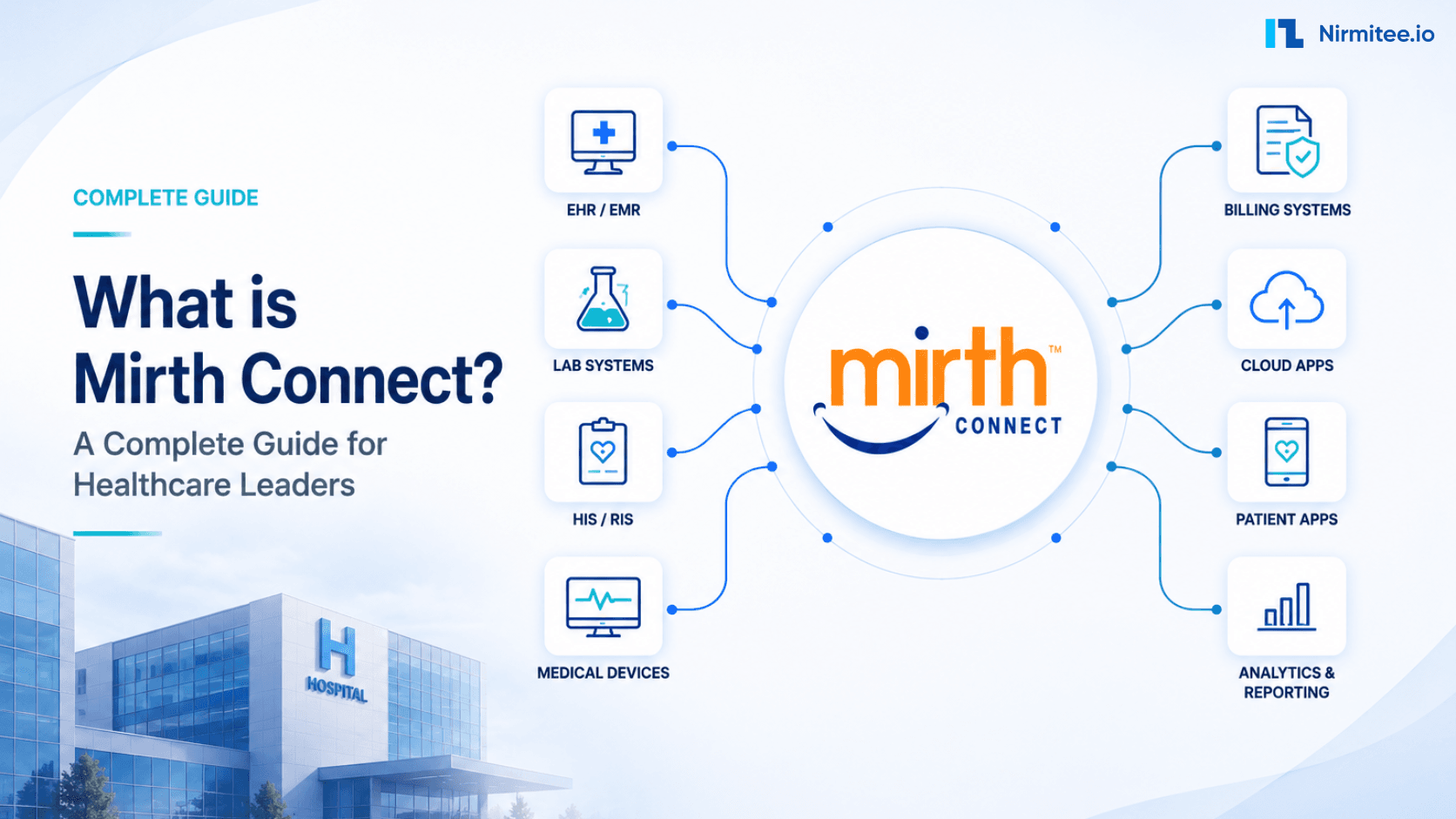
A modern hospital runs dozens of software systems: an Electronic Health Record (EHR) from Epic or Cerner, a Laboratory Information System (LIS), a Radiology Information System (RIS), pharmacy dispensing software, billing and claims processing, patient scheduling, and more. These systems were built by different vendors, at different times, using different data formats and communication protocols.
To see how Mirth compares with Rhapsody, Corepoint and other engines, read Mirth Connect vs Rhapsody vs Iguana and five more.
Related: see what our Mirth Connect integration services cover for HL7 and FHIR channels.
An integration engine is middleware that sits between all these systems and translates messages from one format to another, routes them to the correct destination, and ensures nothing gets lost in transit. Think of it as an air traffic control tower for clinical data: every message (a lab order, an admission notification, a prescription) passes through the integration engine, which determines where it needs to go and what format it needs to be in when it arrives.
Without an integration engine, hospitals face a nightmare of point-to-point connections. If you have 10 systems, you need up to 45 individual interfaces (n*(n-1)/2). With 20 systems, that number jumps to 190. Each interface must be built, tested, monitored, and maintained individually. Integration engines collapse this complexity into a hub-and-spoke model: every system connects to the engine, and the engine handles all the routing and transformation.
Most US hospital clinical feeds still run on HL7 v2. These interfaces are the backbone of healthcare operations, and the integration engine is what keeps them running.
How Mirth Connect Works: The Plain English Version
Mirth Connect processes messages through channels. Each channel is a self-contained integration pipeline with a source (where messages come in), processing logic (filters and transformers), and one or more destinations (where messages go out).
Here is how a typical message flows through Mirth:
- A source system sends a message. A lab system generates an HL7 v2 ORU (Observation Result) message containing a patient's blood test results. It sends this message to Mirth via a TCP connection using the MLLP (Minimal Lower Layer Protocol) standard.
- The Source Connector receives it. Mirth's source connector is listening on a specific port for incoming messages. It receives the raw HL7 message and passes it into the channel for processing.
- The Filter decides whether to process it. You can configure filters to accept or reject messages based on their content.
- The Transformer modifies the message. This is where the real work happens. Transformers can remap fields (move the patient MRN from one field to another), translate codes (convert the lab's internal code to a standard LOINC code), reformat dates, add or remove segments, or completely convert the message from one format to another (HL7 v2 to FHIR JSON, for example).
- The Destination Connector delivers the message. The transformed message is sent to the destination system. This could be another MLLP connection, an HTTP REST API call, a database insert, a file write, or an email.
- Acknowledgment flows back. The destination system sends an acknowledgment (ACK) back through Mirth to the source system, confirming receipt.
A single Mirth instance can run hundreds of channels simultaneously, each handling a different type of message or connecting a different pair of systems. This is how one integration engine can manage an entire hospital's data exchange needs. For a deeper dive into how these channels are structured, see our guide on Mirth Connect channel design patterns.
What Protocols and Formats Does Mirth Handle?
One of Mirth's core strengths is its protocol versatility. Healthcare is not a single-standard industry. Different systems, different eras of technology, and different departments all speak different languages. Mirth handles them all:
Messaging Standards
- HL7 v2.x (versions 2.1 through 2.8): The dominant standard in US healthcare. ADT (admit/discharge/transfer), ORM (orders), ORU (results), SIU (scheduling), MDM (documents), and dozens more message types. Mirth has native HL7 v2 parsing and generation.
- FHIR R4 and R5: The modern REST-based standard. Mirth can consume and produce FHIR resources as JSON or XML. For organizations bridging legacy HL7 v2 and modern FHIR, Mirth is the translation layer. Learn more in our article on turning HL7 v2 streams into modern FHIR APIs.
- DICOM: The standard for medical imaging data. Mirth can route DICOM messages between radiology systems, PACS, and imaging archives.
- X12/EDI: Used for insurance claims, eligibility checks, and other administrative transactions (837, 835, 270/271, 276/278).
- CDA/CCD: Clinical Document Architecture for structured clinical summaries.
Data Formats
- XML: Native parsing and generation with XPath support.
- JSON: Full JSON handling for modern REST integrations.
- CSV/Flat File: For legacy batch file exchanges.
- Database: Direct JDBC connections to read from and write to PostgreSQL, MySQL, Oracle, SQL Server, and other databases.
- Raw/Binary: For proprietary formats that need custom parsing.
Transport Protocols
- TCP/MLLP: The standard transport for HL7 v2 messages.
- HTTP/HTTPS: REST API calls for FHIR and other web services.
- SFTP/FTP: Secure file transfers for batch processing.
- SOAP/Web Services: For legacy enterprise integrations.
- JMS/AMQP: Message queue integration for high-throughput scenarios.
- Email (SMTP): For notification-based workflows.
This breadth of protocol support is why Mirth is often the integration engine of choice. In a single hospital, you might need HL7 v2 for the LIS, FHIR for the patient portal, DICOM for radiology, X12 for billing, and database writes for the analytics warehouse. Mirth handles all of these from one platform. For an in-depth look at how these standards compare, check our guide on interoperability standards in healthcare.
Who Uses Mirth Connect?
Mirth Connect is one of the most widely deployed healthcare integration engines in the world. Here is where it is used:
- Health Information Exchanges (HIEs): Mirth is used by health information exchanges, hospitals, public health agencies and health IT vendors. HIEs are regional networks that connect hospitals, clinics, labs, and payers across entire states or metropolitan areas, and many of them use an integration engine for their core data exchange.
- Hospital Systems: From small rural hospitals with 5-10 interfaces to large academic medical centers with 200+ interfaces, Mirth scales across the spectrum. Large health systems run it alongside other interface engines.
- Healthcare Technology Vendors: EHR vendors, lab companies, telehealth platforms, and health IT startups embed Mirth into their products to provide interoperability features out of the box.
- Government and Public Health: State public health departments use Mirth for electronic lab reporting (ELR), immunization registries, and syndromic surveillance. During COVID-19, Mirth-based interfaces were critical for scaling up test result reporting nationwide.
- Payers and Insurance Companies: Claims processing, eligibility verification, and prior authorization workflows often run through Mirth-based integration platforms.
According to KLAS Research, Mirth (now marketed as NextGen Connect) consistently ranks among the top integration engines in healthcare, particularly for value and community support.
Core Use Cases
1. EHR Integration
The most common use case. Connecting the EHR to every other system in the hospital: labs, radiology, pharmacy, scheduling, billing, and patient portals. ADT messages (Admit, Discharge, Transfer) flow from the EHR to downstream systems so they know which patients are in which beds. Orders flow from the EHR to the lab or radiology system. Results flow back. Mirth sits in the middle, translating and routing all of it. For more on this topic, read our deep dive on how EHR integration unlocks seamless interoperability.
2. Lab Results Delivery
When a lab completes a blood panel, the results must reach the ordering physician within the EHR. Mirth receives ORU (Observation Result) messages from the LIS, maps lab-specific codes to the EHR's expected format, handles critical value flagging, and delivers the results. A well-tuned Mirth channel processes thousands of lab results per hour without human intervention.
3. Pharmacy and Medication Orders
CPOE (Computerized Provider Order Entry) generates medication orders that need to reach the pharmacy dispensing system. Mirth translates RDE (pharmacy/treatment encoded order) messages, performs drug code mapping, and ensures the pharmacist sees the order in their system seconds after the physician enters it.
4. Billing and Claims
After a patient encounter, charge data must flow from the EHR to the billing system, and claims must be generated in X12 837 format for submission to payers. Mirth handles the DFT (detailed financial transaction) messages and can transform clinical data into the billing codes and formats required by insurance companies.
5. Patient Referrals
When a primary care physician refers a patient to a specialist, the referral information (REF messages or FHIR ServiceRequest resources) must reach the specialist's system with all relevant clinical context. Mirth routes these across organizational boundaries, often through an HIE.
6. Public Health Reporting
Hospitals are required to report certain conditions (infectious diseases, immunizations, cancer cases) to public health authorities. Mirth generates the required HL7 messages or electronic case reports and transmits them to state and federal registries.
Architecture Overview: Channels, Sources, Destinations, and Transformers
Understanding Mirth's architecture does not require being a developer. Here are the key components:
The Mirth Connect Server
The core application that runs on a server (Windows, Linux, or macOS). It manages all channels, processes messages, and provides the management interface. The server connects to a database (PostgreSQL, MySQL, Oracle, or SQL Server) where it stores channel configurations, message history, and statistics.
The Mirth Administrator
A desktop application (Java-based) or web interface that lets administrators create, configure, and monitor channels. This is where integration engineers build interfaces, debug message processing, and monitor system health. For production monitoring best practices, see our article on Mirth Connect monitoring in production.
Channels
The fundamental unit of integration in Mirth. Each channel represents one integration interface. A hospital might have:
- ADT_INBOUND: Receives ADT messages from the EHR
- ADT_FANOUT: Distributes ADT messages to all downstream systems
- ORU_LAB_TO_EHR: Delivers lab results from LIS to EHR
- ORM_EHR_TO_LAB: Sends lab orders from EHR to LIS
- DFT_TO_BILLING: Sends financial transactions to billing
Source Connectors
The input side of a channel. Defines how messages enter the channel: listening on a TCP port for MLLP, polling a database table, monitoring an SFTP directory, or receiving HTTP requests.
Destination Connectors
The output side. A channel can have multiple destinations. For example, an ADT channel might send the same admission message to the lab system (via MLLP), the pharmacy system (via database insert), and the patient portal (via FHIR REST API) simultaneously.
Transformers
JavaScript-based processing logic that modifies messages. Transformers can:
- Remap fields from one location to another
- Translate codes (facility codes, department codes, provider IDs)
- Enrich messages by looking up additional data from databases
- Convert between formats (HL7 v2 to FHIR, XML to JSON)
- Apply business rules (route critical results differently from normal results)
Filters
Boolean logic that determines whether a message should be processed or skipped. Filters evaluate message content and return true (process) or false (skip). This is how you build routing logic: only process ADT^A01 messages, only process results from the chemistry lab, only route messages for patients in the ICU.
The Community and Ecosystem
Mirth Connect's history is unique in healthcare IT. Originally developed as open-source software by Mirth Corporation, it was acquired by NextGen Healthcare. For years, the community edition was free to download and use, which drove massive adoption. Integration engineers could learn Mirth without a license fee, and startups could deploy it without budget approval.
In March 2025, NextGen Healthcare announced that Mirth Connect version 4.6 and later would no longer be available as open-source software. The last freely available version is 4.5.2 (released September 2024). NextGen's Mirth Connect downloads page states that from version 4.6 the license is closed-source and proprietary (checked 15 October 2026). This licensing change is significant for the community. For an analysis of what this means and how to respond, see our article on Mirth Connect commercial transition.
Engineering details: see Channel Design, Deployment Topology, and Throughput Tuning in Mirth Connect.
Despite the licensing change, the Mirth ecosystem remains substantial:
- Community Forums: Active user forums where integration engineers share solutions, channel templates, and troubleshooting advice.
- Extensions and Plugins: A marketplace of add-ons for FHIR support, advanced monitoring, cloud connectors, and specialized transformations.
- Consulting Ecosystem: Dozens of healthcare IT consulting firms specialize in Mirth implementations, including Nirmitee Healthtech.
- Training and Certification: NextGen offers official Mirth Connect training and certification programs. Third-party training providers fill additional gaps.
- Talent Pool: Because of years of open-source availability, there is a larger pool of engineers with Mirth experience than with any other healthcare integration engine. That said, budget for experienced Mirth engineers and check current salary data for your region. Training new engineers takes 3-6 months.
When Mirth Is the Right Choice
Mirth Connect is a strong fit when:
- You need HL7 v2 support. Mirth has a long-established HL7 v2 implementation. If your primary need is connecting legacy HL7 systems, Mirth is proven.
- You need protocol versatility. If you need to handle HL7 v2, FHIR, DICOM, X12, and database connections from one platform, Mirth covers more ground than most alternatives.
- You have (or can hire) Mirth engineers. The talent pool for Mirth is larger than for Rhapsody or Iguana. Finding an engineer who already knows Mirth is easier than finding one who knows a competing product.
- You want community knowledge. Decades of forum posts, blog articles, and community-shared channel templates mean most problems have already been solved by someone else.
- You are building an HIE or data exchange network. Mirth's track record in powering HIEs is unmatched.
When Mirth May Not Be the Right Choice
Mirth may not be the best fit when:
- You need enterprise-grade support and SLAs. While NextGen offers commercial support, competitors like Rhapsody provide more mature enterprise support packages. Rhapsody is frequently rated highly by KLAS; check the current KLAS report.
- You need cloud-native architecture from day one. Mirth was designed as an on-premises application. While NextGen now offers "Mirth Fully Managed" as a cloud option, competitors like Rhapsody were built with cloud deployment as a first-class feature.
- You have extreme throughput requirements. For very high message volumes (millions per day), competitors like Iguana from Interfaceware claim faster raw performance. For large-scale tuning guidance, see our guide on Mirth Connect performance tuning for 10,000+ messages per hour.
- Your team has no Java/JavaScript experience. Mirth's transformers are JavaScript-based, and advanced customization requires Java. If your team is purely .NET or Python, the learning curve may be steep.
- You are concerned about licensing uncertainty. The shift from open-source to commercial licensing introduces risk. Future pricing changes are at NextGen's discretion.
Before you commit: a buyer checklist
Answer these six questions in writing before Mirth goes into production.
| Question | Why it matters | Who answers |
|---|---|---|
| Which version and license will production run? | Versions from 4.6 need a NextGen license; 4.5.2 gets no open-source fixes | IT leadership and procurement |
| Who patches it, and how fast? | An unpatched engine sits on the path of every clinical message | Engine vendor or fork maintainer, plus your operations team |
| Which connectors do you need, and are they core or paid extensions? | A paid extension changes cost and support terms | Integration architect |
| How are channels monitored and alerted? | A stopped channel loses or delays results unless someone is told | Operations team |
| Who on staff can maintain JavaScript transformers? | Transformer logic is code that needs an owner after go-live | Engineering manager |
| What is the exit or migration path? | License or support terms can change, as they did with 4.6 | Integration architect and procurement |
Getting Started with Mirth Connect
For organizations evaluating Mirth Connect, here is a practical starting path:
Step 1: Download and Install
For a learning environment, you can install 4.5.2, the last open-source release, from the NextGen GitHub repository releases. Install it on a development server with PostgreSQL as the database backend. It receives no further open-source security fixes, so do not expose it to production data. For production, choose between a current commercial NextGen release, a maintained open-source fork such as Open Integration Engine or BridgeLink (check each project's release and patch history), or another engine. Setup time depends on your database and network rules.
Step 2: Build a Simple Channel
Create a channel that listens for HL7 v2 messages on a TCP port, transforms a field, and writes the result to a file. This gives you hands-on experience with the channel builder, transformer editor, and message processing pipeline.
Step 3: Test with Real-World Messages
Obtain sample HL7 messages from your existing systems (anonymized, of course). Send them through your test channel and observe how Mirth parses, transforms, and routes them.
Step 4: Evaluate for Production
If Mirth fits your needs, plan a production deployment. Consider high availability requirements (see our guide on setting up Mirth Connect for high availability), database sizing, monitoring, and staffing. Budget for at least one dedicated integration engineer and factor in licensing costs for version 4.6 and above.
Step 5: Engage Expert Help
For complex implementations involving dozens of interfaces, consider engaging a healthcare integration consulting firm. Experienced consultants can accelerate deployment by months and help you avoid common pitfalls. Nirmitee Healthtech specializes in Mirth Connect implementations and can help you from architecture design through production deployment.
Running Mirth Connect: first channel to production
Once you have decided Mirth fits, these are the practical steps: pick the version, build a first channel, then set it up for production.
Choose the Mirth version before following the example
Mirth Connect 4.5.2 was the last published open-source release. NextGen moved 4.6 onward to commercial proprietary licensing. Confirm the exact release, Java requirements, extension entitlement and support agreement before installing or upgrading. See NextGen’s official licensing announcement.
Use the cookbook to inspect one result path
Start with our ORU-to-FHIR sample transformer and synthetic test messages. The recipe builds Patient, ServiceRequest, DiagnosticReport and Observation resources in a transaction Bundle. Its documented sample environment is Mirth Connect 4.5.2. Review the identifier systems, timestamp handling, local-code mapping and result-status defaults before adapting it.
Check meaning as well as message shape
- Compare the patient and order identifiers, observation code, value, unit and status with the source message.
- Preserve the intended instant when a timestamp contains a timezone offset.
- Route missing or unknown codes and statuses through an agreed review path.
- Test corrected results and duplicate replay against the receiving system’s identity rules.
- Reconcile destination delivery after an interrupted response. An ACK and a valid FHIR structure each prove only their own part of the exchange.
For the operating plan, review support-contract scope and escalation. For a channel build, upgrade or recovery problem, explore Mirth Connect development and support services.
Setting Up Your First Mirth Channel
Use the steps below as a development outline. The time needed depends on the installed release, channel configuration and connected systems.
The critical steps:
- Install Mirth Connect — Select the release and check its documented Java and operating-system requirements. Confirm license and extension entitlement before downloading or upgrading.
- Launch the Dashboard — Open your browser to
https://localhost:8443. Default credentials: admin/admin (change immediately).
- Create a New Channel — Give it a descriptive name like "ADT Listener - Registration to Lab".
- Configure the Source Connector — Set a TCP Listener on a port (e.g., 6661) with MLLP framing for HL7 v2 messages.
- Add a Transformer — Use the drag-and-drop mapper or write JavaScript to transform fields between source and destination formats.
- Configure the Destination — Set a TCP Sender pointing to the target system's IP and port.
- Deploy and Test — Click Deploy, send a test HL7 message, and verify it arrives at the destination.
ACK and error handling in the first channel
What ACK should the sender get when the transformer fails? Decide this before go-live and agree it with the sending system's team.
- When the ACK is sent. Mirth can generate the HL7 ACK as soon as the message is received (usually with source queuing on), or after the channel has processed it and the destinations have finished. An early ACK keeps the sender moving but only proves receipt. A late ACK tells the sender whether processing worked, but a slow destination then slows the sender.
- Which code. In HL7 v2, AA means accepted, AE means an application error (the sender may correct and resend), and AR means rejected (for example, an unsupported message type or a structure the receiver will not process). Return AE or AR with a short reason in MSA-3 or an ERR segment rather than AA for a message you could not handle.
- Error queue and alerting. Failed messages stay in Mirth with their error. Set an alert on errored messages and on queue growth so someone sees them the same day, and replay them after the fix.
- Rollback. Keep each exported channel XML in source control. If a new version misbehaves, redeploy the previous exported version.
HTTP Listener example. For JSON or FHIR senders, use an HTTP Listener source instead of the TCP/MLLP listener. A minimal setup: listen on one port and context path (for example /fhir/Observation), accept application/fhir+json, parse the body in the source transformer, and return 200 or 201 when processing succeeds or 400 with an OperationOutcome when it fails validation. Put TLS and authentication in front of the listener before any real data reaches it. Exact option names differ between releases, so check the user guide for the release you install.
Production Deployment Architecture
Running Mirth in development is easy. Running it in production — with the reliability, security, and auditability that healthcare demands — requires careful architecture.
Production best practices:
- High Availability — Run two Mirth instances in an active-passive configuration with a load balancer. If the primary fails, the secondary takes over within seconds.
- Database — Use PostgreSQL (recommended) or Oracle in a clustered configuration. Never use the embedded Derby database in production.
- Environments — Maintain separate Development, Staging, and Production instances. Promote channel configurations through a formal release process.
- Monitoring — Integrate with Grafana/Prometheus for real-time dashboards and PagerDuty for alerting on message failures, queue buildup, or system health issues.
- Security — TLS for all MLLP connections, encrypted database connections, and audit logging for HIPAA compliance.
Troubleshooting Common Issues
Every Mirth administrator encounters the same issues eventually. This decision tree covers the most common failure scenarios and their fixes.
The top issues and quick fixes:
- Messages not arriving: Check firewall rules and verify the source port is open. Use
netstat -an | grep PORTto confirm Mirth is listening. - Messages rejected: Invalid HL7 format. Use Mirth's message template viewer to validate the raw message structure.
- Transformer errors: JavaScript errors in the transformer. Check the channel's error log for stack traces. Most common: null pointer when accessing a field that doesn't exist in all message types.
- Destination queue growing: Target system is down or slow. Check destination connectivity. If the target is temporarily unavailable, Mirth's built-in retry queue handles automatic redelivery.
- Performance degradation: The message database is growing too large. Enable message pruning and archiving.
Performance Optimization
Measure your workload before tuning: message sizes, arrival bursts, transformer work, destination latency, queue growth and recovery. The items below are configuration areas to evaluate, not a throughput benchmark.
The highest-impact optimizations:
- Enable message pruning — Set channels to prune message content after 7-30 days. Without pruning, the database grows unbounded and queries slow to a crawl.
- Use connection pooling — For database destinations, configure connection pools instead of creating new connections per message.
- Archive to files, not database — Store raw message content in compressed files rather than database BLOBs. This often reduces database load for high-volume channels; measure before and after.
- Index custom metadata — If you use custom metadata columns for searching messages, add database indexes. Without indexes, the dashboard search becomes unusable at scale.
- Tune Java heap — Set Mirth's JVM heap to 2- 4 GB for production workloads. The default is too low for sustained high-volume processing.
Load-test a channel before go-live
- Export the channel XML and deploy it to a test instance with the same release, database and heap settings as production.
- Build a set of synthetic ADT and ORU messages that match your real message sizes and segment mix. Our synthetic test messages are a starting point.
- Replay N messages at a fixed rate with a sender channel or an HL7 test tool, then repeat at your expected peak and at a burst above it.
- Record queue depth, ACK latency, error count and message database growth for each run.
- Agree the pass criteria with the receiving team before the test, for example "ACK within an agreed time at peak rate and no queue growth after the burst ends".
The Bottom Line
Mirth Connect is the integration engine that powers a significant portion of American healthcare data exchange. It is versatile, widely understood, and backed by a large community of engineers and consultants. The recent licensing changes add a cost factor that did not previously exist, but for organizations that need a proven, multi-protocol integration platform, Mirth remains a strong contender.
The decision to adopt Mirth should be based on your organization's specific needs: the protocols you need to support, the volume of messages you process, your team's technical skills, and your budget for both licensing and staffing. No integration engine is perfect for every scenario, but Mirth Connect has earned its position as the default starting point for healthcare integration conversations.
Whether you are a CTO evaluating integration platforms, a VP of IT building a business case, or a clinical informaticist trying to understand why your lab results are delayed, understanding Mirth Connect is essential to understanding how modern healthcare technology works. For a broader perspective on the challenges of healthcare data exchange, read our analysis of true interoperability in the world of fragmented data.
Explore Mirth Connect
Licensing and cost
- Mirth Connect License Change 2026
- eight Mirth Connect alternatives compared
- BridgeLink
- Mirth Connect Open Source vs Commercial License
- Mirth Connect myths debunked
- Mirth Connect Pricing 2026
Deployment and high availability
- Mirth Connect High Availability Setup
- what good Mirth monitoring looks like
- Mirth Connect as an HL7 interface engine
- scaling Mirth to 10,000 messages an hour
- Mirth Connect Channel Design Patterns
- Mirth Connect Guide
Message types and routing
- Mirth Connect Message Replay and Dead Letter Queues
- Disaster Recovery for Mirth Connect
- ORU Lab Results Routing with Mirth Connect
- Mirth Connect Integration Engine
- Mirth Connect Messages Stuck in Queued State
- Mirth Connect MDM Messages
Transformers and developer reference
- Automated Testing for Mirth Connect Channels
- Managing 100+ Mirth Channels Without Losing Your Mind
- Mirth Connect REST API Gotchas
- Mirth Connect JavaScript Transformer
- Mirth Connect NCPDP SCRIPT Integration
Vendor and system integrations
- healthcare integration architecture with Kafka
- The Integration Team Playbook
Monitoring and troubleshooting
- the 10 most common Mirth Connect failures
- Alerting for Healthcare Systems
- Mirth Connect + OpenTelemetry
- Chaos Engineering for Healthcare
- How to Clear an HL7v2 Interface Backlog with Mirth Connect
- Mirth Connect Memory Leak & Java Heap Space Errors
Security
- Mirth Connect Security 2026 : Complete Guide
Migration and alternatives
- Mirth Connect vs Rhapsody vs Iguana
- Mirth Connect Build vs Buy
- Mirth Connect vs Building In-House: Which is best?
Need help developing or supporting Mirth channels?
Review channel development, upgrades and support scope. Start with your Mirth version, connected systems and the workflow or failure you need to address.
Frequently Asked Questions
What is the difference between Mirth Connect and NextGen Connect?
How many interfaces can Mirth handle?
Does Mirth support FHIR?
What database does Mirth use?
How does Nirmitee.io approach healthcare software development?
What healthcare standards does Nirmitee.io support?