
Why DICOM Images Send But Won't Display: The Transfer Syntax Problem

CTO & Co-Founder
CTO & Co-Founder at Nirmitee.io. Architects healthcare integrations across FHIR, SMART on FHIR, ABDM and NHCX, writing from production experience taking hospital software from sandbox to go-live.
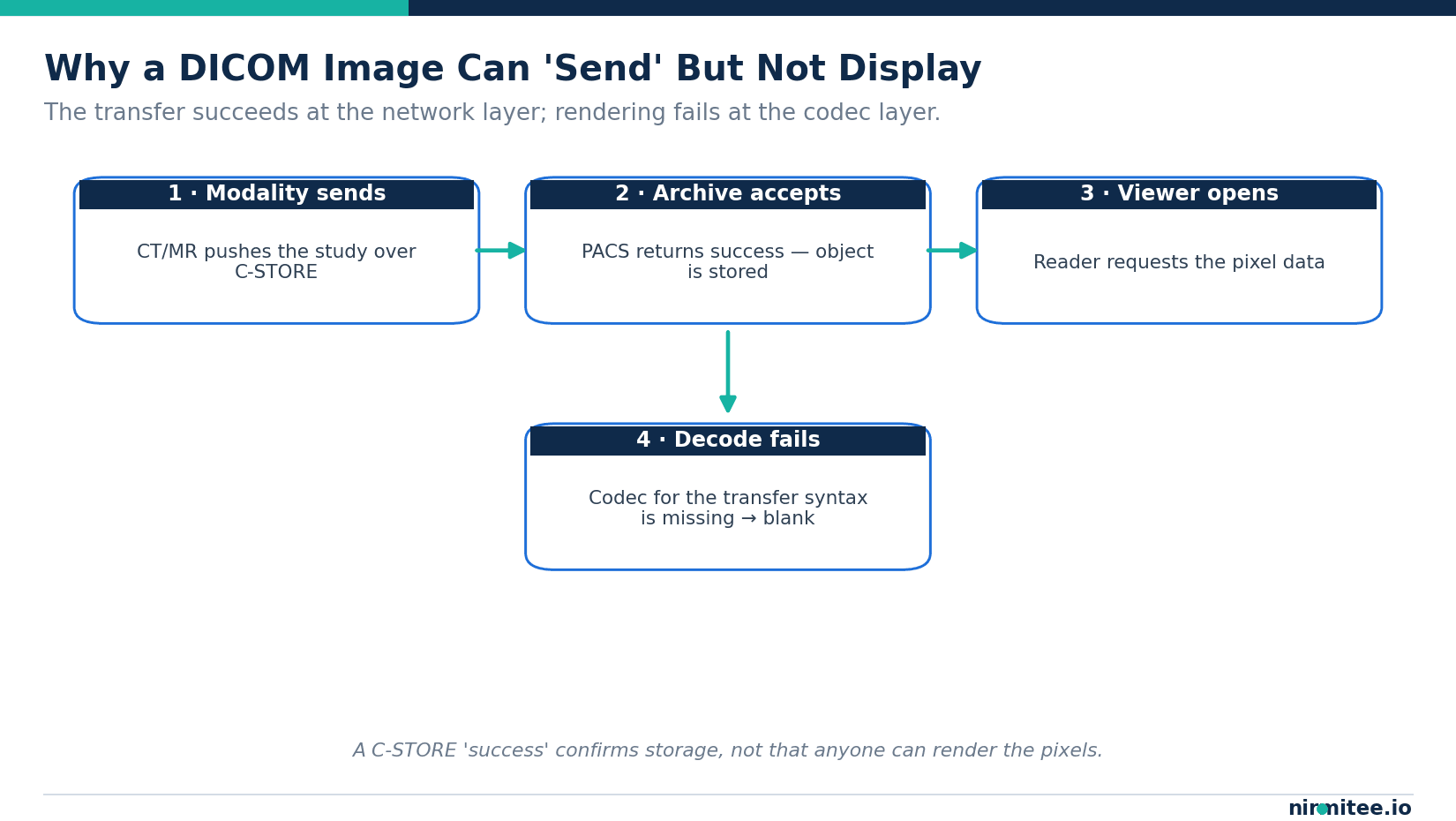
The radiologist calls. The study is "in PACS," the worklist shows it arrived, your interface logs say C-STORE returned success — and the viewer shows a black rectangle where the chest CT should be. Nothing errored. Nothing alerted. The image is simply not there to look at.
For hands-on help with this, see our medical device integration services.
This is one of the most common and most frustrating failures in radiology integration, and almost every time it comes down to one thing: transfer syntax. The bytes moved across the wire perfectly. The receiving system just can't decode them. This guide explains why that happens, how to diagnose it in minutes, and how to stop it from recurring.
What "the image sent" actually means in DICOM
In DICOM, sending an image is a C-STORE operation between a Service Class User (the sender — a modality or another archive) and a Service Class Provider (the receiver — your PACS, VNA, or interface engine). When the C-STORE completes, the SCP returns a status of 0000 (Success). That status means one thing only: the object was received and stored. It says nothing about whether the pixel data inside it can be rendered.
That gap is the root of the "sent but blank" problem. Storage and rendering are two separate concerns, handled at two separate layers. A perfect transfer with an undecodable payload is still, from the radiologist's chair, a failed integration.
Watch: PACS integration on real CT images
Our 12-minute walkthrough shows a DICOMweb transfer of 62 real public CT images, including an interrupted transfer and its recovery, a patient association hold and a server-side HTTP 403 denial. The written version is our PACS integration guide: 4 ways to connect your product to hospital imaging.
Transfer syntax, in one minute
Every DICOM object carries a tag — (0002,0010) TransferSyntaxUID — that tells the receiver exactly how the dataset and its pixel data are encoded: the byte order, whether value representations are explicit, and crucially whether the pixels are raw or compressed, and with which codec.
The uncompressed syntaxes — Implicit VR Little Endian (1.2.840.10008.1.2) and Explicit VR Little Endian (1.2.840.10008.1.2.1) — are universally readable. The trouble starts with the compressed ones. JPEG Baseline, JPEG 2000, JPEG-LS, and RLE all shrink the file, but each requires the viewer to own a matching decoder. If your reader was built without a JPEG 2000 codec, a JPEG 2000-encoded study will store cleanly and display as nothing. The full registry of these UIDs lives in DICOM PS3.6, and the encoding rules in PS3.5.
The association handshake decides what travels
Before any image moves, the two systems negotiate an association. The sender proposes one or more presentation contexts — each pairing a SOP Class (the type of object) with a list of transfer syntaxes it is willing to use. The receiver accepts exactly one transfer syntax per context, picking from what it supports.
This negotiation is where silent failures are born. If the modality only proposes JPEG 2000 and the archive accepts it, but the downstream viewer can't decode JPEG 2000, the object sits in storage perfectly intact and perfectly unviewable. Conversely, if the archive only accepts Implicit VR Little Endian, a sender holding compressed pixels has to transcode on the fly — and if it can't, the association quietly drops that context.
The five reasons a DICOM image won't display
1. The viewer is missing the codec
The most common cause. The pixels are JPEG 2000 or JPEG-LS, and the rendering client was compiled or licensed without that decoder. The file is valid; the software is incomplete.
2. Compressed pixel data was never transcoded
An older archive or web viewer expects uncompressed pixels. The study arrives compressed, no transcoding step exists in the path, and the display chain stalls at decode.
3. Photometric interpretation mismatch
Color and multi-frame objects encode pixels as YBR_FULL_422, YBR_ICT, or RGB. A viewer that assumes the wrong photometric interpretation renders garbled color or nothing at all — the data is there but interpreted incorrectly.
4. Fragmented or multi-frame encapsulation
Encapsulated (compressed) pixel data is stored in fragments with a Basic Offset Table. A reader that mishandles fragmentation or an absent offset table on a large multi-frame object can fail to assemble the frames.
5. Explicit vs implicit VR confusion
When the stated transfer syntax and the actual byte layout disagree — often after a careless transcode or a non-conformant sender — the parser misreads value representations and never reaches valid pixel data.
How to diagnose it in minutes
You do not need the scanner, and you do not need to wait for the next study. The open-source DCMTK toolkit reads the truth straight out of the file:
dcmdump problem.dcm | grep -i TransferSyntax
dcmdump problem.dcm | grep -i PhotometricInterpretation
Read (0002,0010). If it is a compressed UID and your viewer can't show the image, you have found your answer. Check the photometric interpretation next. Then reproduce the entire path off-machine: stand up a local Orthanc server, send the file to it with storescu, and open it in Orthanc's viewer. If Orthanc renders it and your production viewer doesn't, the problem is the viewer's codec support — not the file, the network, or the modality.
This off-machine reproduction is the same technique we cover in our DICOMweb and ImagingStudy guide: test the integration without tying up a clinical device.
The fix: transcode, verify, standardize
Once you know the encoding, the repair is mechanical. Decompress or re-compress to a syntax the viewer supports:
dcmdjpeg compressed.dcm uncompressed.dcm
dcmcjpeg uncompressed.dcm baseline.dcm
dcmdjpeg decodes JPEG-compressed objects to uncompressed pixels; dcmcjpeg re-encodes to JPEG Baseline if you need compression the viewer understands. Re-send to Orthanc, confirm the pixels render, and only then push to production.
The durable fix is upstream, though: pin the transfer syntaxes each system in the chain will propose and accept, so the modality, archive, and viewer agree before a single study moves. When you control the negotiation, "sent but blank" stops being a recurring ticket. Treating image and report as one delivery — the accession-number link, the transfer syntax contract, the viewer's codec list — is the difference between a radiology pipeline that works on day one and one that fails silently in week three.
When to build the transcoding layer yourself — and when not to
A one-off transcode is a five-minute job. A production pipeline that normalizes transfer syntaxes across dozens of modalities, routes by SOP class, and never silently drops a study is a different undertaking. Most teams underestimate the long tail: the one ultrasound vendor that sends YBR multi-frame, the legacy CR unit stuck on a proprietary codec, the cloud viewer that only speaks uncompressed.
Healthcare is the only industry we work in, and we've built imaging and interoperability pipelines that handle exactly this kind of edge case in production — not POCs. Our open-source work and FHIR R4-native architecture mean we treat DICOM, DICOM-to-FHIR mapping, and HL7 as one connected layer rather than three separate problems. If your radiology integration is storing studies nobody can open, that is a solvable problem, usually in days.
Key takeaways
- A C-STORE success confirms storage, not that the pixels can be rendered.
(0002,0010) TransferSyntaxUIDis the first thing to check on any "sent but blank" study.- Compressed syntaxes (JPEG 2000, JPEG-LS, RLE) need a matching codec in the viewer — missing codecs cause most silent failures.
- DCMTK and Orthanc reproduce the entire path off-machine, so you can diagnose without the scanner.
- The lasting fix is standardizing negotiated transfer syntaxes across modality, archive, and viewer.
Ready to scale?
Talk to our healthcare engineering team about building, integrating, and shipping faster.
Frequently Asked Questions
What is a DICOM transfer syntax?
Why does a DICOM image store successfully but show blank?
How do I find the transfer syntax of a DICOM file?
How do I fix a DICOM image that won't display?


