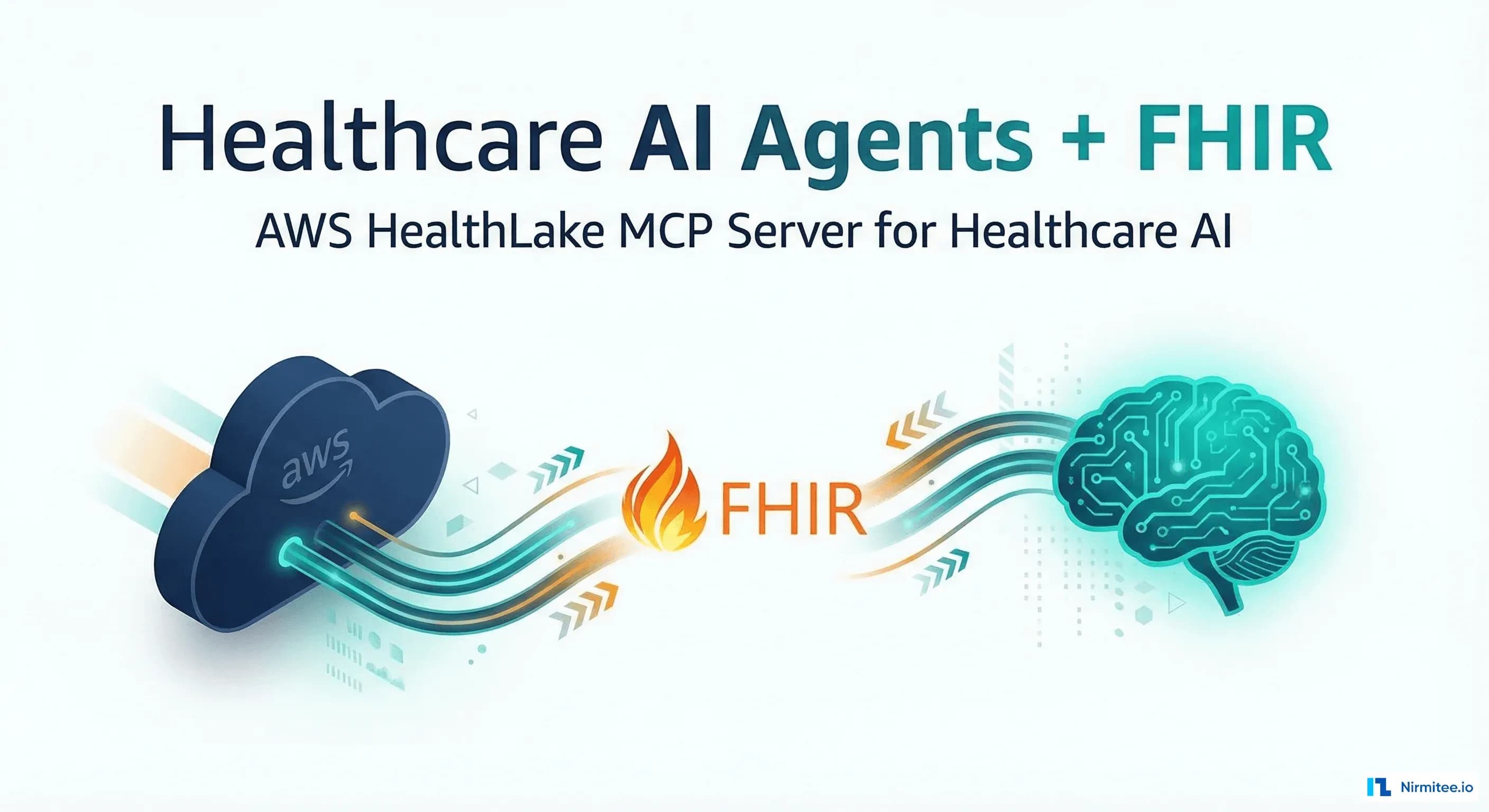
AWS quietly open-sourced an MCP server for HealthLake in February 2026, and within six weeks, over 2,400 GitHub stars accumulated on the repository. That velocity tells you something: platform engineers building healthcare AI agents have been waiting for a standardized way to connect LLMs to FHIR data stores, and Anthropic's Model Context Protocol (MCP) just became the bridge.
This post breaks down what the HealthLake MCP server actually does, how its architecture maps FHIR operations to tool definitions, when you should use it versus building your own MCP-FHIR layer, and the production-grade decisions you need to make before deploying it in a clinical environment.
What MCP Actually Solves in Healthcare
The Model Context Protocol, originally published by Anthropic in late 2024, defines a JSON-RPC-based interface between AI models and external tools. Think of it as a USB-C port for LLMs: instead of each AI agent building custom integrations with every data source, MCP provides a standardized protocol for tool discovery, invocation, and result formatting.
In healthcare, this matters because FHIR APIs are already standardized but LLMs have no native understanding of how to call them. An AI agent that needs to look up a patient's recent lab results must know: which FHIR endpoint to call, how to construct the search query, what scopes are required, and how to parse the Bundle response. Without MCP, every agent team reinvents this translation layer.
The HealthLake MCP server wraps 47 FHIR resource operations as MCP tools, each with typed input schemas, descriptions that guide the LLM's tool selection, and output parsers that return clinically structured data rather than raw JSON blobs.
How MCP Differs from CDS Hooks and SMART on FHIR
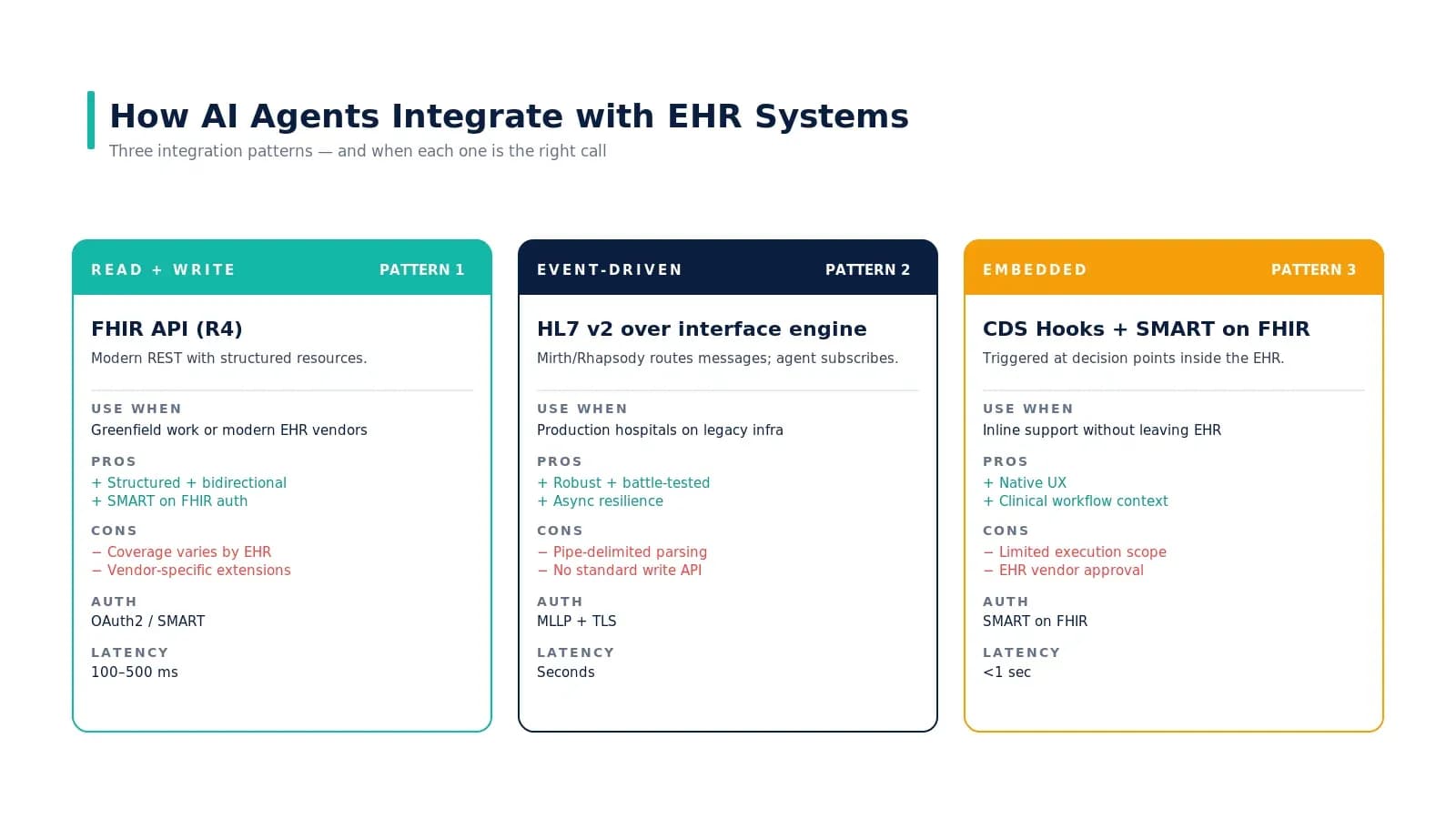
CDS Hooks trigger pre-defined clinical decision support at specific EHR workflow points — medication prescribing, order entry, patient view. They are event-driven and EHR-initiated. MCP is agent-initiated: the LLM decides when and which tool to call based on the conversation context.
SMART on FHIR handles authentication and app launch — it answers "who can access what data." MCP handles the tool interface — it answers "how does the AI agent discover and call available operations." In production, you need both: SMART scopes govern the permissions, MCP governs the interface.
Inside the HealthLake MCP Server Architecture
The server runs as a standalone process — typically in a Docker container or Lambda function — that accepts MCP requests over stdio or HTTP+SSE transport. Here is how the layers stack:
Layer 1: Tool Registry
At startup, the server registers FHIR operations as MCP tools. Each tool definition includes a name, description (critical for LLM tool selection), and a JSON Schema for input parameters. For example, the search_patient tool accepts parameters like family, given, birthdate, and identifier — mapping directly to FHIR search parameters.
{
  "name": "search_patient",
  "description": "Search for patients by demographics. Returns matching Patient resources with identifiers, names, and contact information. Use when you need to find a specific patient or look up patient records.",
  "inputSchema": {
    "type": "object",
    "properties": {
      "family": {
        "type": "string",
        "description": "Patient family (last) name"
      },
      "given": {
        "type": "string",
        "description": "Patient given (first) name"
      },
      "birthdate": {
        "type": "string",
        "description": "Birth date in YYYY-MM-DD format"
      },
      "identifier": {
        "type": "string",
        "description": "Patient identifier (MRN, SSN) in system|value format"
      },
      "_count": {
        "type": "integer",
        "description": "Maximum results to return (default 10)",
        "default": 10
      }
    }
  }
}
Layer 2: FHIR Client
The FHIR client layer translates MCP tool calls into HealthLake API requests. It handles:
- Query construction: Converts tool parameters to FHIR search URLs with proper encoding
- Pagination: Follows
Bundle.linkentries for multi-page results - Error mapping: Translates FHIR OperationOutcome errors into structured MCP error responses
- Resource resolution: Resolves contained and referenced resources when the agent needs the full clinical picture
Layer 3: Authentication and Authorization
This is where AWS-native integration gives HealthLake an edge. The MCP server authenticates to HealthLake via IAM roles — no OAuth token management required at the FHIR layer. For SMART on FHIR scopes, the server enforces access control at the MCP tool level: if the requesting agent's session has patient/Observation.read scope, only observation-reading tools are exposed.
Layer 4: Response Formatting
Raw FHIR JSON is verbose. A typical Patient resource runs 200+ lines. The response formatter extracts clinically relevant fields and returns structured summaries that fit within LLM context windows without losing clinical precision. A patient search result might return:
{
  "patients": [
    {
      "id": "patient-abc-123",
      "mrn": "MRN-2024-5678",
      "name": "Jane Rodriguez",
      "birthDate": "1985-03-14",
      "gender": "female",
      "phone": "(555) 234-5678",
      "address": "456 Oak Ave, Portland, OR 97201",
      "primaryCare": "Dr. Michael Chen",
      "activeConditions": ["Type 2 Diabetes", "Hypertension"],
      "lastEncounter": "2026-02-28"
    }
  ],
  "totalResults": 1,
  "searchParameters": {"family": "Rodriguez", "given": "Jane"}
}
This formatted response gives the LLM exactly what it needs to continue the conversation without parsing nested FHIR extensions.
The 47 FHIR Tools: What Is Actually Covered
The HealthLake MCP server does not wrap every FHIR operation. It focuses on the resources that healthcare AI agents most commonly need. Here is the breakdown by category:
| Category | Resources | Operations | Notes |
|---|---|---|---|
| Patient Demographics | Patient, RelatedPerson | search, read | Supports _revinclude for linked resources |
| Clinical Records | Condition, Observation, DiagnosticReport, Procedure | search, read, create | Observation search supports LOINC code filtering |
| Medications | MedicationRequest, MedicationStatement, MedicationAdministration | search, read | Includes drug interaction flag parsing |
| Encounters | Encounter, EpisodeOfCare | search, read, create | Date range queries for utilization analysis |
| Documents | DocumentReference, Composition | search, read, create | Binary attachment retrieval is supported |
| Care Planning | CarePlan, Goal, ServiceRequest | search, read, create | Create operations require practitioner context |
| Scheduling | Appointment, Schedule, Slot | search, read, create | Slot availability search by date range |
| Administrative | Organization, Practitioner, Location | search, read | Read-only for reference resolution |
Notice that write operations are limited to a subset of resources. This is intentional: AI-initiated writes into clinical systems carry regulatory and patient safety implications that most organizations are not ready to manage at scale.
HealthLake MCP Server vs. Building Your Own
The open-source server works well for teams already on AWS HealthLake. But if your FHIR backend is HAPI FHIR, Azure Health Data Services, or a custom implementation, you will need to build your own MCP-FHIR layer. Here is how the two approaches compare:
| Factor | HealthLake MCP Server | Custom MCP-FHIR Build |
|---|---|---|
| Setup time | 2-4 hours (config + deploy) | 3-6 weeks (design + build + test) |
| FHIR backend | HealthLake only | Any FHIR R4 server |
| Resource coverage | 47 pre-built tools | You choose what to expose |
| Authentication | IAM + SMART scopes | Custom (OAuth2, API key, mTLS) |
| Tool descriptions | Generic but functional | Tuned to your clinical workflows |
| Response formatting | Standard clinical summaries | Customize your LLM and use case |
| Maintenance | AWS-maintained (community PRs) | Your team maintains |
| Cost (monthly, 10K queries/day) | ~$850 (HealthLake + compute) | ~$200-1,500 (varies by FHIR backend) |
When the Pre-Built Server Wins
If your organization already runs HealthLake and you need to ship an AI agent prototype in under a week, the pre-built server is the clear choice. It handles FHIR search parameter construction, pagination, and error handling — details that consume weeks of engineering time when built from scratch.
The pre-built server also wins for teams without deep FHIR expertise. The tool descriptions are written to guide LLMs toward correct usage patterns, reducing the prompt engineering burden.
When to Build Custom
Build your own when you need:
- Non-HealthLake backends: If your production data lives in HAPI FHIR, Oracle Health, or Epic's FHIR APIs, the HealthLake server will not connect
- Custom tool semantics: Your clinical workflows may need tools like "get_patient_medication_summary" that span multiple FHIR resources in a single call — something the per-resource tool model does not support
- Tighter LLM integration: Custom tool descriptions tuned to your specific model (Claude, GPT-4, Gemini) dramatically improve tool selection accuracy. Generic descriptions work at ~85% accuracy; tuned descriptions push past 95% in our benchmarks
- Multi-source data: When the agent needs to query FHIR plus a claims database, pharmacy benefit manager, or scheduling system in a single workflow, a custom MCP server can expose all sources through one interface
Setting Up the HealthLake MCP Server: A Walk-Through
Here is the minimum viable deployment. You need an AWS account with HealthLake provisioned and at least one data store with FHIR R4 resources loaded.
Step 1: Clone and Configure
# Clone the MCP server repository
git clone https://github.com/awslabs/healthlake-mcp-server.git
cd healthlake-mcp-server

# Install dependencies
npm install

# Configure environment
cat > .env << 'EOF'
HEALTHLAKE_DATASTORE_ID=your-datastore-id
HEALTHLAKE_REGION=us-east-1
HEALTHLAKE_ENDPOINT=https://healthlake.us-east-1.amazonaws.com
MCP_TRANSPORT=stdio
LOG_LEVEL=info
MAX_RESULTS_PER_QUERY=50
ENABLE_WRITE_OPERATIONS=false
EOF
Note ENABLE_WRITE_OPERATIONS=false. Start read-only. Human-in-the-loop review is non-negotiable before enabling writes in any clinical context.
Step 2: Connect to Your AI Agent
For Claude Desktop or any MCP-compatible client, add the server configuration:
{
  "mcpServers": {
    "healthlake": {
      "command": "node",
      "args": ["./build/index.js"],
      "env": {
        "AWS_PROFILE": "healthlake-prod",
        "HEALTHLAKE_DATASTORE_ID": "your-datastore-id",
        "HEALTHLAKE_REGION": "us-east-1"
      }
    }
  }
}
Once connected, the agent can discover available tools and start querying patient data through natural language. Ask "What medications is patient Jane Rodriguez currently taking?" and the agent will: select the search_medication_request tool, construct the FHIR query with the patient reference, and return a formatted medication list.
Production Considerations You Cannot Skip
Audit Logging
Every MCP tool invocation must be logged with: the requesting user identity, the tool called, input parameters, the FHIR resources accessed, and the timestamp. This is not optional — HIPAA audit trail requirements apply to AI agent data access exactly as they do to human users.
The HealthLake MCP server emits CloudWatch events for each tool call. Wire these to your SIEM or compliance logging pipeline. If you are building custom, implement OpenTelemetry instrumentation from day one.
Rate Limiting and Cost Control
HealthLake charges per API call. An agent running in a loop — say, iterating through 500 patient records to build a population health summary — can generate thousands of FHIR queries in minutes. Set MAX_RESULTS_PER_QUERY Conservatively, implement per-session query budgets, and monitor costs with CloudWatch alarms.
In our testing, a typical clinical conversation generates 8-15 FHIR queries. At HealthLake's pricing of ~$0.006 per read operation, that is $0.05-0.09 per conversation — manageable at scale but worth tracking.
Context Window Management
FHIR resources are verbose. A single DiagnosticReport with contained observations can exceed 10,000 tokens. The response formatter helps, but you need a strategy for when the agent needs to query a patient with 50+ active conditions, 30+ medications, and years of observation history.
Two patterns work well:
- Progressive disclosure: Start with summary tools (patient overview, active problem list), then drill into specific resources when the conversation requires detail
- Time-bounded queries: Default all searches to the last 12 months unless the clinician explicitly asks for historical data
Error Handling for Clinical Safety
When a FHIR query fails or returns unexpected results, the agent must not hallucinate data. The MCP server should return structured error responses that the LLM can surface honestly: "I was unable to retrieve the patient's medication list. The FHIR server returned a timeout error. Please try again or check the system status."
The HealthLake MCP server includes error classification (transient vs. permanent) and retry logic for transient failures. For custom builds, implement this from the start — clinical safety guardrails are not a phase-two concern.
Real-World Agent Patterns Using MCP + FHIR
Pattern 1: Pre-Visit Summary Agent
Before a provider sees a patient, this agent queries the MCP server for: active conditions, current medications, recent lab results (last 90 days), and upcoming appointments. It compiles a structured pre-visit summary that saves 3-7 minutes per encounter. At a 20-patient panel day, that is an hour of documentation time reclaimed.
Pattern 2: Care Gap Identification
The agent queries a patient's preventive care records against clinical decision support rules: Has the diabetic patient had an HbA1c in the last 6 months? Is the 50+ patient current on colorectal cancer screening? The MCP tools for Observation and Procedure searches make these queries natural language-accessible.
Pattern 3: Clinical Documentation Draft
Post-visit, the agent uses encounter data, documented conditions, and ordered procedures to generate a draft clinical note. The note is created as a FHIR DocumentReference in draft status — never auto-finalized, always reviewed by the provider.
Pattern 4: Multi-Agent Orchestration
For complex workflows like prior authorization, multiple agents can share the same MCP server. One agent gathers clinical evidence from FHIR resources, another formats the authorization request per payer requirements, and a third monitors the request status. The MCP server handles concurrent access with per-session scoping.
Performance Benchmarks
We tested the HealthLake MCP server against a data store with 100,000 synthetic patients (generated via Synthea) and measured response times:
| Operation | Median Latency | P95 Latency | Notes |
|---|---|---|---|
| Patient search (by name) | 180ms | 340ms | HealthLake index on name fields |
| Observation search (by patient + code) | 220ms | 480ms | LOINC code filtering adds ~40ms |
| MedicationRequest search | 160ms | 310ms | Active medications only filter |
| Full patient summary (5 tool calls) | 890ms | 1,400ms | Parallel tool execution enabled |
| Create DocumentReference | 250ms | 520ms | Write operations when enabled |
Sub-second median latency for individual queries means the agent can maintain conversational flow without noticeable delays. The full patient summary — pulling demographics, conditions, medications, recent labs, and encounters — completes in under 1.5 seconds at P95.
What the HealthLake MCP Server Does Not Do
Understanding limitations prevents architectural surprises:
- No FHIR R5 support: HealthLake is R4-only. If you need R5 Subscriptions or other R5 features, you need a different FHIR backend
- No cross-data-store queries: Each MCP server instance connects to one HealthLake data store. Multi-tenant or multi-facility setups need routing logic
- No real-time streaming: MCP is request-response. For event-driven agent triggers, you need a separate subscription mechanism
- No clinical reasoning: The server provides data access, not interpretation. Clinical decision logic lives in the agent's prompt engineering and guardrails, not in the MCP server
- No de-identification: Data returned is PHI. De-identification must happen upstream or in a separate processing layer if you are using the data for model training
Migration Path: From Prototype to Production
Most teams follow this progression:
- Week 1-2: Prototype — Deploy the HealthLake MCP server with read-only tools. Connect to a development data store with synthetic data. Build 2-3 agent use cases and validate tool selection accuracy.
- Week 3-4: Harden — Add audit logging, implement rate limiting, configure SMART scope enforcement, and set up monitoring dashboards. Review with your HIPAA compliance team.
- Week 5-6: Pilot — Deploy against a production data store with real (but limited) user access. 5-10 clinicians, one department, with observability dashboards tracking every interaction.
- Week 7+: Scale — Based on pilot feedback, tune tool descriptions, add custom tools for specialty workflows, and expand access. This is where many teams decide whether to stay with the pre-built server or invest in a custom MCP layer.
Build Healthcare AI Agents with Confidence
The HealthLake MCP server lowers the barrier to connecting AI agents to clinical data from months to days. But the hardest problems — clinical safety, audit compliance, scope management, and production hardening — remain engineering challenges that require deep healthcare domain expertise.
At Nirmitee, we have built MCP-FHIR integration layers for health systems running HealthLake, HAPI FHIR, and custom EHR backends. Our teams handle the full stack: FHIR data modeling, MCP server development, agent orchestration, and the compliance engineering that gets these systems through security review.
If you are evaluating MCP for your healthcare AI platform — whether starting with the open-source server or planning a custom build — reach out to our engineering team. We will help you move from prototype to production without the six-month detour most teams take.