FHIR Patient Resource Explained (R4): Identifiers, US Core Rules and Patient Search That Actually Works

CTO & Co-Founder
CTO & Co-Founder at Nirmitee.io. Architects healthcare integrations across FHIR, SMART on FHIR, ABDM and NHCX, writing from production experience taking hospital software from sandbox to go-live.
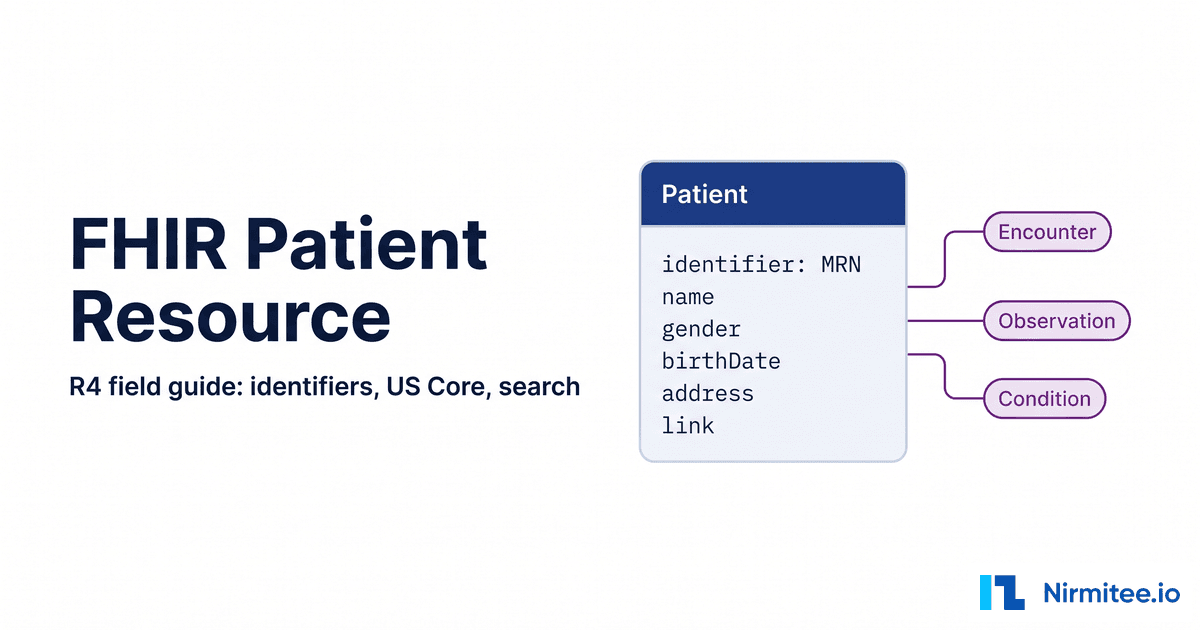
The FHIR Patient resource holds the identifiers and demographics that one server knows about one person. Its logical id belongs to that server only, so the pattern that works across EHRs is simple: search by a business identifier such as an MRN, take the Patient.id that comes back, then query everything else with that id.
This field guide covers the FHIR R4 (4.0.1) Patient resource element by element, what the current US Core Patient profile (9.0.0) requires, how gender and sex changed across US Core versions, patient search that behaves predictably, and how merges show up in Patient.link. Cardinalities were checked against hl7.org, and the HTTP examples were run against public R4 test servers.
Key takeaways
- id is not identifier.
Patient.idis assigned by one server.Patient.identifier(system plus value) is what users, messages and partners give you. - Never put an MRN in a read URL.
GET /Patient/{MRN}returns 404. Searchidentifier=system|valuefirst. - US Core 9.0.0 mandates only two things: an identifier (with system and value) and a name.
- Gender is optional again. It was 1..1 through US Core 7.0.0. Sex now uses the US Core Individual Sex Extension.
- Anything other than exactly one match is a decision point, not a bug to paper over.
- Merges are visible: the retired record has
active: falseand areplaced-bylink.
What is the FHIR Patient resource?
The Patient resource represents a person receiving care as one system records them: identifiers, names, contact details, administrative gender, birth date, address, language and links to other records of the same person. It is not a clinical record. It is the anchor that Encounter, Observation, Condition and most other clinical resources reference.
The R4 Patient page lists roughly seventy resource types that point to Patient, which is why a wrong Patient step corrupts everything downstream. Keep two neighbors separate: Patient.contact is inline contact detail that cannot be referenced, while RelatedPerson (a parent acting as proxy, for example) can be.
FHIR Patient id vs identifier: what is the difference?
The logical id (Patient.id) is a technical key the server assigns and uses in URLs like /Patient/7f3c9a. An identifier (Patient.identifier) is a business key issued by an organization, such as an MRN or a Medicare Beneficiary Identifier, expressed as a system URI plus a value.
The same person has a different logical id on every server, and often a different MRN too. A scheduling feed, payer file or clinician worklist hands you an identifier, not an id. The system is what gives the value meaning; the R4 datatypes page says values without a system are "inherently limited in use".
Identifier systems you will meet on US Patient resources. Public ones come from the HL7 R4 identifier registry; the MRN system is the one the SMART public sandbox uses.
| Identifier | system | What to watch |
|---|---|---|
MRN (type code MR) | http://hospital.smarthealthit.org (SMART sandbox) | Every organization has its own system URI or OID. Read it from a real response per environment. |
| US Social Security Number | http://hl7.org/fhir/sid/us-ssn | Registry says dashes removed. US Core says SSN SHOULD NOT be used in identifier.value. |
| Medicare Beneficiary Identifier | http://hl7.org/fhir/sid/us-mbi | No spaces or dashes. Common in payer data, rare in EHR responses. |
| State driver's license | urn:oid:2.16.840.1.113883.4.3.{state FIPS code} | One system per state. Wrong state OID, no match. |
| Your own patient key | https://app.example.com/patient-id (illustrative) | Use a URL you control. Never reuse an EHR's system. |
Patient.id (not an identifier) | None | Only valid on one server. Store it with the server base URL. |
Match on system, not Identifier.type: the spec warns that type is not a well-controlled vocabulary. If a value is already globally unique (a UUID or OID), the system is urn:ietf:rfc:3986.
Patient resource anatomy: every R4 element and its cardinality
In base R4 every top-level Patient element is optional. Three are modifier elements that change how the record must be read: active, deceased[x] and link. Profiles like US Core tighten some elements, but your parser should tolerate the base shape.
| Element | Card. | Type | What to know |
|---|---|---|---|
identifier | 0..* | Identifier | Usually several. Match on system plus value. |
active | 0..1 | boolean | Modifier. false often means merged. Absent is not inactive. |
name | 0..* | HumanName | Multiple names with use and period. |
telecom | 0..* | ContactPoint | Phone, email, SMS, each with a use. |
gender | 0..1 | code | Required binding: male | female | other | unknown. |
birthDate | 0..1 | date | Partial dates (year, year and month) are valid. |
deceased[x] | 0..1 | boolean | dateTime | Modifier. Check before outreach or scheduling. |
address | 0..* | Address | Current and previous, via use and period. |
maritalStatus | 0..1 | CodeableConcept | Extensible binding. |
multipleBirth[x] | 0..1 | boolean | integer | Integer is birth order. |
photo | 0..* | Attachment | Rarely exposed. |
contact | 0..* | BackboneElement | Must hold contact details or an organization. |
communication | 0..* | BackboneElement | language 1..1 inside, plus preferred. |
generalPractitioner | 0..* | Reference | Organization, Practitioner or PractitionerRole. |
managingOrganization | 0..1 | Reference | Custodian of the record. |
link | 0..* | BackboneElement | Modifier. other and type both 1..1. |
Here is a FHIR Patient example captured from the SMART Health IT public R4 server (a Synthea record), trimmed, with name, phone, street address and birth date replaced by obviously synthetic values. The id and MRN are the real synthetic ones, so you can reproduce the searches below.
{
  "resourceType": "Patient",
  "id": "dba34946-91c6-464b-b8eb-c02f01e23c4f",
  "extension": [
    { "url": "http://hl7.org/fhir/us/core/StructureDefinition/us-core-race",
      "extension": [
        { "url": "ombCategory", "valueCoding": { "system": "urn:oid:2.16.840.1.113883.6.238", "code": "2106-3", "display": "White" } },
        { "url": "text", "valueString": "White" } ] },
    { "url": "http://hl7.org/fhir/us/core/StructureDefinition/us-core-birthsex", "valueCode": "M" }
  ],
  "identifier": [ {
    "type": { "coding": [ { "system": "http://terminology.hl7.org/CodeSystem/v2-0203", "code": "MR" } ] },
    "system": "http://hospital.smarthealthit.org",
    "value": "1793fd26-1b46-4c62-9586-bab044362ad0" } ],
  "name": [ { "use": "official", "family": "Testpatient", "given": [ "Alex" ] } ],
  "telecom": [ { "system": "phone", "value": "555-555-0100", "use": "home" } ],
  "gender": "male",
  "birthDate": "1950-01-01",
  "address": [ { "line": [ "100 Example Street" ], "city": "Westwood", "state": "Massachusetts", "postalCode": "02090" } ],
  "multipleBirthBoolean": false,
  "communication": [ { "language": { "coding": [ { "system": "urn:ietf:bcp:47", "code": "pt" } ] } } ]
}
Three details in this real record matter. It carries the legacy birth sex extension that current US Core no longer uses. The state is spelled out, while US Core asks for USPS two-letter codes. And the logical id and the MRN are different UUIDs, which is exactly the trap covered in the search section.
Names, telecom and address: edge cases that break parsers
Most Patient parsing bugs come from assuming one name, one phone and one address. All three are arrays, each entry has a use, and previous values sit alongside current ones. Select entries by use and period instead of taking the first element.
Names. HumanName use is usual | official | temp | nickname | anonymous | old | maiden. family is one string, given is ordered and includes middle names, and text may be the only part populated. US Core marks previous names with use: old or an ended period. Display official or usual; match against all names, because a referral may carry a previous name.
Telecom and address. ContactPoint use includes mobile and old. phone and email search parameters are token type, so formatting differences turn real matches into zero results; normalize phone numbers to digits. US Core expects USPS state codes, but as the capture shows, real data varies.
Dates and status. A partial birthDate breaks naive date parsing. deceasedDateTime is the element US Core requires certifying systems to support for date of death. Twins share family name, birth date, address and phone, so multipleBirthInteger matters for matching.
Gender vs sex in the FHIR Patient resource: what changed in US Core
Patient.gender is administrative gender. In base R4 it is optional (0..1) with a required binding, so if a server sends it, it must be one of four codes. Sex is carried in a US Core extension, and both gender's status and the extension's name changed across versions.
This table comes from comparing each version's US Core Patient StructureDefinition and the US Core change log.
| US Core | Patient.gender | Sex-related extensions on the profile |
|---|---|---|
| 3.1.1 | 1..1, Must Support | us-core-birthsex (Must Support) |
| 6.1.0 and 7.0.0 | 1..1, Must Support | us-core-sex added for USCDI "Sex"; us-core-birthsex no longer a USCDI requirement; us-core-genderIdentity |
| 8.0.0 | 0..1, not Must Support | us-core-sex rebound to Federal Administrative Sex; birth sex removed; gender identity deprecated and removed |
| 9.0.0 (current) | 0..1, not Must Support | us-core-individual-sex (created in 8.0.1, which deprecated us-core-sex) |
Is birth sex deprecated? In 9.0.0 the birth sex extension is marked Informative, "no longer required by USCDI", and unused by any profile. It still exists, and older data still carries it. Read every variant you might receive, write only what your target's profile version declares, and never infer one from another.
What does US Core require on the Patient resource?
US Core 9.0.0 requires at least one identifier with both system and value, and at least one name. Birth date, address parts, telecom parts and communication language are Must Support. More USCDI elements are required for ONC certification testing, and servers must support read plus a small set of searches.
| Level | US Core 9.0.0 Patient requirement |
|---|---|
| Mandatory | identifier with system and value; name |
| Must Support | name.family, name.given, birthDate, address (line, city, state, postalCode), telecom system, value and use, communication.language |
| Additional USCDI | Race, ethnicity, tribal affiliation, sex, interpreter needed, telecom, communication, deceasedDateTime, name use, suffix and period, address use and period |
| Server SHALL | read; search by _id, identifier, name, and name + birthdate |
| Server SHOULD | family + birthdate; death-date + family |
Search rows come from the US Core Server CapabilityStatement. Versions 3.1.1 to 7.0.0 also required gender + name; 8.0.0 dropped it. Many EHRs still certify against older versions, so check which one your target declares. See our USCDI vs US Core version mapping, the guide to profiles, extensions and Must Support (Must Support means populate when you have it, not always present), and our US Core implementation guide.
How to search for a patient in FHIR: the two-step lookup
Resolve first, then query. Search Patient by identifier=system|value, confirm exactly one result, and keep its logical id. Use that id for patient= on every clinical search. With demographics only, search name plus birthdate and send multiple results to review.
# Step 1: resolve the identifier (pipe encoded as %7C)
curl -s -H "Accept: application/fhir+json" -H "Authorization: Bearer $TOKEN" \
  "https://ehr.example.com/fhir/R4/Patient?identifier=http://hospital.smarthealthit.org%7C1793fd26-1b46-4c62-9586-bab044362ad0"
# 200 OK, searchset Bundle, total 1, entry[0].resource.id = "dba34946-91c6-464b-b8eb-c02f01e23c4f"

# Step 2: query with the logical id
curl -s -H "Accept: application/fhir+json" -H "Authorization: Bearer $TOKEN" \
  "https://ehr.example.com/fhir/R4/Observation?patient=dba34946-91c6-464b-b8eb-c02f01e23c4f&category=laboratory"
We ran these variants against the open r4.smarthealthit.org server on 12 September 2026. Your target EHR will behave differently, which is the point: test each one.
| Request | Result | Lesson |
|---|---|---|
GET /Patient/1793fd26-... (MRN as id) | 404, "Resource Patient/... is not known" | An MRN is not a logical id. |
Patient?identifier=http://hospital.smarthealthit.org|1793fd26-... | 1 match | The reliable path. |
Patient?identifier=urn:oid:1.2.3|1793fd26-... | 0 matches | Right value, wrong system, nothing. |
Patient?identifier=1793fd26-... (no system) | 1 match | Searches every system; can collide. |
Patient?family={first four letters} | 1 match | Default string search matches the start. |
Patient?family:exact={first four letters} | 0 matches | :exact needs the whole value. |
Patient?family={full}&birthdate={date} | 1 match | Birth date makes a name hit usable. |
Demographic search. Per the R4 search specification, string parameters are case and accent insensitive and match when the field equals or starts with the value; :exact matches the whole string and :contains matches anywhere. Always add birthdate to a name, then narrow with gender or phone where supported. Server rules differ: Oracle Health documents for its Millennium R4 Patient search that given requires family, that name searches match the start of current names unless :exact is used (which it recommends), that more than 1,000 qualifying patients returns a 422, and that an identifier without a system is searched across all supported systems. More traps are in FHIR search patterns developers get wrong, and reading the CapabilityStatement tells you what a server supports.
Patient/$match: when search is not enough
Patient/$match sends a partial Patient to the server's master patient index and returns a Bundle ordered from most to least likely. In R4 it is Trial Use (maturity 5). Inputs are resource, onlyCertainMatches and count. Each entry has a search.score from 0 to 1 and a match-grade of certain, probable, possible or certainly-not; the spec says possible should get human review. It sets no minimum inputs, so each server decides.
curl -s -X POST "https://ehr.example.com/fhir/R4/Patient/\$match" \
  -H "Content-Type: application/fhir+json" -H "Authorization: Bearer $TOKEN" \
  -d '{ "resourceType": "Parameters", "parameter": [
        { "name": "resource", "resource": { "resourceType": "Patient",
            "name": [ { "family": "Testpatient", "given": [ "Alex" ] } ], "birthDate": "1950-01-01" } },
        { "name": "onlyCertainMatches", "valueBoolean": true } ] }'
Support varies. Epic lists Patient.$match (Patient Match) (R4) next to Patient.Read, Patient.Search and Patient.Create on its open.epic Patient page, and its TEFCA Individual Access Services page says IAS apps will be authorized to call patient.$match. Epic's Patient.$match (R4) specification narrows the operation:
onlyCertainMatchesmust betrue, so Epic returns a Patient only when it finds exactly one high-confidence match.- Several high-confidence matches return OperationOutcome code 59011, low-confidence matches only return 59013, and no match returns 4101.
- By default an exact name and exact birth date are required, and address, national identifier such as SSN, phone, email and gender add confidence. Each organization can configure these rules.
- If the request carries an MPI identifier such as an MRN, Epic finds the patient by that identifier and then validates the demographics you sent. A national ID is weighed with the other demographics instead of being used as a lookup.
- It is not supported for MyChart users. Epic recommends it over Patient.Search for systems that need one confident match, such as a backend system with no end user.
Epic's Patient.Search (R4) specification is the list-returning counterpart. By default it needs one of three minimum data sets: an identifier (FHIR ID, national ID or an MPI ID such as MRN), given name plus family name plus birth date, or given name plus family name plus legal sex plus phone or email. identifier takes system|value or a bare value. Without a system Epic tries its common identifier systems, and an MRN search checks active IDs before historical ones. The MRN system is an OID that differs per customer; Epic's sandbox uses urn:oid:1.2.840.114350.1.13.0.1.7.5.737384.14, per its remote monitoring guide. After a merge, a search on the retired record's FHIR ID returns 404.
Epic's patient searching and matching guidance recommends requiring first and last name, legal sex, date of birth and at least one more identifier such as MRN, address, phone or email, and says backend apps should fail when more than one record matches. The public HAPI test server rejected our $match call with a 400. Check before you design around it.
Resolving patients across several EHRs? We build and run multi-EHR integrations for product teams, including the identifier mapping and match review in front of every clinical query. Talk to our team and we will map how each of your target EHRs exposes Patient search, identifiers and $match.
Duplicates, merges and Patient.link
When two records turn out to be the same person, FHIR records it in Patient.link. The retired record gets active: false and a replaced-by link to the survivor, which can carry a replaces link back. Follow these links instead of trusting a stored id forever.
The R4 spec notes that around 2% of registrations are in error, mostly duplicates. The LinkType value set has four codes:
| link.type | Meaning | What your integration should do |
|---|---|---|
replaced-by | On the retired duplicate; must no longer be used | Repoint stored ids; keep following if the target is also replaced |
replaces | On the survivor; points to the merged record | Also query the old id if data was not moved |
refer | Valid record, but another is the main source | Read the referred record for full data |
seealso | Both valid, same person, possibly conflicting | Keep both; do not collapse without review |
This pair was captured from the public HAPI R4 server and trimmed. The survivor keeps the old MRN with use: old, so a search for the old number still lands on the right record.
{ "resourceType": "Patient", "id": "137327961", "active": true,
  "identifier": [
    { "system": "http://riverbend.example.org/mrn", "value": "MR1-990045" },
    { "use": "old", "system": "http://riverbend.example.org/mrn", "value": "MR2-990312" } ],
  "link": [ { "other": { "reference": "Patient/137327962" }, "type": "replaces" } ] }

{ "resourceType": "Patient", "id": "137327962", "active": false,
  "identifier": [ { "system": "http://riverbend.example.org/mrn", "value": "MR2-990312" } ],
  "link": [ { "other": { "reference": "Patient/137327961" }, "type": "replaced-by" } ] }
Not every EHR exposes merges this way. Some stop returning the old id, and many announce merges through HL7 v2 ADT events instead (see ADT event processing). If you run your own matching layer, our guide to building an MPI beyond demographics covers scoring and review queues.
Patient-facing vs clinician vs backend access: what each token can see
Patient-facing and EHR-launched apps receive the Patient id in the token response's patient launch context. Backend services have no launch context and must run the two-step lookup. What a Patient search can reach is bounded by the scope prefix.
| Access mode | Typical SMART v2 scopes | Patient id comes from | Search can reach |
|---|---|---|---|
| Patient standalone launch | patient/Patient.rs, launch/patient | patient in token response | The single patient in context |
| Clinician EHR launch | user/Patient.rs, launch | patient in token response | What the signed-in user can access |
| Backend services | system/Patient.rs | Your identifier search | What the client system is authorized for |
Prefixes are defined in SMART App Launch scopes and launch context (v2.2.0). A trap for patient apps: fhirUser identifies who signed in, which for a parent acting as proxy is not the patient in context. Use launch context for data and fhirUser for identity. Our SMART on FHIR authorization guide covers each flow, and the Epic FHIR integration guide covers sandbox setup. The FHIR Encounter resource guide and FHIR scheduling API guide both assume you already hold a resolved Patient id.
Where teams get stuck with the FHIR Patient resource
Patient lookup failures rarely show up as errors. They show up as empty charts, wrong-patient data or silent gaps weeks after launch. These are the failure modes we see most in EHR integration work.
- MRN in a read URL. The 404 often costs a day of debugging tokens and scopes before anyone checks the id.
- Identifier system mismatch. Each health system has its own MRN system, and sandbox values rarely match production. A hardcoded system returns zero results after go-live, which looks like "no data". Formats drift too: the SMART sandbox stores SSNs with dashes, the HL7 registry says no dashes. Configure systems per customer and alert on zero-result lookups.
- Taking the first of several matches. Code that reads
entry[0]from a two-result demographic search is how wrong-patient data enters a product, and it costs far more than a failed lookup. - Stale ids after merges. Stored ids point at retired records, so new results stop flowing with no error. Check
activeandlinkon every read. - Profile version drift. Code built for US Core 6.1.0 expects
genderandus-core-sex; a 9.0.0 server may send neither, and mappers silently null fields. - PHI in logs. Search URLs put MRNs, names and birth dates into proxy and application logs, and full bundles get cached "for debugging". Under HIPAA that is a disclosure risk. Use
POST [base]/Patient/_searchwhere supported, redact query strings and store only the fields you use.
FHIR Patient integration checklist
Run this list before any Patient-dependent feature reaches a customer environment. Each item maps to a failure mode above, and together they cover most of what breaks interoperability at the patient level.
- Store every logical id with its server base URL.
- Configure identifier systems per environment and verify them against a real Patient response.
- Resolve with
identifier=system|valuebefore any clinical query. - Proceed only on exactly one match; route zero and many to visible handling.
- Always send
birthdatewith a name, and test:exacton each server. - Check the CapabilityStatement for search combinations and
$match. - On every Patient read, check
activeand followreplaced-by. - Parse names, telecom and addresses as arrays; select by
useandperiod. - Read all gender and sex variants; write only what the target profile declares.
- Treat
deceased[x]as a hard stop for outreach and scheduling. - Keep MRNs and demographics out of logs and URLs.
Need a Patient layer that holds up across Epic, Oracle Health, athenahealth and others? Our Healthcare Interoperability Solutions team builds and runs these integrations, and our open-source FHIR server passes the ONC (g)(10) Inferno SMART App Launch suite, 47 of 47. For identity mapping, review queues and multi-tenant data models, see our Healthcare Software Product Development services. Talk to our team to get started.
Ready to scale?
Talk to our healthcare engineering team about building, integrating, and shipping faster.
Frequently Asked Questions
What is the difference between Patient.id and Patient.identifier in FHIR?
Why does GET /Patient/{MRN} return 404?
Is gender required in the US Core Patient profile?
Is the US Core birthsex extension deprecated?
Which Patient search parameters must a US Core server support?
Does Epic support the FHIR Patient $match operation?
How do merged patient records appear in FHIR?