OptiMantra API and EHR Integration Guide (2026)

CTO & Co-Founder
CTO & Co-Founder at Nirmitee.io. Architects healthcare integrations across FHIR, SMART on FHIR, ABDM and NHCX, writing from production experience taking hospital software from sandbox to go-live.
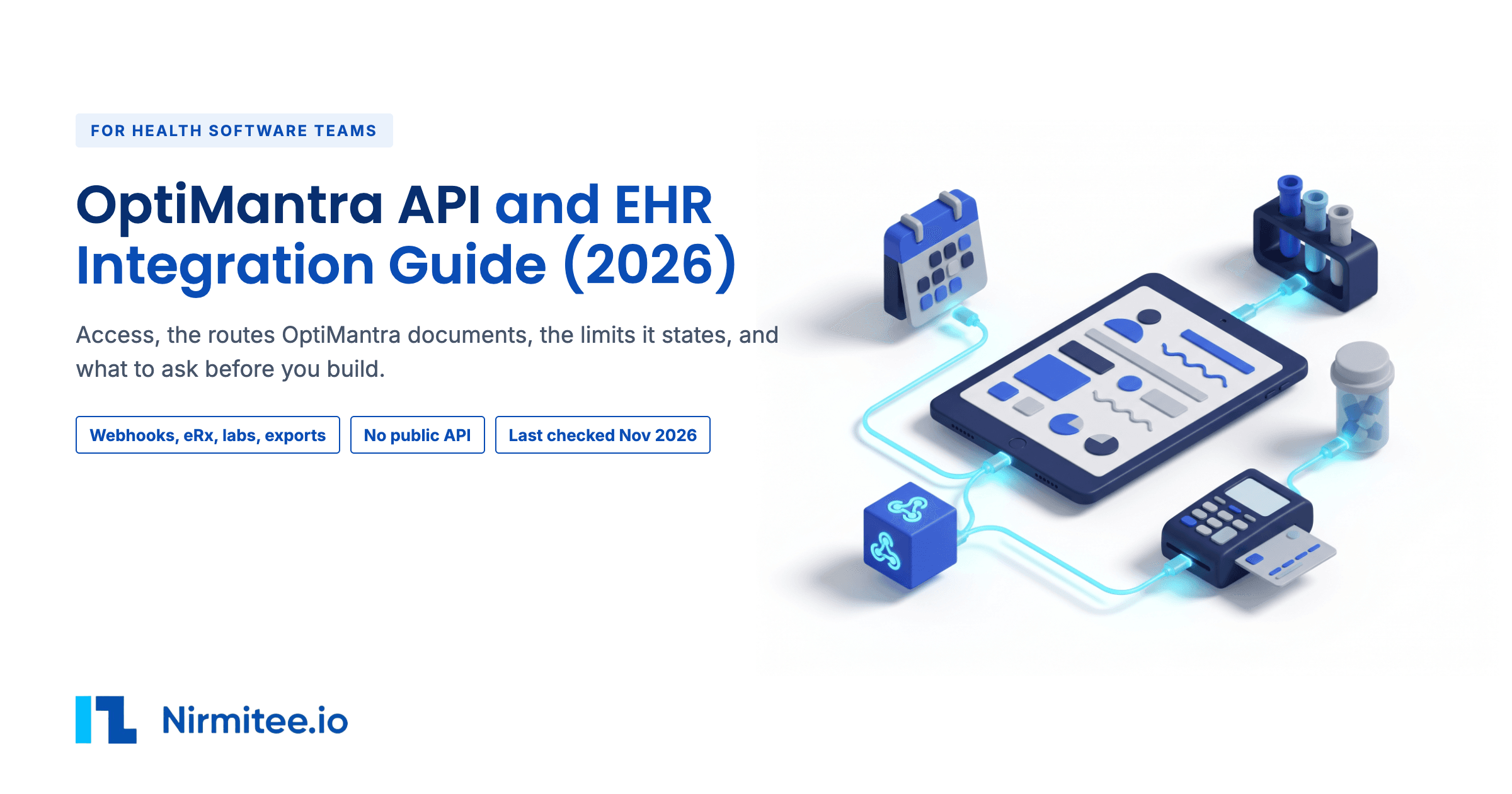
OptiMantra is an EHR with practice management, billing, labs and payments built in, certified by ONC for ambulatory care. If your product has to exchange data with an OptiMantra clinic, the first question is whether there is an OptiMantra API you can call. The short answer: OptiMantra publishes no developer documents. It does publish outbound webhooks, named partner integrations, lab and payment connections, C-CDA exchange and data exports.
This guide is for a product lead or buyer who has to connect a product to OptiMantra, and for the engineer who will build it. It covers access, each documented route, and what you can and cannot read or write. It also covers the limits and costs OptiMantra states, and what to ask before you commit. Last checked: Nov 18, 2026.
OptiMantra API at a glance
| Question | Short answer |
|---|---|
| Who grants access? | The clinic switches on integrations in its own settings, or asks OptiMantra support by ticket. OptiMantra publishes no developer or partner program. |
| Who signs? | The clinic signs OptiMantra's Master Subscription Agreement, which includes a BAA. OptiMantra does not publish who signs for a vendor-built integration. |
| Are there public documents? | No developer portal, API reference or sandbox. Help center articles cover webhooks, eRx, labs and partner set-ups. |
| Which routes exist? | Outbound webhooks, pre-filled booking links, named partners, MDToolbox eRx, lab interfaces, clearinghouse, C-CDA and file exports. |
| What does it cost? | From $99 a month for the first practitioner. eRx is $38 per practitioner a month. No fee is published for a vendor integration. |
| How long does it take? | A Labcorp interface takes 8+ weeks. Other labs take 3 to 4+ weeks. A full export needs four weeks notice. No time is published for a new vendor integration. |
| What is the biggest limit? | No general REST or FHIR API is published, and the ONC listing has no certified API criteria. |
What can you build with an OptiMantra integration?
Nine use cases follow, each built on a route OptiMantra documents. Each points to a row in the table of what you can read and write (section 6). Build complexity and the build estimates are our own, not OptiMantra's.
1. Start and stop CRM campaigns from bookings and check-outs
- Who it is for: CRM and marketing automation vendors serving cash-pay and wellness practices.
- The value: a booking starts a welcome sequence, a cancellation starts a win-back, and a check-out starts a follow-up, with no staff typing.
- Build complexity: low.
- How well it works: well. OptiMantra's webhooks work with "any system with inbound webhook capabilities" and fire on booking, cancellation, check-out and superbill. See rows P1 and P2.
- Our estimate: 1 to 2 weeks for one receiver and its field map.
2. Send patients from a campaign straight into online booking
- Who it is for: CRM vendors and agencies that run campaigns for practices.
- The value: the patient lands on a booking form that is already filled in, and the clinic can see which campaign sent them.
- Build complexity: low.
- How well it works: well for intake. OptiMantra documents auto-populated booking links and a
srcparameter that tags the source. It is the one documented way in from a CRM. See row P3. - Our estimate: under a week.
3. Bring AI scribe notes into the chart
- Who it is for: AI scribe and ambient documentation vendors.
- The value: the clinician gets a draft SOAP note in OptiMantra without retyping it.
- Build complexity: high for a new vendor, because the only documented scribe route is a named partner.
- How well it works: well for DeepCura. Its notes import into the SOAP sections when the user pushes them. A new scribe vendor has no published route and must ask OptiMantra. See row P8.
4. Send lab orders and receive results
- Who it is for: labs and lab networks, and clinics adding a lab.
- The value: orders go out and results come back into the chart electronically.
- Build complexity: medium, mostly approvals and waiting.
- How well it works: well for listed labs and for labs reached through Change Healthcare Clinical Exchange. The clinic needs its own account with the lab. See rows P10 and P11. Our lab integration guide covers lab interfaces in general.
5. Dispense supplements through Fullscript or Wholescripts
- Who it is for: supplement dispensaries and the practices that use them.
- The value: the practitioner writes a supplement plan from the patient record and the patient orders online.
- Build complexity: low, because the integration already exists.
- How well it works: well. Fullscript documents that its OptiMantra integration is bi-directional, uses OAuth and matches patients by email. See row P12.
6. Migrate a practice into OptiMantra
- Who it is for: clinics switching EHRs, and the consultants who move them.
- The value: patients, appointments, products and chart history arrive in the new system.
- Build complexity: medium.
- How well it works: OptiMantra staff run the import from a ticket. It takes CSV or Excel for patients, products, services, contacts and appointments, PDF charts, and C-CDA for the medical summary. See row P14.
7. Pull practice data out for analytics or a switch
- Who it is for: analytics vendors, groups that own several clinics, and clinics leaving OptiMantra.
- The value: lists and full records outside OptiMantra.
- Build complexity: low for lists, high for a full record move.
- How well it works: partly. Analytics reports export as Excel or CSV. The full export is HTML only, needs four weeks notice, and OptiMantra does not move records into other systems. See rows P15 and P16.
8. Bill claims and check eligibility
- Who it is for: billing services and RCM vendors working with OptiMantra clinics.
- The value: claims and eligibility checks run from inside OptiMantra.
- Build complexity: low inside OptiMantra, and high to replace the clearinghouse.
- How well it works: claims go through Office Ally and Eligible. OptiMantra's public pages document no route for an outside billing system to pull claims. See row P13. Our clearinghouse claims guide covers the claim files themselves.
9. Take payments at the front desk and online
- Who it is for: clinics, and payment vendors already on OptiMantra's list.
- The value: card payments land against the patient's bill.
- Build complexity: low.
- How well it works: with Fiserv, Stripe, Authorize.net and Stax, and only for accounts created through OptiMantra. "Please do not set up a standalone Stripe account - these are not integrate-able." See row P13.
The nine OptiMantra use cases compared
| Use case | Who it is for | Complexity | Rows |
|---|---|---|---|
| 1. CRM campaigns from bookings and check-outs | CRM and marketing vendors | Low | P1, P2 |
| 2. Campaign links into online booking | CRM vendors and agencies | Low | P3 |
| 3. AI scribe notes into the chart | AI scribe vendors | High | P8 |
| 4. Lab orders and results | Labs and clinics | Medium | P10, P11 |
| 5. Supplement dispensing | Dispensaries and practices | Low | P12 |
| 6. Migrate a practice in | Clinics and consultants | Medium | P14 |
| 7. Data out for analytics or a switch | Analytics vendors and clinics | Medium | P15, P16 |
| 8. Claims and eligibility | Billing services and RCM vendors | Low | P13 |
| 9. Payments | Clinics and payment vendors | Low | P13 |
How do you get access to the OptiMantra API?
There is no developer sign-up. Access to each route runs through the clinic's own OptiMantra account, and some routes need a ticket to OptiMantra support.
What OptiMantra publishes, and what it does not
OptiMantra's site and its 222 help center articles have no developer portal, API reference, sandbox or API key sign-up. The help center uses the word "API" only for keys to other vendors, such as SendGrid, Fiserv and Authorize.net, and one eRx line. The integrations page calls its connections "API-based connectivity" but links no API documents.
The Master Subscription Agreement, shared by OptiMantra LLC and Cerbo LLC under the name Providi, lists a "CerboOM API" among the Services. OptiMantra publishes no documents for it, and does not say what it covers or who can use it. Cerbo, the sister EHR named in the same agreement, does publish a REST API, covered in our Cerbo API integration guide. Ask OptiMantra in writing before you plan around it. For how EHR integration works in general, see our EHR integration overview.
The steps for each route
- Webhooks and CRM. The clinic goes to Settings > Marketing > CRM Integration and adds an outbound hook.
- Named partners. The clinic turns on the partner under Settings > Clinical Integrations, for example DeepCura.
- Labs. The clinic opens a support ticket. It must already have an account with the lab: "OptiMantra does not provide access to labs".
- Data exchange. Users who need to exchange data with outside systems "should contact OptiMantra support to confirm compatibility."
- A vendor-built integration. OptiMantra does not publish how a software vendor gets a named integration like DeepCura's, or who signs. Ask OptiMantra's partnerships team.
What does OptiMantra API access give you?
You get the clinic's own account and the routes it turns on. OptiMantra publishes no sandbox or test environment.
Test environments
There is no separate test system. OptiMantra's webhook article says the test actions "can be taken on a test patient (so it doesn't have to be a real patient)". So you test in the live account, against a patient record you create for testing.
Certified functions
OptiMantra's ONC listing is CHPL 15.11.05.3272.OPTI.01.00.1.260720, version 2026.02.01, certified on Jul 20, 2026 by SLI Compliance, ambulatory only, status Active. It has 24 criteria. These include transitions of care (b)(1) through the EMR Direct Interoperability Engine, EHI export (b)(10) and immunization registry transmission (f)(1). OptiMantra states that "No additional fees are charged solely to access certified functionality."
After you leave
A clinic that leaves can keep a read-only account for $15 a month to view all of its data.
What are the ways to integrate with OptiMantra?
Eight routes are documented. A general REST or FHIR API is not one of them. OptiMantra groups its integrations as clinical, billing, payment and point of sale, digital and cloud, and marketing and CRM.
| Route | Direction | Fits when |
|---|---|---|
| Outbound webhooks | OptiMantra to you | You need events: bookings, cancellations, check-outs, superbills. |
| Pre-filled booking links | You to OptiMantra | You send patients into online booking from a campaign. |
| Named partner integrations | Both, set by OptiMantra | Your product is on the list: DeepCura, Spakinect, CareTaker, Fullscript, Wholescripts, Dragon/DAX, Headway, Google and Outlook calendar. |
| eRx through MDToolbox | Inside OptiMantra | Prescribing, EPCS and PDMP. |
| Lab interfaces | Orders out, results in | A clinic adds a lab, direct or through Change Healthcare. |
| Clearinghouse | Claims out | Claims and eligibility through Office Ally and Eligible. |
| C-CDA | Both | Transitions of care through EMR Direct, and medical summary import. |
| Files | Out | CSV or Excel reports, HTML full export, EHI export. |
| General REST or FHIR API | None published | Ask OptiMantra about the CerboOM API. |
Named labs
The integrations page names Labcorp, Quest, Access, Rupa, Boston Heart, CPL, Evexia, DHA, Mercy and Clinical Labs of Hawaii. Labs not on the list can go through Change Healthcare Clinical Exchange, "a third-party interface that can connect to hundreds of additional labs".
How Fullscript documents its own integration
Fullscript documents on its own support center that its OptiMantra integration is available in the US and Canada and is "bi-directional, meaning information is passed both ways". Fullscript says setup uses OAuth: the user opens Fullscript from a patient's Actions menu, signs in to Fullscript and agrees. Fullscript matches patients by email address, and creates a Fullscript account from first name, last name and email when there is no match. Fullscript says it allows one Fullscript dispensary for each OptiMantra account.
What can you read and write with OptiMantra?
What you can reach depends on the route. The rows below are the functions OptiMantra or a named partner documents. Use cases in section 2 point here.
| Row | Function | Read or write | Route | What the docs say |
|---|---|---|---|---|
| P1 | Event triggers | Read (pushed to you) | Webhooks | Booking, Cancellation, Check-out, Superbill. |
| P2 | Superbill payload | Read (pushed to you) | Webhooks | Trigger superbill.checkout, fires on create and on edit and save. Fields: firstName, lastName, email, phone, dateOfVisit, insurance, diagnosisCodes, officeVisit, procedures, lab, otherServices, products, copay, deductible, coinsurance, subtotal, total. |
| P3 | Online booking | Write (pre-fill) | Booking links | Auto-populated booking links, with src to tag the source. |
| P4 | Field mapping | Set by the clinic | Webhooks | The clinic maps each parameter to the receiver's fields. |
| P5 | Prescribing | Inside OptiMantra | MDToolbox | Surescripts, including EPCS, in a separate MDToolbox window. |
| P6 | Medication history | Read into OptiMantra by the user | MDToolbox | History pulled in MDToolbox is imported with "Import from eRX". |
| P7 | Allergies | Write to MDToolbox | MDToolbox | Allergies in the clinical profile carry over for alerts. |
| P8 | Scribe notes | Write (user push) | DeepCura | Notes import into SOAP sections only. Chart context goes to DeepCura with "Pass as Context". |
| P9 | PDMP | Read | MDToolbox and Bamboo Health | For some states. |
| P10 | Lab orders | Write out | Lab interface | "send orders and receive results electronically". |
| P11 | Lab results | Read in | Lab interface | As P10. |
| P12 | Supplement plans | Both | Fullscript | Fullscript documents that prescription history passes to the OptiMantra profile on a match. |
| P13 | Claims and payments | Write out | Office Ally, Eligible, payment processors | Claims go through Office Ally and Eligible. Payments go through Fiserv, Stripe, Authorize.net and Stax. |
| P14 | Import | Write in, by OptiMantra staff | Ticket | CSV or Excel, PDF charts, C-CDA medical summary. |
| P15 | Reports | Read out | Analytics export | Patient list, practitioners, services, inventory, appointments as Excel or CSV. |
| P16 | Full record | Read out | Export and EHI export | HTML full export, and certified EHI export (b)(10). |
| P17 | Immunizations | Write out | Registry | Certified (f)(1). |
What is not possible with OptiMantra?
These five gaps shape most builds. Some have a partial workaround.
For how this compares with other med spa and telehealth EHRs that GLP-1 programs use, see our GLP-1 clinic software prescribing integration guide.
- No general API is published. OptiMantra's public pages document no REST or FHIR API, and the ONC listing has no (g)(7), (g)(9) or (g)(10) API criteria and no API documentation link. Workaround: webhooks for events, Analytics reports for lists, EHI export or C-CDA for records.
- No prescription read for an outside app. OptiMantra's public pages document no way for an outside app to read prescription data. Prescriptions live in MDToolbox, and the only documented flow is a user importing medication history into OptiMantra. Webhook payloads carry no medication fields.
- No inbound write. OptiMantra's public pages document no way to create patients, notes or orders from outside, apart from booking links and named partners.
- No outside MDToolbox account. "Please note we can not connect to existing external MDToolbox accounts."
- Limited exports. The full export is HTML only: "At this time, we do not support exports in other file formats." OptiMantra "does not facilitate the transfer of records into external systems." Consent and questionnaire PDFs are not in the export and must be downloaded by hand.
Two smaller gaps: DeepCura notes "will not automatically push to OptiMantra", and fax sends allow at most 5 documents per package.
What are the OptiMantra API limits?
OptiMantra publishes a few hard numbers, mostly in its contract and help center. Several limits that matter for webhooks are not published.
| What | Limit OptiMantra states |
|---|---|
| Programming interface calls | At most 20 calls a second at peak and 5 a second on average, in the contract. |
| Storage | Over 50 GB per full-time provider may be charged. |
| Full export | Four weeks notice. It runs on a weekend. |
| Self-serve export | Analytics lists as Excel or CSV. |
| Surescripts fields | State license 35 characters. Credential suffix 10 characters. |
| Fax | 5 documents per package. |
OptiMantra does not publish webhook retries, signing, ordering or how much history is kept. Ask for these in writing before you depend on webhooks for anything you cannot rebuild from a report.
How much does OptiMantra integration cost?
OptiMantra publishes its subscription prices and several add-on fees. It publishes no fee for a vendor-built integration or a partner program.
| Item | Price OptiMantra publishes |
|---|---|
| First practitioner | $99 a month |
| Each additional practitioner | $49 a month |
| Clinical staff | $25 a month. Clerical staff free |
| eRx with EPCS | $38 per practitioner a month |
| EPCS hardware fob (MDToolbox) | $50, then $5 a month |
| Insurance billing | $0.25 per claim, $0.13 per eligibility check |
| Electronic labs | No extra charge |
| Second and later full exports | $500 each |
| Read-only account after leaving | $15 a month |
| DeepCura through OptiMantra | $99 a month, $30 off the usual $129 |
Certified functions carry no extra fee. Receivers can add their own costs. OptiMantra's webhook article notes that GoHighLevel "will charge your account for each webhook call generated."
How long does an OptiMantra integration take?
OptiMantra publishes times for labs and exports only.
- Labcorp: "Labcorp typically takes 8+ weeks for integration approval."
- Other labs: 3 to 4+ weeks, up to several months.
- Full export: at least four weeks notice.
- A new vendor integration: not published.
For a webhook receiver on a route that already exists, the build is short. The estimates in section 2 are ours. For anything that needs OptiMantra to add a named integration, plan for an unknown wait and ask OptiMantra for a date.
How do you build an OptiMantra integration, step by step?
The webhook route is the one OptiMantra documents end to end. These are its steps, in the order the help center gives them.
Stage 1. Create the receiver
Create an inbound webhook in the receiving system and copy its URL.
Stage 2. Add the outbound hook in OptiMantra
In OptiMantra, under Settings > Marketing > CRM Integration, add an Outbound Hook with a name, the receiver URL and the trigger: Booking, Cancellation, Check-out or Superbill. Map each OptiMantra parameter to the receiver's field.
Stage 3. Fire a test on a test patient
Take the action on a test patient, so no real patient data is used. For online booking hooks, the booking URL must carry the src parameter or the test will not fire.
Stage 4. Map the sample payload
Use the sample payload the receiver captured to map fields. For the superbill trigger, the fields are those in row P2.
Stage 5. Set the actions
Set what the receiver does with each event: start a campaign, stop one, tag a contact or log a visit.
Routes that need a ticket
Labs, imports and full exports start with a support ticket. For a lab, the clinic opens the ticket with its existing lab account details, and the wait starts there. For any data exchange with an outside system, ask OptiMantra support to confirm compatibility first.
Which OptiMantra API quirks should you know?
These come from OptiMantra's help center and contract.
DeepCura matches patients by exact name
Use a DeepCura patient name that matches the first and last name in OptiMantra.
Regenerating the DeepCura key breaks the link
The help center says "DO NOT click the Reload symbol next to the Security Key".
Do not edit patient details inside MDToolbox
Editing other patient information there can stop the prescription from being submitted.
Provider data in MDToolbox is fixed once sent
It cannot be changed after it is submitted to MDToolbox.
Booking webhooks need the src parameter
Without src in the booking URL, the test does not fire.
Large webhook maps sent wrong values until June 2026
Saving a webhook with 10 or more field mappings overwrote fields 11 to 20 with the wrong key. OptiMantra lists it as fixed. Re-test any hook built before then.
Claims could fail silently until June 2026
HCFA-1500 submissions could fail but still show as submitted. OptiMantra lists it as fixed.
Fullscript plans do not go to the chart on their own
Fullscript documents that the practitioner must click Import Into Plan, that it imports supplements only, and that sent plans are edited in Fullscript, not in OptiMantra.
Fullscript lab results arrive as PDFs
Fullscript documents that results show under Lab orders, on the Timeline and in Documents as "Fullscript lab result".
Payment accounts must start in OptiMantra
A standalone Stripe account cannot be connected.
OptiMantra and Cerbo share one contract
The agreement is in the name of Providi, covering both.
What should you check before you sign with OptiMantra?
Check what OptiMantra does not publish, and plan for the patient data your receiver will hold.
Security and compliance
OptiMantra's agreement states that "Providi shall be Client's Business Associate". Webhook payloads carry protected health information such as name, email, phone and diagnosis codes. Our reading: any system that receives them needs its own BAA with the clinic.
Data use
The agreement bars using data obtained through the Services to train, fine-tune or validate models, and bars publishing benchmarks without consent. Check this before you send OptiMantra data into any AI or analytics product.
Testing
Test on a test patient in the live account, since no sandbox is published. Re-test field maps after any change, given the June 2026 mapping fix.
Questions to ask OptiMantra before you sign
- What does the CerboOM API cover, and can a software vendor get access?
- How does a vendor become a named integration, and who signs?
- Do webhooks retry, are they signed, and in what order do they arrive?
- Is there any inbound write route for patients, notes or orders?
- What format does the EHI export use?
- What does a partner integration cost, and how long does approval take?
What is the next step for an OptiMantra integration?
An OptiMantra integration starts with picking the route and getting the unpublished answers from OptiMantra in writing. For help with both, see our EHR integration services.
Ready to scale?
Talk to our healthcare engineering team about building, integrating, and shipping faster.
Frequently Asked Questions
Does OptiMantra have a public API?
Does OptiMantra support FHIR?
Does OptiMantra have webhooks?
What data does an OptiMantra superbill webhook send?
How does e-prescribing work in OptiMantra?
Can I connect my own MDToolbox account to OptiMantra?
Which labs integrate with OptiMantra?
How long does an OptiMantra lab integration take?
Can I export all my data from OptiMantra?
Is OptiMantra HIPAA compliant?