Dentrix API Guide (2026): Dentrix Desktop and Dentrix Ascend Access, Costs and Write-Back

CTO & Co-Founder
CTO & Co-Founder at Nirmitee.io. Architects healthcare integrations across FHIR, SMART on FHIR, ABDM and NHCX, writing from production experience taking hospital software from sandbox to go-live.
Updated October 2026
Dentrix has two separate APIs, and which one you use depends on the product your customer runs. Installed Dentrix (the G-series desktop product) is reached through the Dentrix API Program, which gives you local database access over a password-protected ODBC connection inside each office. Dentrix Ascend, the cloud product, has a REST API with OAuth 2.0 client credentials, a sandbox and webhooks. Both programs are run by Henry Schein One, both start with an application and a signed agreement, and both charge fees that Henry Schein One publishes in its developer FAQ.
This guide is for product and engineering teams deciding whether and how to integrate with Dentrix. It covers access, authentication, data coverage, write-back, rate limits, costs and the problems teams hit in production. If you want a team to build the integration with you, see our Dentrix integration services page. Every program fact below comes from Henry Schein One's public pages and documentation, read on 28 October 2026, with links in the sources list at the end.
Key takeaways
- There are two programs. The Dentrix API Program covers installed Dentrix. The Dentrix Ascend API Program covers the cloud product. Henry Schein One's FAQ says these are the only two programs today.
- Installed Dentrix has no cloud API. Your software runs inside the office, registers itself with a signed application, and then reads Dentrix through views, stored procedures and DLL functions over ODBC.
- Dentrix Ascend has a public REST API. Its documentation and OpenAPI file are readable without a login. Credentials, the sandbox and production access come after the agreement.
- Fees are published. For installed Dentrix the FAQ lists a one-time $5,000 fee for READ and $5,000 for WRITE, plus a monthly royalty. For Ascend it lists a one-time $5,000 fee and $47 a month per location, with overage charges.
- Ascend bills per location. Since 1 February 2026, an API call without a location filter counts against every location in the organization.
- Neither product has an HL7 interface, according to Henry Schein One's FAQ.
- Henry Schein One keeps a public list of vendors it says may be using an unauthorized connection. Check it before you choose a third-party sync vendor.
Dentrix API facts at a glance (checked 28 October 2026)
| Question | Installed Dentrix (desktop, G-series) | Dentrix Ascend (cloud) |
|---|---|---|
| Program name | Dentrix API Program (also called the Dentrix Developer Program, DDP) | Dentrix Ascend API Program, part of the Henry Schein One API Exchange |
| How to apply | Form on Henry Schein One's API Exchange page, then a use-case meeting, then the Dentrix API Agreement | Same form, same meeting, then the agreement, then sandbox access |
| Access method | Local ODBC connection, stored procedures, table views and DLL functions | REST over HTTPS, JSON |
| Authentication | Signed application calls RegisterUser, then GetConnectionString returns ODBC credentials | OAuth 2.0 client credentials. Token lasts one hour. Organization-ID header on every call |
| Where your code runs | On a Dentrix server or workstation in each office | Your own servers, against Henry Schein One endpoints |
| Public documentation | Program FAQ and API function lists are public. Developer guide, SDK and knowledge base need a partner login | Full API docs, knowledge base, release notes and OpenAPI files are public at papidocs.hs1api.com |
| Sandbox | No sandbox. Members download Dentrix builds for testing | Sandbox included, initial access for 60 days |
| Write-back | Approved write list (notes, appointment status, patients, prescriptions, referrals, documents). Scheduling is a separate API category | POST, PUT and DELETE on many resources, including appointments and patients |
| Real-time events | None described in public docs | StreamAPI webhooks over Amazon SNS |
| Rate limits | Not described in public docs | Vary by endpoint and change with load. Read the Rate-Limiting-Remaining and Retry-After headers |
| Published fees | $5,000 one-time READ, $5,000 one-time WRITE, monthly royalty by API category | $5,000 one-time, $47 per location per month including 30K calls and 3 GB, overage $0.0018 per call and $1.00 per GB |
| HL7 interface | No | No |
Does Dentrix have an API?
Yes. Henry Schein One runs two developer programs, one for installed Dentrix and one for Dentrix Ascend. Its developer FAQ answers "Is there a Developer Program or APIs for other Henry Schein ONE products?" with "Currently there are two programs: Dentrix and Dentrix Ascend."
The two products need different engineering plans. Installed Dentrix is on-premise software, so the API is local. Henry Schein One's FAQ says your team "is responsible for building and then deploying your application locally within each office environment." Dentrix Ascend is a cloud system, so integrations are "fully remote and do not require on-premise deployment."
Both sit under the Henry Schein One API Exchange, which Henry Schein One describes as a community of software vendors serving Dentrix and Ascend practices. The vendor page says the Exchange is "trusted by 140+ vendors."
Which Dentrix do your customers run?
Start every Dentrix project with a list of your target offices and the exact product and version each one runs. The answer decides your architecture, your cost and your support model.
- Installed Dentrix shows up as a version such as G7.9 or, since 2022, a number such as 22.6 or 24.8. The Dentrix Developer Program news page shows releases moving from the G-series names to year-based numbers, and says that from 2024 "Dentrix is releasing every 2 weeks."
- Dentrix Ascend is a browser product. One Ascend organization can have many locations, and the API is scoped by organization and location.
- Dentrix Enterprise is a third product for larger groups. We found no public Henry Schein One developer documentation that describes API access for Dentrix Enterprise. Ask Henry Schein One directly if your customers use it.
Version matters for installed Dentrix because each API function lists the Dentrix version it needs. In the public function list, many reads work from G5 or later, while patient create and edit (sp_createpatient, sp_editpatient) need G6.3 or later.
How to join a Dentrix API program
Both programs start in the same place. Henry Schein One's FAQ describes the steps.
- Fill in the form on Henry Schein One's API Exchange vendor page.
- You receive a confirmation email.
- The team reviews your application and sets up a meeting to review your use case and next steps.
- If approved, you sign the agreement. For installed Dentrix that is the Dentrix API Agreement, and the API key comes after signing. For Ascend, sandbox access comes after signing.
The vendor page adds a security assessment "to ensure integration meets minimum standards," followed by set-up and testing, and then listing on Henry Schein One's approved vendor page. The same page says "All integrated software vendors are SOC2 Type II and OAuth2.0 certified." Read that as a statement of Henry Schein One's onboarding requirement. The page does not say what evidence it asks for, so plan to ask in the use-case meeting.
Some products are not allowed in. The FAQ calls these "protected" categories and names patient financing, credit card processing and insurance claim processing as examples, plus non-commercial API accounts. If your product is in one of those areas, raise it before you write code. The FAQ also says the Scheduling API is "not available to non-commercial participants."
Henry Schein One does not publish how long approval takes. We could not find an approval time in any public source.
You cannot share keys. The FAQ says the agreement prohibits transferring, selling, disclosing, sublicensing or lending the API key, and for Ascend it also prohibits redistributing data to unauthorized parties. A platform that wants to pass Dentrix data to its own customers' apps should raise that use case in the first meeting.
Installed Dentrix API: how it works
The installed Dentrix API is a local data access layer. Your application runs on a computer inside the office, proves its identity to Dentrix, and then queries the Dentrix database through approved views and stored procedures.
Authentication and connection
Henry Schein One's FAQ describes the flow this way. Your signed application authenticates using the RegisterUser function, which lets GetConnectionString return the credentials needed for ODBC access. Your application then uses the API or the ODBC connection to query Dentrix data. What happens next, for example syncing to a cloud system, is your design.
"Signed" means code signing. A 2018 notice on the Dentrix Developer Program site told partners that applications using the certificate Henry Schein One had provided would stop working with the Dentrix API on 28 August 2018 unless they obtained their own certificate. Budget for your own code signing certificate and for keeping it current.
A few more facts from the FAQ that shape the build:
- Queries can run from any Dentrix server or workstation.
- Common languages such as C#, C++ and Java work over the password-protected ODBC connection. There is an alternate JDBC driver for Java, which Henry Schein One says it did not develop.
- Henry Schein One does not share the Dentrix data dictionary or schema, or its formulas and business logic. You work from the published views and procedures.
- The API works with the Canadian version of Dentrix.
DENTRIXAPI_Get_Last_Errorcan be called after any API function to diagnose a failure.
What you can read
The FAQ lists four API categories: a Read API list, a Write API list, a Scheduling API and a Claims Summary API. The public read list covers these areas:
| Area | Examples from the published read list |
|---|---|
| Appointments and schedule | v_appointment, v_appt, sp_appointments (modified appointments), provider, operatory and practice schedules and exceptions, appointment types, recalls |
| Demographics | v_patient, sp_patient, addresses, providers, staff, provider production |
| Clinical | treatment-planned procedures, medical alerts, clinical notes, perio exams, prescriptions, documents, lab cases |
| Financial | patient and guarantor balances, payments, adjustments, ledger transactions (v_proclog), fee schedules, payment agreements |
| Insurance | patient insurance, insured subscribers, plans, coverage tables, employers |
| Referrals | referral sources, patient referrals, referral office journal |
Each item lists the earliest Dentrix version it works on. Check every function you plan to use against the oldest version in your customer base.
What you can write
The published write list is narrower than the read list. It includes:
- appointment status updates and appointment notes, and appointment book day notes
- patient notes, medical alerts and medical notes
- clinical notes (add, replace, append, change provider or date, delete)
- patient and practice prescriptions
- creating and editing patients and addresses (G6.3 and later)
- referral sources and referrals
- importing a file into the Document Center
- changing a patient's billing type
- user interface calls that open Dentrix windows, such as the appointment book for a given appointment, and registering a panel in the patient chart
Creating appointments is not on the general write list. It sits in the separate Scheduling API category. The Dentrix Developer Program news page refers to an "Add New Patient Appointment" procedure and a 2025 update that allows scheduling for a secondary provider. The details of that procedure are behind the partner login.
Watch the New Patient Workflow. The news page asks partners whether they are prepared for it, says it will be enabled for all offices "at some point in the future," and links a knowledge base article titled "New Patient Workflow as of 24.7." If your product creates patients, test against a build with that workflow on.
Connecting installed Dentrix to a cloud product
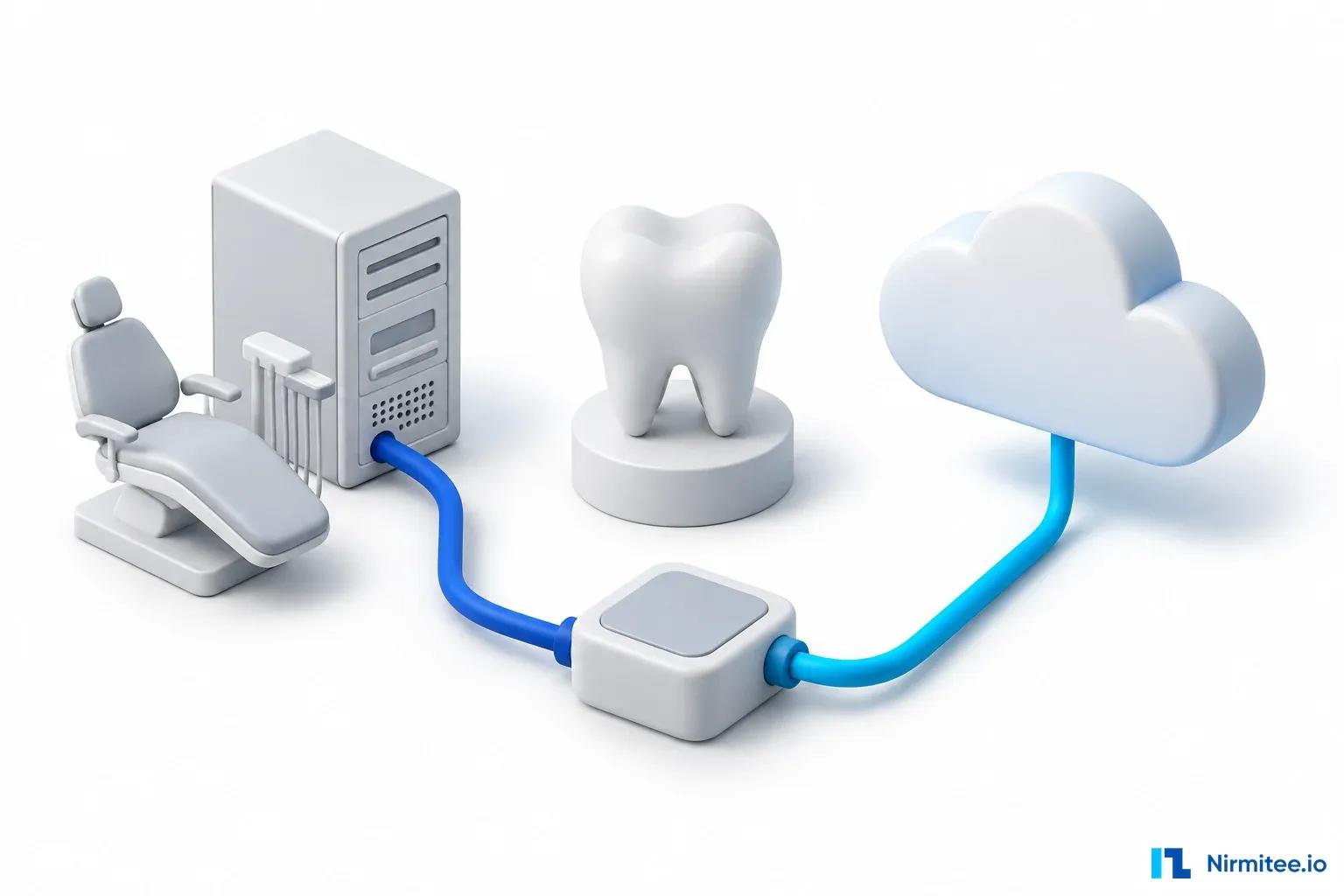
Most products that want Dentrix data are cloud products. The FAQ says this works, but because the Dentrix API runs locally, you "must install a local desktop application or service to securely communicate with the cloud-based application."
That local service needs its own plan. It runs on a machine you do not control, in an office with no IT staff on site. Plan for:
- an installer that the office or its IT provider can run
- a health signal that tells you when the service stopped, so data does not go stale without anyone noticing
- a test cycle that keeps up with Dentrix releases, which Henry Schein One says now ship every two weeks
- your own record of which Dentrix version each office runs
Dentrix Ascend API: how it works
The Ascend API is a conventional REST API with public documentation. The docs site lists three environments: Mock, Sandbox and Production.
Authentication
Ascend uses the OAuth 2.0 client credentials flow. Henry Schein One issues a client_id and client_secret. Your server exchanges them for an access token at /oauth/client_credential/accesstoken with grant_type=client_credentials. The token is good for one hour and works for every Ascend organization your client has been granted.
Every request also needs an Organization-ID header. Ascend checks that your client has access to that organization. An organization is a dental company, and it can have one or many locations. You can list the organizations your credentials can reach with the OrgMapper LinkedOrgs endpoint.
Keep the secret on a server. The consumer guide says never to put the client ID and secret in a browser, iOS or Android app. If a mobile or web app needs data, your backend fetches the token and passes it on.
Base URLs from the consumer guide:
- Sandbox:
https://test.hs1api.com/ascend-gateway/api - Production:
https://prod.hs1api.com/ascend-gateway/api
Sandbox and production use different credentials.
What the API covers
We counted the operations in the published OpenAPI file on 28 October 2026 (spec version 191.0.5). It has 301 paths and 453 operations: 294 GET, 60 POST, 55 PUT and 44 DELETE. The docs group them into areas including appointment management, patient management, clinical and medical records, financial management, insurance management, practice and location management, procedures and treatment, prescriptions, documents, reports and system configuration.
Henry Schein One's marketing pages use larger round numbers. The API Exchange page says "700" endpoints are connected through the Exchange, and the same page also says "1,000 endpoints." Those figures describe the Exchange as a whole and may count differently. Use the OpenAPI file when you scope work, because it is the list you will actually code against.
A few request patterns from the consumer guide:
responseFieldson any GET returns only the fields you name, plusidandtype.filteraccepts operators including==,!=,>,<,->(contains, for a list of IDs) and~=(partial match).- Bulk GETs return 100 records by default.
- POST and PUT responses contain only fields that changed. To clear a nullable field, send
null. - Unversioned beta endpoints can change at any time and are not safe for production. Versioned endpoints are treated as stable where possible. Write your client to ignore fields it does not know.
Pagination and sync
Pagination is where Henry Schein One is strictest. Its production access page says pagination "is the most commonly misused functionality in the API, and production access will not be granted until correct usage is demonstrated." Use lastId with a lastModified filter. The docs say offset-based pagination should not be used for ongoing sync.
Two more rules from the docs home page, current on 28 October 2026:
- Using a
lastModifieddate of 1970-01-01 or later as a way to fetch everything causes a full table scan, and in production "will result in prod access being revoked." - The
page=parameter was deprecated and is due for removal in Q2 2026. Thetotalfield in pagination is deprecated in favour of separate total count endpoints.
For keeping your copy of the data current, the consumer guide says not to use repeated bulk GETs. Ascend typically does not keep deleted data, so polling cannot tell you what was deleted without re-reading everything, which the guide calls "very harmful to the Ascend product." Use webhooks instead.
Webhooks (StreamAPI)
StreamAPI sends a notification when a record is created, updated or deleted. Notifications arrive as HTTPS POSTs through Amazon SNS. The guide says messages often arrive in under a second.
Setup, from the webhook pages:
- Expose an HTTPS endpoint that accepts POST.
- Register the URL through a support ticket.
- Confirm the SNS
SubscriptionConfirmationmessage by calling itsSubscribeURL, or you receive nothing. - Verify the SNS signature on each message.
- Treat delivery as at least once and use
MessageIdto drop duplicates.
You filter events with a routing key in the form organizationId.locationId.Endpoint.operationType, for example <orgId>.*.AppointmentV1.*. The endpoint segment must include the version suffix. The supported list had 66 message types on 28 October 2026, including AppointmentV1, PatientV1, InsuranceClaimV1 and PatientProcedureV1.
Two limits to plan for. The guide says many changes made in the Ascend app create webhook events "but not all," and asks you to report a missing one. And the older RabbitMQ connection had an end date of 27 September 2026, so any listener still on RabbitMQ needs to move to SNS.
Rate limits
Ascend does not publish fixed numbers. The consumer guide says rate-limited endpoints return a Rate-Limiting-Remaining header, and when you go over, a 429 with a Retry-After header. It also says limits "will change dynamically based on server volatility," so your client has to throttle itself from the headers. The production access page says most endpoints respond in 200 to 500 ms.
There is also a monthly call allotment. GET /v1/usagereport shows your month-to-date calls by endpoint. It counts per API client across all organizations, does not return data on the first day of the month, and only covers the current month. Store it yourself if you want history.
Getting to production
Henry Schein One's production access page asks for:
- at least 1,000 sandbox API calls across the endpoints you plan to use
- a demonstration of correct
lastIdandlastModifiedpagination - tests for 429, 401, 403 and 408 responses
- written notes on your architecture, expected daily and hourly call volume, peak times, the endpoints and fields you need, your retry strategy, and an acknowledgement that monitoring call volume and errors is your job
After review, the API team issues production credentials. The FAQ says initial sandbox access lasts 60 days, so start the production checklist early in the sandbox period.
Practices switch you on
An Ascend practice controls which vendors can reach its data. The Vendor Enablement guide says listed vendors start as off, and an organization admin turns each one on and saves. A common reason an integration "does not work" for a new office is that nobody pressed save. External integrators cannot do this through the API. Put it in your onboarding steps for each customer.
Support
Ascend API tickets go through a form, and emails to the support address are redirected to it. Before you file, the guide asks you to confirm your key and Organization-ID work in one of the sample apps on GitHub (HSOPublicApi/public-api). Published response targets are 48 business hours for low and medium priority, 24 for high, and one business hour for critical. The guide calls these internal targets and says they are not hard deadlines.
For installed Dentrix, the FAQ says support confirms your access setup, points you to the right functions and helps interpret API errors. It does not build or debug your application code.
What you can write back: installed Dentrix vs Ascend
| Workflow | Installed Dentrix | Dentrix Ascend |
|---|---|---|
| Read schedule and open time | Yes, schedule views and procedures (read list) | Yes. scheduleopenings returns open slots, but only if provider hours are set up in Ascend |
| Book an appointment | Through the separate Scheduling API category. It is absent from the general write list | Yes, POST /v1/appointments |
| Update appointment status or notes | Yes | Yes, PUT on appointments |
| Create or edit a patient | Yes, G6.3 and later | Yes |
| Clinical notes | Yes | Yes |
| Medical alerts | Yes | Yes |
| Upload a document | Yes, import to Document Center | Yes, documents endpoints |
| Post a payment | Not on the published write list | Not confirmed. We did not test payment posting in the sandbox |
| Insurance claims | Read through the Claims Summary API category | Read, including estimates (Insurance Claims V1 guide) |
For booking, check slots right before you write and treat the booking as confirmed only after Dentrix accepts it. On Ascend, scheduleopenings needs location.id, startDate and endDate, and can be narrowed by provider, operatory, minimum slot length and booking type (TREATMENT, RECARE, NEW_PATIENT, EXISTING_PATIENT). The guide says the endpoint returns no results when provider hours are not set up, so check that before you treat an empty result as a full schedule.
How much does the Dentrix API cost?
Henry Schein One publishes its fees in the developer FAQ at ddp.dentrix.com. These are the figures as read on 28 October 2026. Confirm them in your agreement, because Henry Schein One can change them.
Installed Dentrix:
- a one-time registration and set-up fee of $5,000 for READ and $5,000 for WRITE
- a monthly royalty fee based on the API categories you select
- the FAQ says usage charges apply to read-only use too, there is no trial, and the same pricing applies to all
- commercial memberships stay active until cancelled with 60 days' notice. Non-commercial memberships bill annually
Dentrix Ascend:
- a one-time $5,000 registration and set-up fee
- $47 a month for each Ascend location, including 30,000 calls and 3 GB of data per location per month
- overage at $0.0018 per call and $1.00 per GB
- no annual membership fee
The FAQ does not publish the monthly royalty amounts for installed Dentrix. Ask for them before you sign.
Location billing changes the cost of a careless query. Henry Schein One's location billing article says that from 1 February 2026, a call without a location.id filter is charged for every location in the organization. Its example: an unfiltered call against an organization with 50 locations counts as usage across all 50. The article also lists endpoints that are excluded from per-location billing and count only against your monthly call allotment, such as patients, visits, locations and appointment histories. It separately says organization-scoped endpoints that cannot take a location filter count every location. The two statements overlap for some endpoints, so confirm with Henry Schein One how the endpoints you plan to call are billed. The article also says Ascend does not produce per-location usage reports, so tracking is your job.
A separate certification page on the Developer Program site lists Dentrix Connected Certification at $2,500 (Basic, read only) and $5,000 (Plus and Pro), with upgrade fees. That page refers to Dentrix G5, which suggests it is older than the FAQ. Ask Henry Schein One whether certification still applies. For Ascend, the FAQ says there is no certification process.
Your engineering cost is separate. It depends on how many workflows you need, whether you support installed Dentrix (which needs a local service in every office), and how much write-back you do. We do not quote a general number here because the access terms and the workflow list decide it.
Third-party sync vendors
Some companies sell one API that reaches many dental systems, including Dentrix. For installed Dentrix they usually install their own agent in the office.
This route can save you from building and supporting your own office agent, and it gives you one API across several systems. It also adds a vendor between you and Dentrix, with its own fees, data delay and support process.
Check one thing first. Henry Schein One's Authorized Software Vendors page has a section headed "Unauthorized Vendors." It says the vendors listed "may be utilizing an unauthorized connection to Henry Schein One" and are "not authorized vendors as part of the Henry Schein One API Exchange." We do not repeat the names here, because the list changes; read the current version on Henry Schein One's page. The page also says the list is not complete.
The page does not say what made each one unauthorized. If you are weighing a sync vendor for Dentrix, ask it directly how it connects to Dentrix and Ascend, and ask Henry Schein One whether that connection is authorized for your use case. Your customers may ask the same question, because Henry Schein One tells practices to confirm that any vendor is on the authorized list.
Claims about the Dentrix API that do not match Henry Schein One's docs
Several pages that rank for "dentrix api" today blur the two products. These are the points where public pages differ from Henry Schein One's own documentation:
- "Dentrix uses OAuth 2.0." That is true for Ascend. Installed Dentrix uses
RegisterUser,GetConnectionStringand a password-protected ODBC connection, according to the FAQ. - "Get an API key from your Dentrix account or IT team." Henry Schein One's docs say it issues the API key (installed Dentrix) or the client ID and secret (Ascend) after you join a program and sign the agreement.
- "Dentrix supports HL7." The FAQ says neither Dentrix nor Dentrix Ascend has an HL7 interface.
- "You can map the Dentrix schema directly." Henry Schein One says it does not share the installed Dentrix data dictionary or schema. For Ascend, the schemas are in the public API docs.
Common Dentrix API problems and fixes
| Problem | Likely cause | What to do |
|---|---|---|
| Installed Dentrix data stops updating with no error | The office service stopped, or the machine was off or updated | Send a heartbeat from the service and alert on the age of the last successful read per office |
| Installed Dentrix integration breaks after an update | A Dentrix release changed behavior. Releases now ship every two weeks | Test against new builds from the Downloads page. Henry Schein One's 2022 note on a new gender value is an example of a data change partners were asked to test |
| Patient create fails or behaves differently on some offices | Version below G6.3, or the New Patient Workflow is on | Record the version per office. Test with the new workflow on |
| Ascend returns 401 or 403 | Expired token, wrong environment credentials, or the client is not linked to that Organization-ID | Refresh the token hourly from your server. Call LinkedOrgs to check access |
| Ascend works for one office and not another | The practice has not enabled your product in Vendor Enablement, or did not save | Add the enable-and-save step to onboarding |
scheduleopenings returns nothing | Provider hours not set in Ascend | Check provider hours during onboarding |
| 429 errors | Over a dynamic rate limit | Throttle on Rate-Limiting-Remaining and wait for Retry-After |
| Unexpected API bill | Calls without location.id filters | Add location filters on every endpoint that supports them |
| Missing deletes in your copy | Ascend does not keep deleted data, so polling cannot see deletes | Use StreamAPI webhooks |
| Production access refused or revoked | Wrong pagination, or lastModified set to 1970 | Use lastId with a real lastModified value |
How long does a Dentrix integration take?
Henry Schein One does not publish approval times for either program, and we will not guess one. Plan the program application, the use-case meeting and the agreement as their own track that starts before engineering. For Ascend, the sandbox period (60 days at first) and the production checklist are also fixed steps you cannot skip. For installed Dentrix, the office agent, its installer and testing across your customers' Dentrix versions usually take more of the build than the queries do.
Dentrix API integration checklist
- List target offices with product (installed Dentrix, Ascend or Enterprise) and version.
- Confirm your product is not in a protected category.
- Apply on the Henry Schein One API Exchange page and prepare your use case for the meeting.
- Ask for the royalty amounts (installed Dentrix) and confirm per-location fees (Ascend) before signing.
- For installed Dentrix, get a code signing certificate and plan the office agent, its updates and its health check.
- Map every workflow to a published read or write function, and to the minimum Dentrix version.
- For Ascend, build token handling on your server,
Organization-IDhandling andlastIdpagination first. - Add
location.idfilters wherever supported. - Subscribe to StreamAPI webhooks for sync, verify SNS signatures and handle duplicates.
- Run 1,000 or more sandbox calls and prepare the production access documents.
- Add Vendor Enablement and provider hours checks to each customer's onboarding.
- If you consider a sync vendor, check Henry Schein One's authorized and unauthorized vendor lists first.
Planning a Dentrix integration?
If you are building for Dentrix or Dentrix Ascend and want a team that has worked through these access paths, our Dentrix integration services page explains how we scope and build with you. If your product also needs Eaglesoft, Open Dental or Curve Dental, see dental practice management integration. For Open Dental's self-serve developer route specifically, see Open Dental API integration. For a comparison of direct access and middleware, read our dental practice management API integration guide.
Sources
All read on 28 October 2026 unless noted.
- Dentrix Developer Program, API Exchange Program FAQs (Dentrix and Dentrix Ascend tabs, including the Dentrix read and write function lists): https://ddp.dentrix.com/pages/faq (content served from https://ddp.dentrix.com/legacy-faq.html)
- Dentrix Developer Program, News: https://ddp.dentrix.com/
- Dentrix Developer Program, Certification: https://ddp.dentrix.com/pages/certification
- Henry Schein One, API Exchange Vendors: https://www.henryscheinone.com/dental-solutions/api-exchange/api-exchange-vendors/
- Henry Schein One, API Exchange: https://www.henryscheinone.com/dental-solutions/api-exchange/
- Henry Schein One, API Exchange for practices: https://www.henryscheinone.com/dental-solutions/api-exchange/api-exchange-practices/
- Henry Schein One, Authorized Software Vendors and Unauthorized Vendors: https://www.henryscheinone.com/dental-solutions/api-exchange/vendors-list/
- Henry Schein One, press release, Dentrix Ascend API Exchange, 13 July 2023: https://www.henryscheinone.com/about-us/press-release/henry-schein-one-launches-dentrix-ascend-api-exchange
- Dentrix Ascend Public API docs, home and news: https://papidocs.hs1api.com/publicapi/home
- Dentrix Ascend, API Consumer Guide: https://papidocs.hs1api.com/publicapi/api-consumer-guide
- Dentrix Ascend, Obtaining Prod Access: https://papidocs.hs1api.com/publicapi/obtaining-prod-access
- Dentrix Ascend, Location-Based API Billing: https://papidocs.hs1api.com/publicapi/location-filtering
- Dentrix Ascend, Usage Report Endpoint: https://papidocs.hs1api.com/publicapi/usage-report
- Dentrix Ascend, Webhooks overview, routing keys and supported endpoints: https://papidocs.hs1api.com/publicapi/streaming-api/home
- Dentrix Ascend, Vendor Enablement guide: https://papidocs.hs1api.com/publicapi/vendor-enablement-guide
- Dentrix Ascend, Issue Reporting Guide: https://papidocs.hs1api.com/publicapi/issue-reporting-guide
- Dentrix Ascend, Schedule Openings V1 guide: https://papidocs.hs1api.com/publicapi/endpoints/scheduleopenings-v1
- Dentrix Ascend, OpenAPI specification download (version 191.0.5): https://papidocs.hs1api.com/publicapi/apispec
- Dentrix Ascend, Release notes: https://papidocs.hs1api.com/publicapi/releasenotes
- Henry Schein One sample applications: https://github.com/HSOPublicApi/public-api
Planning an integration like this one? Our healthcare interoperability team builds and supports vendor API, FHIR and HL7 integrations for product companies. Talk to our team to scope yours.
Ready to scale?
Talk to our healthcare engineering team about building, integrating, and shipping faster.
Frequently Asked Questions
Is there a public Dentrix API?
Is the Dentrix Ascend API the same as the Dentrix API?
How much does Dentrix API access cost?
Can I book appointments in Dentrix through the API?
Does Dentrix support HL7 or FHIR?
Can a cloud app connect to installed Dentrix?
Is there a Dentrix API sandbox?
Are third-party Dentrix sync vendors authorized by Henry Schein One?