Epic Cadence & Scheduling API Integration Guide (2026)

CTO & Co-Founder
CTO & Co-Founder at Nirmitee.io. Architects healthcare integrations across FHIR, SMART on FHIR, ABDM and NHCX, writing from production experience taking hospital software from sandbox to go-live.
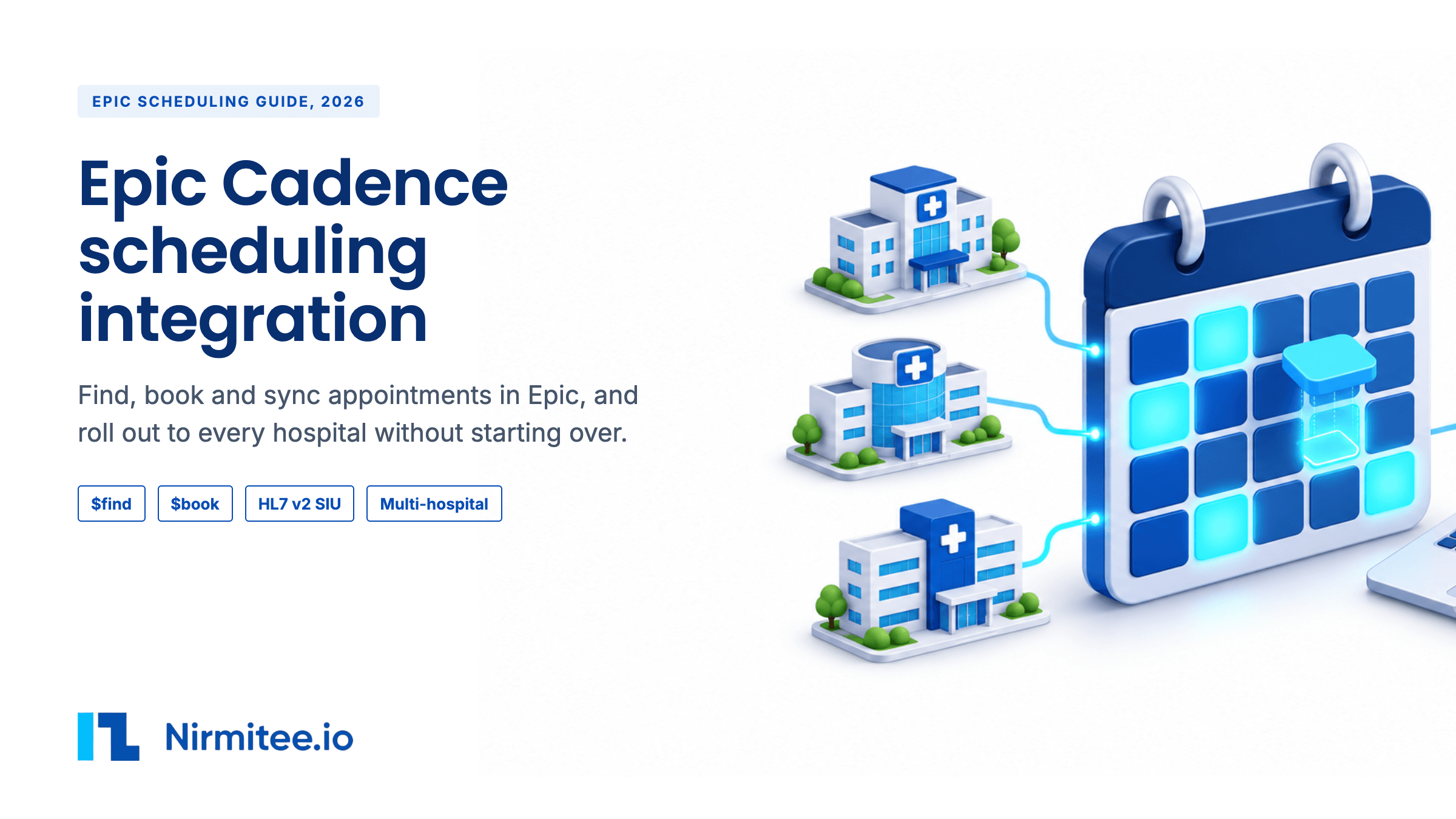
An Epic Cadence scheduling integration lets your product find open appointment times in Epic, book one, and keep it in step when the hospital changes it. Epic's public specifications do this with two FHIR STU3 operations (FHIR is the standard web API for health data, and STU3 is an older version of it), Appointment.$find and Appointment.$book, plus an HL7 v2 scheduling feed (an older message format hospitals use to send events) for everything that happens afterwards. One thing makes this hard: Cadence, Epic's scheduling module, decides which times your app may see, using rules each hospital builds for itself. The same code can return twenty open times at one hospital and none at the next.
This guide is for CTOs, product leads and integration engineers at patient access, scheduling, referral, telehealth and voice AI companies. It covers what Cadence is, every documented integration path, the full booking flow with request examples, what is possible and what is not, the edge cases that break production, how long each phase takes, what changes at a second hospital, and what the real Epic screens look like. Epic facts come from Epic's public documentation, checked on November 9, 2026. Where a point comes from hospital training material, a practitioner's experience or our own reading of a screen, we say so.
If you are still choosing between Epic, Oracle Health and athenahealth, read our FHIR scheduling API comparison first. If you want a team to scope, build and roll out your integration, see our Epic integration services. If you also send notes back after the visit, read the write-back section below.
The short answer: what Epic scheduling integration can and cannot do
You can search for open times and book one through FHIR STU3, read appointments through R4, and hear about changes through an HL7 v2 feed. You cannot cancel or reschedule through Epic's public FHIR APIs, a patient-facing app cannot call the booking operations itself, and each hospital's own setup decides what you can book. The TL;DR above has the five points. The rest of this guide shows how to build around each one.
Jump to your situation: first Epic hospital, start at "What is Epic Cadence?". Voice or AI agent, see "Booking Epic appointments from a voice or AI agent". Budgeting, see "What does an Epic scheduling integration cost?". Stuck at a second hospital, go to "What changes when you add a second Epic hospital?". Sending notes back as well, see "Booking is half the job: notes and results going back".
What is Epic Cadence?
Cadence is Epic's outpatient scheduling module. Schedulers, call center agents and front-desk staff use it to book, move and cancel appointments, and to manage provider schedules. It sits next to other Epic modules that a scheduling integration often touches.
| Epic module | What it does | Why a scheduling integration cares |
|---|---|---|
| Cadence | Outpatient scheduling: provider schedules, visit types, appointments | This is where your booking lands |
| Prelude | Registration: patient demographics, insurance and guarantor details | A new patient often needs registration before or after booking |
| Grand Central | Inpatient patient flow: admission, transfer, discharge and beds | Inpatient events, usually reached through ADT feeds, not Cadence |
| MyChart | The patient portal and app, including patient self-scheduling | Shows the patient-facing version of the same rules |
| Radiant and OpTime | Radiology and surgery | Radiology exams are usually booked as Cadence appointments with resources, often from an order. Surgical cases are scheduled in OpTime, outside Cadence, with their own HL7 case scheduling interface |
Practitioners in our community research made the same point more than once: if your product schedules surgery or imaging, you are not only dealing with Cadence. Confirm with each hospital which module owns the visits you want to book.
Who needs an Epic Cadence integration? 12 use cases
Any product that has to put a patient into an Epic hospital's schedule, or needs to know when that schedule changes, needs a Cadence integration. These are the cases we see most, with what each one books and the hardest part of each.
| Use case | What it books or reads | Hardest part |
|---|---|---|
| Patient self-scheduling and digital front door apps | New and return visits booked by the patient | Patients cannot call $find and $book directly, so booking runs through your backend or the hospital's own MyChart routes |
| Voice and AI scheduling agents | Visits booked during a phone call | Matching the caller with certainty and choosing the right visit type from what they say |
| Call center and central scheduling tools | Visits booked by staff across many departments | Each department's visit types, templates and rules differ |
| Referral management and specialty networks | Specialist visits that follow a referral | Referral and authorization rules that decide whether a visit is bookable at all |
| Telehealth provider networks | Video visits in the hospital's schedule | Video visit types and departments built separately by each hospital |
| Post-discharge follow-up | A follow-up visit booked before or soon after discharge | Booking into clinic schedules from an inpatient event, often triggered by an ADT feed |
| Care management and chronic care programs | Recurring check-ins and program visits | Recurring bookings that must match provider templates week after week |
| Population health outreach and care gap closure | Screenings such as mammograms or annual wellness visits | Screening visit types often need a resource or an order |
| Imaging and diagnostic centers | Exams booked against rooms and machines | Exams are often scheduled from an order, with resources that must all be free |
| Wait list and backfill tools | Earlier times offered to patients when a cancellation opens a slot | Epic's own Fast Pass already does this, so the hospital must want a second tool |
| Clinical trial and research scheduling | Study visits at the hospital's clinics | Study visit types and schedules set up by the research team, often outside normal templates |
| Capacity and access analytics | Reads appointments and changes, without booking | A filtered HL7 feed and clean status mapping, so the numbers match Epic |
If your use case is not on this list, the test is simple: if your product must create, read or react to appointments in an Epic hospital, the rest of this guide applies to you.
The building blocks inside Cadence
Every scheduling problem an integration team hits traces back to a few objects. Once you know them, the API makes sense. The descriptions below come from Epic's public specs where Epic documents them, and from Cadence training material that individual hospitals have published, where Epic does not. The exact build differs by hospital.
Department
A department is the place a visit happens, such as an orthopedic clinic. It has a local ID. In one training video, a scheduler searches by a five-digit department number. That number means nothing at another hospital. In the API, a department shows up as a Location. Epic notes that to tell whether a Location is a department, you need that hospital's own code for its department list.
Visit type
A visit type is the kind of appointment: new patient, return patient, annual wellness, video visit, echo, X-ray. Hospitals name and number their own. In $find you pass it as serviceType, coded in that organization's OID system. Epic's $book response describes serviceType as "Visit type and display name." Visit types usually set the default length of the visit, though many hospitals set provider-specific lengths or override them in templates.
Provider template and blocks
A provider's schedule is built from a template. The template divides the day into slots, and blocks reserve those slots for certain visit types. In the real schedule shown later in this guide, every row carries a code such as NPV (new patient) or RPV (return patient). A visit only fits where a matching block is open. This is the most common reason an outside app sees no times at all.
Resources
Some visits book a room, chair or machine as well as a person. An infusion visit needs a chair. An echo needs the echo room. Training material shows schedulers choosing one of several resource locations for the same visit. If your visit type needs a resource, the time must be free for every resource at once.
Linked visits
Some bookings chain two visits, such as an imaging test followed by an office visit with the cardiologist. Schedulers book these together. An integration that books only half of a linked visit leaves the hospital to fix it by hand.
Orders and referrals
Imaging and many tests are scheduled from an order. The order decides the visit type, and training material tells schedulers not to change it. Specialty visits often need a referral, and a referral may need to be authorized before the appointment counts. A free time is not enough for these visits. The hospital's rules decide whether an outside app may book them at all.
Decision logic
Hospitals add logic in front of booking: which visit type fits a reason for visit, which providers see new patients, which questions to ask first. Epic's public pages do not name this logic as a $find input. They say only that the organization's rules decide. Practitioners describe rebuilding a specialty clinic's scheduling decisions as months of work.
Wait list, Fast Pass and Open Scheduling
Epic describes Fast Pass as a feature that "automatically offers available appointments to wait listed patients." Open Scheduling lets new and existing patients book online, with or without a MyChart account. Both are Epic product features. Neither appears as a third-party API in Epic's public specification list, so an outside product cannot plug into them directly from the public docs.
Holds, warnings and security
Staff can hold a possible time so another scheduler cannot take it while they talk to the patient. MyChart shows patients a short hold too. Some bookings break a rule and raise a warning, and a scheduler with the right security can accept it and continue. An API call has no such button. What your app may override depends on the security the hospital gives its background user, which differs by site. Plan as if your app cannot override anything, and confirm with each hospital.
Statuses after the visit
Arrived, completed, no-show and similar statuses are often set later, sometimes through an end-of-day process. After that process runs, changes may need a supervisor. Your product should expect an appointment to change hours after its start time.
Every documented way into Epic scheduling
Epic publishes three families of scheduling interfaces. Most production integrations use more than one, because no single family does everything.
| Interface | Version | What it does | Who can call it |
|---|---|---|---|
Appointment.$find | FHIR STU3 | Returns proposed appointments that fit the hospital's rules | Backend systems, clinician or administrative users |
Appointment.$book | FHIR STU3 | Books one appointment that $find returned | Backend systems, clinician or administrative users |
Slot.Read | FHIR STU3 | Reads a slot. Epic says Slot is "accessible only from the Appointment $find resource." | Backend, clinician or admin, patients |
Schedule.Read | FHIR STU3 | Links a slot to its practitioner and location | Backend, clinician or admin, patients |
Appointment.Read, Appointment.Search | FHIR R4 and STU3 | Reads booked appointments. R4 search requires a patient | Backend, clinician or admin, patients |
Patient.$match | FHIR R4 | Finds the one patient you mean | Backend, clinician or admin. "Not supported for MyChart users" |
| Outgoing Appointment Scheduling | HL7 v2 | Sends new, rescheduled, updated, no-show and cancelled appointments | Built by the hospital's interface team |
| Incoming Appointment Scheduling | HL7 v2 | Receives appointments from an external system. At many sites this creates real Cadence appointments | Built by the hospital's interface team, often through its own interface engine, and some hospitals charge for it |
| Incoming Schedule Query | HL7 v2 | Answers queries about scheduled appointments | Built by the hospital's interface team |
| Incoming and Outgoing External Appointments | HL7 v2 | Appointments held in another system, shown in Epic | Built by the hospital's interface team |
| Outgoing Surgical Case Scheduling | HL7 v2 | Sends surgical cases, which are scheduled outside Cadence | Built by the hospital's interface team |
What FHIR R4 gives you for scheduling
We checked Epic's full public specification list again on November 9, 2026. There is no R4 version of $find or $book. For scheduling, R4 gives you read and search, in three variants:
| R4 API | What it returns | Use it for |
|---|---|---|
Appointment.Read and Appointment.Search (Appointments) | Booked outpatient appointments. Search takes date, identifier, patient, status and service-category, and the patient is required | Confirming a booking, showing a patient's upcoming visits, and reconciling after a feed outage |
Appointment.Read and Appointment.Search (Scheduled Surgeries) | Surgical cases as Appointment resources | Products that need to know about upcoming surgeries, which are scheduled outside Cadence |
Appointment.Read and Appointment.Search (Prior Auth) | Appointments tied to prior authorization workflows | Prior authorization products that need the visit a request belongs to |
So a typical Epic scheduling integration runs on two FHIR versions at once: STU3 to find and book, R4 to read, confirm and reconcile. Epic's public web services list has no scheduling service. It does list an SMS web service that hospitals use to send appointment reminders through an SMS vendor, which is one reason patients can get messages from both Epic and your product.
Teams often miss three points.
- R4 search excludes some appointments. Epic lists types that R4
Appointment.Searchdoes not return, including patient-submitted requests that have not been scheduled and "Book Anywhere" appointments scheduled at other health systems. - Slot and Schedule cannot be searched. Epic lists read only. You reach them through
$findresults, not by browsing a provider's calendar. - Not every Epic API is public. Epic has scheduling APIs outside its public FHIR list, which teams reach through Epic's vendor programs. Their terms are not public, so we do not describe them here. Ask Epic or the hospital what your agreement covers.
The HL7 v2 interfaces live with the hospital. Their detailed specifications on open.epic (Epic's developer site) need a login, and the hospital's interface analysts build and support them. Our guide to Epic Bridges explains how those teams work and what they will ask you for.
How do you get access to Epic scheduling APIs?
Access comes in layers. You control the first. Epic and each hospital control the rest.
- Register your app on fhir.epic.com. Choose the APIs you need, including
Appointment.$findandAppointment.$bookin STU3. You get separate client IDs for non-production and production. - Pick the user type. For a product that books on its own, that means a backend system using signed JWTs (digital tokens your server signs to prove who it is). Epic notes that "for backend apps, security is configured for a background user." For an app launched by a scheduler inside Epic, it means a clinician or administrative user through SMART on FHIR (the standard way to launch an app from inside an EHR).
- Build and test in Epic's public sandbox. Prove your client, token handling and request format there first.
- Each hospital downloads your app. Epic says a customer downloads your app by its client ID, and that you "need to activate for Non-Production before you can activate for Production." You upload public keys "for each customer." Automatic download covers USCDI, CMS payer and TEFCA apps. A scheduling app that uses
$findand$bookfalls outside those groups, so each hospital has to act. - The hospital builds its side. Its Cadence team decides which visit types and departments your app may use, and its interface team builds the HL7 feed.
- The hospital reviews and approves. Security review, contracts and go-live sign-off follow their process.
Our Epic Showroom and app approval guide covers Epic's programs, listings and what each one costs you in time.
How does Epic appointment booking work, step by step?
A booking takes four API calls and one feed. The order matters, because each step needs an ID from the step before. All examples below use invented IDs.
Step 1: Know exactly who the patient is
You need the patient's Epic FHIR ID before you can book. For an existing patient, call Patient.$match. Epic requires the onlyCertainMatches parameter to be true. By default, a certain match needs the exact name and the exact birth date, plus a combination of address, national ID, phone, email or gender. Epic adds that these requirements "can be configured differently at each organization."
| Result | What it means | What to do |
|---|---|---|
| One patient returned | A single high-confidence match | Use that FHIR ID |
| Error 59011 | More than one high-confidence match | Stop. Route to a person |
| Error 59013 | Only low-confidence matches | Ask for more details, or route to a person |
| Error 4101 | No match | Treat as a possible new patient, under the hospital's new patient rules |
For a new patient, Epic's $find documentation describes a Patient.Create step first. Whether your app may create patients is a decision each hospital makes, often with its registration team.
POST /api/FHIR/R4/Patient/$match
Content-Type: application/fhir+json

{
  "resourceType": "Parameters",
  "parameter": [
    { "name": "resource", "resource": {
        "resourceType": "Patient",
        "name": [ { "family": "Testpatient", "given": [ "Alex" ] } ],
        "birthDate": "1980-01-01",
        "telecom": [ { "system": "phone", "value": "555-0100" } ],
        "address": [ { "postalCode": "53593" } ] } },
    { "name": "onlyCertainMatches", "valueBoolean": true }
  ]
}
Step 2: Find open times with $find
Call $find with a FHIR Parameters body. Epic's sample passes the patient, a start and end time, a serviceType for the visit type, indications for the reason, and a location reference. Epic is clear that "some organizations may ignore or require any of these properties based on their organizational rules." In practice, you find out what each hospital needs by testing in its non-production environment.
POST /api/FHIR/STU3/Appointment/$find
Content-Type: application/fhir+json

{
  "resourceType": "Parameters",
  "parameter": [
    { "name": "patient", "resource": { "resourceType": "Patient", "id": "eXAMPLEpatient001" } },
    { "name": "startTime", "valueDateTime": "2026-11-16T08:00:00-06:00" },
    { "name": "endTime", "valueDateTime": "2026-11-20T17:00:00-06:00" },
    { "name": "serviceType", "valueCodeableConcept": {
        "coding": [ { "system": "urn:oid:1.2.840.114350.1.13.0.1.7.3.808267.11",
                      "code": "1004", "display": "New patient visit" } ] } },
    { "name": "indications", "valueCodeableConcept": { "text": "Knee pain" } },
    { "name": "location-reference", "valueReference": { "reference": "Location/eXAMPLEdept001" } }
  ]
}
Epic returns a Bundle of proposed Appointments. Each one carries a contained Slot with status busy-tentative, plus participants for the provider and the location. Epic says one $find call will not return overlapping slots. Results are paged with a session ID, and that session can expire. Epic's error 4113 reads "Session ID for cached search results has expired."
{
  "resourceType": "Bundle",
  "type": "searchset",
  "entry": [
    { "resource": {
        "resourceType": "Appointment",
        "id": "eXAMPLEproposed001",
        "status": "proposed",
        "start": "2026-11-17T09:20:00-06:00",
        "end": "2026-11-17T09:40:00-06:00",
        "contained": [ { "resourceType": "Slot", "id": "1", "status": "busy-tentative" } ],
        "participant": [
          { "actor": { "reference": "Practitioner/eXAMPLEprov001" } },
          { "actor": { "reference": "Location/eXAMPLEdept001" } } ] } }
  ]
}
Read the response as "what this hospital is willing to offer this patient for this visit type right now", not as "every free minute on the calendar." The gap between the two is what the hospital's Cadence build decides.
Step 3: Book the chosen time with $book
Call $book with the patient ID and the ID of the proposed appointment the patient picked. Epic states you "must first use the Appointment.$find (STU3) operation before using Appointment.$book (STU3)." $book does not accept a start time, end time or visit type, only the appointment ID from $find and an optional free-text note.
POST /api/FHIR/STU3/Appointment/$book
Content-Type: application/fhir+json

{
  "resourceType": "Parameters",
  "parameter": [
    { "name": "patient", "valueIdentifier": { "value": "eXAMPLEpatient001" } },
    { "name": "appointment", "valueIdentifier": { "value": "eXAMPLEproposed001" } },
    { "name": "appointmentNote", "valueString": "Booked by intake app, request ref NM-20261116-0042" }
  ]
}
A successful call returns an Appointment with status booked, which Epic documents as "Always booked." Its identifier is the CSN (contact serial number, Epic's ID for a visit). Store both the FHIR ID and the CSN. You need the FHIR ID to read the appointment back, and the CSN to match HL7 messages about it later.
Put your own request reference in the note. If anything goes wrong, staff can find the appointment your product made, and you can prove which request made it.
Step 4: Confirm before you tell the patient
Read the appointment back with Appointment.Read in R4 before your product shows "booked." A read-back catches a timeout that hid a success, and a booking that landed with different details than the patient chose. Show the patient what Epic holds, not what your app sent.
Step 5: Stay in sync after booking
Once booked, the appointment lives in Epic. A scheduler moves it, the patient cancels by phone, or the end-of-day process marks a no-show. None of that reaches you through FHIR on its own. Epic's FHIR documentation points to the HL7 v2 Outgoing Appointment Scheduling interface, which "will send real time updates" for upcoming scheduled encounters.
HL7 v2 scheduling messages are called SIU messages (scheduling information, unsolicited). The HL7 standard defines trigger events such as S12 for a new booking, S13 for a reschedule, S14 for a modification, S15 for a cancellation, S17 for a deletion and S26 for a no-show. Epic's public listing names the events in plain words (new, rescheduled, updated, no-showed, cancelled). Which trigger events a hospital sends, and which field carries the CSN, is set in that hospital's interface specification. Ask for it before you write the parser.
MSH|^~\&|EPIC|EXAMPLEHOSP|YOURAPP|YOURORG|20261117092000||SIU^S13|MSG00042|P|2.5.1
SCH||EXAMPLECSN001|||||||20|MIN|^^20^20261117103000-0600||||||||||||||BOOKED
PID|1||TEST000001^^^EXAMPLEHOSP^MR||TESTPATIENT^ALEX||19800101|U
RGS|1
AIS|1||1004^NEW PATIENT VISIT
AIL|1||EXAMPLEDEPT001^^^EXAMPLE ORTHO CLINIC
AIP|1||EXAMPLEPROV001^PROVIDER^EXAMPLE| HL7 v2 segment and field | Standard meaning | What you map it to |
|---|---|---|
| MSH-9 | Message type and trigger event, such as SIU^S12 | Event type: new, moved, changed, cancelled, no-show |
| SCH-1, SCH-2 | Placer and filler appointment IDs | Epic's appointment ID, often the CSN in SCH-2. Some sites carry it elsewhere, such as PV1-19. Your own booking note does not come back here |
| SCH-11 | Appointment timing (start and duration). Kept for backward compatibility in newer HL7 versions, where TQ1 replaces it | The time Epic now holds. Check which field your hospital fills |
| SCH-25 | Filler status code | Booked, cancelled, no-show and similar |
| PID-3 | Patient identifiers | Your patient record, by MRN (the hospital's medical record number) |
| AIS-3 | Service (visit type) | Your visit type mapping |
| AIL-3 | Location | Department and facility |
| AIP-3 | Personnel | The provider |
Without the feed, you poll Appointment.Search by patient and date. That works for small volumes. Epic's guidance on efficient apps asks you to "avoid API polling", cache data that rarely changes, cap your call volume and stagger bulk calls in groups of 50 or 100. For anything beyond a pilot, ask for the feed.
What is possible with Epic scheduling, and what is not
These are the questions buyers ask on their first call. The answers reflect Epic's public specifications on November 9, 2026. A private API or a hospital's own agreement can change some of the "no" rows. Treat every "no" as a question to ask the hospital.
| Question | Answer | Why, and what to do instead |
|---|---|---|
| Can we search open times by visit type and date? | Yes | $find in STU3, within the hospital's rules |
| Can we book an appointment? | Yes | $book in STU3, using an ID from $find |
| Can we do it in FHIR R4? | No | Epic lists no R4 $find or $book. Run STU3 for booking and R4 for reading |
Can a patient-facing app call $find and $book? | No | Epic lists backend and clinician or admin users only. Book through your backend, under an arrangement the hospital approves |
| Can we cancel through FHIR? | No | Not in Epic's public list. Route to staff, or use a path your agreement covers |
| Can we reschedule through FHIR? | No | The Argonaut guide reschedules through $book with a cancelled appointment ID. Epic's sample does not show that parameter. Treat it as a cancel plus a new booking that staff confirm |
| Can we hold a time before booking? | No | The Argonaut guide defines $hold. Epic does not list it. Keep the time between $find and $book short |
| Can we browse a provider's whole calendar? | No | Slot and Schedule are read only and reached through $find |
| Can we read a patient's appointments? | Yes | Appointment.Read and Appointment.Search in R4. Search needs a patient |
| Can we hear about changes made in Epic? | Yes | The HL7 v2 Outgoing Appointment Scheduling interface |
| Can we send appointments from our system into Epic? | Through HL7 | Incoming Appointment Scheduling and External Appointments interfaces, built by the hospital |
| Can we override a scheduling warning? | Usually no | Staff can, with security. Your app's rights depend on the security the hospital gives its background user. Plan for no |
| Can we use Fast Pass or Open Scheduling from our app? | No public API | Both are Epic features. Neither appears as a third-party API in the public list |
| Can we reuse IDs at another hospital? | No | Epic OIDs carry each organization's code. Map per hospital |
| Is there a documented "slot already taken" error? | Not documented | $book shows Epic's general error table, including 59159, "failed to pass a business rule." Re-run $find |
| Is there a published rate limit? | Not documented | Epic gives guidance (caps, caching, batching), not numbers. Agree limits with each hospital |
Which Epic scheduling design fits your product?
| Product | Recommended design | What to settle first |
|---|---|---|
| Patient self-scheduling app | Backend connection books on the patient's behalf, and the patient never holds the Epic token. Some hospitals prefer to send patients to MyChart Open Scheduling or scheduling links instead | Which route the hospital wants for patient-initiated bookings |
| Voice or AI scheduling agent | Same backend pattern, plus identity checks, read-back of the chosen time and a human handoff | Which visit types the agent may book, and the handoff path |
| Call center or scheduling desk tool | A SMART on FHIR app launched by a scheduler, booking with that user's rights | The scheduler security your users have in Epic |
| Referral or specialty platform | Book only visit types that do not need an order, and route the rest | The order and referral rules for each visit type |
| Telehealth provider network | Book video visit types the hospital opens for you, and sync through HL7 | Whether the hospital builds a separate video department |
| Analytics or capacity product | Read appointments and consume the HL7 feed, without booking | Feed scope and filters per facility |
For a scheduler-launched app, see our guide to EHR sidecar apps, which covers SMART launch and safe write-back.
Booking Epic appointments from a voice or AI agent
A voice agent that books into Epic uses the same backend pattern as any other product: your server calls $match, $find and $book, and the caller never touches Epic. What changes is the conversation around those calls. Here is the flow we recommend, step by step.
- Identify the caller. Collect the details the hospital's match rules need, usually full name and date of birth plus phone or address. Run
$match. If it returns one certain patient, continue. If it returns 59011 or 59013, hand the call to a person. Do not guess from a phone number alone. - Turn the reason into a visit type. The caller says "my knee hurts". Your agent has to pick a visit type the hospital opened for you. Keep this mapping in the site profile and let the hospital approve it. If the reason does not map cleanly, hand off.
- Offer a few times, out loud. Run
$findand read back two or three options with day, date, time and location. Epic's public APIs have no hold, so another booking can take a time while the caller thinks. Keep this step short. - Book, then confirm with Epic. Call
$book, then read the appointment back. Only after the read-back matches do you tell the caller "you are booked for Tuesday at 9:20 at the orthopedic clinic". - Agree who sends the confirmation. Epic can send its own confirmation and reminders for the new appointment. If your agent also texts the patient, they get two messages. Decide with the hospital which system sends what.
- Handle cancel and reschedule calls. There is no public FHIR cancel. Your agent can take the request, create a task for staff, and tell the caller it is a request until the clinic confirms. When staff act, the HL7 feed tells you.
- Know when to hand off. Hand the call to a person for an uncertain match, a visit type that needs an order or referral, a symptom that sounds urgent, a minor or proxy caller, or any error your agent does not recognize.
- Log every call decision. Record the match result, the times offered, the time chosen and Epic's response, with your request reference in the appointment note. The hospital will ask for this when something goes wrong.
Ask the hospital three things before you build a voice agent: which visit types the agent may book, which symptoms or phrases must go straight to a person, and how cancel requests reach their staff.
Why does Epic $find return no slots?
An empty $find result is the problem teams report most, and in most cases the hospital's configuration decides it, not your code. Work through the causes in this order before you change anything.
- The visit type is not open to your app. Hospitals choose which visit types outside apps may book. If yours is not on the list, no input changes the result. Ask the Cadence team to confirm the list for your app.
- The department or provider is out of scope. You may be sending a department ID from another hospital or another environment, or the provider's schedule may sit outside the rules your app uses.
- No template block matches your window. The provider has free time, but not in a block built for your visit type. Widen the dates, or confirm which visit type the hospital uses for that need.
- A resource is fully booked. If the visit needs a room, chair or machine, every one may be taken even when the provider is free.
- Your inputs miss a required field. Some hospitals require a reason or a location. Others ignore inputs you rely on.
- The visit needs an order or referral. Order-driven and referral-driven visits may not be bookable from an outside app at all.
- Something else. Log the full request and response with a synthetic test patient and send them to the hospital's team. They can see which rule rejected the search.
Edge cases that break Epic scheduling in production
None of these show up in a demo. Most show up in the first month live. Each has a test you can run in the hospital's non-production environment before go-live.
| Edge case | What happens | What to build |
|---|---|---|
| Another scheduler takes the time | The time was offered by $find and gone by $book. Epic publishes no booking-specific error for this | Treat any $book failure as "search again." Never retry the same ID in a loop |
The $find session expires | The patient took too long to choose. Error 4113 | Re-run $find. Keep the choosing step short |
Timeout after $book | You do not know whether the booking landed | Search the patient's appointments for that time before any retry (code below) |
| Two possible patients | $match returns 59011 | Stop and route to a person. Never pick one |
| Patient records merged later | The FHIR ID you stored now points to a merged record | Re-check identity before writes. Reconcile from the HL7 feed |
| Time zones | A system spans zones, or your server runs in UTC (universal time, with no local offset) | Send and store full offsets. Show the department's local time |
| Daylight saving change | A booking near the change shifts by an hour in your display | Store offsets with every time. Test the change weeks |
| Linked visits | Your visit type is one half of a linked pair | Ask the hospital. Book linked visits only through a path that books both |
| Multi-resource visits | The provider is free but the room or machine is not | Expect fewer times. Explain the reason to the patient |
| Order or referral required | The visit needs a signed order or authorized referral | Check the rule per visit type. Route these to staff if the API cannot book them |
| Changes made in Epic | Staff move or cancel the visit. Your app still shows the old time | Consume the HL7 feed. Show Epic's status, not your cached copy |
| Late statuses | No-show and similar statuses arrive at end of day | Expect updates hours later. Do not mark a visit complete at its end time |
| Cancel requested in your app | There is no FHIR cancel | Create a task for staff. Tell the patient it is a request until Epic confirms |
| Duplicate request from your side | A double tap or a queue retry sends $book twice | Use one request reference per booking and check before sending |
| Environment mix-up | A non-production ID or endpoint reaches production | Keep IDs per environment in the site profile. Block cross-environment calls |
| Hospital changes its build | A visit type is renamed or retired. $find starts returning nothing | Monitor empty results per visit type. Alert before patients notice |
// Illustrative. Before any retry of $book, check whether the first call already worked.
async function bookOnce(patientId, proposedId, start, requestRef) {
  try {
    return await epic.book(patientId, proposedId, `ref ${requestRef}`);
  } catch (err) {
    if (!isTimeout(err)) throw err;              // a real rejection: search again, do not resend
    const existing = await epic.searchAppointments({ patient: patientId, date: start.slice(0, 10) });
    const match = existing.find(a => Date.parse(a.start) === Date.parse(start)); // compare instants, not strings
    if (match) return match;                       // it landed: do not book twice
    throw new NeedsHumanReview("Timeout and no appointment found. Run $find again.");
  }
}
Technical edge cases, layer by layer
The table above covers what patients and staff notice. This section goes one level down, to the failures engineers meet while building. Some come from Epic's documentation, and we name those. The rest are standard integration practice, the kind of thing we test on every Epic project.
Access and tokens
- Clock drift breaks backend sign-in. A backend app proves who it is with a short-lived signed JWT. If your server clock drifts, the token can arrive already expired or not yet valid, and Epic refuses it. Sync server time and log the token request when sign-in fails.
- Tokens expire in the middle of a booking. A token that was valid at
$findcan expire before$book. Refresh tokens before they expire, not after a 401, so a booking never fails halfway. - Wrong keys for the environment. You upload keys per customer and per environment. A production key used against non-production fails, and the error message rarely says why. Keep keys, client IDs and endpoints together in the site profile.
- Missing API on the app record. If
$findor$bookwas not selected on your app, or the hospital did not enable it, you get an authorization error, not a scheduling error. Check the app record before you debug the request.
FHIR versions and IDs
- Two FHIR versions in one flow. Booking runs on STU3 and reading on R4, so one booking touches two base URLs. Keep both in the site profile, and never build one from the other by string replacement.
- Do not assume IDs cross versions. Test whether an appointment ID from STU3
$bookreads back through R4 at each hospital, and store both the FHIR ID and the CSN so you have a stable key either way. - Paging and the session ID.
$findpages its results with a session ID that can expire (error 4113). Fetch only the pages you will show, and restart the search instead of resuming an old session. - Proposed is not booked. An Appointment from
$findhas status proposed and a slot of busy-tentative. Never store it as a booking. Only the$bookresponse with status booked counts.
Concurrency and duplicates
- Two of your own users pick the same time. Two patients in your app can choose the same offered time. Only one
$bookwins. Show the loser fresh times straight away. - Queue retries. A message queue that retries on failure can send
$booktwice. Give every booking request one reference, put it in the appointment note, and check for it before any retry. - Partial linked bookings. If your flow books two appointments that belong together and the second fails, the first is now orphaned. Decide in advance whether you cancel the first through staff, or hold the pair for review.
HL7 v2 scheduling feed
- Out of order. A reschedule can arrive before the original booking message, especially after a reconnect. Order events by message time, and apply only changes newer than what you hold.
- Duplicates. Interfaces resend messages after a timeout. Make your handler safe to run twice by keying on the message control ID in MSH-10.
- Acknowledgements. Send the ACK (the reply that tells the sender you received the message) only after you have stored the message. An early ACK followed by a crash loses the change for good.
- Feed outage. If the connection drops, changes pile up or are lost. Agree with the hospital how to replay a time window, and reconcile with
Appointment.Searchafter any outage. - Time zones in HL7 timestamps. Some interfaces send local time without an offset. Confirm with the hospital which time zone each timestamp field uses.
- Status meaning. The status value in SCH-25 is configured by the site. Map each value the hospital sends, and alert on any value you have not mapped.
- Too much data. An unfiltered feed sends every department. Ask for a facility or department filter, so you only receive appointments you have a reason to hold.
Hospital build changes
- Visit types retired or renamed. A visit type you book can be retired, and
$findthen returns nothing, with no error. Monitor empty results per visit type. - Provider leaves or changes department. Their template ends, and so do your offered times. Read providers from
$findresults rather than a fixed list. - Holidays and closed days. A day with no template shows "No Sch" to staff and returns no times to you. Do not treat a holiday as an error.
- Templates built only weeks ahead. Many hospitals release templates a set number of weeks in advance. A search further out returns nothing until the template exists.
- Epic upgrades. Epic releases updates several times a year, and each hospital picks its own upgrade dates. Re-run your test suite after each upgrade at each site.
- Non-production refreshes. Hospitals refresh test environments from production copies. Your synthetic test patients and settings can disappear. Keep a script that recreates them.
Patients and identity
- Records merged after booking. The patient you booked may later be merged into another record. Listen for merge events on the hospital's ADT feed (admit, discharge and transfer messages) if you have it, and re-check identity before any later change.
- Duplicate new patients. If your app can create patients, a typo creates a second record for an existing person. Always try
$matchfirst, and route near-misses to a person. - Minors and proxies. A parent booking for a child, or a caregiver booking for an adult, raises consent and guarantor questions the hospital decides. Agree the rules before you build the flow.
What hospital analysts add to this list
- Patients get messages from both systems. A booking made through the API can still trigger Epic's own confirmations, reminders and eCheck-in. If your product also messages patients, agree with the hospital who sends what, or patients get two of everything.
- Change control and release windows. Every visit type the hospital opens for you goes through its change process and a release date. Interface work queues behind other projects. Ask for the release calendar early.
- Several test environments. Hospitals often run more than one non-production environment, each with its own refresh cycle, test patients and copy of the build. Agree which one you test in, and fit your tests into the hospital's own integrated testing cycle.
- Registration and questionnaires. Registration requirements, referral and authorization checks, and questionnaires attached to a visit type are a common reason a booking fails even when a time is free.
- Downtime. Epic has planned downtime, and interfaces can back up. Agree who reconciles bookings made during or after a downtime, and how.
The telehealth referral loop: from referral to booked visit to note back
Telehealth and specialty-care companies that take referrals from Epic hospitals have a loop with three parts. Plan all three with the hospital at the same time.
- The referral arrives. Referrals reach outside providers in different ways at different hospitals: an Epic referral, a Direct message, a fax or an HL7 feed. Agree which one, and which field carries the referral ID you will keep.
- The visit is booked. Ask whether a follow-up visit type needs an open, authorized referral. If it does, the booking depends on the referral status, not only on a free time. Also ask whether your video visits use their own department or visit type.
- The note goes back. After the visit, your clinician's note goes back to the hospital's chart, through FHIR
DocumentReferenceor an HL7 v2 document interface. The hospital decides the note type, the status it lands in, and whether a hospital clinician has to sign or review it.
Keep the referral ID, the appointment's CSN and the note's ID together in your record. When the hospital asks "which referral did this visit and this note belong to?", you can answer in one lookup.
Booking is half the job: notes and results going back
Many products that book visits also need to send something back after the visit, such as a visit note, a summary or a result. That is a separate integration with its own rules. In Epic, notes can be filed through FHIR DocumentReference or through an HL7 v2 document interface, and what status the note lands in, and who signs it, depends on the hospital. Plan both halves together, because the hospital reviews them together. Our guides to EHR sidecar apps and clinical notes through DocumentReference cover the write-back side.
What does an Epic scheduling integration cost?
There is no single price, because four parties can each charge. Ask for each one by name before you budget.
| Who | What you pay for | What we know |
|---|---|---|
| Epic: open.epic | Public APIs, documentation and the public sandbox | Free. Epic lists membership fees as "None" and says its public APIs are "available free to app developers." |
| Epic: Vendor Services | Private API specifications, expanded test environments and support from Epic's technical team | $1,900 a year on Epic's developer support page, checked November 9, 2026. Support from Epic staff is "invoiced at an hourly rate," and Epic does not publish the rate. |
| Each hospital | Its Cadence build for your app, the HL7 interface, testing and support | Set by each hospital. Some charge a one-time build fee, some charge yearly support, and some charge per interface or per message. Ask early, because the hospital's terms often outweigh Epic's. |
| Middleware, if you use it | An integration engine or interface platform between you and the hospital | Licensing, hosting and per-connection costs, set by that vendor |
| Your build | Engineering for the reusable layer, then a site profile and testing for each hospital | The reusable layer is a one-time cost. Each new hospital adds testing, coordination and some mapping or parser changes, because inputs, status values and HL7 field placement differ |
Do you need Vendor Services for scheduling? $find and $book are on the public list, so you can build and test against them without it. Teams usually join when they need a private API, an expanded test environment, or direct help from Epic. Check Epic's current terms before you decide, because programs change.
How long does an Epic scheduling integration take?
Epic publishes no timeline. What follows combines the phases every project goes through with what practitioners reported in community discussions in 2025 and 2026. Treat the practitioner numbers as individual experience, not benchmarks.
| Phase | What happens | Who sets the pace |
|---|---|---|
| 1. Scope | Pick the visit types, departments and patient types. Decide backend or user-launched access. Confirm what the hospital will open | You and the hospital's product owner |
| 2. Sandbox build | Client, $match, $find, $book, read-back, error handling and audit | You |
| 3. Program and contract | Epic programs, the hospital's contract, BAA (business associate agreement, the HIPAA contract for handling patient data) and security review | Epic and the hospital |
| 4. Hospital build | Cadence team opens visit types for your app. Interface team builds the HL7 feed | The hospital's Cadence and interface teams |
| 5. Non-production testing | Your test plan against their real rules | Both sides |
| 6. Production activation and pilot | Production client activation, keys, a limited pilot, then wider use | The hospital |
In those community discussions, one practitioner put a typical additional Epic site at about three months, within a range of two weeks to two years. Another described about eight weeks as a minimum for a site, and nine to twelve months for full scheduling across a large system. Both accounts agree that approvals and the hospital's project capacity set the timeline. The code is rarely the slow part. Plan around the hospital's queue, and make sure your own work is never the reason a site waits.
Phase 2 is the only phase fully in your hands. Teams that build their reusable layer and test suite before the first hospital is ready go live faster at every site after it, because that work is already done.
What changes when you add a second Epic hospital?
The public API specification is the same at every Epic customer. What each hospital has enabled, and almost everything behind it, starts again. This is why the second hospital often takes longer than teams expect. It gets shorter once your app is already approved in Epic's programs and you have a tested site profile to start from.
What you reuse at every hospital
- Your FHIR client and the full
$match,$find,$bookand read-back flow. - JWT signing for backend access, token handling and the audit log.
- Retry rules, the duplicate-booking check and error mapping.
- Your HL7 v2 parser and event handling.
- Your synthetic test suite.
What you redo at every hospital
- Access. The hospital downloads your client ID, activates non-production first, then production, and you upload keys for that customer.
- Endpoints. Each organization has its own FHIR base URLs. open.epic listed 1,311 FHIR R4 endpoints on November 9, 2026. Epic recommends its Brands Bundle as the machine-readable source and says apps "SHOULD NOT perform runtime queries" against open.epic.
- Identifiers. Epic OIDs follow the pattern
1.2.840.114350.1.13.<CID>.<EnvType>.7.<Value>, and the CID identifies the organization. Department, provider and visit type codes never carry over. Epic notes that "FHIR APIs can sometimes require organization-specific identifiers or value sets." - Rules. Which visit types are open to you, which inputs are required, and which visits need orders or referrals.
- The HL7 feed. A new interface, filtered to the facilities you serve.
- Testing and sign-off. The hospital's test cycle and go-live approval.
Build a site profile instead of a code branch
Keep everything that differs per hospital in data. Write one profile per hospital, per environment. Adding a hospital then means filling in and testing a profile, and your codebase stays as one copy.
{
  "site": "example-health-north",
  "environment": "non-production",
  "fhirBase": { "r4": "https://fhir.example-health.org/api/FHIR/R4",
                "stu3": "https://fhir.example-health.org/api/FHIR/STU3" },
  "clientId": "from-epic-activation",
  "timeZone": "America/Chicago",
  "visitTypes": [
    { "ours": "new-patient", "serviceTypeSystem": "urn:oid:1.2.840.114350.1.13.<CID>.<Env>.7.<Value>",
      "code": "site-specific", "needsOrder": false, "needsResource": false },
    { "ours": "video-follow-up", "code": "site-specific", "department": "site-specific" }
  ],
  "departments": [ { "ours": "ortho-main", "epicLocationId": "site-specific" } ],
  "findInputs": { "required": [ "serviceType", "location-reference" ], "ignored": [ "indications" ] },
  "canCreatePatients": false,
  "hl7": { "feed": "Outgoing Appointment Scheduling", "facilityFilter": [ "site-specific" ] },
  "cancelPath": "staff-task-queue",
  "tests": { "happyPath": "passed 2026-11-20", "lostRace": "passed 2026-11-20" }
}
Fill the profile during the hospital's build phase, and record test results in it. When the third and fourth hospitals arrive, you start from a known checklist instead of a blank page.
How to make the second hospital faster
- Start the paperwork first. Security review, BAA and contract take the longest. Send your security package on day one, and reuse it from the first hospital.
- Get on two queues early. Ask for a named contact on the Cadence team and on the interface team, and ask when your work enters their release calendar.
- Send a day-one packet. Your site profile template, the visit types and departments you need, your test plan (T01 to T18, H01 to H06), and the questions in the list below. A hospital can act on a packet. It cannot act on "we want to integrate".
- Ask to copy what works. If the first hospital opened specific visit types for you, show the second hospital that setup. They build their own, but a working example saves meetings.
- Keep your side ready. Finish your own build and tests before the hospital's build window opens, so their team never waits for you.
Questions to ask every new hospital
- Which visit types and departments will you open to our app?
- Which
$findinputs do you require, and which do you ignore? - Can our app create new patients, or only book existing ones?
- Do any of our visit types need an order, a referral or a resource?
- Will you build the Outgoing Appointment Scheduling feed, and which events will it send?
- How should a cancel or reschedule requested in our app reach your staff?
- What are your non-production and production activation steps and dates?
- What call volume do you expect us to stay within?
How do you test an Epic scheduling integration?
Testing takes more time on Epic projects than any other phase you control. The rules that decide real results exist only inside each hospital, so you cannot prove the integration in Epic's sandbox alone. Plan testing in five layers, and finish each one before the next.
Layer 1: your own code, before any Epic call
- Mapping tests. Every visit type, department and status mapping in the site profile, checked against a fixed set of examples.
- Parser tests. Your HL7 SIU parser against sample messages for every event you expect, including messages with missing optional fields.
- Retry logic. The duplicate-booking guard, tested with a fake Epic that times out after accepting a booking.
Layer 2: Epic's public sandbox
- Sign-in. Backend JWT sign-in, token refresh and expiry.
- Request shape.
$match,$find,$bookand R4 read-back, using Epic's published test data. - Error handling. Bad inputs, missing scopes and expired sessions, so you see Epic's real error format.
- Recorded responses. Save real sandbox responses as fixtures for layer 1, so your unit tests use Epic's actual format.
Layer 3: each hospital's non-production environment
This is the core of the work, and it repeats for every hospital. Ask the hospital for synthetic test patients, a list of open visit types and departments, and a contact on their Cadence team who can make changes while you test.
| ID | Test | How to run it | Pass when |
|---|---|---|---|
| T01 | Book each visit type | For every visit type and department in scope, run $find and $book | Each books, and read-back matches the chosen time |
| T02 | Required inputs | Remove each $find input in turn | You know which inputs this site needs, and the profile records it |
| T03 | Empty window | Search a date range with no matching blocks | The patient sees a clear message and other options |
| T04 | Template horizon | Search beyond the weeks the hospital has released | No error is raised, and the message explains the dates |
| T05 | Lost race | Book a time from a second session, then book it from your app | Your app searches again and offers fresh times |
| T06 | Expired session | Wait past the $find session, then page or book | You restart the search, with no crash |
| T07 | Timeout after book | Drop the connection after sending $book | Exactly one appointment exists afterwards |
| T08 | Double tap | Send the same booking request twice | Exactly one appointment exists |
| T09 | Certain match | Book for a test patient with a unique record | $match returns one patient |
| T10 | Close match | Use two similar test patients | 59011 or 59013 stops the flow and routes to a person |
| T11 | New patient | Book for someone with no record, if the hospital allows creation | One new record, no duplicate |
| T12 | Resource visit | Book a visit type that needs a room or machine | Offered times respect the resource |
| T13 | Order-driven visit | Try a visit type that needs an order | Your app routes it as agreed, without a silent failure |
| T14 | Time zone | Book in a department in another zone, if the system has one | The patient sees the department's local time |
| T15 | Clock change | Book across a daylight saving change | Times are correct on both sides of the change |
| T16 | Retired visit type | Ask the Cadence team to disable a test visit type | Your monitoring alerts within the agreed time |
| T17 | Token expiry | Force a token to expire between $find and $book | The booking completes after a refresh |
| T18 | Wrong environment | Send a production ID to non-production | Your app blocks the call before it leaves |
Layer 4: the HL7 feed
| ID | Test | How to run it | Pass when |
|---|---|---|---|
| H01 | Each event type | Staff book, move, change, cancel and no-show a test visit in Epic | Each event updates your record correctly |
| H02 | Out of order | Replay a reschedule before its booking | The final state matches Epic |
| H03 | Duplicate | Replay the same message twice | One change is applied, not two |
| H04 | Unknown status | Send a status value you have not mapped | An alert fires, and the message is kept for review |
| H05 | Outage and replay | Stop your listener, make changes, restart | Replay or reconciliation restores every change |
| H06 | Filter | Book in a department outside your scope | No message reaches you, or you discard it as agreed |
Layer 5: people
- Scheduler walkthrough. Sit with the hospital's schedulers while your app books. They will spot visits that look right to your code and wrong to them.
- Cancel and reschedule handoff. Test the path from your app's request to a staff member and back to the patient.
- Volume check. Run your expected daily volume in non-production, within the limits the hospital agreed.
- Go-live checklist. Production activation done, keys uploaded, endpoints switched, monitoring live, support contacts named on both sides, and a rollback plan for a bad day.
After go-live
- Daily smoke test. One
$findper visit type against production, with no booking, to catch build changes early. - After every Epic upgrade. Re-run T01 to T18 and H01 to H06 in that hospital's non-production environment.
- After every non-production refresh. Recreate your test patients and settings before the next test cycle.
Use synthetic patients only, and never copy production data into a test environment.
Security and compliance for Epic scheduling
- Keep tokens on the server. A backend scheduling app signs its own JWTs. No Epic token should reach a browser or phone.
- Log every booking. Record who asked, what was searched, what was offered, what was booked and what Epic returned. Staff and auditors will ask.
- Keep PHI (protected health information) out of logs you do not need. Log IDs and request references, not free-text reasons or clinical details.
- Use the least access that works. Ask only for the APIs your product uses. Hospitals review the list.
- Sign a BAA. A booking integration handles PHI, so each hospital will expect one.
What to monitor once you are live
- Empty
$findrate per visit type and hospital. A sudden rise usually means the hospital changed its build. $bookfailure rate and reasons. A rise in 59159 business-rule errors points to a rule change.- Read-back mismatches. Any booking where Epic holds different details than you sent.
- HL7 feed lag. Time from a change in Epic to the event in your system.
- Staff handoffs. How many requests needed a person, and why.
What Epic scheduling looks like on screen
The rules above are the ones you meet through the API. The screens below show the same rules inside Epic, so you can point at them in a meeting with a hospital. The screens come from public YouTube videos, credited under each image. Patient names in Epic's demo videos are invented. In the hospital training video, we blurred the provider, staff and record numbers.
The provider schedule staff work from
This is a Cadence provider schedule inside Epic Hyperspace, the desktop program staff use. Each row is a slot, and the code in each row, such as NPV for a new patient visit or RPV for a return visit, is the block that slot is reserved for. The notes at the top, such as "ABSOLUTELY no Double Booking," are rules this clinic typed into its own schedule. The booked visit shows a length of 20 minutes, set by its visit type. At the bottom, a "Restrictions" box is ticked. A scheduler can change that on screen. In our reading, an API booking always runs with the hospital's restrictions applied, so plan for that.
When your $find returns times, it is reading this grid through the hospital's rules. When it returns nothing, the reason is usually visible here: no open block of your visit type in your date window.
How patients see the same rules in MyChart
Epic's own MyChart demo shows four scheduling ideas in four screens.
- A request that waits to be scheduled. "Ready to schedule" shows a follow-up already set up with the visit type, the provider, the clinic and an earliest date ("Feb 29, 2024 or after"). The care team created the request. The patient only picks a time.
- Times filtered by the build. The times listed are those that fit the provider's template for this visit type, at this clinic.
- A short hold. "This time slot is reserved for you until 12:59 PM." MyChart holds the time while the patient finishes. Epic's public FHIR list has no hold operation, so your integration does not get this protection. Keep the gap between
$findand$bookshort. - A booking and a wait list. After booking, MyChart offers to notify the patient "if an earlier appointment becomes available." That is the Fast Pass wait list Epic describes on its product pages.
The same screens show "Schedule with a specific provider" and "Tell us why you're coming in," with options such as urgent care and flu shots. That is the hospital's decision logic, presented to the patient as questions. Your product meets the same logic as required inputs and filtered results.
How staff find the patient first
Before a scheduler books, they find the patient in a lookup window that searches by name or MRN (medical record number), SSN, birth date and Epic's internal ID, with an option to widen a name search to names that sound alike. Your integration does the same job with Patient.$match, with no person to judge the result. That is why Epic requires a certain match, and why every near-miss should go to a person.
Department and provider IDs on screen
This View Schedules window shows one orthopedic department, number [10237], and two providers with their own numbers. Those numbers belong to this hospital alone. The instructions under each provider, such as "All new patients" or a session on the first Friday of the month, are notes for human schedulers. Your API never reads them, so ask the hospital to turn the ones that matter into rules or into your site profile.
The Schedule Scanner shows each provider's days at a glance. "No Sch" means no template that day, so no time can be offered. A percentage shows how full a day is.
Two providers, two templates
Side by side, the two providers in the same department have different templates. One has blocks that accept two visit types at once, such as "RPV,POR". Their start times differ, and red "END" rows close each session. This is why $find results look uneven, and why two providers who seem equally free can offer very different times.
Every change carries a reason
When staff move an appointment, Cadence asks for a change reason. This hospital groups reasons into categories: Anesthesia Availability, Error, Online Scheduling, Patient, Provider and Room/Resource Maintenance. Online Scheduling has its own category here, so changes that start in a partner or patient app can be tracked separately. Ask each hospital for its list, and agree which reason your requests should carry.
Resources: when the room matters as much as the person
Epic's video on infusion scheduling shows a day of five chairs. Chairs 4 and 5 have free time while chairs 1 to 3 are full. For a visit that needs a chair, the open times depend on the chairs as well as on the nurse or doctor. The same applies to imaging rooms, procedure rooms and machines. Before you build, ask the hospital whether each of your visit types books a resource.
Where to watch the full videos
- Epic, "Cool Features in MyChart for Mobile" (YouTube): patient self-scheduling, holds and the wait list.
- Epic, "Cool Stuff Now: Infusion Scheduling" (YouTube): resource scheduling for infusion chairs.
- Flowe Epic, "Moving Patient Time" and "Moving Patient to a Different Provider" (YouTube): moving appointments in a Cadence provider schedule, with a required reason for the change.
- Utah UofuOrtho, "EPIC Custom Search" (YouTube): finding a patient by name, MRN or department.
The training clips also show that moving an appointment asks staff for a reason, such as "patient requested" or "provider was not available." Reschedules and cancels carry reason codes the hospital defines. If your product will ever ask staff to move a visit, ask which reasons they want you to send.
Where Nirmitee fits
We build Epic scheduling integrations for digital health companies and roll them out one hospital at a time: the reusable layer once, with the duplicate-booking checks, read-back and monitoring described above, then a tested site profile for each new hospital.
What an Epic scheduling gap check gives you
Whether you are at your first Epic hospital or your fifth, this is the fixed-scope first step we offer. You get a written answer to "what can we book at this hospital, and what will it take", before you commit engineering time.
| You send us | We send back |
|---|---|
| Your product's booking flow, and the visit types you want to book | A possible / not possible table for your use case, like the one in this guide, filled in for your target hospital |
| The hospital's name, and any spec or emails you already have | A draft site profile: endpoints, the IDs to request, required inputs, the HL7 feed to ask for |
| What you built for your first hospital, if any | A reuse list: what carries over and what is new at this site |
| Any failing requests and responses | The likely causes, and the exact questions for the hospital's Cadence and interface analysts |
| Whether you also send notes or results back | The write-back route at this hospital (FHIR or HL7), the note types and statuses to request, and who signs |
| Your target go-live date | A day-one packet for the hospital, a tailored test plan, and an effort and timeline estimate with the hospital-owned steps marked |
It starts with a 30-minute call, where we confirm the scope and agree the fixed price and delivery date before any work begins. You keep everything we send, whether or not you work with us afterwards.
Book a 30-minute call to scope your Epic scheduling gap check.
Sources
- Epic on FHIR specifications, fhir.epic.com, checked November 9, 2026: Appointment.$find (STU3), Appointment.$book (STU3), Slot.Read (STU3), Schedule.Read (STU3), Appointment.Read and Appointment.Search (R4), Patient.$match (R4).
- Epic on FHIR documentation, fhir.epic.com: Epic identifier types and OIDs, app creation and activation, patient-facing apps, designing an efficient application.
- open.epic.com: HL7 v2 interface listing (Outgoing and Incoming Appointment Scheduling, Incoming Schedule Query, External Appointments, Outgoing Surgical Case Scheduling) and the FHIR R4 endpoint list.
- HL7 v2 standard, scheduling (SIU) trigger events and segments.
- Argonaut Scheduling Implementation Guide 1.0.0, fhir.org/guides/argonaut/scheduling.
- Epic product pages on appointment scheduling, Open Scheduling and Fast Pass, epic.com and mychart.org.
- open.epic developer support page (membership fees and Vendor Services), open.epic.com/EpicSupport, checked November 9, 2026.
- Epic videos on YouTube: "Cool Features in MyChart for Mobile" and "Cool Stuff Now: Infusion Scheduling".
- Cadence training material published by individual hospitals (video clips and a public flash-card set), used to explain front-desk concepts only.
- Practitioner reports in the Health Tech Nerds community, 2025 to 2026, anonymized, used for timelines and common problems.
Ready to scale?
Talk to our healthcare engineering team about building, integrating, and shipping faster.
Frequently Asked Questions
What is Epic Cadence?
What is the difference between Epic Cadence, Prelude and Grand Central?
Does Epic have a scheduling API?
Can you book Epic appointments with FHIR R4?
How does Epic Appointment.$find work?
How does Epic Appointment.$book work?
Can you cancel or reschedule an Epic appointment through FHIR?
Why does Epic $find return no appointments?
Can a patient app book directly into Epic?
Can a voice AI agent book appointments in Epic?
What is a visit type in Epic?
What are provider templates and blocks in Cadence?
What is Epic Fast Pass?
What is Epic Open Scheduling?
How do you keep appointments in sync with Epic?
What SIU messages does Epic send?
How do you match the right patient before booking?
How long does an Epic scheduling integration take?
What changes when you add a second Epic hospital?
How much does Epic charge for scheduling API access?
Do we need Epic Vendor Services for scheduling?
Can we test Epic scheduling before a hospital signs?