Prospyr API and EMR Integration Guide (2026)

CTO & Co-Founder
CTO & Co-Founder at Nirmitee.io. Architects healthcare integrations across FHIR, SMART on FHIR, ABDM and NHCX, writing from production experience taking hospital software from sandbox to go-live.
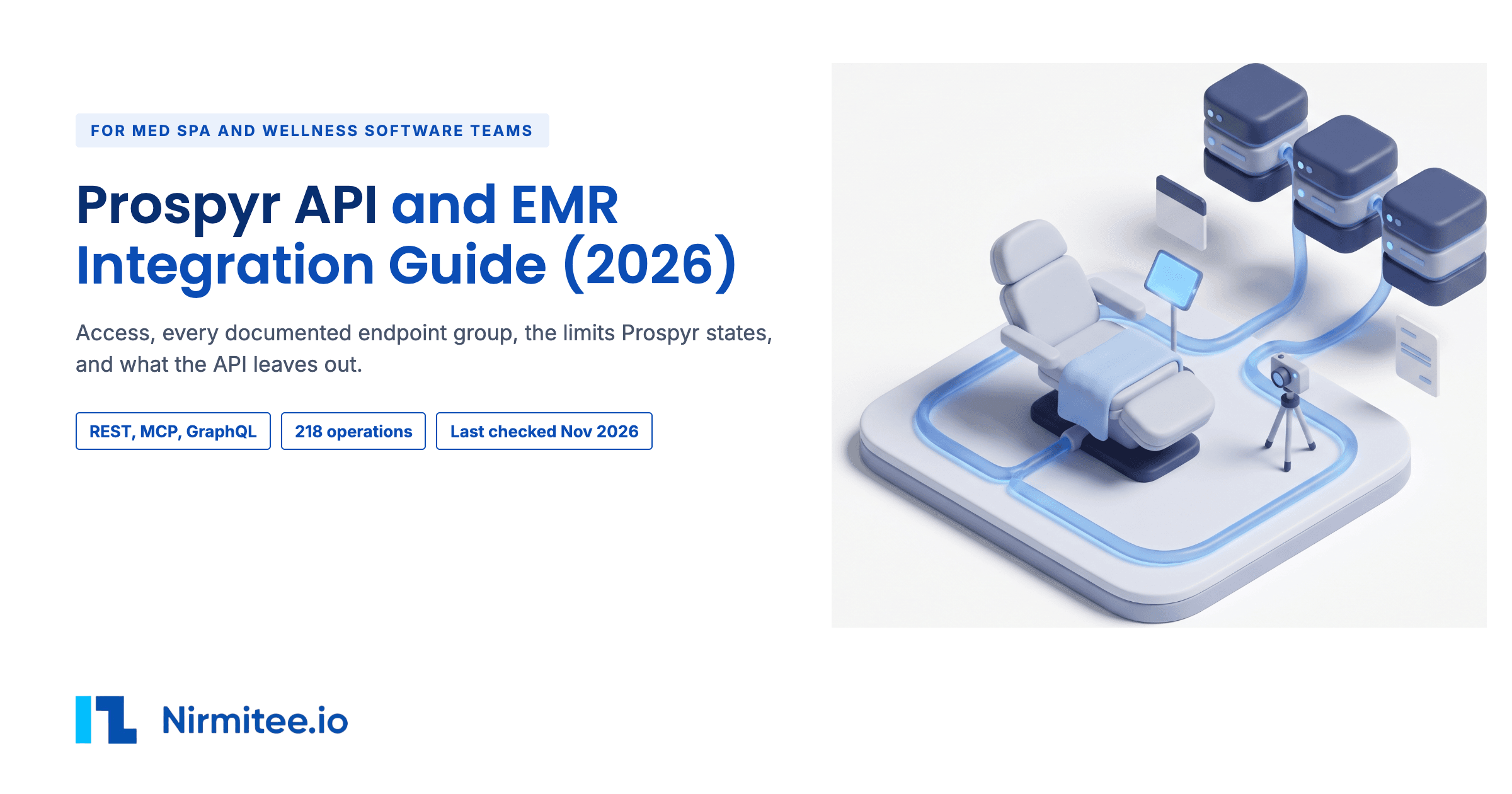
Prospyr is a practice management platform and EMR for aesthetics and wellness practices, such as med spas. Its Trust Center describes it as a platform that helps clinics "manage patients, scheduling, payments, communications, marketing, and day-to-day operations in one platform". The Prospyr API is public. Prospyr publishes a REST Platform API reference with a machine-readable OpenAPI file. It also has an MCP endpoint for AI assistants and an older GraphQL API with its own docs.
This guide is for a product lead or buyer who has to connect a product to Prospyr, and for the engineer who will build it. It covers how a key is issued and every documented group of endpoints. It also covers the limits Prospyr states, the partner integrations Prospyr runs, and what Prospyr leaves unpublished. Last checked: Nov 18, 2026.
Prospyr API at a glance
| Question | Short answer |
|---|---|
| Who grants access? | The practice. A practice admin creates an API key in Settings, Data, API Keys. The incoming lead webhook token comes from Prospyr support. |
| Who signs? | Prospyr states it offers a BAA during onboarding, and asks practices to hold a BAA with any company that receives patient data. |
| Are there public documents? | Yes. A REST reference with an OpenAPI 3.0.3 file, a GraphQL docs site and a Postman collection. |
| Which routes exist? | REST, MCP, GraphQL, lead webhooks and built-in partner integrations. |
| What does it cost? | Prospyr publishes no subscription price and no API fee. |
| How long does it take? | Key creation is self-serve and immediate. Prospyr publishes no time for support-issued credentials or eRx enrollment. |
| What is the biggest limit? | No prescription, lab or note-reading endpoints. |
What can you build with the Prospyr API?
Eight use cases follow. Each points to a row in the read and write table in section 6 (rows R1 to R10). Prospyr publishes no build times, so this guide gives no build estimate. Build complexity is our own rating.
1. Send leads into Prospyr from any form or ad
- Who it is for: marketing agencies, lead form tools and ad platforms that serve med spas.
- The value: every new inquiry lands in Prospyr as a lead, with tags, notes and photos, without retyping.
- Build complexity: low.
- How well it works: well. Prospyr's incoming webhook takes the
lead.createpayload, and Prospyr's help center shows the same flow through Zapier with Facebook lead ads. With a practice key,POST /v1/leadscreates the lead directly. See rows R5.
2. Book Prospyr appointments from your own booking site or app
- Who it is for: booking widgets, patient apps and multi-location groups with their own website.
- The value: patients book in your interface and the visit appears on the Prospyr calendar.
- Build complexity: medium.
- How well it works: well.
GET /v1/availabilityreturns open times for up to 30 days per call.POST /v1/appointmentsbooks one or more services, with a provider per service for split bookings. The GraphQL docs show the same flow withcheckAvailabilityandbookExternalAppointment. See rows R2 and R3.
3. Let an AI assistant run front-desk tasks through MCP
- Who it is for: AI receptionist and voice agent products.
- The value: an assistant finds a patient, checks availability and books, using tools Prospyr exposes.
- Build complexity: low to medium.
- How well it works: supported for AI agents in healthcare. Prospyr's MCP endpoint at
POST /mcpuses the same Bearer key as REST and covers patients, appointments, availability, services, locations, providers and leads. Choose the key's role with care, because the assistant can do whatever that role allows. See rows R1 to R5.
4. Write scribe or intake notes into the Prospyr chart
- Who it is for: AI scribes, intake form tools and outside clinical tools. If you are still choosing a scribe, see our AI medical scribe comparison.
- The value: the note lands in the patient chart, linked to the visit.
- Build complexity: low to medium.
- How well it works: partly.
POST /v1/notescreates a chart note up to 50,000 characters and can link it to an appointment or mark it as a good-faith exam. The REST API cannot list or read note content back. See row R6.
5. Send patient messages, portal invites and care instructions
- Who it is for: patient engagement and reminder products.
- The value: messages go out from the practice's own Prospyr record, so staff see them in one place.
- Build complexity: low.
- How well it works: well. The API can send a patient an SMS, a portal invite or a payment method link. It can also send pre-care or post-care instructions for an appointment. See rows R1 and R2.
6. Pull invoices and payments into finance and reporting tools
- Who it is for: accounting, BI and multi-location reporting products.
- The value: revenue by location and provider without exporting spreadsheets.
- Build complexity: medium.
- How well it works: well for reads. The API lists invoices, line items and payments, and also takes payments, refunds and voids. Lists are paged at up to 100 rows per call. See row R8.
7. Sync products, purchase orders and stock
- Who it is for: inventory, purchasing and supplier platforms.
- The value: stock counts match between the clinic and the supplier system.
- Build complexity: medium.
- How well it works: well. The API covers products, the product catalog by barcode or SKU, vendors, purchase orders, receiving and stock lots. See row R9.
8. Manage memberships, wallets and gift cards from outside Prospyr
- Who it is for: loyalty and membership products.
- The value: members change plans or check balances without a call to the clinic.
- Build complexity: medium.
- How well it works: supported. The API covers wallet balance, gift card balance and transfer, and membership plan changes and cancellations. See row R8.
The eight Prospyr use cases compared
| Use case | Who it is for | Build complexity (our rating) | Row in the read and write table |
|---|---|---|---|
| 1. Leads from any form or ad | Agencies and lead tools | Low | R5 |
| 2. Booking from your own site or app | Booking and patient apps | Medium | R2, R3 |
| 3. AI front desk through MCP | AI receptionist products | Low to medium | R1 to R5 |
| 4. Scribe or intake notes into the chart | Scribes and intake tools | Low to medium | R6 |
| 5. Patient messages and care instructions | Engagement products | Low | R1, R2 |
| 6. Invoices and payments for reporting | Finance and BI tools | Medium | R8 |
| 7. Inventory and purchasing sync | Supplier platforms | Medium | R9 |
| 8. Memberships, wallets and gift cards | Loyalty products | Medium | R8 |
How do you get access to the Prospyr API?
A practice admin creates the key in Prospyr. The help center lists the steps: Settings, Data, API Keys, Create API Key, add a label, choose a role, then Create. The new key "appears in the table, ready for use".
REST and MCP keys
REST keys use the format psk_... and go in an Authorization: Bearer header. The MCP endpoint takes the same key. Keys belong to one practice, inside that practice's own settings. The help article says to "Pick the permission level that matches its intended use". It does not list the roles or what each allows.
GraphQL credentials
The GraphQL docs give two answers. The authentication page says to email gsupport@prospyrmed.com for credentials. The getting-started page says to take a key from Settings, Data, API Keys. Both are listed under quirks. Ask Prospyr which applies to your account.
Webhooks and partner integrations
The incoming lead webhook needs an endpoint and token from Prospyr support. InBody needs Prospyr support to switch it on, plus InBody's own API application. Qualiphy needs an active Qualiphy account and its API key pasted into Prospyr.
If you sell to many practices
Prospyr publishes no partner or vendor program. Access is per practice, by key. A software company serving many clinics asks each clinic to create a key, and stores each key on its own server. Jane, practice software for physiotherapy and other allied health clinics, works the other way: Jane approves each vendor first. See our Jane App API guide.
What does Prospyr API access give you?
A key gives access to the practice's production data. Prospyr documents no sandbox or test workspace.
| Environment | What Prospyr documents |
|---|---|
| REST production | Host platform-api.prospyrmed.com, with GET /health and the /v1 paths. |
| MCP | https://platform-api.prospyrmed.com/mcp, Streamable HTTP, JSON-RPC. |
| GraphQL production | https://prod.prospyrmedapi.com/v1/graphql. |
| Test | The GraphQL docs call the Postman collection the "Test Environment". No separate test host is documented. |
The Postman workspace holds one collection, "Prospyr GraphQL API", with eight requests: an introspection call, queries for patients, active services, active providers, active products and locations, and mutations to create a telehealth meeting and an appointment. It covers the GraphQL API only.
What are the ways to integrate with Prospyr?
Prospyr offers five routes. The right one depends on what your product must do and who holds the key.
| Route | What it is | The case it fits |
|---|---|---|
| REST Platform API | The current API, described in an OpenAPI 3.0.3 file. | Most new builds. |
| MCP endpoint | POST /mcp with the same key. | AI assistants and agents. |
| GraphQL API | Queries, mutations and WebSocket subscriptions. | Real-time updates through subscriptions. |
| Webhooks | Outgoing webhooks from Settings, Webhooks, and an incoming lead.create webhook. | Lead capture, and lead events sent to other tools. |
| Zapier bridge | Zapier's custom webhook request into Prospyr's incoming webhook. | Lead sources with no code. |
Prospyr also runs its own partner integrations: ScriptSure and DoseSpot for e-prescribing, Qualiphy for good-faith exams, InBody, Canon EOS cameras wired to an iPad, and lab ordering. Data migration from other systems is run by Prospyr's own team. Its switch page says "Our team runs the migration".
For how this compares with other med spa and telehealth EHRs that GLP-1 programs use, see our GLP-1 clinic software prescribing integration guide. Prospyr is not on the NexHealth Synchronizer list of supported systems, as our NexHealth Synchronizer API integration guide shows.
What can you read and write with the Prospyr API?
The REST API reads and writes most front-office, billing and inventory data. All paths are on platform-api.prospyrmed.com, from the OpenAPI file read on Nov 18, 2026.
| Row | Area | Methods and paths |
|---|---|---|
| R1 | Patients | GET, POST /v1/patients, GET /v1/patients/search, GET, PATCH /v1/patients/{id}, PATCH status, profile note, marketing, POST payment method link, reward points, portal invite, SMS, privacy, patient tags, conversation read, unread, archive and notes. |
| R2 | Appointments | GET, POST /v1/appointments, GET /v1/appointments/{id}, PATCH cancel, reschedule, confirm, check-in, start, complete, check-out, no-show, services, provider, device, duration, room, note, reminders, no-show fees, waitlist, resend confirmation, pre-care and post-care instructions. |
| R3 | Availability, services, locations, providers, devices, rooms | GET /v1/availability, GET, POST /v1/services, GET, PATCH /v1/services/{id}, PUT service locations, providers, consumables, storefronts, locations, providers and devices with no delete, GET /v1/rooms. |
| R4 | Users and tasks | GET /v1/users, GET, PATCH /v1/users/{id}, POST /v1/users/invite, tasks and task comments. |
| R5 | Leads, audiences, marketing email | GET, POST /v1/leads, GET, PATCH /v1/leads/{id}, audiences, email templates, POST /v1/email-campaigns as a draft. |
| R6 | Chart notes, documents, photos | POST /v1/notes, PATCH /v1/notes/{id}/ share, pin, appointment, archive, title, internal, lock, good-faith-exam, provider, document share, title, appointment, archive, GET /v1/photos and photo actions. |
| R7 | Smart note templates | GET, POST /v1/smart-notes, GET, PATCH /v1/smart-notes/{id}. |
| R8 | Invoices, payments, wallets, gift cards, memberships | GET /v1/invoices, /{id}, /{id}/line-items, /{id}/payments, refund, pay by cash, check, ACH or wallet, send link, receipt or quote, void, complete, mark paid, wallet coupons and balance, gift cards, membership changes. |
| R9 | Inventory | Products, product catalog by barcode or SKU, vendors, inventory transactions, purchase orders and lines, receiving, stock lots. |
| R10 | Activity log, booking pages, waitlist, storefronts | GET /v1/activity-logs, booking pages and send link, waitlist entries, GET /v1/storefronts. |
Required fields on the main write calls
POST /v1/patientsneedsfirstName,lastNameandemail.dobis YYYY-MM-DD, andsourcedefaults to "API".POST /v1/appointmentsneedspatientId,providerId,locationId,serviceIdsandstartTime. It also takesserviceProvidersfor split bookings and anexternalId.POST /v1/notesneedspatientIdandmessage. It also takestitle,isInternal,isGoodFaithExamandappointmentId.- The incoming
lead.createwebhook needsfirstName,lastNameandemail, and takes phone, tags, note, source, photo URLs, document URLs, primary location and service categories.
What happens inside Prospyr, outside the API
Some clinical work runs only in the Prospyr app. A provider prescribes through ScriptSure from a note, the patient profile or the Prescriptions tab, and the history arrives back by webhook from ScriptSure. For comparison, Cerbo's API can queue a proposed prescription for clinic review but cannot send one, as our Cerbo API integration guide explains. Labs are ordered in Prospyr, and results are saved to the patient's Documents. InBody scans land under Medical Information, Body Composition, and unmatched scans go to a Review list. Our ScriptSure eRx API integration guide covers the ScriptSure side: its integration models, staging access and published prices.
What is not possible with the Prospyr API?
The main gaps are clinical. Each comes with the usual workaround.
| What you cannot do | Source | Usual workaround |
|---|---|---|
| Read or send prescriptions, medications or allergies through either API | Prescribe in Prospyr through ScriptSure. Read history in the app. | |
| Order labs or read lab results, or send diagnosis codes | Order labs in Prospyr. Results land in the patient's Documents. | |
| Read or list chart note content through REST | Keep your own copy of notes you write. Ask Prospyr about GraphQL access to notes. | |
| Subscribe to REST events or webhooks | Poll the list endpoints, use GraphQL subscriptions, or use the lead webhook. | |
| Delete patients, appointments, notes, providers or services | Archive or cancel. The only DELETE is a purchase order line. | |
| Push patients or appointments through the incoming webhook | Use the REST API with a practice key. | |
| Use FHIR or HL7. Neither is documented. | Map Prospyr's JSON to FHIR in your own layer. | |
| Let a supporting user send a controlled-substance prescription | The provider approves it. | |
| Route good-faith exams to Qualiphy without a person | Staff press Request GFE. |
What are the Prospyr API limits?
Prospyr publishes a rate limit for GraphQL only, and field limits for REST in the OpenAPI file.
| Limit | Value | Source |
|---|---|---|
| GraphQL rate limit | 1,000 requests an hour by default, burst 100 a minute, with X-RateLimit headers | |
| REST rate limit | Not published. The OpenAPI file has no 429 response. | |
| REST page size | Most lists default to 25 and allow up to 100. Some allow 50 or 200. Offset paging. | |
| Chart note length | 50,000 characters | |
| Appointment note length | 2,000 characters | |
| Services per booking | Up to 20 | |
| Availability window | 1 to 30 days per call | |
| Activity log | Needs a filter: patient, actor, object or search | |
| Mark invoice paid | Only when balanceDue is 0 |
Ask Prospyr whether the GraphQL rate limit also applies to REST and MCP.
How much does Prospyr integration cost?
Prospyr publishes no prices. There is no pricing page, and the help center shows API keys as a settings feature with no fee stated.
- Subscription: not published.
- API access fee: not published.
- eRx, labs and InBody fees: not published. Prospyr says InBody needs a paid LookinBody Web subscription or device credit, under InBody's terms.
- Migration and onboarding: Prospyr says "Onboarding and training are included".
Ask Prospyr for the subscription tier that includes API keys, and whether any fee applies per key or per call.
How long does a Prospyr integration take?
The key itself takes minutes. A practice admin creates it in nine clicks, and it is ready at once. Prospyr publishes no time for support to issue GraphQL credentials or webhook tokens, for ScriptSure enrollment, or for InBody's API approval.
Plan the calendar around the parts that need someone else: each practice creating its key, Prospyr support for the webhook token, and your own testing on live data, since no sandbox is documented.
How do you build a Prospyr API integration, step by step?
A REST build has four stages: key, reference data, writes and change tracking.
Stage 1. Get the practice's key
The practice admin creates a key with a label and a role, and passes it to you. Store it on your server. Send it as Authorization: Bearer psk_... on every call. Prospyr's own advice is to keep keys out of client code, use environment variables, rotate keys and use HTTPS.
Stage 2. Load reference data
Read locations, providers and services first, because bookings need their ids. Check the service is available with GET /v1/availability, for up to 30 days per call.
Stage 3. Write the record
This request is built from the POST /v1/appointments schema in Prospyr's OpenAPI file. The field names and the required list are Prospyr's. The ids are placeholders.
POST /v1/appointments
Host: platform-api.prospyrmed.com
Authorization: Bearer psk_your_api_key_here
Content-Type: application/json
{
  "patientId": "00000000-0000-0000-0000-000000000001",
  "providerId": "00000000-0000-0000-0000-000000000002",
  "locationId": "00000000-0000-0000-0000-000000000003",
  "serviceIds": ["00000000-0000-0000-0000-000000000004"],
  "startTime": "2026-12-01T15:00:00Z",
  "externalId": "your-booking-123"
}
The OpenAPI file documents no response body for this call, or for any of its 218 operations. Each response is a bare 200. Log the real response shape on your first test call, and keep your externalId so you can match the booking later.
The GraphQL docs do publish a full request and response. This is the patient search example on Prospyr's getting-started page.
POST https://prod.prospyrmedapi.com/v1/graphql
Content-Type: application/json
Authorization: Bearer $PROSPYR_JWT_TOKEN
app: api
{"query": "query searchPatients { searchPatients(args: { search: \"john\" }, limit: 5) { ...PatientSearchFields } }"}
{
  "data": {
    "searchPatients": [
      {
        "id": 1,
        "firstName": "John",
        "lastName": "Doe",
        "email": "john.doe@example.com"
      },
      {
        "id": 2,
        "firstName": "Johnny",
        "lastName": "Smith",
        "email": "johnny.smith@example.com"
      }
    ]
  }
}
The docs also publish three error bodies: "Authorization header is missing or invalid", "Rate limit exceeded" and a field-not-found error.
Stage 4. Track changes
REST has no webhooks, so poll the list endpoints with offset paging, or use GraphQL subscriptions over WebSocket. For leads only, Prospyr's outgoing webhook sends new lead events.
The MCP set-up
An AI client connects with a config that points at https://platform-api.prospyrmed.com/mcp and sends the same Bearer key. Prospyr lists Claude Desktop and Cursor as example clients.
The partner set-ups Prospyr runs
- ScriptSure prescriber enrollment: enroll the workspace, add locations with address, phone and fax, invite the prescriber, verify identity through ID.me, and add NPI, state license and DEA for controlled substances.
- InBody: add Prospyr's IP to the InBody API allowlist, create a webhook in the InBody portal with Prospyr's URL, paste the InBody API key and account ID, then Save and Verify.
Which Prospyr API quirks should you know?
These come from Prospyr's own pages. Where two pages disagree, both versions are listed. Confirm the answer for your account with Prospyr.
Page disagreements
Which e-prescribing partner
The eRx feature page says "Prospyr integrates with DoseSpot, with ScriptSure rolling out". The help center articles from May to August 2026 cover only ScriptSure.
For how DoseSpot onboards a software vendor, see our DoseSpot API integration guide.
How GraphQL credentials are issued
The authentication page says to email Prospyr for a JWT. The getting-started page says to use Settings, Data, API Keys. The REST API uses psk_ keys from the same settings page.
Two support emails
The GraphQL docs list gsupport@prospyrmed.com and support@prospyrmed.com.
The app header
The GraphQL auth page shows app: api in one place and app: "api" with quotes in another.
Samples and schema disagree
Sample requests use appointment_by_pk, but the generated reference lists no appointment query.
Id types
GraphQL samples pass integer ids such as 123, while the schema types ids as uuid.
Docs host
The docs site's own sitemap points at docs.prospyr.med, not docs.prospyrmed.com.
Postman covers the older API
The Postman collection holds GraphQL requests only, with no REST or MCP calls.
Two Integrations collections
The help center has two collections named Integrations.
API behavior
No response shapes in the OpenAPI file
Every operation documents a bare 200 with no body, and the file has no examples.
The API mirrors app buttons
Several summaries name screen parts such as NoShowFeeModal and RefundPaymentModal, a sign the API follows app actions one to one.
Unlocked notes change in place
Unlocking a chart note reopens the original for editing, with no addendum and no reason required. The audit log keeps versions.
InBody matching order
InBody scans match by phone or email first, then by name and date of birth.
Lab orders need four fields
First name, last name, date of birth and a valid sex or gender must be on the patient first.
ScriptSure email clash
If the email is already used in ScriptSure, Prospyr's fix is to add +1 before the @.
What should you check before you sign with Prospyr?
Check the BAA, the key roles and what the Trust Center documents behind its access request.
Security and compliance, as Prospyr states them
- Prospyr states it is HIPAA compliant and offers a business associate agreement during onboarding. Its terms define the BAA that governs patient data.
- Prospyr asks practices to hold a BAA with any company that receives patient data by webhook.
- The Trust Center at trust.prospyrmed.com lists policies behind "Request access", including access control, business continuity and disaster recovery, cryptography, HIPAA compliance and incident response. It shows control groups for infrastructure, organizational, internal procedures and data privacy.
- The public Trust Center page names no SOC 2 report, pen test or subprocessor list.
- Controlled-substance prescribing uses ID.me identity proofing, and EPCS MFA+ allows a 4-digit PIN.
Rules for your side
Keep keys on the server, rotate them, and use HTTPS. Use one key per practice with the narrowest role that works. Do not log request bodies with patient data. Sign a BAA with each practice before any patient data reaches your system.
Testing
No sandbox is documented, so you test on a real practice account. Agree with the practice on a test patient and a test location before the first write, and archive test records after, because the API cannot delete them.
Questions to ask Prospyr before you sign
- Which API key roles exist, and what can each do?
- Does the GraphQL rate limit also apply to REST and MCP?
- Is there a sandbox or test workspace?
- What does an API key cost, and on which plan?
- Is there a partner program for vendors serving many practices?
- Is new work meant for REST or GraphQL, and will GraphQL stay?
- Which e-prescribing partner applies to new practices, DoseSpot or ScriptSure?
- Will REST add webhooks, note reads, or prescription and lab endpoints?
- What do the Trust Center documents show, and is there a SOC 2 report?
- What does each response body look like, since the OpenAPI file documents none?
What is the next step for a Prospyr integration?
Planning a Prospyr integration? We scope the endpoints, the key set-up and the build with you. Start at our EHR integration service.
Ready to scale?
Talk to our healthcare engineering team about building, integrating, and shipping faster.
Frequently Asked Questions
Does Prospyr have an API?
How do I get a Prospyr API key?
Is there a Prospyr partner program for software vendors?
Can you send prescriptions through the Prospyr API?
Does Prospyr support FHIR or HL7?
Does the Prospyr API have webhooks?
What is the Prospyr API rate limit?
Does Prospyr have a sandbox?
Can AI assistants connect to Prospyr?
Is Prospyr HIPAA compliant?