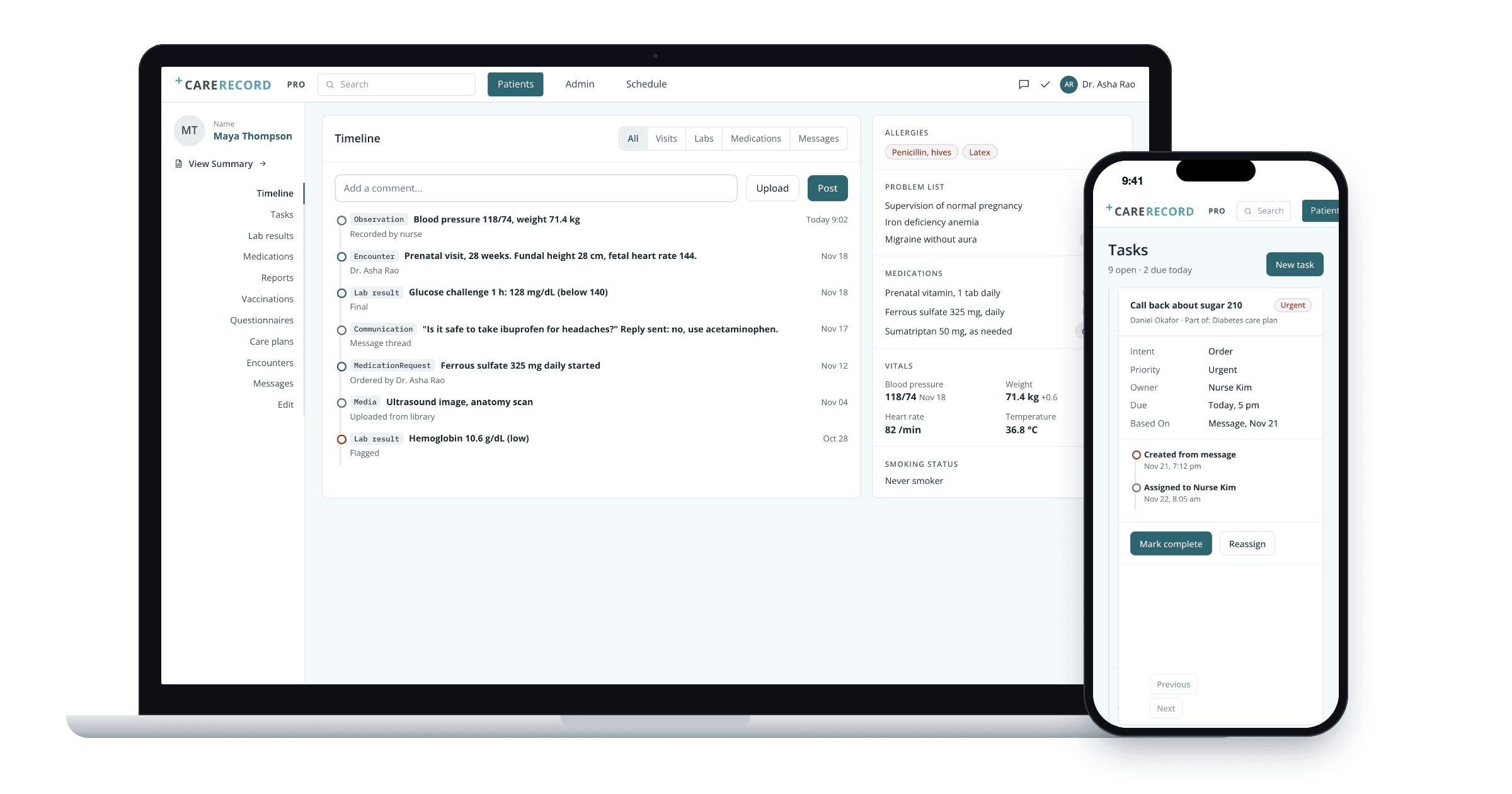
AI lab report analysis: turning a lab report into one a patient understands
A doctor wanted to know whether AI could take a patient's lab or scan report and explain it in plain words: what is out of range, what each term means, and what to do and ask next. We built the proof of concept on WhatsApp and the web. Per the founder, the doctor has taken it to several hospitals and a pilot is running, with PDF input ready.
November 23, 2026 · 12 min read · Jitendra Choudhary, CTO & Co-Founder
This was a healthcare AI solution built to test an idea quickly, with the safety rules a patient-facing product needs from day one.
The question a doctor wanted answered
Patients get a lab report full of numbers, ranges and abbreviations, and then wait days to ask the doctor what it means.
What the doctor wanted to test
Could AI read the report the patient already has, find what is out of range, and explain it in words a non-medical person understands? Could it give sensible next steps and good questions for the next visit, without pretending to diagnose?
What we built
A WhatsApp assistant that asks a few questions, takes the report, and replies in short messages, then sends a PDF and a voice note. A patient web dashboard adds report history and a trend chart for each test. Per the founder, the doctor took it to several hospitals, and a pilot is now running with PDF input.
The product is a guided AI agent for healthcare: it leads the patient through a short chat, and it explains rather than decides.
What the patient sends, and what comes back
| Patient sends | How it is read |
|---|---|
| Lab PDF on WhatsApp | Text taken straight from the PDF. This is the most reliable input, and the one the pilot uses. |
| Photo of a printed report | Read with OCR (optical character recognition), then rebuilt as a table of test, result, unit and range. |
| Typed values, such as "HbA1c: 7.4" | Checked by AI first: is this a test report at all? |
| Upload on the web dashboard | Same steps as WhatsApp, with results saved to the patient's history. |
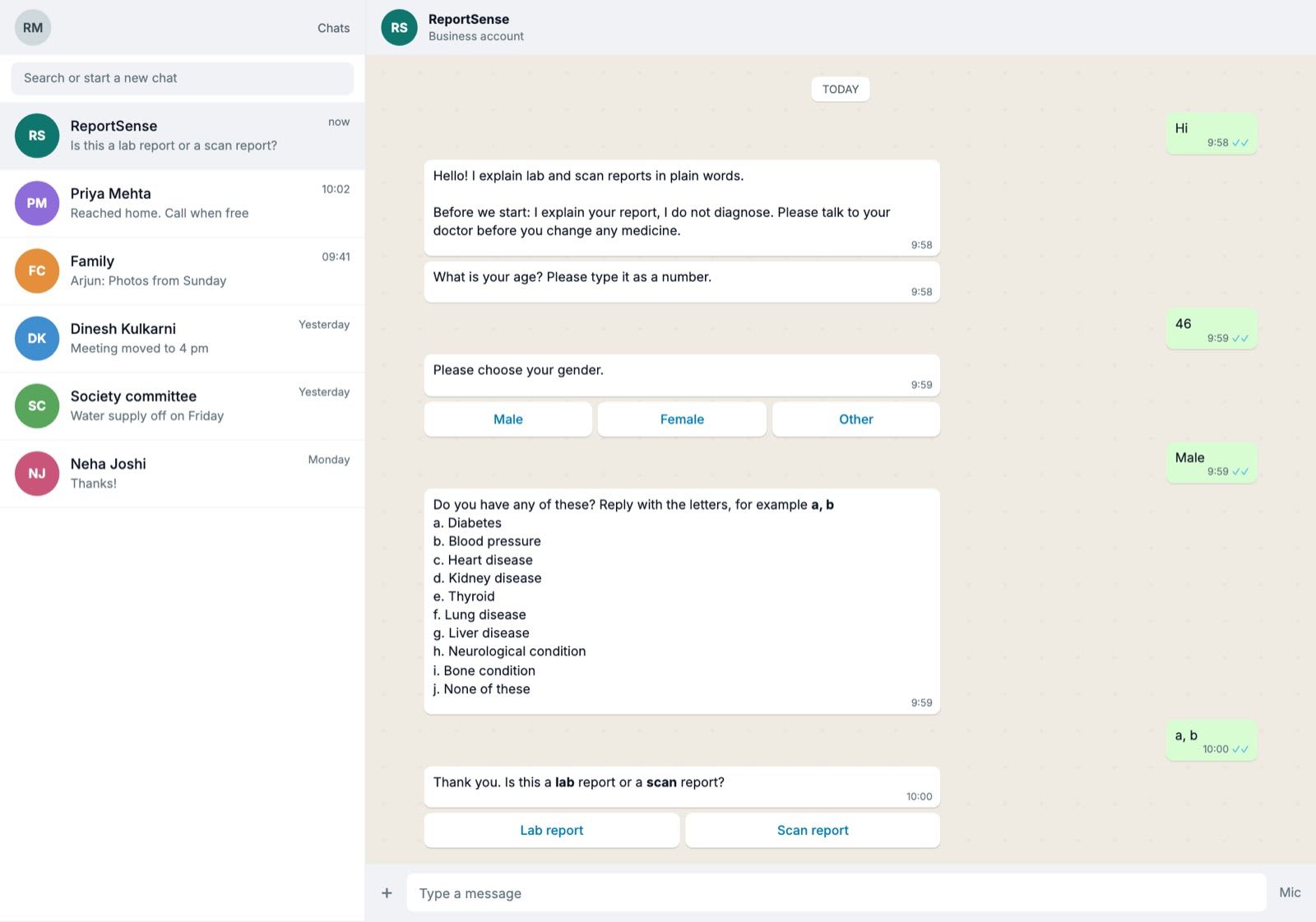
The guided chat asks age, gender and conditions first, so advice fits the person.
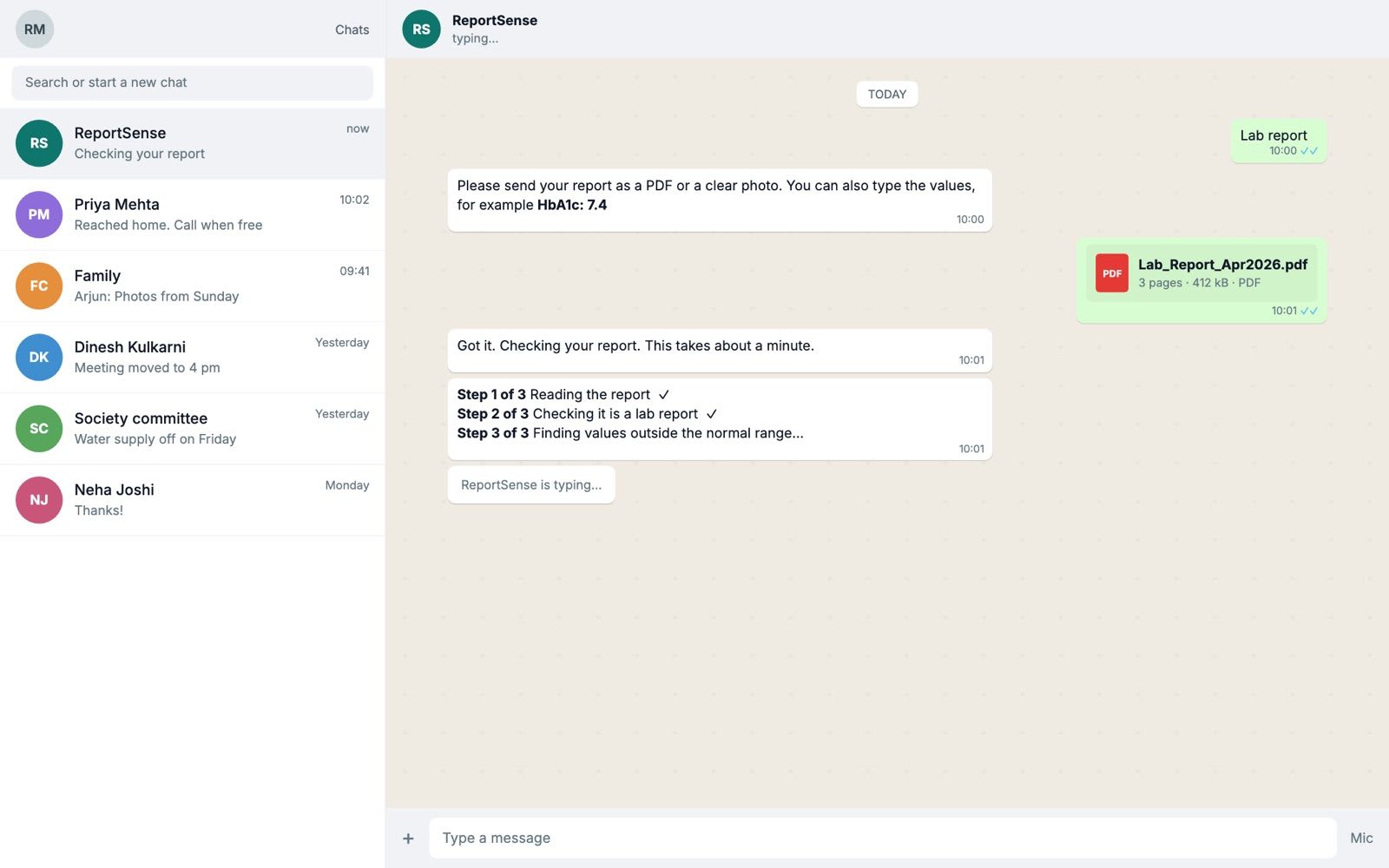
The patient sees each step while the report is checked.
What comes back
Values out of range
Only the abnormal results, each with the patient's value, the normal range, and high, low or borderline.
Terms explained
Each test and term in plain words, with the part of the body it relates to.
What to do
Immediate actions, food, exercise for the patient's age, daily habits and tests to repeat.
For the next visit
Ten questions to ask the doctor, a trend chart for each test, a PDF and a short voice note.
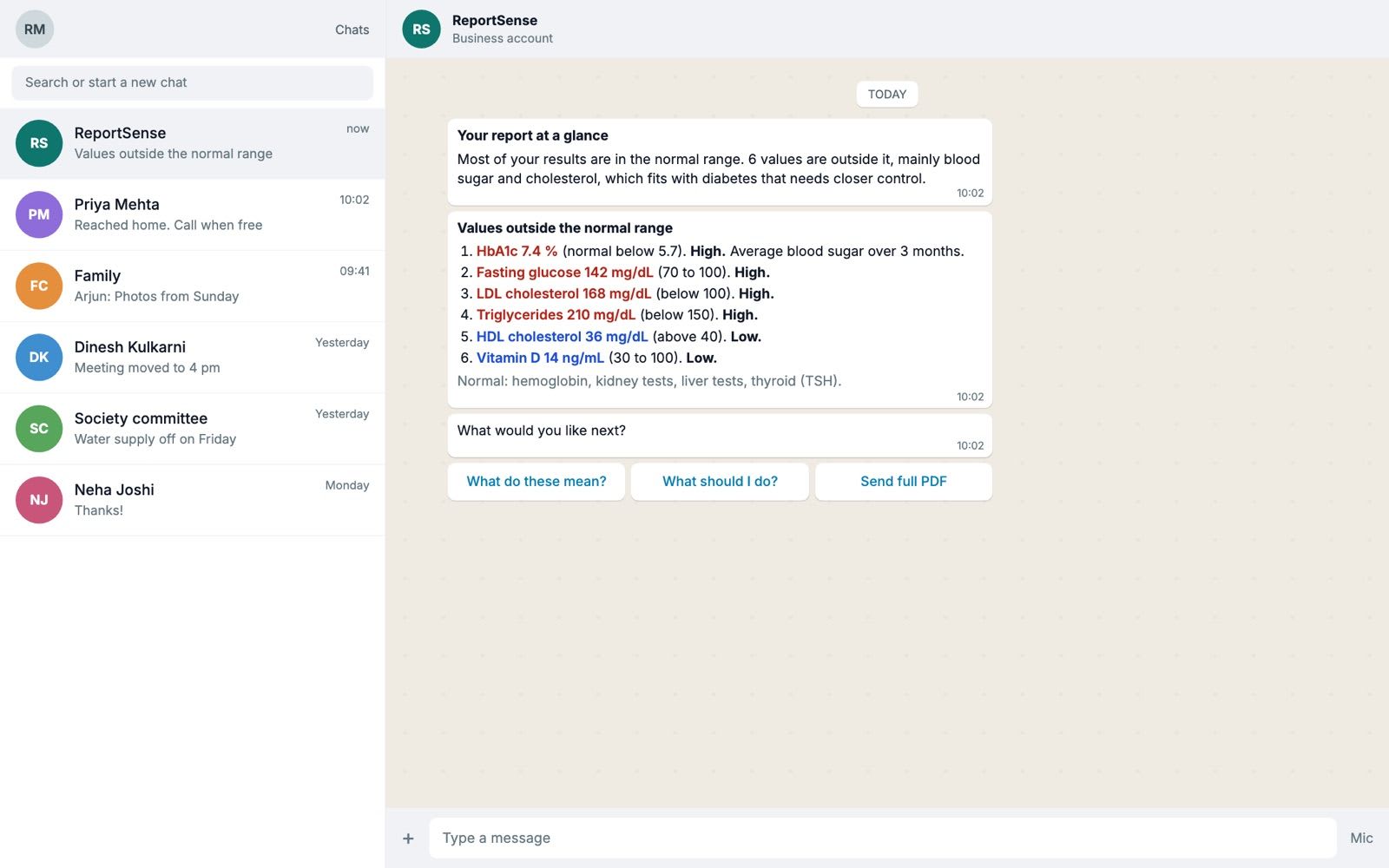
Recreated screen with sample data: a lab report summary.
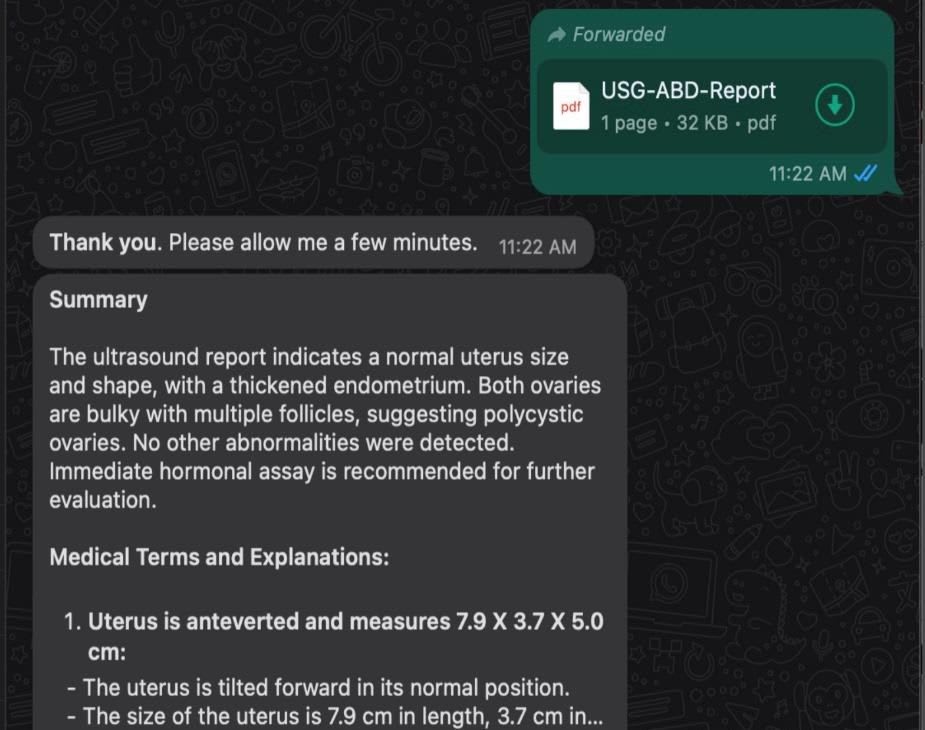
The pilot's real WhatsApp output, with sample data: a scan report summary and terms explained.
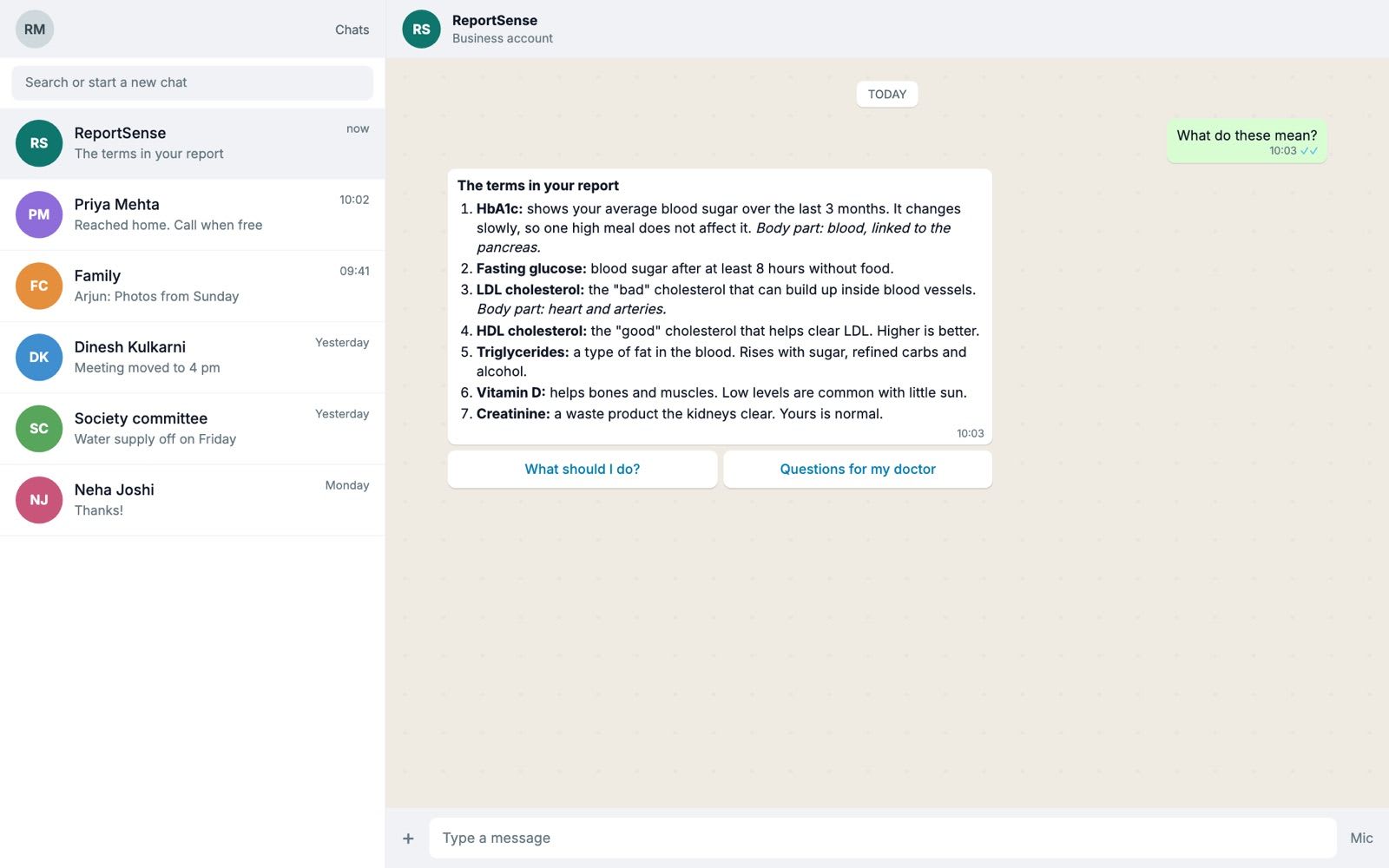
Terms explained in plain words, with the body part each one relates to.
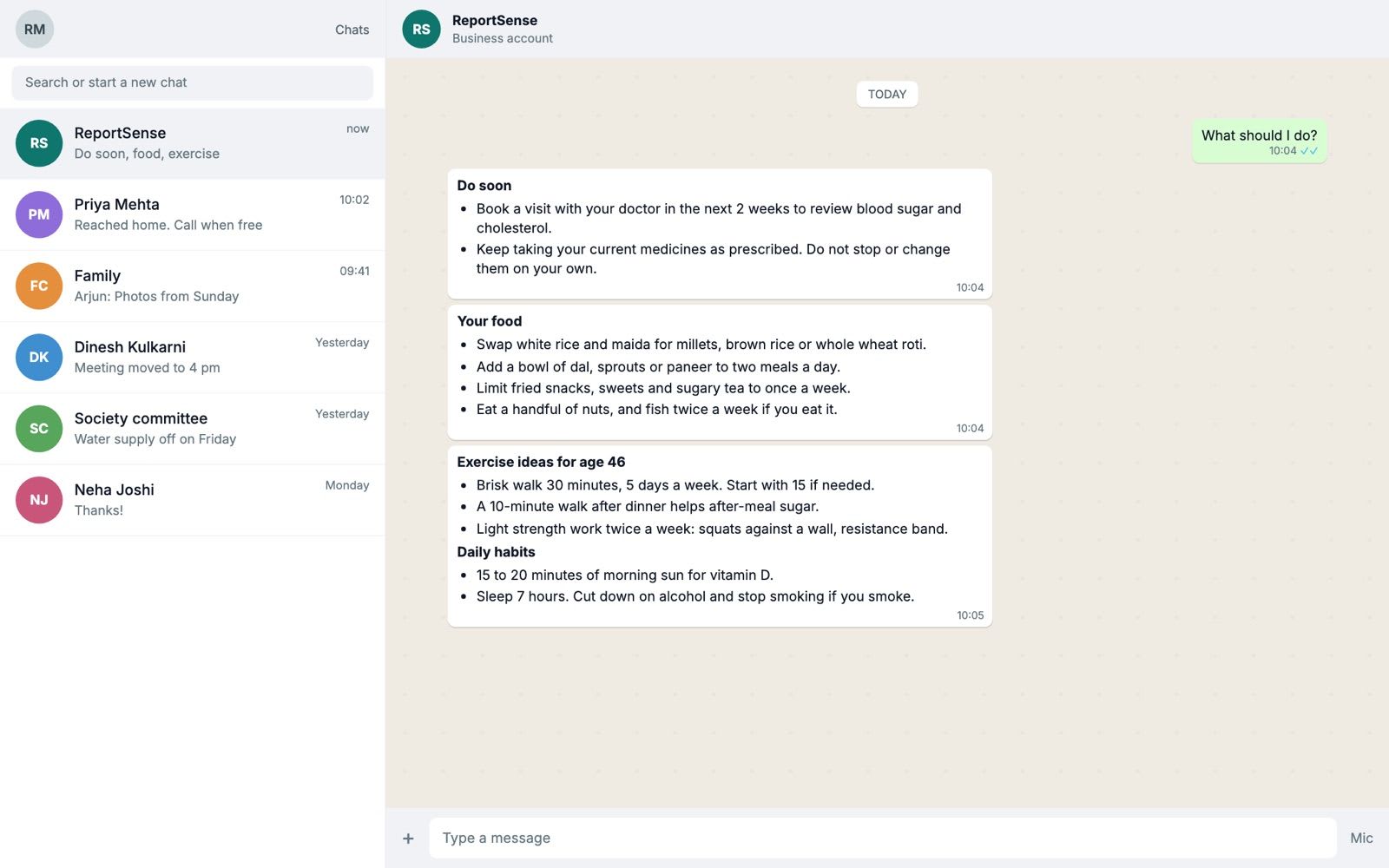
Next steps, food and exercise, tailored to a 46-year-old with diabetes and blood pressure.
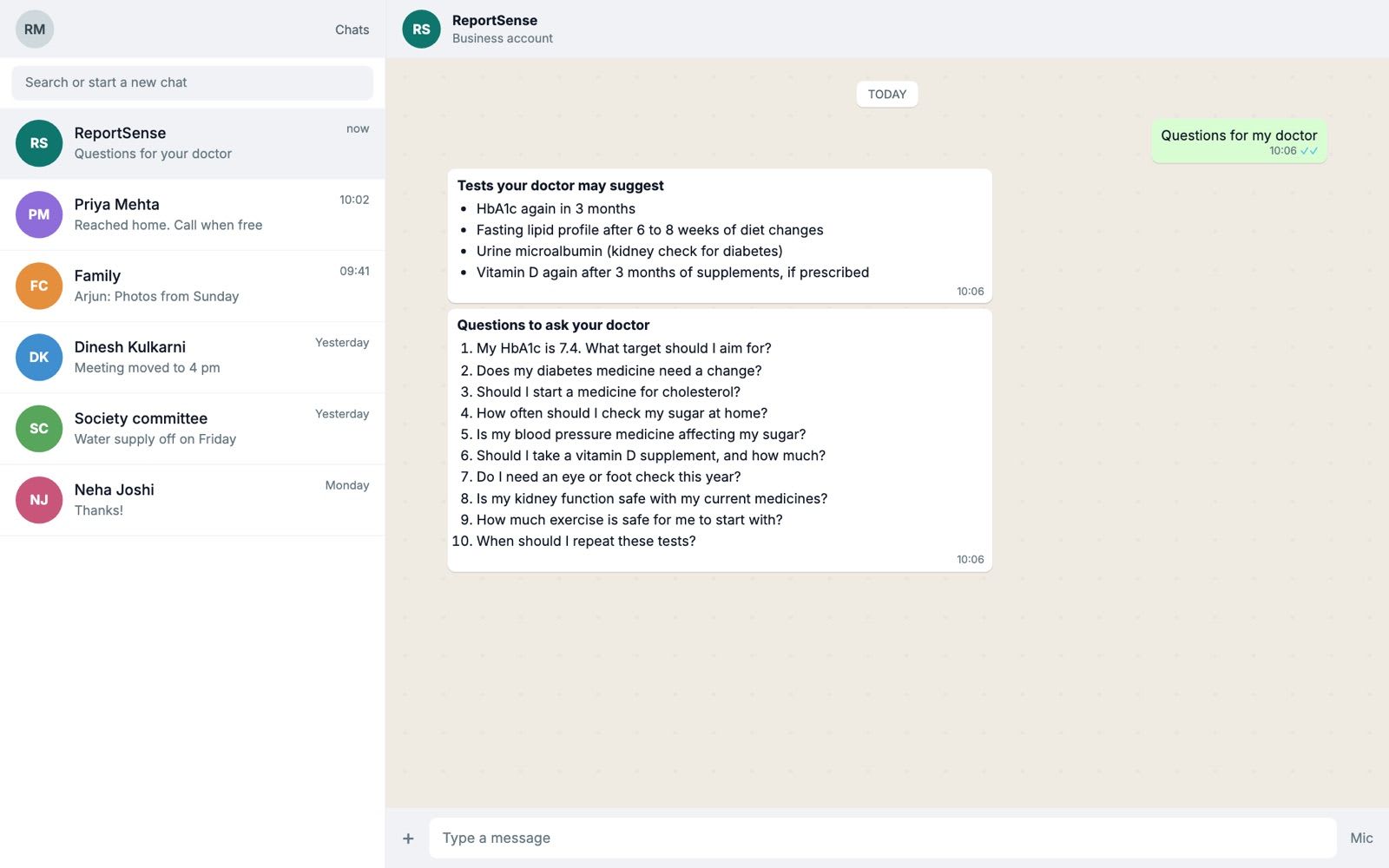
Tests the doctor may suggest, and ten questions to take to the visit.
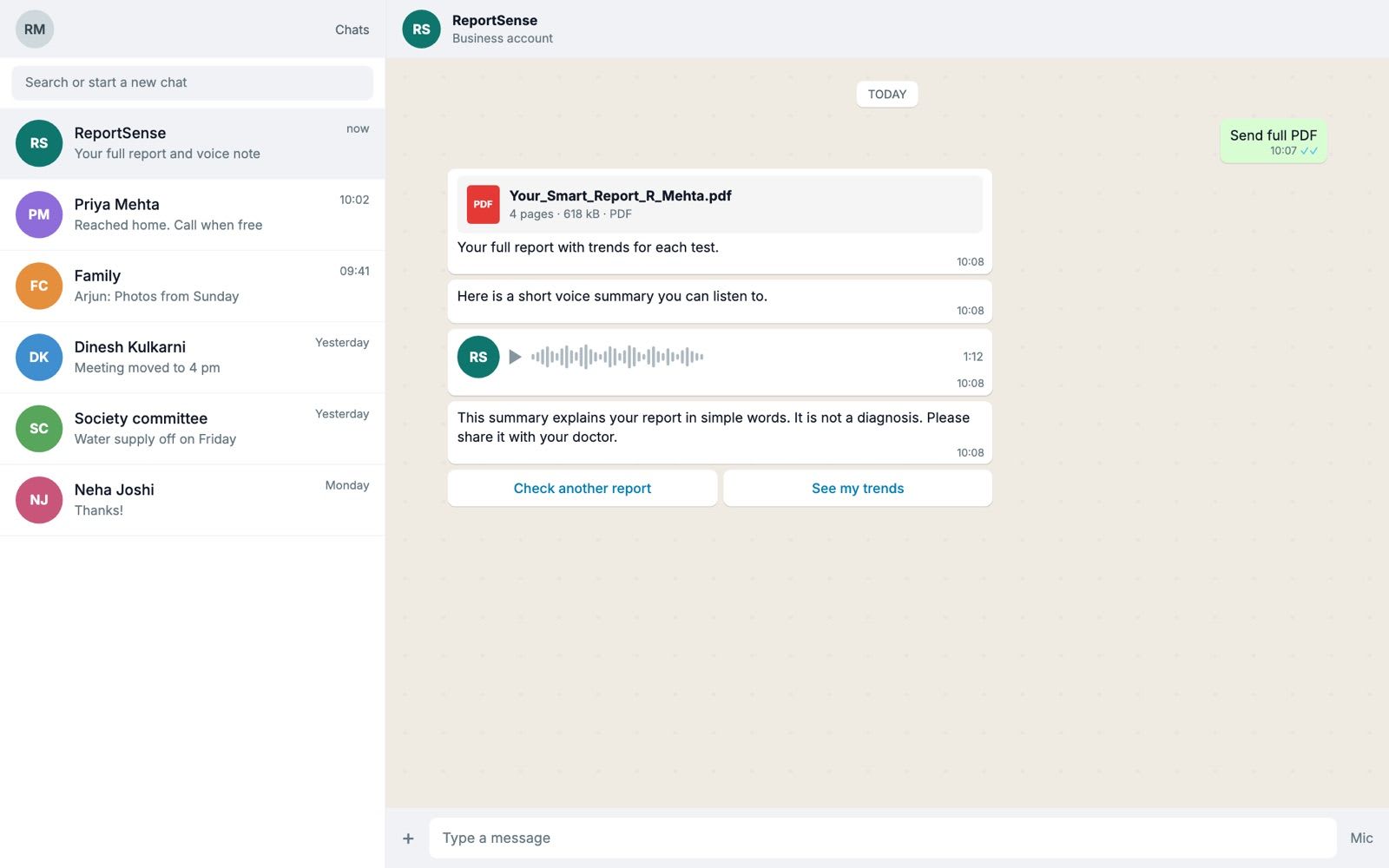
The full report as a PDF, plus a voice summary for patients who prefer to listen.
Want a patient-facing tool like this for your hospital or lab? We do custom healthcare software development from proof of concept to pilot.
How it works
Every step after reading the report runs on text with patient details removed, and every AI answer is checked before it is shown.
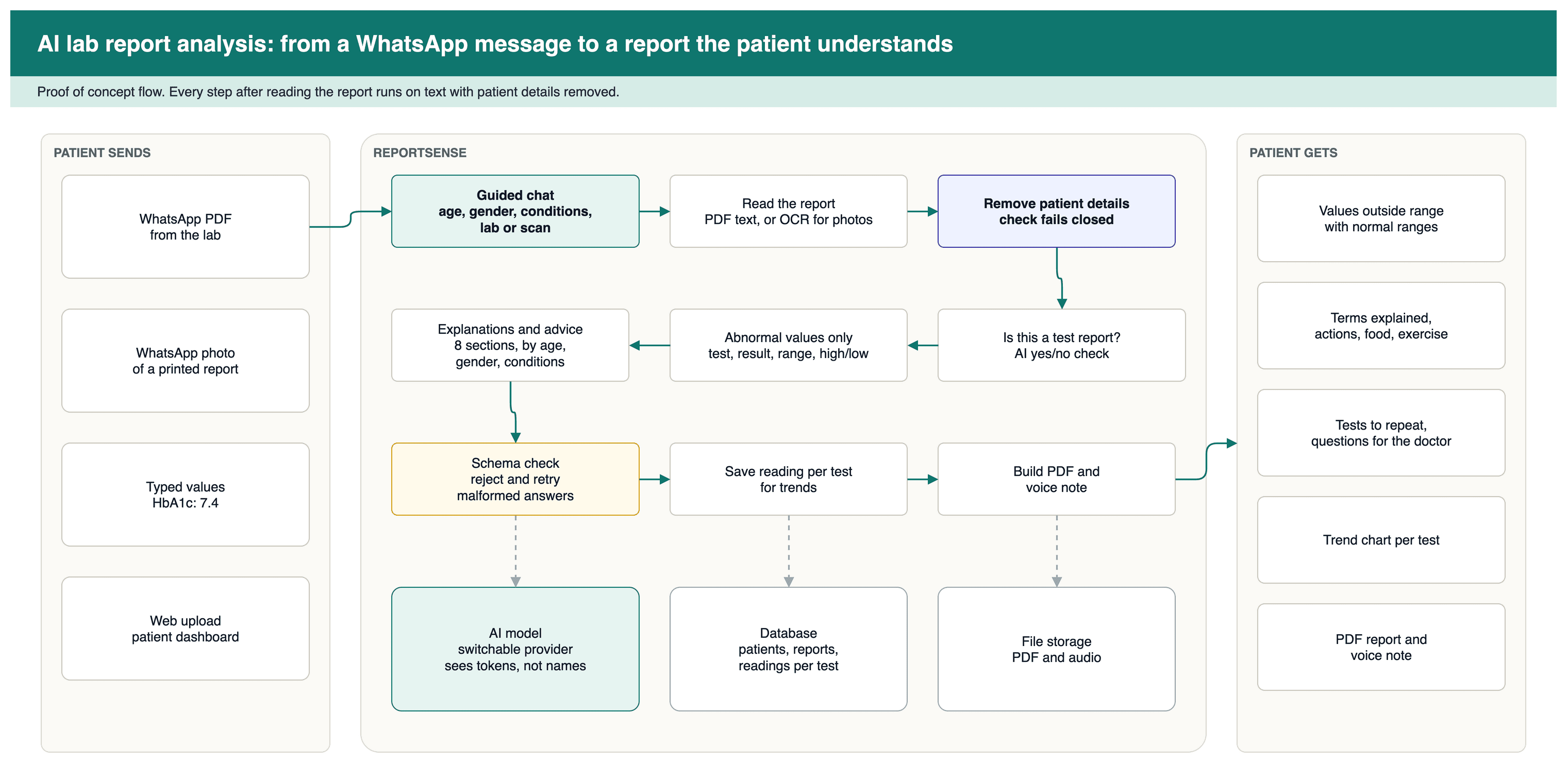
A guided chat before any AI runs
PDF text first, OCR only for photos
"Is this a report?" before the real work
Abnormal values only, in a fixed shape
Reference ranges and trends
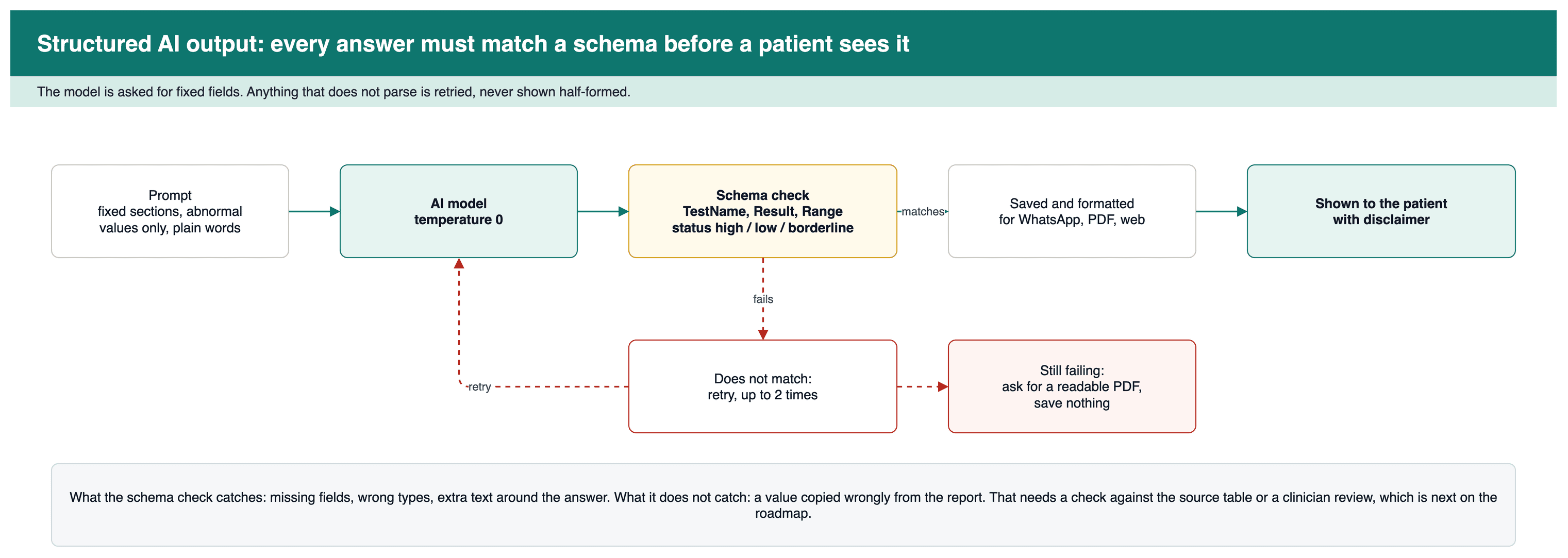
The schema check catches missing fields, wrong types and stray text around the answer. It does not catch a number copied wrongly from the report. That needs a check against the source table or a clinician's review, which are in the roadmap below.
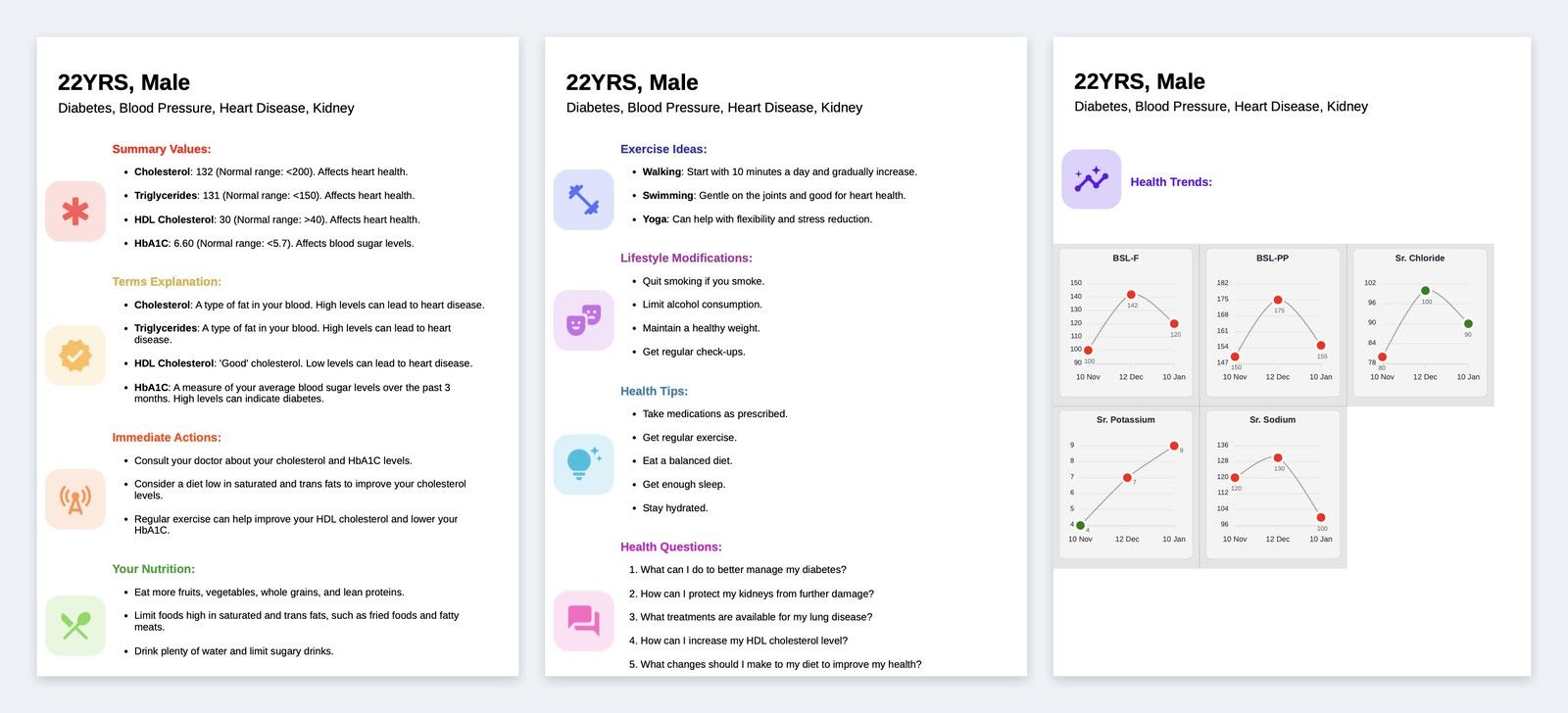
The real PDF the pilot sends, with sample data: summary and terms, advice and questions, and health trends.
The 2026 upgrade: switchable AI and a patient dashboard
The first version ran on one AI provider and WhatsApp only. In April 2026 we added a provider layer and a web app.
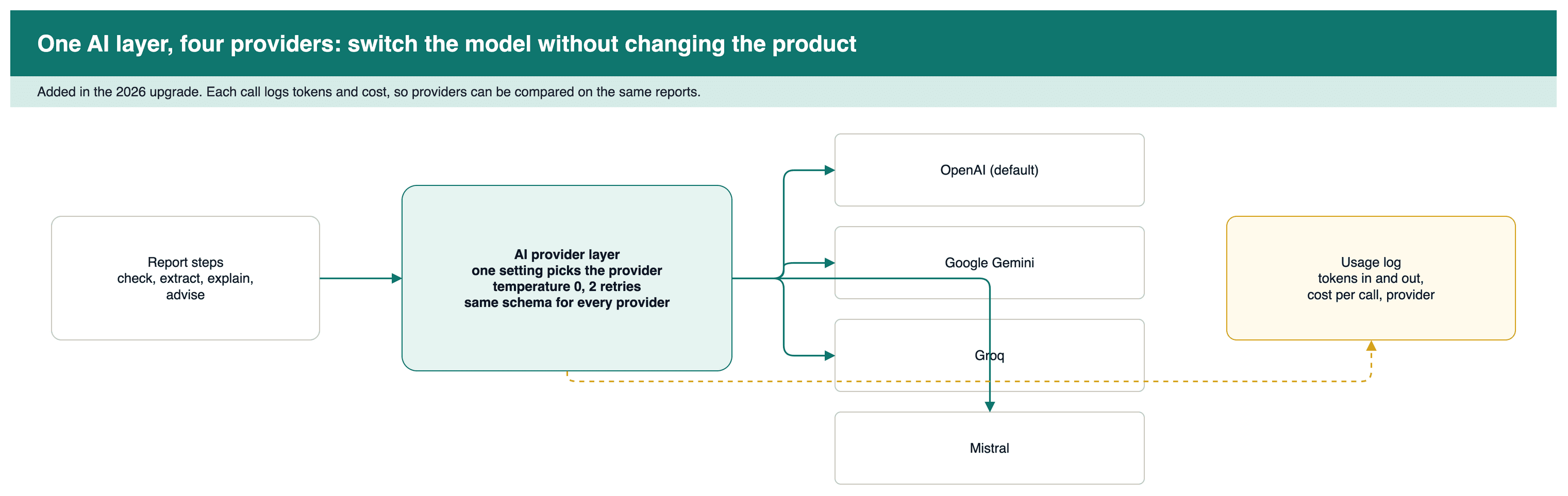
One setting picks the model
OpenAI is the default, with Google Gemini, Groq and Mistral as options. Every provider gets the same prompts and the same schema. Each call logs tokens and cost, so providers can be compared on the same reports before a hospital chooses one.
A dashboard the patient keeps
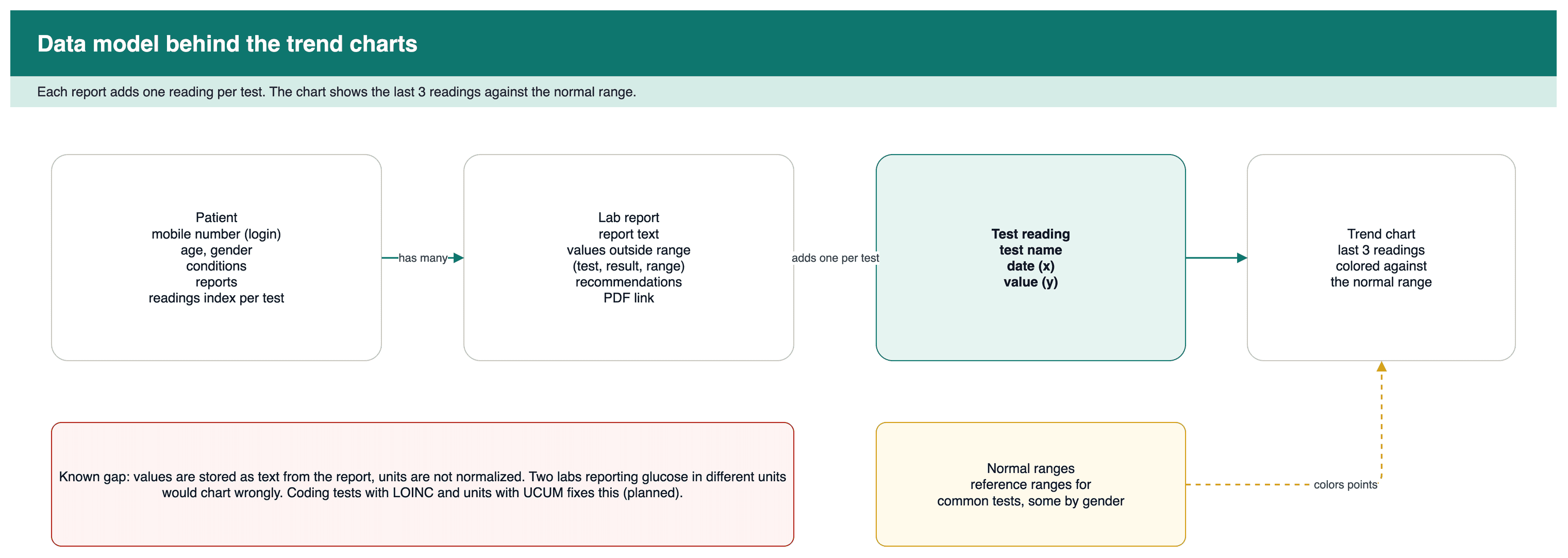
Patients sign in to see every report they have checked, open the PDF again, upload a new report and follow each test over time.
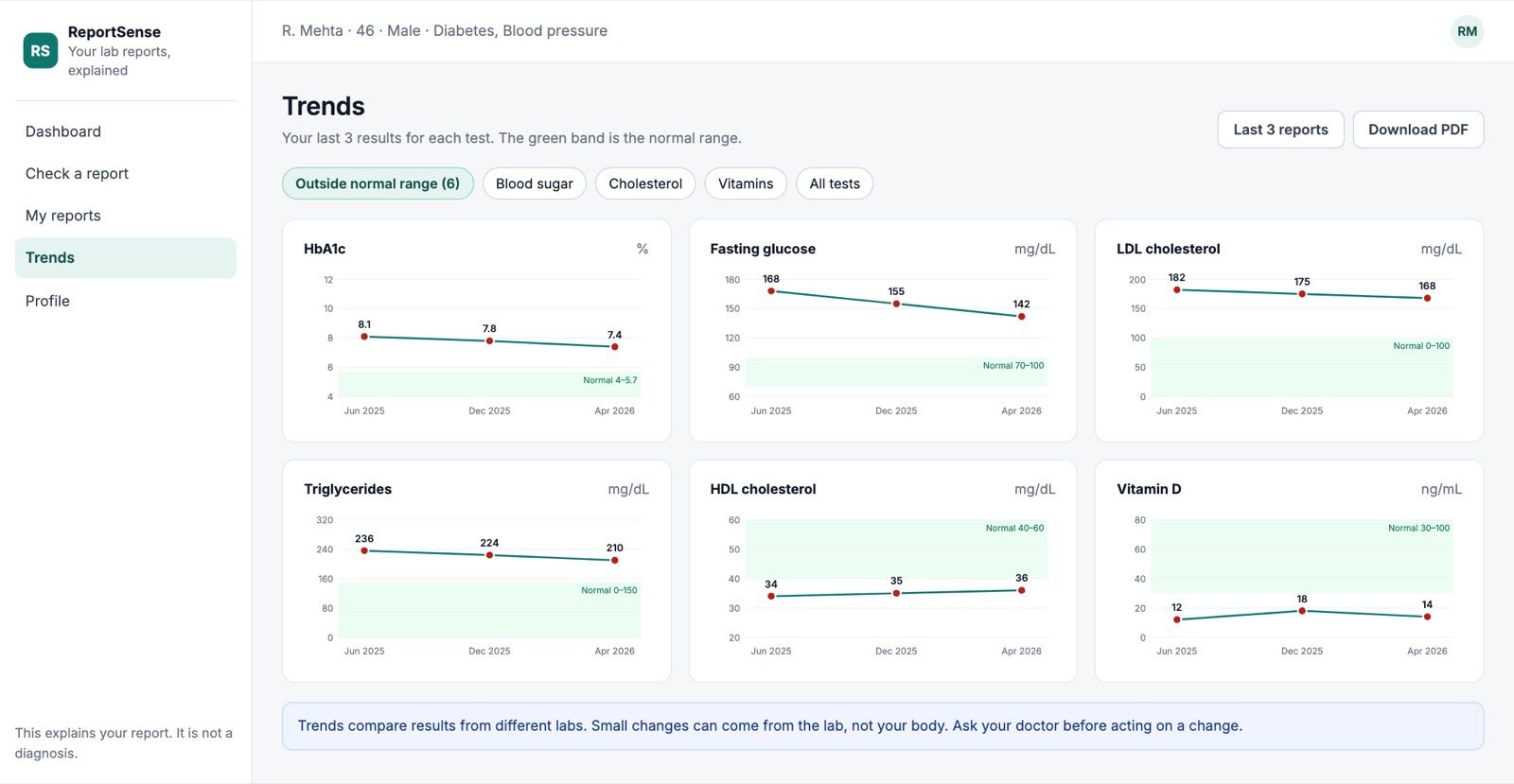
Trends: the last three results for each test against the normal range.
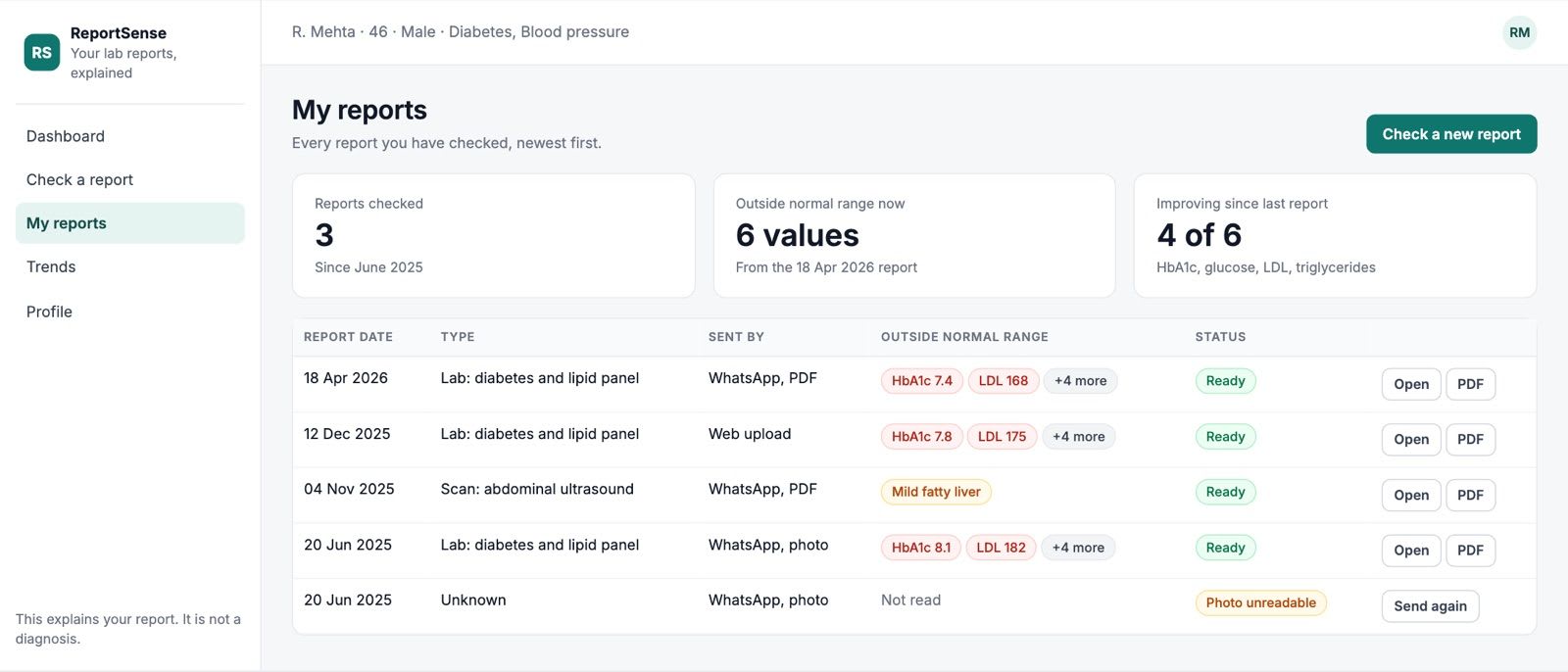
Report history, newest first, including a photo that could not be read.
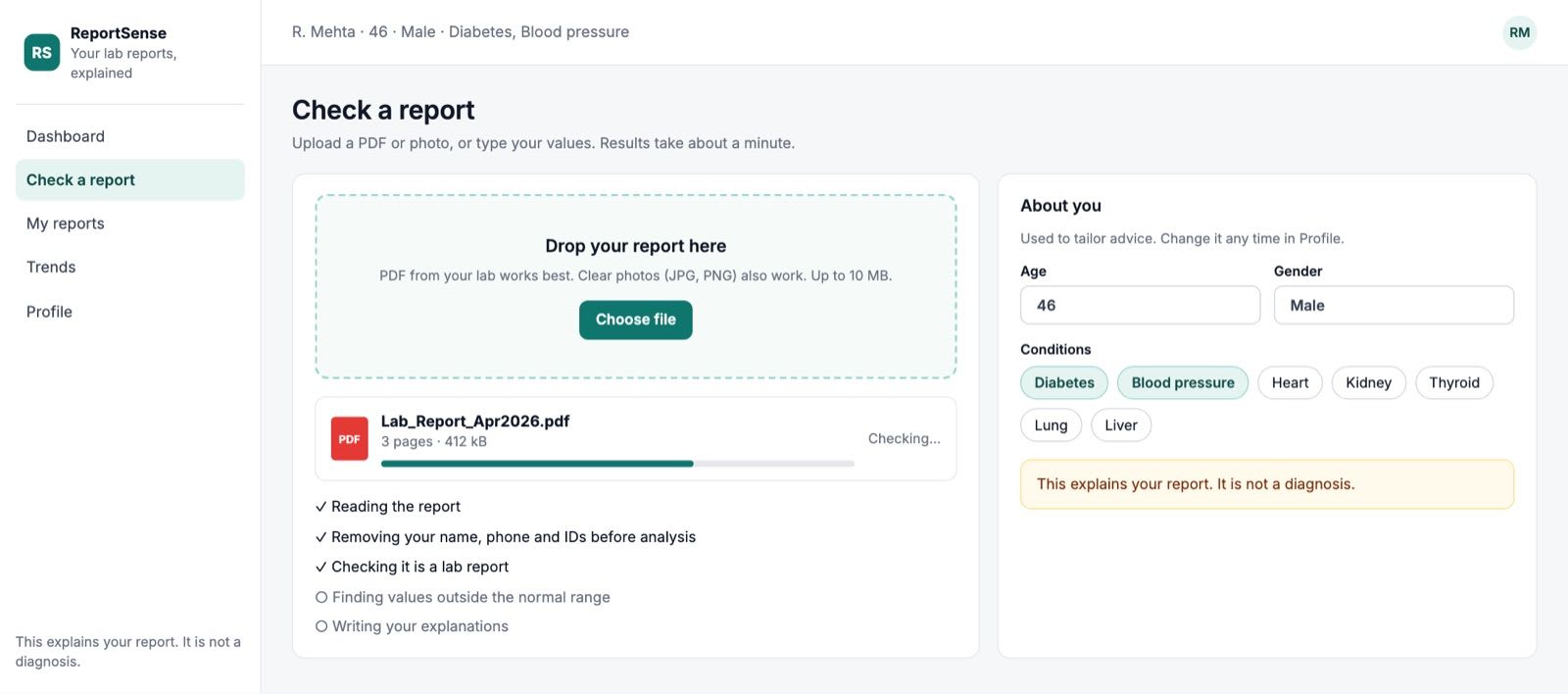
Web upload, with the same checks as WhatsApp.
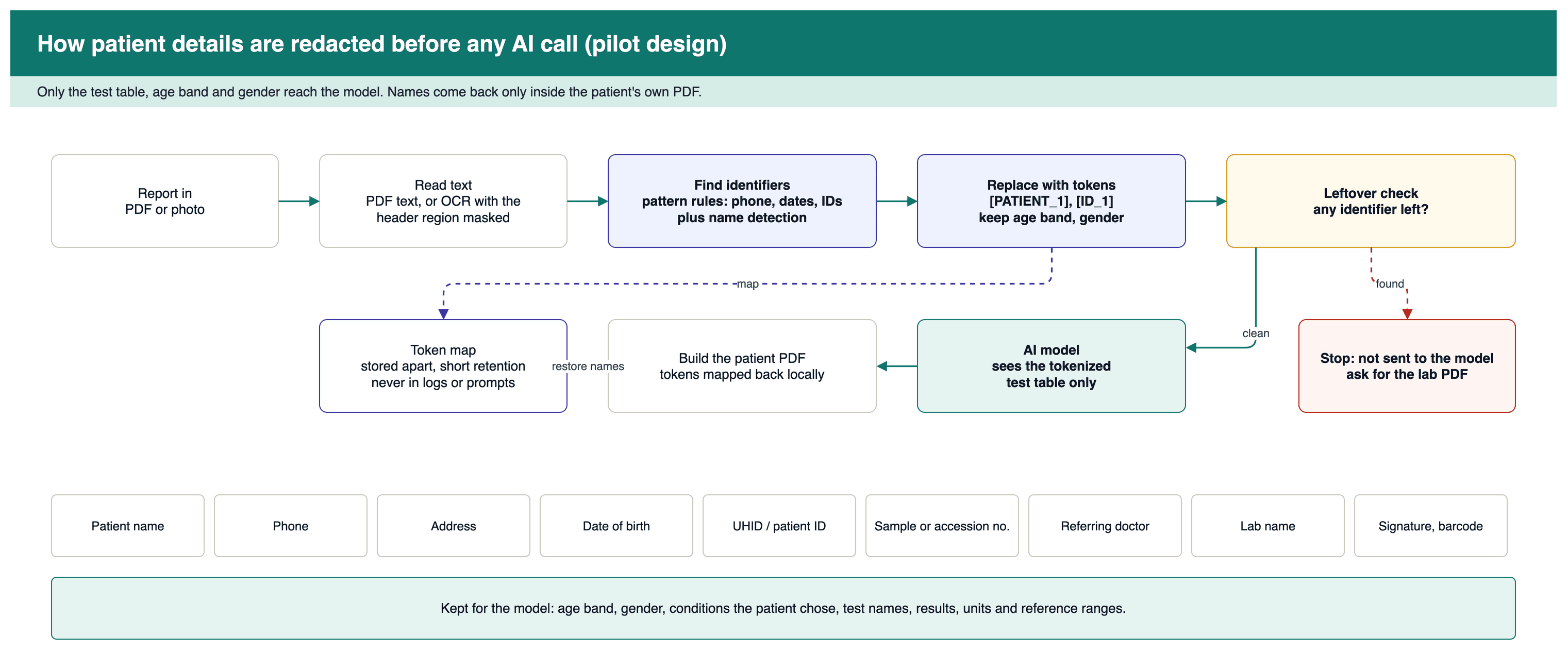
How patient details are redacted
Per the founder, identifiers were redacted before AI processing in the pilot. This is how redaction works in the pilot, set out as a reference design.
| Step | What happens | Detail |
|---|---|---|
| 1 | Read the text | Text comes out of the PDF, or out of OCR for a photo. For photos, the header region, where names, barcodes and signatures sit, is masked before the OCR text is kept. |
| 2 | Find identifiers | Patient name, phone, address, date of birth, hospital or lab patient ID (UHID), sample or accession number, referring doctor, lab name, and signatures or barcodes in the header block. Pattern rules find phones, dates and IDs. Name detection finds people and places. |
| 3 | Replace with tokens | Each identifier becomes a stable token, such as [PATIENT_1] or [ID_1]. Only the age band and gender stay, because the advice needs them. |
| 4 | Check, and fail closed | A second pass looks for anything left. If it finds an identifier, the report is not sent to the model, and the patient is asked for the lab PDF. |
| 5 | Send the test table only | The model sees tokens, the age band, gender, chosen conditions, and the tests with results, units and ranges. |
| 6 | Put names back locally | When the patient's own PDF is built, tokens are mapped back to the real details on our side. The map is stored apart from the report with short retention, and never written to logs or prompts. |
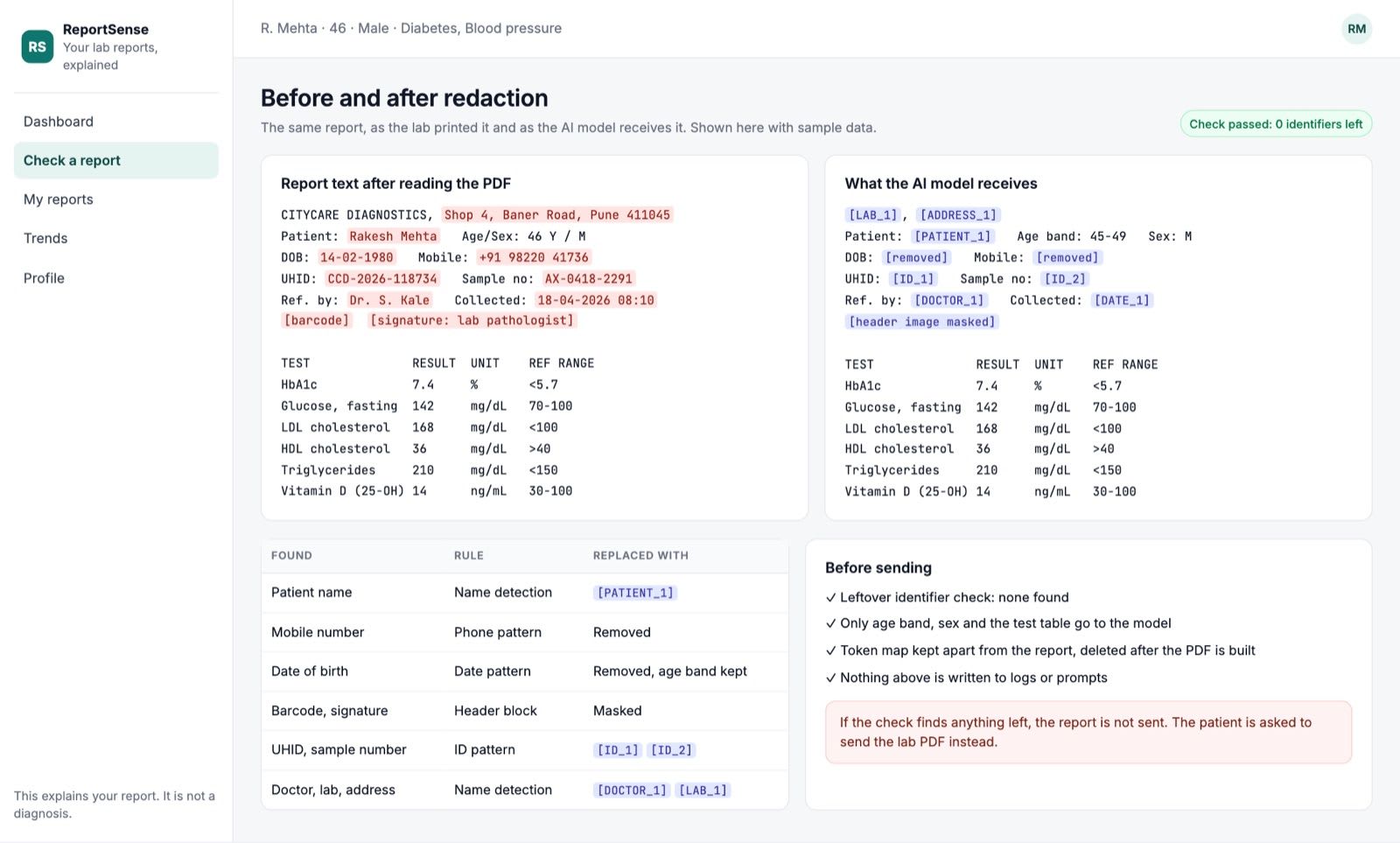
Sample data: the report text as read, and what the AI model receives.
What this design protects against: identifiers reaching an outside AI provider in prompts. What it does not prove on its own: that every unusual layout is caught. That is why the leftover check stops the report instead of sending it.
Safety: explain, never diagnose
| Rule | Where it shows |
|---|---|
| Not a diagnosis | In the first WhatsApp message, after the results, in the PDF footer and on every web page. |
| Check the input first | A report check runs before any explanation. A prescription or a blurred photo gets a clear reply and nothing is saved. |
| Keep medicines as prescribed | Every set of advice says to talk to the doctor before changing treatment. |
| Patient details stay out of AI calls | Redaction before the model, as above, per the founder. |
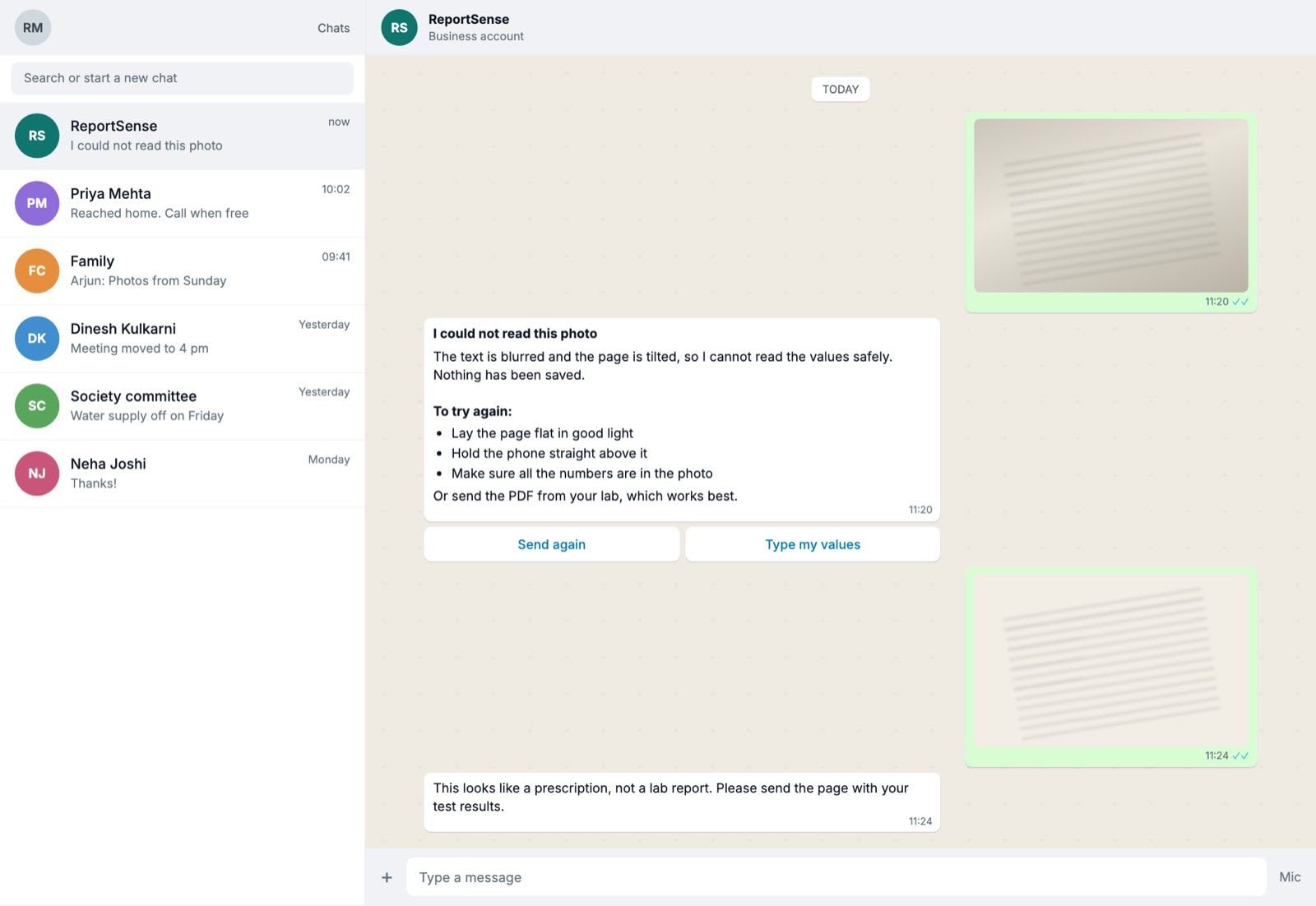
A blurred photo and a prescription: each gets a plain reply and a way forward.
Where it goes next: EHR and LIS integration
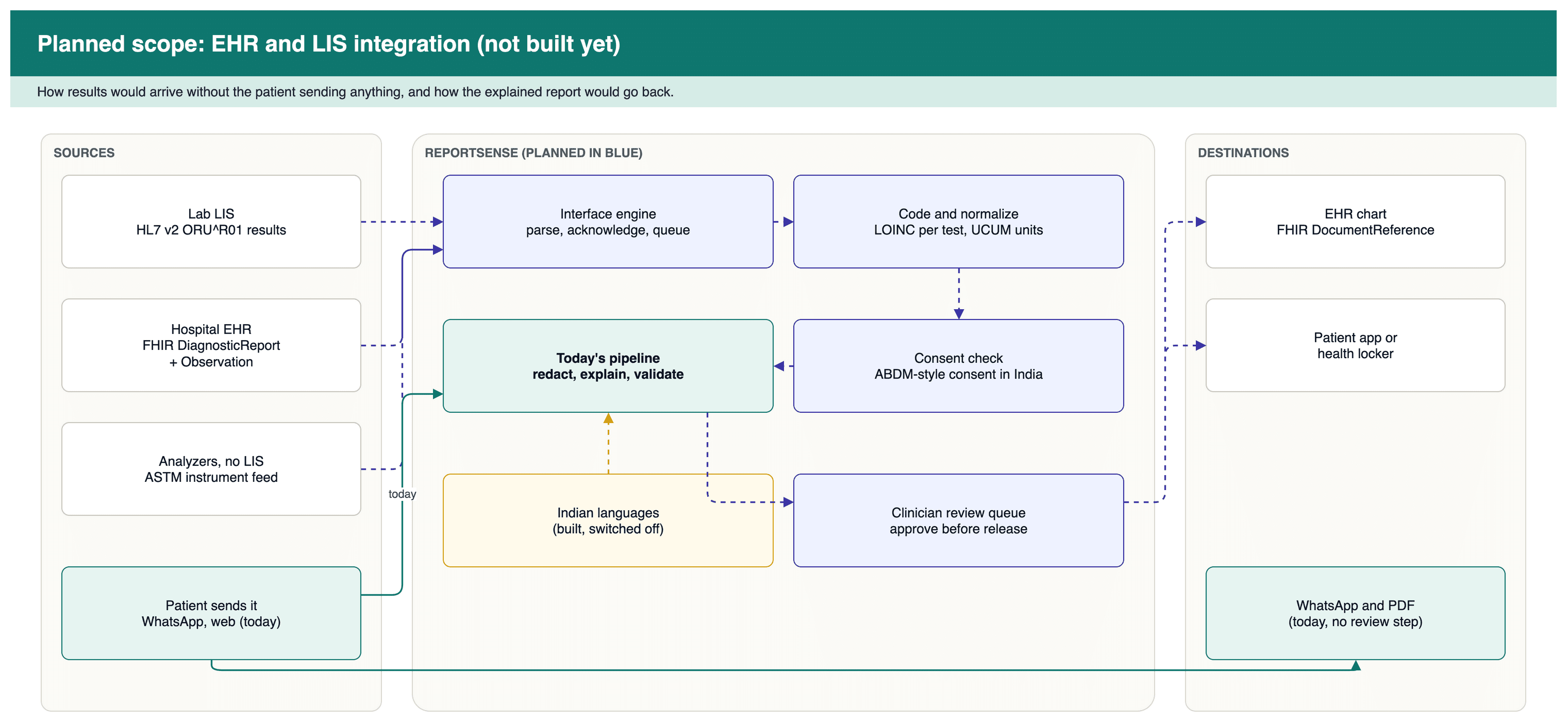
Planned scope, not shipped. Today the patient sends the report. Next, results would arrive from the lab or hospital system directly, through standard healthcare interoperability.
| Planned piece | What it would do |
|---|---|
| Results from the lab's LIS | Receive HL7 v2 ORU^R01 result messages from the laboratory information system. |
| Results from a hospital EHR | Read FHIR DiagnosticReport and Observation resources. |
| Labs without an LIS | Take ASTM feeds from the analyzers. |
| Coded tests and units | A LOINC code for each test and UCUM units, so results from different labs can be compared and trends stop mixing units. |
| Consent | ABDM-style patient consent where it applies in India. |
| Clinician review | A queue where a doctor approves the explained report before release. |
| Report back to the chart | Send the patient-friendly report into the EHR as a FHIR DocumentReference, and to patient apps. |
| Indian languages | Translation is already built and switched off. It would be turned on after review of each language. |
What we learned
| What happened | What we do now |
|---|---|
| Generic advice felt useless to patients with long-term conditions. | Ask age, gender and conditions before reading the report, and put them in every prompt. |
| Long replies buried the one thing that mattered. | Lead with the values out of range, in their own message, then offer the rest. |
| Free-text AI answers broke the formatting on WhatsApp and in the PDF. | Ask for fixed fields and check every answer against a schema, with retries. |
| Patients sent prescriptions, bills and blurred photos. | Check "is this a report" first, and reply with what to send instead. |
| The report's ranges and our built-in ranges could disagree. | Show the report's own range to the patient. Coding tests with LOINC is the real fix. |
| Patients sent the same report twice, or a second one before the first finished. | Lock each patient while a report is processing. |
| One AI provider is a single point of cost and failure. | Keep the provider swappable, and log tokens and cost per call. |
Want to test an AI idea with real patients?
We build proofs of concept that are safe enough to pilot: redaction before AI, checked outputs, clear disclaimers, and a path to EHR and LIS integration.