Delivery journal · The context behind the implementationDiscuss a similar challenge ↗
Case study, United States

Health data aggregation app: Apple Health, Google Health Connect and more, in one record

We worked on the iOS and Android app of a consumer health records company. It links Apple Health, Google Health Connect, home devices and patient portals, merges the readings into one record, builds reports a doctor can read, and answers questions about the person's own data. It keeps working offline and sells plans through both stores.

November 22, 2026 · 12 min read · Jitendra Choudhary, CTO & Co-Founder
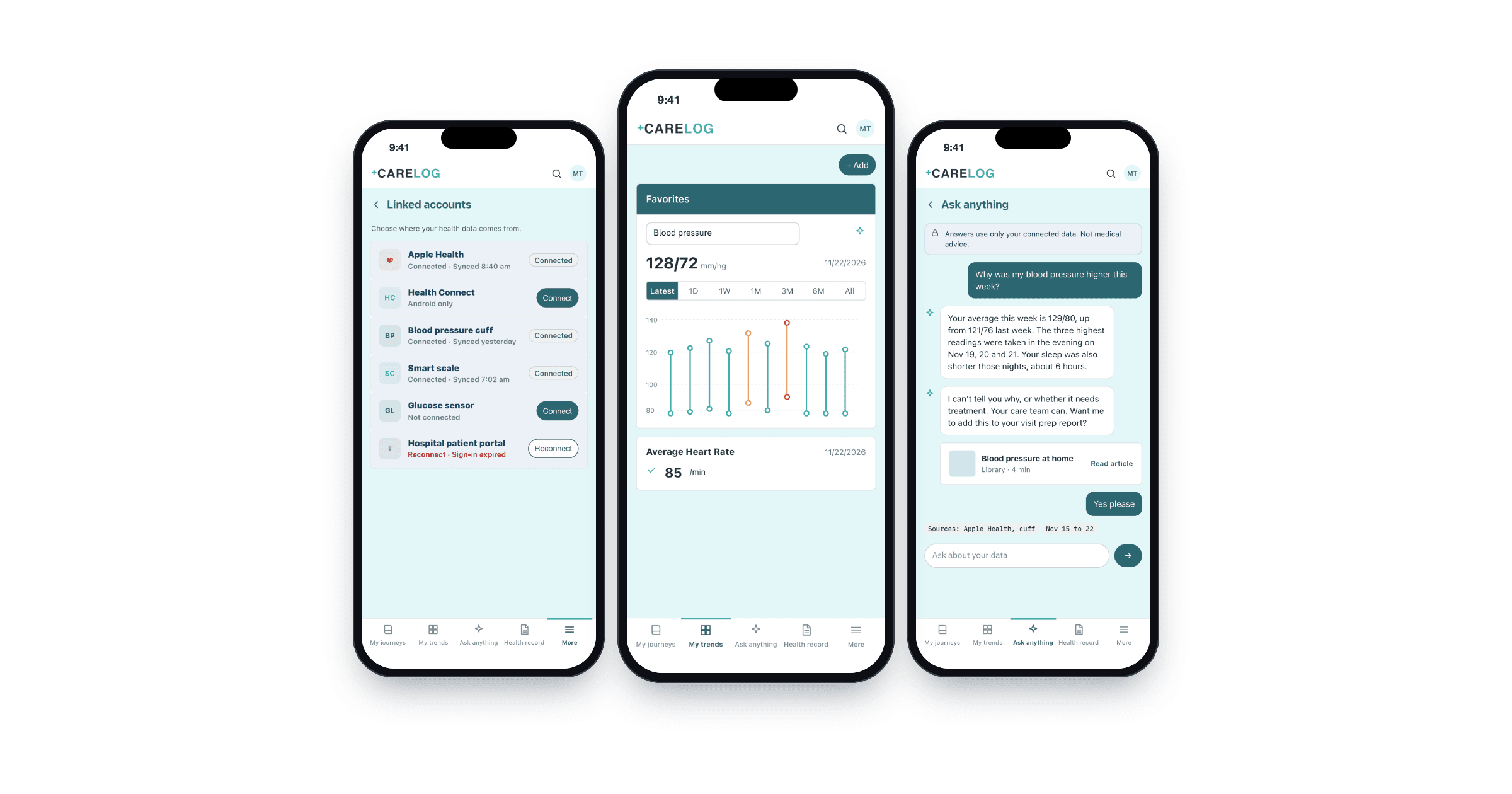
Health data aggregation app on three phones: linked accounts, trends dashboard and Ask anything assistant

This was custom healthcare software development on an app already in the stores, built around health data interoperability.

Why a health data aggregation app

People already collect health data, but it sits in many places: the phone's health store, a blood pressure cuff, a scale, a glucose sensor, a hospital portal. Nobody sees the whole picture, least of all the doctor in a ten-minute visit.

Scattered data

Each device has its own app and its own units.

Two platforms, two stores

HealthKit on iPhone and Health Connect on Android work differently and have their own review rules.

Numbers without meaning

A list of readings is not a report a doctor can use.

Patchy signal

People log readings where the connection is poor.

Work ran from May to July 2025, with builds on TestFlight and Play internal testing throughout.

The architecture: from every source to one record

The React Native app reads from the phone's health store and linked accounts, queues entries when offline, and sends readings to the company backend. There they are put in one common model, duplicates are merged, and the record feeds trends, reports and the assistant.
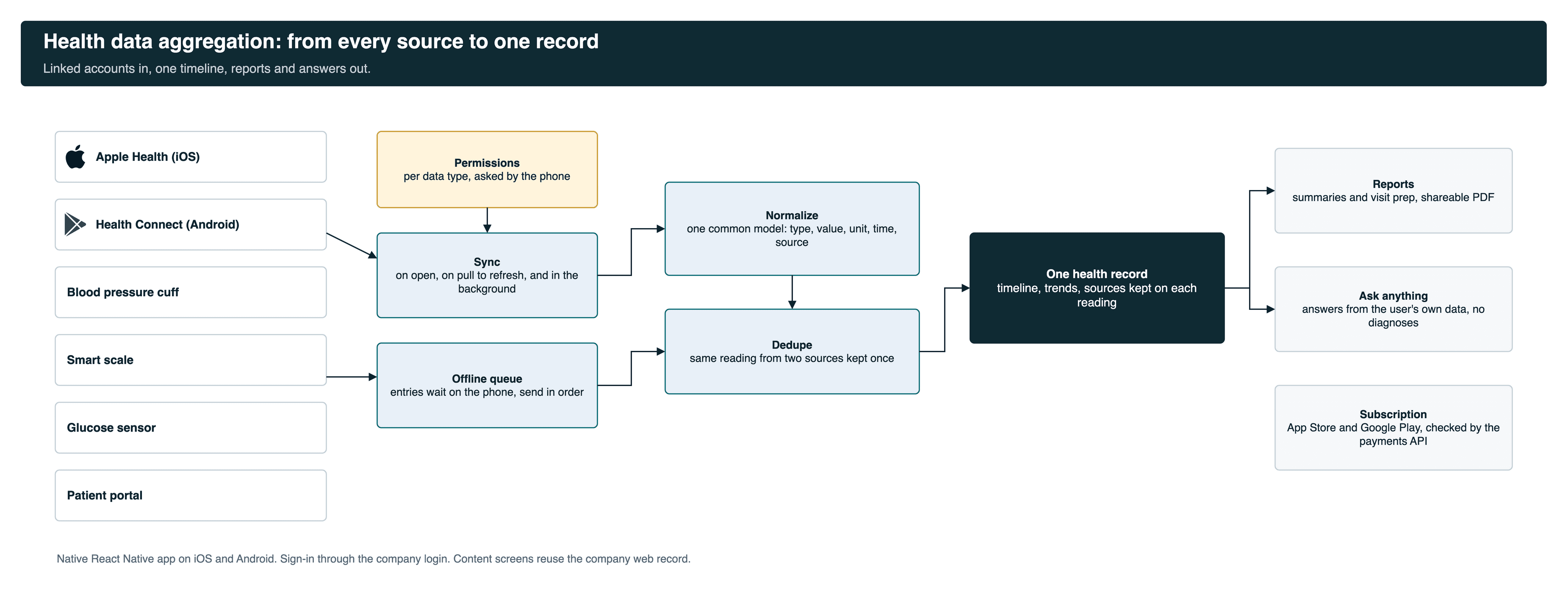
Health data aggregation architecture: Apple Health, Health Connect, devices and portals to permissions, sync, normalize, dedupe, one record, reports and assistantOpen full size

Phone-specific work is native: health store access, permissions, sync, offline queue, Face ID, store billing. Content screens reuse the company's web record, so a web release reaches the app the same day. Our healthcare product engineering work starts from that kind of trade-off.

What a person does in the app

1. Link their data
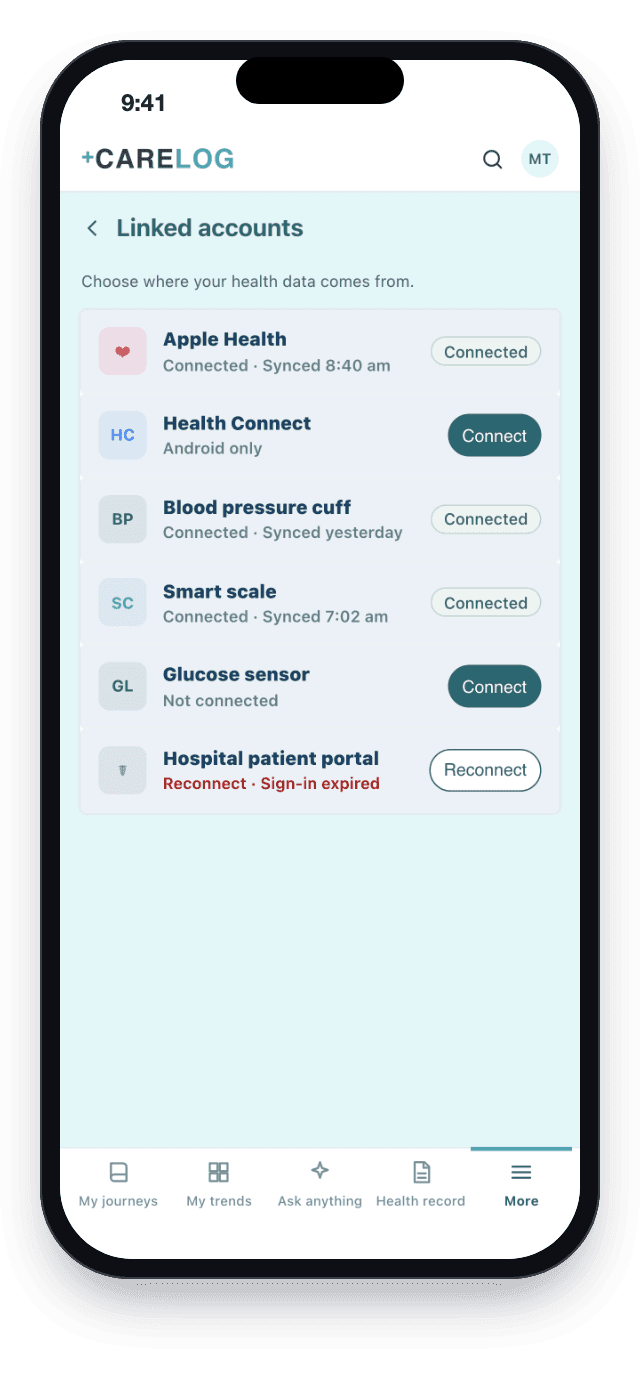
Linked accounts: Apple Health, Health Connect, blood pressure cuff, scale, glucose sensor and patient portal

Linked accounts, with the last sync of each.
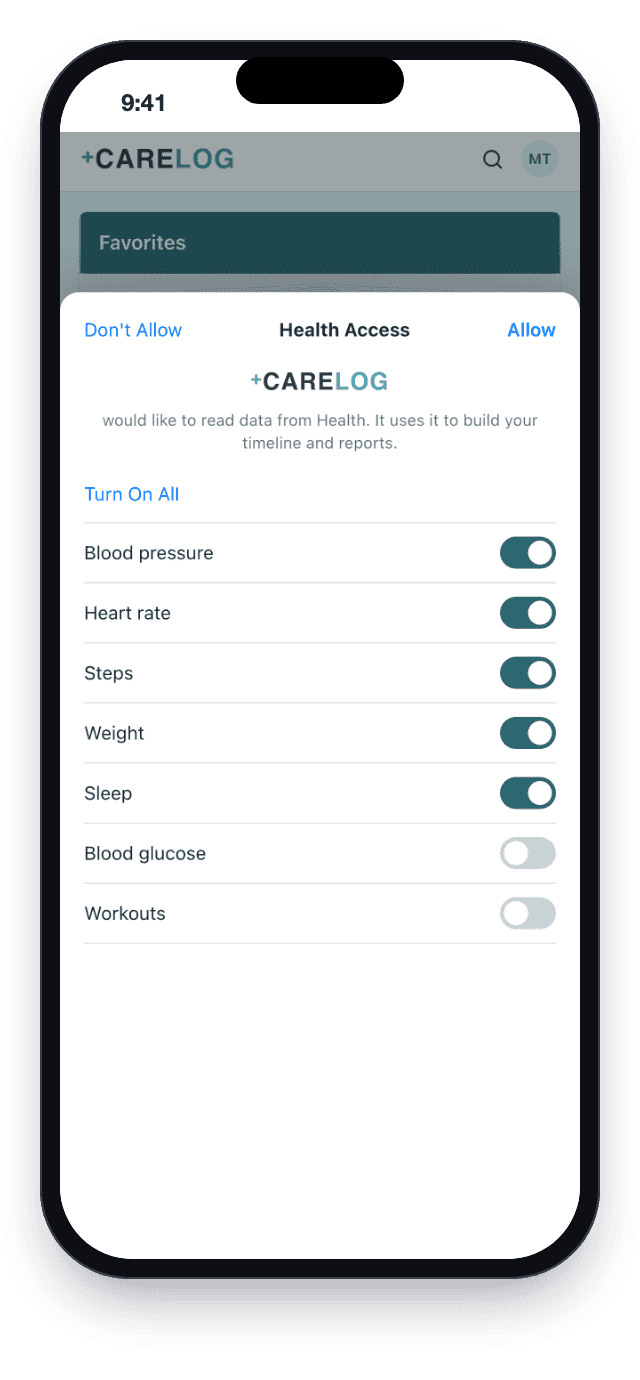
Apple Health permission sheet with data types the person can allow

The phone asks, type by type.

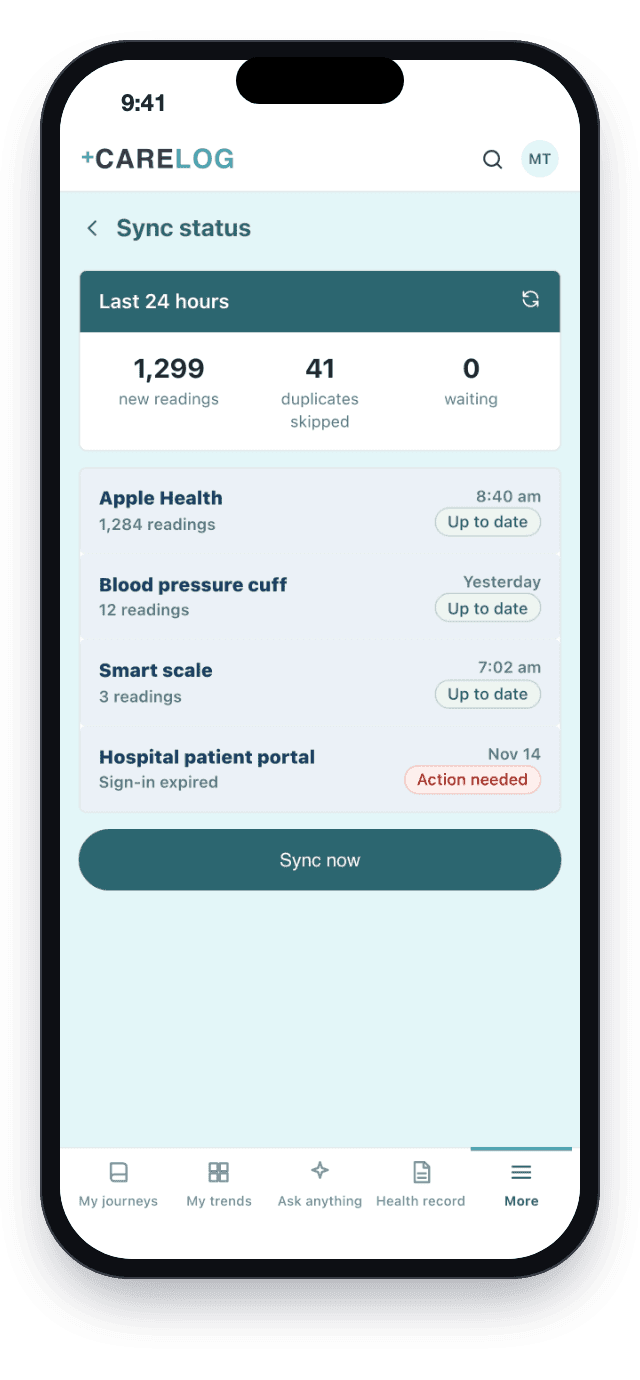
Sync status: new readings, duplicates skipped, sources that need action

Sync status, with duplicates skipped.

2. See trends, the timeline and reports
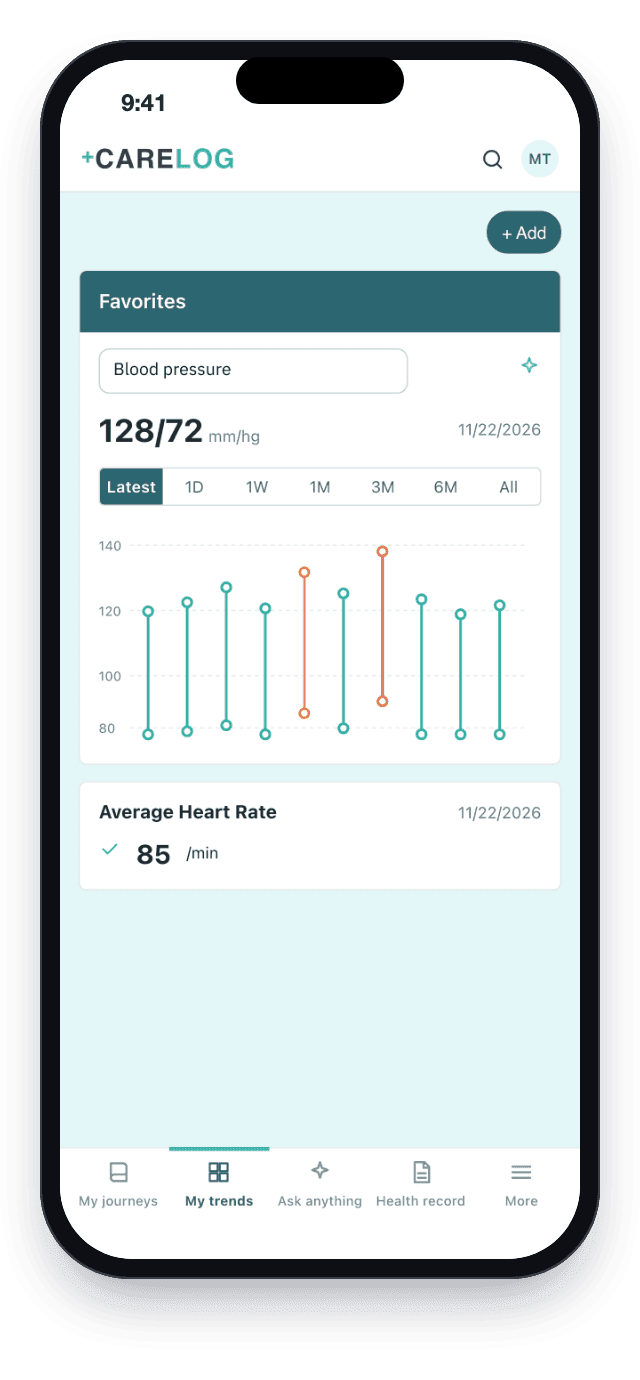
My trends with blood pressure favorites and average heart rate

My trends.

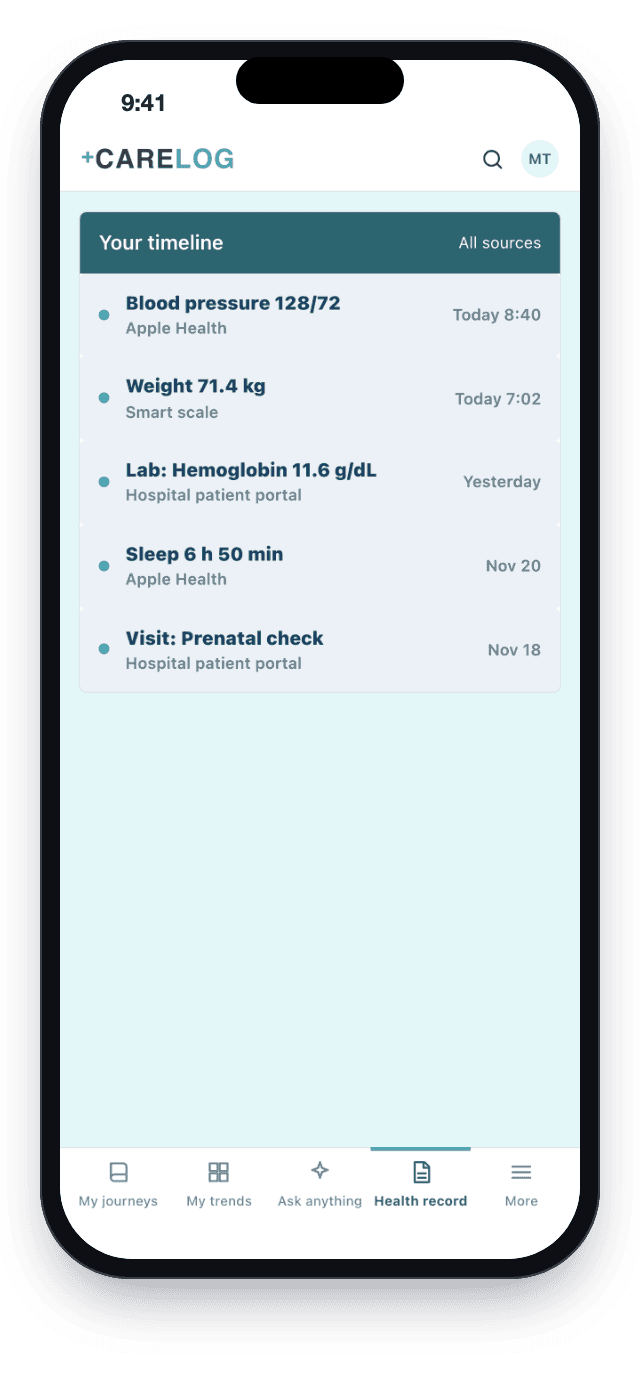
Health record timeline with readings from every linked source

Health record: one timeline, every source.
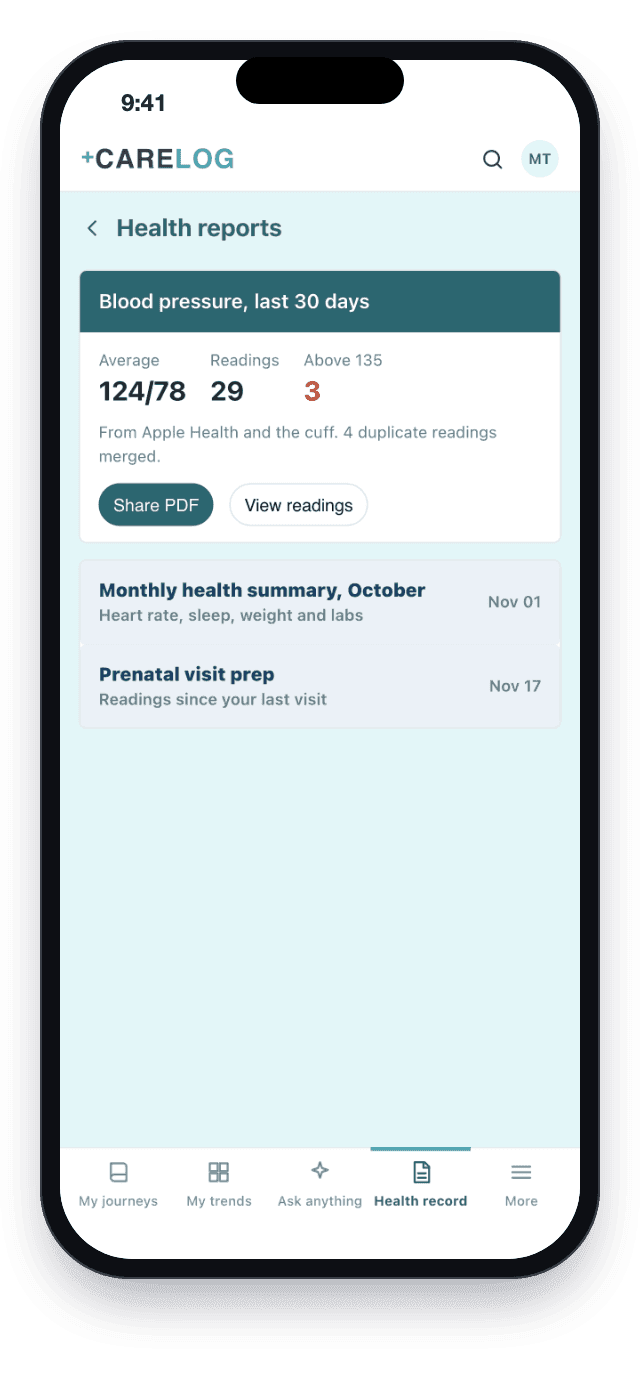
Health report: blood pressure last 30 days with share PDF

A report to share with the doctor.

3. Ask about their own data
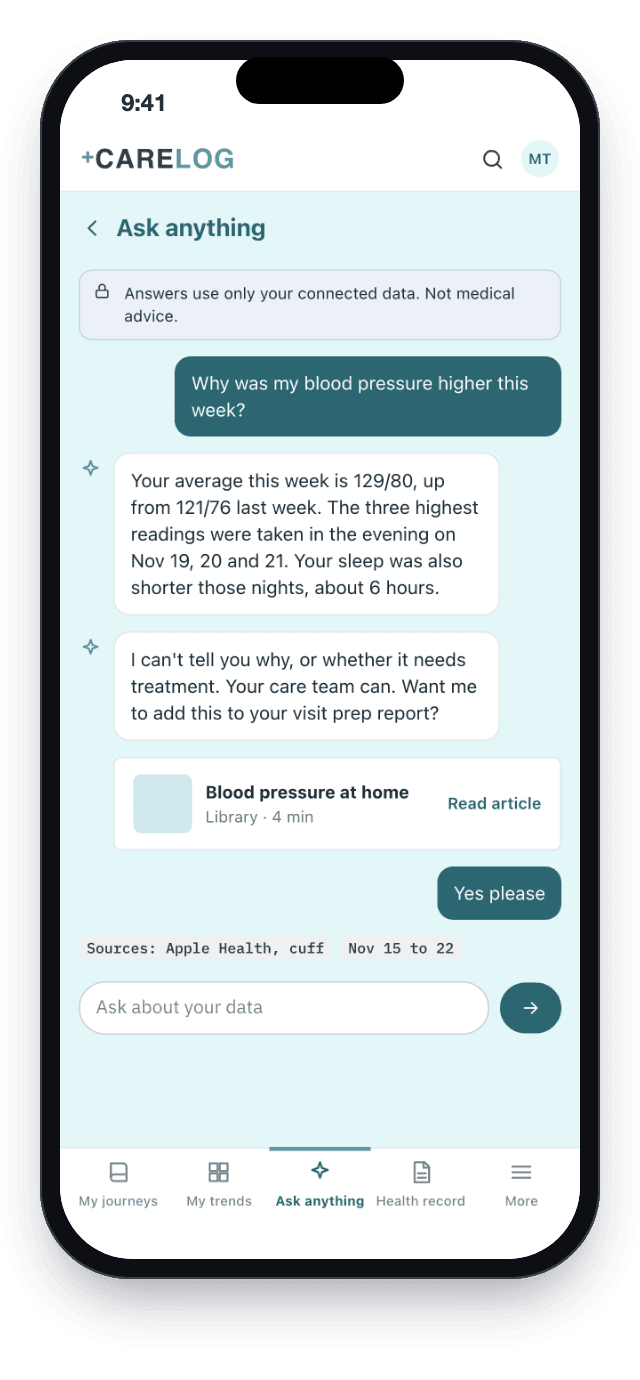
Ask anything assistant answering from the person's readings and pointing medical questions to the care team

Ask anything: answers from their data, with sources.
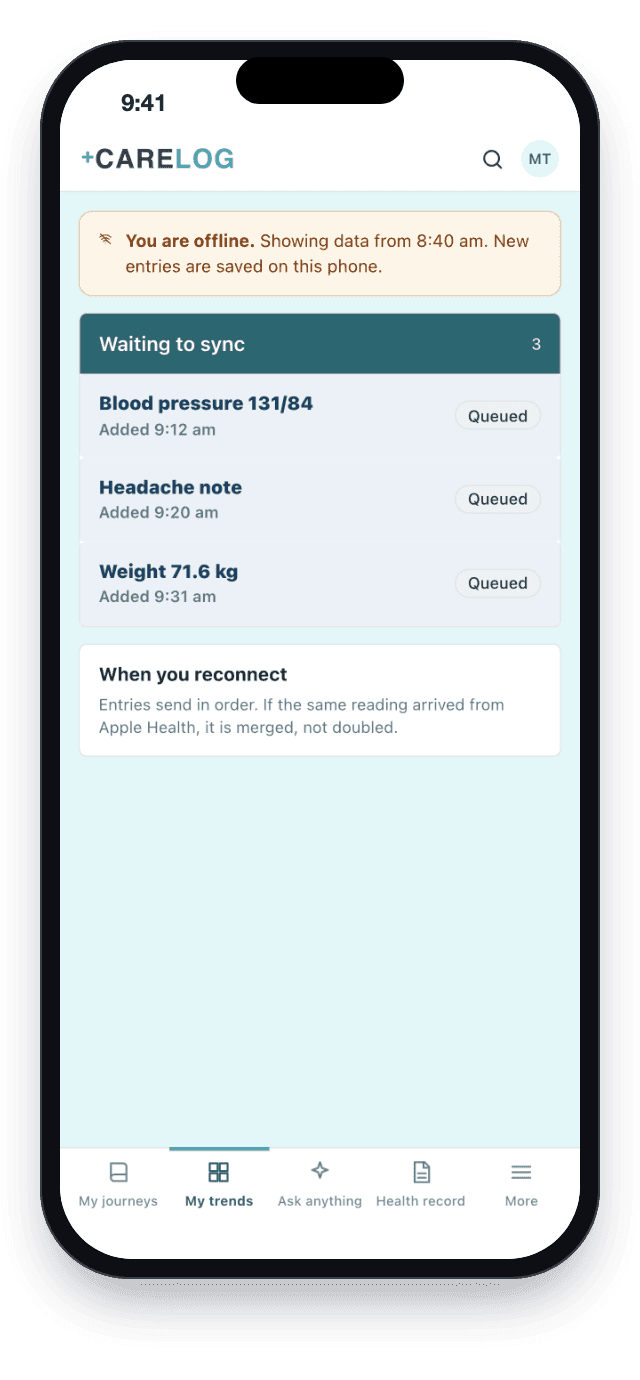
Offline banner and queue of entries waiting to sync

Offline: entries wait on the phone.

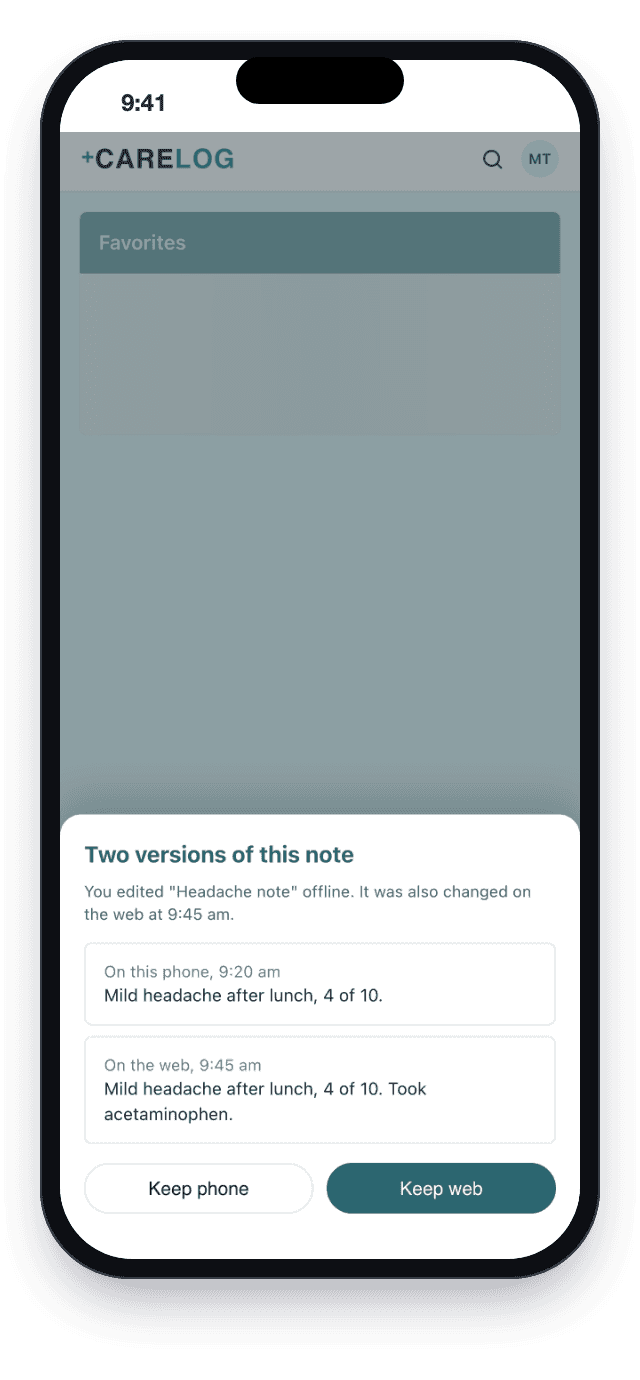
Sync conflict sheet asking which version of a note to keep

A note changed in two places: the person chooses.

4. Sign in and subscribe
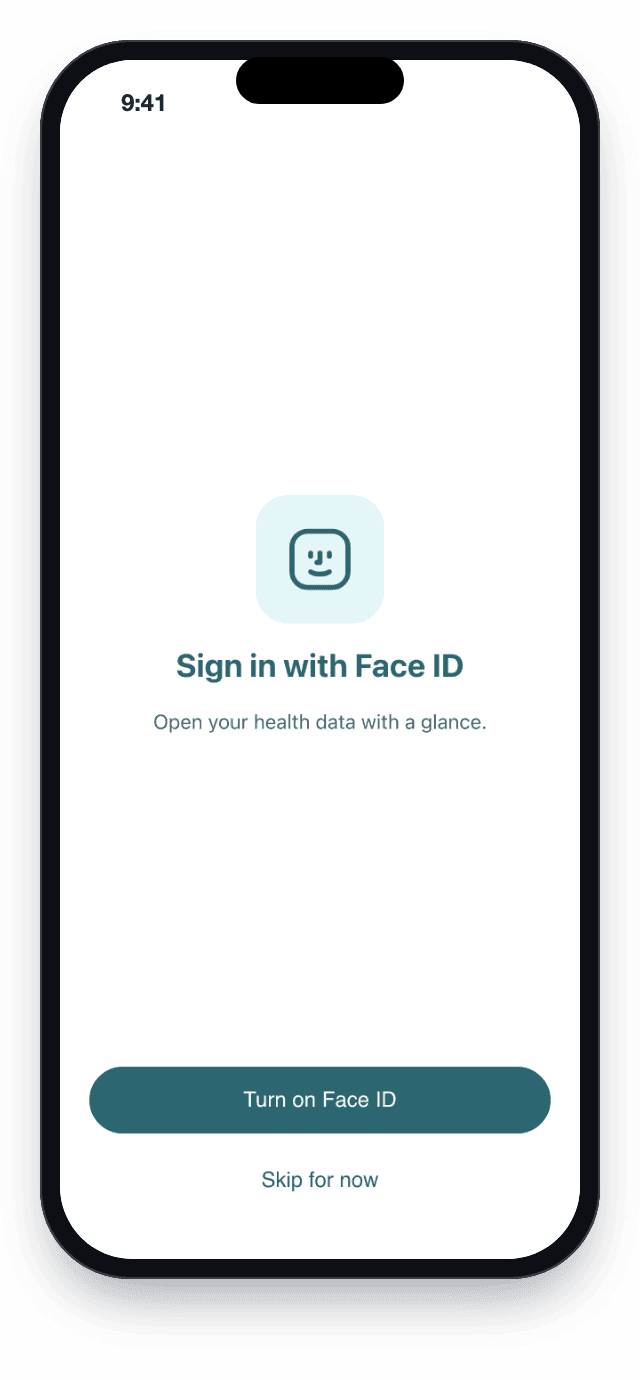
Native Face ID enable screen

Face ID, offered once on first open.

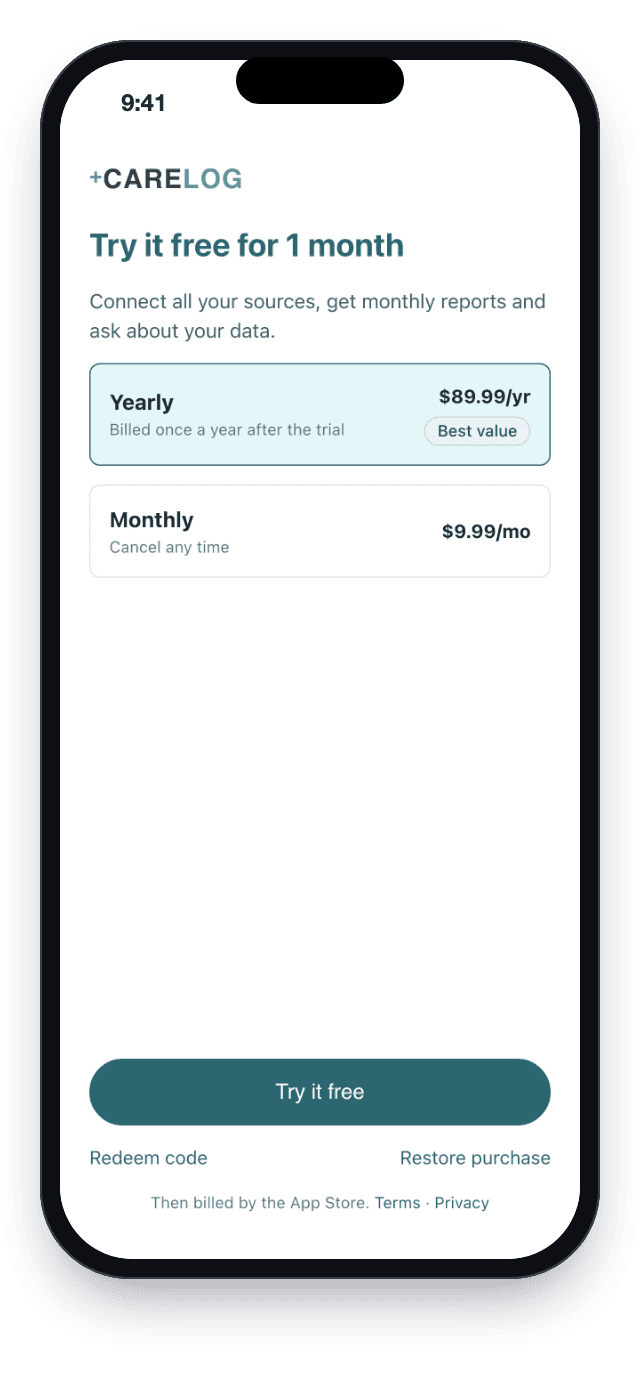
Subscription plans with a free month, redeem code and restore purchase

Plans through the store.

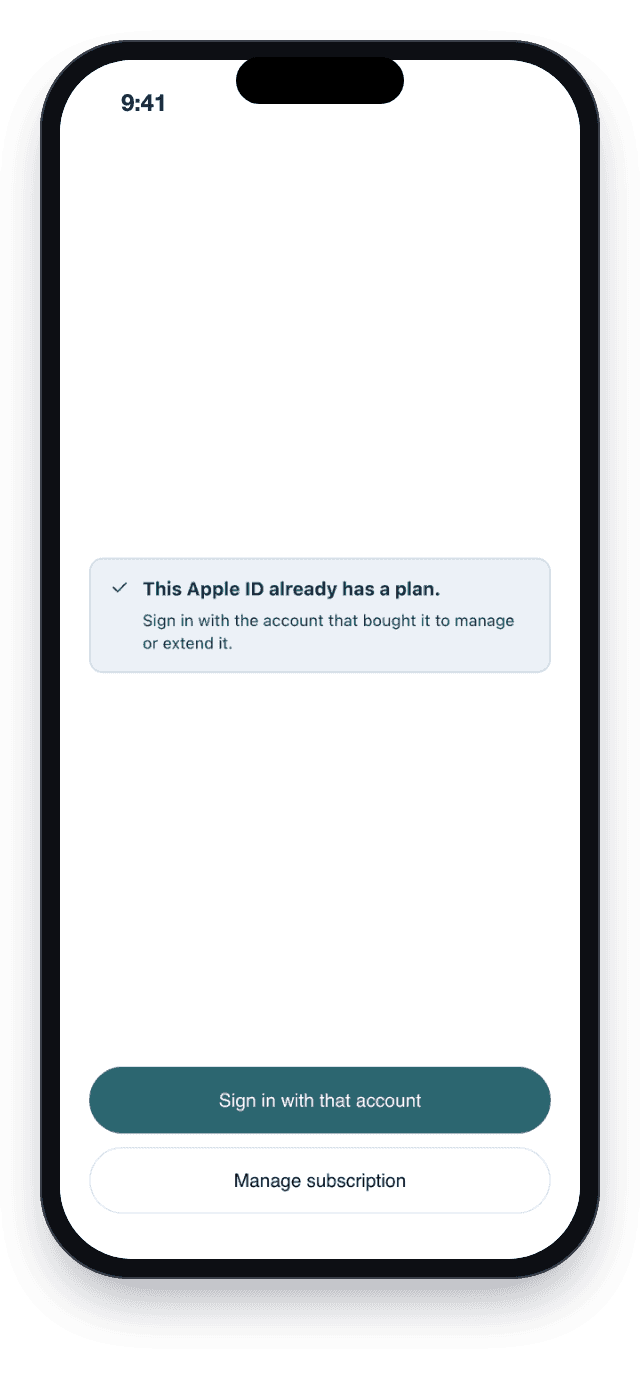
Message when the store account already has a plan

Plan bought on another account.

The hard problems, and how we solved them
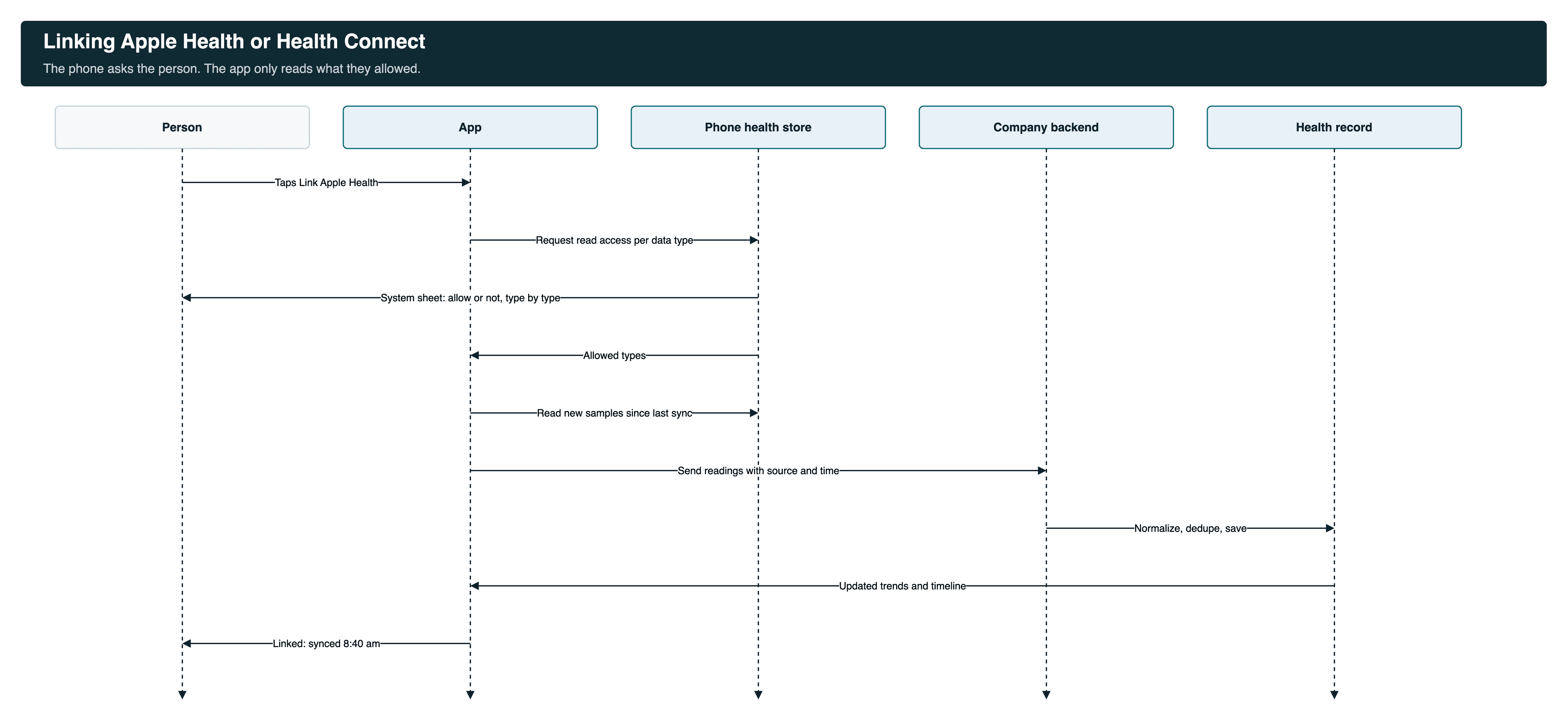
Sequence for linking Apple Health or Health Connect: permission per type, read new samples, send, normalize and dedupe
Two health stores that behave differently+
HealthKit on iPhone and Health Connect on Android ask for permission differently and return data in different shapes. The app requests read access per data type, reads only new samples since the last sync, and sends each reading with its type, value, unit, time and source. On Android the "Link Health Connect" prompt hides once it is linked, and Google Play's Health Connect permission review is part of every release.

For the API details, see our Apple Health HealthKit API integration guide and how to send HealthKit and Health Connect data to a FHIR server.

The same reading from two sources+
A cuff can write to Apple Health and also sync through its own account. Readings are put in one common model and matched on type, time and value, so the timeline and reports count them once. The sync screen shows how many duplicates were skipped.
Reports a doctor can read+
Reports summarize a period: averages, readings outside the range, and which sources they came from. The person can share a PDF or add a report to visit prep.
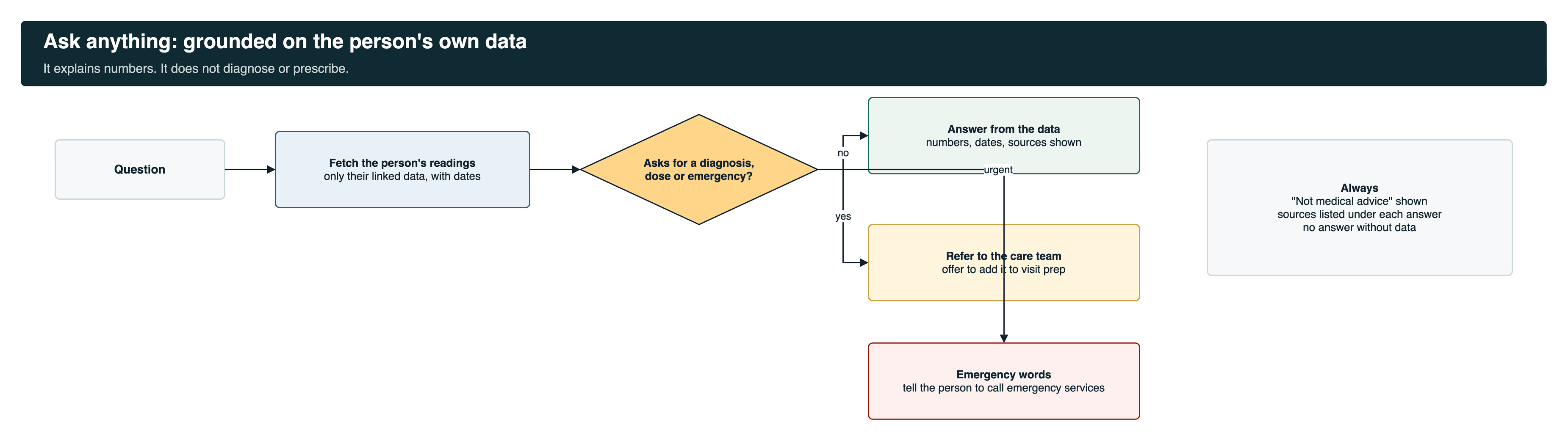
Ask anything guardrails: answers from the person's own readings, refers diagnosis and dose questions to the care team
An assistant that stays in its lane+
Ask anything answers from the person's own linked data and lists its sources and dates under each answer. It does not diagnose, change doses or judge an emergency. Those questions go to the care team, with an offer to add them to visit prep. "Not medical advice" is always shown.
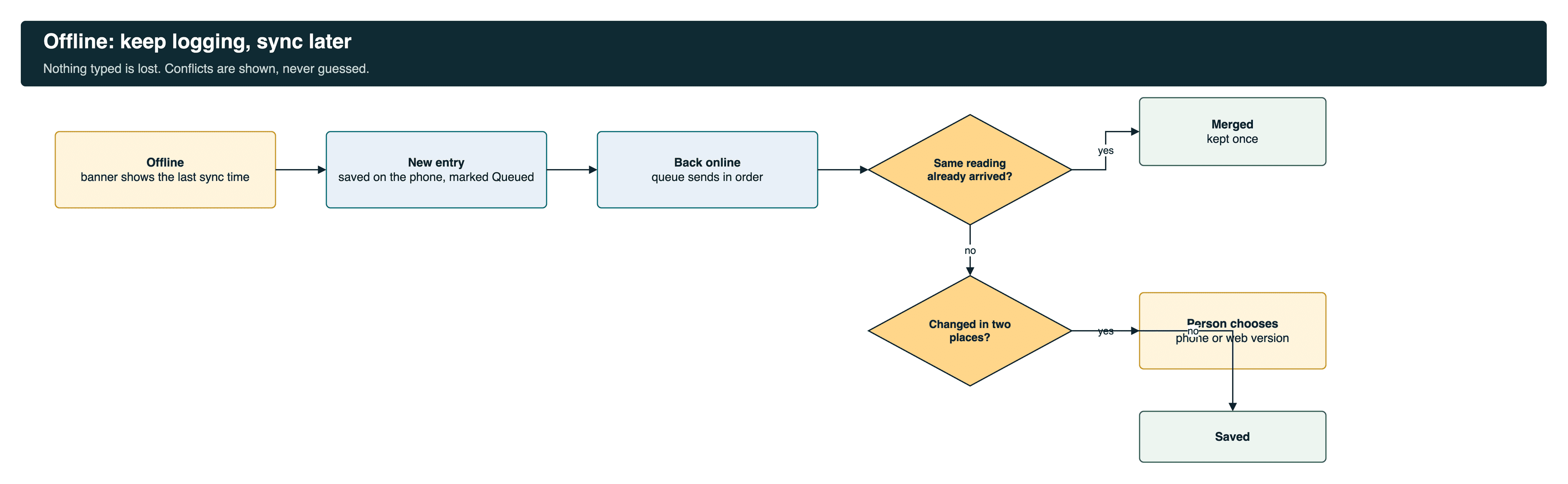
Offline queue: entries saved on the phone, sent in order, duplicates merged, conflicts shown to the person
Logging with no signal+
With no connection the app shows the last sync time and keeps new entries in a queue on the phone. When the connection returns, the queue sends in order. A reading that already arrived from the health store is merged. A note changed on the phone and on the web is shown side by side, and the person chooses.
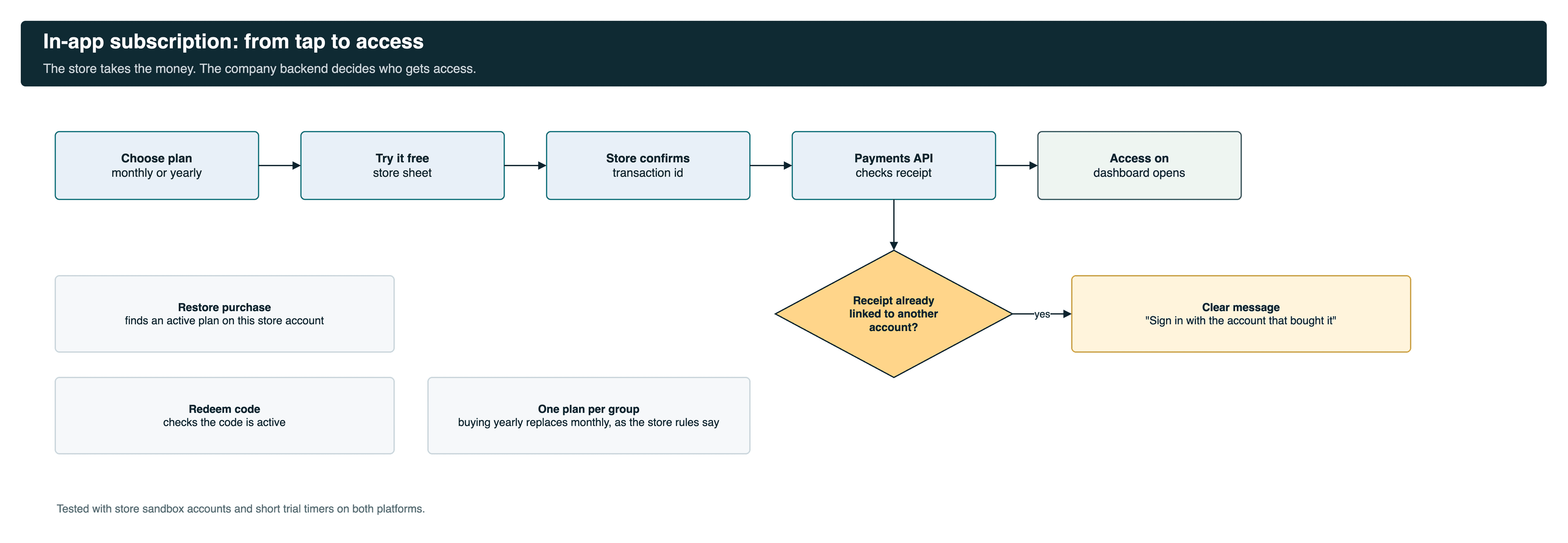
In-app subscription flow from plan choice to access
Subscriptions that both stores accept+
Plans go through App Store and Google Play billing. The company's payments API checks each transaction. We worked through shared store accounts, one plan per subscription group, restore and redeem codes, and agreed clear messages instead of server errors. Apple first flagged missing subscription terms and third-party login buttons. We fixed both and Apple approved the build.
Also in the work+
Native Face ID and fingerprint sign-in, with a small bridge so the web settings page can open the native setting. A sign-out that failed only on Android, fixed by ending the server session first. React Native 0.76 to 0.77 for Android 15, and builds cut from 108 MB to 78 MB on Android and 10 MB to 7.5 MB on iOS, with Fastlane releases for three environments.
Release pipeline from feature branch to store release

Buy, build or reuse

CapabilityChoiceWhy
Phone health dataReuse: HealthKit and Health ConnectThe platforms' own stores, with the person's permission.
Content screensReuse the web appSame-day updates in the app.
PaymentsBuy: App Store and Google Play billingRequired by store rules for digital plans.
Sign-inReuse the company's KeycloakOne login across web and app.
Linking, sync, offline queue, plans, Face IDBuild, nativeThe parts that need the phone.
Release pipelineBuild on FastlaneRepeatable builds for both stores and three environments.

Security and privacy

  • The app reads only the health data types the person allowed, and they can change that in the phone's settings.
  • Face ID and fingerprint checks stay on the phone.
  • The assistant answers only from the signed-in person's own data.
  • Sign-out ends the session on the server, not only on the phone.
  • Code shrinking and obfuscation on both platforms.

For a mobile app built for care workers instead of patients, see our home care mobile app case study.

What we learned

What we foundWhat we didWhat improved
Health data work starts with permissions.Mapped every data type to a reason before asking for it.Smoother store reviews.
A taken-over app needs its user journey first.Asked for a walkthrough of the app from the user's side before changing flows.Fewer surprises in sign-up and plan screens.
Store review is part of the build.Submitted early, read each finding, fixed it with the company.An approved build.
Subscription edge cases hide in sandbox.Wrote each case down as a scenario with expected behavior and agreed it with the backend team.Clear rules for shared store accounts and restore.
Platform bugs need proof, not opinions.Explained the Android web view behavior with references, then fixed it on our side.Sign-out that works on both phones.

How this engagement ran

Time and material, about three months. The code lived in the company's repository. Feature branches per ticket, pull requests reviewed by the company, release notes with every build, and testing on TestFlight and Play internal testing before any wider release.

The same company also asked us to build its clinician web app on a FHIR server. That was a separate assignment, told in our Medplum EHR clinician web app case study.

Building an app that brings health data together?

Tell us your data sources and platforms. We will map permissions, sync and reports before a line of code, built as custom healthcare software.

Book a 30-min call

Sources: the project channels, May to July 2025, read Nov 22, 2026. Build sizes as reported by the team on Jun 23, 2025. No user or revenue numbers are claimed.

Questions buyers ask

What is a health data aggregation app?
An app that pulls a person's health data from many places, such as Apple Health, Google Health Connect, home devices and patient portals, into one record with trends and reports.
How does the app get data from Apple Health and Google Health Connect?
It asks for read access per data type through the phone's own permission screen, then reads new readings since the last sync and sends them with their type, value, unit, time and source.
What happens when the same reading arrives from two sources?
Readings go into one common model and are matched on type, time and value, so they are counted once. The sync screen shows how many duplicates were skipped.
Does the app work offline?
Yes. It shows when data was last synced and keeps new entries in a queue on the phone. When the connection returns the queue sends in order, and conflicts are shown to the person.
What can the Ask anything assistant do?
It explains the person's own numbers, with sources and dates. It does not diagnose, change doses or judge emergencies, and it refers those questions to the care team.
What reports does the app produce?
Period summaries such as blood pressure over 30 days, monthly summaries and visit prep, which the person can share as a PDF.
Does the app need Google Play approval for Health Connect?
Yes. Google reviews Health Connect permissions on each release, so each requested data type needs a clear reason.
How are subscriptions handled?
Through App Store and Google Play billing, with a free month, monthly and yearly plans, redeem codes and restore. The company's payments API checks each transaction.
Is it a native app?
The phone-specific parts are native React Native code on iOS and Android: health store access, permissions, sync, offline queue, Face ID and billing. Content screens reuse the company's web record.