Samsung Health API Integration Guide 2026: Data SDK

CTO & Co-Founder
CTO & Co-Founder at Nirmitee.io. Architects healthcare integrations across FHIR, SMART on FHIR, ABDM and NHCX, writing from production experience taking hospital software from sandbox to go-live.
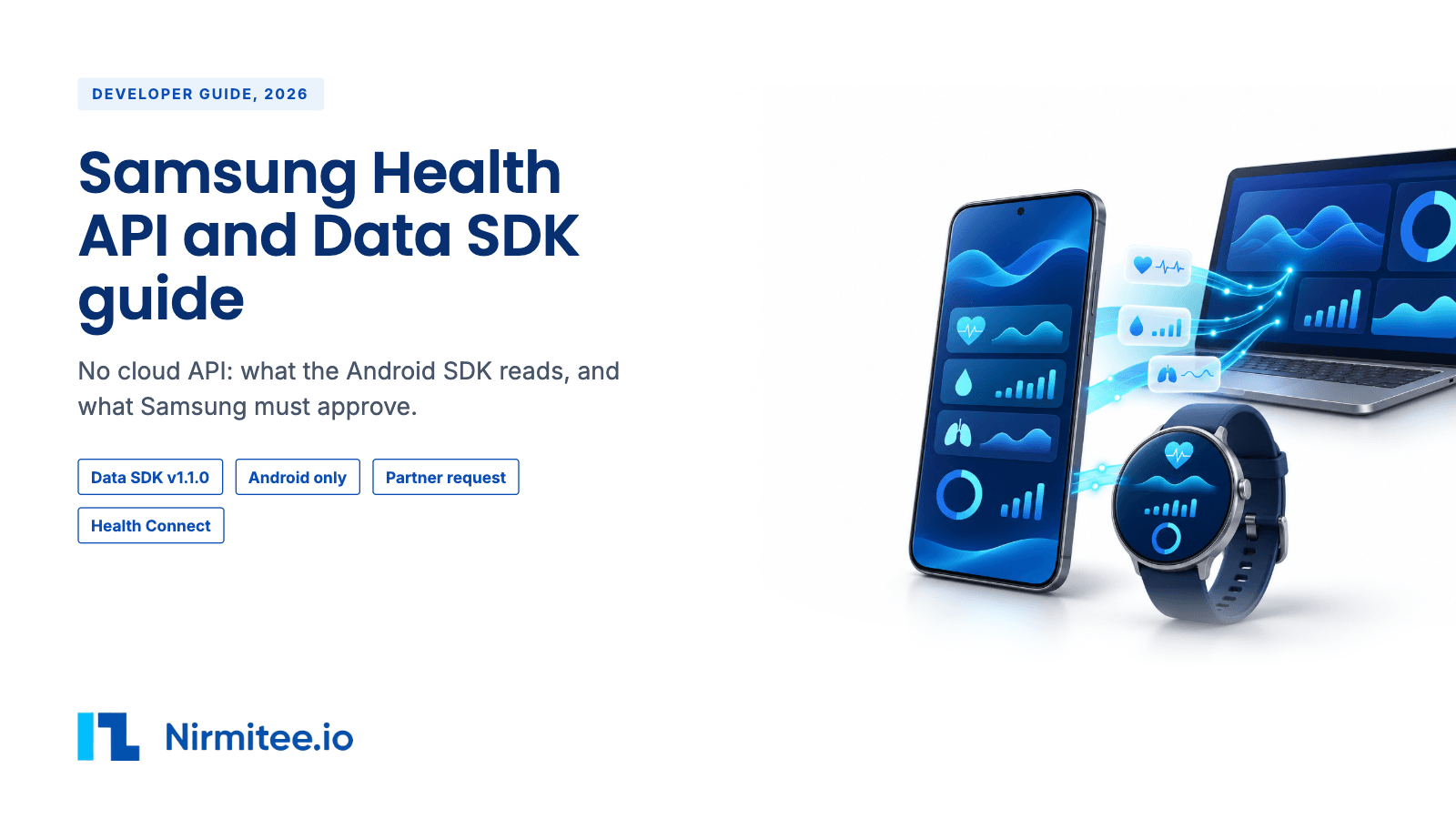
The Samsung Health API route is the Samsung Health Data SDK, an Android SDK that reads data on the user's phone. There is no cloud API, so you need your own Android app and your own server. You can build and test the same day in Samsung Health developer mode, but your app only works for real users after Samsung approves your partner request. Samsung says the data is for "fitness and wellness only" and "not for the diagnosis or treatment of any medical condition". That line decides most healthcare projects. Samsung publishes no fees, no review time and no BAA.
Want a team to build this for you? Our medical device integration services cover the vendor approval, the data pipeline and EHR delivery, and our remote patient monitoring software work covers RPM programs.
Samsung Health integration at a glance
| Question | Short answer |
|---|---|
| Is there an official API? | Yes, an on-phone Android SDK: Samsung Health Data SDK v1.1.0. No server or cloud API found. |
| Cost to the developer | Not published. |
| Does the end user need anything paid? | No subscription found. The user needs an Android 10 or later phone with Samsung Health 6.30.2 or later. Samsung and non-Samsung phones both work. Samsung Health is fed by Galaxy Watch, Galaxy Ring and phone sensors, so expect wearable types such as sleep apnea to be empty for users without one. Test this. |
| Same-day start? | Yes, in developer mode, for testing only. |
| Who approves scale-up? | Samsung, through a partner request before you distribute. No published review time. |
| HIPAA and BAA | Not published. Data comes from the user's phone to your app, so your own HIPAA program applies. |
| Raw or summary data? | Granularity not published for the Data SDK. Raw ECG, PPG and accelerometer streams come only from Samsung's separate Sensor SDK, inside a Galaxy Watch app. |
| Medical use | "Fitness and wellness purposes only", per Samsung's SDK overview. |
| First build | About 3 weeks for the Android reader, upload and FHIR mapping, then Samsung partner approval with no published wait. Our estimate. |
Integration strategies
| Route | Own mobile app? | Own server? | Vendor approval or contract? | SDK? | Latency | Supported data | Not supported | Best for |
|---|---|---|---|---|---|---|---|---|
| Samsung Health Data SDK | Yes, Android | Yes, to receive uploads | Yes. Partner request approval to distribute. Access code to write data. | Yes, v1.1.0, Java 17 or later | When your app reads on the phone and uploads | The read and write types listed below | iOS, emulators, ECG, HRV, raw sensor streams, server pull | Android-heavy programs that need Galaxy Watch or Ring data. |
| Legacy Samsung Health SDK for Android | Yes | Yes | Deprecated as of July 31, 2025 | Old SDK | n/a | n/a | New builds | No one. Migrate to the Data SDK. |
| Cloud REST API | n/a | n/a | None found | n/a | n/a | None | All | n/a |
| Webhooks | n/a | n/a | None found | n/a | n/a | None. The SDK has a "read changes" call on the phone. | Server push | n/a |
| Health Connect | Yes, Android | Yes | Samsung terms not published for this route | Health Connect | Galaxy Watch heart rate syncs late to save battery | Samsung Health reads and writes Health Connect since version 6.22.5: steps, exercise, heart rate, SpO2, blood pressure, blood glucose, sleep and stages, nutrition, weight, body fat | Samsung says the synced scope can change between versions | Teams that already read Health Connect |
| Apple Health | n/a | n/a | n/a | n/a | n/a | Samsung Health runs on Android. No iOS route found. | All | n/a |
| Partner or enterprise API | Yes | Yes | The partner request is the only program found. No separate enterprise API found. | Data SDK | Same as Data SDK | Same as Data SDK | Same as Data SDK | Any distributed app. |
| Aggregators, checked 10 November 2026 | Terra, Junction and Thryve list Samsung Health through their phone SDK, not a cloud API. Thryve says production needs Samsung verification. Validic lists it as restricted and not taking new applications. Spike lists it with no route stated. ROOK does not list it. Sahha coverage is not published. | |||||||
| File export | n/a | n/a | Not published | n/a | n/a | Not in our sources | n/a | Not assessed. Do not plan on it. |
For a healthcare program that needs Galaxy Watch or Galaxy Ring data, build on the Data SDK and file the partner request in week one, because your app cannot reach real users until Samsung approves. Keep the product out of diagnosis and treatment claims. For a wellness app, the Data SDK is the richest Samsung route. If you already read Health Connect, test whether it gives you enough before you add the SDK.
Build it yourself, use an aggregator, or work with a partner
| Question | Build in-house | Wearable aggregator | Build with a partner (Nirmitee) |
|---|---|---|---|
| Whose Samsung partner approval? | Yours | Depends on the aggregator. Thryve says production needs Samsung verification. | Yours. We build the app under your package name and signing key. |
| Wellness-only clause risk | Your counsel reads it | Same clause. Samsung's wording applies whoever reads the data. | Your counsel reads it. We keep screens and alerts out of diagnosis. |
| Change tracking and upload | You build readChanges, background work and upload | The aggregator's phone SDK does it | We build them, then hand them to you or run them |
| Data model | Samsung's data points | The aggregator's schema | FHIR Observations for your EHR or remote monitoring stack |
| Other devices later | One new build per device | Many devices through one SDK | Same pattern reused across devices |
| Time to first real user | Depends on your team, plus Samsung approval | Depends on the aggregator, plus Samsung verification | About 3 weeks of build in our estimate, plus Samsung approval with no published wait |
| Cost shape | Engineering time | Aggregator fee. Pricing for Samsung Health on these platforms is not published. | Project fee, scoped after a call |
What data you can get
These are the types Samsung lists on the Data SDK overview. Granularity, history window and latency are not published on the pages we read. All reads are pulls from the phone. Confirm granularity per type on a test phone before you design screens or study endpoints.
| Data type | Read | Write | Granularity | History window | Push or pull |
|---|---|---|---|---|---|
| Activity summary | Yes | No | Not published | Not published | Pull on phone |
| Active calories burned goal, active time goal | Yes | No | Not published | Not published | Pull |
| Steps, step goal | Yes | No | Not published | Not published | Pull |
| Floors climbed | Yes | Yes | Not published | Not published | Pull |
| Exercise, exercise location | Yes | Yes | Not published | Not published | Pull |
| Heart rate | Yes | Yes | Not published | Not published | Pull |
| Irregular heart rhythm notification | Yes | No | Not published | Not published | Pull |
| Blood oxygen (SpO2) | Yes | Yes | Not published | Not published | Pull |
| Skin temperature | Yes | No | Not published | Not published | Pull |
| Body temperature | Yes | Yes | Not published | Not published | Pull |
| Blood pressure | Yes | Yes | Not published | Not published | Pull |
| Blood glucose | Yes | Yes | Not published | Not published | Pull |
| Body composition | Yes | Yes | Not published | Not published | Pull |
| Sleep, sleep goal | Yes | Sleep yes, goal no | Not published | Not published | Pull |
| Sleep apnea | Yes | No | Not published | Not published | Pull |
| Energy score | Yes | No | Not published | Not published | Pull |
| Nutrition, nutrition goal | Yes | Nutrition yes, goal no | Not published | Not published | Pull |
| Water intake, water intake goal | Yes | Water yes, goal no | Not published | Not published | Pull |
| User profile | Yes | No | Not published | n/a | Pull |
Blood pressure, glucose and SpO2 values in Samsung Health can come from connected devices that write them. Keep the source device on every reading.
What is inside one Samsung Health sleep record
Sleep is the richest record in the Data SDK. These fields come from Samsung's programming guide and sleep code lab.
| Field or call | What it holds |
|---|---|
| DURATION | How long the sleep lasted |
| SLEEP_SCORE | Samsung's calculated sleep quality. Read only: apps cannot insert, update or delete it. |
| SESSIONS | A list of sessions. A long wake splits one night into several sessions. Each session has Light, REM, Deep and Awake stages. |
| readAssociatedData() | Blood oxygen and skin temperature measured during that sleep, when the user wore a Galaxy Watch |
| uid and data source | Every data point carries an id, the app that wrote it and the device that measured it |
If a user wears both a Galaxy Watch and a Galaxy Ring, Samsung Health merges them into one sleep session. Leave the device filter off to get the merged record. For totals, aggregate calls group results by minute, hour or day. Heart rate supports minimum and maximum, and steps support totals. Units per field sit in the API reference, which needs a Samsung account sign-in, so we did not check them.
Need raw signals? Samsung's Sensor SDK (v1.4.1) runs in a Wear OS app on Galaxy Watch4 and later, not on the phone. Its spec lists raw ECG at 500 Hz, raw PPG at 25 Hz continuous or 100 Hz on demand, accelerometer at 25 Hz, and heart rate with inter-beat intervals at 1 Hz. Samsung says the inter-beat intervals can be used to calculate HRV. The Sensor SDK does not share data with Samsung Health, needs its own partner request, and carries the same wellness-only note.
What you cannot get
- ECG. Not in the read list.
- Heart rate variability (HRV). Not in the read list.
- Raw sensor streams through the Data SDK. Samsung's separate Sensor SDK gives raw ECG, PPG and accelerometer data, but only inside your own Galaxy Watch app.
- Any server or cloud API. All reads happen on the phone.
- iPhone users. Samsung Health runs on Android.
- Data on emulators. The SDK does not support them.
- Writing data without an access code from Samsung, issued after partner approval.
- Activity summary, goals, energy score, skin temperature, sleep apnea and irregular rhythm notifications as write types. Read only.
- Real users before partner approval. Without it, the app works only with developer mode on.
How to get access
- Download Samsung Health Data SDK v1.1.0 from Samsung Developer. Same day.
- Turn on developer mode in Samsung Health on your test phone. Samsung says developer mode is for testing only and must not be shared with users. Reading can be tested in developer mode without a partner request.
- Build your Android app with the SDK. Requirements: Samsung Health 6.30.2 or later, Android 10 (API 29) or later, Java 17 or later, a real phone.
- Submit the partner request before you distribute. Samsung approves. On approval, your app's package name and SHA-256 signing certificate are registered. Review time: not published. Developer forum threads describe the program as unclear or paused at times.
- If you write data, receive the access code Samsung issues after approval.
- Pass Samsung's app verification. The SDK checks your package name and SHA-256 signature against Samsung's register. A mismatch returns error 2003, "Permission not allowed due to SDK policy error".
- Release on Google Play. Check that the SHA-256 you registered matches the key that signs the build users install.
From zero to your first Samsung Health data in four steps
There is no server API and no webhook, so all four steps happen in your Android app on the user's phone.
- Get the SDK and turn on developer mode. Download the Data SDK and import samsung-health-data-api.aar. On a real phone, open Samsung Health, go to Settings, About Samsung Health, and tap the version line 10 or more times. Choose Developer mode (Samsung Health Data SDK) and turn on Developer Mode for Data Read.
- Ask the user for permission. Build a set of Permission.of(data type, AccessType.READ) items and call requestPermissions(). Samsung Health shows its own pop-up, and the user allows each type. Call getGrantedPermissions() first so you do not ask twice.
- Read data on the phone. This is Samsung's own example for heart rate in a time range:
Add ReadSourceFilter.fromDeviceType(DeviceGroup.WATCH) to keep only watch readings.val healthDataStore = HealthDataService.getStore(applicationContext) val localTimeFilter = LocalTimeFilter.of(startTime, endTime) val readRequest = DataTypes.HEART_RATE.readDataRequestBuilder .setLocalTimeFilter(localTimeFilter) .setOrdering(Ordering.DESC) .build() val heartRateList = healthDataStore.readData(readRequest).dataList - Sync only what changed, then file the partner request. Store the last sync time. Call readChanges() with a change time filter from that time to now. Each change is UPSERT with the data point, or DELETE with the deleted id. Upload those to your server. Before release, send Samsung your package name and the SHA-256 of the app signing key. For Google Play, that key is in Play Console under Release, Setup, App integrity.
Terms you must know
We read Samsung's SDK overview and app creation process pages. We did not read the Samsung Developer Terms or the partner agreement, so clause numbers below are not available.
- Medical use: Samsung says the data is for "fitness and wellness only" and "not for the diagnosis or treatment of any medical condition". For a healthcare product, do not diagnose, treat or trigger clinical decisions from this data alone. Show it as context alongside clinical-grade readings. For a wellness app, this fits normal use.
- PHI, HIPAA and BAA: not published. The data moves from the user's phone to your app. Samsung does not send it to you from a server. Once it sits on your server with patient identity, your HIPAA program applies.
- Storage and retention: not published on the pages we read. Read the partner agreement.
- AI training: not published on the pages we read.
- Display and branding: not published on the pages we read.
- Data selling: not published on the pages we read. Ask Samsung for the policy that governs data use before you sign.
- Developer mode: for testing only. Do not ask users to turn it on to get around approval.
- Termination and deprecation: Samsung deprecated the legacy SDK on July 31, 2025 and told partners to migrate. Plan for the same to happen again.
- Competing products: not published.
Cost and payment terms
- SDK and partner program fees: not published.
- End-user subscription: none found. Users need Samsung Health on an Android 10 or later phone. Watch and ring data need that hardware.
- Enterprise contract: not published.
- Aggregator fees: not published in the sources we read.
Use cases
1. Remote patient monitoring with blood pressure and glucose
The patient's connected cuff or meter writes readings into Samsung Health. Your Android RPM app reads new blood pressure and glucose records on a schedule, uploads them, and your server writes FHIR Observations to the EHR. Data used: blood pressure, blood glucose.
- Samsung says the data is for wellness only. Fix: for billable RPM, take readings from the meter vendor's own clinical route and use Samsung data as backup, after legal review.
- Duplicate readings when the meter app also uploads elsewhere. Fix: dedupe by time and device.
- App killed by battery saver, so readings arrive late. Fix: scheduled background work that reads everything since the last successful upload.
2. Sleep and sleep apnea program
The member wears a Galaxy Watch or Ring. Your app reads sleep sessions, SpO2 and sleep apnea results each morning and shows the member trends. A sleep coach sees weekly summaries. Data used: sleep, blood oxygen, sleep apnea, skin temperature.
- No watch or ring, so no SpO2 or apnea data. Fix: check device presence at sign-up.
- Apnea results used for diagnosis. Fix: route to a clinician for proper testing. Do not diagnose.
3. Cardiac program with irregular rhythm notifications
Your app reads irregular heart rhythm notifications and heart rate. A care team sees a flag to contact the patient. Data used: irregular heart rhythm notification, heart rate.
- ECG not available through the SDK. Fix: ask the patient for the ECG through another route.
- Flags treated as diagnosis. Fix: wording on screen says "notification from the patient's watch".
4. Wellness and coaching app
The user grants permissions in Samsung Health. Your app reads steps, exercise, sleep and energy score and coaches on them. Data used: steps, exercise, sleep, energy score, nutrition.
- User declines some permissions. Fix: check granted permissions and explain what each one unlocks.
- Partner approval delayed. Fix: file in week one and run a closed beta in developer mode on staff phones only.
5. Clinical trial with Galaxy wearables
Participants get a study app on Android. It reads steps, sleep and heart rate and uploads daily. Data used: steps, sleep, heart rate.
- Participants on iPhone. Fix: a second route for iOS or Android-only enrollment.
- Granularity and history window not published. Fix: pilot on study phones to confirm what you get before you lock endpoints.
Samsung Health data in an EHR or remote monitoring program
Most healthcare teams want Samsung Health readings next to clinical data. The usual pattern is to turn each reading into a FHIR Observation, the standard record for a measurement, and send it to the EHR or the remote monitoring platform. Samsung's wellness-only line still applies, so show these as patient-reported context.
| Samsung Health value | FHIR Observation | Code |
|---|---|---|
| Heart rate | Heart rate, beats per minute | LOINC 8867-4 |
| Blood oxygen | Oxygen saturation by pulse oximetry, percent | LOINC 59408-5 |
| Blood pressure | Blood pressure panel with systolic and diastolic components | LOINC 85354-9, 8480-6, 8462-4 |
| Blood glucose | Glucose in blood | LOINC 2339-0. Check the method fits the meter. |
| Body temperature | Body temperature | LOINC 8310-5 |
| Steps | Number of steps | LOINC 55423-8 |
| Body composition weight | Body weight | LOINC 29463-7 |
| Sleep duration | Sleep duration | LOINC 93832-4 |
| Sleep score, energy score, irregular rhythm notification | Device-specific Observation | Your own code system. These are Samsung's own scores and flags, so no standard code fits exactly. |
Keep the Samsung data uid and the source device on each Observation. When readChanges() returns a DELETE with that uid, you can find the Observation and retract it.
Known blockers and gotchas
- Partner approval gates release. Without it, the app only works with developer mode on. File early.
- Unclear partner program. Developer forum threads describe it as unclear or paused at times. Escalate through Samsung Developer Support.
- Legacy SDK deprecated. Apps on the old Samsung Health SDK must move to the Data SDK. Thryve reports that apps approved under the old SDK need a new approval.
- Wellness-only wording. Blocks diagnostic claims built on this data.
- No emulator support. Budget real test phones.
- Java 17 and Android 10 minimums. Check your build toolchain and your users' phones.
- Signing key must match. Check that the SHA-256 registered with Samsung matches the key that signs the build users install.
- No ECG or HRV in the Data SDK. Plan another source if you need them. The Sensor SDK on Galaxy Watch4 and later gives raw ECG and inter-beat intervals.
- Developer mode is not for users. Samsung says not to share its guide with app users.
Delivery timeline
Our estimate, not a measured figure.
| Week | Work | Depends on Samsung? |
|---|---|---|
| 1 | SDK setup, developer mode, permission flow, file the partner request | Yes, the request starts Samsung's clock |
| 1 to 2 | Readers for the types you need, change reads, background work | No |
| 2 to 3 | Upload, dedupe, FHIR mapping, screens | No |
| 3 onward | Partner approval, access code for writes, app verification | Yes. No published wait. |
| After approval | Play release with registered signature | Google Play review |
Questions to ask Samsung before you sign
- How long does partner approval take today, and who is our contact?
- What terms govern use of the data in a healthcare product, including storage, AI and sharing with clinicians?
- Does the "fitness and wellness only" line stop us from showing readings to a care team?
- Are there any fees for the SDK or partnership?
- What granularity and history window does each data type return?
- Which Samsung Health data is also written to Health Connect?
- Is ECG or HRV on the roadmap for the Data SDK?
- What does app verification check?
Other device integration guides
Samsung Health is often one source among several. Each guide below uses the same layout, so you can compare access, data and terms side by side. For the full service, see medical device integration.
- Oura API integration guide
- WHOOP API integration guide
- Garmin API integration guide
- Ultrahuman API integration guide
- Eight Sleep API integration guide
- Fitbit and Google Health API integration guide
- Apple Health API integration guide
- Health Connect API integration guide
- Withings API integration guide
- Dexcom API integration guide
- FreeStyle Libre API integration guide
- Polar API integration guide
- COROS API integration guide
- Suunto API integration guide
- Strava API integration guide
- Peloton API integration guide
- MyFitnessPal API integration guide
Ready to build your Samsung Health integration?
Tell us your device, your users and your target date, and we will send back the route, the vendor approvals you need and a build plan. Book a call about your device integration.
For whoever builds this
Auth and permissions
- No OAuth or server token. The user grants per-type permissions inside Samsung Health through the SDK's permission request.
- Writes need the access code issued after partner approval.
- Release builds must match the registered package name and SHA-256 signature.
SDK
- Samsung Health Data SDK v1.1.0. It reads, and after approval writes, the types listed above. The main calls, from Samsung's programming guide (read 11 Nov 2026), are HealthDataService.getStore(), requestPermissions(), readData(), aggregateData(), readChanges() and readAssociatedData().
- Requirements: Samsung Health 6.30.2+, Android 10 (API 29)+, Java 17+. No emulator.
- Rate limits: not published. Webhooks: none, so there is nothing to sign.
FHIR mapping
| Data | LOINC | Status |
|---|---|---|
| Heart rate | 8867-4 | Checked in LOINC 11 Nov 2026. Confirm against your IG. |
| SpO2 | 59408-5 | Checked in LOINC 11 Nov 2026 |
| Blood pressure panel, systolic, diastolic | 85354-9, 8480-6, 8462-4 | Checked in LOINC 11 Nov 2026 |
| Blood glucose | 2339-0 | Checked in LOINC 11 Nov 2026 (glucose in blood). Check the method fits the meter. |
| Body temperature | 8310-5 | Checked in LOINC 11 Nov 2026 |
| Steps | 55423-8 | Checked in LOINC 11 Nov 2026 |
| Body weight | 29463-7 | Checked in LOINC 11 Nov 2026 |
| Sleep duration | 93832-4 | Checked in LOINC 11 Nov 2026 |
Version notes
- Data SDK v1.1.0 is the current download. Legacy Samsung Health SDK for Android deprecated July 31, 2025.
Sources
- Samsung Health Connect FAQ, https://developer.samsung.com/health/health-connect-faq.html, read 10 November 2026.
- Terra supported integrations, https://docs.tryterra.co/reference/health-and-fitness-api/supported-integrations, read 10 November 2026.
- Junction providers list, https://docs.junction.com/wearables/providers/introduction, read 10 November 2026.
- Thryve data sources overview, https://docs.thryve.health/thryve-data-sources/overview, read 10 November 2026.
- ROOK data sources, https://docs.tryrook.io, read 10 November 2026.
- Sahha integrations, https://www.sahha.ai/docs/connect/integrations.md, read 10 November 2026.
- Spike integrations, https://www.spikeapi.com/integrations, read 10 November 2026.
- Validic supported devices and restricted vendor list, https://www.validic.com/features/supported-devices/, read 10 November 2026.
- Samsung Health Data SDK overview, https://developer.samsung.com/health/data/overview.html, read November 10, 2026
- Samsung Health Data SDK app creation process, https://developer.samsung.com/health/data/process.html, read November 10, 2026
- Samsung Health SDK for Android (legacy), https://developer.samsung.com/health/android, read November 10, 2026
- Samsung Health Data SDK migration guide, https://developer.samsung.com/health/data/migration-guide/overview.html, read November 10, 2026
- Thryve docs, Samsung Health (third party), https://docs.thryve.health/thryve-data-sources/samsung-health, read November 10, 2026
- Samsung Developer forum thread (developer report), https://forum.developer.samsung.com/t/unclear-partnership-program/17277, read November 10, 2026
- Samsung Health Data SDK programming guide: data types, data access, filter and group, device manager, https://developer.samsung.com/health/data/guide/features/data-types.html, read November 11, 2026
- Data SDK guide: permission request, read data, read changes, aggregate data, associated data, https://developer.samsung.com/health/data/guide/hello-sdk/read-data.html, read November 11, 2026
- Data SDK developer mode and app verification, https://developer.samsung.com/health/data/guide/app-verification.html, read November 11, 2026
- Data SDK FAQ, https://developer.samsung.com/health/data/faq.html, read November 11, 2026
- Data SDK release note, https://developer.samsung.com/health/data/release-note.html, read November 11, 2026
- Samsung sleep data code lab, https://developer.samsung.com/codelab/health/sleep-data.html, read November 11, 2026
- Samsung Health Sensor SDK overview, data specifications, FAQ and process, https://developer.samsung.com/health/sensor/guide/data-specifications.html, read November 11, 2026
- Samsung blog, Accessing Samsung Health data through Health Connect, https://developer.samsung.com/health/blog/en/accessing-samsung-health-data-through-health-connect, read November 11, 2026
Ready to scale?
Talk to our healthcare engineering team about building, integrating, and shipping faster.
Frequently Asked Questions
Does Samsung Health have an API?
Can I use the old Samsung Health SDK?
Do I need Samsung's approval?
How long does Samsung Health partner approval take?
What data can I read from Samsung Health?
Can I get ECG or HRV from Samsung Health?
Can I get Samsung Health data through Health Connect?
Can Samsung Health data be used for medical diagnosis?
Does Samsung Health work on iPhone or non-Samsung phones?
Is there a cost for the Samsung Health Data SDK?
How long does a Samsung Health integration take?
Does Samsung sign a BAA for Samsung Health data?
Which permissions does the Samsung Health Data SDK ask for?
Does Samsung Health send webhooks when data changes?
How much history can my app read when a user first connects?
What does Samsung Health error 2003 mean?
Can I get raw ECG, PPG or HRV from a Galaxy Watch?
Can I tell which device recorded a Samsung Health reading?