Health Connect API Integration Guide 2026: Android

CTO & Co-Founder
CTO & Co-Founder at Nirmitee.io. Architects healthcare integrations across FHIR, SMART on FHIR, ABDM and NHCX, writing from production experience taking hospital software from sandbox to go-live.
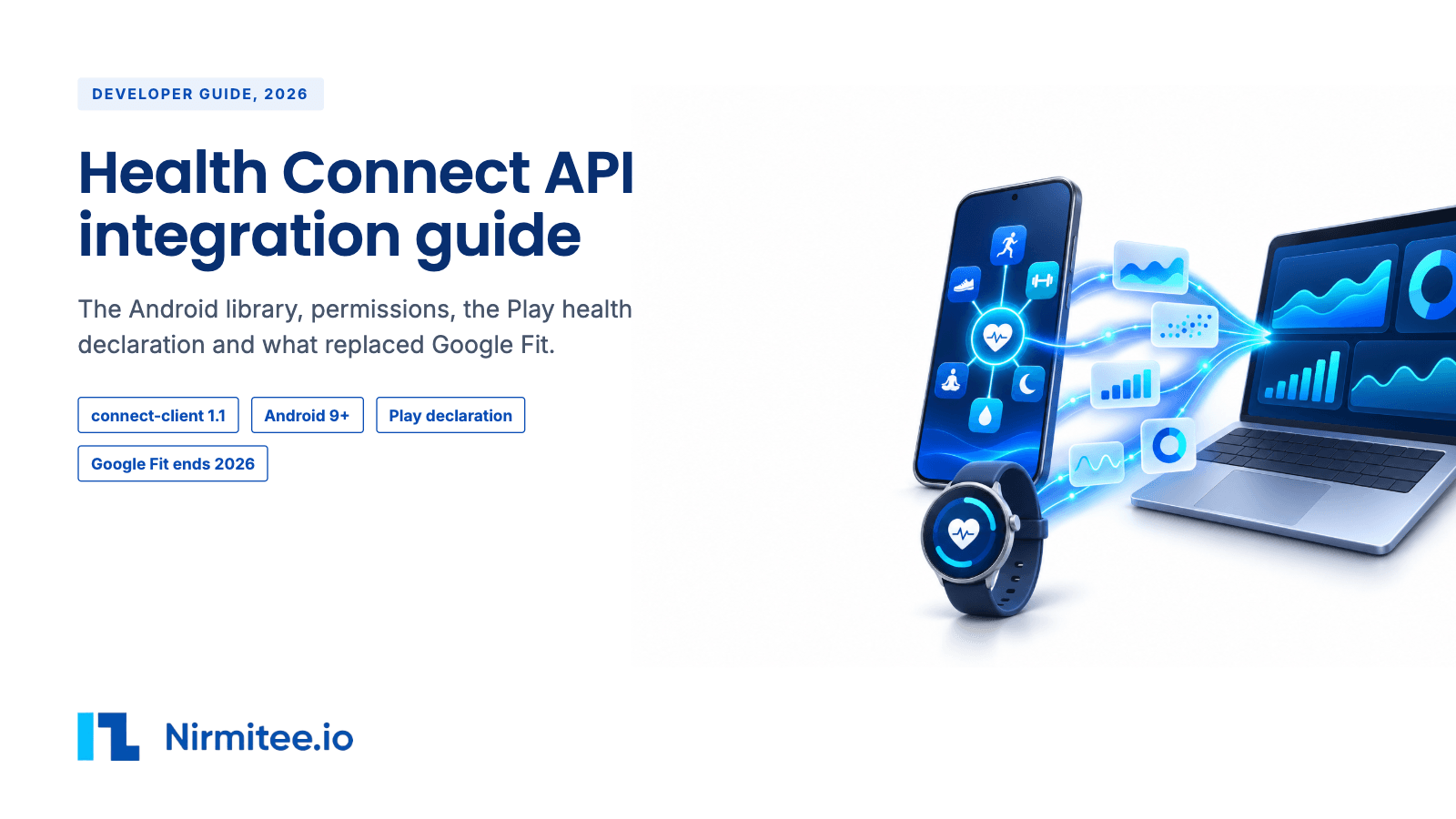
Yes, you can integrate Health Connect, but the Health Connect API runs on the phone, with no cloud API to call. Health Connect is a data store that lives on each Android phone. To get the data, you ship your own Android app, ask the user for permission per data type, read on the phone and upload to your own server. The library is free and the only fixed cost is the one-time US$25 Google Play developer fee. The rule that decides most projects is Google Play's Health apps declaration: you must explain each data type you read, and Google bans using the data for ads, credit, lending, insurance eligibility or employment decisions.
Want a team to build this for you? Our medical device integration services cover the vendor approval, the data pipeline and EHR delivery, and our remote patient monitoring software work covers RPM programs.
Health Connect integration at a glance
| Question | Answer |
|---|---|
| Official API? | Yes, on the phone only. The Jetpack library androidx.health.connect:connect-client (stable 1.1.0, Oct 2025). No server or REST API. |
| Cost to the developer | Free library. US$25 one-time Google Play registration fee. |
| Does the end user need a subscription or device? | An Android phone on Android 9 or later. Health Connect is built into Android 14 and later. On Android 9 to 13 the user installs the Health Connect app from Google Play. Some source apps need a paid tier to share (for example Withings+ for new Withings accounts). |
| Same-day start? | Yes for development and internal testing. New personal Play accounts must run a closed test with at least 12 testers for 14 days before production. |
| Who approves scale-up? | Google Play reviews your Health apps declaration and each health permission. Review time is not published. |
| HIPAA / BAA | Google offers no BAA for Health Connect in the pages we read. Play policy allows PHI use only when the user starts it and it is HIPAA compliant. Google may ask for evidence of your BAA or data processing agreement. |
| Raw or summary data? | Whatever the source app writes. Heart rate comes as sample series. Steps, calories and distance come as intervals. Health Connect also offers aggregates. |
| History | 30 days before the first permission grant, unless the user also grants the history permission. |
| First build | About 6 to 8 weeks to a first Play release (our estimate). |
How Health Connect fits with Google Fit and the Google Health API
Google now has two health routes, and the old one is closing.
- Google Fit APIs: closed to new developers on 1 May 2024 and "will only be supported until the end of 2026". Do not start new work on them.
- Health Connect: the on-device route for Android apps. Google points mobile apps here when they leave Google Fit.
- Google Health API (v4): the cloud route for Fitbit and Pixel Watch data, launched in March 2026 as the next version of the Fitbit Web API. It uses Google OAuth, restricted scopes and a yearly security assessment. Google says it will add data types to reach parity with Health Connect in Q4 2026 and Q1 2027. Our Fitbit and Google Health API guide covers it.
If you also need iPhone users, Health Connect does not help. Read our Apple Health HealthKit integration guide for the iOS side.
Integration strategies
| Route | Own mobile app? | Own server? | Vendor approval or contract? | SDK? | Latency | Supported data | Not supported | Best for |
|---|---|---|---|---|---|---|---|---|
| Your own Android app with the Health Connect library | Yes, Android | Yes, to receive uploads | Google Play Health apps declaration and review | Yes, Jetpack connect-client | As often as your app reads. No push. Google's sample reads hourly in the background. | All record types in the data table below, from every app that writes to Health Connect | iPhone users. History older than 30 days without the history permission. ECG, stress and readiness scores. | Android products that want many sources with no per-vendor contract |
| Aggregator SDK in your app (Terra, Junction, Sahha, Spike, Thryve) | Yes, Android | Optional. The aggregator's cloud receives the data. | Aggregator contract, plus your own Play declaration | Yes, the aggregator's SDK | Depends on the SDK. Junction offers opt-in hourly background sync. Terra uses a WorkManager scheduler. | Health Connect types the aggregator maps, plus its cloud sources | Types the aggregator does not map. Prices not published. | Teams that want one schema across Health Connect, Apple Health and cloud wearables |
| Google Health API v4 (cloud) | No | Yes | Google restricted-scope verification and yearly CASA past 100 users | No | After the user syncs. Webhooks. | Fitbit, Pixel Watch and other Google Health sources | Data from other apps' Health Connect records | Server-side Fitbit and Pixel data |
| Google Fit APIs | Closed to new developers since 1 May 2024 and supported only until the end of 2026. Do not build on them. | |||||||
| Wear OS watch app | Google's migration guide says to use Health Services on the watch and to call Health Connect from your phone app, not the watch. | |||||||
For a healthcare product, build your own Android app with the library, because you then hold the permissions, the data path and the Play declaration yourself. A consumer team that also needs iPhone and cloud wearables can save weeks with an aggregator SDK, but the Play declaration is still yours, because the permissions sit in your app's manifest. Use the Google Health API only when you need Fitbit or Pixel data on your server without a phone app.
Build it yourself, use an aggregator, or work with a partner
| Question | Build in-house | Aggregator SDK | Build with a partner (Nirmitee) |
|---|---|---|---|
| Whose Android app and Play listing? | Yours | Yours. The SDK runs inside your app, so the permissions sit in your manifest. | Yours. We build it in your Play Console account. |
| Health apps declaration | You write and defend it | Still yours, whatever SDK you embed | We draft it with you. You submit it. |
| Background sync and changes tokens | You build and run them | The SDK runs them, in its own way | We build them, then hand them to you or run them |
| Data model | Health Connect record types | The aggregator's schema | FHIR Observations for your EHR or remote monitoring stack |
| Other devices later | Health Connect covers many Android sources. iPhone and cloud wearables are new builds. | Many sources, including iPhone, through one API | Same pattern reused across devices |
| Time to first real user | Depends on your team | Depends on the aggregator's onboarding | See the delivery timeline below. Google's review time is not published. |
| Cost shape | Engineering time, plus US$25 Play fee | Aggregator fee. Prices were not published on the pages we read. | Project fee, scoped after a call |
What data you can get
Health Connect stores what other apps write. The granularity is the source app's choice, so the table shows the record shape.
| Group | Record types | Shape | History | Push or pull |
|---|---|---|---|---|
| Activity | Steps, steps cadence, distance, active calories, total calories, floors climbed, elevation gained, speed, power, cycling pedaling cadence, wheelchair pushes, VO2 max, activity intensity | Intervals and series | 30 days before first grant, or more with the history permission | Pull |
| Exercise | Exercise session with laps and segments, exercise route, planned exercise (training plans) | Sessions | Same | Pull |
| Body measurement | Weight, height, body fat, lean body mass, bone mass, body water mass, basal metabolic rate | Single readings | Same | Pull |
| Vitals | Heart rate, resting heart rate, heart rate variability (RMSSD), blood pressure, blood glucose, oxygen saturation, respiratory rate, body temperature, skin temperature | Heart rate as sample series. Others as single readings. | Same | Pull |
| Sleep | Sleep session with stages | Sessions | Same | Pull |
| Nutrition | Nutrition (about 40 nutrients), hydration | Intervals | Same | Pull |
| Cycle tracking | Menstruation flow and period, ovulation test, cervical mucus, basal body temperature, intermenstrual bleeding, sexual activity | Single readings | Same | Pull |
| Wellness | Mindfulness session | Sessions | Same | Pull |
| Medical records (experimental) | Vaccines, allergies and intolerances, conditions, laboratory results, medications, procedures, vital signs, pregnancy, social history, personal details, practitioner details, visits | FHIR resources | Not published | Pull. No changes API yet. |
Some types are features that each phone may or may not have. Check skin temperature, planned exercise, mindfulness, activity intensity, background reads, history reads and medical records with getFeatureStatus() before you ask for them. Exercise routes need their own permission. Your app can always read the data it wrote itself, with no time limit on Android 14 and later.
Once data reaches your server, you will usually turn it into FHIR Observations. Our post on sending Apple HealthKit and Health Connect data to a FHIR server covers that step.
What is inside a Health Connect record
Every record carries the same metadata, and that metadata is what lets you dedupe and trace each reading. These fields come from Google's Kotlin reference for the library.
| Field | What it holds |
|---|---|
| metadata.id | The Health Connect id. A deletion change gives you only this id, so store it. |
| metadata.dataOrigin | The package name of the app that wrote the record, for example a watch maker's app |
| metadata.recordingMethod | Unknown, actively recorded, automatically recorded or manual entry |
| metadata.device | The device type, such as a watch, ring or scale. For medical-grade devices Google says the reading app can extract the Device Identifier part of the UDI. |
| metadata.lastModifiedTime, clientRecordId, clientRecordVersion | When it last changed, and the writer's own id and version. The highest version wins for the same clientRecordId. |
Heart rate is the richest vital. One HeartRateRecord has a start and end time with zone offsets and a list of samples, each a time plus beats per minute from 1 to 300. A SleepSessionRecord has a start and end, an optional title and notes, and a list of stages. Each stage is one of unknown, awake, sleeping, out of bed, light, deep, REM or awake in bed. How often samples land is the source app's choice, and Google does not set it.
Which wearables write to Health Connect
From each vendor's help pages, checked 10 Nov 2026. "Not published" means we found no vendor page.
| Source app | Writes to Health Connect? | What it writes |
|---|---|---|
| Fitbit / Google Health app | Yes | Steps, speed, cadence, VO2 max, floors, distance, elevation, exercise and routes, total calories, body and skin temperature, sleep and stages, blood glucose, heart rate, HRV, respiratory rate, resting heart rate, weight, body fat, hydration, nutrition, periods, medical records. SpO2 and active calories are read only. |
| Samsung Health | Yes, since 6.22.5 (Oct 2022) | Steps, exercise, heart rate, SpO2, blood pressure, blood glucose, sleep and stages, nutrition, weight, body fat, BMR, height. Galaxy Watch continuous heart rate syncs late. |
| Oura | Yes, read and write | Active calories, distance, exercise, steps, height, weight, sleep, heart rate, HRV |
| WHOOP | Yes | Exercise, calories, steps, sleep, resting heart rate, respiratory rate, SpO2. Not recovery or strain scores. Some data depends on membership tier. |
| Garmin Connect | Yes, since about July 2025 (news reports, Garmin's page not read) | Steps, distance, calories, heart rate, sleep, weight, body fat, floors. Not Body Battery, stress or HRV status. |
| Polar Flow | Yes | Active calories, distance, exercise with laps and routes, heart rate, SpO2, resting heart rate, sleep and stages, steps, total calories, VO2 max, weight |
| Withings | Yes. Accounts created after 13 Oct 2026 need Withings+. | Categories the user picks, including weight, blood pressure, heart rate, SpO2, sleep, steps |
| Dexcom Stelo | Yes | Blood glucose with a 3-hour delay. Dexcom G7 support is reported only by third parties. |
| Strava | Yes | Duration, distance and calories of GPS activities. Reads weight. |
| MyFitnessPal | Yes | Meal summaries and water. Reads sleep and glucose. |
| FreeStyle Libre, Peloton, Suunto | Not published |
What you cannot get
- Any data from a server. There is no Health Connect cloud API, no webhook and no way to read a user's data without your app on their phone.
- iPhone users. Health Connect is Android only.
- Data older than 30 days before the first permission grant, unless the user grants
READ_HEALTH_DATA_HISTORY. - Background reads without
READ_HEALTH_DATA_IN_BACKGROUND, and on phones where that feature is not available. - Types no app writes: ECG traces, irregular rhythm alerts, stress scores, readiness or recovery scores, CGM trend arrows. Health Connect has no record type for them.
- Data a source app chose not to share. For example WHOOP does not write recovery or strain, and Garmin does not write Body Battery.
- Change tracking for medical records. Google says changelog APIs are not built for them yet.
- Published rate limit numbers. Google names the limits but gives no figures.
How to get access
- Create a Google Play Console developer account and pay the US$25 one-time fee.
- If it is a new personal account (created after 13 Nov 2023), run a closed test with at least 12 testers opted in for 14 days in a row before you can apply for production. Google says that review usually takes seven days or less.
- Add the Health Connect library and declare each permission you need in the manifest, for example
android.permission.health.READ_HEART_RATE. They must match what you declare in Play Console. - Add a privacy policy screen that Health Connect opens from its permission screen. It must show the same privacy policy you give Play.
- In Play Console, App content, fill the Health apps declaration. Pick your health features and explain how the app uses each Health Connect data type. Fill the Data safety section too.
- Submit. Google reviews every health permission request. The review time is not published. Common denials are vague reasons and asking for more types than the app uses.
- On a new version that adds types, Google may review the declaration again. Approval sticks to the package name, not to one version.
From zero to your first Health Connect data in four steps
Health Connect has no server to call and no webhooks. All four steps happen inside your Android app.
- Add the library and check availability. Add
androidx.health.connect:connect-client, set compileSdk 36, and callHealthConnectClient.getSdkStatus(context)before anything else. On Android 13 and lower, send the user to install Health Connect if it is missing. - Ask for permissions. Declare each read permission in the manifest and request them with
PermissionController.createRequestPermissionResultContract(). Add the background and history permissions only if you need them, and checkgetGrantedPermissionson every run. - Read history once. Call
readRecordswith a time range filter and followpageToken, since a page holds 1000 records by default. Without the history permission you get 30 days before the first grant. - Keep in sync with changes tokens. Get a token with
getChangesToken, one per data type as Google recommends, then loop ongetChanges. This is Google's own example:
Run it when the app comes to the foreground and in a WorkManager job (Google's sample runs every hour), then upload what changed to your server. If a token sits unused for 30 days it expires, so store the time of your last read and re-read from there.suspend fun processChanges(context: Context, token: String): String { var nextChangesToken = token do { val response = healthConnectClient.getChanges(nextChangesToken) response.changes.forEach { change -> when (change) { is UpsertionChange -> if (change.record.metadata.dataOrigin.packageName != context.packageName) { processUpsertionChange(change) } is DeletionChange -> processDeletionChange(change) } } nextChangesToken = response.nextChangesToken } while (response.hasMore) // Return and store the changes token for use next time. return nextChangesToken }
Terms you must know
These come from Google Play's Health Connect and health apps policies. Google has no separate Health Connect developer contract in the pages we read.
- Approved uses: fitness and wellness, rewards, coaching, corporate wellness and medical care are named. A healthcare product fits. A wellness product fits. Both must use the data only for features the user can see in the app.
- Ads: serving ads, including personalized ads, with Health Connect data is banned. A free consumer app cannot fund itself by targeting ads on this data.
- Selling and transfers: all other transfers, uses or sale of Health Connect data are prohibited. You cannot sell it to data brokers, and you need care before passing it to partners.
- Decisions about people: no use for credit, lending, insurance eligibility or employment decisions. This matters for payers and employers. A wellness reward is allowed, but using step data to price a policy or judge a worker is not.
- PHI and HIPAA: use of protected health information must be started by the user and HIPAA compliant. Google may ask for evidence of a BAA or data processing agreement. A Google BAA for Health Connect is not published.
- Medical devices: if your app is a medical device, Google's policy expects the regulatory clearance and explicit user consent.
- Privacy policy: it must be easy to reach from the app and the Play listing, and must cover health data.
- Medical records: Google says "The Play Policy for Medical Records access is still being developed." Do not plan a launch on medical records until it is published.
- AI training, retention, termination and competing-product clauses: not published in the pages we read.
Cost and payment terms
- Health Connect and its library: free. No per-user or per-call fee published.
- Google Play Console: US$25 one-time registration.
- End user: no Health Connect fee. Some source apps gate sharing behind their own paid tier, for example Withings+ for Withings accounts created after 13 Oct 2026, and some WHOOP data by membership tier.
- Aggregators: Terra, Junction, Sahha, Spike, Thryve and ROOK prices were not published on the pages we read. Ask each for a per-user quote.
- Your real cost is engineering: the Android app, background sync, upload, dedupe and the Play review.
Use cases
Remote patient monitoring (RPM)
The patient installs your Android app and grants blood pressure, weight, blood glucose and heart rate. A Withings cuff or scale writes readings to Health Connect through the Withings app. Your app runs a background worker every hour, calls the changes API, uploads new readings to your server, and your server posts FHIR Observations to the EHR or the care team's queue. Billing for RPM depends on days with readings, so gaps matter.
- Readings stop arriving: the source app may need a paid tier or may not have synced. Show the last reading time in your app and alert the care team after a set gap.
- Background reads blocked: the user did not grant the background permission, or the phone does not support it. Fall back to reading on app open and send a reminder.
- Duplicate readings: two apps write the same reading. Dedupe on time, value and source package.
Chronic care and diabetes programs
The patient grants blood glucose, nutrition, steps and sleep. Dexcom Stelo writes glucose with a 3-hour delay, and MyFitnessPal writes meal summaries. Your app pulls changes, your server lines up glucose against meals and activity, and the coach sees a daily view.
- Delayed glucose: the 3-hour delay is the source app's rule. Do not use this route for real-time alerts. Say so on screen.
- Unknown CGM support: Libre writing to Health Connect is not published. Confirm each CGM before you promise it.
- No trend arrows: Health Connect has no field for them. Get them from the CGM maker's own API if you need them.
Decentralized clinical trials
Participants install the study app, consent in the app, and grant steps, heart rate, sleep and the history permission so you get baseline data from before enrollment. The app uploads to the study database with the source package name on every record.
- Mixed devices: each participant's watch writes different types at different rates. Record the source app and device per reading and set inclusion rules per type.
- History denied: without the history permission you get only 30 days back. Plan the baseline window around that.
- Uninstall: deleting the app revokes all permissions, and a reinstall starts a new 30-day window. Track gaps and re-consent.
Payer and employer wellness
Members install the wellness app and grant steps, exercise and sleep. The app uploads totals, and the server awards points for goals.
- Policy breach risk: using the data for insurance eligibility or employment decisions is banned. Keep rewards separate from any underwriting or HR system, in code and in contracts.
- Gaming: steps can come from many apps. Prefer records from known device packages and flag outliers.
- iPhone members: Health Connect cannot reach them. Pair with an Apple Health build.
Consumer fitness and coaching apps
The user grants exercise, heart rate, steps and VO2 max. Your app reads sessions from Garmin, Polar, Oura or Samsung Health in one place and builds training plans. It can also write planned exercise back so it shows in other apps.
- Double counting: Samsung Health and a watch app may both write the same run. Use data origin and pick one source per time window.
- Late heart rate: Galaxy Watch continuous heart rate syncs late for battery reasons. Recompute day totals when late data lands.
Sleep and recovery apps
The user grants sleep sessions, resting heart rate, HRV and respiratory rate. Your app reads the night's session each morning and shows trends.
- No vendor scores: Health Connect has no readiness or recovery record. Compute your own from raw types.
- Different stage labels: each source app scores stages its own way. Show the source and avoid mixing sources in one trend.
Health Connect data in an EHR or remote monitoring program
Most healthcare teams want these readings next to clinical data, not in a separate app. The usual pattern is to upload each record from the phone, turn it into a FHIR Observation, the standard record for a measurement, and send it to the EHR or the remote monitoring platform.
| Health Connect record | FHIR Observation | Code |
|---|---|---|
| HeartRateRecord sample | Heart rate, beats per minute | LOINC 8867-4 |
| RestingHeartRateRecord | Resting heart rate | LOINC 40443-4 |
| BloodPressureRecord | Blood pressure panel with systolic and diastolic parts | LOINC 85354-9, with 8480-6 and 8462-4 |
| OxygenSaturationRecord | Oxygen saturation by pulse oximetry | LOINC 59408-5 |
| BloodGlucoseRecord | Glucose in blood | LOINC 2339-0 |
| WeightRecord | Body weight | LOINC 29463-7 |
| RespiratoryRateRecord | Respiratory rate | LOINC 9279-1 |
| StepsRecord | Steps | LOINC 55423-8 |
| SleepSessionRecord | Sleep duration | LOINC 93832-4 |
| HeartRateVariabilityRmssdRecord | Device-specific Observation | Your own code. We found no LOINC code for RMSSD. |
Put the metadata.id and the dataOrigin package on each Observation. A deletion change from Health Connect gives only the id, so that is how you find the Observation to remove. Medical records are different: Health Connect already stores them as FHIR resources.
Known blockers and gotchas
- No push. Your app is not told about new data. Read on app open and in a periodic background job, using the changes API.
- Changes token expiry. An unused changes token expires within 30 days. If a user does not open the app and your job did not run, do a full re-read for the gap.
- Two cancels lock the dialog. If the user taps Cancel on the permission screen twice in a row, your app can no longer show it. The user must turn permissions on in Health Connect settings. Explain the value before you ask.
- Missing Play declaration. Without it, users get a "can't access Health Connect" dialog in production. Declare before release.
- Android 13 and lower. The user needs the Health Connect app from Play, and features tied to the system module stay unavailable there. Check
getSdkStatusand send users to install or update. - Library build needs. connect-client 1.1.0 and later need compileSdk 36 and Android Gradle plugin 8.9.1 or higher.
- Rate limits without numbers. Google says background limits are stricter than foreground but publishes no figures. Batch reads, page results (default page size 1000) and back off on quota errors.
- Phone step attribution change. From June 2026, steps counted by the phone itself show a device-specific package name instead of
android. Update any filter that usedandroid. - Revoke needs a restart. Changes from
revokeAllPermissions()show only after an app restart. - Medical records are experimental. They need the Android 16 SDK, have no changes API and no final Play policy.
- SDK and app minimums disagree. Google's pages say the SDK supports API 26 and a newer release note says API 24, while the Health Connect app needs Android 9. Target Android 9 as your floor.
Delivery timeline
Our estimate for a first production release. Google does not publish one.
| Week | Work | Depends on Google? |
|---|---|---|
| 1 | Play Console account. Start the 12-tester, 14-day closed test if it is a new personal account. | Yes |
| 1 to 2 | Pick data types, write the per-type reasons, privacy policy screen, permission flow | No |
| 2 to 4 | Reads, changes API sync, background worker, upload and dedupe, server storage | No |
| 4 to 5 | FHIR mapping and EHR or app screens, tests across Android 13 and 14+ phones | No |
| 5 to 6 | Health apps declaration, Data safety, submit | Yes, review time not published |
| 6 to 8 | Fix review feedback, staged rollout | Yes |
Questions to ask before you sign
Ask Google Play support:
- How long does Health apps declaration review take for our category?
- When will the Play policy for medical records access be published?
- Will Google confirm in writing that our use case (RPM, trial, payer program) fits the approved uses?
Ask each source app vendor:
- Which types does your app write to Health Connect, at what interval, and with what delay?
- Does writing need a paid tier for the user?
Ask each aggregator:
- What is the per-user price, and does background sync work on Android 13 and lower?
- Do you sign a BAA, and where is the data stored?
- Which Health Connect types do you map, and do you pass the source package name?
Other device integration guides
Health Connect is often one source among several. Each guide below uses the same layout, so you can compare access, data and terms side by side. For the full service, see medical device integration.
- Oura API integration guide
- WHOOP API integration guide
- Garmin API integration guide
- Ultrahuman API integration guide
- Eight Sleep API integration guide
- Fitbit and Google Health API integration guide
- Apple Health API integration guide
- Samsung Health API integration guide
- Withings API integration guide
- Dexcom API integration guide
- FreeStyle Libre API integration guide
- Polar API integration guide
- COROS API integration guide
- Suunto API integration guide
- Strava API integration guide
- Peloton API integration guide
- MyFitnessPal API integration guide
Ready to build with Health Connect?
Tell us your device, your users and your target date, and we will send back the route, the vendor approvals you need and a build plan. Book a call about your device integration. We have no partnership with Google, and we will say so in the plan.
For whoever builds this
- Library:
androidx.health.connect:connect-client. Stable 1.1.0 (8 Oct 2025). Latest alpha 1.2.0-alpha06 (26 Aug 2026). Needs compileSdk 36 and AGP 8.9.1+. - Manifest:
<queries><package android:name="com.google.android.apps.healthdata" /></queries>. Rationale activity forandroidx.health.ACTION_SHOW_PERMISSIONS_RATIONALE(Android 13 and lower) and anactivity-aliasforandroid.intent.action.VIEW_PERMISSION_USAGE, categoryandroid.intent.category.HEALTH_PERMISSIONS, permissionandroid.permission.START_VIEW_PERMISSION_USAGE(Android 14+). - Availability:
HealthConnectClient.getSdkStatus(context), thengetFeatureStatus()for FEATURE_READ_HEALTH_DATA_IN_BACKGROUND, FEATURE_READ_HEALTH_DATA_HISTORY, FEATURE_SKIN_TEMPERATURE, FEATURE_PLANNED_EXERCISE, FEATURE_MINDFULNESS_SESSION, FEATURE_ACTIVITY_INTENSITY, FEATURE_PERSONAL_HEALTH_RECORD. - Permissions: per type, for example
android.permission.health.READ_STEPS. Extras:READ_HEALTH_DATA_IN_BACKGROUND,READ_HEALTH_DATA_HISTORY,READ_EXERCISE_ROUTE. Request withcreateRequestPermissionResultContract, check withgetGrantedPermissionson every run. - Sync:
getChangesTokenthengetChanges(page size option added Mar 2026). Tokens expire within 30 days unused. Deletion changes carry only the record id. Google's sample uses a 1-hour WorkManager periodic job. - Reads:
readRecordswith time range filter, default page size 1000.aggregatefor totals. Own-written data has no history limit on Android 14+. - Rate limits: periodic, daily and memory limits exist, background stricter. No numbers published.
- Medical records:
@ExperimentalPersonalHealthRecordApi, Android 16 SDK (API 36), permissions such asPERMISSION_READ_MEDICAL_DATA_VACCINES. Records carry a FhirVersion field. FHIR R4 is reported but not confirmed on the pages we read. - FHIR mapping (LOINC, names checked on the NLM LOINC search on 11 Nov 2026): steps 55423-8, heart rate 8867-4, resting heart rate 40443-4, HRV RMSSD: no LOINC code found (80404-7 is the R-R standard deviation, SDNN, so it does not fit), SpO2 59408-5, respiratory rate 9279-1, body temperature 8310-5, blood pressure panel 85354-9 (systolic 8480-6, diastolic 8462-4), glucose 2339-0, weight 29463-7, height 8302-2, body fat 41982-0, sleep duration 93832-4.
- Not confirmed in Google's pages: on-device encryption at rest, retention and auto-delete settings, what happens to records an app wrote after uninstall.
Sources
All read 10 Nov 2026.
- https://developer.android.com/health-and-fitness/guides/health-connect/develop/get-started
- https://developer.android.com/jetpack/androidx/releases/health-connect
- https://developer.android.com/health-and-fitness/guides/health-connect/plan/data-types
- https://developer.android.com/health-and-fitness/guides/health-connect/develop/read-data
- https://developer.android.com/health-and-fitness/guides/health-connect/develop/sync-data
- https://developer.android.com/health-and-fitness/guides/health-connect/plan/rate-limiting
- https://developer.android.com/health-and-fitness/health-connect/architecture
- https://developer.android.com/health-and-fitness/health-connect/ui/permissions
- https://developer.android.com/health-and-fitness/health-connect/medical-records
- https://developer.android.com/health-and-fitness/guides/health-connect/publish/declare-access
- https://developer.android.com/health-and-fitness/health-connect/migration/fit
- https://developers.google.com/fit
- https://developers.google.com/health/about
- https://support.google.com/googleplay/android-developer/answer/9888170
- https://support.google.com/googleplay/android-developer/answer/12991134
- https://support.google.com/googleplay/android-developer/answer/6112435
- https://support.google.com/googleplay/android-developer/answer/14151465
- Vendor help pages for Fitbit, Samsung, Oura, WHOOP, Polar, Withings, Dexcom, Strava, MyFitnessPal (see our wearable research notes)
- Aggregator docs: docs.tryterra.co, docs.junction.com, docs.sahha.ai, docs.spikeapi.com, docs.thryve.health
Ready to scale?
Talk to our healthcare engineering team about building, integrating, and shipping faster.
Frequently Asked Questions
Does Health Connect have a cloud or REST API?
Is Health Connect the same as the Google Fit API?
What is the difference between Health Connect and the Google Health API?
How far back can my app read Health Connect data?
Can a Health Connect app read data in the background?
Which Android versions support Health Connect?
Do I need Google approval to use Health Connect?
How much does Health Connect cost?
Is Health Connect HIPAA compliant?
Can I use Health Connect data for ads or insurance decisions?
Can Health Connect read medical records?
Which wearables write to Health Connect?
Does Health Connect have webhooks or push notifications?
How long does a Health Connect changes token last?
How do I know which app wrote a Health Connect record?
What are the Health Connect rate limits?
Which Health Connect library version should I use?
Can my app read Health Connect data while it is closed?