Stedi Integration for Multi-Clinic EHRs: Integrated Accounts, BAAs and Per-Clinic Billing (2026)

Nirmitee.io Engineering
Author
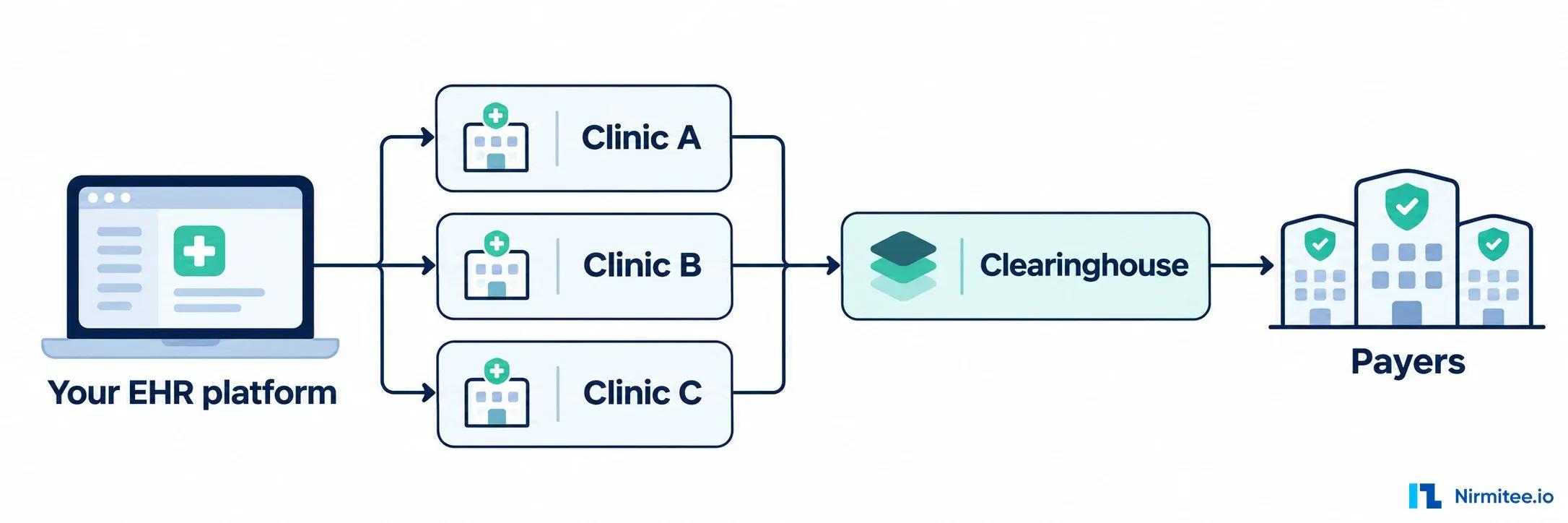
One Stedi account works fine for one practice. A behavioral health EHR serving dozens of clinics has more to decide: who owns each Stedi account, who signs the BAA, how each clinic is billed, how payer enrollments are tracked, and how every 277CA and 835 reaches the right clinic. This guide answers the eleven questions a multi-clinic behavioral health platform needed settled before its first clinic went live. Stedi answered six of them in writing on November 18, 2026. The rest come from Stedi's docs, blog and changelog.
Last checked: November 26, 2026, against Stedi's docs, pricing page, blog, changelog and Stedi's written replies. Sections marked "Our advice" are our engineering recommendations, not Stedi statements.
Stedi for multi-clinic EHRs at a glance
A multi-clinic EHR should give each clinic its own Stedi account, linked through a Stedi OAuth app. Clinics sign Stedi's terms and BAA themselves, enroll with payers through the free enrollment API, and pay Stedi directly unless you arrange consolidated billing on a custom plan. The table gives the short answer to each question.
| Question | Short answer | Source |
|---|---|---|
| Which account model? | Shared account, or integrated accounts (one per clinic) connected through a Stedi OAuth app. Stedi recommends integrated accounts for most EHRs. | Stedi blog |
| Are clinics kept apart? | Yes with integrated accounts. Stedi calls this built-in tenancy. With a shared account, you separate clinics in your own database. | Stedi docs |
| Who signs the BAA? | The clinic, on its own Stedi account, once it has production API access. | Stedi reply |
| Cost | Per transaction, tiered by monthly volume. Eligibility check $0.30 down to $0.08. No setup, per-provider or per-location fees. | stedi.com/pricing and Stedi's billing guide |
| Per-clinic billing | Clinics pay Stedi, or you pay one consolidated invoice broken down by account (custom plan). A bill cannot be split. | Stedi blog |
| Enrollment | ERA enrollment always. Other transactions depend on the payer. Submit and track by API, free. | Stedi docs, Stedi reply |
| Time to go live | Stedi does not publish one figure. Each payer's enrollment time is listed in the Stedi Payer Network. | Stedi reply |
| Biggest limit | An OAuth app installs only into a new Stedi account, and supports at most 5 active installs until Stedi approves it. | Stedi docs |
Planning Stedi for many clinics?
Bring two facts to the call: how many clinics you will onboard in the first 90 days, and whether clinics should see the Stedi portal. We will tell you which account model fits and what the first clinic needs.
Book a Stedi integration callSend us a messageX12 and clearinghouse integration services
What are Stedi integrated accounts, and should a multi-clinic platform use them?
Stedi integrated accounts are Stedi accounts that each clinic creates and links to your product through a Stedi app. Stedi supports one shared account for all clinics or one integrated account per clinic, and recommends integrated accounts for most EHR teams. Stedi's support team gave us the same two options in writing when asked about a multi-clinic platform.
Single shared account
Your platform owns one Stedi account and one set of credentials for every clinic. Stedi sends you one monthly invoice that does not break usage down by clinic. Clinics cannot use the Stedi portal, so any Stedi feature they need must be built into your UI first. You can white-label Stedi completely, and your team handles all clinic support.
Integrated accounts through a Stedi OAuth app
Each clinic creates its own Stedi account for free and installs your app from an install link. The account then gets production access, which is what triggers the BAA and billing. OAuth apps use OAuth 2.1 with PKCE, a standard way for one system to act inside another's account without sharing a password. After the clinic approves, your app gets its own credentials for that account. It can then create event destinations, create SFTP users, run eligibility checks, submit claims and manage enrollments there. Clinics can still log in to the Stedi portal for anything your UI does not cover, as a co-branded experience.
Staff with the admin or developer role in your Stedi account can open a temporary, badged, audited session in any clinic account that has your app installed, without asking for a password. That is how a platform team debugs a rejected claim at a clinic it does not own.
| Single shared account | Integrated accounts | |
|---|---|---|
| Stedi accounts | One, yours | One per clinic |
| Tenancy | Built by you | Built in: credentials and activity scoped per clinic |
| Stedi portal for clinics | No | Yes, co-branded |
| Who pays Stedi | You | Each clinic, or you with consolidated billing (custom plan) |
| Usage per clinic | You track it | On the consolidated invoice, by account |
| Support | Your team | Your team and Stedi, plus your audited support sessions |
| Fits when | Clinics must never see Stedi | Most EHR and practice management platforms |
Our advice: for a multi-clinic EHR or billing platform, use integrated accounts. Choose a shared account only if clinics must never see Stedi and you are ready to build and maintain every clearinghouse screen yourself.
Sources: How Stedi integrates with EHRs, Integrated accounts overview, OAuth apps.
Can each clinic's Stedi transactions, enrollments and ERAs stay separate?
Each clinic's Stedi transactions, enrollments and ERAs stay separate when you use integrated accounts. Stedi's docs say integrated accounts scope API and SFTP credentials to each provider or practice, so you can attribute, monitor and isolate enrollments and transactions. Developers call this tenancy. A clinic sees only its own data in the portal.
With a shared account, everything sits in one account. You separate clinics in your own database, keyed on the NPI or tax ID (TIN) you send with each transaction, and on identifiers such as the patient control number on each claim.
Who signs the Stedi agreement and BAA for each clinic?
With integrated accounts, each clinic signs with Stedi. Stedi told us in writing on November 18, 2026 that the customer clinic should have its own Stedi account, and that a BAA (the HIPAA business associate agreement) is executed as soon as that account has production API access on pay-as-you-go or a custom contract. Stedi's pricing page lists "Signed BAA" in the pay-as-you-go plan.
Our advice: your platform also needs its own BAA with each clinic, because your EHR stores and sends their patients' data. That contract is between you and the clinic, and Stedi is not a party to it.
What does Stedi cost for a multi-clinic platform?
Stedi charges per transaction, in tiers by monthly volume, with no monthly minimum, no setup fee and no per-provider or per-location fee. Each transaction is billed at the rate of the tier it falls in, and tiers reset each month. Claim acknowledgments, the enrollment API and test mode are free. The table shows the pay-as-you-go rates.
| Transaction | Tier 1 | Tier 2 | Tier 3 | Tier 4 |
|---|---|---|---|---|
| Eligibility check (270/271) | 1 to 250: $0.30 | 251 to 3,500: $0.15 | 3,501 to 10,000: $0.10 | 10,001+: $0.08 |
| Claim (837P, 837I, 837D) | 1 to 500: $0.30 | 501 to 2,500: $0.20 | 2,501 to 10,000: $0.12 | 10,001+: $0.10 |
| Real-time claim status (276/277) | 1 to 250: $0.30 | 251 to 3,500: $0.15 | 3,501 to 10,000: $0.10 | 10,001+: $0.08 |
| ERA (835), per adjudicated claim | 1 to 500: $0.20 | 501 to 2,500: $0.15 | 2,501 to 10,000: $0.10 | 10,001+: $0.08 |
| Claim acknowledgment (277CA) | Free | |||
| Transaction enrollment API, test mode | Free | |||
Prices from stedi.com/pricing, read November 26, 2026. A small number of payers add their own fees, which Stedi bills at cost on top. Stedi's pricing page lists "Publish Stedi apps" and "Consolidated billing" under the Custom plan, so ask Stedi which plan your app needs before you build onboarding around it. For the full price list, see our Stedi API integration guide.
Can each clinic be billed separately for Stedi transactions?
Each clinic can be billed separately in two ways. With integrated accounts, either each clinic pays Stedi directly for its own account, or you pay one consolidated invoice that Stedi breaks down by account, which needs a custom plan. With a shared account, Stedi bills you once and you track each clinic's usage yourself.
| Billing path | Who pays Stedi | Volume discounts | Usage per clinic |
|---|---|---|---|
| Clinics pay directly (integrated accounts) | Each clinic | Each clinic's own volume | Not your concern; you cannot see their Stedi bills |
| Consolidated billing (integrated accounts, custom plan) | You | All clinics' volume counts together | Broken down by account on Stedi's invoice |
| Shared account | You | All clinics' volume counts together | You record it per transaction |
A Stedi bill cannot be split. You cannot pay for claims while the clinic pays for eligibility checks. When you pay, Stedi does not limit how you charge clinics: pass the rate through, add a markup, or bundle transactions into a flat monthly fee.
How to track usage per clinic on a shared account
For each transaction, store the provider NPI or TIN, the transaction type, the payer ID (for passthrough fees), the month, and whether it was billable. Stedi does not bill eligibility checks that return AAA 42, 79 or 80, requests that fail with a 4xx or 5xx error, or test mode traffic. This is Stedi's own example, shortened:
// Stedi doesn't bill for checks that return these AAA errors.
const NON_BILLABLE_AAA_CODES = new Set(["42", "79", "80"]);
// Stedi doesn't bill for checks sent in test mode.
const isTestMode = apiKey.startsWith("test_");

const response = await client.createEligibilityCheck(request);
const hasNonBillableError = (response.errors ?? []).some(
  (error) => NON_BILLABLE_AAA_CODES.has(error.code ?? "")
);
await recordUsage({
  npi: request.provider?.npi ?? "",
  payerId: request.payerId ?? "",
  transactionType: "eligibility",
  sentAt: new Date(),
  billable: !isTestMode && !hasNonBillableError,
});
Source: How to bill providers for payer transactions. Tiers reset monthly, so a blended per-check rate is only final when the month ends. Plan your clinic invoicing around that.
How do you enroll a clinic with payers through the Stedi enrollment API?
To enroll a clinic, you create a provider record with the billing provider's name, NPI, tax ID and contacts, then create an enrollment request for each payer and transaction type. Stedi submits it to the payer and handles most of the paperwork. You can do this through the free enrollment API, one by one in the portal, or by bulk CSV import.
- Create the provider record with
POST /providers: name, NPI and tax ID as the payer has them on file, plus contacts. For a group practice, the NPI is usually the group NPI. - Create the enrollment with
POST /enrollments: the provider, the payer, the transaction type, a provider contact the payer can reach, and a Stedi contact email for status updates. Requests inDRAFTstatus wait; Stedi starts work once the status isSTEDI_ACTION_REQUIRED. - Stedi submits it and the status moves to
PROVISIONING. If the payer needs something from the clinic, it moves toPROVIDER_ACTION_REQUIREDwith a task. - The enrollment goes live (
LIVE), or isREJECTED. Your event destination receivesenrollment.activated,enrollment.rejected,enrollment.updatedand task events.
Stedi signs enrollment PDF forms for the provider, which Stedi says removes more than 95% of the paperwork. Stedi described its enrollment support to us as "a more white glove service compared to other clearinghouses". Two details catch multi-clinic platforms out:
- One clearinghouse per provider for ERAs. A payer sends ERAs only to the clearinghouse the provider enrolled through, and a provider can enroll through only one at a time. Once a Stedi ERA enrollment goes live, the clinic stops getting ERAs through its old clearinghouse. For supported payers you can set a requested effective date to time the switch, though Stedi cannot guarantee that exact date.
- NPI or TIN scope. Some payers register only the NPI you enrolled. Others switch every NPI under the same tax ID to Stedi. Stedi recommends enrolling all NPIs that share a TIN at the same time, and talking to Stedi support first if some locations must stay on another clearinghouse.
Sources: Transaction enrollment requests, Stedi enrollment, Events and message schema.
Which Stedi transactions need payer enrollment, and how long does it take?
ERA (835) enrollment is always required on Stedi. For other transactions, requirements vary by payer. Stedi told us in writing that eligibility checks and claim submission can be done the same day for most payers. Enrollment time depends on the payer and transaction type, and Stedi publishes it per payer rather than as one figure.
To see a payer's requirement and expected timeline, open the payer in the Stedi Payer Network or read it from the Payers API. Stedi does not publish a timeline for behavioral health payers as a group, and did not give one when asked. Our advice: pull each clinic's top payers from the Payer Network before you promise a go-live date, and plan the go-live around the slowest ERA enrollment.
Each payer has a published enrollment timeframe per transaction type, counted from when the enrollment enters PROVISIONING. Since November 9, 2026, an enrollment that runs past it shows a "This enrollment is taking longer than expected" notice in the Stedi portal, with a button to request a status update (changelog).
What has to happen before a clinic sends production traffic to Stedi?
Before a clinic sends production traffic, your OAuth app must be registered, the clinic must install it into a new Stedi account with production access, your app must set up events in that account, and the clinic's payer enrollments must be submitted. Stedi does not publish a fixed time for this sequence. ERA enrollment is usually the longest wait.
- Register your OAuth app from a Stedi production account. There is no separate sandbox for apps. The app starts in development mode, unlisted, with at most 5 active installs.
- The clinic installs the app from your install link, which creates a new Stedi account. Production API access is what triggers the BAA.
- Your app sets up the account: an event destination for claim and enrollment events, and SFTP users if you use SFTP.
- Submit enrollments by API: ERA for every payer, plus any payer that needs enrollment for eligibility or claims.
- Test end to end. Test in your own Stedi production account first: enroll a provider with the Stedi Test Payer for 835s (in production), then switch to a test API key to send test claims and post the test ERAs, including denials. OAuth apps cannot use test mode, so ask Stedi how to test inside a clinic's account.
- Submit your app for review. After Stedi approves it, switch it to live mode to lift the install limit. A live app cannot go back to development mode.
Stedi's written reply covered questions 1 to 6. It did not answer our question about how long these steps usually take, so treat any total you see quoted as an estimate. Sources: Build an OAuth app, Test claims workflow.
How do you build the Stedi OAuth app for many clinics?
A Stedi OAuth app uses the standard OAuth 2.1 authorization code flow with PKCE, with no Stedi-specific extensions, so any OAuth library works. You generate an install link per clinic, exchange the returned code for tokens, and store one token pair per clinic account. Every app gets the same fixed permission set, called app:operator.
| Item | What Stedi documents | What it means for a multi-clinic build (our advice) |
|---|---|---|
| Install link | Carries state and code_challenge; scope is always app:operator | Generate fresh values per clinic and tie state to the clinic record you are onboarding |
| Authorization code | Single use, expires in 60 seconds | Exchange it in the callback handler, not in a queued job |
| Access token | Valid 15 minutes | Refresh ahead of expiry, per clinic |
| Refresh token | Lasts one year, reset on each use; each one works once. A reused token revokes the connection, except a duplicate within about 30 seconds | Store tokens in one place with a lock per clinic. Never restore tokens from a backup: Stedi treats that as theft and the clinic must re-authorize |
| Client secrets | Up to two at once; they do not expire on their own | Rotate with the two-secret overlap, on your own schedule |
| Permissions | Read account data and log in; read and write eligibility, claims, enrollments, SFTP credentials and event destinations | One permission set for every clinic; you cannot narrow it |
| Install and uninstall | app.installed and app.uninstalled events arrive in your own Stedi account | Mark the clinic connected or disconnected from these events, not from polling |
Source: Build an OAuth app.
Is a Stedi eligibility check valid without policy start and end dates?
A Stedi eligibility check is valid without policy start and end dates. Stedi's docs say that if you leave out the service date, the payer uses the current date in its own timezone. For checks for today, Stedi recommends leaving the date out so behavior stays the same across payers. Intake staff do not need the policy dates to run a check.
You can also leave out the provider name. Since October 28, 2026, Stedi fills it in from the provider's NPPES record using the NPI, and recommends doing so, because some payers return different benefits when the name does not match their records. Do not send placeholders such as PROVIDER: Stedi says a placeholder can return limited or out-of-network benefits.
Sources: Send eligibility checks, changelog, October 28, 2026.
Does Stedi return mental health benefits in eligibility responses?
Stedi returns what the payer sends in the 271 response, so mental health detail depends on the payer. Mental health benefits come back under service type codes such as MH (Mental Health), with copay, coinsurance, deductible, limits and authorization flags when the payer includes them. Stedi did not answer this question in writing, and does not claim a reliability rate.
Stedi's service type code guide says that when you send code 30, all payers must return benefits for a set of codes that includes MH, when the plan covers them. For mental health care it suggests these codes, most specific first:
| Care type | Service type codes to try |
|---|---|
| Psychotherapy (90832 to 90834, 90836 to 90840, 90845 to 90847, 90849, 90853) | MH, CF, A6, A8, A4, BD, 98, 96 |
| Psychological testing (96130 to 96137) | MH, CF, A6, A8, A4, 98, 96 |
| Mental health, general | MH, 96, 98, A4, BD, CF |
| ABA therapy (97151 to 97157) | BD, MH |
| Fallback | 30 (Health Benefit Plan Coverage), which all payers support |
Carve-outs are the other trap. Stedi's docs explain that many plans hand mental health benefits to a separate administrator, for example many BCBS plans to Magellan. Most payers leave carve-out benefits out of the eligibility response, though many include the carve-out administrator's details.
Our advice for intake:
- Send the most specific code first, and fall back to
30when the response is thin. - Show staff when benefits are missing, instead of showing $0.
- Flag responses that name a carve-out administrator, so staff check that payer too.
Sources: STCs and procedure codes, Active coverage and benefits.
How should you retry Stedi eligibility checks when a payer is down or slow?
Retry AAA errors 42, 79 and 80, the codes Stedi lists for automatic retry (an AAA error is the error segment a payer returns on a failed eligibility check). Code 79 can also mean the payer could not identify a participant, so if it repeats, check the request and the Payer Network. At intake, retry immediately for up to 2 minutes. Payers can take up to 60 seconds, and Stedi holds real-time requests open for up to 120 seconds while it retries the payer, so do not cancel early. For checks that can wait, back off from 1 minute up to 30 minutes between attempts, for at least 8 hours.
| Situation | Stedi's guidance |
|---|---|
| AAA 42 (unable to respond), 79, 80 | Retry. Do not retry a 42 with follow-up action C, N or S: the request itself is wrong, so contact Stedi support. |
| Real-time check at intake | Retry immediately for up to 2 minutes, then fail gracefully. |
| Real-time check that can wait | First retry after 1 minute, then back off exponentially up to 30 minutes between attempts, for at least 8 hours. |
| Background refreshes | Use the Batch Eligibility Check endpoint. Stedi retries connectivity failures for 8 hours by default, or up to 24 hours. |
| HTTP 429 with AAA 42 | You hit your concurrency limit. Retry immediately and keep fewer requests open. |
Retries also cover payer incidents that are not plain outages. Stedi notified customers that from about 22:00 UTC on October 7, 2026 to 19:50 UTC on October 9, 2026, eligibility checks to some payers returned elevated AAA 41 (authorization or access restriction) errors. The most affected payers were UMR, Ameritas, MagnaCare, Aetna Senior Supplemental, L.A. Care and Health First. Stedi said the errors were not related to provider enrollments or request data, and asked customers to retry every check that returned AAA 41 in that window.
Our advice: log each failed check with its clinic, payer, AAA code and timestamp. A platform with that log can replay an incident window for every clinic in one job. Without it, someone has to find the failures by hand.
Sources: Eligibility troubleshooting, Send eligibility checks, Stedi incident notices of October 8 and 9, 2026.
Want the first clinic live on a plan you can defend?
Share the clinic's top five payers and whether it is moving ERAs off another clearinghouse. We will map the enrollment order and the risks to the go-live date with you.
Book a Stedi integration callSend us a messageX12 and clearinghouse integration services
About Nirmitee: listed as a Stedi implementation partner on stedi.com/implementation-partners. Founded in 2020. Rated 4.7 on Clutch (12 reviews, November 2026). ISO 27001:2022 certified. We sign BAAs.
How do Stedi claim acknowledgments and ERAs reach the right clinic?
Stedi claim acknowledgments (277CA, which say whether the payer accepted a claim) and ERAs (835, which explain how the payer paid it) reach you as transaction.processed events sent to an event destination, Stedi's replacement for its legacy webhooks. Each event carries an account field. With integrated accounts, that account id tells you which clinic the 277CA or 835 belongs to. You then fetch the report with that clinic's token.
- Your app creates an event destination inside each clinic's account (
POST /destinations), pointing at one endpoint you run. - When a 277CA or 835 arrives, Stedi sends
transaction.processed. ItsrelatedResourceslist gives the transaction id and type, such astransaction.x12.835. - Check the
webhook-signatureheader, then mapaccountto the clinic in your tenant table. - Fetch the report:
GET /change/medicalnetwork/reports/v2/{transactionId}/835or.../277. - Match it to the claim using the 277CA's
referencedTransactionTraceNumber, which Stedi recommends. It echoes the patient control number you sent; match it case-insensitively. Some payers cut it to 30 characters in 277CAs.
| Delivery behavior | What Stedi documents |
|---|---|
| Order | Not guaranteed. Do not depend on event order. |
| Retries | At 5 and 30 minutes, then 2, 8, 24 and 48 hours. After that, Stedi disables the destination until you re-enable it. |
| Alerts | Email and in-app notices after 2 hours and 24 hours of failures. |
| Recovery | List events with FAILED status by API for the last 30 days and process them. |
| Files instead | With SFTP, the same files land in the from-stedi directory. |
With a shared account, every event carries the same account id. You map responses to clinics yourself, using the patient control number and the billing provider NPI on each claim. Our advice: store each event id and make posting idempotent, so a manual retry or replay never posts a payment twice.
Sources: Events and message schema, Deliveries and retries, Get and correlate 277CAs and 835 ERAs, Webhooks (legacy).
How do you test Stedi denials and partial payments before go-live?
Send test claims to the Stedi Test Payer and add a prefix to the subscriber's member ID to choose the test ERA outcome. Since October 6, 2026, test ERAs can be denied or partially paid, not only paid in full. First enroll a provider with the Stedi Test Payer for 835s; that enrollment is done in production.
| Prefix | Test ERA result |
|---|---|
STEDI_PAID_ or no prefix | Paid in full. Payment method ACH. |
STEDI_PARTIALLY_PAID_ | Paid 60% of the charge. 20% contractual adjustment (reason code 45), 20% patient responsibility (reason code 2). |
STEDI_DENIED_ | Paid $0. Full charge as contractual adjustment (reason code 31). Payment method NON, meaning no payment. |
Put the prefix on the subscriber, for example STEDI_DENIED_ABC123, not on the patient (Loop 2010CA) or the other subscriber (Loop 2330A). It applies to every service line of every claim under that subscriber. Our advice: run one of each in your own account before the first clinic goes live. Test claims need a test API key and OAuth apps cannot use test mode, so confirm with Stedi how to prove tenant routing inside a clinic's account.
Sources: Test claims workflow, changelog, October 6, 2026.
What can't you do with Stedi in a multi-clinic setup?
Stedi's docs list a few hard limits for multi-clinic platforms. An OAuth app installs only into a new Stedi account, supports at most 5 active installs until Stedi approves it, and a bill cannot be split between platform and clinic. Shared-account clinics cannot use the Stedi portal.
- You cannot install an OAuth app into an existing Stedi account. Ask Stedi how to connect a clinic that already has one.
- You cannot split one Stedi bill between platform and clinic.
- Shared-account clinics cannot use the Stedi portal.
- An app in development mode supports at most 5 active installs. A live app cannot return to development mode.
- Every app has the same
app:operatorpermissions. You cannot request less. - When a clinic uninstalls your app, Stedi deletes the SFTP connection and SFTP users your app created. Other resources stay until someone removes them.
- A provider can receive ERAs through only one clearinghouse at a time per payer.
What should you ask Stedi before building a multi-clinic integration?
Ask Stedi six questions before you design clinic onboarding, because its docs leave them open for platforms. The answers decide your install flow, your billing model and your go-live plan.
- How do we connect a clinic that already has its own Stedi account?
- What are the review criteria for our OAuth app, and how long does review take?
- Does the concurrency limit apply per integrated account or across our app?
- Which plan do we need to publish our app and use consolidated billing, and what does it cost at our clinic count?
- How do we offboard a clinic, and what happens to its account and data?
- How can we test claims and event routing inside a clinic's account, given that OAuth apps cannot use test mode?
Building a multi-tenant Stedi integration?
Tell us your clinic count and your current clearinghouse. We will scope the OAuth install, per-clinic events, enrollment by API, eligibility with retries, claims and ERA posting, and give you a fixed-scope quote after the call.
Book a Stedi integration callSend us a messageX12 and clearinghouse integration services
About Nirmitee: listed as a Stedi implementation partner on stedi.com/implementation-partners. Founded in 2020. Rated 4.7 on Clutch (12 reviews, November 2026). ISO 27001:2022 certified. We sign BAAs.
More on the transactions behind this post: 835, 837 and 277 developer guide, automating 270/271 eligibility, EDI enrollment timelines, and our Stedi vs Availity vs Optum comparison.
Building a multi-clinic billing product beyond Stedi? See our healthcare interoperability work, our revenue cycle software development, and our work on mental health platforms. Talk to our team.
Ready to scale?
Talk to our healthcare engineering team about building, integrating, and shipping faster.
Frequently Asked Questions
Does each clinic need its own Stedi account?
Who signs the Stedi BAA in a multi-clinic EHR?
Can a platform pay Stedi for all its clinics?
Does Stedi charge per clinic or per provider?
Can a clinic that already has a Stedi account install my app?
How many clinics can install my Stedi app before review?
Do eligibility checks need payer enrollment on Stedi?
How long does Stedi payer enrollment take?
How do I know which clinic a Stedi event belongs to?
What happens if my Stedi event endpoint is down?
Can I test claim denials with Stedi?