Mirth Connect C-CDA Processing: Parse, Validate, and Route Clinical Documents

CTO & Co-Founder
CTO & Co-Founder at Nirmitee.io. Architects healthcare integrations across FHIR, SMART on FHIR, ABDM and NHCX, writing from production experience taking hospital software from sandbox to go-live.
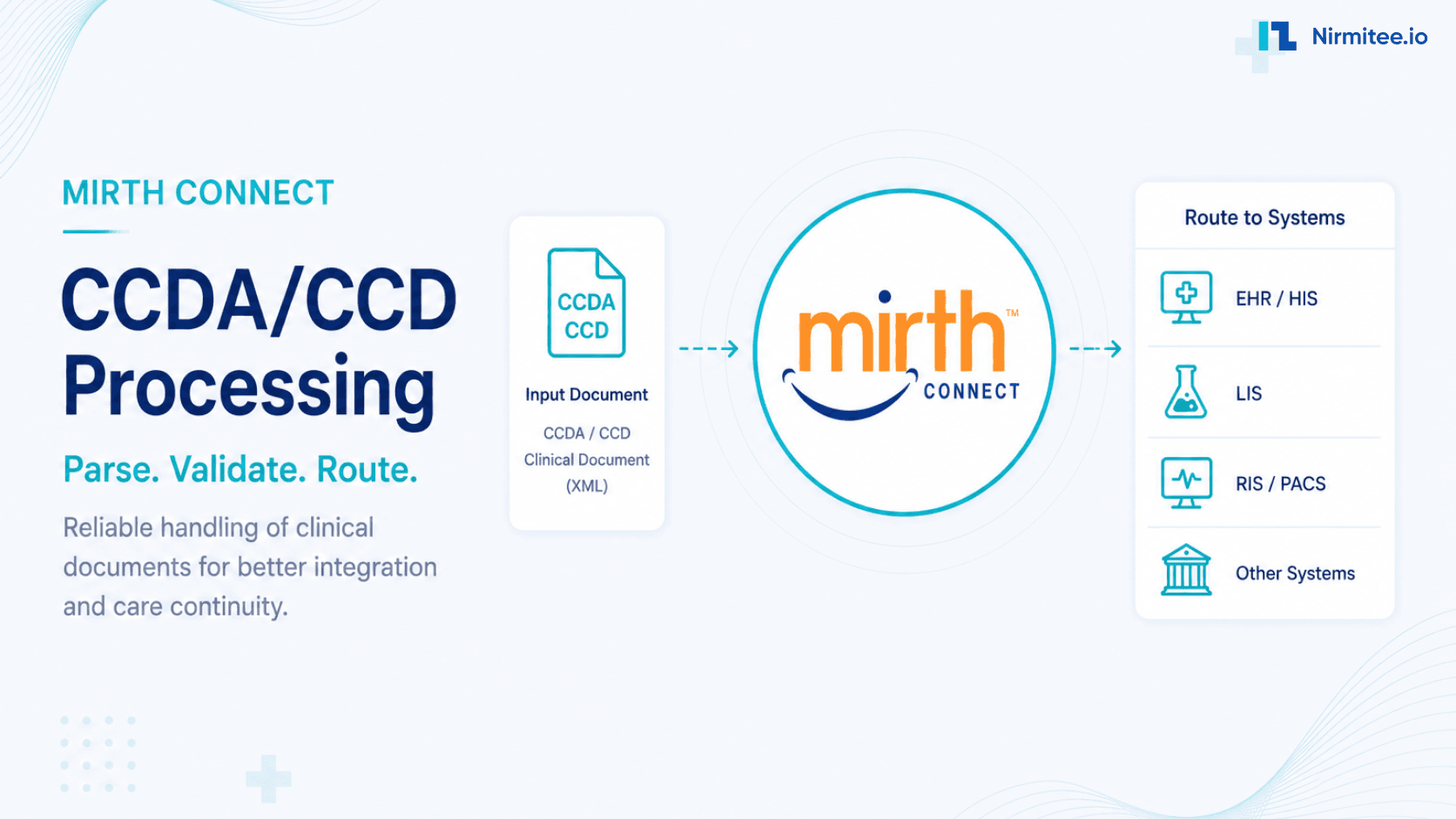
Mirth Connect C-CDA processing is the pipeline that receives C-CDA (Consolidated Clinical Document Architecture) documents, parses their XML structure using E4X XPath, validates against ONC conformance rules, and routes structured clinical data to EHRs, HIEs, and FHIR R4 APIs. If your Mirth deployment handles care summaries, discharge documents, or referral letters, this is your production implementation guide.
New to Mirth? Start with our Mirth Connect guide: what it is, how it works, and when it fits.
New to the standard itself? Our C-CDA guide explains document types, versions and how C-CDA compares with FHIR.
What Is C-CDA and Why Does It Matter?
C-CDA is the ONC-mandated clinical document standard for structured health information exchange in the US. Every care transition generates a C-CDA document. TEFCA participation and 21st Century Cures Act compliance both require C-CDA exchange capability. Unlike pipe-delimited HL7 v2, C-CDA is verbose XML based on HL7 v3 CDA — a single CCD can be 50–500KB of nested XML.
Teams that want this built rather than researched can work with our Mirth Connect integration team.
The Namespace Declaration Every C-CDA Channel Needs
C-CDA uses the HL7 v3 namespace urn:hl7-org:v3. Without declaring it, every XPath returns an empty string — no error, no warning. These two lines are mandatory at the top of every transformer:
var ns = new Namespace('urn:hl7-org:v3');
default xml namespace = ns;
This is the #1 C-CDA debugging issue. Check our top 10 Mirth failures guide — the namespace problem appears in every C-CDA project.
Parsing Patient Demographics
var mrn    = msg['recordTarget']['patientRole']['id'].toString();
var family = msg['recordTarget']['patientRole']['patient']['name']['family'].toString();
var given  = msg['recordTarget']['patientRole']['patient']['name']['given'].toString();
var dob    = msg['recordTarget']['patientRole']['patient']['birthTime'].toString();
channelMap.put('patient_mrn', mrn);
Use the JavaScript transformer reference for safe field access patterns, including safeGet() wrappers for absent fields.
Navigating C-CDA Sections by LOINC Code
C-CDA body sections are identified by LOINC codes: Allergies (48765-2), Medications (10160-0), Problems (11450-4), Results (30954-2), Vitals (8716-3). Iterate sections and match on the code:
var sections = msg['component']['structuredBody']['component'];
for each (var comp in sections) {
    var sectionCode = comp['section']['code'].toString();
    if (sectionCode === '48765-2') {  // Allergies
        for each (var entry in comp['section']['entry']) {
            var allergen = entry['act']['entryRelationship']['observation']
                ['participant']['participantRole']['playingEntity']['name'].toString();
            channelMap.put('allergy_' + allergen, 'active');
        }
    }
}
Three-Layer Validation
Layer 1 — XML Schema: Apply in the Mirth filter step. Layer 2 — Schematron Conformance: Use the ONC SITE Reference Validator for testing; Saxon-based Schematron locally for production. Layer 3 — USCDI Content Completeness: Verify required USCDI v3 data classes are present for information blocking compliance.
Fan-Out Routing
A production C-CDA channel routes to multiple destinations simultaneously per our channel design patterns:
- EHR via FHIR R4 API — Extract discrete data, POST as FHIR resources.
- HIE via IHE XDS.b — Package original C-CDA into an XDS.b provide-and-register transaction.
- Long-term Archive — Write original XML with metadata. Every document preserved for HIPAA audit.
- Clinical Alert — High-severity problem findings route to the PagerDuty alerting integration.
Production Edge Cases
Missing namespace in source doc: Pre-process with string replacement. Base64 PDF inflation: Detach binary content before parsing clinical sections — see the performance tuning guide. Mixed R1.1 and R2.1: Check templateId early and route via channelMap flags.
Further Reading
- Turning HL7 v2 Streams into FHIR APIs
- ORU Lab Results Routing — OBX, LOINC, Critical Alerts
- MDM Document Routing: T01, T02, T10, T11
- Healthcare Interoperability Standards Guide
- Mirth Connect JavaScript Transformer Reference
Ready to scale?
Talk to our healthcare engineering team about building, integrating, and shipping faster.
Frequently Asked Questions
Does Mirth Connect have a built-in C-CDA parser?
What LOINC codes identify the main C-CDA sections?
What is the difference between C-CDA R1.1 and R2.1?
How do I validate a C-CDA document inside a Mirth transformer?
What are the most common C-CDA processing errors in Mirth production?