Epic AI Scribe in 2026: Chart with Art vs Abridge, Dragon Copilot and Custom Scribes

CTO & Co-Founder
CTO & Co-Founder at Nirmitee.io. Architects healthcare integrations across FHIR, SMART on FHIR, ABDM and NHCX, writing from production experience taking hospital software from sandbox to go-live.

Updated October 2026
Epic's AI scribe is AI Charting, now called Chart with Art: a feature built into Epic that listens to a patient visit, drafts the clinician's note and queues orders for the clinician to review and sign. Epic released it to customers on February 4, 2026, as part of Art, its set of AI tools for clinicians.
Most Epic health systems now need to know whether Chart with Art covers their specialties and sites, how it compares with Abridge, Microsoft Dragon Copilot and other scribes that already work inside Epic, and what to do where Epic's tool stops. This guide answers those questions for CMIOs, CIOs, ambulatory leaders and the digital health vendors who sell into Epic sites. It also shows how a custom scribe writes a note back into Epic, for teams that need to build one.
Key takeaways
- Epic AI Charting launched on February 4, 2026. Epic now calls it Chart with Art. It drafts the note and queues orders from the conversation; the clinician reviews, edits and signs both.
- Epic's Art page lists ambient drafting for outpatient visits, inpatient and ED, home health OASIS assessments and therapy progress notes. What you can turn on depends on your Epic version, license and local build.
- Abridge, Dragon Copilot, Nabla, Ambience, Suki and Commure all work inside Epic today. Their advantage is specialty depth, multi-EHR support and maturity; Epic's is that it is native and drawn from the whole chart.
- The best published trial of ambient scribes in Epic, a UCLA randomized trial in NEJM AI, found a 9.5% cut in time-in-note for one scribe and no significant change for another. Measure your own pilot before you scale.
- If you build your own scribe for Epic sites, the note goes back through FHIR DocumentReference (plain text, tied to an encounter) or an HL7 v2 MDM interface. Orders stay suggestions for the clinician to place.
What is the Epic AI scribe?
The Epic AI scribe is Epic's own ambient documentation feature. Epic announced it as AI Charting in August 2025, released it on February 4, 2026, and by September 2026 was calling it Chart with Art. It records the conversation, drafts the visit note and suggests orders, all inside the Epic chart.
Epic's February 2026 release note describes it as "a built-in feature that listens during patient visits, drafts the clinician's note, and queues up orders based on the conversation." It is part of Art, Epic's AI for clinicians. Emmie is Epic's AI for patients in MyChart, and Penny is its AI for revenue cycle and operations. So when people search for "Epic Art", they usually mean this whole set of clinician tools, with ambient charting as the best-known part.
Group Health Cooperative of South Central Wisconsin announced on February 2, 2026 that it was the first organization to adopt it. Its press release states three points every buyer should note: the tool is used only with patient consent, visit recordings are stored for a limited time and are not used to train AI models, and providers remain fully responsible for reviewing and finalizing the note.
Epic uses the name "scribe" less than the market does. Its own pages talk about charting, drafting and queuing orders. So in vendor comparisons, "Epic AI scribe", "Epic AI Charting", "Chart with Art" and "Epic ambient AI" all refer to the same native capability.
What Chart with Art does today
Chart with Art drafts notes and queues orders from a recorded conversation. Epic's Art page also lists drafting for inpatient and ED visits, home health OASIS assessments and therapy progress notes, plus code and level-of-service suggestions. Each one is a separate capability that a health system turns on and builds locally.
The table lists what Epic itself publishes. It is not a guarantee that every capability is live at your organization, or that it covers every specialty well.
| Capability (Epic's name) | Care setting | What it does | Source |
|---|---|---|---|
| Draft Outpatient Notes, Orders, and Diagnoses | Clinic visits, in person or virtual | Captures the conversation, drafts the note, extracts orders and diagnoses | Epic Art page; Feb 2026 release note |
| Draft Notes & Queue Orders in Inpatient & ED | Hospital and emergency department | Transcribes clinician and patient, drafts the note for review and signature | Epic Art page |
| Complete Assessments Hands-Free | Home health | Suggests documentation for OASIS assessments from a recorded visit | Epic Art page |
| Draft Therapy Progress Notes | Physical, occupational and speech therapy | Drafts progress notes for therapists | Epic Art page |
| Voice formatting of notes | Any setting where charting is on | Lets clinicians change note structure by voice, for example a bulleted history of present illness | Feb 2026 release note |
| Diagnosis Code Suggestions, Level of Service Suggestions | Ambulatory | Suggests codes and visit level from what was documented | Epic Art page |
| Insights (chart summaries) | Inpatient and outpatient | Summarizes history, recent events and notes before a visit | Epic Art page; Epic reported over 16 million uses a month in Feb 2026 |
Two limits stand out. First, everything here works on data inside Epic. Second, a queued order is a suggestion. It does not become an order until the clinician signs it, which is the right design and also the main thing to test in a pilot.
How the Epic AI scribe workflow runs, step by step
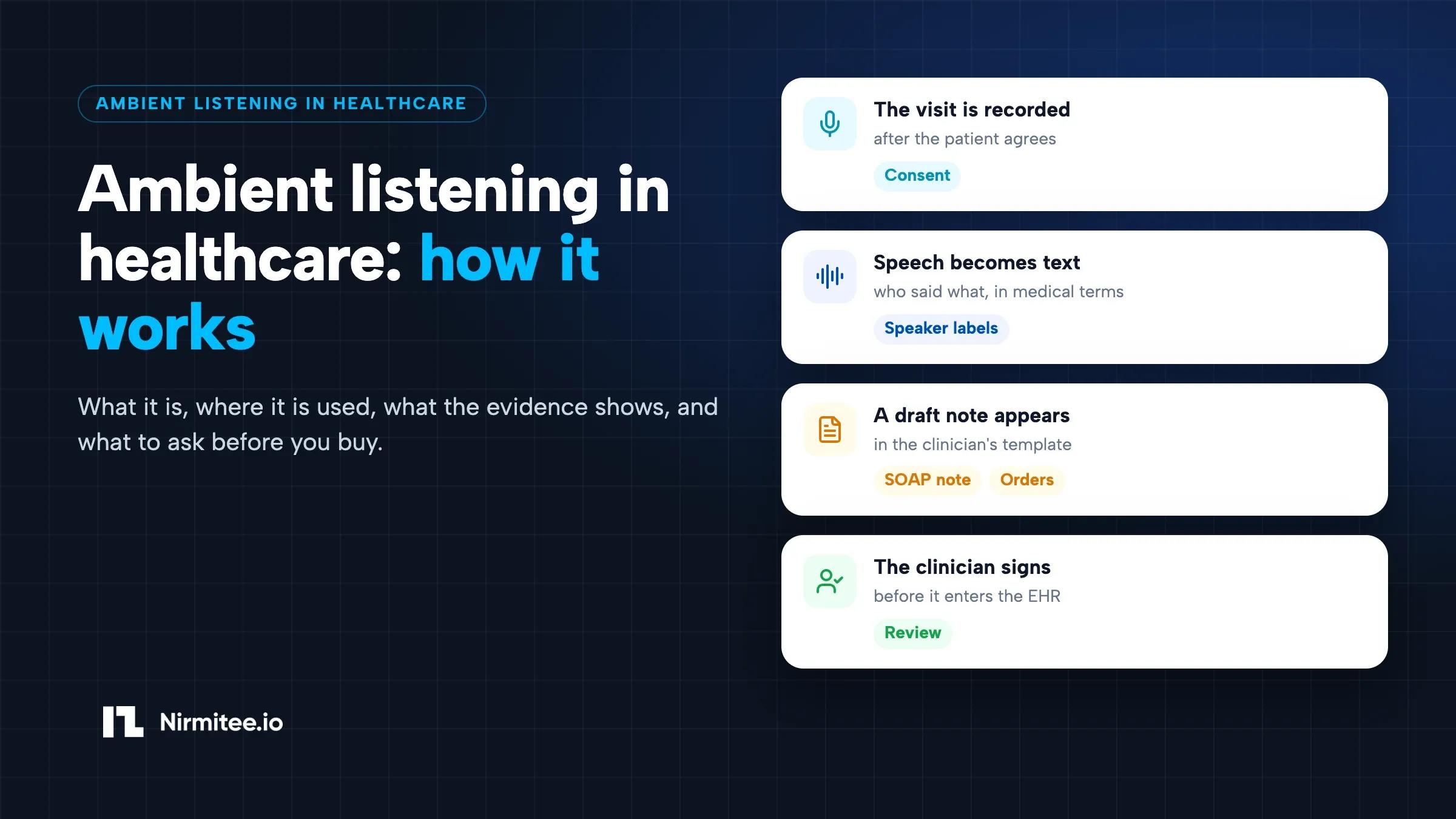
The clinician opens the patient in Epic's mobile apps, gets consent, records the visit, and then reviews a draft note and queued orders in the chart before signing. Nothing reaches the legal record or the order queue as final until a clinician acts on it.
- Consent. The clinician or staff tells the patient that the visit will be recorded and asks for agreement. Epic's first customer states the tool is used only with consent. State law may require every party's agreement (see the consent section below).
- Record. The clinician selects the patient and visit in Haiku (phone) or Canto (tablet) and starts recording. Virtual visits can also be captured.
- Draft. The conversation is transcribed and turned into a draft note in the clinician's note structure, with suggested orders and diagnoses.
- Review. The clinician reads the draft in the chart, edits it and checks each queued order.
- Sign. The clinician signs the note and signs or removes each order. Recordings are kept for a limited period under the organization's settings.
If the patient says no, the clinician documents the usual way. A good rollout plan makes that path just as quick, so declining never slows the visit.
Epic AI scribe vs Abridge vs Dragon Copilot inside Epic
All three can deliver a draft note inside the Epic chart. Chart with Art is built by Epic and sold by Epic. Abridge and Microsoft Dragon Copilot are separate products that connect to Haiku, Canto and Hyperdrive through Epic partnerships, and they also work outside Epic.
This is where most search results are written by a vendor selling one of the options. The table below sticks to what each company publishes, and marks where pricing and features are not public.
| Epic Chart with Art | Abridge | Microsoft Dragon Copilot (formerly DAX Copilot) | Other scribes in Epic (Nabla, Ambience, Suki, Commure) | |
|---|---|---|---|---|
| Who builds it | Epic | Abridge | Microsoft (Nuance) | Each vendor |
| How it connects to Epic | Native feature | Abridge Inside; described as an Epic Workshop partner | Embedded in Haiku, Canto and Hyperdrive; described as an Epic Workshop partner | Epic Toolbox ambient voice recognition listings (reported by Fierce Healthcare; Nabla states it on its own site) |
| Where the clinician records | Haiku, Canto | Haiku and Epic desktop | Haiku or Canto, then review in Hyperdrive | Varies: Epic apps or the vendor's own app |
| Where the draft lands | The Epic note | The Epic note | Dragon Copilot SmartSections in the Epic note (HPI, exam, results, assessment and plan) | The Epic note, per vendor |
| Orders | Queued for signature | Order suggestions announced June 2025 | Order management listed in Microsoft's guide; varies by setup | Varies; some list orders as upcoming |
| Works outside Epic | No | Yes, several EHRs | Yes, several EHRs and standalone | Usually yes |
| Published price | None found | None (enterprise contracts) | None found | Some list self-serve prices; enterprise terms vary |
| Best fit | All-Epic organizations wanting one vendor and one support line | Large systems wanting a mature specialty-tuned scribe across sites | Organizations already on Dragon Medical One or Microsoft contracts | Groups that want a lower-cost or specialty-focused option |
Sources: Epic newsroom and Art page; Microsoft's Dragon Copilot for Epic quick start guide; Abridge's June 2025 orders announcement; Nabla's Epic page; Fierce Healthcare and TechTarget reporting on Epic Toolbox and Workshop. Checked October 2026. Partner program labels change, so confirm the current listing in Epic Showroom.
For a wider comparison across EHRs, prices and specialties, see our AI medical scribe comparison.
Abridge Epic integration in practice
Abridge records in Haiku or on the desktop and returns the draft inside the Epic note, so clinicians stay in Epic. Abridge announced inpatient support and order suggestions inside Epic in June 2025. Large Epic systems have chosen it for depth across specialties and for its evaluation work. It is sold on enterprise terms with no public rate card.
Dragon Copilot (DAX Copilot) for Epic in practice
Microsoft's own quick start guide spells out the workflow. Before recording, the clinician adds Dragon Copilot SmartSections to the note with dot phrases such as .hpisec and .apsec. The clinician records in Haiku or Canto, an alert appears in Hyperdrive when processing finishes, and the AI sections fill into the note. Microsoft notes that features vary by organization, language and device, so test with your own build.
What the evidence says about ambient scribes in Epic
The strongest independent evidence is a randomized trial of two ambient scribes used in Epic at UCLA. It found a 9.5% drop in time-in-note for Nabla and no significant change for DAX Copilot. Epic's own figures for Chart with Art are larger, but they come from Epic and its customers, not independent trials.
| Study or report | What was tested | Result | How much weight to give it |
|---|---|---|---|
| Lukac et al., NEJM AI, 2025 (UCLA) | DAX Copilot and Nabla vs usual care; 238 physicians, 14 specialties, Nov 2024 to Jan 2025 | Nabla: 9.5% less time-in-note (95% CI 1.8% to 17.2%). DAX: no significant change (1.7%, CI crosses zero). Burnout scores improved with both. Scribes were used in about a third of eligible visits. | High for design, but one site, eight weeks, English only, and it did not test Epic's native tool. Time-in-note excluded editing time inside the vendor apps. |
| Epic, September 2026 (OLVG, Amsterdam) | Chart with Art, pediatricians, in Dutch | 31% less note-writing time per appointment; time in chart from almost 17 to just over 12 minutes | Vendor-published, one hospital, one specialty. Useful as a signal, not a forecast. |
| GHC-SCW press release, February 2026 | Early AI Charting users | Epic's early impact data: "saving up to 60 minutes per day" | "Up to" is a ceiling, not an average. Ask for the median. |
The pattern across studies is consistent. Clinicians feel better with ambient tools, while measured time savings are smaller and vary by specialty and by how often the tool is actually used. Plan your business case on your own pilot data, not on headline numbers.
What the Epic AI scribe does not do
Chart with Art only works inside Epic, so it cannot serve non-Epic sites, a vendor's own product or data outside the Epic chart. Its specialty depth and features also depend on Epic's roadmap and your local build. You cannot choose the model or where it runs.
- Non-Epic sites. A medical group that runs Epic in its hospital and athenaOne or eClinicalWorks in affiliated clinics needs a second scribe for those clinics, or a scribe that works across both.
- Specialty structure. Behavioral health, oncology, orthopedics and other specialties often need structured fields, rating scales or templates. Some early reviews reported that summaries can be generic for specialists. Test your specialties on your own templates.
- Your own product. A digital health company, telehealth platform or specialty software vendor cannot embed Epic's scribe in its own app. It has to build or license one and integrate with Epic.
- Model and hosting choices. You do not choose the speech or language model, where it runs, or how long audio is kept beyond the options Epic exposes.
- Data outside Epic. Device data, outside records and payer rules that are not in the chart are not part of the draft.
- Roadmap timing. New settings and specialties arrive on Epic's release schedule. If a workflow is urgent, you wait or use a partner.
When do you still need a third-party or custom AI scribe?
Start with Chart with Art if you are all-Epic and your main specialties fit. Use a third-party scribe if you run several EHRs or need specialty depth now. Build a custom scribe if documentation is part of your own product, or if your workflow, data or hosting needs are ones no vendor covers.
| Your situation | Usual best route | Why |
|---|---|---|
| Health system, Epic everywhere, mostly primary care and common specialties | Pilot Chart with Art, compare against one partner | Native, one contract, one support line, draws on the whole chart |
| Health system with specialties that need structured documentation | Test native and a specialty-focused partner side by side | Specialty fit is the main risk; measure edit time per specialty |
| Medical group on Epic plus another EHR | A third-party scribe that supports both | One clinician workflow and one consent process across sites |
| Digital health or specialty software vendor selling to Epic customers | Build or embed a scribe in your product and integrate with Epic | Epic's tool cannot live in your product; your customers expect the note in Epic |
| Organization with strict hosting, model or retention rules | Custom scribe in your own cloud, integrated with Epic | You control the model, PHI boundary and retention |
Get an Epic AI scribe integration plan in two weeks
We review your Epic build, specialties and sites, and return the route that fits, the write-back design, the security controls and a fixed quote for any build. Book a scoping call.
If you build: how a custom AI scribe writes notes back into Epic
A custom scribe launches from the Epic chart with SMART on FHIR, reads patient and encounter context through Epic's FHIR APIs, and writes the finished note back with a FHIR DocumentReference create or an HL7 v2 MDM message. Orders go back as suggestions for the clinician to place in Epic.
This is the path for vendors and for health systems building their own scribe. It is also where most first projects slip, so here are the steps in the order they happen. Our Epic integration services team does this work for vendors and provider groups.
- Register the app. Register with Epic's developer program and, for distribution to many Epic customers, plan for Epic Showroom. Our guide to getting through Epic Showroom covers the steps vendors rarely see documented.
- Launch in context. Use a SMART on FHIR launch from Epic so the scribe opens on the right patient and encounter, with the clinician's identity.
- Read context. Pull Patient, Encounter, problems, medications and recent notes through the Epic FHIR API to ground the draft.
- Record and draft. Capture audio after consent, transcribe, separate speakers and draft the note in your own service, inside your PHI boundary.
- Clinician review. Show the draft for editing. Keep a link from every sentence to the transcript so the clinician can check it.
- Write the note. Epic's Clinical Notes create takes plain text and needs an encounter. HL7 v2 MDM through the health system's interface engine is the fallback when FHIR write is not enabled. Our DocumentReference guide for Epic, Oracle Health and athenahealth shows the differences field by field.
- Orders. Present suggested orders for the clinician to place in Epic, or use an Epic-supported partner path where one exists. Do not treat a suggestion as an order.
- Check it filed once. Read back the note, store the returned ID, and use it to stop duplicates after a timeout or retry.
Here is the shape of a DocumentReference create for a progress note. All values are synthetic.
POST [base]/api/FHIR/R4/DocumentReference
Content-Type: application/fhir+json

{
  "resourceType": "DocumentReference",
  "status": "current",
  "docStatus": "preliminary",
  "type": { "coding": [{ "system": "http://loinc.org", "code": "11506-3", "display": "Progress note" }] },
  "category": [{ "coding": [{ "system": "http://hl7.org/fhir/us/core/CodeSystem/us-core-documentreference-category", "code": "clinical-note" }] }],
  "subject": { "reference": "Patient/eSYNTHETIC-PATIENT-001" },
  "author": [{ "reference": "Practitioner/eSYNTHETIC-CLINICIAN-001" }],
  "context": { "encounter": [{ "reference": "Encounter/eSYNTHETIC-ENCOUNTER-001" }] },
  "content": [{
    "attachment": {
      "contentType": "text/plain",
      "data": "U1VCSkVDVElWRTogU3ludGhldGljIGV4YW1wbGUgbm90ZS4="
    }
  }]
}
Send docStatus preliminary where the site supports it, and always include the encounter, the LOINC note type and the author. Whether the note lands as a draft for the clinician to sign or as a signed note depends on the site's Epic setup and the status you send. Confirm it in the customer's test environment before go-live. Our guide to building an AI clinical scribe beyond the prototype covers the production problems that appear after the demo.
Consent, privacy and HIPAA questions for any Epic AI scribe
Every ambient scribe in Epic, native or third party, needs patient consent, a business associate agreement where a vendor touches PHI, clear audio retention rules, and a written answer on whether recordings train models. State recording laws can require every party in the room to agree.
- Consent. Some states require all parties to agree to a recording, and Texas requires providers to disclose AI use in treatment. Get consent before recording, record the answer in the chart, and make declining easy. Our ambient AI scribe implementation guide has a consent form template and a state table.
- Business associate agreement. HIPAA requires a BAA with any vendor that creates, receives or keeps PHI for you. A BAA covers HIPAA only. It does not replace state recording consent.
- Retention. Ask how long audio and transcripts are kept, where, and who can listen. Epic's first customer says recordings are kept for a limited time; get the number in writing.
- Model training. Ask whether audio, transcripts or edits train any model, and whether that is opt-in.
- Access and audit. Confirm who can see recordings and drafts, and that access is logged.
For the engineering side of these controls, see our guide to what a HIPAA compliant AI medical scribe needs.
How to run a 60-day Epic AI scribe pilot
Pick two or three specialties, compare Chart with Art against one partner scribe, and measure time-in-note, after-hours charting, edit effort and errors from your own Epic data. Decide on scale only after the second month, once clinicians are past the learning curve.
| Measure | Where it comes from | Why it matters |
|---|---|---|
| Time-in-note per visit | Epic Signal (the same metric the UCLA trial used) | The cleanest before-and-after number |
| After-hours charting time | Epic Signal | Often where clinicians feel the change most |
| Share of visits using the scribe | Usage logs | The UCLA trial saw about a third. Low use hides real value or real problems. |
| Edit effort per note | Sample review of drafts vs signed notes | Time-in-note may not count edits made outside Epic |
| Clinically significant errors | Clinician reports and chart review | Wrong side, wrong drug, wrong speaker, invented findings |
| Patient decline rate | Consent field in the chart | Shows whether the consent script works |
Test hard cases on purpose: an interpreter visit, a family member speaking, a sensitive topic the patient asks to keep out of the note, a clinician switching between two patients, a dropped connection, and an order mentioned but not agreed. Each one should end in a correct draft or a clear warning.
What does the Epic AI scribe cost?
Epic has not published a price for Chart with Art, and Abridge and Microsoft do not publish list prices for their Epic-integrated scribes. Cost depends on your Epic contract, the number of clinicians and the setup work, so ask each vendor for a full first-year quote.
Ask for the same lines from each option: license per clinician or per visit, setup and build work in Epic, training, support, and the cost to leave. Add your own build time: note templates, SmartSections or SmartPhrases, consent fields and Signal reporting. Then set that against the time saved in your pilot, priced at what an hour of clinician time is worth to you. Time saved is not cash saved unless it becomes more visits or less overtime.
How Nirmitee helps with Epic AI scribes
We are an engineering company. We do not sell Epic, Abridge or Dragon Copilot. We build ambient documentation and the Epic integration around it for digital health vendors and provider groups.
- We have built an AI documentation assistant inside a behavioral health EHR: consent capture, bounded transcription, drafts grounded in the conversation, clinician sign-off and prompt version control. The lessons are in our prompt governance guide.
- We integrate with Epic, Oracle Health and athenahealth through FHIR, SMART on FHIR and HL7 v2.
- We are ISO 27001:2022 certified and sign BAAs.
- Best for: vendors adding a scribe to their product, and groups needing one scribe across several EHRs. Not the right fit if you only need to switch on Epic's native tool; Epic and your internal team do that.
See our healthcare AI solutions and voice to clinical notes case study, or book a scoping call to talk through your Epic sites.
Ready to scale?
Talk to our healthcare engineering team about building, integrating, and shipping faster.
Frequently Asked Questions
What is the Epic AI scribe?
Does Epic have its own AI scribe?
Is Epic AI Charting the same as Chart with Art?
How does Dragon Copilot (DAX Copilot) work with Epic?
Does Abridge integrate with Epic?
How much does the Epic AI scribe cost?
Does the Epic AI scribe need patient consent?
Can a third-party or custom AI scribe write notes into Epic?