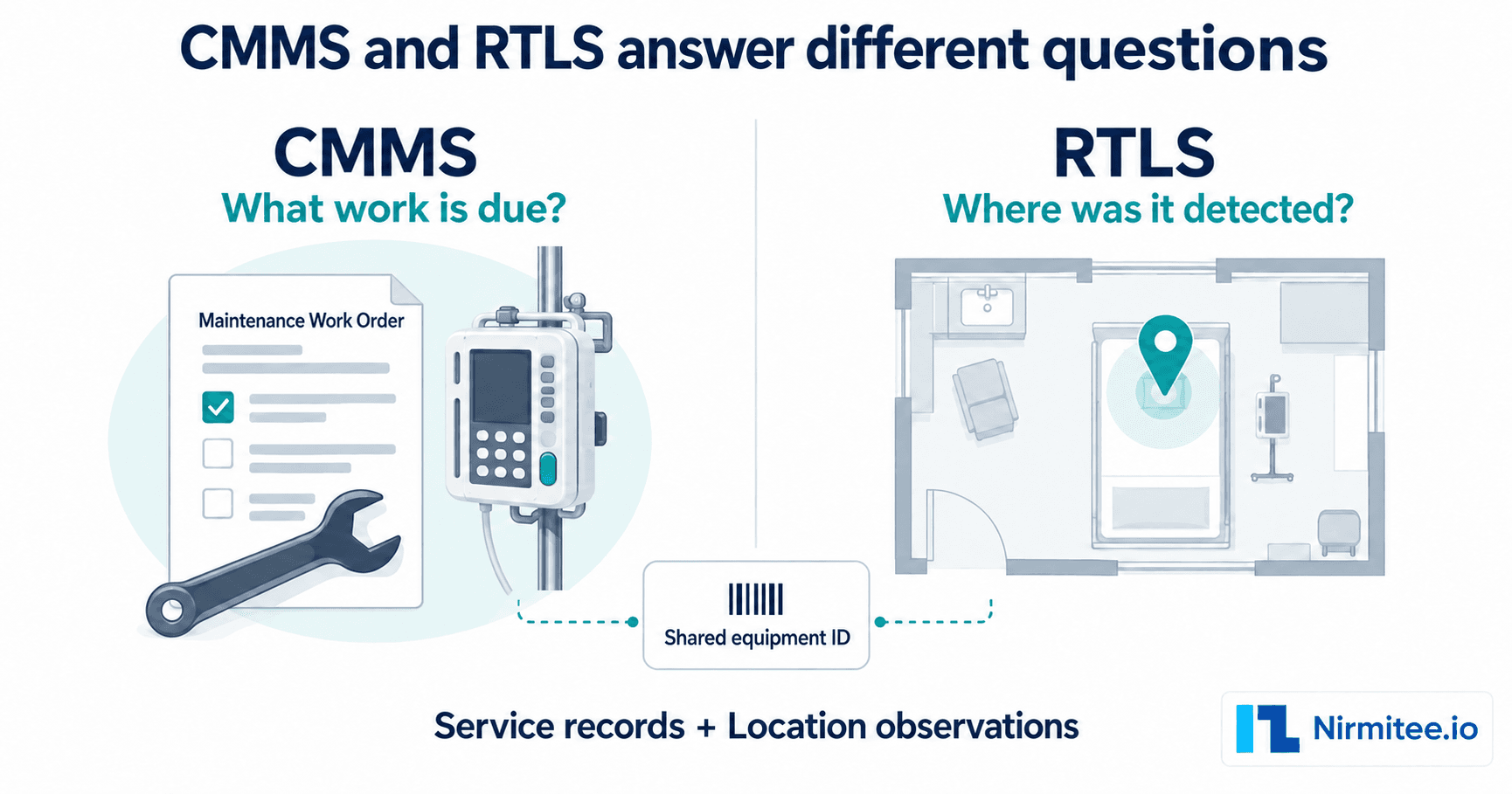
Calibration Management Software for Medical Equipment: Buyer Guide

CTO & Co-Founder
CTO & Co-Founder at Nirmitee.io. Architects healthcare integrations across FHIR, SMART on FHIR, ABDM and NHCX, writing from production experience taking hospital software from sandbox to go-live.
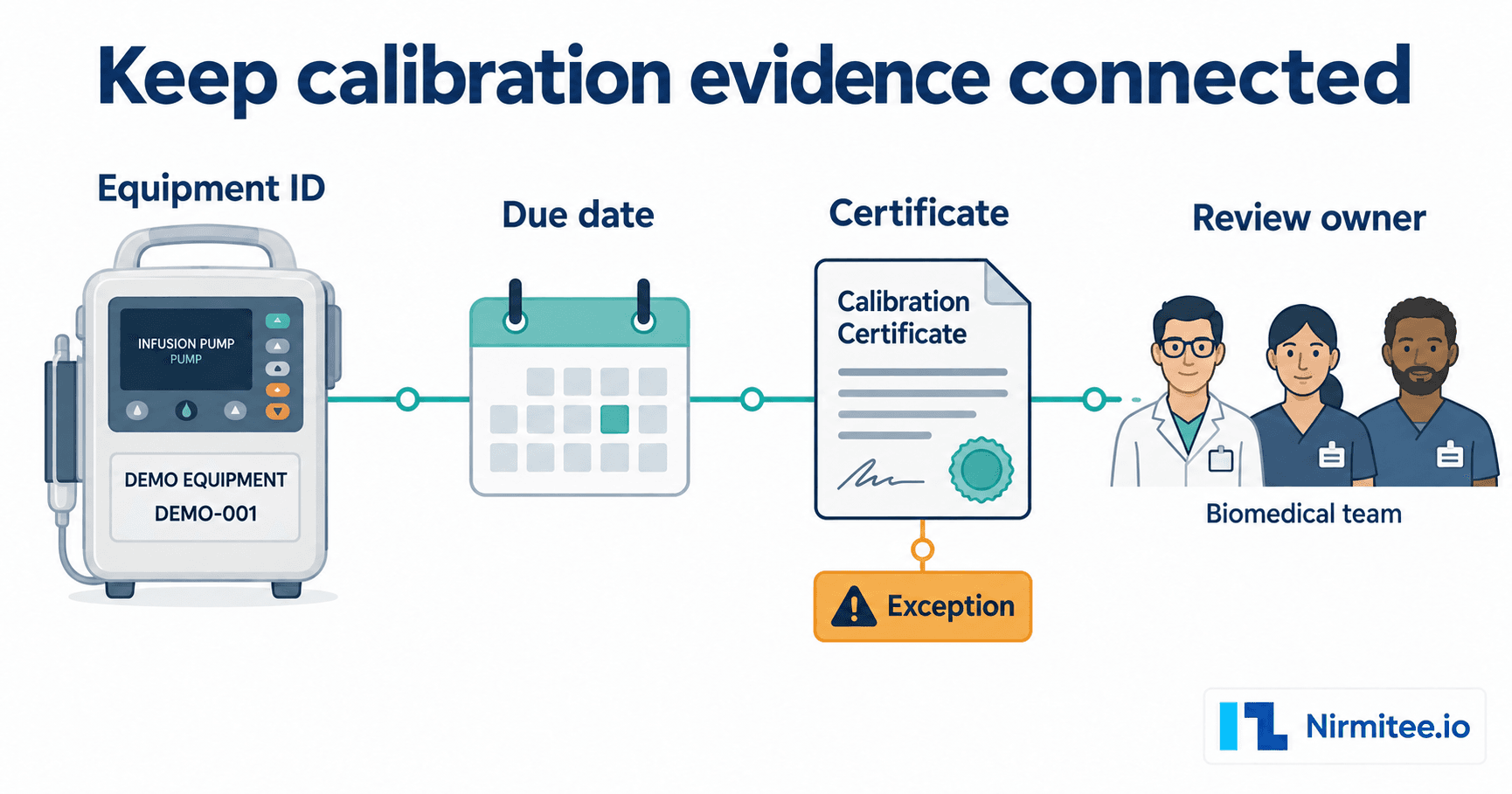
Medical equipment calibration tracking helps hospital teams keep each device's due dates, supporting documents and unresolved actions connected to the correct equipment record. This guide is for biomedical engineering, clinical engineering and quality teams whose calibration evidence sits across spreadsheets, email attachments and service reports.
Buying calibration tracking software? Book an Assetly demo with one of your own incomplete calibration records, and see due dates, certificates and reviewers tied to each device.
The buying problem is usually more specific than “we need reminders.” A certificate may exist but be linked to the wrong serial number. A vendor may have visited without providing the final document. A task may be marked complete while the responsible reviewer still has an unresolved question. A useful tracking workflow makes those differences visible.
Below is a practical register structure, an exception workflow and a software demonstration checklist. The focus is record control and procurement. Calibration methods, acceptance limits and equipment-use decisions must follow the device instructions and the hospital's authorised technical process.
What should medical equipment calibration tracking establish?
For each device in the agreed scope, your team should be able to establish its identity, the basis for its schedule, the next action, the available evidence and the person responsible for an unresolved issue. It should be possible to tell a planned appointment from completed work and completed work from reviewed evidence.
Consider an illustrative example. A vendor sends a certificate for a pump, but the serial number differs from the register. Updating the next due date would hide the identity question. A controlled workflow retains the document, marks the mismatch and assigns a reviewer. The person authorised to assess the discrepancy decides what happens next.
A digital register supports that process. It does not independently establish that a device is accurate, safe or suitable for clinical use. A green status is meaningful only when the hospital has defined what evidence and approval produce it.
Start with the equipment identity and schedule basis
Use a stable internal asset ID, with manufacturer, model and serial number in separate fields. Keep old asset codes as references when moving from an existing system. Replacing a damaged QR or barcode label should preserve the equipment history.
If disconnected equipment and calibration records are driving a software evaluation, review Assetly's equipment and calibration workflows against the register and exception checklist below. Ask the team to demonstrate your difficult records, including document mismatches and outstanding review actions.
Identify which equipment requires calibration under the hospital's approved process. Do not assign one interval to every device merely because a spreadsheet supports a single default. Record who approved the schedule, the applicable source or procedure, and how a change is reviewed.
The MHRA guidance on managing reusable medical devices provides a lifecycle reference for UK teams, including maintenance and repair. WHO's inventory and maintenance information-system publication also places inventory and maintenance within health technology management. Neither source is a substitute for the instructions and approved procedures governing an individual device.
A calibration register template your team can review
Use the following proposed fields to assess your current register. They are an editorial template, not a hospital standard or a real equipment dataset. Keep patient identifiers and restricted commercial information out of any supplier demonstration sample.
| Field group | Suggested fields | Why it matters |
|---|---|---|
| Equipment identity | Internal asset ID, manufacturer, model, serial number, old source reference | Connect the document to the correct physical device |
| Responsibility | Site, assigned department, equipment custodian, calibration coordinator | Route an unresolved action to a named owner |
| Schedule | Approved schedule basis, last relevant event, next due date, planned appointment | Separate the obligation from the booking |
| Work event | Date performed, provider, service reference, work status | Distinguish planned work from a recorded service event |
| Evidence | Document reference, equipment identifiers shown, version, attachment location | Find and review the supporting certificate or report |
| Review | Review status, responsible reviewer, decision, decision time | Show whether the hospital has accepted the evidence |
| Exception | Type, description, owner, next action and escalation date | Keep missing or disputed evidence visible |
| Equipment-use decision | Separate authorised status and supporting reference where required | Avoid treating a document upload as approval to use the device |
Do not force a missing value into a default that implies certainty. “Certificate requested” and “certificate reviewed” should remain distinguishable. Preserve the original source date if the import process normalises date formats.
If equipment identity itself is unreliable, resolve that foundation first using a defined reconciliation scope. A calibration system connected to duplicate device records can make the same document appear to cover more than one item.
Keep five kinds of calibration exceptions separate
1. The next action is overdue
Show the approved due date, the current owner and the next step. Record any authorised change to the schedule with its reason and approver. A rescheduled appointment should not silently overwrite the original obligation or make an unresolved exception disappear.
2. Work is recorded, but evidence is missing
Link the service event to the request for the outstanding document. Ask who follows up, when the request escalates and which status remains visible until the evidence arrives. Closing a vendor ticket and completing evidence review may be separate events.
3. The certificate does not match the device
Retain both the equipment identifiers and the identifiers printed on the document. Route the mismatch for review rather than matching by a similar device description alone. Record the resolution so a future reviewer can understand why the document was accepted, replaced or rejected.
4. The result or supporting information needs technical review
Make the responsible technical owner and next action visible. Software should preserve the record and support the hospital's process. It should not infer a device-use decision from a file name, a date field or a vendor's completion status.
5. The equipment is unavailable or outside the original scope
A device may be off-site, on loan, under repair or retired. Record the evidence and the authorised scope decision. Removing the item from an active report should leave a traceable explanation rather than erase the unresolved work.
Connect calibration records to the equipment history
A separate certificate folder can be useful, but the team also needs to understand what happened to the device. Transfers, breakdowns, vendor visits and retirement can affect who is responsible for the next action. Keep those references connected without collapsing them into one status.
Assetly's hospital asset-management product includes equipment records, calibration and maintenance workflows, vendor history, transfers and audits. If disconnected records are driving your evaluation, ask the team to demonstrate the equipment-to-document workflow with a de-identified sample. Confirm the proposed review steps, reminders, permissions and integrations during that demonstration.
General maintenance programme design should follow the hospital's authorised technical procedures. The checklist here is deliberately about calibration records and exceptions, with a separate review decision for each unresolved case.
When a spreadsheet is sufficient, and when to evaluate software
A controlled spreadsheet can work for a bounded scope if ownership, edit access, attachments and review decisions are managed consistently. Before buying, identify the failure that the new system must fix. Examples include conflicting copies, forgotten follow-ups, documents that cannot be traced to devices or changes without an explanation.
Dedicated software becomes worth evaluating when several teams or sites need the same history, recurring work must be routed and reviewed, or evidence must survive staff and vendor changes. A migration should preserve unresolved exceptions rather than make the opening dashboard appear complete.
Be precise about what the current process costs. Repeated document searches are effort. A cancelled duplicate service visit may be an avoided cost if the cancellation and value are documented. Neither should be presented as measured savings without a defined baseline and supporting records.
Use this software demonstration script
Give each shortlisted supplier the same synthetic cases. The table describes proposed tests, not verified capabilities of Assetly or another product. Record the result as demonstrated, partly demonstrated or unconfirmed.
| Test case | Ask the supplier to show | Evidence to retain |
|---|---|---|
| Imported record has a missing serial number | Import handling and controlled identity review | Source reference, warning and owner |
| Certificate shows a different serial | Mismatch handling without silently accepting the file | Exception, reviewer and recorded resolution |
| Work is complete but the document is outstanding | Separate work and evidence states | Open document request and next action |
| A due date is changed | Reason, permission and history of the change | Previous date, new date, actor and approval |
| Equipment moves between sites | Continuity of identity and responsibility | Linked history and current owner |
| An account is removed | Access removal without losing historical authorship | Observed permission behaviour and readable history |
| The hospital needs an export | Records, exception states and document references | Usable export with scope and timestamps |
Ask whether the demonstrated behaviour is standard, configured for the proposal or dependent on an integration. An available API is weaker evidence than a working connection to the hospital's chosen system.
Agree a bounded pilot before a wider purchase
Choose a representative equipment scope containing both straightforward and difficult records. Identify who prepares the data, confirms the schedule basis, supplies documents and approves exception resolutions. Agree duration and cost from the work involved rather than assuming a universal rollout timetable.
Retain the starting list and observation period. Proposed acceptance evidence could include traceable identity for every agreed record, a named owner for every unresolved exception and a usable export of the resulting history. The hospital must approve its own targets before they become acceptance criteria.
Review the unresolved cases before discussing expansion. A clean sample of easy records does not establish that the system handles the mismatches causing the current problem. Keep remaining configuration and integration work visible in the purchase decision.
Compare the complete scope and price
Ask suppliers to separate software modules, asset or site limits, source-data preparation, document migration, configuration, training, integrations and recurring support. Confirm attachment storage, retention, export and exit terms. Include any physical labels or scanning devices required by the proposed workflow.
Have the appropriate IT, security and procurement owners review deployment, access, backups and support arrangements. In India, ask the quality team to map the evidence to the applicable NABH programme and edition. In the UK and US, use the organisation's applicable policies and governance owners. A record-tracking product does not itself establish accreditation or compliance.
What to bring to an Assetly calibration-workflow demo
Bring your country, sites, approximate equipment scope and the failure driving the evaluation. A small de-identified sample should include a normal record, an outstanding certificate, an identity mismatch and a due-date change. Keep any patient information out of the sample.
Ask the team to trace one device from its register entry to its calibration event, document and unresolved action. Request confirmation of what is included in the proposed software and what needs configuration or integration. The hospital software feature checklist provides additional tests for access, imports and exports. The equipment lifecycle guide explains how this workflow fits into wider asset control.
The useful outcome of the session is a decision: whether the proposed workflow can resolve your actual record problem, what remains unconfirmed and what evidence a pilot should produce.
Related Assetly buyer guides
- CMMS vs RTLS in hospitals: what to buy
- AMC vs CMC renewal checklist for medical equipment
- NABH asset management compliance guide
- How real-time location tracking cuts equipment loss
- Medical equipment utilisation rate formulas
- Hospital equipment downtime and patient safety
See how Assetly hospital asset tracking software connects equipment records, service work and location data.
See your calibration record workflow in Assetly
Bring a de-identified equipment list and one incomplete calibration record. Ask how the equipment ID, document, next action and responsible reviewer stay connected.
Frequently Asked Questions
What is medical equipment calibration tracking?
Is calibration tracking the same as preventive maintenance?
Should every device have the same calibration interval?
What should happen when a certificate serial number does not match?
How can we evaluate Assetly for calibration records?
Check the product against your buying brief
Review Assetly equipment records, maintenance, vendors, transfers and audits before you request a scoped demonstration.